How to Make an Apology Video With AI: A Simple 2026 Guide
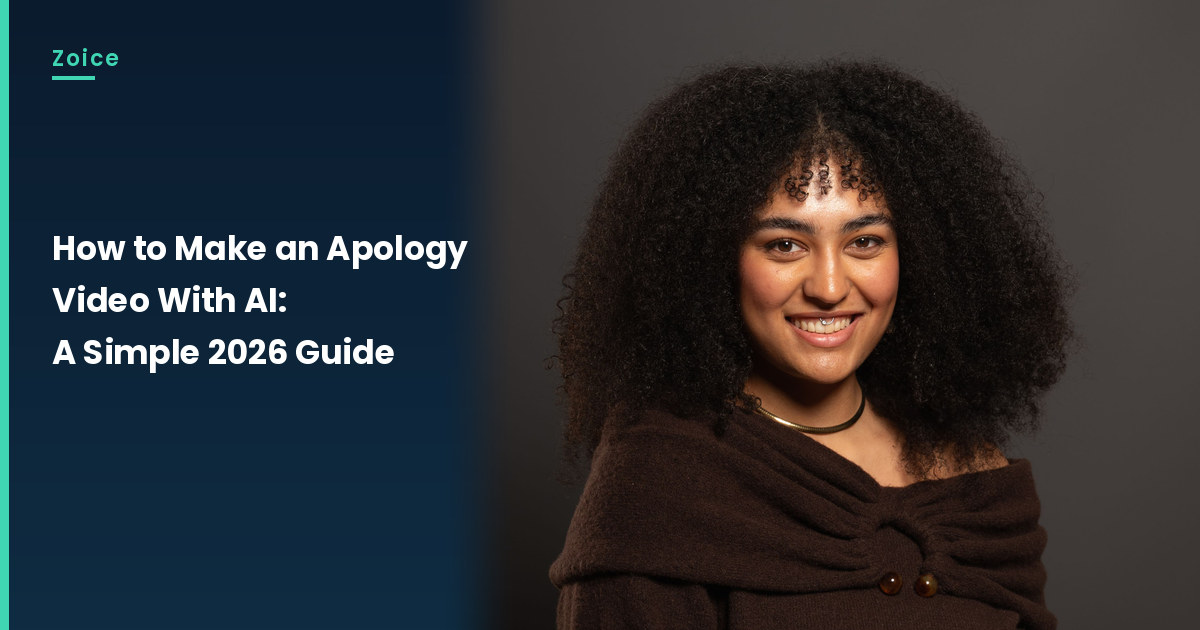
A sincere apology is often clearer when it is spoken, and short, than when it is written at length. This is how to make an apology video with AI in Zoice: upload a clear, approved photo, use it as the Host, paste the apology in your own words, pick a voice, and let lip sync follow the script. An optional action prompt can add a small move, such as places a hand over the heart and nods. The apology video screenshots use a stock-model stand-in, so swap in a photo of the person who has agreed to appear.
Below is how to make an apology video with AI, one screen at a time. A card-style note that sits well beside it is our talking greeting card tutorial.
Picking a Photo for Your Apology Video
Pick a clear, approved photo of the person who has agreed to appear in the apology video, with a visible mouth. Soft light and a simple sweater help the face stay readable. The apology video screenshots use a stock-model stand-in, which you can replace with an approved photo.
- Choose a clear, front-facing photo with a visible mouth
- Use only a photo of the person who has agreed to appear
- Write the apology in your own words and keep it short
- Test the face in Zoice before you send it
How to Make an Apology Video in Zoice
Our Host is a stock photograph of an adult woman with dark curly hair, a smile and a nose stud, wearing a dark brown off-the-shoulder knit sweater and a thin gold choker, on a dark grey backdrop, holding nothing, with her hands not visible, a clear face and a visible mouth, used as the Host for this post and saved in the app.
If you want a simpler portrait to speak first, our picture talk tutorial is a useful companion.
Step 1: Sign In to Zoice and Open Home
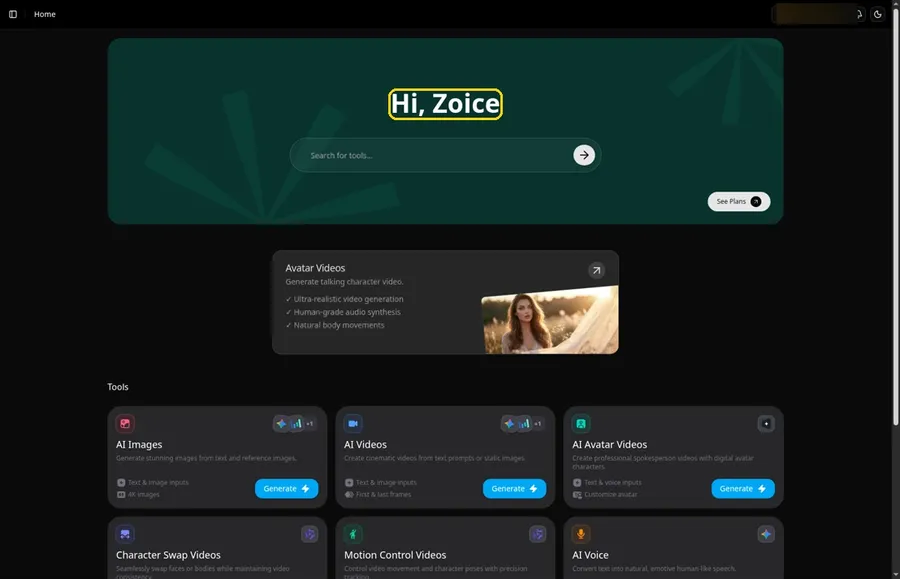
Sign in to Zoice with email or Google from the Sign In button, then stay on Home to start the apology video.
Step 2: Open Avatar videos
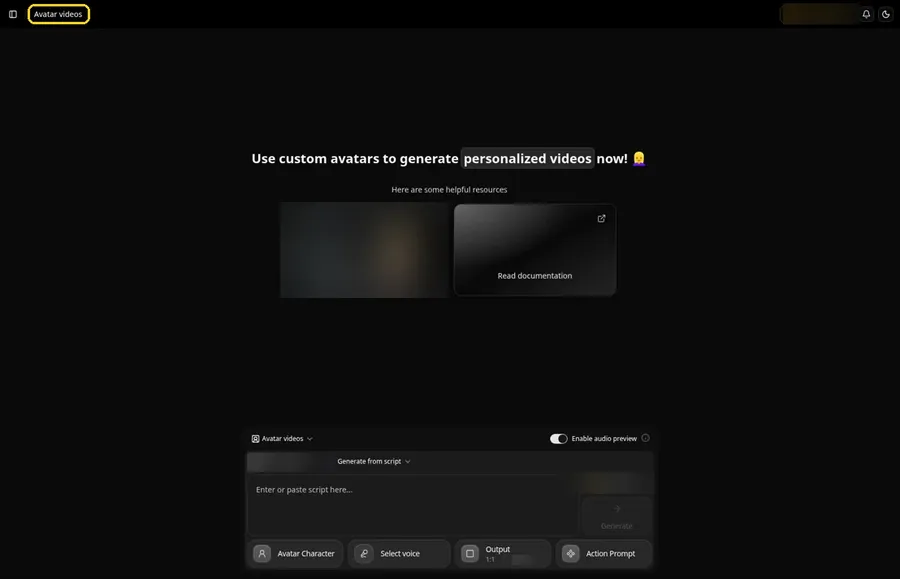
Open the Avatar videos item in the sidebar and keep the empty composer visible for the apology video.
Step 3: Open Avatar Character and Create a New Avatar
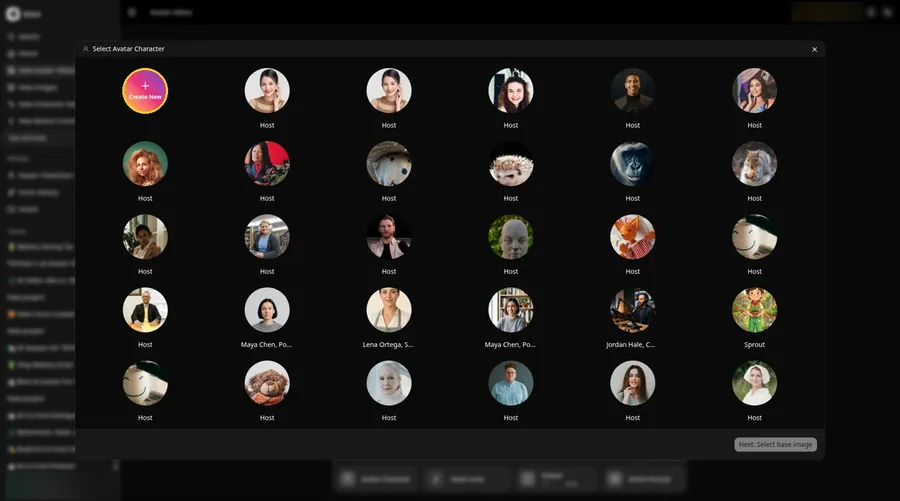
Open the Avatar Character control, click Create New, and follow a second Create New if you see the Avatar Characters list, which brings the apology video to Create new avatar.
Step 4: Choose Upload Image
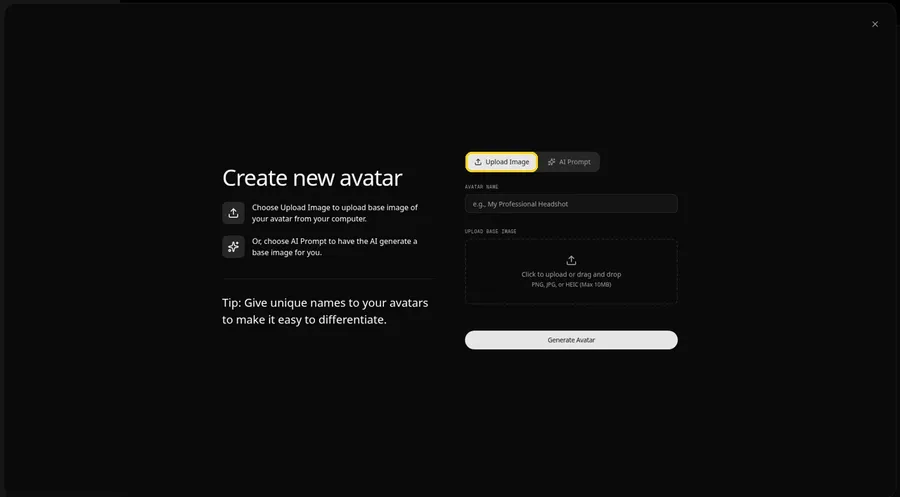
Stay with the Upload Image option under UPLOAD BASE IMAGE, which is the right start for the apology video.
Step 5: Upload the Apology Image
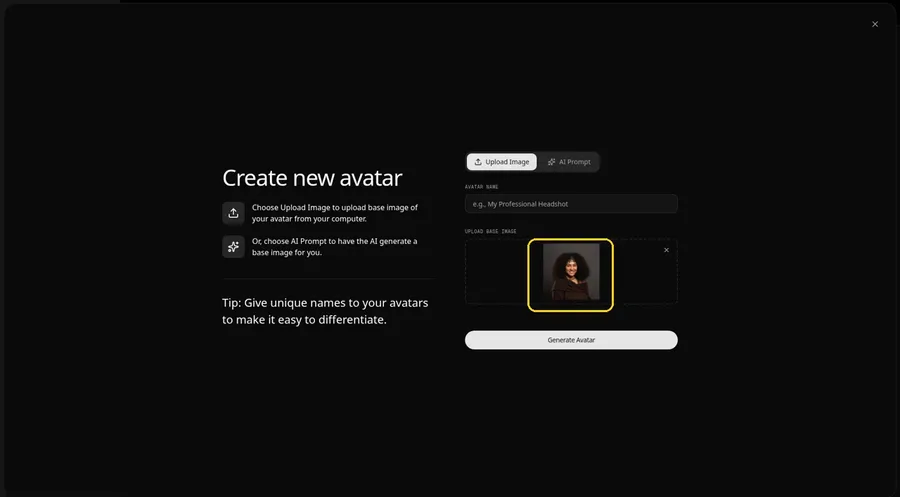
Use the upload control to add the apology video picture, then check the preview of an adult woman with dark curly hair, a smile and a nose stud, wearing a dark brown off-the-shoulder knit sweater and a thin gold choker, on a dark grey backdrop, holding nothing, with her hands not visible, a clear face and a visible mouth.
Step 6: Name Your Avatar Host and Click Generate Avatar
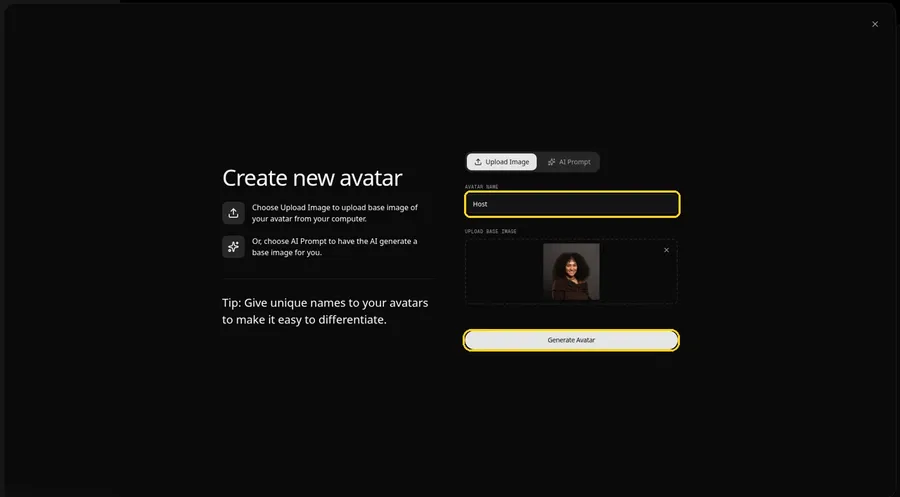
Type the word Host into AVATAR NAME, then click Generate Avatar to register the apology video.
Step 7: Open the Add Script Panel
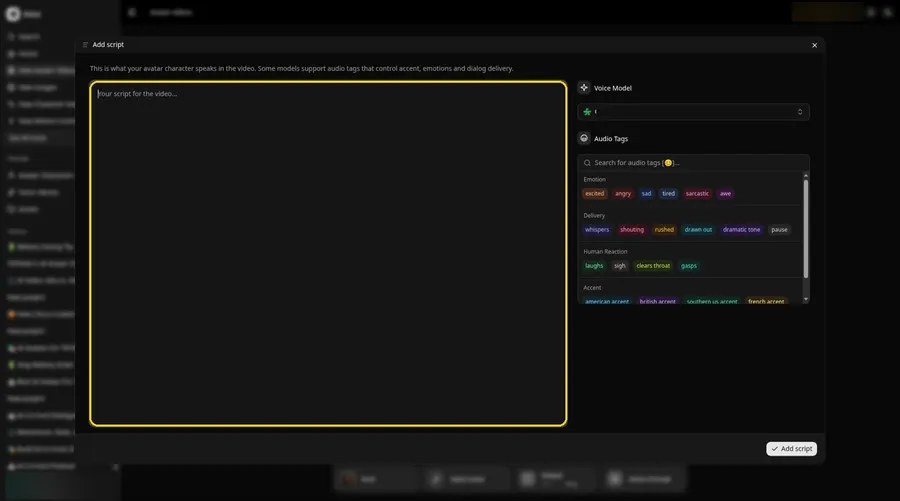
The Add script panel appears after you click the script box, which is the next move for the apology video.
Step 8: Choose the Voice Model
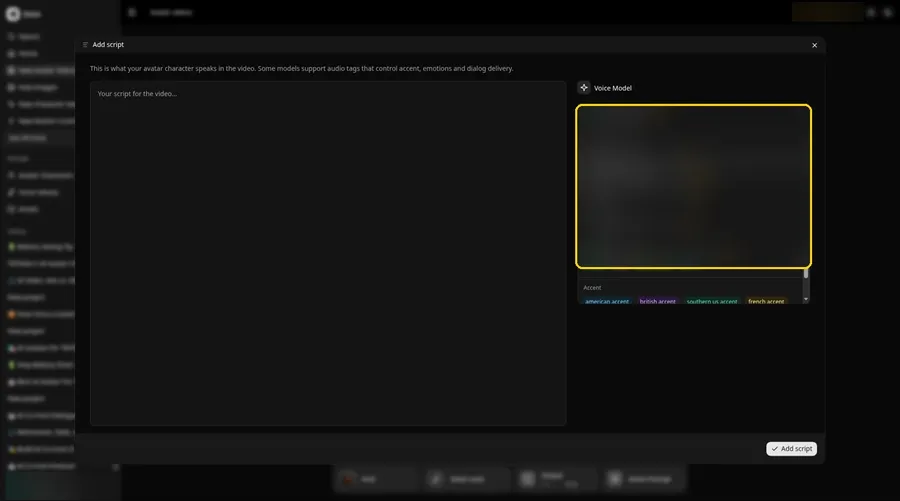
Open the Voice Model dropdown and choose a voice model before you paste the apology video script.
Step 9: Paste Your Script and Click Add Script
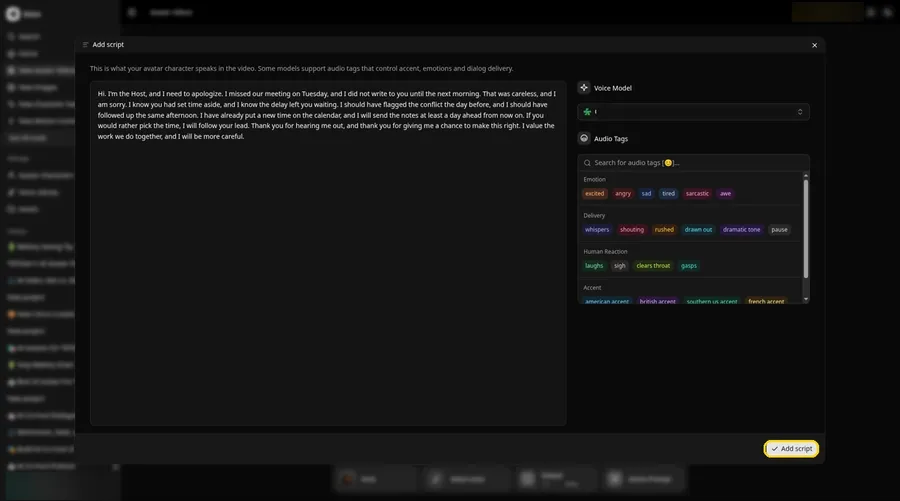
Paste the full apology video script, then click Add script once it looks right. It starts: Hi.
Step 10: Pick a Voice
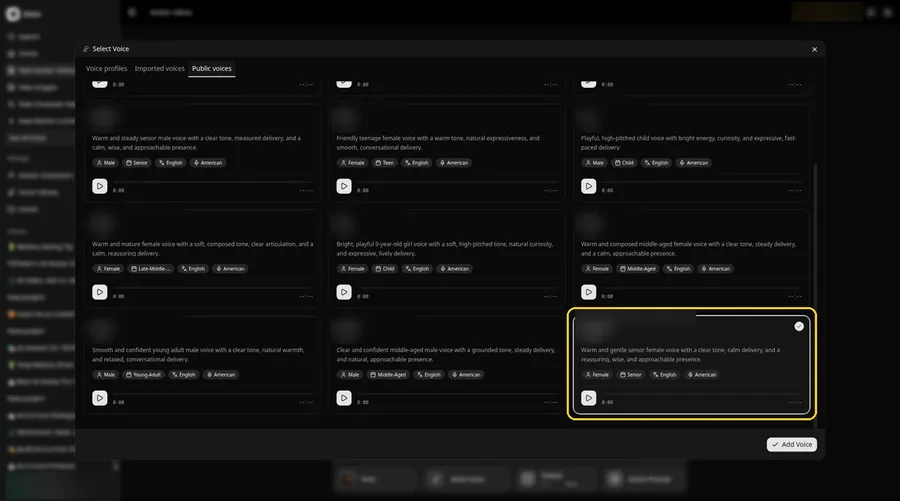
Open Select Voice from the composer, stay on Public voices, choose a calm and even adult voice, and click Add Voice, without naming it, for the apology video.
Step 11: Choose your output settings
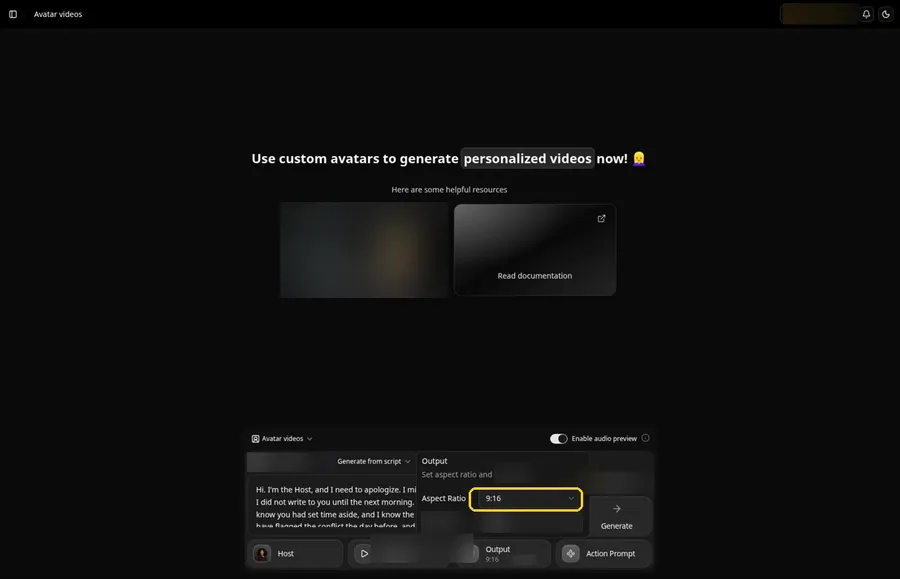
Choose your output settings. Switch the Output aspect ratio to 9:16 when the apology video will be shared vertically.
Step 12: Add an Action Prompt
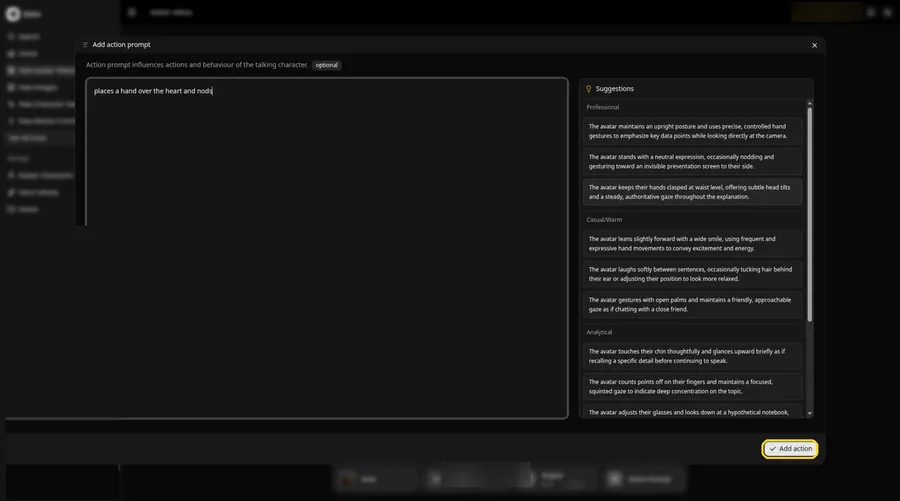
Add the line places a hand over the heart and nods in Add action prompt, then click Add action for the apology video.
Step 13: Click Generate
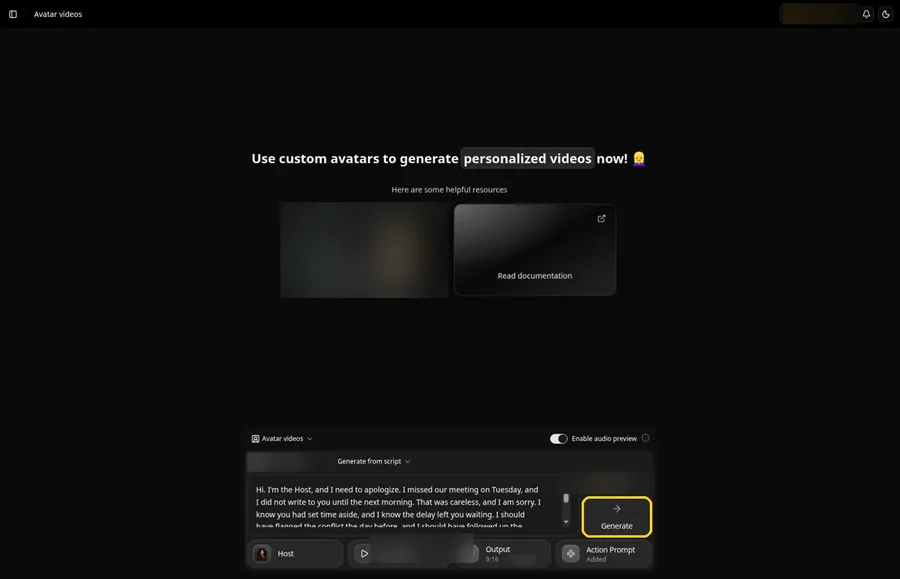
Scan the apology video composer for the Host, the voice, the script, 9:16 and an Added Action Prompt chip, then click Generate.
Step 14: Confirm the Audio Preview
Confirm the apology video audio preview after you listen, then wait while Zoice processes the clip.
Step 15: Preview the Video in the Player
The player is where you press play and inspect the apology video lip sync and the action prompt move.
Step 16: Download From the Player Menu
Keep a copy of the apology video by choosing Download in the player's three-dot menu.
Step 17: Share Your Video
Put the apology video in a story, a Reel, a Short or a message, and stay with images and audio you have rights to.
Writing the Action Prompt
Keep the apology video move sincere and small, like a hand over the heart and a nod.
- places a hand over the heart and nods
Type places a hand over the heart and nods in step 12 and click Add action so the Action Prompt chip updates on the apology video.
Demo Idea: A Sincere Sorry
A stock-photograph Host, of an adult woman with dark curly hair, a smile and a nose stud, wearing a dark brown off-the-shoulder knit sweater and a thin gold choker, on a dark grey backdrop, holding nothing, with her hands not visible, offers a sincere apology, with a hand over the heart and a nod from the action prompt. Here is the exact script:
"Hi. I'm the Host, and I need to apologize. I missed our meeting on Tuesday, and I did not write to you until the next morning. That was careless, and I am sorry. I know you had set time aside, and I know the delay left you waiting. I should have flagged the conflict the day before, and I should have followed up the same afternoon. I have already put a new time on the calendar, and I will send the notes at least a day ahead from now on. If you would rather pick the time, I will follow your lead. Thank you for hearing me out, and thank you for giving me a chance to make this right. I value the work we do together, and I will be more careful."
Your apology video is waiting for its first lines. Try Zoice and give the apology video a voice.
Tips for Your Apology Video
- Start with a stock or fictional adult photo you may use for this apology video, and keep the face and mouth easy to see.
- Say what went wrong, say you are sorry, and say what you will do next. Keep it direct and kind.
- A calm, even voice fits an apology better than a dramatic one.
- Action prompt tip: use one small move, such as places a hand over the heart and nods, after the apology line.
A wider character-building path sits beside this apology video in our guide to creating a talking character.
FAQ
Can I use a real person's face for an apology they did not write?
No. Only use a photo you may use, and do not put words in a real identifiable person's mouth. For this demo, use a stock or fictional adult, used as the Host.
Does the Host photo need a face?
Yes. Lip sync for this apology video needs a visible mouth, so pick a photo that faces the camera.
What image formats can I upload?
PNG, JPG or HEIC files, as the Upload Image panel states.
Is the action prompt required?
No. Lip sync still follows your apology video script if you skip the action prompt; the prompt only adds the move.
Try Zoice
Read our talking head video tutorial, or Try Zoice and make the apology video today.