Yepic AI Alternative Tested, Compared & Ranked
Yepic AI Alternative is a common search for people who want a different presenter library, another price structure, or more control after the first draft.
Yepic AI is known for AI presenter videos where an avatar reads a script on screen. Many buyers compare it with other avatar platforms before committing because plans and presenter libraries vary a lot.
This guide ranks Zoice, HeyGen, Synthesia, Colossyan, Elai.io, and Vyond by what they offer, what they cost, and where each one fits.
Quick Comparison of the Best Yepic AI Alternative Tools
| Features & Capabilities | Zoice | HeyGen | Synthesia | Colossyan | Elai.io | Vyond |
|---|---|---|---|---|---|---|
| Quick Comparison | ||||||
| Best For | AI Avatar Videos | Avatar Presenter Videos | Training and Business Videos | Training Videos and Courses | Presenter Videos From Text | Character Based Explainer Videos |
| AI Presenter Avatars | Yes | Yes | Yes | Yes | Yes | Yes |
| Voice Cloning | Yes | Yes | Yes | Yes | Enterprise plan | Yes |
| Script to Video | Yes | Yes | Yes | Yes | Yes | Yes |
| Team Collaboration | Enterprise plan | Yes | Yes | Yes | Yes | Yes |
| Free Plan | Available | Available | Available | Available | Available | Not listed |
| Starting Price | $7.99/month | $29/month | $19/month | Free, then $59/month | $23/month billed annually | $58/month |
Best Yepic AI Alternative
Picking among Yepic AI alternatives starts with your main job. Zoice, HeyGen, Synthesia, Colossyan, Elai.io, and Vyond each lean toward a different one.
HeyGen is known for avatar presenter videos, and Synthesia is known for training and business videos. Colossyan covers training videos and courses, Elai.io covers presenter videos from text, and Vyond covers character based explainer videos.
Zoice is listed first for readers who want a custom Host that speaks a script or an audio file. The other tools follow in order of how closely they match common needs behind the Yepic AI search.
1. Zoice
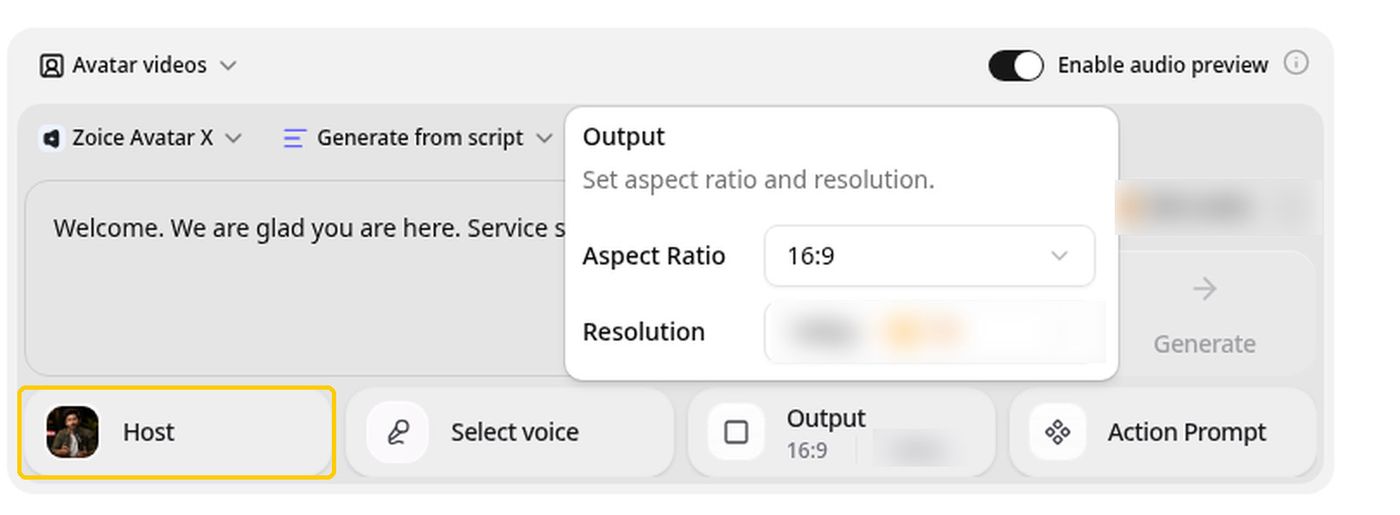
Zoice brings avatar videos, AI images, AI videos, and voice into a single platform. You choose or build a Host, add a script or your own audio, and Zoice generates the talking video with its Zoice Avatar X model.
Zoice lets you create your own Host and hear the audio before you generate, so you only spend time on videos you already like.
Zoice fits teams and creators who want a reusable Host. You can build your own avatar character or choose from a public library of hundreds, then use the same Host across many videos. Enterprise adds custom features, multi staff access, and dedicated support. Every paid plan includes AI Voice, AI Chat, AI Transcriptions, AI Images, AI Videos, and AI Avatar Videos.
Key Features
- AI avatar videos from a script
- Custom avatar characters
- Public character library
- Record or upload your own audio
- Voice profiles for cloned speech
- Action prompts for the Host
- AI images and AI videos
- AI chat and transcriptions
Best For:
- Educators turning lesson notes into a presenter video.
- Founders who want a consistent Host across many videos.
- Sales teams making short outreach videos from a script.
- Agencies producing presenter videos for several clients.
- Small businesses that need quick announcements and explainers.
- Creators who want to build their own avatar character.
Zoice Pros
- Avatar Videos From a Script or Audio
Write the script, or supply audio, choose a Host, and the video is generated for you.
- Build Your Own Host
Hosts can be created from a written description or an image, and a public library offers hundreds more.
- Voice Your Way
Bring a recording, upload audio, or train a voice profile so the Host can speak in a cloned voice.
- Action Prompts
Tell the Host what to do on screen with an optional action prompt, such as showing a product.
- Hear Before You Commit
An audio preview comes first, so you hear the voice before creating the video.
- More Than Avatars
Beyond avatar videos, the account includes AI images, AI videos, AI chat, and transcriptions.
Zoice Cons
- Works Only Online:
To use Zoice you need a working internet connection, so keep a reliable network handy.
- Public Library Is Smaller:
Zoice offers a public library of hundreds of characters, which is smaller than the avatar libraries at some larger platforms, and you can add your own Host character to widen the choice.
Zoice Pricing
The Zoice price list runs from a free plan to custom Enterprise pricing. Annual billing is available with a 20% discount.
| Plan | Price | What's Included |
|---|---|---|
| Free | $0/month | Daily allowance, AI Chat, AI Transcriptions, AI Voice, AI Images |
| Starter | $7.99/month | AI Voice, AI Videos, AI Avatar Videos, 1 Voice Profile |
| Basic | $29.99/month | Everything in Starter with 3 Voice Profiles |
| Creator | $49.99/month | Everything in Starter with 5 Voice Profiles |
| Agency | $89.99/month | Everything in Starter with 10 Voice Profiles |
| Enterprise | Custom Pricing | Custom features, multi staff access, dedicated support |
Starter, at $7.99 per month, is where avatar videos begin. Basic is $29.99, Creator is $49.99, and Agency is $89.99 per month.
When to Use Zoice?
Zoice is a fair choice when you want a custom Host and an audio preview step before generating.
2. HeyGen
HeyGen lets teams make presenter videos from text, using ready made avatars or a custom avatar of themselves. Agencies like it when one video has to ship in many languages. Compared with the other tools here, HeyGen lets you refine drafts in an editor with templates and a video agent.
Paid plans let you build a custom video avatar that speaks with your own voice and likeness. An editor with templates and PowerPoint and PDF import helps you start from material you already have. Voice cloning sits alongside a large catalog of AI voices.
The heavier features are tied to the Pro plan and above. Free exports carry a HeyGen watermark. On another front, HeyGen gets you from script to avatar video with a simple editor.
Key Features
- AI presenter avatars
- Custom video avatar
- Photo avatars
- AI voices and voice cloning
- Video translation
- AI video agent
- Templates and PowerPoint import
- Team workspace and brand kit
Best For:
- Consultants creating a branded explainer for each client.
- Creators building a recurring on screen character.
- Enterprise teams that need workspace and sign in controls.
- Sales teams adding a personal face to cold outreach.
- Product marketers who want a presenter in every launch video.
- Trainers localizing a course for several regions.
HeyGen Pros
- Large Presenter Library
Choose from over 500 presenters on the free plan, or over 700 on a paid plan.
- Custom Avatar With Your Voice
Build your own video avatar with your voice and likeness on a paid plan.
- Wide Language Coverage
Reach audiences in more than 175 languages and dialects on paid plans, versus over 30 free.
- Translation Controls
Edit and proofread the translated script on the Pro plan before you publish.
- Editor and Templates
An editor with over 75 templates and PowerPoint and PDF import shortens the first draft.
- Team Features
Business adds teamwork tools: a shared workspace, brand kit, single sign on, and Zapier, HubSpot, Make, and n8n links.
HeyGen Cons
- Watermark on the Free Plan:
Free videos show a HeyGen watermark.
- Metered Usage:
A monthly allowance that changes with model and video complexity makes spend harder to plan.
- Seats Cost Extra:
Each added Business seat is $20 per month beyond the base fee.
HeyGen Pricing
Plans at HeyGen are Free, Creator, Pro, Business, and Enterprise, with entry pricing from $29/month. There is a free plan to test it. Annual and monthly billing are priced differently, so compare like with like.
| Plan | Price | What's Included |
|---|---|---|
| Free | $0/month | Watermarked videos, access to Avatar IV and Video Agent, one custom video avatar, 500 plus ready made presenters |
| Creator | $29/month | Branding removed, custom video avatar with your own voice, 175 plus languages and dialects |
| Pro | $49/month | Everything in Creator plus faster processing, Cinematic Avatars, and proofreading for translations |
| Business | $149/month plus $20 per seat | Shared workspace, brand kit, single sign on, learning system export, and automation integrations |
| Enterprise | Custom Pricing | Multi workspace control, user provisioning, dedicated customer success manager, custom terms |
Creator costs $29/month. Pro costs $49/month. Compare the plan limits with your expected monthly work.
When to Use HeyGen?
HeyGen makes sense if you are comfortable managing a usage allowance and want a mature avatar library. Keep it on the shortlist if avatar presenter videos matters to you.
3. Synthesia
Synthesia is a business video platform where AI avatars read your script, built mostly for training and enablement teams. Global companies use dubbing to reuse one training video across regions. Compared with the other tools here, Synthesia gives templates, roleplays, and surveys for structured training videos.
Starter lists a large avatar library, and Pro and Enterprise list progressively more. Templates, roleplays, and surveys support learning focused content. Voice cloning is available on paid plans.
Starter and Pro include one editor, with guests added on top. Avatars, dubbing, surveys, and generated clips all draw from one shared allowance. On another front, Synthesia turns slides and scripts into avatar videos with an easy workflow.
Key Features
- AI avatars
- Personal avatars
- Voice cloning
- AI dubbing
- Syren AI video agent
- PowerPoint import
- Bulk personalization
- AI screen recorder
Best For:
- Learning designers building courses with a steady presenter.
- People teams explaining benefits and policies on video.
- Customer education teams publishing product tutorials.
- Companies that localize one video for many markets.
- Product teams adding avatars to release walkthroughs.
- Account teams producing named outreach videos in bulk.
Synthesia Pros
- Built for Business Video
The tool set leans toward business video, with templates, surveys, and roleplays for learning teams.
- Avatar Choices
Avatar counts are listed at 125 plus on Starter, 180 plus on Pro, and 240 plus on Enterprise.
- Personal Avatars
Your own personal avatar is included on paid plans.
- AI Dubbing
AI dubbing supports more than 70 languages, keeps voice and accent, and offers lip sync as an option.
- Bulk Personalization
Personalized versions can be created in bulk from a spreadsheet and one template.
- Enterprise Controls
Enterprise buyers get single sign on, export for learning platforms, custom onboarding, and a success manager.
Synthesia Cons
- Shared Usage Pool:
One usage pool is shared by every feature, which makes spend harder to predict.
- Watermark on the Free Plan:
Free Basic videos carry a Synthesia watermark.
- Limited Seats:
Only one editor seat comes with Starter and Pro, with guests added separately.
Synthesia Pricing
Plans at Synthesia are Basic, Starter, Pro, and Enterprise, with entry pricing from $19/month. There is a free plan to test it. Billing options and plan limits can change, so confirm them on the vendor's site.
| Plan | Price | What's Included |
|---|---|---|
| Basic | $0/month | Free allowance to try video creation and dubbing, prebuilt templates, watermarked videos |
| Starter | $19/month | Everything in Basic plus 125 plus avatars and 3 guests |
| Pro | $89/month | Everything in Starter plus 5 personal avatars, 5 guests, and 180 plus avatars |
| Enterprise | Custom Pricing | 240 plus avatars, unlimited personal avatars, single sign on, learning system export, dedicated success manager |
Starter costs $19/month. Pro costs $89/month. Higher tiers are worth it only if you use the extra features.
When to Use Synthesia?
Choose Synthesia when training and internal video are your main use and you want a proven business focus. It also suits anyone who needs training and business videos.
4. Colossyan
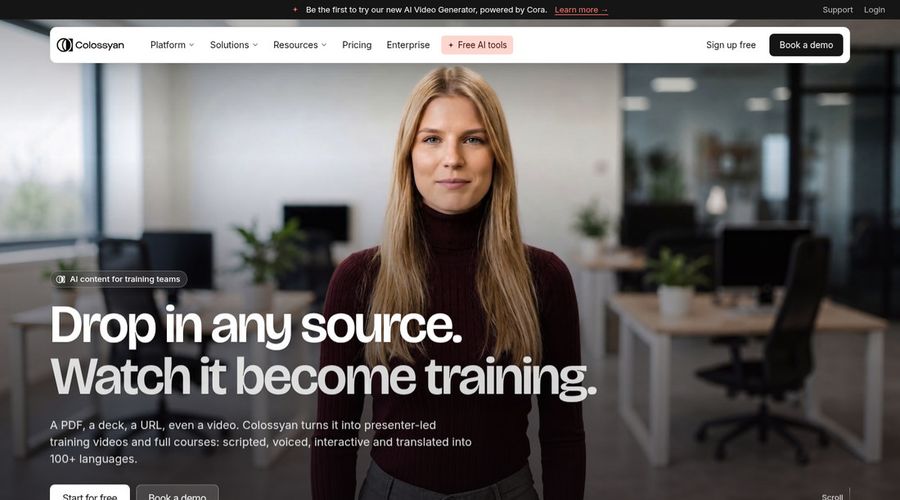
Colossyan creates avatar videos for learning and development, with interactive features that let viewers respond. Instructional designers like the course and interactive tools. Compared with the other tools here, Colossyan adds interactive videos and a course builder.
A course builder sits next to the video tools so lessons and videos live in one place. Paid plans can export for learning platforms. Custom studio avatars filmed on a green screen are an add on.
The free plan adds a watermark that only the Professional plan removes. Studio avatars filmed on a green screen cost an extra $1,000 per year. On another front, Colossyan starts from documents and slides with a free plan to try.
Key Features
- AI avatars
- Cloned voices
- Interactive videos
- Course creation
- Export for learning systems
- Brand kits
- Screen recorder
- PowerPoint and PDF import
Best For:
- Enablement teams updating product training.
- Consultants making client training material.
- Enterprises needing security reviews and data residency.
- Anyone converting slides into narrated lessons.
- Learning teams turning documents into video courses.
- HR teams creating onboarding content.
Colossyan Pros
- Course and Video Together
A course builder sits next to the video tools.
- Large Avatar and Voice Library
The pricing page lists 300 plus stock avatars and 700 plus stock voices.
- Interactive Videos
Interactive videos let viewers respond inside the video.
- 120 Plus Languages
Avatar narration and on screen text can be localized together.
- Learning System Export
Paid plans can export for learning platforms.
- Free Plan
A free Starter plan includes the full avatar library.
Colossyan Cons
- Allowance Does Not Roll Over:
Unused monthly video allowance is lost at the end of the billing period.
- Watermark on Free:
Watermark removal comes with the paid Professional plan.
- Studio Avatars Cost Extra:
Custom studio avatars filmed on a green screen are an add on at $1,000 per year.
Colossyan Pricing
Colossyan has 3 plans: Starter, Professional, and Enterprise. There is a free plan to test it. Entry pricing starts at $59/month billed annually. Billing options and plan limits can change, so confirm them on the vendor's site.
| Plan | Price | What's Included |
|---|---|---|
| Starter | Free | The full avatar library, brand kits, interactive videos, and course creation |
| Professional | $59/month billed annually | Watermark removal, AI image generation, exports for learning systems, up to 3 editors |
| Enterprise | Custom Pricing | No gated features, analytics, branded avatars, single sign on, dedicated customer success manager |
Professional costs $59/month billed annually. The right tier depends on how often you generate.
When to Use Colossyan?
Colossyan is a smart pick if you want a free plan with the full avatar library to test first. Consider it too if you need training videos and courses.
5. Elai.io

Elai.io is an AI video tool that turns text into videos presented by an avatar. Small teams can try it on the free plan before paying. Compared with the other tools here, Elai.io lets you build videos scene by scene.
The free plan lists a set of avatars and many languages for one user. Creator opens the full avatar and voice libraries. Single sign on, workspaces, and a brand kit are Enterprise features.
The free plan is built for a short test, not regular publishing. Team costs $125 per month on monthly billing. On another front, Elai.io keeps things simple with a short plan ladder and a free start.
Key Features
- AI presenter avatars
- Text to video
- Avatar libraries
- Voice libraries
- Translation into many languages
- Custom avatars on Enterprise
- Cloned voices on Enterprise
- Brand kit
Best For:
- Trainers who turn text into presenter videos.
- Marketers producing multilingual explainers.
- HR teams building onboarding videos.
- Small teams who want a free start.
- Educators who need lessons with a presenter.
- Enterprises that want custom avatars and cloned voices.
Elai.io Pros
- Free Plan to Start
Elai lists a free plan for one user so you can try avatars before paying.
- Many Languages
Plans list a wide range of languages for avatar narration.
- Team Plan for Editors
The Team plan adds three editors and three guests.
- Premium Voices and Assets
Team adds premium voices and custom assets.
- Custom Avatars on Enterprise
Enterprise includes custom avatars and voice clones.
- Enterprise Controls
Enterprise adds single sign on, workspaces, and a brand kit.
Elai.io Cons
- Free Plan Is Small:
The free plan is meant for a short test, not regular publishing.
- Team Plan Costs More:
Multiple editors require the Team plan, which is priced well above Creator.
- Custom Avatars Need Enterprise:
Custom avatars and cloned voices are reserved for Enterprise.
Elai.io Pricing
Elai.io has 4 plans: Free, Creator, Team, and Enterprise. There is a free plan to test it. Entry pricing starts at $23/month billed annually. Prices were checked against the vendor's own plan page in November 2026.
| Plan | Price | What's Included |
|---|---|---|
| Free | $0/month | One user, a set of avatars, and several languages to test |
| Creator | $29/month, or $23/month billed annually | One user with the full avatar and voice libraries |
| Team | $125/month, or $100/month billed annually | Three editors, three guests, premium voices, custom assets |
| Enterprise | Custom Pricing | Unlimited users, custom avatars, voice clones, single sign on, workspaces, brand kit, translation |
Creator costs $29/month, or $23/month billed annually. Team costs $125/month, or $100/month billed annually. Comparing the first paid plans is the quickest way to judge value.
When to Use Elai.io?
Choose Elai.io when you want a free start and a straightforward ladder of plans. It is also worth a trial when you need presenter videos from text.
6. Vyond
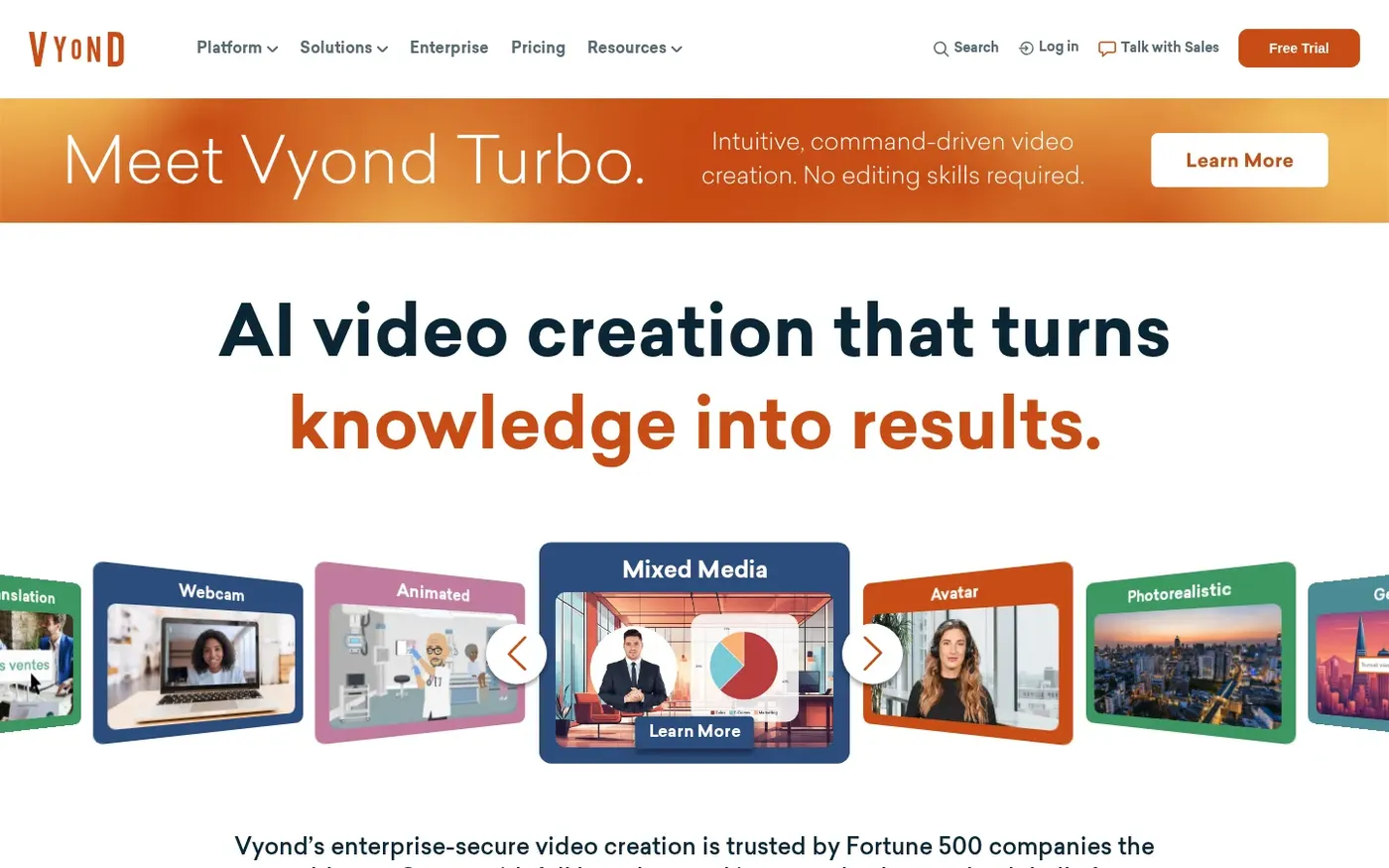
Vyond is known for animated workplace stories, now with AI help. Training teams build animated scenarios. Compared with the other tools here, Vyond lets you build scenes with characters and props.
The platform lists a very large avatar set. Instant translation covers a wide range of languages. Shared libraries and commenting help teams.
Starter is $58 per month on annual billing. Free plan is not listed. On another front, Vyond builds a video from a prompt, document, or URL with Vyond Go.
Key Features
- AI avatars
- Vyond Go prompt to video
- Document and URL to video
- Text to speech voices
- Instant translation
- Photo to character
- Screen and webcam recording
- Brand management suite
Best For:
- Communications teams with regular updates.
- Studios making explainers for clients.
- Departments that need shared assets and feedback.
- Firms localizing videos in many languages.
- Businesses with strict brand rules.
- Learning teams building explainers with characters.
Vyond Pros
- Many Avatar Options
The platform lists over 1,300 AI avatars.
- Prompt to Video
A prompt, document, script, or web page can become a video with Vyond Go.
- Translation
Videos can be translated into 95 languages on the spot.
- Voice Library
Over 650 text to speech voices come with Starter.
- Brand Controls
Brand kit and approval tools arrive on higher plans.
- Collaboration
Teams get shared libraries, comments, and user management.
Vyond Cons
- Higher Entry Price:
The entry price of $58 monthly on annual billing, or $99 on monthly billing, is for one person.
- Per User Pricing:
Seats are charged per user.
- Usage Allowance:
A monthly AI allowance applies to each user, and voice cloning draws more.
Vyond Pricing
Plans at Vyond are Starter, Professional, Enterprise, and Agency, with entry pricing from $58/month. No free plan is listed. Prices were checked against the vendor's own plan page in November 2026.
| Plan | Price | What's Included |
|---|---|---|
| Starter | $58/month billed annually, $99 monthly | AI avatars and tools, 650 plus text to speech voices, screen and webcam recording, text to video |
| Professional | $100/user/month billed annually | Team collaboration, Shutterstock assets, translation into 95 languages, generative avatars from a prompt |
| Enterprise | $137/user/month billed annually | Premium voice set, Brand Management Suite, advanced collaboration, security features |
| Agency | $167/user/month billed annually | The highest usage allowance for agencies |
Starter costs $58/month billed annually, $99 monthly. Professional costs $100/user/month billed annually. Check what each tier includes before you decide.
When to Use Vyond?
Pick Vyond when you need brand controls. It is also worth a trial when you need character based explainer videos.
Best Use Cases of Yepic AI Alternative
Different teams reach for Yepic AI alternatives for different reasons. These eight use cases show where HeyGen, Synthesia, Colossyan, Elai.io, Vyond, and Zoice each fit.
Training and Onboarding Videos
Teams that train staff on a schedule value tools that keep the same presenter from one lesson to the next. Colossyan adds interactive videos and a course builder, and Vyond lets you build scenes with characters and props, so both are worth testing against Zoice. Zoice lets you direct the Host with an action prompt.
Product Explainers
A short explainer with a presenter lowers the barrier to launching a feature, whichever Yepic AI alternative you pick. For this, Elai.io offers a set of avatars on the free plan and full libraries on Creator. HeyGen, by comparison, offers a very large set of ready made presenters plus custom and photo avatars.
Sales and Outreach Videos
A short video from a familiar face can lift replies, and voice options are where Yepic AI alternatives differ most. Worth noting: Vyond lists a large library of voices on Starter, and Synthesia includes voice cloning on paid plans. Zoice lets you record or upload audio, or train a voice profile for cloned speech.
Marketing and Social Content
Campaign videos often start as a script and end as a clip, which suits tools that handle both. Colossyan builds videos from documents, slides, and prompts, whereas HeyGen includes Avatar IV and a video agent that drafts videos from a prompt.
Course and Lesson Videos
Course creators want lessons that are easy to rebuild when a topic changes, and presenter tools make that simple. Synthesia turns slides and scripts into avatar videos with an easy workflow, while Elai.io keeps things simple with a short plan ladder and a free start. Zoice keeps the flow short: choose a Host, add a script or audio, preview, and generate.
Internal Communication
Leadership messages are easier to produce when no one has to appear on camera. On that front, Colossyan lists three editors on Professional and more on Enterprise. Vyond adds commenting, shared libraries, and user management.
Localized Videos
A single script can serve several markets only if the tool handles languages and voices well. Elai.io supports many languages across its plans, and HeyGen lists a much wider range of languages on paid plans than on free, so both are worth testing against Zoice.
Founder and Brand Videos
Founders use avatar videos for announcements and launch notes without taking time to film. For this, Vyond is aimed at business use. Synthesia, by comparison, removes the watermark on paid plans.
How We Compared the Best Yepic AI Alternative
We scored nothing, because every team values different things. Instead, we compared Yepic AI alternatives across nine areas using vendor pages from November 2026, covering HeyGen, Synthesia, Colossyan, Elai.io, Vyond, and Zoice.
1. Presenter Options
Can you pick a stock presenter, make a custom one, or both? That was our first check. Colossyan offers a large library of stock avatars, with studio avatars as an add on, and Vyond lists a very large avatar set along with animated characters, so both are worth testing against Zoice. Zoice gives you a Host built from a description or an image, or taken from a public library.
2. Voice Options
Voice decides how a video feels, so we checked what voices and cloning each tool offers. For this, Elai.io includes premium voices on Team and cloned voices on Enterprise. HeyGen, by comparison, pairs a big voice catalog with voice cloning on paid plans.
3. Script to Video Workflow
The path from script to export shows how much effort a tool saves. Worth noting: Vyond includes Vyond Go for prompt to video, and Synthesia includes an AI video agent called Syren for drafting. Zoice also makes AI images and AI videos from text, image, and frame inputs.
4. Control Over the Presenter
Some tools give light edits and others give deeper direction, so control was compared closely. Colossyan adds interactive videos and a course builder, whereas HeyGen lets you refine drafts in an editor with templates and a video agent.
5. Language and Translation
Language support decides whether one video can reach several markets. Synthesia dubs finished videos into many languages while keeping the voice, while Elai.io supports many languages across its plans.
6. Ease of Use
Ease of use matters when a team has no video specialist. On that front, Colossyan starts from documents and slides with a free plan to try. Vyond builds a video from a prompt, document, or URL with Vyond Go.
7. Pricing and Value
Value depends on what the cheapest paid plan actually unlocks. At the low end, Zoice is $7.99 per month, while Elai.io is $23/month billed annually and HeyGen is $29/month.
8. Team Features
Team features decide whether several people can work in one account. For this, Vyond adds commenting, shared libraries, and user management. Synthesia, by comparison, adds guests on Starter and Pro, with single sign on on Enterprise.
9. Public Information and Reviews
Public pages were our main source for this comparison. Plans for HeyGen, Colossyan, and Vyond were read from their own sites in November 2026.
Overall Performance
In short, Zoice covers avatar videos, images, and voice in one account, and the rest win on specific strengths. For avatar presenter videos, HeyGen stands out, and Synthesia is the pick for training and business videos. Colossyan is also worth a look for training videos and courses.
How to Choose the Right Yepic AI Alternative Before You Pay
A good Yepic AI alternative is the one that fits your next ten videos. These seven checks help you decide between Zoice and the other tools here.
Pick the Right Kind of Presenter
Some tools lean on stock presenters and others on custom ones, so match that to your plan. Colossyan offers a large library of stock avatars, with studio avatars as an add on, and Vyond lists a very large avatar set along with animated characters, so both are worth testing against Zoice. Zoice gives you a Host built from a description or an image, or taken from a public library.
Check the Voice Options
Listen to the voices before you subscribe and see whether cloning is included. For this, Elai.io includes premium voices on Team and cloned voices on Enterprise. HeyGen, by comparison, pairs a big voice catalog with voice cloning on paid plans.
Compare Plan Structures
Look at the plan ladder, not only the first price. Entry pricing is $58/month for Vyond, $19/month for Synthesia, and $7.99 per month for Zoice.
Look at Free Plans and Watermarks
Free access ranges from a full plan to a short trial. On free access, HeyGen shows a free plan and Colossyan shows a free plan, while Zoice offers a free plan.
Check Translation Needs
If you publish in several languages, read the translation details closely. Synthesia dubs finished videos into many languages while keeping the voice, while Elai.io supports many languages across its plans.
Think About Team Needs
A growing team needs shared access, which varies by plan. On that front, Colossyan lists three editors on Professional and more on Enterprise. Vyond adds commenting, shared libraries, and user management.
Try Before You Pay
Use free plans and trials to compare real output on the same script. Elai.io lists a free plan, HeyGen lists a free plan, and Zoice has a free plan.
Frequently Asked Questions
1. What is the best Yepic AI alternative?
Zoice is the best Yepic AI alternative for people who want a custom Host that speaks a script or an audio file. HeyGen suits avatar presenter videos, and Synthesia suits training and business videos.
2. Why do people look for a Yepic AI alternative?
Most often because they want a different presenter library, another price structure, or more control after the first draft. Many buyers compare it with other avatar platforms before committing because plans and presenter libraries vary a lot.
3. How does Zoice compare with Yepic AI?
Zoice lets you create your own Host and hear the audio before you generate, so you only spend time on videos you already like.
4. Which Yepic AI alternative is best for training videos?
Among Yepic AI alternatives, Vyond is a strong choice because it lists a very large avatar set along with animated characters. HeyGen also works, since it offers a very large set of ready made presenters plus custom and photo avatars. Zoice fits too when you want a Host built from your own script.
5. Which platform is best for voice cloning?
Among the tools here, HeyGen, Synthesia, Colossyan, and Vyond offer voice cloning. Zoice adds voice profiles on paid plans, from 1 to 10, so a Host can speak in a cloned voice.
6. Which Yepic AI alternative is the cheapest?
Zoice has the lowest entry price in this list at $7.99 per month, with a free plan to try first. HeyGen starts at $29/month, Synthesia at $19/month, Colossyan at $59/month billed annually, Elai.io at $23/month billed annually, and Vyond at $58/month.
7. Can I use videos made with these tools commercially?
Paid plans usually allow commercial use, but terms differ by tool and plan. Colossyan removes the watermark on the Professional plan, and Elai.io allows publishing on its paid plans. Always read each vendor's terms before using any Yepic AI alternative for client or advertising work.
8. Do I need a camera or video skills to use these tools?
No, most Yepic AI alternatives suit beginners. Elai.io keeps things simple with a short plan ladder and a free start, and Synthesia turns slides and scripts into avatar videos with an easy workflow. Zoice keeps the steps to choosing a Host, adding a script or audio, previewing, and generating.
9. How does Zoice make a talking avatar video?
Open Zoice, choose a Host, and add your script or audio. Listen to the audio preview, add an optional action prompt, set the Output, and generate. Generation runs on the Zoice Avatar X model.
10. What should I consider before choosing a Yepic AI alternative?
When you choose among Yepic AI alternatives, compare the presenter and voice options, how much control you get after a draft is made, what the free plan includes, and whether the tool matches your main job. For example, Colossyan adds interactive videos and a course builder, while Zoice lets you direct the Host with an action prompt.
11. Is Zoice free to try?
You can start on the free plan with AI Chat, AI Transcriptions, AI Voice, and AI Images. To make avatar videos or AI videos you move to a paid plan, starting at $7.99 per month. Annual billing takes 20% off the paid plans.
Conclusion
Moving on from Yepic AI is easier once you know your priority. HeyGen, Synthesia, Colossyan, Elai.io, and Vyond are all worth a closer look.
If you want a custom Host that speaks a script or an audio file, start with Zoice. Its free plan lets you try the flow before you pay, and paid plans begin at $7.99 per month. Keep this in mind when you replace Yepic AI.