ElevenLabs Alternative Tested, Compared & Ranked
ElevenLabs Alternative is a common search for people who want narration, a presenter, or a video tool in the same place as the voice.
ElevenLabs is an AI audio platform known for text to speech, voice cloning, and dubbing. Its plans run from a free tier to $990 per month, and every audio product draws from one shared allowance.
In this article, we compare Murf AI, Speechify, Fliki, Descript, Colossyan, and Zoice on features, pricing, pros, cons, and best use cases.
Quick Comparison of the Best ElevenLabs Alternative Tools
| Features & Capabilities | Zoice | Murf AI | Speechify | Fliki | Descript | Colossyan |
|---|---|---|---|---|---|---|
| Quick Comparison | ||||||
| Best For | AI Avatar Videos | Studio Voiceovers | Listening and Voiceovers | Text to Video With Voiceover | Editing Video and Audio Like a Document | Training Videos and Courses |
| Voice Cloning | Yes | Enterprise add on | Not confirmed | Yes | Yes | Yes |
| Text to Speech | Yes | Yes | Yes | Yes | Yes | Yes |
| AI Presenter Avatars | Yes | Not listed | Yes | Yes | Limited | Yes |
| Team Collaboration | Enterprise plan | Enterprise plan | Not listed | Enterprise plan | Yes | Yes |
| Free Plan | Available | Available | Available | Available | Available | Available |
| Starting Price | $7.99/month | $19/month billed annually | $100/year | $21/month billed annually | $16/month | Free, then $59/month |
Best ElevenLabs Alternative
The best ElevenLabs alternative depends on what you need from a video tool. We looked at Murf AI, Speechify, Fliki, Descript, and Colossyan next to Zoice, and each one answers a different need.
Murf AI is known for studio voiceovers, and Speechify is known for listening and voiceovers. Fliki covers text to video with voiceover, Descript covers editing video and audio like a document, and Colossyan covers training videos and courses.
Zoice is listed first for readers who want a voice that comes with a Host on screen. The other tools follow in order of how closely they match common needs behind the ElevenLabs search.
1. Zoice
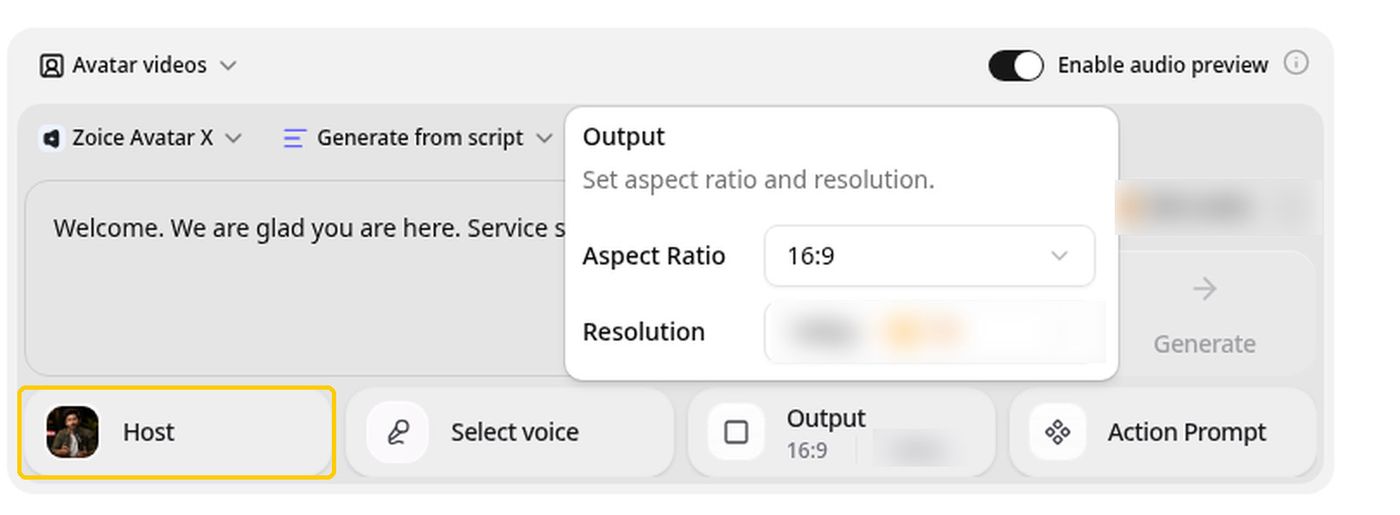
Zoice is an AI creation platform for avatar videos, AI images, AI videos, and voice. You choose or build a Host, add a script or your own audio, and Zoice generates the talking video with its Zoice Avatar X model.
Zoice goes beyond voice only: you can record or upload audio, train a voice profile, and let a Host speak it on screen.
Zoice treats voice as part of the video. You can record or upload audio, or train a voice profile, and then pair it with a Host so the voice has a face. Paid plans start at $7.99 per month, and annual billing takes 20% off. Enterprise adds custom features, multi staff access, and dedicated support.
Key Features
- AI avatar videos from a script
- Custom avatar characters
- Public character library
- Record or upload your own audio
- Voice profiles for cloned speech
- Action prompts for the Host
- AI images and AI videos
- AI chat and transcriptions
Best For:
- Creators who want to give their voice a face.
- Marketers making short product videos with a cloned voice.
- Educators turning lesson notes into a presenter video.
- Podcasters who want video versions of their episodes.
- Founders who want a consistent Host and voice.
- Agencies managing voices and videos for several clients.
Zoice Pros
- Avatar Videos From a Script or Audio
You type a script or bring your own audio, pick a Host, and generate a talking avatar video without filming anything.
- Build Your Own Host
Create a digital avatar profile from a text description or an image, or pick from a public library of hundreds of characters.
- Voice Your Way
Record or upload audio directly, or train a voice profile so Zoice can speak your script in a cloned voice.
- Action Prompts
An optional action prompt lets you tell the Host what to do on screen, such as holding up a product while speaking.
- Hear Before You Commit
Audio preview lets you listen to the voice first and only then decide whether to generate the video.
- More Than Avatars
The same account covers AI images, AI videos with text, image and frame inputs, AI chat, and AI transcriptions.
Zoice Cons
- Needs You Online:
Every Zoice session needs you to be online, so check your network before you begin.
- Smaller Public Avatar Library:
Zoice has fewer public avatars to browse than the biggest avatar platforms. You may notice if you browse for a specific look.
Zoice Pricing
Zoice has a free plan and five paid tiers. Annual billing is available with a 20% discount.
| Plan | Price | What's Included |
|---|---|---|
| Free | $0/month | Daily allowance, AI Chat, AI Transcriptions, AI Voice, AI Images |
| Starter | $7.99/month | AI Voice, AI Videos, AI Avatar Videos, 1 Voice Profile |
| Basic | $29.99/month | Everything in Starter with 3 Voice Profiles |
| Creator | $49.99/month | Everything in Starter with 5 Voice Profiles |
| Agency | $89.99/month | Everything in Starter with 10 Voice Profiles |
| Enterprise | Custom Pricing | Custom features, multi staff access, dedicated support |
Starter is the lowest cost way to try avatar videos at $7.99 per month. Basic is $29.99, Creator is $49.99, and Agency is $89.99 per month.
When to Use Zoice?
Zoice is the better pick if your voice should come with a Host on screen instead of an audio file.
2. Murf AI
Murf AI is a voice studio that turns scripts into narration for videos, courses, and presentations. Course creators add narration to lessons. Compared with the other tools here, Murf AI adds Emphasis, Variability, and Say It My Way.
Multi native voices can speak several languages in the same voice. Business adds Emphasis, Variability, and Say It My Way for shaping delivery. Creator includes unlimited downloads and commercial rights.
The free plan has no downloads or commercial rights. Custom voice clones are an Enterprise add on. On another front, Murf AI works like a simple studio for scripts.
Key Features
- AI voice generator
- Large multi language voice library
- Multi native voices
- Emphasis and Variability controls
- Say It My Way delivery
- Canva integration
- PowerPoint and Google Slides add ons
- Audio to text
Best For:
- Course creators who need narration for lessons.
- Marketers adding voiceover to explainer and product videos.
- Presenters who want a voice for slide decks.
- Freelancers who record narration for clients.
- Teams that care about a business license for published audio.
- Canva users who want voiceover inside their designs.
Murf AI Pros
- Voice Studio Built for Narration
Murf is designed around voiceovers, with a studio where script, voice, and delivery are handled together.
- Delivery Controls
Business adds Emphasis, Variability, and Say It My Way so you can shape how a line is read.
- Multi Native Voices
A single voice can speak several languages, which helps with mixed language scripts.
- Canva and Slides Links
Creator includes the Canva integration, and Business adds PowerPoint and Google Slides.
- Commercial Rights on Paid Plans
Creator includes unlimited downloads and commercial rights.
- Free Plan to Test Voices
The free plan lets you try voice generation before you pick a paid plan.
Murf AI Cons
- No Downloads on Free:
The free plan has no downloads and no commercial rights.
- Clones Are an Add On:
Custom voice clones sit with the Enterprise plan as an add on, not on Creator or Business.
- Audio First:
Murf is built around voice, so a presenter on screen needs another tool.
Murf AI Pricing
Murf AI has 4 plans: Free, Creator, Business, and Enterprise. There is a free plan to test it. Entry pricing starts at $19/month billed annually. Prices were checked against the vendor's own plan page in November 2026.
| Plan | Price | What's Included |
|---|---|---|
| Free | $0/month | Try voice generation with no downloads and no commercial rights |
| Creator | $29/month, or $19/month billed annually | Full voice library, unlimited downloads, commercial rights, Canva integration |
| Business | $99/month, or $66/month billed annually | Everything in Creator plus a business license, Emphasis, Variability, Say It My Way, PowerPoint add ons, audio to text |
| Enterprise | Custom Pricing | Collaboration, single sign on, AI translation, custom voice clones as an add on |
Creator costs $29/month, or $19/month billed annually. Business costs $99/month, or $66/month billed annually. Comparing the first paid plans is the quickest way to judge value.
When to Use Murf AI?
Choose Murf when narration is the main job. It is also worth a trial when you need studio voiceovers.
3. Speechify

Speechify is a voice platform with a reader for listening and a Studio for producing voiceover. Students use the reader for long reading lists. Compared with the other tools here, Speechify adds voice changing and dubbing in Studio.
The reader handles PDFs, web pages, emails, and books. Voice typing lets you dictate instead of typing. Studio Starter includes commercial usage rights.
The reader and Studio are separate subscriptions. It is built around audio, not presenter video. On another front, Speechify is simple to use as a reader.
Key Features
- Text to speech reader
- 1,000 plus voices
- Scan and Listen for printed pages
- AI summaries and chat
- Voice typing
- AI podcasts
- Voiceover Studio
- Dubbing Studio
Best For:
- Professionals turning emails and documents into audio.
- People with dyslexia or ADHD who prefer listening to reading.
- Creators who need simple voiceovers for videos.
- Teams that want to dub a video into another language.
- Authors checking how a draft sounds when read aloud.
- Anyone who wants dictation and listening in one app.
Speechify Pros
- Large Voice Library
Premium lists more than 1,000 natural voices across more than 60 languages.
- Built for Listening
It reads PDFs, web pages, emails, and books, and can scan a printed page with your camera.
- AI Reading Helpers
Summaries and chat help you work through long documents.
- Voice Typing
Dictation lets you write by speaking instead of typing.
- Studio for Voiceovers
Studio adds voiceover, dubbing, a voice changer, and stock media with commercial rights on paid plans.
- Free Plans
Both the reader and Studio have free plans for testing.
Speechify Cons
- Two Separate Products:
The reader subscription is for listening, and voiceovers you publish need a separate Studio plan.
- Free Studio Has No Commercial Rights:
The free Studio plan cannot be used for commercial projects and downloads need a paid plan.
- Not a Video Platform:
It is built around audio, so presenter videos need another tool.
Speechify Pricing
Speechify prices its plans as Reader Free, Reader Premium, Studio Free, Studio Starter, Studio Creator, and Enterprise. There is a free plan to test it. Prices were checked against the vendor's own plan page in November 2026.
| Plan | Price | What's Included |
|---|---|---|
| Reader Free | $0 | Listening with basic voices |
| Reader Premium | $29/month or $139/year | 1,000 plus natural voices, Scan and Listen, AI summaries and chat, voice typing, AI podcasts, voice AI assistant |
| Studio Free | $0 | Voiceover Studio, Dubbing Studio, voice changer, no commercial usage rights |
| Studio Starter | $100/year | Commercial usage rights, stock music, video, images, and sound effects |
| Studio Creator | $300/year | Everything in Studio Starter with a larger usage allowance |
| Enterprise | Custom Pricing | For schools and businesses, contact sales |
The first paid plan, Reader Premium, is $29/month or $139/year. Studio Starter costs $100/year. Comparing the first paid plans is the quickest way to judge value.
When to Use Speechify?
Speechify fits creators who want voiceover and dubbing in one studio. It is also worth a trial when you need listening and voiceovers.
4. Fliki
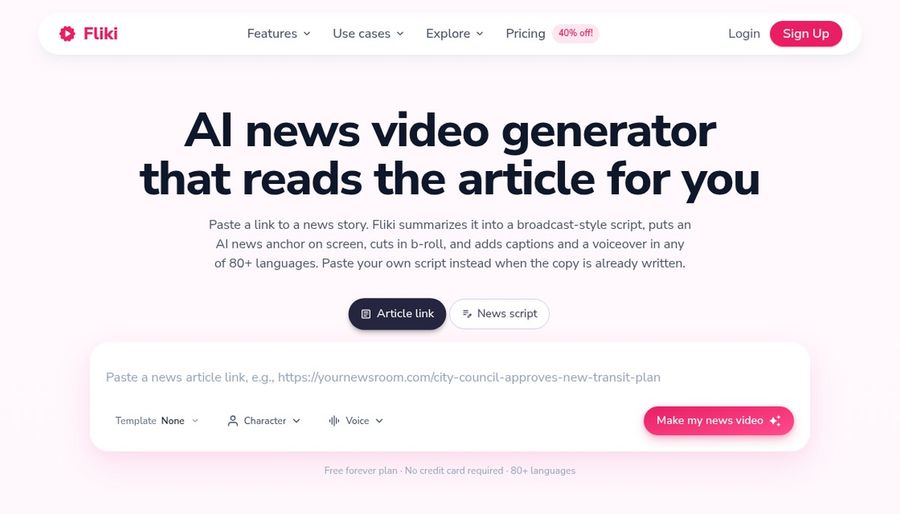
Fliki turns ideas, scripts, and blog posts into narrated videos with visuals and voice. YouTubers publish without filming. Compared with the other tools here, Fliki accepts plain language edits through its Copilot.
A very large voice library covers a wide range of languages. Voice cloning starts on Standard. AI images and thumbnails are part of every plan.
Free exports carry a watermark. AI video clips and developer access need Premium. On another front, Fliki starts from an idea, script, or blog post.
Key Features
- Idea, script, and blog to video
- Large voice library
- Voice cloning
- Video translation and dubbing
- AI avatars and photo avatars
- AI Copilot editor
- AI images and thumbnails
- Series and publishing tools
Best For:
- YouTubers who publish videos without filming.
- Bloggers who turn articles into narrated videos.
- Social teams who post on a schedule.
- Marketers who need voiceover in several languages.
- Course creators building narrated lessons.
- Podcasters who add visuals to audio.
Fliki Pros
- Ideas Become Videos
You can start with an idea, script, blog post, or presentation and get a draft with visuals and voice.
- Voices From Several Providers
The voice library draws on several providers across a very wide range of languages.
- Voice Cloning and Dubbing
Voice cloning starts on Standard, and translation covers uploaded video and audio.
- Avatars and Characters
Stock avatars, photo avatars, and custom characters sit alongside the video editor.
- Plain Language Editing
An AI Copilot accepts editing requests in plain language.
- Free Plan Available
You can try the tool without a card, with a Fliki watermark on free exports.
Fliki Cons
- Watermark on Free:
Free exports carry the Fliki watermark.
- Best Features Cost More:
Avatars for all, AI video clips, and developer access sit on the Premium plan.
- Usage Is Metered:
Each plan has a monthly allowance, so heavy use can run out early.
Fliki Pricing
Fliki has 4 plans: Free, Standard, Premium, and Enterprise. There is a free plan to test it. Entry pricing starts at $21/month billed annually. Prices were checked against the vendor's own plan page in November 2026.
| Plan | Price | What's Included |
|---|---|---|
| Free | $0/month | Voices in many languages, stock media, AI images, Fliki watermark |
| Standard | $28/month, or $21/month billed annually | Voice cloning, limited stock avatars, custom characters, commercial rights |
| Premium | $88/month, or $66/month billed annually | AI video clips, photo avatars, all avatars, multiple voice clones, brand kits, developer access |
| Enterprise | Custom Pricing | Team collaboration, personalized avatars, professional voice cloning, dedicated account manager |
Standard costs $28/month, or $21/month billed annually. Premium costs $88/month, or $66/month billed annually. Comparing the first paid plans is the quickest way to judge value.
When to Use Fliki?
Choose Fliki when voice and text drive your videos. It is also worth a trial when you need text to video with voiceover.
5. Descript

Descript is aimed at people who record a lot and want to edit by reading rather than scrubbing a timeline. Course creators fix mistakes without recording again. Compared with the other tools here, Descript lets you edit video by editing the transcript.
Studio Sound cleans up noisy recordings. Filler word removal tidies spoken takes. Screen and remote recording are built in.
Plans are priced per editor, so costs grow with the team. Top ups are sold as add ons. On another front, Descript feels like editing a document.
Key Features
- Text based video editing
- Underlord AI co editor
- Studio Sound
- Filler word removal
- Eye contact correction
- AI Speech and voice clones
- Screen and remote recording
- Translation and dubbing
Best For:
- Speakers who want filler words and long pauses removed.
- Companies that want shared brand templates for editors.
- Podcasters who want to cut an episode by deleting words.
- Video creators tightening long recordings.
- Teachers polishing lessons and walkthroughs.
- Marketing teams reusing webinars as clips.
Descript Pros
- Edit by Editing Text
Deleting a sentence from the transcript removes it from the video.
- Strong Cleanup Tools
Studio Sound, filler word removal, and eye contact correction clean up common recording problems.
- Voice Clones and Regeneration
AI Speech can clone your voice and repair a line so a fix blends with the rest of the audio.
- Built In Recording
Screen recording and remote guest recording are part of the app.
- Clip Creation
Underlord can find highlights and turn them into short clips for social channels.
- Free Plan to Start
The free plan lets you try text editing and the AI tools first.
Descript Cons
- Usage Limits:
Every plan caps media hours and AI usage, with more available as a paid add on.
- Priced Per Person:
Pricing is per editor, so the bill grows with each teammate.
- Edits Existing Footage First:
It starts from footage you have recorded, rather than generating a presenter from a script.
Descript Pricing
Descript prices its plans as Free, Hobbyist, Creator, Business, and Enterprise. There is a free plan to test it. Billing options and plan limits can change, so confirm them on the vendor's site.
| Plan | Price | What's Included |
|---|---|---|
| Free | $0/month | Text based editing and a trial of the AI tools |
| Hobbyist | $16/month billed annually, $24 monthly | Watermark free export, Underlord, AI Speech with custom voice clones and video regenerate |
| Creator | $24/month billed annually, $35 monthly | More usage, generate video with the latest AI models, unlimited stock media, top ups |
| Business | $50/month billed annually, $65 monthly | Brand Studio, translation and dubbing in 30 plus languages, custom avatars from a photo or text, priority support |
| Enterprise | Custom Pricing | Security controls, shared brand guardrails, dedicated support, flexible billing |
The first paid plan, Hobbyist, is $16/month billed annually, $24 monthly. Creator costs $24/month billed annually, $35 monthly. The right tier depends on how often you generate.
When to Use Descript?
Pick Descript when removing filler words and fixing lines matters more than generating a presenter. Consider it too if you need editing video and audio like a document.
6. Colossyan
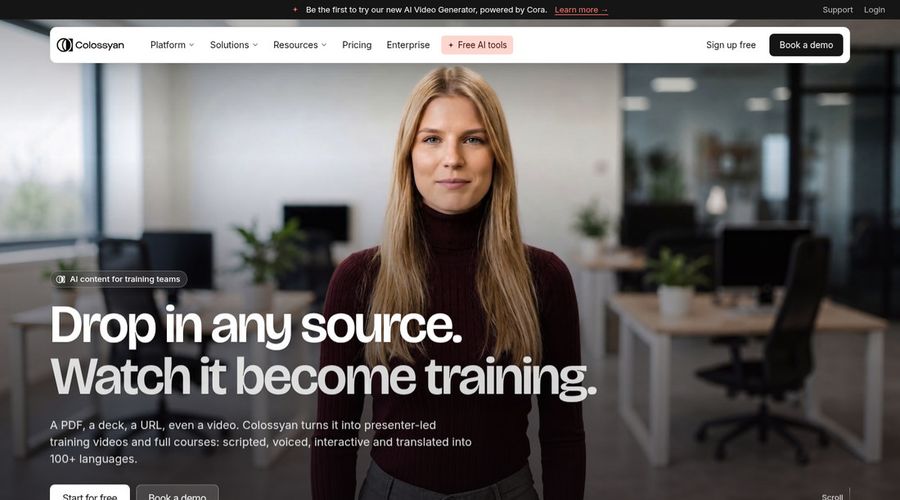
Colossyan is a video platform for training teams, pairing AI avatars with a course builder. Instructional designers like the course and interactive tools. Compared with the other tools here, Colossyan adds interactive videos and a course builder.
A course builder sits next to the video tools so lessons and videos live in one place. Avatar narration and on screen text can be localized together into many languages. Custom studio avatars filmed on a green screen are an add on.
The free plan adds a watermark that only the Professional plan removes. Unused monthly video allowance does not roll over. On another front, Colossyan starts from documents and slides with a free plan to try.
Key Features
- AI avatars
- Cloned voices
- Interactive videos
- Course creation
- Export for learning systems
- Brand kits
- Screen recorder
- PowerPoint and PDF import
Best For:
- Companies serving training to many languages.
- Sales trainers keeping content fresh.
- Freelancers selling training packages.
- Enterprises with data residency requirements.
- Course builders turning PDFs into video lessons.
- Onboarding teams standardizing new hire videos.
Colossyan Pros
- Course and Video Together
Video creation and course building share one workspace.
- Large Avatar and Voice Library
A large library with over 300 avatars and over 700 voices is listed.
- Interactive Videos
Interactivity is built in for viewers.
- 120 Plus Languages
More than 120 languages are supported for narration and on screen text.
- Learning System Export
Professional plans can publish to learning platforms.
- Free Plan
A free Starter plan opens up every avatar.
Colossyan Cons
- Allowance Does Not Roll Over:
The monthly video allowance resets without rollover.
- Watermark on Free:
You pay for Professional to remove the watermark.
- Studio Avatars Cost Extra:
Custom green screen avatars carry a $1,000 yearly add on.
Colossyan Pricing
There is a free plan to test it. The Colossyan plan list reads Starter, Professional, and Enterprise. Prices were checked against the vendor's own plan page in November 2026.
| Plan | Price | What's Included |
|---|---|---|
| Starter | Free | The full avatar library, brand kits, interactive videos, and course creation |
| Professional | $59/month billed annually | Watermark removal, AI image generation, exports for learning systems, up to 3 editors |
| Enterprise | Custom Pricing | No gated features, analytics, branded avatars, single sign on, dedicated customer success manager |
The first paid plan, Professional, is $59/month billed annually. Check what each tier includes before you decide.
When to Use Colossyan?
Choose Colossyan when you are building courses and want interactive training in one account. Consider it too if you need training videos and courses.
Best Use Cases of ElevenLabs Alternative
People use presenter, voice, and video tools for many jobs, and the best ElevenLabs alternatives cover these eight in different ways. Here is how Murf AI, Speechify, Fliki, Descript, Colossyan, and Zoice map to each one.
YouTube Voiceovers
YouTube narration needs clear commercial terms. Murf AI includes commercial rights on Creator and above, while Fliki includes commercial rights on Standard. Zoice paid plans start at $7.99 per month, with annual billing at a 20% discount.
Listening to Documents and Books
Reading aloud saves time for long documents. On that front, Speechify lists a very large voice library across many languages. Descript includes AI Speech with custom voice clones.
Talking Presenter Videos
Voice alone cannot show a person, so presenter tools matter. Fliki offers stock avatars, photo avatars, and custom characters, and Colossyan offers a large library of stock avatars, with studio avatars as an add on, so both are worth testing against Zoice. Zoice gives you a Host built from a description or an image, or taken from a public library.
Training and Course Narration
Training audio changes with each update. For this, Descript feels like editing a document. Murf AI, by comparison, works like a simple studio for scripts.
Marketing Videos
Marketing videos need a voice that fits the brand. Worth noting: Colossyan builds videos from documents, slides, and prompts, and Speechify adds summaries, chat, and AI podcasts for listening. Zoice also makes AI images and AI videos from text, image, and frame inputs.
Accessibility
Voice tools support accessibility goals. Fliki translates and dubs uploaded video and audio, whereas Murf AI offers multi native voices that speak several languages.
Podcasts and Audio Summaries
Summaries become audio with a few clicks. Speechify adds summaries, chat, and AI podcasts for listening, while Descript includes the Underlord AI co editor. Zoice also makes AI images and AI videos from text, image, and frame inputs.
Dubbing Videos
Translated voice depends on plan. On that front, Fliki translates and dubs uploaded video and audio. Colossyan localizes narration and on screen text together into many languages.
How We Compared the Best ElevenLabs Alternative
To compare the best ElevenLabs alternatives, we looked at nine areas using each vendor's own pricing and feature pages, checked in November 2026. The goal was to see where Zoice, Murf AI, Speechify, Fliki, Descript, and Colossyan differ, not to crown a single winner.
1. Voice Variety
We compared how many voices each tool offers and how varied they are. Murf AI offers a large voice library with delivery controls on Business, while Fliki includes a very large voice library with cloning on Standard. Zoice lets you record or upload audio, or train a voice profile for cloned speech.
2. Voice Cloning
Cloning ranges from instant to professional. On that front, Speechify lists a very large voice library across many languages. Descript includes AI Speech with custom voice clones.
3. Video Support
We looked at whether voice ties into video. Fliki offers stock avatars, photo avatars, and custom characters, and Colossyan offers a large library of stock avatars, with studio avatars as an add on, so both are worth testing against Zoice. Zoice gives you a Host built from a description or an image, or taken from a public library.
4. Ease of Use
A simple studio saves time. For this, Descript feels like editing a document. Murf AI, by comparison, works like a simple studio for scripts.
5. Listening and Reading Tools
We noted listening and reading extras. Worth noting: Colossyan builds videos from documents, slides, and prompts, and Speechify adds summaries, chat, and AI podcasts for listening. Zoice also makes AI images and AI videos from text, image, and frame inputs.
6. Dubbing and Translation
Language reach depends on the plan. Fliki translates and dubs uploaded video and audio, whereas Murf AI offers multi native voices that speak several languages.
7. Pricing and Value
We compared starting prices and limits. Speechify starts at $100/year, Descript starts at $16/month, and Zoice starts at $7.99 per month.
8. Commercial Use
Free plans often limit use. On that front, Fliki includes commercial rights on Standard. Colossyan removes the watermark on the Professional plan.
9. Public Information and Reviews
We relied on vendor pages for plans. Vendor pages for Descript, Murf AI, and Fliki were reviewed in November 2026, and anything unclear is marked as not confirmed.
Overall Performance
Overall, Zoice pairs voice with a Host on screen, while the audio tools here go deeper on narration alone. For studio voiceovers, Murf AI stands out, and Speechify is the pick for listening and voiceovers. Fliki is also worth a look for text to video with voiceover.
How to Choose the Right ElevenLabs Alternative Before You Pay
Choosing among ElevenLabs alternatives depends on how you plan to use video and voice. Some tools build presenters, others edit, and others generate scenes, so start from your own job before you compare prices.
Decide Between Listening and Producing
Pick whether you listen or publish audio. Murf AI focuses on narration rather than video generation, while Fliki adds AI images, thumbnails, and AI video clips on Premium. Zoice also makes AI images and AI videos from text, image, and frame inputs.
Check Commercial Rights
Plan terms vary by tool. On that front, Speechify adds commercial usage rights on Studio Starter. Descript has terms that vary by plan.
Compare Voice Cloning
Compare cloning tiers. Fliki includes a very large voice library with cloning on Standard, and Colossyan includes cloned voices and a big stock voice library, so both are worth testing against Zoice. Zoice lets you record or upload audio, or train a voice profile for cloned speech.
Look for Video Support
Video support varies. For this, Descript offers custom avatars on the Business plan. Murf AI, by comparison, focuses on voice, so there is no on screen presenter.
Preview Before You Commit
Preview voices first. Colossyan lists a free plan, Speechify lists a free plan, and Zoice has a free plan.
Read the Pricing Structure
Read the limits closely. At the low end, Zoice is $7.99 per month, while Murf AI is $19/month billed annually and Fliki is $21/month billed annually.
Try Before You Pay
Use free plans to test voices. Speechify lists a free plan, Descript lists a free plan, and Zoice has a free plan.
Frequently Asked Questions
1. What is the best ElevenLabs alternative?
Zoice is the best ElevenLabs alternative for people who want a voice that comes with a Host on screen. Murf AI suits studio voiceovers, and Speechify suits listening and voiceovers.
2. Why do people look for an ElevenLabs alternative?
Most often because they want narration, a presenter, or a video tool in the same place as the voice. ElevenLabs' plans run from a free tier to $990 per month, and every audio product draws from one shared allowance.
3. How does Zoice compare with ElevenLabs?
Zoice goes beyond voice only: you can record or upload audio, train a voice profile, and let a Host speak it on screen.
4. Which ElevenLabs alternative is best for voiceovers with a presenter on screen?
Among ElevenLabs alternatives, Fliki is a strong choice because it offers stock avatars, photo avatars, and custom characters. Descript also works, since it offers custom avatars on the Business plan. Zoice fits too when you want a Host built from your own script.
5. Which platform is best for voice cloning?
Fliki, Descript, and Colossyan list voice cloning in their plans. Zoice lets you train a voice profile so a Host can speak your script in a cloned voice, and paid plans include from 1 to 10 voice profiles.
6. Which ElevenLabs alternative is the cheapest?
Zoice has the lowest entry price in this list at $7.99 per month, with a free plan to try first. Murf AI starts at $19/month billed annually, Speechify at $100/year, Fliki at $21/month billed annually, Descript at $16/month, and Colossyan at $59/month billed annually.
7. Can I use videos made with these tools commercially?
Paid plans usually allow commercial use, but terms differ by tool and plan. Murf AI includes commercial rights on Creator and above, and Speechify adds commercial usage rights on Studio Starter. Always read each vendor's terms before using any ElevenLabs alternative for client or advertising work.
8. Do I need audio editing skills to use these tools?
No, most ElevenLabs alternatives suit beginners. Speechify is simple to use as a reader, and Colossyan starts from documents and slides with a free plan to try. Zoice keeps the steps to choosing a Host, adding a script or audio, previewing, and generating.
9. How does Zoice make a talking avatar video?
Pick a Host, then type a script or record or upload your own audio. Listen to the audio preview, add an optional action prompt, set the Output, and generate. Zoice then builds the video with its Zoice Avatar X model.
10. What should I consider before choosing an ElevenLabs alternative?
When you choose among ElevenLabs alternatives, compare the presenter and voice options, how much control you get after a draft is made, what the free plan includes, and whether the tool matches your main job. For example, Murf AI adds Emphasis, Variability, and Say It My Way, while Zoice lets you direct the Host with an action prompt.
11. Is Zoice free to try?
Zoice has a free plan with a daily allowance, AI Chat, AI Transcriptions, AI Voice, and AI Images. Avatar videos and AI videos start on the Starter plan at $7.99 per month. Annual billing takes 20% off the paid plans.
Conclusion
The right ElevenLabs alternative is the one that fits your main job, whether that is studio voiceovers, listening and voiceovers, or something in between. Murf AI, Speechify, Fliki, Descript, and Colossyan each earn a place on the shortlist for a different reason.
If you want a voice that comes with a Host on screen, start with Zoice. Its free plan lets you try the flow before you pay, and paid plans begin at $7.99 per month.