Kapwing Alternative Tested, Compared & Ranked
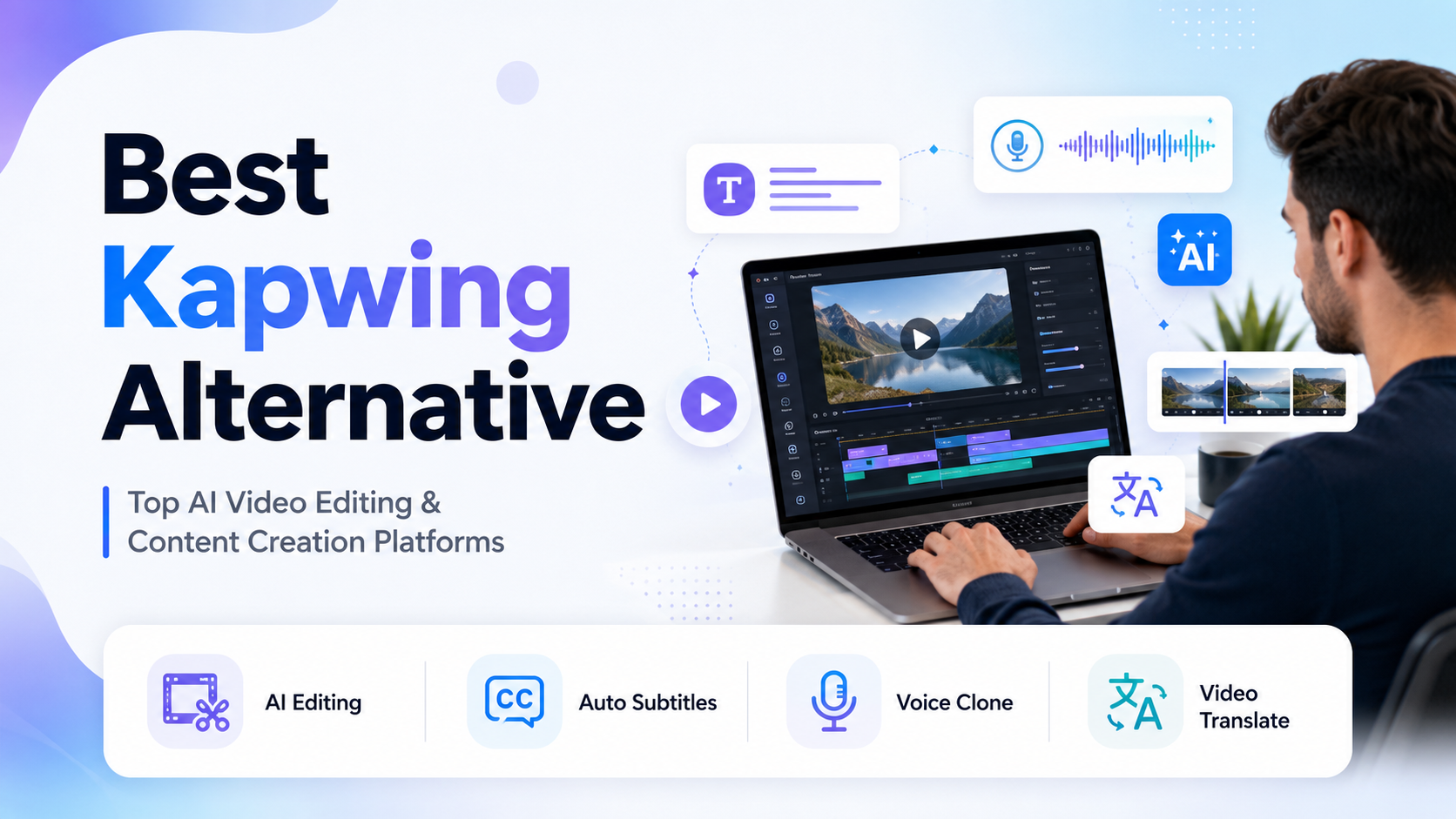
Kapwing Alternative is a popular search among creators, marketers, and businesses looking for an AI video platform with more advanced editing features, AI avatars, and flexible pricing. While Kapwing is a well known online video editor, many users compare other platforms before making a decision.
Modern AI video platforms now offer features such as AI avatars, text to video generation, automatic subtitles, voice cloning, video translation, and AI powered editing. These tools help creators produce professional videos faster while reducing manual editing work.
In this article, we compare the best Kapwing alternative platforms based on video editing capabilities, AI features, ease of use, pricing, and overall value. You will also discover why Zoice is one of the best alternatives for creating professional AI videos with realistic avatars, natural lip sync, and multilingual support.
Quick Comparison of the Best Kapwing Alternative Tools
| Features & Capabilities | Zoice | Kapwing | VEED.IO | Canva | Descript | InVideo AI |
|---|---|---|---|---|---|---|
| Quick Comparison | ||||||
| Best For | Realistic AI Avatars | Online Video Editing | AI Video Editing | Social Media Design | Podcast and Video Editing | AI Video Generation |
| AI Avatars | Yes | No | Yes | Yes | No | Yes |
| AI Video Editing | Yes | Yes | Yes | Basic | Yes | Yes |
| Automatic Subtitles | Yes | Yes | Yes | Yes | Yes | Yes |
| Voice Cloning | Yes | Yes | Yes | Yes | Yes | Yes |
| Multilingual Support | 100+ Languages | 70+ Languages | 50+ Languages | 100+ Languages | 25+ Languages | 50+ Languages |
| Video Translation | Yes | Yes | Yes | No | Yes | Yes |
| Collaboration | Yes | Yes | Yes | Yes | Yes | Yes |
| Free Trial | Available | Available | Available | Available | Available | Available |
| Starting Price | $7.99/month | $16/month | $12/month | $15/month | $24/month | |
Best Kapwing Alternative
Kapwing is a popular online video editing platform, but it may not be the best choice for every creator or business. Some users look for better AI video generation, more advanced editing features, realistic AI avatars, or affordable pricing. Below, we compare the best Kapwing alternatives to help you find the right platform for creating professional videos with less effort.
1. Zoice

Zoice is an AI video generation platform that helps businesses, marketers, educators, and content creators create professional videos using realistic AI avatars. You can generate videos from text, images, or audio without cameras, studios, or advanced editing skills.
The platform includes realistic AI avatars, talking photos, AI video editing, natural lip sync, voice cloning, multilingual support, and video translation. It combines powerful AI video creation features with an easy to use interface, making content production faster and more efficient.
Whether you are creating marketing campaigns, product demonstrations, employee training, online courses, social media content, or business presentations, Zoice provides an affordable and complete AI video solution for creators and businesses.
Key Features
- Realistic AI avatars
- AI video editing
- Talking photo generation
- AI voice cloning
- Natural lip sync
- Video translation
- Support for 100+ languages
- AI image to video
Best For:
- Businesses are creating professional AI videos for marketing and brand promotion.
- Marketing teams are producing product demonstrations and promotional campaigns.
- Sales teams are creating personalized customer presentations and outreach videos.
- Educators are developing engaging online courses and training materials.
- HR teams are creating employee onboarding and workplace training videos.
- Content creators produce videos for YouTube, Instagram, TikTok, and other social media platforms.
- Agencies managing AI video projects for multiple clients and businesses.
- Organizations are creating multilingual videos for global audiences.
Zoice Pros
- Realistic AI Avatars
Creates lifelike AI avatars with natural facial expressions, accurate lip sync, and smooth voice synchronization. This helps businesses and creators produce professional videos that feel more engaging, authentic, and human.
- Complete AI Video Toolkit
Includes talking photos, AI image to video, AI video editing, voice cloning, video translation, multilingual support, and AI voices. You can create, edit, and publish videos from a single platform.
- Easy to Use
Features a clean and beginner friendly interface that simplifies the entire video creation process. Even users with no editing experience can create professional quality AI videos in just a few simple steps.
- Affordable Pricing
Starts at only $7.99 per month, making it an excellent choice for individuals, startups, businesses, and agencies. The flexible pricing plans provide great value as your video production needs grow.
- Versatile Content Creation
Ideal for marketing campaigns, product demonstrations, employee training, online courses, business presentations, customer communication, and social media content. It supports a wide variety of professional and creative projects.
- Fast Video Production
Generates high quality AI videos within minutes, reducing production time and eliminating the need for expensive recording equipment or complex editing software. This helps creators publish content more efficiently.
Zoice Cons
- Internet Connection Required
Zoice is a cloud based AI video platform, so you need a stable internet connection to create, edit, and render videos. It does not support offline video generation or editing.
Zoice Pricing
| Plan | Price | Best For |
|---|---|---|
| Free | $0/month | New users exploring AI video creation with basic features and limited credits. |
| Starter | $7.99/month | Individuals and creators are producing professional AI videos at affordable prices. |
| Basic | $29.99/month | Small businesses are producing AI videos regularly with more credits and advanced features. |
| Creator | $49.99/month | Content creators and marketers are managing higher video production needs. |
| Agency | $89.99/month | Agencies handling multiple clients and larger AI video projects. |
| Enterprise | Custom Pricing | Large organizations need custom solutions, dedicated support, and enterprise features. |
Why Choose Zoice?
Zoice is one of the best Kapwing alternatives for users who want more than a traditional online video editor. It combines realistic AI avatars, AI video editing, talking photos, voice cloning, multilingual support, and video translation in one platform. Whether you create marketing videos, social media content, business presentations, or employee training, Zoice provides an affordable and easy to use AI video solution for creators and businesses.
2. VEED.IO

VEED.IO is an AI powered online video editing platform designed for creators, marketers, educators, and businesses. It combines professional video editing with AI powered tools, allowing users to create, edit, and publish high quality videos directly from a web browser.
The platform offers AI video editing, automatic subtitles, AI avatars, voice dubbing, screen recording, video translation, and social media templates. Its intuitive interface makes it easy to produce professional videos without requiring advanced editing experience.
Whether you are creating YouTube videos, marketing campaigns, product demonstrations, online courses, podcasts, or social media content, VEED.IO provides a fast and efficient workflow for modern video creation.
Key Features
- AI video editor
- Automatic subtitle generation
- AI avatars
- Screen recording
- AI voice dubbing
- Video translation
- Background noise removal
- Brand kit and social media templates
Best For:
- Content creators producing YouTube and social media videos.
- Marketing teams are creating promotional and advertising content.
- Businesses are editing product demonstrations and training videos.
- Podcasters are creating videos with automatic subtitles and voice enhancement.
- Educators are developing online lessons and tutorials.
- Teams collaborating on video editing projects.
- Agencies managing client video production and editing.
- Beginners looking for an easy online AI video editor.
VEED.IO Pros
- Powerful AI Video Editor
VEED.IO combines AI powered editing tools with an intuitive interface, making it easy to create professional videos without advanced editing skills. It is suitable for beginners, content creators, and businesses alike.
- Automatic Subtitle Generation
Generates subtitles automatically with high accuracy, helping improve video accessibility and audience engagement. Users can easily edit, translate, and customize subtitles before publishing.
- All in One Content Creation Platform
Includes AI avatars, voice dubbing, screen recording, video translation, background noise removal, and media editing tools. This allows users to manage the entire video production process in one place.
- Built for Social Media
Offers ready to use templates and optimized export formats for YouTube, Instagram, TikTok, LinkedIn, and other social platforms. This helps creators publish content faster across multiple channels.
- Easy Collaboration
Supports cloud based collaboration with shared workspaces, comments, and project sharing. Teams can review, edit, and manage video projects more efficiently without downloading software.
- Browser Based Editing
Since VEED.IO works entirely online, users can create, edit, and export videos from any device with an internet connection. This provides flexibility while eliminating the need for software installation.
VEED.IO Cons
- Premium Features in Higher Plans
Many advanced AI features, including premium AI avatars, brand kits, higher export quality, and collaboration tools, are available only in paid plans, which may increase the overall subscription cost.
- Limited AI Avatar Features
Although VEED.IO includes AI avatars, its primary focus is video editing. Users looking for extensive avatar customization and a larger AI avatar library may find dedicated AI avatar platforms more suitable.
VEED.IO Pricing
| Plan | Price | Best For |
|---|---|---|
| Free | $0/month | Beginners exploring AI video editing with basic features and limited exports. |
| Lite | $12/month | Individuals are creating videos with AI editing tools, subtitles, and higher export quality. |
| Pro | $29/month | Content creators and professionals need AI avatars, brand kits, voice dubbing, and advanced editing features. |
| Enterprise | Custom Pricing | Large organizations require team collaboration, enterprise security, advanced workflows, and dedicated support. |
Why Choose VEED.IO?
VEED.IO is a strong Kapwing alternative for creators who need an easy to use online video editor with powerful AI features. It combines AI video editing, automatic subtitles, AI avatars, voice dubbing, screen recording, and video translation in one platform. Whether you create YouTube videos, social media content, marketing campaigns, or business presentations, VEED.IO provides a fast and efficient workflow for professional video production.
3. Canva

Canva is a popular online design platform that also offers AI powered video creation and editing tools. It helps creators, marketers, educators, and businesses design professional videos, presentations, and social media content using an easy drag and drop interface.
The platform includes AI video editing, Magic Studio tools, text to video, AI voice generation, automatic subtitles, templates, and brand management features. Its large library of design assets makes it simple to create visually appealing content without advanced editing skills.
Whether you are creating social media videos, marketing campaigns, business presentations, online courses, or promotional content, Canva provides a platform for fast and creative content production.
Key Features
- Magic Studio AI tools
- AI video editor
- Text to video generation
- Automatic subtitle generation
- Brand Kit
- Millions of templates and stock assets
- Team collaboration
- Social media content scheduling
Best For:
- Content creators designing videos for social media.
- Marketing teams are creating branded promotional content.
- Small businesses producing marketing videos and presentations.
- Educators are developing engaging learning materials.
- Teams collaborating on design and video projects.
- Agencies managing multiple client brands and campaigns.
- Entrepreneurs creating professional content without design experience.
- Businesses looking for an all in one design and video creation platform.
Canva Pros
- Easy to Use
Canva features an intuitive drag and drop interface that makes video creation simple for beginners and professionals. Users can create polished videos without prior design or editing experience.
- Extensive Template Library
Provides thousands of professionally designed templates for social media, presentations, advertisements, and business videos. This helps users create high quality content much faster.
- Magic Studio AI Tools
Includes AI powered features such as Magic Design, Magic Media, Magic Write, background removal, and image editing. These tools simplify content creation and reduce manual editing work.
- Complete Design Platform
Canva combines video editing, graphic design, presentations, documents, whiteboards, and branding tools in one platform. This allows businesses and creators to manage multiple creative projects from a single workspace.
- Excellent Team Collaboration
Excellent Team Collaboration: Supports real time collaboration, shared folders, brand kits, comments, and approval workflows. Teams can work together efficiently while maintaining consistent branding across all projects.
- Large Media Library
Gives users access to millions of stock photos, videos, graphics, icons, audio tracks, and animations. This makes it easy to create professional-looking content without purchasing additional assets.
Canva Cons
- Limited Advanced Video Editing
Canva is designed for simplicity and ease of use. Professional video editors may find its timeline editing, motion graphics, and advanced editing capabilities less powerful than dedicated video editing software.
- Premium Features Require a Paid Plan
Many AI features, premium templates, stock assets, Brand Kit, and advanced collaboration tools are available only with Canva Pro or Enterprise plans, which can increase the overall subscription cost.
Canva Pricing
| Plan | Price | Best For |
|---|---|---|
| Free | $0/month | Individuals exploring video editing and design tools with basic AI features. |
| Pro | $15/month | Creators and professionals producing branded videos, presentations, and social media content. |
| Teams | $10/month per person | Teams collaborating on designs, videos, and brand management with shared workspaces. |
| Enterprise | Custom Pricing | Large organizations require enterprise security, advanced collaboration, admin controls, and dedicated support. |
Why Choose Canva?
Canva is a strong Kapwing alternative for users who want an easy to use platform for both design and video creation. It combines AI video editing, Magic Studio AI tools, automatic subtitles, templates, and brand management into a single workspace. Whether you are creating social media videos, marketing campaigns, business presentations, or educational content, Canva provides a simple and efficient solution for creators and teams.
4. Descript

Descript is an AI powered audio and video editing platform designed for creators, marketers, podcasters, and businesses. It simplifies video production by allowing users to edit videos as easily as editing a text document, making content creation faster and more efficient.
The platform offers AI video editing, automatic transcription, voice cloning, screen recording, subtitle generation, AI speech enhancement, and podcast editing. Its unique text based editing workflow helps users produce professional quality content with minimal effort.
Whether you are creating podcasts, YouTube videos, webinars, tutorials, interviews, or business presentations, Descript provides a powerful and intuitive platform for editing audio and video content.
Key Features
- Text based video editing
- Automatic transcription
- AI voice cloning
- Screen recording
- AI speech enhancement
- Automatic subtitle generation
- Multi track editing
- Podcast editing
Best For:
- Podcasters edit audio and video content.
- YouTubers are creating tutorials, interviews, and educational videos.
- Marketing teams are producing product demos and promotional videos.
- Businesses are creating webinars and internal communication videos.
- Content creators are editing videos with text-based workflows.
- Teams collaborating on podcast and video production.
- Educators are developing online courses and training materials.
- Professionals looking for fast AI powered video and audio editing.
Descript Pros
- Text Based Video Editing
Descript lets you edit videos by simply editing the transcript, making the entire workflow faster and more intuitive. This approach saves time and removes the complexity of traditional timeline based editing.
- Accurate Automatic Transcription
Generates highly accurate transcripts for videos and podcasts, making it easy to edit content, create captions, and improve accessibility. Users can quickly search and edit spoken content using text.
- AI Voice Cloning
Descript's AI voice cloning feature allows users to generate natural-sounding voiceovers and correct spoken mistakes without having to record audio again. This is especially useful for podcasts, tutorials, and business presentations.
- Built for Podcast and Video Creators
The platform combines podcast editing, video editing, screen recording, subtitle generation, and AI speech enhancement in one workspace. It simplifies content production for creators who publish regularly.
- Screen Recording and Collaboration
Screen Recording and Collaboration: Users can record their screen, webcam, and microphone while collaborating with team members on shared projects. This makes it ideal for tutorials, product demonstrations, webinars, and remote collaboration.
- Easy to Use
Easy to Use: Descript offers a clean and beginner friendly interface that helps creators, marketers, educators, and businesses produce professional quality videos and podcasts without advanced editing experience.
Descript Cons
- Learning Curve for Advanced Features
Learning Curve for Advanced Features: Descript offers many AI powered editing tools and workflows that may take some time for new users to fully understand. Beginners might need practice before using advanced features efficiently.
- Premium Features in Higher Plans
Advanced capabilities such as unlimited AI voice cloning, higher transcription limits, premium AI tools, and collaboration features are available only in paid plans, increasing the overall subscription cost.
Descript Pricing
| Plan | Price | Best For |
|---|---|---|
| Free | $0/month | Individuals exploring AI video and audio editing with basic transcription and editing features. |
| Hobbyist | $19/month | Content creators are editing podcasts, videos, and screen recordings with AI powered tools. |
| Creator | $35/month | Professionals producing videos regularly with AI voice cloning, advanced editing, and higher transcription limits. |
| Business | $50/month per person | Teams collaborating on podcasts, video production, and business communication projects. |
| Enterprise | Custom Pricing | Large organizations require enterprise security, advanced collaboration, admin controls, and dedicated support. |
Why Choose Descript?
Descript is a strong Kapwing alternative for creators who focus on podcast production, video editing, and AI powered audio workflows. Its text based editing, automatic transcription, AI voice cloning, subtitle generation, and screen recording features make content creation faster and more efficient. Whether you create podcasts, YouTube videos, webinars, tutorials, or business presentations, Descript provides a simple and powerful editing experience.
5. InVideo AI

InVideo AI is an AI video generation platform that helps creators, marketers, businesses, and agencies produce professional videos from simple text prompts. It combines AI script generation, stock media, voiceovers, and video editing to simplify the entire content creation process.
The platform offers AI text to video, AI voice generation, stock media, automatic subtitles, video translation, and social media templates. Users can create complete videos within minutes without requiring advanced editing skills or expensive production tools.
Whether you are creating YouTube videos, marketing campaigns, product demonstrations, advertisements, social media content, or business presentations, InVideo AI provides a fast and efficient way to generate high quality videos using AI.
Key Features
- AI text to video generation
- AI script generation
- AI voiceovers
- Millions of stock media assets
- Automatic subtitle generation
- Video translation
- Social media video templates
- Real time team collaboration
Best For:
- YouTubers are creating videos from text prompts.
- Marketing teams produce promotional and advertising campaigns.
- Businesses are creating product demonstrations and explainer videos.
- Social media creators are publishing content across multiple platforms.
- Agencies managing AI video production for clients.
- Educators are developing online lessons and training materials.
- Startups creating professional videos without expensive production equipment.
- Teams looking for fast AI powered video generation and editing.
InVideo AI Pros
- Fast AI Video Generation
InVideo AI can generate complete videos from a simple text prompt within minutes. It automatically creates scripts, selects visuals, adds transitions, and produces ready to publish videos, significantly reducing production time.
- AI Script Generation
The platform can generate video scripts based on your topic, making it easier to create marketing videos, product demonstrations, educational content, and social media videos without starting from scratch.
- Extensive Stock Media Library
Provides access to millions of royalty-free videos, images, music tracks, and graphics. Users can create professional quality videos without purchasing additional stock assets.
- Natural AI Voiceovers
Offers realistic AI voices in multiple languages, allowing creators to add professional narration without recording their own voice. This helps speed up video production while improving content quality.
- Built for Social Media
Includes templates and export options optimized for YouTube, Instagram, TikTok, Facebook, LinkedIn, and other platforms. This makes it easy to create platform specific videos that engage audiences.
- Easy to Use
Features an intuitive interface that helps beginners and professionals create high quality AI videos without advanced editing skills. Users can quickly edit, customize, and publish videos for different business and creative purposes.
InVideo AI Cons
- Limited Manual Editing Control
InVideo AI is optimized for AI generated videos rather than detailed timeline editing. Professional editors who need frame by frame control, advanced motion graphics, or complex visual effects may find the editing capabilities more limited.
- Premium Features in Higher Plans
Advanced AI video generation, premium stock media, higher export limits, and additional AI credits are available only in paid plans, which may increase the overall subscription cost.
InVideo AI Pricing
| Plan | Price | Best For |
|---|---|---|
| Free | $0/month | Beginners exploring AI video creation with limited AI generation and exports. |
| Plus | $35/month | Individual creators producing AI videos with premium templates, stock media, and higher AI usage limits. |
| Max | $60/month | Professionals and growing teams are creating videos regularly with advanced AI features and increased exports. |
| Generative | $120/month | Businesses and agencies require high AI generation limits, premium assets, and faster video production. |
| Enterprise | Custom Pricing | Large organizations need enterprise security, advanced collaboration, API access, and dedicated support. |
Why Choose InVideo AI?
InVideo AI is a strong Kapwing alternative for users who want to create complete videos from simple text prompts with minimal effort. It combines AI script generation, AI voiceovers, stock media, automatic subtitles, and video editing in one platform. Whether you create YouTube videos, marketing campaigns, product demonstrations, social media content, or business presentations, InVideo AI provides a fast and efficient AI powered video creation experience.
Best Use Cases of Kapwing Alternative
AI video platforms help creators and businesses produce professional content faster with AI powered editing, subtitles, avatars, voiceovers, and automation. The best Kapwing alternatives support a wide range of creative and business workflows, making video production more efficient, scalable, and accessible for individuals, teams, and organizations.
Social Media Content Creation
Kapwing alternatives make it easy to create engaging videos for YouTube, Instagram, TikTok, Facebook, LinkedIn, and other social media platforms. AI powered editing, automatic subtitles, templates, and resizing tools help creators publish high quality content faster while maintaining a consistent posting schedule across multiple channels.
Marketing Videos and Advertisements
Businesses can create promotional videos, product launches, advertisements, and brand campaigns using AI powered editing, voice generation, subtitles, and AI avatars. These platforms reduce production costs while helping marketing teams create professional content that attracts more customers and improves brand visibility.
YouTube Videos
Creators can generate YouTube videos using AI scripts, voiceovers, subtitles, stock media, and intelligent editing tools. Whether you produce tutorials, reviews, educational content, or entertainment videos, these platforms simplify the entire production process and help publish videos more efficiently.
Employee Training and Onboarding
Organizations can create onboarding videos, compliance training, workplace learning materials, and internal communication content with AI powered video tools. Updating training videos is also much easier because content can be edited without recording everything again.
Educational Content and Online Courses
Teachers, educators, and course creators can develop professional learning materials using AI editing, subtitles, voiceovers, and AI avatars. These features make lessons more engaging while allowing course content to be updated quickly as information changes.
Product Demonstrations and Tutorials
Businesses can produce software walkthroughs, product demonstrations, customer onboarding videos, and instructional tutorials using screen recording, AI voiceovers, subtitles, and video editing tools. These videos help customers understand products faster while reducing support requests.
Podcast and Webinar Content
Creators can edit podcasts and webinars using AI transcription, subtitle generation, voice enhancement, text based editing, and automatic scene detection. Long form content can also be repurposed into short clips for social media and marketing campaigns.
Multilingual Video Creation
Many Kapwing alternatives support AI translation, voice dubbing, multilingual subtitles, and AI voice generation. Businesses can localize marketing videos, training materials, and educational content for global audiences without creating separate recordings for each language.
Business Presentations
AI video platforms simplify the creation of company presentations, client proposals, leadership announcements, sales pitches, and internal updates. Professional templates and AI editing tools help businesses deliver polished and engaging presentations with minimal effort.
Content Repurposing
Creators can transform blogs, articles, podcasts, webinars, interviews, and long videos into short form content for multiple platforms. AI automation speeds up editing, improves productivity, and helps maximize the value of existing content while reducing manual work.
How We Tested the Best Kapwing Alternative
We evaluated each Kapwing alternative based on the features that matter most to content creators, marketers, businesses, and educators. Our comparison focused on AI video editing capabilities, ease of use, AI features, subtitle accuracy, pricing, collaboration, and overall value to help you choose the right platform for your video creation needs.
Key Factors We Considered:
AI Video Editing
We evaluated the editing capabilities of each platform, including trimming, timeline editing, AI powered tools, transitions, subtitle editing, media management, and export quality. Platforms that provided a smooth editing experience with powerful AI features and flexible customization options received higher ratings in our comparison.
Ease of Use
We tested how simple each platform was for beginners and professionals. We evaluated the user interface, editing workflow, navigation, templates, and overall learning curve. Platforms that allowed users to create professional videos quickly without requiring advanced editing skills ranked higher.
AI Features
We compared AI capabilities such as AI avatars, text to video generation, voice cloning, AI voiceovers, automatic subtitles, AI script generation, video translation, and AI powered editing. Platforms offering a broader set of AI tools for different content creation needs received better scores.
Subtitle Accuracy
Automatic subtitles play an important role in improving accessibility and audience engagement. We evaluated subtitle accuracy, editing flexibility, translation support, styling options, and export quality to determine which platforms delivered the most reliable captioning experience.
Video Templates and Assets
We reviewed the availability of professionally designed templates, stock videos, images, music, animations, icons, and branding tools. Platforms with larger media libraries and customizable templates made it easier to create professional videos for different industries and social media platforms.
Collaboration Features
We compared shared workspaces, cloud storage, commenting systems, project sharing, approval workflows, and team management tools. Platforms that simplified collaboration for businesses, agencies, and marketing teams received higher ratings.
Export Quality and Performance
We tested export speed, rendering performance, supported resolutions, file formats, and overall video quality. Platforms capable of producing high resolution videos quickly while maintaining consistent performance scored higher in our evaluation.
Pricing and Value
We compared pricing plans, free plans, AI usage limits, premium features, export restrictions, and overall value for money. Platforms that delivered powerful AI video editing features at competitive prices received better ratings for affordability and long term value.
Scalability
We evaluated API integrations, enterprise security, collaboration capabilities, cloud based workflows, and business features. Platforms that could support individual creators, growing teams, agencies, and large organizations ranked higher for scalability.
Overall Performance
Finally, we combined all testing factors, including AI video editing, AI features, subtitle quality, ease of use, collaboration, pricing, export performance, and scalability. Platforms that consistently delivered a reliable, feature rich, and user friendly video creation experience ranked highest in our comparison.
How to Choose the Right Kapwing Alternative Before You Pay
Choosing the right Kapwing alternative depends on your video editing needs, budget, and content creation goals. Before purchasing a subscription, compare the features that matter most to your workflow. The points below will help you select a platform that delivers the best long term value.
Identify Your Content Creation Needs
Start by deciding what type of videos you create most often. Some platforms specialize in AI video editing, while others focus on AI avatars, social media videos, marketing campaigns, podcasts, or business presentations. Selecting a platform that matches your primary use case will improve your overall workflow.
Compare AI Video Editing Features
Look for features such as timeline editing, AI powered editing, automatic subtitles, voice enhancement, screen recording, and media management. A platform with strong editing capabilities can significantly reduce production time while improving video quality.
Evaluate AI Capabilities
Modern AI video platforms offer much more than traditional editing. Compare features such as AI avatars, text to video generation, AI script writing, voice cloning, video translation, and AI voiceovers. The right AI tools can help automate repetitive tasks and speed up content creation.
Consider Collaboration Features
If you work with a team, choose a platform that supports shared workspaces, cloud storage, commenting, project sharing, and approval workflows. Collaboration features help businesses and agencies manage video projects more efficiently.
Review Templates and Media Library
A large collection of templates, stock videos, music, animations, and graphics makes content creation much easier. Platforms with extensive creative assets help you produce professional videos without purchasing additional media.
Compare Pricing and Value
Review pricing plans based on included features, AI usage limits, export quality, collaboration tools, and available templates. The lowest priced option is not always the best value, so choose a platform that fits both your current needs and future growth.
Test Before Committing
Most Kapwing alternatives offer a free plan or free trial. Testing the platform before purchasing allows you to evaluate editing tools, AI features, ease of use, export quality, and overall performance based on your actual content creation workflow.
Frequently Asked Questions
1. What is the best Kapwing alternative?
Zoice is one of the best Kapwing alternatives for users who want AI video generation, realistic AI avatars, voice cloning, and multilingual support in one platform. Other excellent alternatives include VEED.IO, Canva, Descript, and InVideo AI, each offering unique features for different video creation needs.
2. Why are users looking for Kapwing alternatives?
Many users look for Kapwing alternatives because they need more advanced AI features, better video editing tools, realistic AI avatars, voice cloning, or flexible pricing. Some creators also prefer platforms that offer stronger collaboration features, AI automation, and faster video production workflows.
3. Is Zoice better than Kapwing?
Zoice is a strong choice for users who want more than a traditional online video editor. It combines AI avatars, talking photos, AI video editing, voice cloning, multilingual support, and video translation in one platform. This makes it ideal for businesses, marketers, educators, and content creators producing professional AI videos.
4. Which Kapwing alternative is best for AI video editing?
Zoice and VEED.IO is one of the best options for AI powered video editing because it offers automatic subtitles, AI avatars, voice dubbing, screen recording, and video translation. Zoice and InVideo AI are also excellent choices for users who want AI powered video creation with advanced automation features.
5. Which Kapwing alternative is best for social media content?
Zoice, VEED.IO, and InVideo AI are excellent platforms for creating social media videos. They provide ready to use templates, AI editing tools, stock media, and export options optimized for YouTube, Instagram, TikTok, Facebook, and LinkedIn, helping creators publish content more efficiently.
6. Which Kapwing alternative is best for podcast editing?
Zoice and Descript is one of the best platforms for podcast editing because it offers text based editing, automatic transcription, AI voice cloning, subtitle generation, and audio enhancement. It simplifies both podcast and video editing within a single workspace.
7. Can I create AI videos with Kapwing alternatives?
Yes. Most leading Kapwing alternatives support AI powered video creation. Platforms such as Zoice, VEED.IO, Canva, and InVideo AI allow users to generate videos using AI avatars, text prompts, AI voiceovers, subtitles, and automated editing features, reducing manual work significantly.
8. Which Kapwing alternative is best for business videos?
Zoice is an excellent choice for creating business presentations, employee training, marketing videos, product demonstrations, and multilingual communication. VEED.IO and Canva are also suitable for businesses that need professional editing and collaboration features.
9. Are there affordable Kapwing alternatives?
Yes. Several Kapwing alternatives offer affordable plans for individuals, creators, and businesses. Zoice starts at just $7.99 per month, while VEED.IO and Canva also provide budget friendly plans with powerful AI video editing and content creation features.
10. What should I consider before choosing a Kapwing alternative?
Compare AI video editing features, subtitle accuracy, AI capabilities, collaboration tools, templates, pricing, export quality, and ease of use. Selecting a platform that aligns with your content creation workflow and business goals will provide better long term value.
11. Do Kapwing alternatives offer free plans or free trials?
Yes. Most leading Kapwing alternatives provide either a free plan or a free trial. This allows you to test AI video editing tools, subtitle generation, templates, export quality, and overall platform performance before upgrading to a paid subscription.
Conclusion
Choosing the best Kapwing alternative depends on your video editing needs, content goals, and budget. While Kapwing is a capable online video editor, many creators and businesses now require AI powered features such as realistic avatars, voice cloning, automatic subtitles, AI video generation, and multilingual support. Comparing features, pricing, and ease of use will help you choose the platform that best fits your workflow.
Zoice stands out as one of the best Kapwing alternatives by combining realistic AI avatars, AI video editing, talking photos, voice cloning, multilingual support, and video translation in one easy to use platform. Whether you create marketing videos, social media content, product demonstrations, business presentations, or employee training, Zoice provides a powerful and affordable AI video solution for creators, businesses, and educators.