Best Faceless AI Video Generator for Instagram Reels in 2026

A faceless Instagram page posts Reels without the creator on camera, usually with a voice, captions and sometimes a presenter who speaks the lines. Zoice is our top pick when the presenter should be a talking Host: turn one photo into the Host, give it a short script, pick 9:16 or 1:1, and set gestures and expressions with an action prompt.
The best faceless AI video generator for Instagram is the one that matches how your page posts. This guide sets Zoice against InVideo AI, Fliki, Faceless.so, Synthesys and HeyGen, from narrated Reels to Reel ads and pages that publish on a timetable. Features and prices come from each vendor's own website.
What Is a Faceless AI Video Generator?
A faceless AI video generator builds a Reel or feed video from a script or an idea, with no filming involved. The result is either narration over scenes and stock clips, or a digital presenter who delivers the script while the real person behind the page stays hidden.
Instagram pages that share advice, quotes, product notes or local tips use it to post often without a shoot. It also helps brands that want Reels in a consistent style and creators who simply prefer not to show their face.
Before you compare apps, decide on three things:
- Presenter: should a speaking Host appear in the Reel, or will a voice over scenes do?
- Format: will you post vertical Reels only, or square feed videos as well?
- Posting: do you want the app to publish for you, or will you upload each Reel yourself?
Quick Comparison: Faceless Instagram Video Generators
| Tool | Best For | Talking Host from your own photo | Vertical 9:16 | Posts to Instagram | Starting price | Rating |
|---|---|---|---|---|---|---|
| Zoice | Talking Host Reels | Yes | Yes (also 1:1) | Not stated | Free plan; paid from $7.99 per month | Not listed |
| InVideo AI | Prompt to Reels drafts | Not stated | Yes | Not stated | See tool site | Not listed |
| Fliki | Voice variety | Not stated (digital twin is a separate tool) | Yes | Yes (one-click publish, own site) | See tool site | Not listed |
| Faceless.so | Reels on autopilot | No | Not stated | Yes | From $29 per month | Not listed |
| Synthesys | Reel ads | Not stated (digital twin) | Yes | Not stated | See tool site | Not listed |
| HeyGen | Script to vertical cuts | Not stated on the faceless page | Yes | Not stated | See tool site | Not listed |
We took every cell from the vendor's own pages on the day we checked. Offers move around, so look at the current pricing page before you commit.
The key column is the presenter. Zoice puts a speaking Host from your own photo at the center of the Reel, InVideo AI, Fliki and HeyGen focus on narration and scenes, Faceless.so automates posting, and Synthesys is shaped around advertising.
1. Zoice: Best Overall
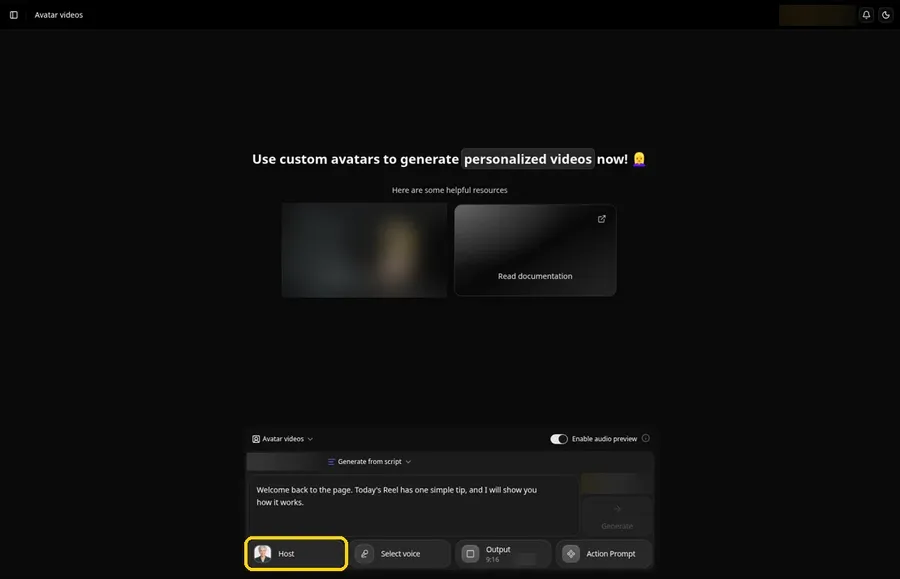
Zoice lets a faceless Instagram page keep a recognizable face. Upload a portrait to create your Host, paste the words it should say, and lip sync matches the mouth to the script. An action prompt adds a smile or a gesture at the moment you choose, and the output can be vertical for Reels or square for the feed. Our AI avatar generator page covers how the Host gets made.
Key Features
- Avatar Character and Create New, then Upload Image or AI Prompt to build the Host
- A name for the Host and a Generate Avatar button that saves it
- A script panel for the lines the Host speaks, with lip sync that follows them
- Three voice tabs, Voice profiles, Public voices and Imported voices, and + New for a profile from reference audio
- Aspect ratio options in Output settings, including 9:16 and 1:1
- An optional action prompt for gestures, expressions and movement, from a suggestion or your own text
- Generate, listen to the audio preview, then Generate avatar video and download it from the player
Best For
- A talking Host in Reels while you stay off camera
- Pages that want one familiar face across every Reel and feed post
Pros of Zoice
- Off camera for good. One photo becomes a Host that speaks every Reel.
- Directed expressions. An action prompt places a smile, nod or gesture where you want it.
- Your voice, optional. A voice profile can be built from your own reference audio.
- Shared workspace. Images, voice and avatar videos live in one account.
- No cost to try. Zoice has a free plan.
Cons of Zoice
- Needs an internet connection. The app runs online, so you cannot create a Reel without a connection.
- Smaller public avatar library. Ready-made faces to browse are fewer than on the biggest platforms, so uploading your own Host photo is the usual route.
Overall Zoice Rating
Not listed. Neither G2 nor Capterra gave us a readable score for this product when we looked, so the rating stays blank.
Pricing
Free plan available. Paid plans start at $7.99 per month. Plans can change, so look at Zoice's pricing page first.
When to Use It
Use Zoice when your Reels need a recognizable face, such as tips, product notes or daily advice, with the same Host every time and gestures set by an action prompt. Choose 9:16 for Reels or 1:1 for feed posts. For presenter tools with strong gesture control, see our AI avatars with gestures guide.
- A weekly advice Reel where the same Host greets your followers
- A square feed video that introduces a product without a photo shoot
- A Reel where a smile or a pointing hand should land on one line Try Zoice
2. InVideo AI: Best for Prompt to Reels Drafts
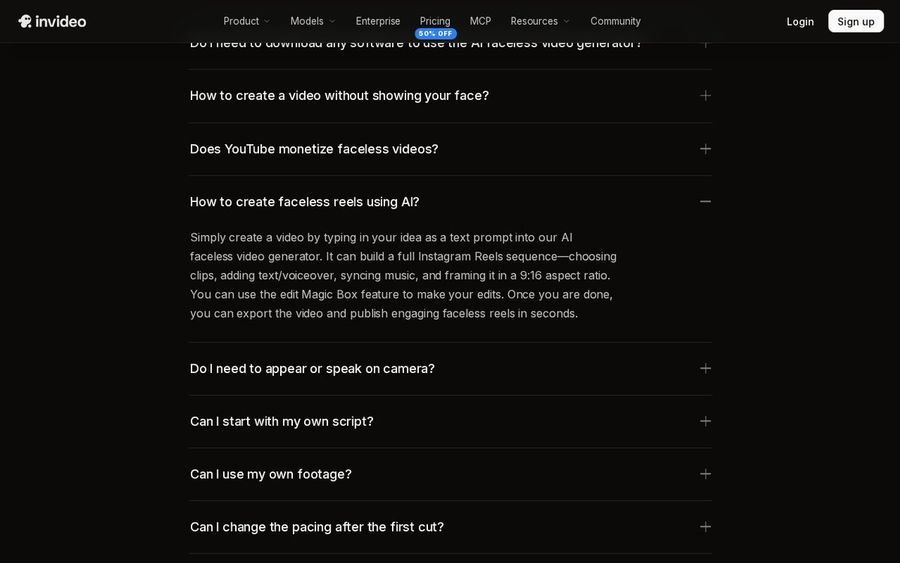
InVideo AI's faceless generator starts from an idea or a script. According to its FAQ, a text prompt can become a full Instagram Reels sequence, with clips, text, voiceover and music framed in 9:16, which you then adjust with Magic Box edits.
Key Features
- A text prompt that builds a Reels sequence with clips, text and voiceover
- Music synced to the sequence and 9:16 framing
- Magic Box commands for edits after the first cut
- An agent that drafts scenes and combines them with footage you bring
- Captions and sound balanced in the invideo editor
- Web-based, working in common browsers on mobile and desktop
Best For
- Prompt to Reels drafts
- Narrated Reels built from stock and generated scenes
Pros of InVideo AI
- Reels framing ready. The faceless flow already outputs vertical Reels.
- Edit by typing. Magic Box takes plain text commands.
- Any browser. Nothing to install on phone or desktop.
Cons of InVideo AI
- Narration over a presenter. Its faceless page never mentions turning your own image into a speaking Host.
Overall InVideo AI Rating
Not listed. Neither G2 nor Capterra gave us a readable score for this product when we looked, so the rating stays blank.
Pricing
See tool site.
When to Use It
InVideo AI is a good choice for narrated Reels built from stock and generated scenes, where the visuals tell the story.
3. Fliki: Best for Voice Variety
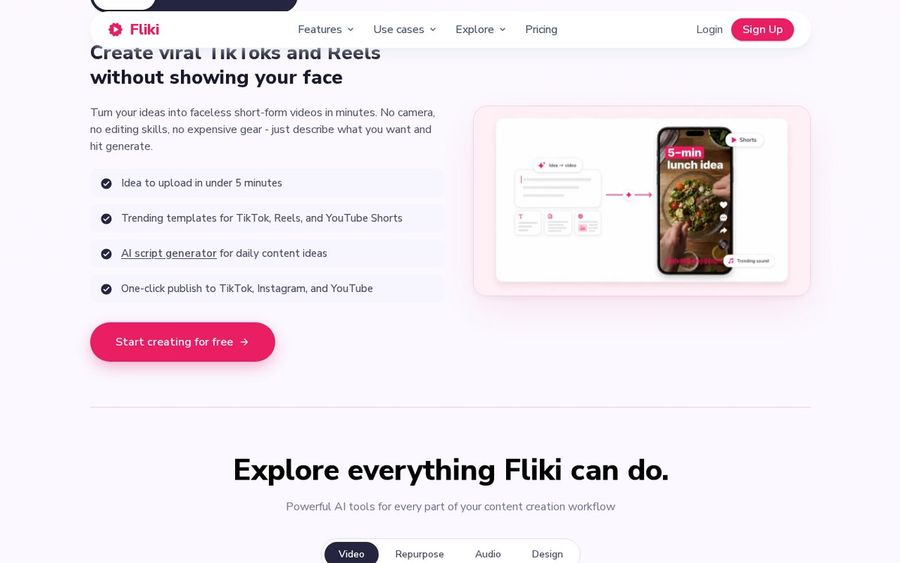
Fliki is a text-to-video app with a large voice catalog. Its creators section focuses on faceless TikToks and Reels from a prompt, with templates in 9:16, and a separate digital twin tool covers the times you want a presenter.
Key Features
- Faceless short-form videos for Reels and TikTok from a prompt
- An idea workflow with 9:16 templates
- A catalog of 2,000+ voices across 80+ languages
- Cloning of your own voice from a brief recording
- Avatar videos and a digital twin as separate tools
Best For
- Voice variety for narrated Reels
- Quote, tip and story Reels
Pros of Fliki
- Voices for every niche. A very wide choice of voices and languages.
- Vertical templates. Ready layouts for Reels.
- Avatar option. A presenter is available through a separate tool.
Cons of Fliki
- Visuals over presenter. The faceless flow centers on narrated visuals, and avatars sit in a different tool.
Overall Fliki Rating
Not listed. Neither G2 nor Capterra gave us a readable score for this product when we looked, so the rating stays blank.
Pricing
See tool site.
When to Use It
Fliki suits quote, tip and story Reels where finding the right narrator voice matters most.
4. Faceless.so: Best for Reels on Autopilot
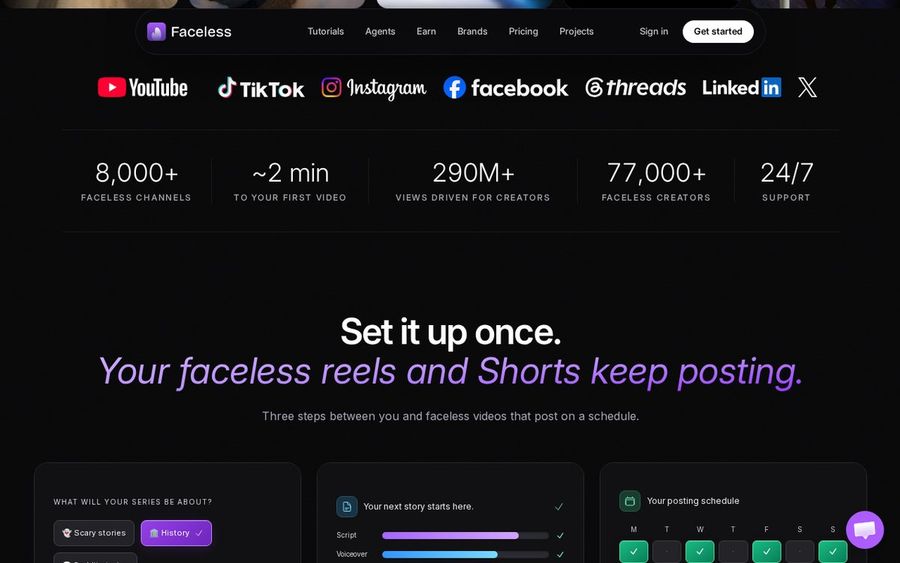
Faceless.so writes, voices, captions and edits faceless reels, then posts them to Instagram and six other platforms on your schedule. Each upcoming video waits in a queue where you can approve, edit or skip it.
Key Features
- Faceless reels written, voiced, captioned and edited by AI
- Auto posting to Instagram Reels, TikTok, YouTube Shorts, Facebook, LinkedIn, Threads and X
- A queue to approve, edit or skip each video before it goes out
- TikTok and Instagram slideshows that publish as a daily series
- The Faceless Studio for polishing any video
Best For
- Reels on autopilot
- Niche pages that post daily with no presenter
Pros of Faceless.so
- Approval queue. Nothing posts until you let it.
- Slideshow format. A second content type beyond video.
- Studio editor. Fix any video before it publishes.
Cons of Faceless.so
- No speaking presenter. Reels are narrated over visuals, with no Host on screen.
Overall Faceless.so Rating
Not listed. Neither G2 nor Capterra gave us a readable score for this product when we looked, so the rating stays blank.
Pricing
Free to sign up. Plans from $29 per month, as stated on faceless.so.
When to Use It
For niche pages that post every day with no presenter, this is the tool that handles the schedule.
5. Synthesys: Best for Reel Ads
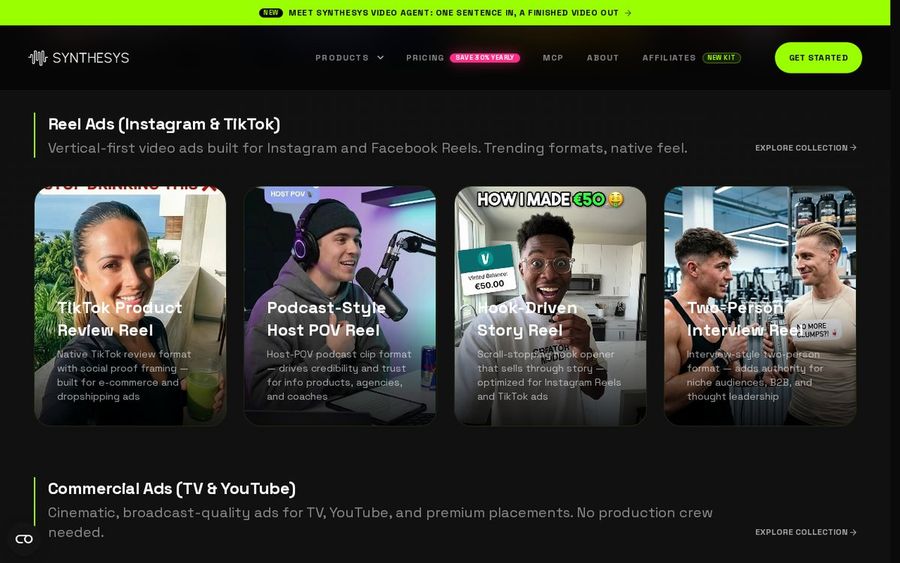
Synthesys is an AI video agent aimed at marketing teams. Its Reel Ads collection offers vertical formats for Instagram and Facebook Reels, such as product review reels and host POV reels, with AI avatars and lip sync across many languages.
Key Features
- Reel Ads templates for Instagram and Facebook Reels in vertical formats
- Formats such as product review, host POV, hook-driven story and interview reels
- A library of AI avatars and studio voices
- 140+ languages with lip sync
- Dubbing so one video can be reused in other languages
Best For
- Reel ads with a presenter
- Brands testing several ad variations
Pros of Synthesys
- Ready ad formats. Reel styles are laid out as templates.
- Many presenters. A large avatar library to choose from.
- Language reach. Lip sync across 140+ languages.
Cons of Synthesys
- Marketing focus. Built for ad teams, so organic creator tools are fewer.
Overall Synthesys Rating
Not listed. Neither G2 nor Capterra gave us a readable score for this product when we looked, so the rating stays blank.
Pricing
See tool site.
When to Use It
Synthesys works for brands running Reels as ads that need a presenter and several versions to test.
6. HeyGen: Best for Script to Vertical Cuts
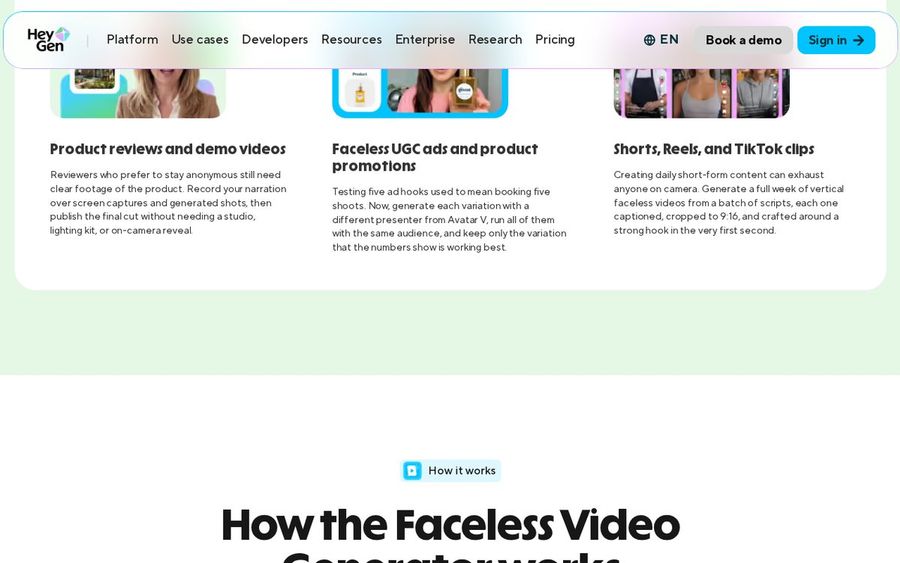
Give HeyGen's faceless generator a script and it creates scenes, narration and on-screen visuals around it. Its FAQ says you can set 9:16 before generating, with captions timed to the narration, and render the same script in 16:9 and 1:1 too.
Key Features
- A script or idea turned into scenes, narration and visuals
- 9:16 output with captions timed to the narration
- The same script rendered in 16:9 and 1:1 for other placements
- An optional stock presenter to deliver the script
- A reusable narrator voice for every upload
Best For
- Script to vertical cuts
- Pages that post one idea across Reels and other formats
Pros of HeyGen
- One script, several layouts. Reels and other formats from the same text.
- Timed captions. Captions follow the narration automatically.
- Optional presenter. Pick a stock presenter, or leave the Reel narrated.
Cons of HeyGen
- Heavier than a Host clip. Its faceless flow builds whole generated videos, which is more than one speaking presenter requires.
Overall HeyGen Rating
Not listed. Neither G2 nor Capterra gave us a readable score for this product when we looked, so the rating stays blank.
Pricing
See tool site.
When to Use It
HeyGen is useful when one script should become a Reel and other formats in the same pass.
How to Choose a Faceless AI Video Generator for Instagram
Start from the Reel your page posts most.
- A face that speaks for you: Zoice, with a talking Host in 9:16 or 1:1 and gestures from action prompts.
- Narrated Reels from a prompt: InVideo AI, Fliki or HeyGen.
- Daily posting handled for you: Faceless.so.
- Reels that run as ads: Synthesys.
If you would rather compare avatar makers than faceless tools, read our best AI avatar generator for Instagram picks, and follow the TikTok and Instagram avatar tutorial for the Zoice steps. Our faceless AI video generator roundup covers tools beyond Instagram.
FAQ
What is the best faceless AI video generator for Instagram?
It depends on your Reels format. Zoice is the strongest fit when you want a talking Host on screen, while tools like Faceless.so suit narrated Reels that post on a schedule.
Which layout should I use for Instagram?
Pick 9:16 for Reels or 1:1 for feed posts in Zoice's output settings.
How is this different from an AI avatar generator for Instagram?
Avatar makers get their own comparison in our best AI avatar generator for Instagram guide, while this one covers tools for running a faceless Reels page.