Best AI Avatar Generator with Gestures: Top Picks for 2026
The best AI avatar generator with gestures is Zoice, our top pick for directing what your avatar does while it speaks. Write an action prompt such as nod, point, or give a thumbs up, or place a gesture on an exact timestamp, and Avatar X blends it with natural body language. Upload a photo, paste your script, choose from 170+ languages, and export a sharp video up to 4K.
We compared four tools on what creators, teachers, and marketers need: direction in plain words, timing control, natural blending, your own avatar, and clean lip sync. Zoice ranked first for gestures, and each other tool earned its place for one clear strength.
What Should an AI Avatar Generator with Gestures Do?
A talking head that never moves can feel flat. Gestures help a viewer follow the point: a nod to confirm a step, a point toward a product, a thumbs up at the end. An AI avatar generator with gestures lets you guide those moves instead of leaving them to chance. You write what the avatar should do, and the video reflects it.
This guide looks at how each tool lets you direct gestures. We compare what each vendor documents on its own site, and we do not rank gesture quality across tools. For Zoice we only describe the gesture features we have confirmed: action prompts and timeline triggers.
What to check before you pick a tool with gestures:
- Direction: a way to say what the avatar does, in plain words
- Timing: the option to place a gesture at an exact moment
- Natural blending: moves that fit the tone of the script
- Your own avatar: gestures on a photo or a character you choose
- Voice and lip sync: clean delivery under the movement
- Cost: a clear price for each video
Related terms you will see:
- Avatar gestures: hand and head moves such as a nod, a point, or a thumbs up
- Action prompt: a short text instruction that tells the avatar what to do
- Timeline trigger: a gesture placed at an exact timestamp in the video
- Natural body language: small moves that make a talking head feel alive
Quick Comparison: Best AI Avatar Generators with Gestures
| Features | Zoice | HeyGen | Synthesia | Colossyan |
|---|---|---|---|---|
| Best For | Directing gestures with prompts and timeline triggers | Large avatar library and photo avatars | Business avatars you can prompt to act | Avatars that gesture, inside training tools |
| Presenter source | One photo or character image | 700+ stock avatars, photo avatars, custom avatars | 125+ to 240+ stock avatars and personal avatars | 300+ stock avatars and custom avatars |
| Languages | 170+ | 175+ on paid plans | 140+ | 120+ |
| Max export | Up to 4K | Up to 4K on Pro | Full HD 1080p MP4 | Up to 1080p, 4K on Enterprise |
| Gesture control | Action prompts and timeline triggers | Motion and gesture control listed on its pricing table | Prompt avatars to act, at 230 credits per b roll asset | Its avatar page describes avatars that gesture while they speak |
| Starting price* | $7.99/mo for avatar videos | Free plan, paid from $29/mo | Free plan, paid from $29/mo | Free plan, paid from $59/mo billed yearly |
| Overall rating | 9.8 | 9.3 | 9.1 | 9.0 |
*Prices and limits change often. Check each tool's own pricing page before you pay.
All four describe some way to bring movement to an avatar. We list what each vendor documents on its own site and make no claim about which one gestures best. Zoice is the one built around prompts and timeline triggers for directing the move.
1. Zoice: Best AI Avatar Generator with Gestures Overall
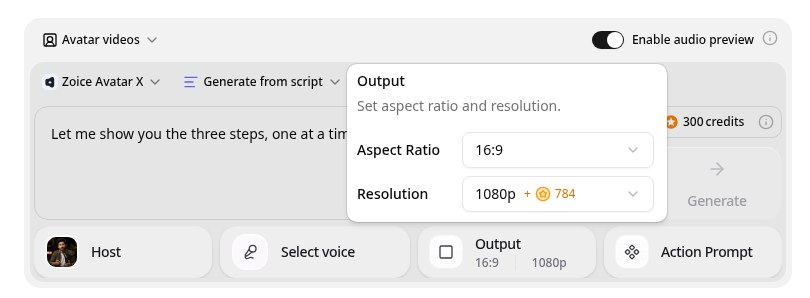
Zoice is the top pick when you want to direct what your avatar does as it speaks. Its Avatar X model turns a photo or character into a talking video from a typed script or your own audio, with natural lip sync and facial expressions. Action prompts let you type moves such as nodding, pointing, or giving a thumbs up, and timeline triggers drop each action onto an exact timestamp, so a point lands on a product at the moment you name it. Write in one of 170+ languages and export from 480p up to 4K in any aspect ratio.
Key Features
- Talking video from one photo or character image
- Script or uploaded audio, with natural lip sync
- Voice cloning from a short audio sample, or 50+ ready made voices
- Scripts in 170+ languages and dialects
- Expressions and gestures, with action prompts and timeline triggers
- Export from 480p up to 4K in any aspect ratio
Best For
- Creators who want to point at a product on cue
- Teachers and trainers who want a nod at each key step
- Marketers who want a thumbs up at the end of a clip
Pros of Zoice
- Your own face and voice
Start from your photo and clone your voice so the video still feels like you.
- Many languages
Write the script in 170+ languages and dialects.
- Sharp up to 4K
High resolution keeps the presenter clear on a large screen or a phone.
- Action prompts
Type what the avatar should do, such as nod, point, or give a thumbs up.
- Timeline triggers
Place an action at an exact timestamp so it matches the line.
- Blended with natural movement
Zoice blends your prompt with natural body language so moves fit the tone.
Cons of Zoice
- Gestures follow your prompt
You describe each move, so a clip with many actions takes a little planning and a few test renders.
- Avatar videos need a paid plan
The free plan covers voice, images, chat, and transcription. Avatar videos start on Starter.
Overall Zoice Rating
Review 9.8: Best Overall
| Criterion | Score |
|---|---|
| Gesture direction | 9.9/10 |
| Timing control | 9.8/10 |
| Naturalness | 9.9/10 |
| Lip sync and voice | 9.8/10 |
| Export quality | 9.9/10 |
| Ease of use | 9.7/10 |
| Pricing | 9.7/10 |
Pricing
| Plan | Monthly Price | What you get |
|---|---|---|
| Free | $0/month | 50 credits per day for AI voice, images, chat, and transcriptions |
| Starter | $7.99/month | 4K credits per month, AI avatar videos, 1 voice profile |
| Basic | $29.99/month | 17K credits per month, 3 voice profiles |
| Creator | $49.99/month | 30K credits per month, 5 voice profiles |
| Agency | $89.99/month | 50K credits per month, 10 voice profiles |
Yearly billing saves 20%. Avatar videos start on Starter, and the credit cost of each video depends on its resolution and length.
When to Use It
Choose Zoice when you want to say what your avatar does and when, and you would rather direct moves than hope for them.
- Point at a product on screen exactly when the script names it.
- Add a nod on each key takeaway in a how to video.
- Finish with a thumbs up on the closing line of a promo. Try Zoice
2. HeyGen: Best for a Large Avatar Library
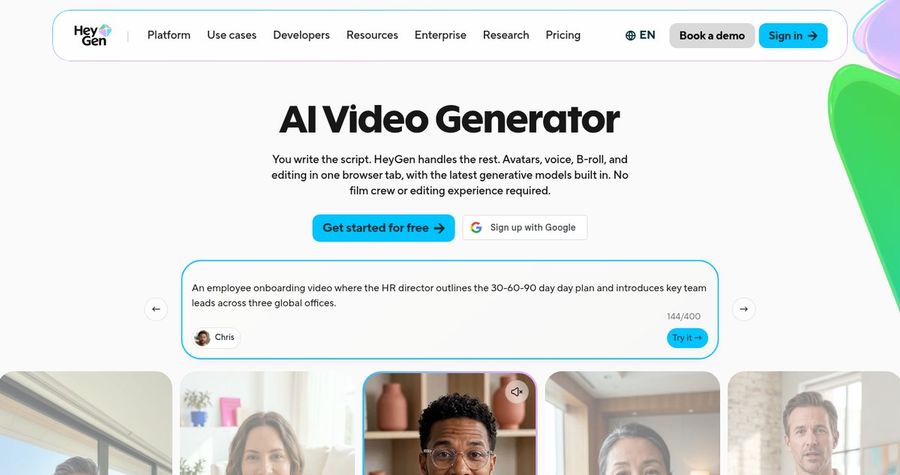
HeyGen is the choice if you want many stock avatars and photo avatars in one place. HeyGen is a widely used avatar video platform. Paid plans list 700+ stock avatars, photo avatars, custom video avatars, and narration in 175+ languages and dialects. Voice cloning appears on every plan, and the Business plan adds interactive video, SCORM export, and LMS integrations.
Key Features
- 700+ stock video avatars on paid plans
- Photo avatars, unlimited on paid plans
- Custom video avatars
- Voice cloning, with expanded use on paid plans
- 175+ languages and dialects on paid plans
- 1080p export on Creator and 4K on Pro
Best For
- Teams that like to choose a stock presenter
- Teams that translate videos into many languages
Pros of HeyGen
- Voice cloning included
Voice cloning is listed on every plan, with more use on paid plans.
- Team features
The Business plan adds workspaces, comments, interactive video, and SCORM export.
Cons of HeyGen
- Credits vary by feature
Credits are shared across features and models, so the cost of one video depends on the model and length.
- Team tools cost more
Interactive video, SCORM, and LMS links sit on the $149 per month Business plan.
Overall HeyGen Rating
Review 9.3: best for a Large Avatar Library
Pricing
The Free plan includes 3 videos a month of up to 1 minute. Creator costs $29 per month, or $24 per month billed yearly, with 1080p export. Pro starts at $49 per month with 4K export, and Business costs $149 per month plus $20 per seat. Check HeyGen's pricing page for current details.
When to Use It
Use HeyGen when a large library matters. Check its own site for how its motion and gesture control works.
3. Synthesia: Best for Business Avatars You Can Prompt
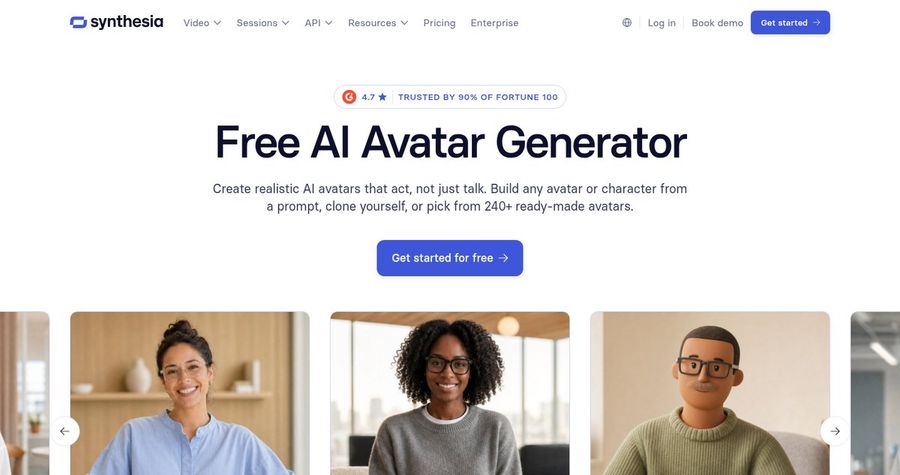
Synthesia is the choice if you want business templates and avatars you can prompt to act. Synthesia is a business video platform built around AI avatars. Its plans list 125+ to 240+ stock avatars depending on the tier, personal avatars, 60+ templates, and 140+ languages and voices. It also lists voice cloning to pair your own voice with a custom avatar, and videos download as Full HD MP4 with SCORM export for learning teams.
Key Features
- 125+ to 240+ stock avatars, depending on the plan
- Personal avatars on paid plans
- Voice cloning to pair your own voice with a custom avatar
- 140+ languages and voices
- 60+ templates and PowerPoint import
- Full HD MP4 download and SCORM export
Best For
- Teams that want templates and brand settings
- Teams that need SCORM export for training
Pros of Synthesia
- Mature platform
A large avatar library and personal avatars give you dependable presenters.
- Built for business teams
Templates, PowerPoint import, brand settings, and SCORM export suit company video.
Cons of Synthesia
- Credits cap output
Credits are shared across video, dubbing, and surveys, so heavy use needs a higher tier.
- Behind on export
MP4 downloads are Full HD, while Zoice exports up to 4K.
Overall Synthesia Rating
Review 9.1: best for Business Avatars You Can Prompt
Pricing
Basic is free with 10 minutes of video a month. Starter costs $29 per month, or $18 per month billed yearly, and Pro costs $89 per month, or $64 per month billed yearly. Check Synthesia's pricing page for current plans.
When to Use It
Use Synthesia when business templates matter. Check its own site for how prompting an avatar to act works and what it costs.
4. Colossyan: Best for Training Videos
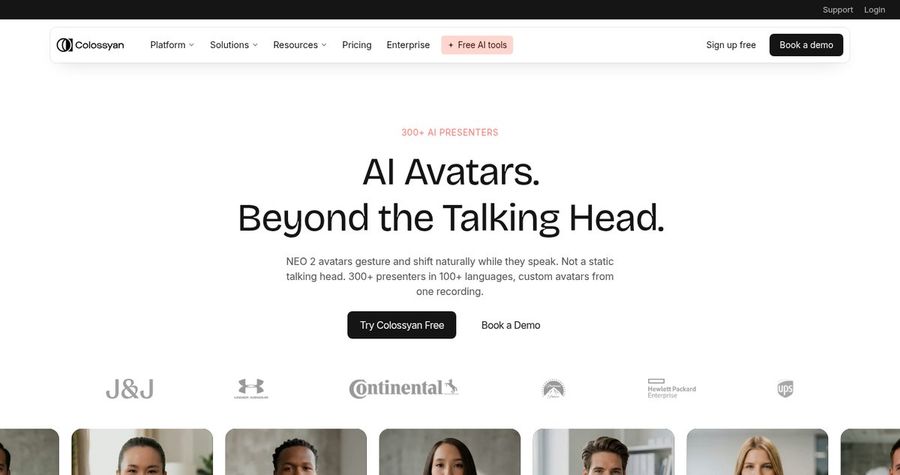
Colossyan is the choice if you build training videos with interactive elements. Colossyan is an AI video platform for training and enablement. It lists 300+ stock avatars, 700+ stock voices, 120+ languages, cloned voices on every plan, PPT and PDF import, interactive videos with quizzes and branching, and SCORM export on paid plans.
Key Features
- 300+ stock avatars and custom avatars
- 700+ stock voices and cloned voices
- 120+ languages
- PPT and PDF import with an AI video and course creator
- Interactive videos with quizzes and branching
- Up to 1080p, with 4K on Enterprise
Best For
- Teams that build courses from documents
- Teams that want a free plan to start
Pros of Colossyan
- Made for training
Document import, interactive quizzes, and SCORM export fit courses and structured learning.
- Voice choice
700+ stock voices and cloned voices are listed on every plan.
Cons of Colossyan
- Behind on export
Plans export up to 1080p, with 4K on Enterprise, while Zoice exports up to 4K.
- Minutes are capped
Video minutes are limited each month, and unused minutes do not roll over.
Overall Colossyan Rating
Review 9.0: best for Training Videos
Pricing
Starter is free. Professional costs $59 per month billed yearly, with 30 minutes a month on its NEO avatars, and Enterprise is custom with unlimited minutes and 4K. Check Colossyan's pricing page for current details.
When to Use It
Use Colossyan when training tools matter. Check its own avatar page for how its avatars move.
Gesture Video Ideas That Work
Gestures work best when each one has a reason. These formats use them well:
- Product point: a point toward the product on the line that names it.
- Step by step nod: a nod on each step to confirm it before the next.
- Friendly wave: a wave at the start of a welcome clip.
- Thumbs up close: a thumbs up on the final line of a promo.
Want more realistic avatar ideas? See our talking head picks, or read about realistic AI avatar generators.
How We Compared AI Avatar Generators with Gestures
We scored each tool the way creators, teachers, and marketers would, using the public features, limits, and prices on each tool's own site.
We looked at how each tool lets you direct gestures, timing control, naturalness, lip sync, export quality, and price. Zoice ranked as the best AI avatar generator with gestures overall. HeyGen led a large avatar library, Synthesia led business avatars you can prompt, and Colossyan led training videos.
How to Choose an AI Avatar Generator with Gestures
Start with the moves you want and how precisely they must land.
- Direction: confirm you can describe a move in plain words.
- Timing: check whether you can place a move at an exact moment.
- Fit: choose moves that match the tone of the script.
- Avatar: pick a photo or character that suits the moves.
- Testing: plan a few test renders to tune each action.
- Cost: compare the price of a full clip, not only the entry plan.
If you want one tool that lets you direct what your avatar does with prompts and timeline triggers, Zoice is the strongest pick for creators, teachers, and marketers. You can make your first gesture video in Zoice in a few minutes.
FAQ
Can an AI avatar use hand gestures?
In Zoice you can direct gestures with action prompts, such as pointing or giving a thumbs up. Zoice also adds natural movement and expressions by itself.
Can I set gestures with a prompt?
Yes. Type an action prompt that says what the avatar should do, for example nod gently while speaking. Zoice blends the prompt with natural body language.
Can I place a gesture at an exact time?
Yes. Timeline triggering lets you drop an action onto a specific timestamp, so the avatar points or nods at the moment you choose.