Best Faceless AI Talking Person Video Generator in 2026
A faceless talking person video puts a speaking presenter on screen while the real creator stays off camera. Zoice is our top pick: upload one photo as your Host, add a script, and the Host speaks with lip sync, while an action prompt sets gestures and expressions.
To find the best faceless AI talking person video generator for your channel, we compared Zoice with HeyGen, Synthesia, D-ID, Synthesys and Captions. All six are built around a talking avatar rather than stock footage, and each feature and price below comes from the tool's own site.
What Is a Faceless AI Talking Person Video Generator?
It is a tool that turns a photo or a ready-made avatar into a person who speaks your script on screen. The lips follow the words, and some tools add gestures and expressions, so the video feels presented rather than narrated.
Creators use it for YouTube explainers, Shorts, course lessons and product videos when they want a face on screen that is not their own. Teams also use it to keep one consistent presenter across a long series.
Four things separate these tools:
- Source: can you start from one photo, or only from stock avatars?
- Input: do you type a script, upload audio, or both?
- Direction: can you choose gestures and expressions, or does the tool decide?
- Consent: what does the tool ask for before it builds a likeness?
Quick Comparison: Faceless AI Talking Person Video Generators
| Tool | Best For | From one photo | Script or audio input | Gestures and expressions | Starting price | Rating |
|---|---|---|---|---|---|---|
| Zoice | Host videos made from one photo | Yes | Script, with voice profiles from reference audio | Yes, set with action prompts | Free plan; paid from $7.99/month | Not listed |
| HeyGen | Gestures synced to the voice | Yes | Script, audio upload or a recording | Yes, synced to the voice | Free plan; see tool site | Not listed |
| Synthesia | Ready-made avatars | Yes, as a personal avatar | Script | Stated on its site | Free plan; see tool site | Not listed |
| D-ID | Interactive avatars | Yes, from an uploaded face image | Script | Not stated | See tool site | Not listed |
| Synthesys | Marketing formats | Not stated; offers a digital twin | Script | Not stated | See tool site | Not listed |
| Captions | An AI twin plus editing | Not stated | Script | Not stated | Free to sign up; see tool site | Not listed |
Each price here was copied from the vendor's site on the day we checked, and those pages change, so look again before paying.
The clearest difference is who decides how the presenter moves. In Zoice you place gestures and expressions with action prompts, HeyGen ties them to the voice, and the rest put more weight on stock libraries, live agents, ad templates or editing.
1. Zoice: Best Overall
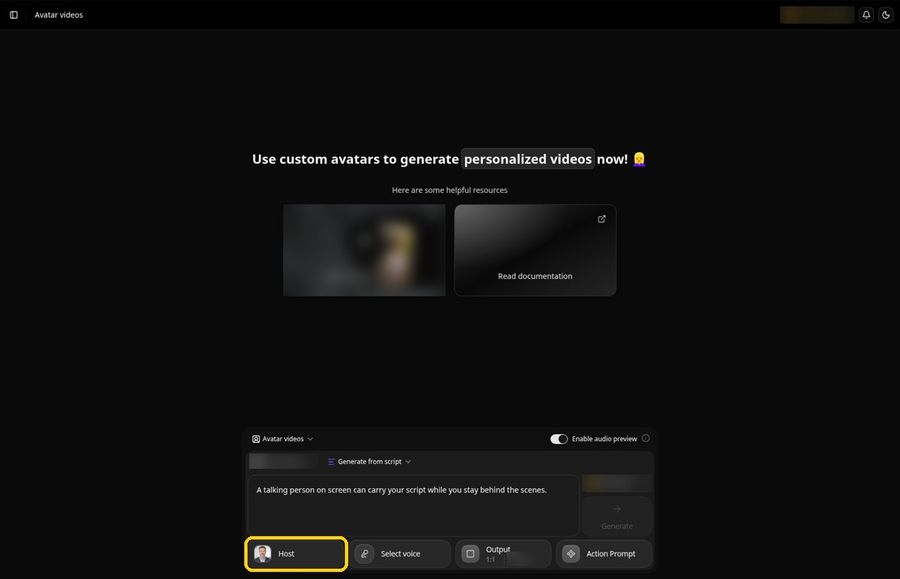
Zoice builds a Host from one photo of a fictional person or someone who has agreed to it, then has that Host speak your script with lip sync. You pick the voice and add action prompts for gestures and expressions on the lines that need them, much like the tools in our AI avatars with gestures roundup.
Key Features
- Upload Image or AI Prompt to create the Host, then name it and keep it for later videos
- Lip sync matched to every line you write
- Action prompts for gestures, expressions and movement, picked from suggestions or typed yourself
- Voice profiles, Public voices and Imported voices in one voice picker
- A voice profile built from your own reference audio with + New
- 9:16, 16:9 and 1:1 aspect ratios in Output settings
Best For
- A talking person made from one photo, with gestures and expressions you direct through action prompts
- Creators who want one recognizable Host across a series
Pros of Zoice
- Starts from a single photo. One clear portrait is enough to make the Host.
- You decide the movement. Action prompts put a gesture or expression where you want it.
- A familiar voice. Make a voice profile from reference audio, or choose a public voice.
- A wider toolkit. Image and voice tools share the same workspace.
- Try it free. A free plan is available, and paid plans start at $7.99 per month.
Cons of Zoice
- Needs an internet connection. You cannot create or generate videos while offline.
- Smaller public avatar library. The stock presenter choice is narrower than on the largest platforms.
Overall Zoice Rating
Not listed. We show a score only when we can read it on G2 or Capterra ourselves, and we could not for this tool.
Pricing
| Plan | Monthly price |
|---|---|
| Free | $0 |
| Starter | $7.99 |
| Basic | $29.99 |
| Creator | $49.99 |
| Agency | $89.99 |
Paid plans start at $7.99 per month. See the Zoice pricing page for the current plans before you pay.
When to Use It
If you want a consistent Host to speak for you across videos, made from a photo of a fictional or consenting person with your own voice profile or a public voice, Zoice is built for that. For the photo side, see our talking picture tutorial.
- A recurring presenter for a faceless explainer series
- A product or course intro where one line needs a smile or an open-hand gesture
- A test of one script before you commit to a full series. Try Zoice
2. HeyGen: Best for Gestures Synced to the Voice
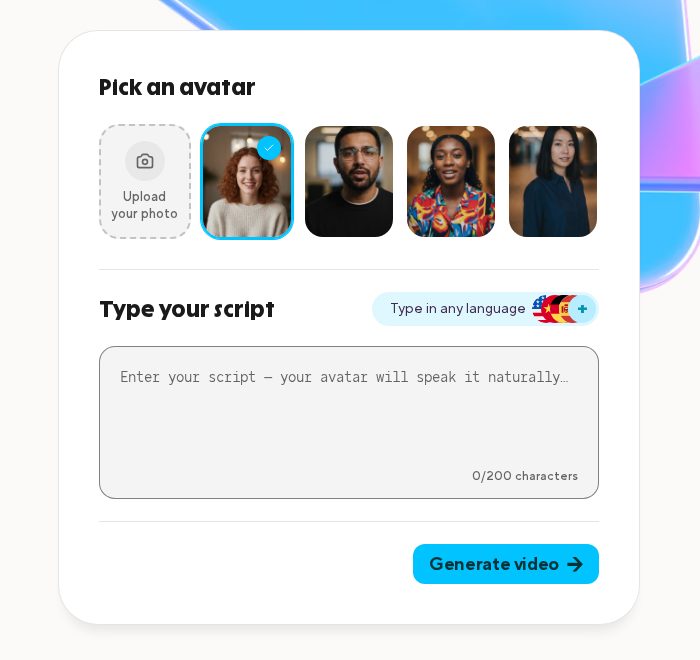
HeyGen's photo avatar page promises a talking video from one still image, with lip sync, hand gestures and multilingual voice. Input can be typed text, an uploaded audio file or a recording you make on the spot.
Key Features
- One photo becomes a talking video with lip sync
- Hand gestures and expressions that follow the tone of the voice
- Typed text, uploaded audio or a fresh voice recording as input
- Human, anime and animal avatars in portrait and full-body formats
- Portrait, half-body or full-body photos as the starting image
Best For
- Creators who want gestures to follow the voice track
- Stylized presenters such as anime or animal characters
Pros of HeyGen
- One photo. A single image is the starting point.
- Flexible input. Text, an audio file or a fresh recording all work.
- Many styles. Lifelike and stylized characters are both supported.
Cons of HeyGen
- No separate direction step on this page. Gestures come from the voice and script, and the page does not describe a way to place a chosen gesture on a chosen line.
Overall HeyGen Rating
Not listed. We show a score only when we can read it on G2 or Capterra ourselves, and we could not for this tool.
Pricing
A free plan is available. See the HeyGen pricing page for paid plans.
When to Use It
HeyGen is the pick when you want gestures to follow the voice automatically and like stylized presenter options.
3. Synthesia: Best for Ready-Made Avatars
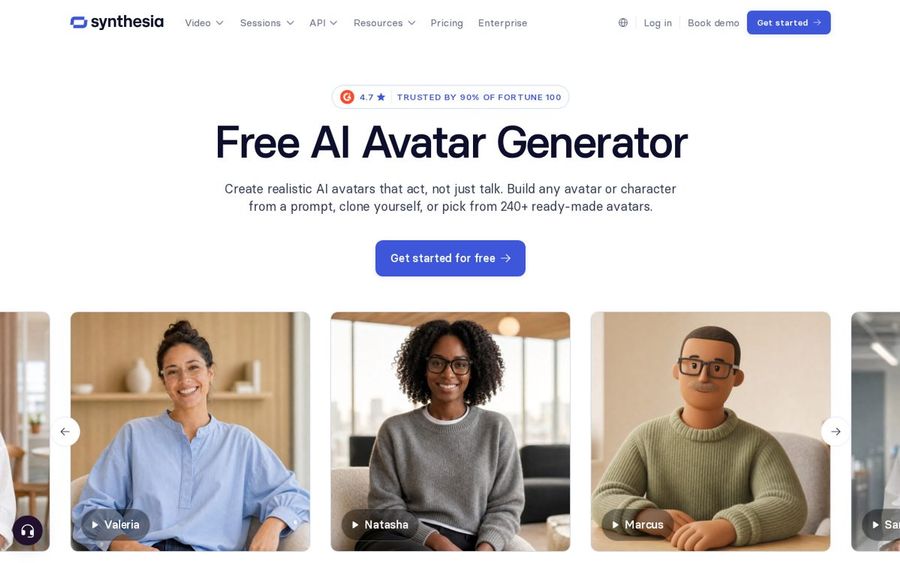
Synthesia's avatar page lists 240+ stock presenters, a personal avatar you can build from one photo and an Avatar Builder that creates characters from a prompt. Its focus is business video such as training and product explainers.
Key Features
- 240+ ready-made avatars with natural gestures and expressions
- A personal avatar from one photo, with optional voice cloning
- Avatar Builder for a realistic or stylized character from a prompt
- 1,000+ AI voices across 140+ languages and accents
- Outfit and background changes, including your own brand assets
- Interactive avatars that listen and respond in real time
Best For
- Companies that want many stock presenters to pick from
- Training and explainer videos for business
Pros of Synthesia
- Big library. Many stock presenters are ready to use straight away.
- Prompt-built characters. Avatar Builder creates a new character from a description.
- Free plan. Stock avatars, Avatar Builder and the core editor are on the free plan.
Cons of Synthesia
- Live consent step. A personal avatar needs a live on-camera consent recording.
- Business scripts only. The FAQ says scripts should stay professional and business related.
Overall Synthesia Rating
Not listed. We show a score only when we can read it on G2 or Capterra ourselves, and we could not for this tool.
Pricing
Free plan available. See the Synthesia pricing page for paid plans.
When to Use It
Synthesia is a strong choice for training, onboarding and business explainers led by a stock presenter.
4. D-ID: Best for Interactive Avatars
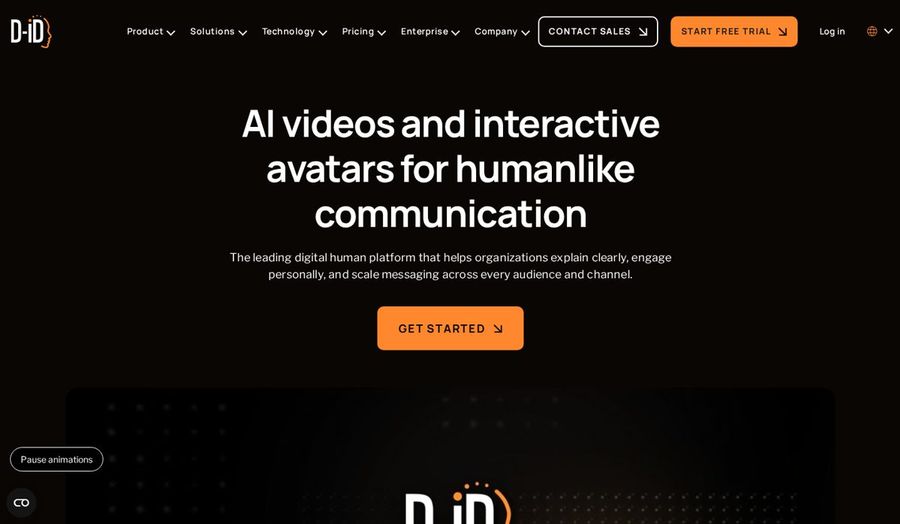
D-ID builds AI avatars from images or video for both recorded videos and real-time conversations. Its Video Studio makes avatar videos from scripts, briefs, decks or documents, and its Visual AI Agents talk with viewers live.
Key Features
- Avatars from an uploaded face image, a pre-made avatar or a text-to-image portrait
- Video Studio for avatar videos from scripts, briefs, decks or documents
- Visual AI Agents for real-time, face-to-face conversations
- Voice cloning and output in 120+ languages
- Integrations with PowerPoint, Canva and Google Slides
- Developer access for building avatars into your own app
Best For
- Support, training and sales teams
- Projects that may move from recorded video to a live agent
Pros of D-ID
- Photo upload. A single face image can become the avatar.
- Live agents. The same avatar can hold real-time conversations.
- Slide tools. PowerPoint, Canva and Google Slides connect to it.
Cons of D-ID
- Business focus. The homepage speaks mainly to organizations, so creator features get less space.
Overall D-ID Rating
Not listed. We show a score only when we can read it on G2 or Capterra ourselves, and we could not for this tool.
Pricing
See tool site. The D-ID pricing page lists its current plans.
When to Use It
D-ID suits support, training or sales videos that might later become a live, interactive agent.
5. Synthesys: Best for Marketing Formats
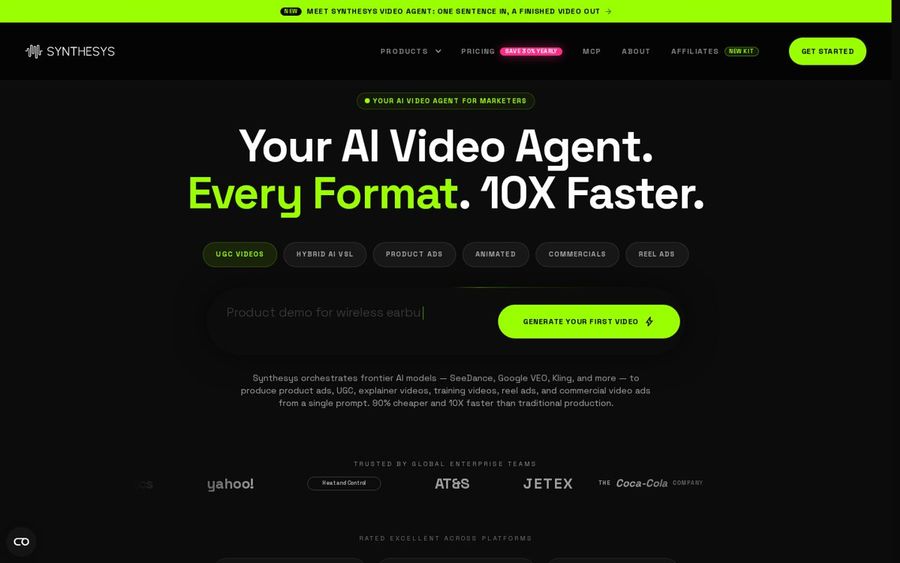
Synthesys calls itself an AI video agent for marketers. It makes UGC ads, spokesperson videos and avatar presenter videos from a prompt or a template, with a large library of avatars and voices.
Key Features
- 1,000+ AI avatars and 400+ voices
- 140+ languages with lip sync
- Your own digital twin
- Presenter templates such as a single-avatar sales video and a whiteboard explainer
- Full commercial rights on every plan
Best For
- Ad and promo videos with a presenter
- Marketers testing many versions of one message
Pros of Synthesys
- Many templates. Presenter formats for ads, demos and explainers are ready to adapt.
- Commercial rights. Every plan includes full commercial rights.
- Language reach. One script can be voiced in many languages.
Cons of Synthesys
- Ad-first product. A simple talking person clip sits among many marketing formats.
Overall Synthesys Rating
Not listed. We show a score only when we can read it on G2 or Capterra ourselves, and we could not for this tool.
Pricing
See tool site. The Synthesys homepage does not list plan prices.
When to Use It
Synthesys works for spokesperson ads and promo videos where a presenter sells one offer.
6. Captions: Best for an AI Twin With Editing
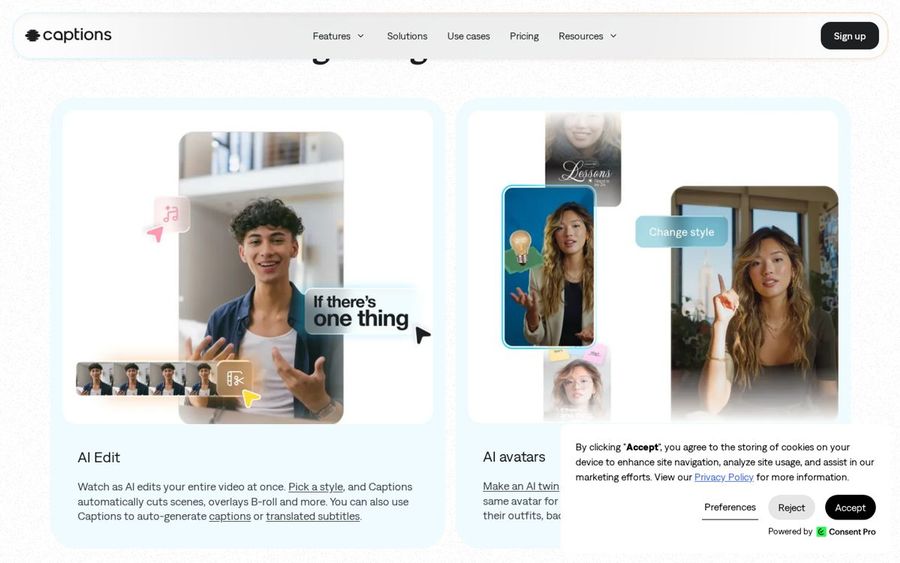
Captions is an AI video editor first, with AI avatars inside it. You can make an AI twin or choose a digital avatar, then edit, caption and translate the video in the same app.
Key Features
- An AI twin or a choice of digital avatars
- Prompts that change an avatar's outfit, background or product inserts
- AI Edit that cuts scenes in a style you pick
- Automatic captions with 100+ caption styles
- Translation and subtitles in 100+ languages
- Eye contact correction, denoise and pause trimming
Best For
- Creators who already edit their own footage
- Creators who want an avatar for some of their videos
Pros of Captions
- Editor plus avatar. The avatar and the edit happen in one place.
- Captions included. Styled captions are part of the app.
- Translation. Subtitles reach viewers in other languages.
Cons of Captions
- Editing comes first. Avatars are one part of an app built mainly for editing footage.
Overall Captions Rating
Not listed. We show a score only when we can read it on G2 or Capterra ourselves, and we could not for this tool.
Pricing
Free to sign up, with a subscription for the best features, according to its site. See the Captions pricing page for current plans.
When to Use It
Captions makes sense if you already edit your own clips and want an avatar for the videos you do not film.
How to Choose a Faceless AI Talking Person Video Generator
Match the tool to how much control you want over the presenter.
- Choose Zoice if you want a Host from one photo and want to place gestures and expressions with action prompts.
- Choose HeyGen if you prefer gestures that follow the voice on their own.
- Choose Synthesia or Synthesys if a stock presenter or an ad template is enough.
- Choose D-ID or Captions if you need a live agent or a full editor around the avatar.
For more presenter options, see our AI talking head generator picks and the steps for making a talking head video. The Zoice AI avatar generator page explains how a Host is created.
FAQ
What is a faceless AI talking person video?
A video where an AI presenter speaks your script on screen while you stay off camera. Zoice is the strongest fit if you want that presenter made from one photo, with gestures you choose.
Can I make the Host gesture or change expression?
In Zoice, yes, through action prompts. Describe the gesture or expression, add it in the composer and then generate.
Whose photo can I use?
Use a photo of a fictional person or of someone who has agreed to it, such as yourself. Do not use photos of real people who have not given permission.