How to Make an Angel Talk With AI: A Simple 2026 Guide
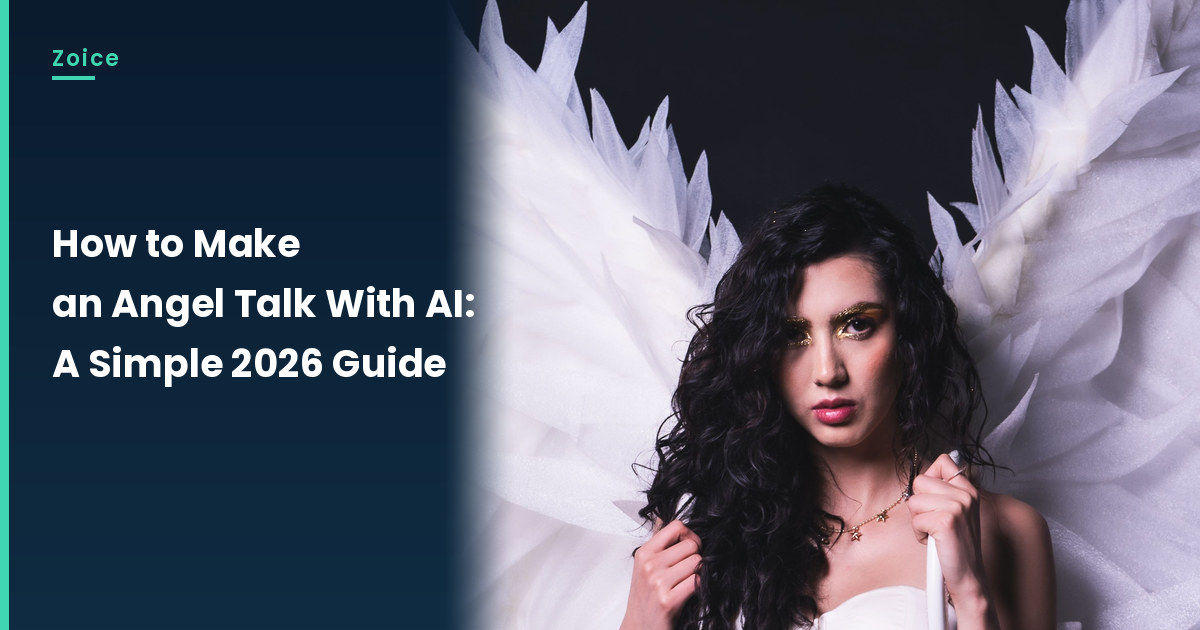
A gentle angel can share a warm seasonal wish without a heavy tone. This is how to make an angel talk with AI from a clear angel costume photo you may use. For the talking angel, in Zoice you upload a clear picture, it becomes your Host, and the mouth is lip synced to your script. An optional action prompt can add a slow nod. This is a kind greeting, not a depiction of a sacred figure from scripture, and the photo should be a costume you may use, not a sacred likeness.
Before you start the talking angel, you may like our AI storytelling avatar generator roundup.
Choosing an Angel Image Zoice Can Read
A talking angel needs a clear, front-facing photo with a visible mouth, such as a costumed Host with large white wings, used as a gentle greeting rather than a sacred likeness.
- Use a costume photo, not a copy of a religious icon
- Keep the face visible against a plain backdrop
- Write a warm, modest wish
- For the talking angel, test the image in Zoice; if a face is not detected, try a tighter crop or a different piece, and note the swap
How to Make an Angel Talk in Zoice
Our Host is an adult woman in an angel costume with large white wings, dark wavy hair, a calm face and a visible mouth, against a dark studio backdrop, not a religious icon copy, used as the Host for this post and saved in the app.
Step 1: Sign In to Zoice and Open Home
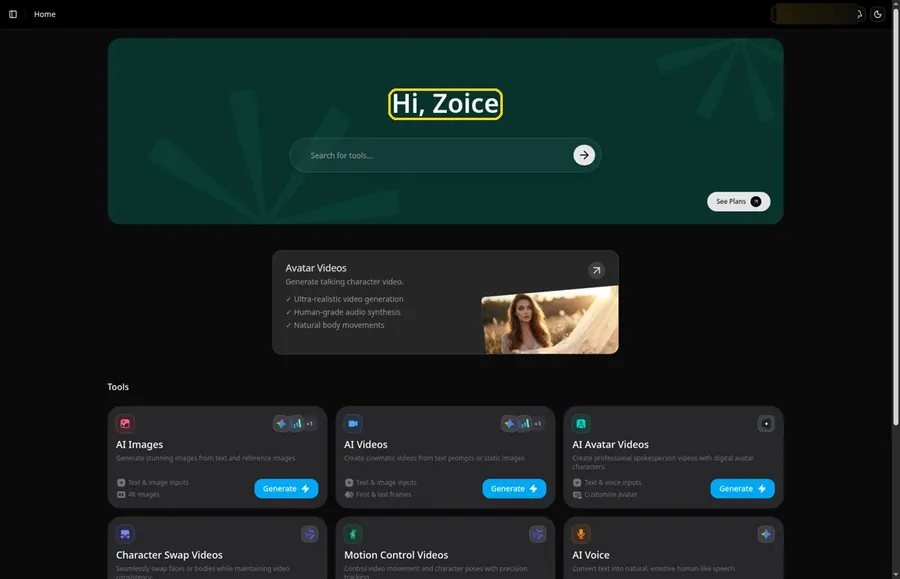
Go to Zoice and click Sign In, using email or Google; Home opens once the talking angel project can begin.
Step 2: Open Avatar videos
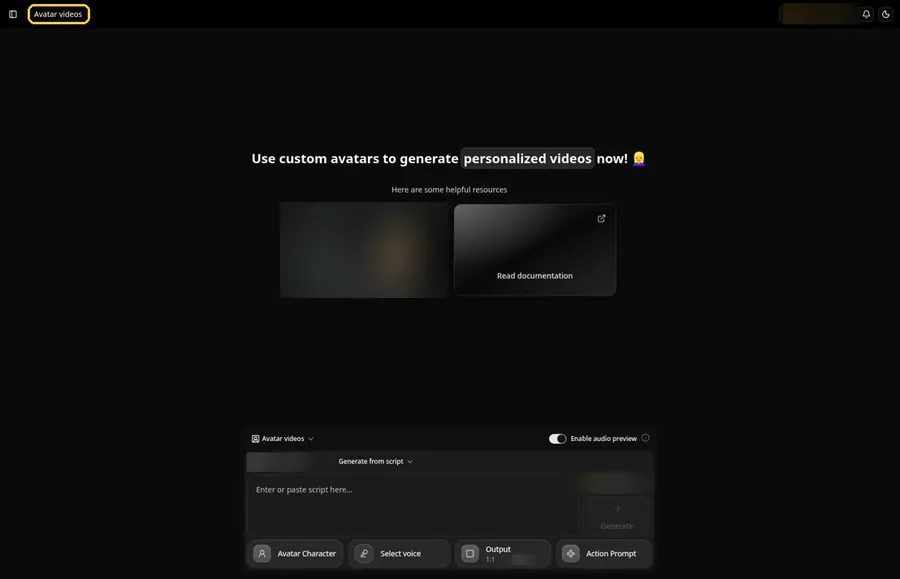
Pick Avatar videos from the sidebar to begin the talking angel. The screen that opens is titled Avatar videos, with the composer for the talking angel at the bottom.
Step 3: Open Avatar Character and Create a New Avatar
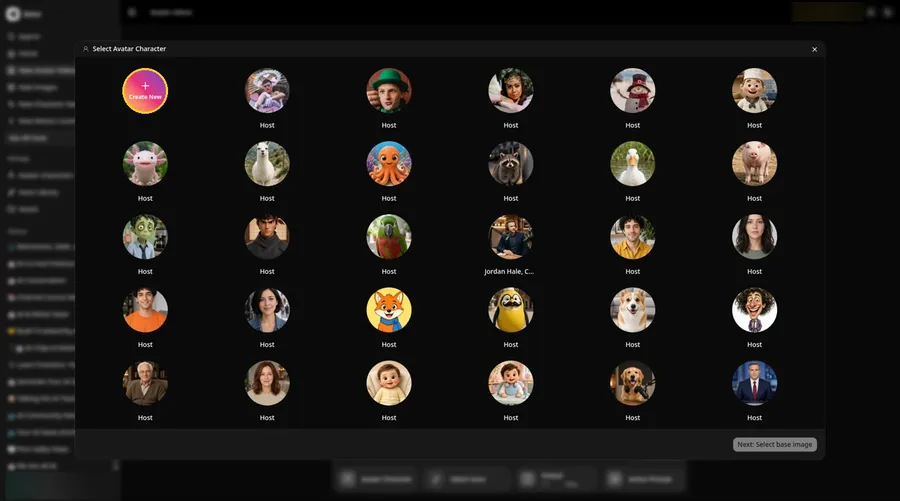
For the talking angel, press Avatar Character, choose Create New in Select Avatar Character, then press Create New on the Avatar Characters page to reach the full-screen Create new avatar page.
Step 4: Choose Upload Image
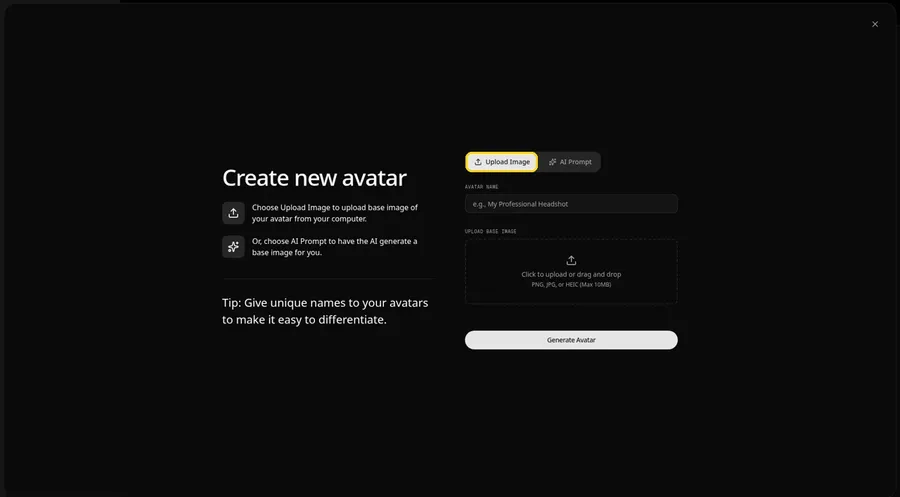
Under UPLOAD BASE IMAGE, keep the Upload Image tab selected for the talking angel picture.
Step 5: Upload the Angel Image
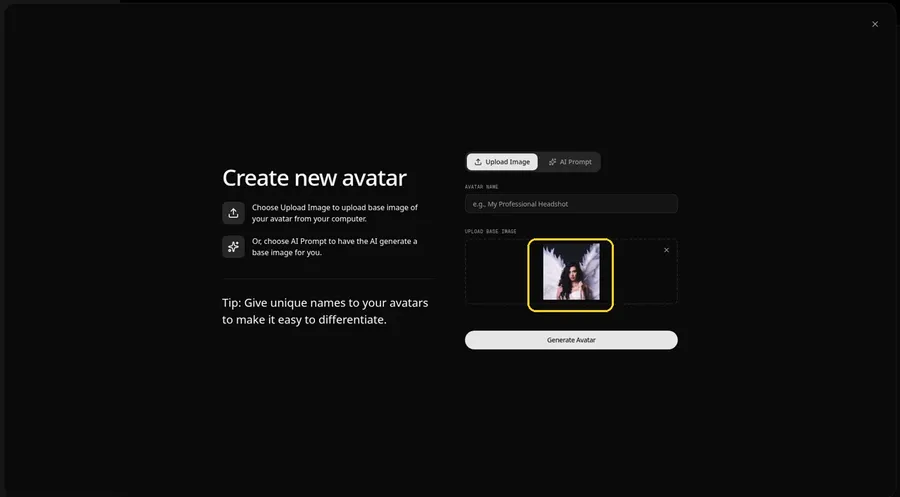
Choose the angel image in the upload area. The preview should show the talking angel looking straight ahead, with large white wings against a dark studio backdrop.
Step 6: Name Your Avatar Host and Click Generate Avatar
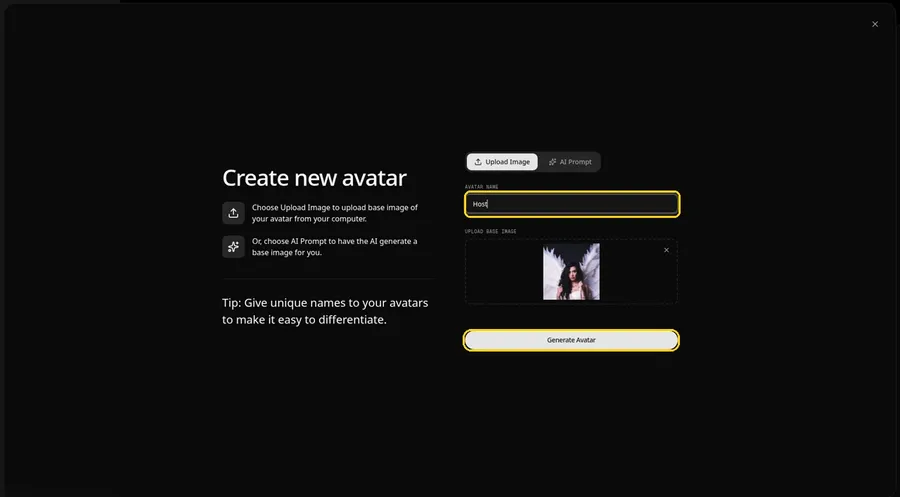
Enter Host under AVATAR NAME and press Generate Avatar; the talking angel is now saved in your avatar list.
Step 7: Open the Add Script Panel
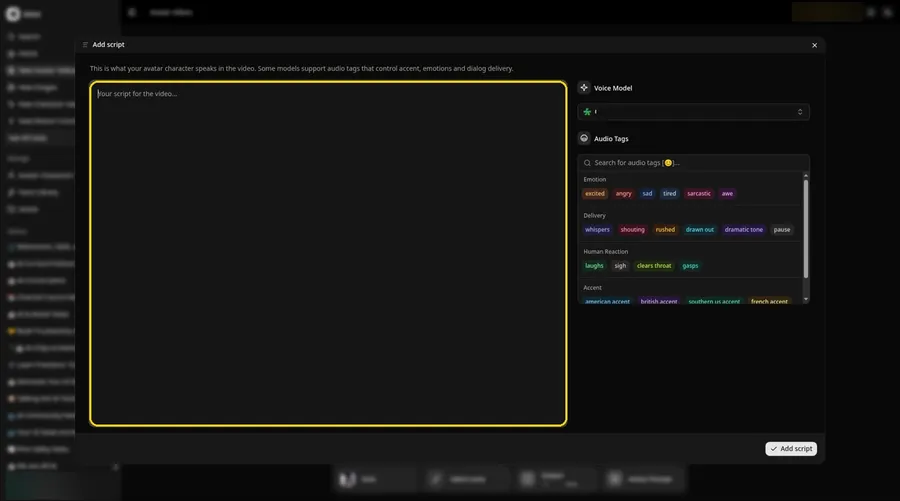
Click the script box in the composer, and the Add script panel opens for the talking angel.
Step 8: Choose the Voice Model
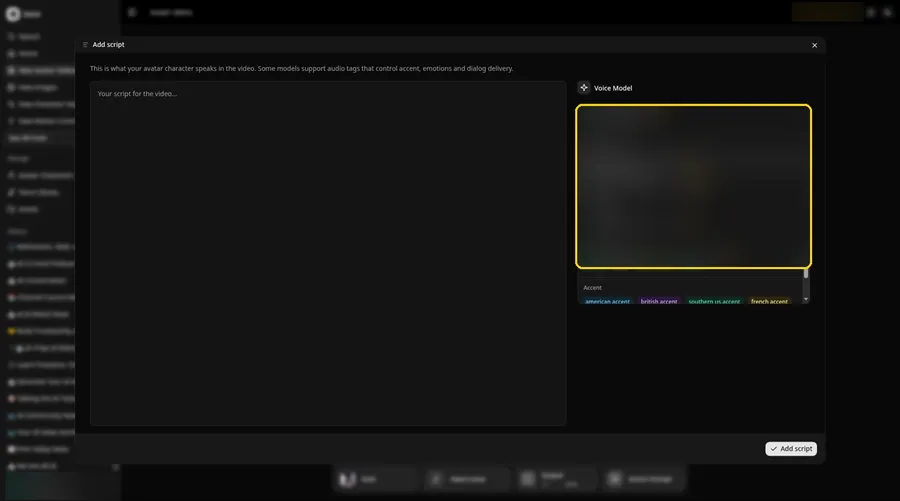
Pick a model in the Voice Model menu before the talking angel script goes in.
Step 9: Paste Your Script and Click Add Script
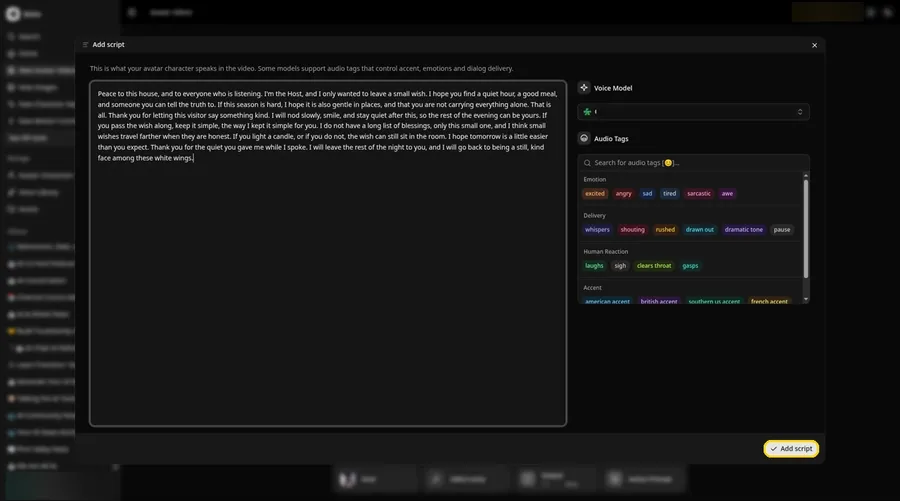
Drop in the full talking angel script, then click Add script. The opening words are: Peace to this house, and to everyone who is listening.
Step 10: Pick a Voice
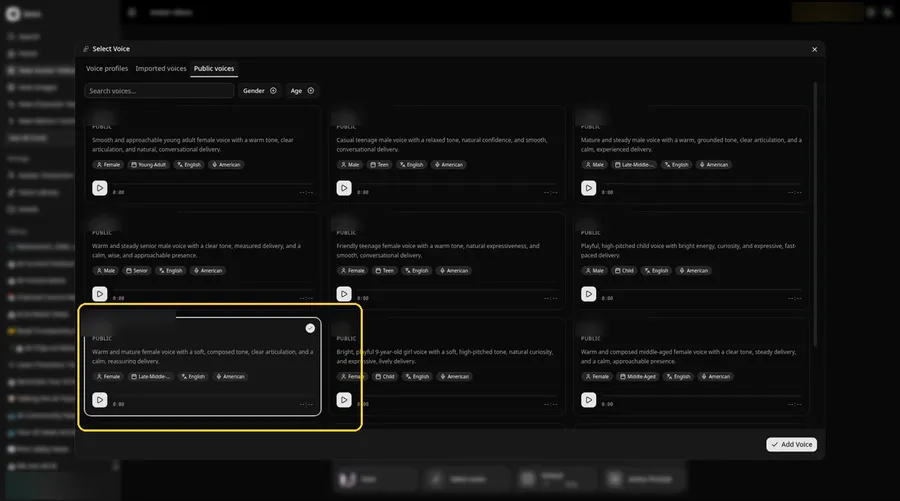
Click the voice button in the composer to open Select Voice for the talking angel. Pick a calm, warm adult voice on the Public voices tab, then click Add Voice to attach it.
Step 11: Choose Your Output Settings
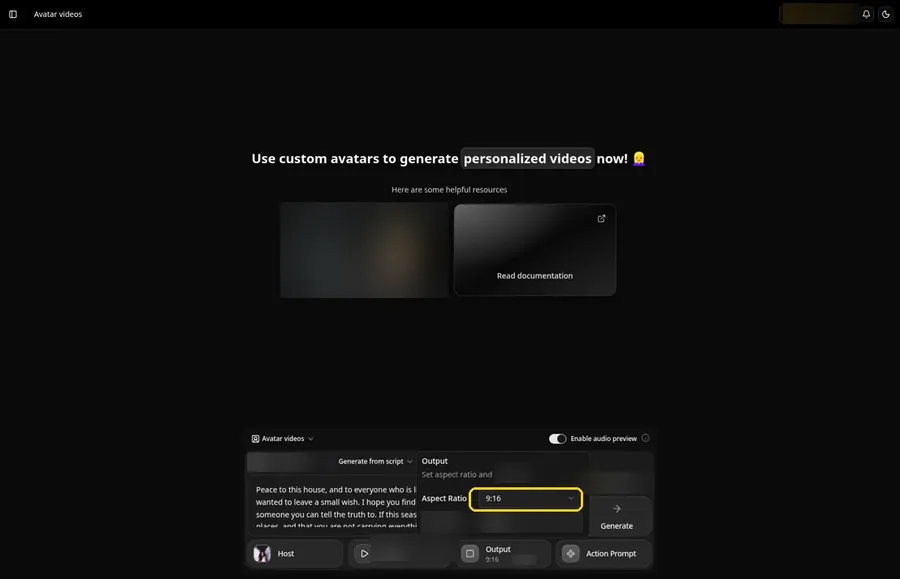
Choose your output settings. The talking angel video uses 9:16, picked from the aspect ratio dropdown in Output.
Step 12: Add an Action Prompt
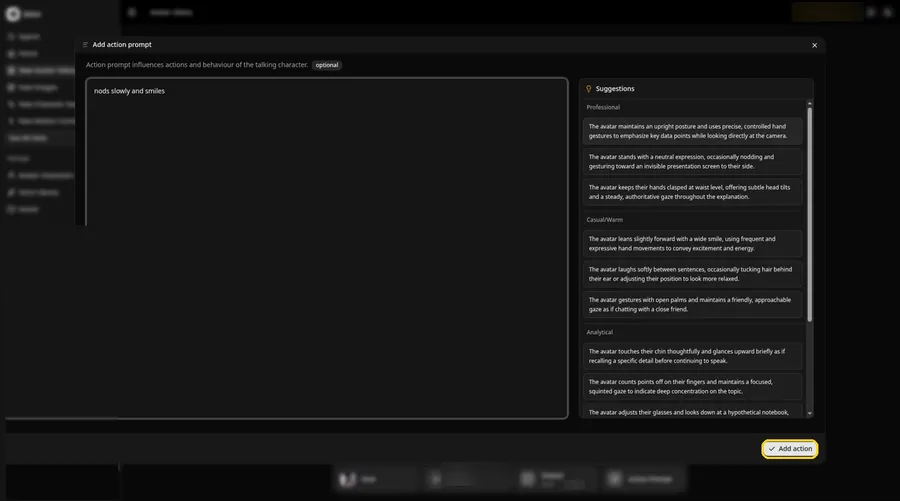
In the Add action prompt panel, enter: nods slowly and smiles. Press Add action. The talking angel only moves the way this prompt says.
Step 13: Click Generate
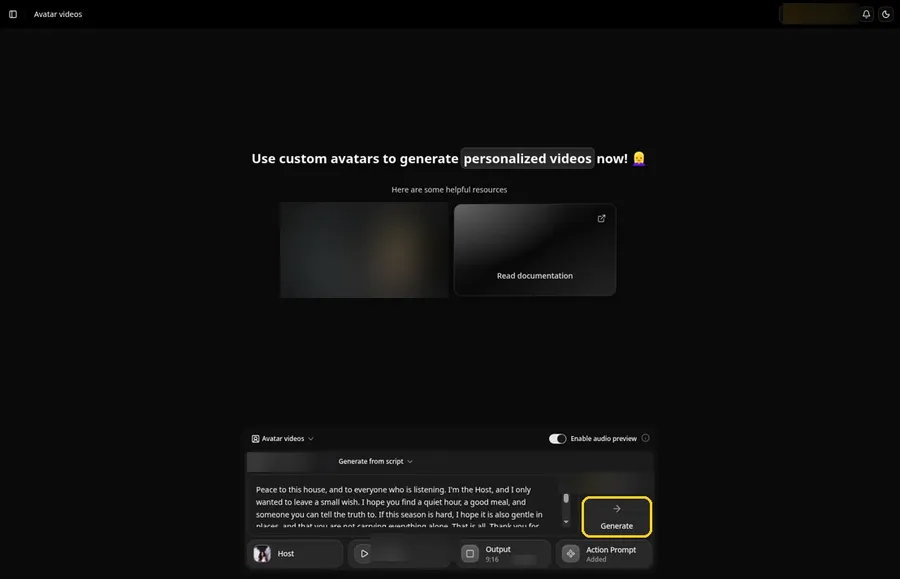
Check the talking angel Host, the voice, the script, the 9:16 output and the Added Action Prompt chip, then click Generate.
Step 14: Confirm the Audio Preview
An audio preview of the talking angel lines plays first; if it sounds right, confirm it and let Zoice process it.
Step 15: Preview the Video in the Player
Watch the talking angel video once in the player to check the lip sync and the action prompt.
Step 16: Download From the Player Menu
Open the three-dot menu on the player and click Download to save the talking angel video.
Step 17: Share Your Video
Share the downloaded talking angel video in a group chat or as a Reel, Short or story, using only images and audio you made or may use.
Writing the Action Prompt
Keep the talking angel move calm and single, like a slow nod.
- nods slowly and smiles
- looks at the camera and folds the hands
- tilts and blinks
Type your pick in step 12 and click Add action so the Action Prompt chip updates on the talking angel.
Demo Idea: A Warm Wish From the Angel
An adult angel Host, with large white wings against a dark studio backdrop, offers a short warm seasonal wish in character. Here is the exact script:
"Peace to this house, and to everyone who is listening. I'm the Host, and I only wanted to leave a small wish. I hope you find a quiet hour, a good meal, and someone you can tell the truth to. If this season is hard, I hope it is also gentle in places, and that you are not carrying everything alone. That is all. Thank you for letting this visitor say something kind. I will nod slowly, smile, and stay quiet after this, so the rest of the evening can be yours. If you pass the wish along, keep it simple, the way I kept it simple for you. I do not have a long list of blessings, only this small one, and I think small wishes travel farther when they are honest. If you light a candle, or if you do not, the wish can still sit in the room. I hope tomorrow is a little easier than you expect. Thank you for the quiet you gave me while I spoke. I will leave the rest of the night to you, and I will go back to being a still, kind face among these white wings."
Ready to make your own talking angel video? Try Zoice and follow the talking angel steps above.
Tips for Angel Costume Photos
- Keep the wings clear of the mouth.
- Use even studio light so the face stays easy to read.
- Keep the wish warm and short.
- For the talking angel, add an action prompt only after the lip sync looks right, then compare the two versions.
Once the talking angel works, branch out with our AI birthday video generator roundup.
FAQ
Can I use a church or museum angel?
Use costume photos you own or images you have rights to.
Is the action prompt required?
No. The talking angel is lip synced to your script either way; the action prompt only adds the move.
Can I make a vertical talking angel video?
Yes. Choose 9:16 in the output settings before you click Generate on the talking angel.
Try Zoice
Your talking angel video is one click away. Explore our AI singing avatar generator roundup, or Try Zoice and start your talking angel now.