Best AI Birthday Video Generator: Top Picks for 2026
The best AI birthday video generator is Zoice, our top pick for turning one photo into a talking birthday wish. Upload a clear photo of the birthday person, a loved one, or a favorite character, type your message or upload your own recording, and the mouth follows the words. Choose from 170+ languages, pick 9:16 for phones, and export a sharp video up to 4K.
We compared four tools on what birthday creators need: a face that looks like the person, your own message, an easy way to share, and a price that suits a one off gift. Zoice ranked first for a personal talking photo, and each other tool earned its place for one clear strength.
What Should an AI Birthday Video Generator Do?
A good birthday video feels personal. It starts from a real photo, says what you want it to say, and arrives in a format that is easy to send. The best tools keep the face steady, move the mouth to match the words, and let you use your own voice for the message.
This guide is about talking birthday wishes made from a photo, and about birthday songs when you bring the audio. Check that you have the right to use any photo or song, and only use a photo of someone with their permission.
What to check before you pick a tool for birthday videos:
- Photo to face: the person still looks like themselves in the video
- Your message: type it or record it, so the words are yours
- Lip sync: mouth movement that follows the message or song
- Voice options: a warm voice, your own recording, or a cloned voice
- Sharing: a format that fits a phone chat, a story, or a TV
- Cost: a price that suits a one off gift or a regular habit
Related terms you will see:
- Birthday wishes: a short message from you to the birthday person
- Birthday message: the words the person in the photo says
- Birthday card: a video that works like a card you can send
- Birthday song: an audio track you bring, which the face sings
Quick Comparison: Best AI Birthday Video Generators
| Features | Zoice | TalkPix | Magic Hour | Anijam |
|---|---|---|---|---|
| Best For | A talking or singing photo with your own message | Fast, low cost talking birthday photos | Photo to video plus talking photo tools | Animated birthday scenes from a description |
| Photo source | One photo or character image | One front facing photo | One photo, with separate lip sync tools | Generated or uploaded characters |
| Your message | Type it or upload audio | Type it or record audio | Upload audio for lip sync | Describe it, or upload a birthday song |
| Languages | 170+ | 10 | Not listed | 30+ voice styles |
| Max export | Up to 4K | 720p or 1080p | 1024px on Creator, 4K on Business | Not listed |
| Free option | Free plan without avatar videos | First video from $1.99 | Free daily tries with a watermark | Free to start, watermarked |
| Starting price* | $7.99/mo for avatar videos | Packs from $5, no subscription | $19/mo, or $12/mo billed yearly | $16/mo |
| Overall rating | 9.8 | 8.8 | 8.6 | 8.4 |
*Prices and limits change often. Check each tool's own pricing page before you pay.
All four can make a birthday video. The difference is how personal it is: Zoice and TalkPix start from your photo and your words, while Magic Hour and Anijam lean on animation and templates.
1. Zoice: Best AI Birthday Video Generator Overall
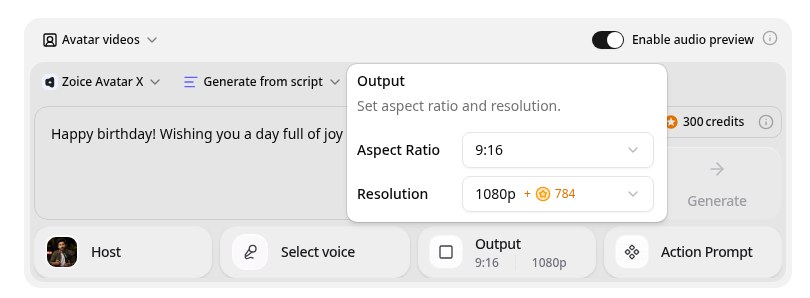
Zoice is the top pick when you want the birthday wish to come from a real face. Its Avatar X model turns a photo or character image into a talking video from a typed script or your own audio, with natural lip sync, facial expressions, and gestures you can guide with a prompt or a timeline. Clone a voice or upload a recording, write in one of 170+ languages, and export from 480p up to 4K in any aspect ratio.
Key Features
- Talking video from one photo or character image
- Typed message or uploaded audio, with natural lip sync
- Voice cloning, or your own recording
- Messages in 170+ languages and dialects
- Gestures and expressions by prompt or on a timeline
- Export from 480p up to 4K in any aspect ratio
Best For
- Anyone who wants a personal birthday wish from a photo
- Families sending a message to a relative in another language
- Creators who make birthday shoutouts
Pros of Zoice
- A real face
Start from the photo you choose, so the video looks like the person.
- Your own words
Type your message or upload your own recording.
- Singing with your audio
Upload a birthday song you have the rights to, and the face follows the words.
- Real lip sync
The mouth follows the message, with expressions to match.
- Ready for phones
Export 9:16 for chats and stories, or 16:9 for a TV.
- Clear credit costs
Credits are listed by resolution and length, so you know the cost before you render.
Cons of Zoice
- It does not write the song
Zoice animates the message or audio you bring. Use a song you made or have the rights to use.
- Avatar videos need a paid plan
The free plan covers voice, images, chat, and transcription. Avatar videos start on Starter.
Overall Zoice Rating
Review 9.8: Best Overall
| Criterion | Score |
|---|---|
| Photo quality | 9.8/10 |
| Lip sync and voice | 9.8/10 |
| Languages | 9.9/10 |
| Personalization | 9.9/10 |
| Export quality | 9.9/10 |
| Ease of use | 9.7/10 |
| Pricing | 9.7/10 |
Pricing
| Plan | Monthly Price | What you get |
|---|---|---|
| Free | $0/month | 50 credits per day for AI voice, images, chat, and transcriptions |
| Starter | $7.99/month | 4K credits per month, AI avatar videos, 1 voice profile |
| Basic | $29.99/month | 17K credits per month, 3 voice profiles |
| Creator | $49.99/month | 30K credits per month, 5 voice profiles |
| Agency | $89.99/month | 50K credits per month, 10 voice profiles |
Yearly billing saves 20%. Avatar videos start on Starter, and the credit cost of each video depends on its resolution and length.
When to Use It
Choose Zoice when you want a birthday wish that looks and sounds personal, in any language, with a sharp file you can send anywhere.
- Send a talking birthday message to a friend, in your own voice.
- Make a birthday card video from a family photo.
- Let a favorite character wish someone a happy birthday. Try Zoice
2. TalkPix: Best for Fast, Low Cost Birthday Photos
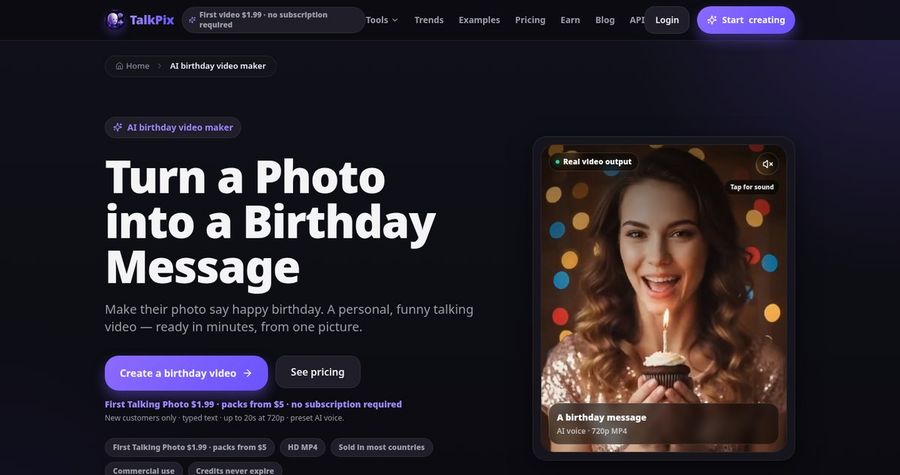
TalkPix has a page built for birthday videos. You upload a clear, front facing photo, type a birthday message or record or upload audio, choose a voice, and download an MP4. Its site says it supports personalized wishes, pets, old photos, and birthday song videos. Pricing is pay as you go, with no subscription, so a single gift costs only a few dollars.
Key Features
- Talking birthday video from one photo
- Typed message, recording, or uploaded audio
- Birthday song videos
- 30 built in voices across 10 languages
- 720p or 1080p MP4 download
- Pay as you go credit packs
Best For
- People who want one quick birthday video
- Anyone who does not want a subscription
Pros of TalkPix
- Made for birthdays
It has pages for birthday messages and birthday songs.
- No subscription
Credits never expire and there is no monthly fee.
Cons of TalkPix
- Fewer languages
It lists 10 languages, while Zoice supports 170+.
- Lower top resolution
Exports reach 1080p, while Zoice exports up to 4K.
Overall TalkPix Rating
Review 8.8: Best for fast, low cost birthday photos
Pricing
A first Talking Photo of up to 20 seconds costs $1.99 for eligible new customers. Credit packs start at $5, and a talking photo uses 1 credit per second at 720p. Check TalkPix's pricing page for current packs.
When to Use It
Use TalkPix when you want one quick, low cost birthday video. Use Zoice when you want more languages and a sharper export.
3. Magic Hour: Best for Photo to Video Plus Talking Photo
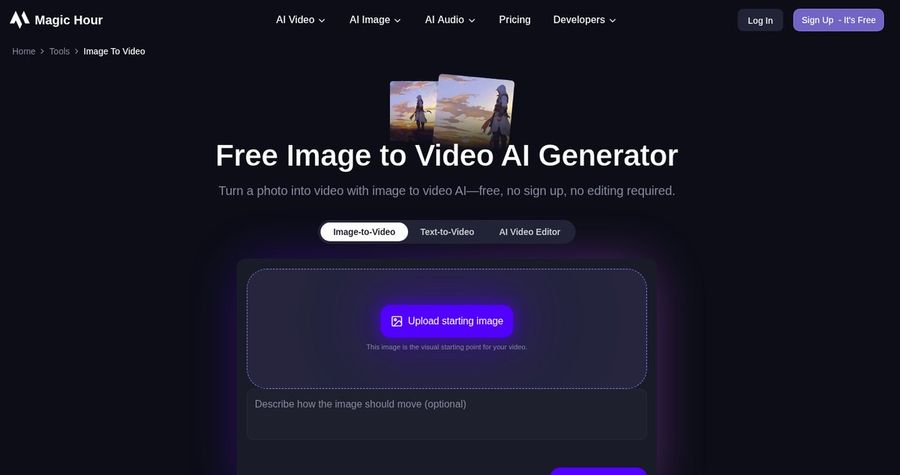
Magic Hour is a broad AI video platform. Its Image to Video tool turns a photo into a short animated clip, and it has separate Talking Photo and Lip Sync tools for photos that speak from audio you upload. Free users get a few tries a day with a watermark, and paid plans add more credits, watermark free exports, and commercial use.
Key Features
- Image to Video from one photo
- Talking Photo and Lip Sync tools
- Music video generator
- Face swap and other video tools
- Free daily tries
- Watermark free exports on paid plans
Best For
- Creators who want many video tools in one place
- Anyone who wants to try a photo animation for free first
Pros of Magic Hour
- Many tools
One plan covers image, video, and audio tools.
- Free tries
You can test a few generations a day without paying.
Cons of Magic Hour
- Talking birthday wishes take extra steps
You bring the audio yourself and use a separate lip sync or talking photo tool.
- Lower resolution on Creator
The Creator plan lists 1024px, and 4K starts on Business.
Overall Magic Hour Rating
Review 8.6: Best for photo to video plus talking photo
Pricing
Creator costs $19 per month, or $12 per month billed yearly. Pro costs $39 per month, or $25 per month billed yearly. Free video outputs may have a watermark. Check Magic Hour's pricing page for current plans.
When to Use It
Use Magic Hour when you want to try several photo video tools in one place. Use Zoice when you want a talking birthday wish with less setup.
4. Anijam: Best for Animated Birthday Scenes
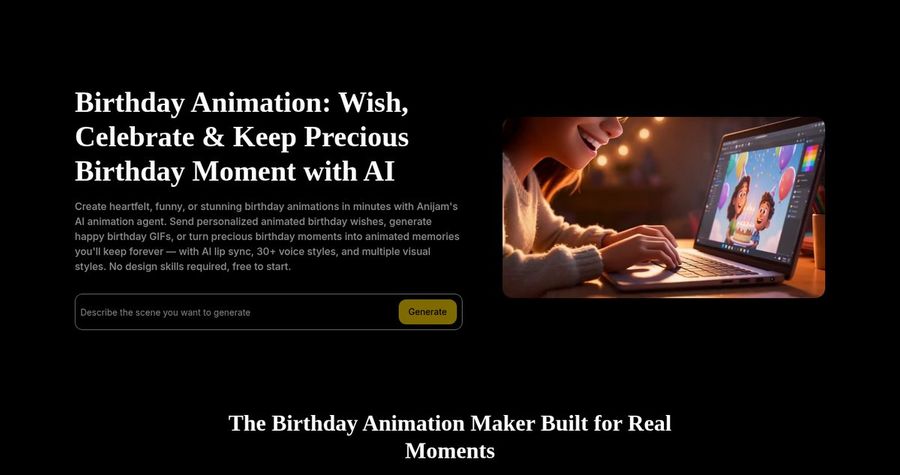
Anijam has a birthday animation tool. You describe the scene you want, and its AI animation agent builds an animated birthday video. Its site says you can send personalized animated birthday wishes, with AI lip sync, 30+ voice styles, and multiple visual styles, and that you can upload a birthday song so a character sings it. It suits cartoon style gifts more than a real photo.
Key Features
- Animated birthday videos from a description
- AI lip sync
- 30+ voice styles
- Birthday song upload
- Multiple visual styles
- Credit based plans
Best For
- Anyone who wants an animated cartoon style birthday gift
- Creators who like to describe a scene in words
Pros of Anijam
- Animation first
You get a styled, animated scene rather than a photo.
- Free to start
You can try it before you pay.
Cons of Anijam
- Less like the real person
It builds animated characters, so it is not a close copy of a real face.
- Free outputs are limited
Free outputs are watermarked and limited to non commercial use.
Overall Anijam Rating
Review 8.4: Best for animated birthday scenes
Pricing
Paid plans start at $16 per month for the Beginner plan, with a Creator plan at $26 per month. Free outputs are watermarked and limited to non commercial use. Check Anijam's pricing page for current credits.
When to Use It
Use Anijam when you want an animated cartoon birthday scene. Use Zoice when you want the real person from a photo to say the wish.
Birthday Video Ideas That Work
Short and warm beats long and fancy. These formats suit a birthday video:
- Talking card: a photo of the person says happy birthday in your words.
- Family shoutout: each relative records a line, and each face says it.
- Language gift: a message in the language of a relative far away.
- Character wish: a favorite character sings or says the greeting.
Want to see how singing photos work? See our singing photo picks, or read about AI tools for a singing baby.
How We Compared Birthday Video Generators
We scored each tool the way a gift giver would, using the public features, limits, and prices on each tool's own site.
We looked at photo quality, personal messages, lip sync, languages, ease of sharing, and price. Zoice ranked first for a personal talking photo. TalkPix led fast, low cost birthday photos, Magic Hour led photo to video plus talking photo, and Anijam led animated birthday scenes.
How to Choose an AI Birthday Video Generator
Start with how personal you want the gift to be.
- Photo or animation: decide between a real face and a cartoon scene.
- Message: choose a tool that lets you type or record your own words.
- Permission: use photos of people who agree to it.
- Song: only upload music you have the rights to use.
- Format: choose 9:16 for chats and stories and 16:9 for a TV.
- Cost: compare the price of one finished video, not only the entry plan.
If you want one tool that turns a real photo and your own words into a warm, sharp birthday wish, Zoice is the strongest pick for most people. You can make your first birthday video in Zoice in a few minutes.
FAQ
Can AI make a birthday photo sing?
Yes, when you bring the audio. In Zoice you upload a photo and a recording of the song, and the face follows the words. Use a song you made or have the rights to use.
Can I add a custom message?
Yes. In Zoice you type your own message or upload your own recording, so the words are yours. You can write it in 170+ languages.
What format is best to share?
Use 9:16 for phone chats and stories, and 16:9 for a TV or a computer. Zoice exports from 480p up to 4K in any aspect ratio, so you can make both.