How to Make a Memorial Video From a Photo: A 2026 Guide
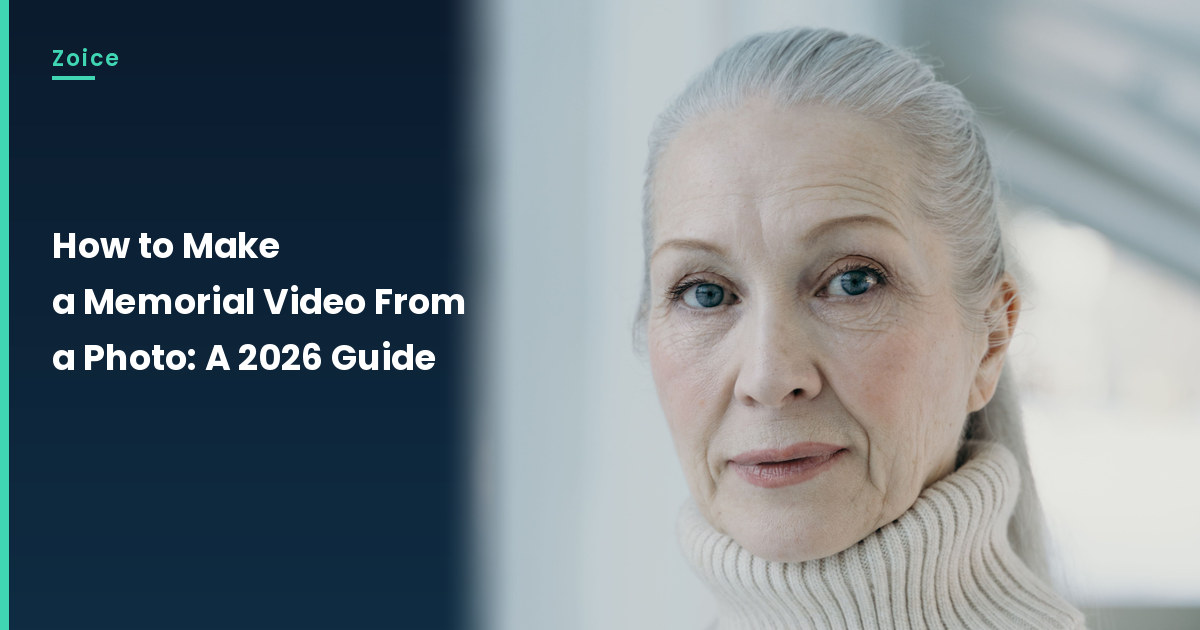
A memorial video from a photo can hold a gentle tribute when the family has agreed to the picture, the words, and the placement. This is how to make a memorial video from a photo with AI. It is a tribute only, not a way to talk with someone who has died, and not a claim that anyone has been brought back. In Zoice you upload an approved photo of a living relative or speaker who has agreed to appear, it becomes your Host, and the mouth is lip synced to the tribute script. For the memorial tribute video, our screenshots use a stock-model sample of a living speaker, never a photo of someone who has died.
If you want a general photo-to-talking-clip walkthrough for a living speaker, see our guide on how to make a picture talk.
Choosing a Memorial Photo Image Zoice Can Read
A memorial tribute video should use a photo of a living speaker or relative who has agreed to appear, with family consent for the words and the placement, and it should be clearly labeled as AI.
- Get family consent for the photo, the exact words and where the tribute will be shown
- Do not present the departed as speaking, and do not claim anyone has been brought back
- For the memorial tribute video, label the finished clip as AI
- Our demo uses a stock-model sample of a living speaker, never a photo of someone who has died
How to Make a Memorial Video From a Photo in Zoice
Our Host is a stock photograph of an adult woman with silver hair in a cream knit turtleneck, front-facing in soft indoor light, with a clear face and a visible mouth, used as a sample of a living speaker reading a tribute, and used as the Host for this post and saved in the app.
Step 1: Sign In to Zoice and Open Home
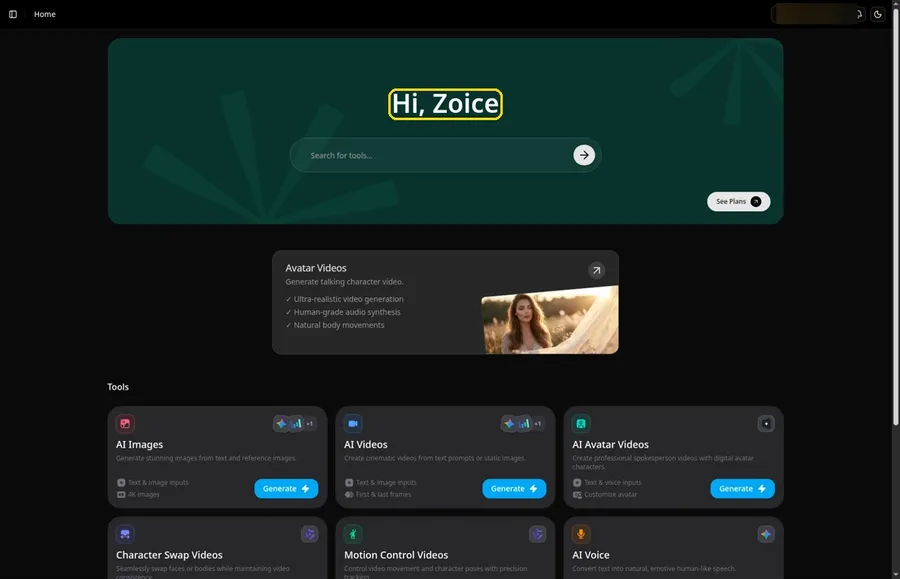
Click Sign In on Zoice and log in with your email or Google account to start the memorial tribute video.
Step 2: Open Avatar videos
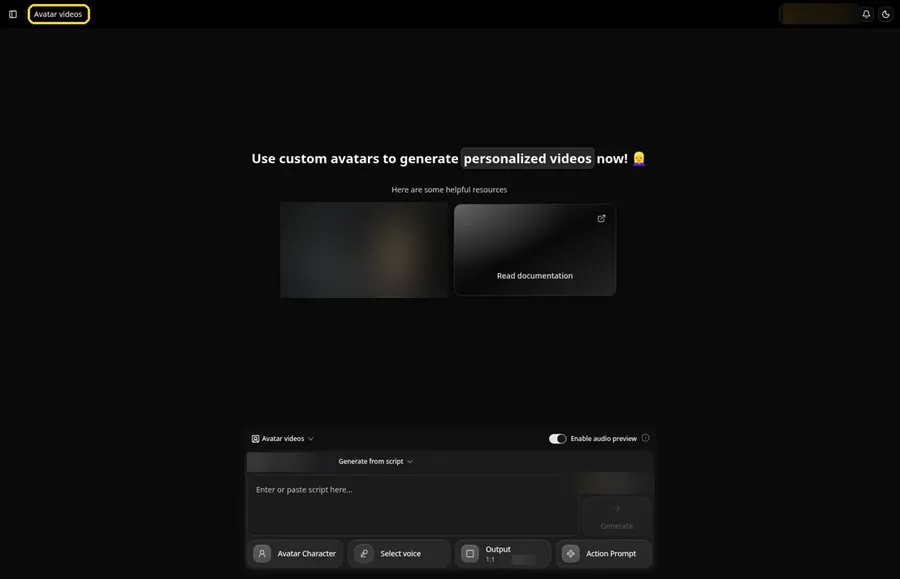
Open Avatar videos. The page title reads Avatar videos, and the composer is empty with Output at the default 1:1.
Step 3: Open Avatar Character and Create a New Avatar
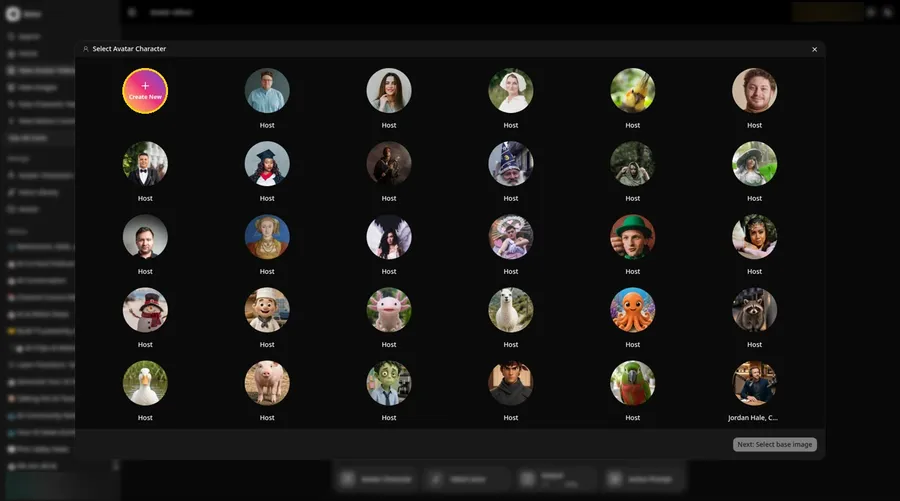
For the memorial tribute video, click Avatar Character in the composer to open Select Avatar Character, then click Create New. On the Avatar Characters page, click Create New again, and the full-screen Create new avatar page opens for the memorial tribute video.
Step 4: Choose Upload Image
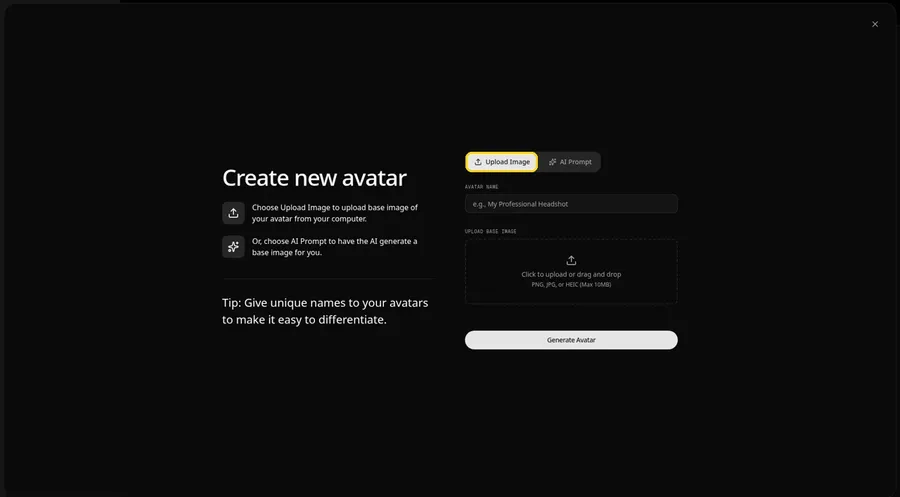
Leave the Upload Image tab on under UPLOAD BASE IMAGE, since the memorial tribute video comes from an image file.
Step 5: Upload the Memorial Portrait Image
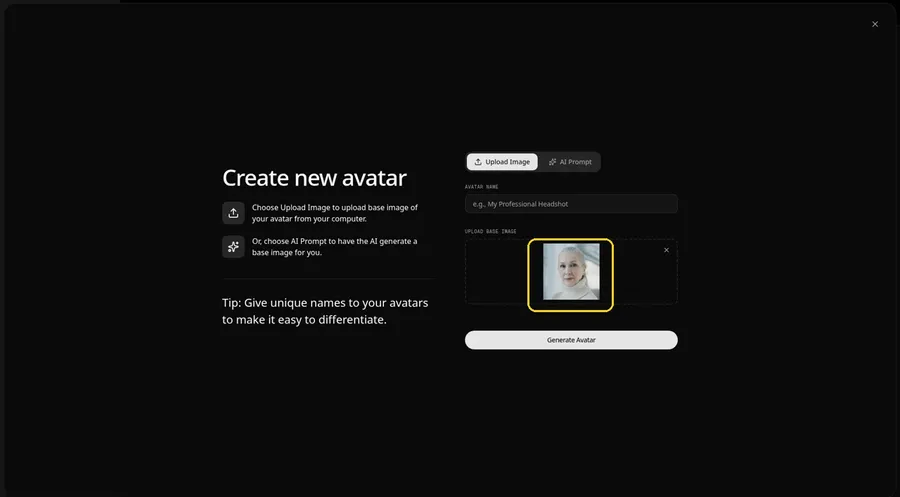
Choose the memorial image in the upload area. The preview should show the memorial Host looking toward the camera, an adult woman with silver hair in a cream knit turtleneck, with a clear face and a visible mouth.
Step 6: Name Your Avatar Host and Click Generate Avatar
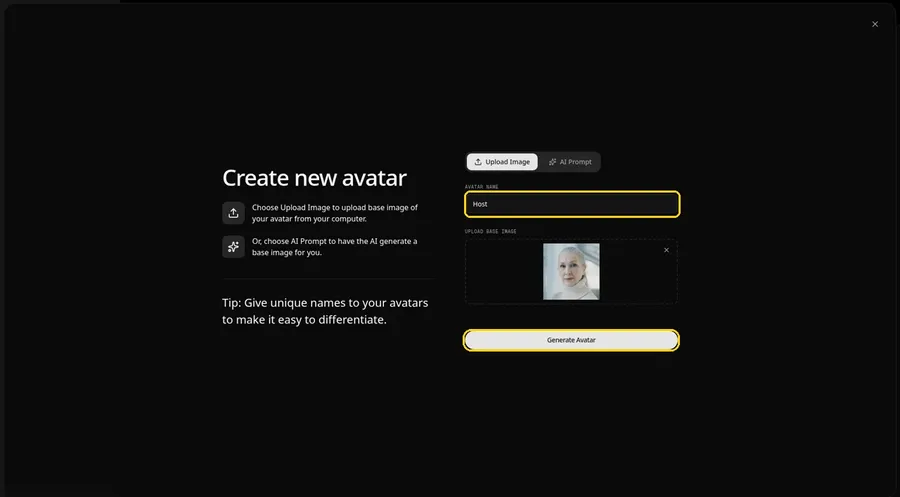
Name the memorial tribute video avatar Host in AVATAR NAME, with the preview in place, ready to click Generate Avatar.
Step 7: Open the Add Script Panel
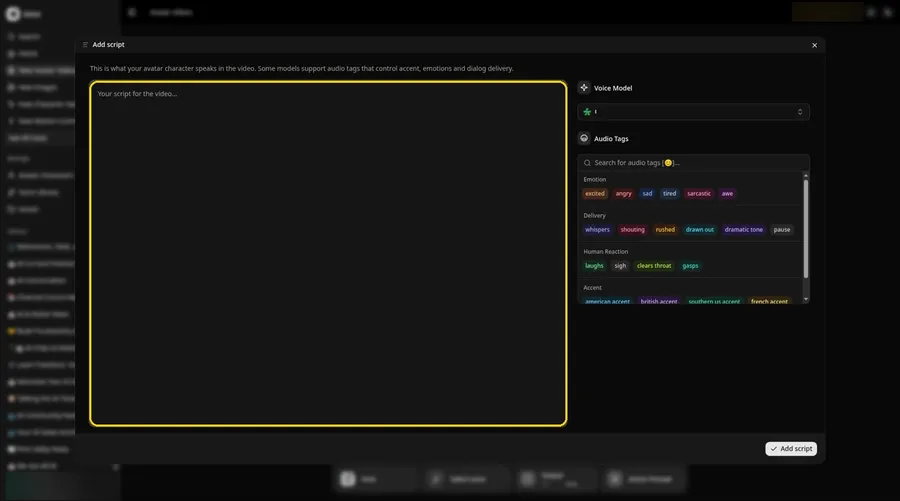
Select the script box, and the Add script panel for the memorial tribute video slides open.
Step 8: Choose the Voice Model
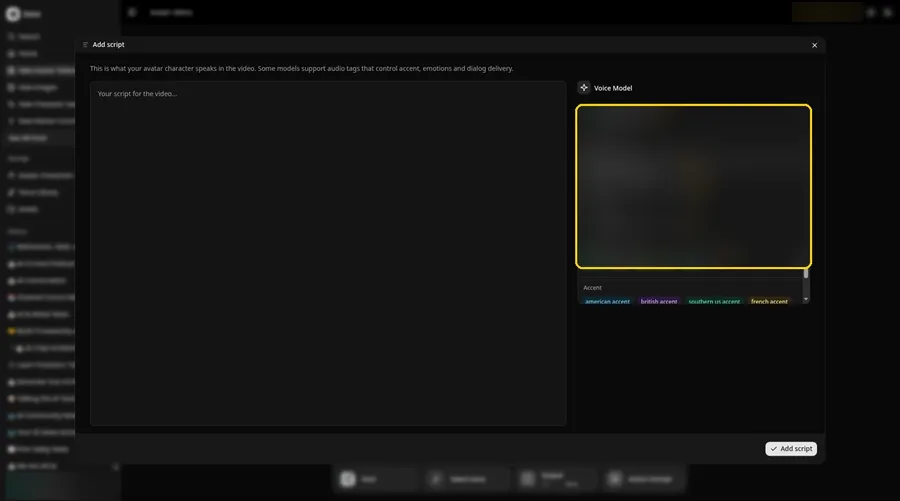
Choose the voice model from the Voice Model menu; it shapes how the memorial tribute video sounds.
Step 9: Paste Your Script and Click Add Script
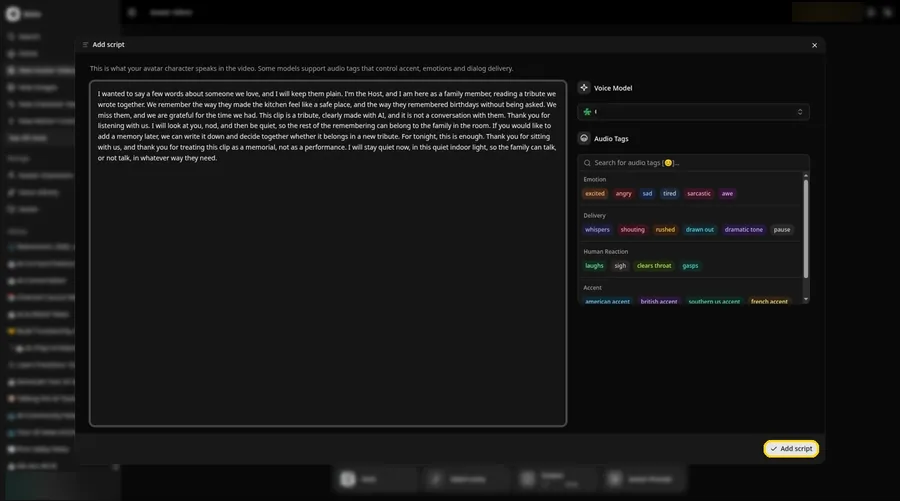
Paste the memorial tribute video script, read it once more and click Add script. It opens with: I wanted to say a few words about someone we love, and I will keep them plain.
Step 10: Pick a Voice
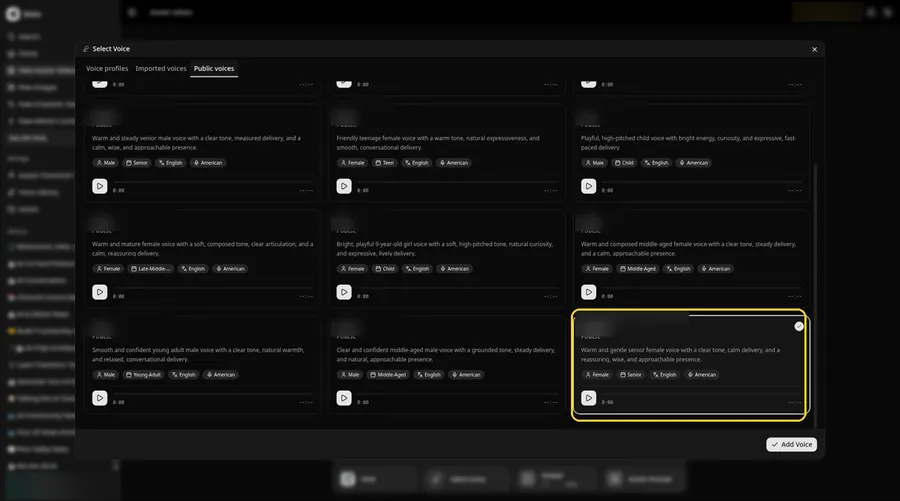
Click the voice button in the composer to open Select Voice for the memorial tribute video. Pick a gentle, even adult voice on the Public voices tab, then click Add Voice to attach it.
Step 11: Choose your output settings
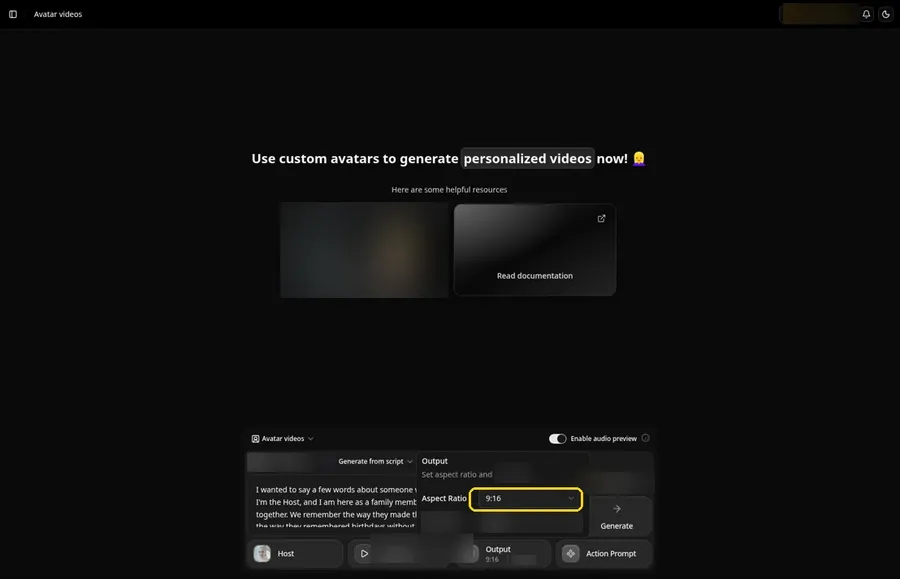
Choose your output settings. Set the Output aspect ratio dropdown to 9:16 if the memorial tribute video is headed to vertical feeds.
Step 12: Add an Action Prompt
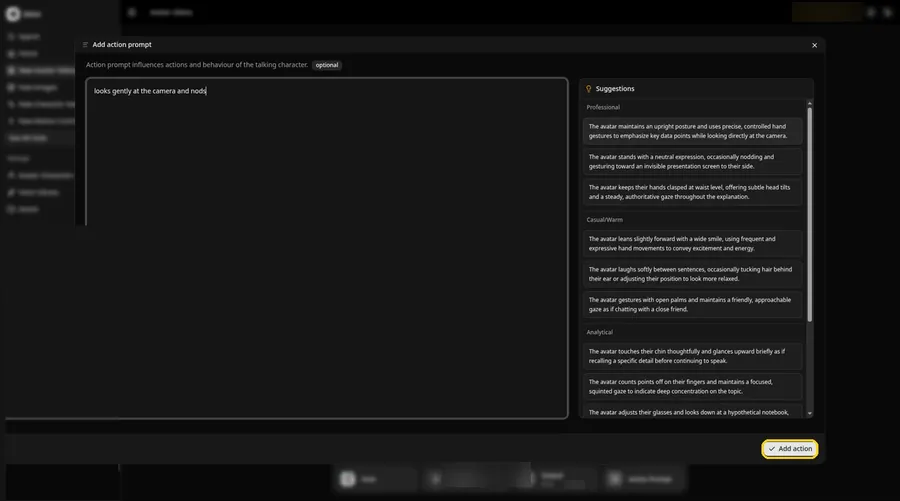
Click Action Prompt and type in the Add action prompt panel: looks gently at the camera and nods. Click Add action. This step is the only place the memorial tribute video gets its moves.
Step 13: Click Generate
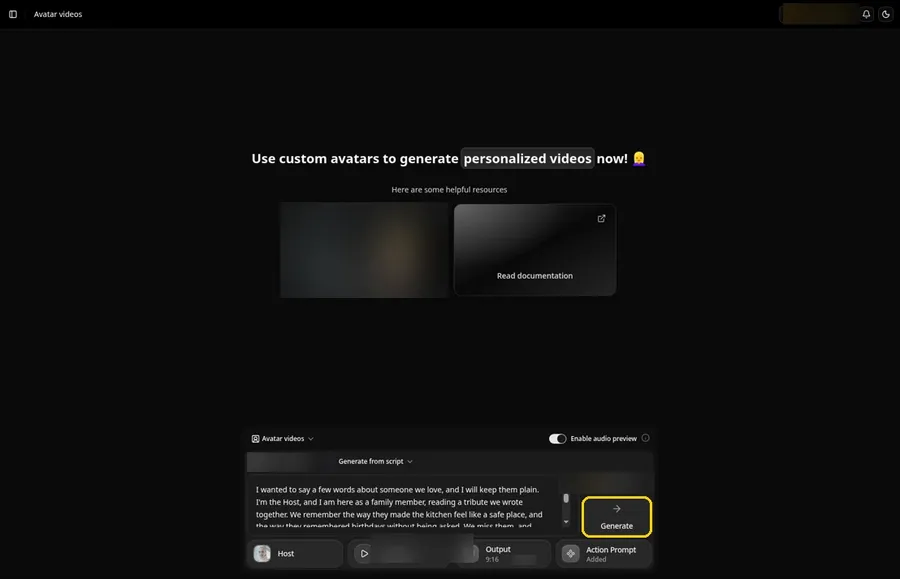
Look over the memorial Host, the script, the voice, the 9:16 output and the Added Action Prompt chip, then click Generate.
Step 14: Confirm the Audio Preview
Listen to the memorial tribute video audio preview, then confirm it while Zoice processes the clip.
Step 15: Preview the Video in the Player
Press play in the player and check that the memorial tribute video lip sync and the action prompt moves match your script.
Step 16: Download From the Player Menu
Use the player's three-dot menu and choose Download to keep the memorial tribute video file.
Step 17: Share Your Video
Post the memorial tribute video clip as a Reel, Short or story, or drop it in a chat; stick to images and audio you have the rights to.
Writing the Action Prompt
Keep the memorial tribute video move very still and small, like a gentle look at the camera.
- looks gently at the camera and nods
- pauses and looks down, then back
- speaks softly and stills
Type your pick in step 12 and click Add action.
Demo Idea: A Family Tribute, Read Aloud
A stock-photograph Host, of an adult woman with silver hair in a cream knit turtleneck, is used as a sample of a living speaker and reads a short tribute. This is not the departed speaking. Here is the exact script:
"I wanted to say a few words about someone we love, and I will keep them plain. I'm the Host, and I am here as a family member, reading a tribute we wrote together. We remember the way they made the kitchen feel like a safe place, and the way they remembered birthdays without being asked. We miss them, and we are grateful for the time we had. This clip is a tribute, clearly made with AI, and it is not a conversation with them. Thank you for listening with us. I will look at you, nod, and then be quiet, so the rest of the remembering can belong to the family in the room. If you would like to add a memory later, we can write it down and decide together whether it belongs in a new tribute. For tonight, this is enough. Thank you for sitting with us, and thank you for treating this clip as a memorial, not as a performance. I will stay quiet now, in this quiet indoor light, so the family can talk, or not talk, in whatever way they need."
When your family is ready, Try Zoice and record a gentle tribute of your own.
Tips for Memorial Tributes
- Agree as a family before making anything.
- Keep the tone gentle; words of remembrance work better than imagined new statements.
- Leave the action prompt calm or empty.
- For the memorial tribute video, add an action prompt only after the lip sync looks right, then compare the two versions.
Animating a still portrait is a different workflow from this tribute, and it should never be used to make the departed speak. Our list of tools that animate static portraits explains that other path.
FAQ
What should the words be?
Words of remembrance, or a saying of theirs the family agrees on.
Is this a way to talk with someone who has died?
No. This guide is for a gentle tribute, clearly labeled as AI, made with family consent. It is not a conversation with the departed.
Whose photo should I use?
Use only a living speaker or relative who has agreed to appear. Our demo uses a stock-model sample of a living speaker, never a photo of someone who has died.
Is the action prompt required?
No. The memorial tribute video is lip synced to your script either way; the action prompt only adds the move.
Can I make a vertical memorial tribute video?
Yes. Choose 9:16 in the output settings before you click Generate on the memorial tribute video.
Try Zoice
When you are ready, read our AI storytelling avatar generator roundup, or Try Zoice and start a gentle tribute.