How to Make a Bedtime Story Video With AI: 2026 Guide
A bedtime story video lets a friendly storyteller read your own short tale to the kids. In Zoice you upload a character or family photo as the Host, paste a calm story, and set up a gentle clip for the bedtime routine.
A grandparent who lives far away can be the reader, with their permission, or you can use an illustrated character. For more storytelling options, see our list of AI storytelling avatar generators.
Writing a Story That Calms Instead of Excites
- One small hero and one soft problem
- Short sentences with a slow, even rhythm
- Quiet words like whisper, float and drift
- An ending that tells the listener to close their eyes
How to Make a Bedtime Story Video in Zoice (Step by Step)
Work through the screens below one at a time. Our storyteller is a fictional grandfather reading a story about a cloud named Puff.
Step 1: Sign In to Zoice
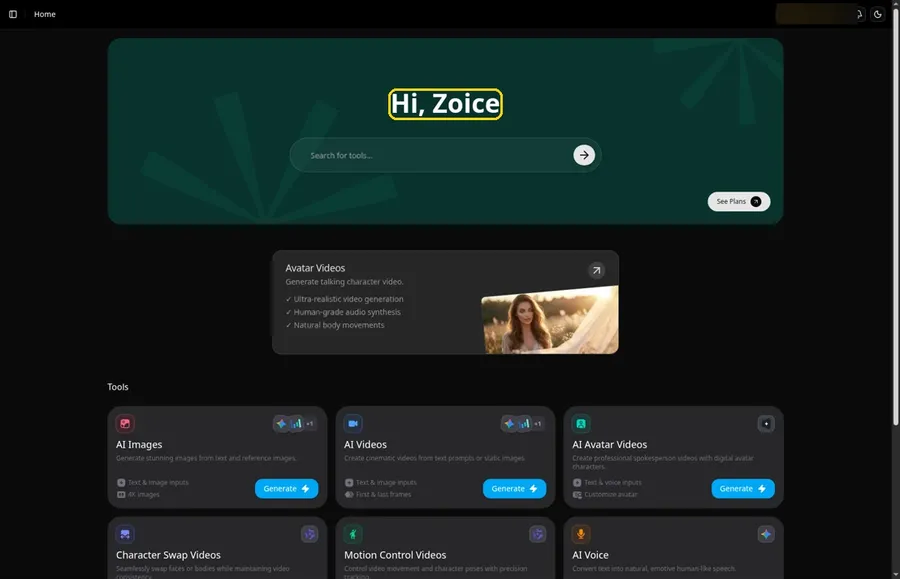
Log in from the Sign In button on Zoice. Home opens with the Hi, Zoice heading.
Step 2: Go to Avatar videos
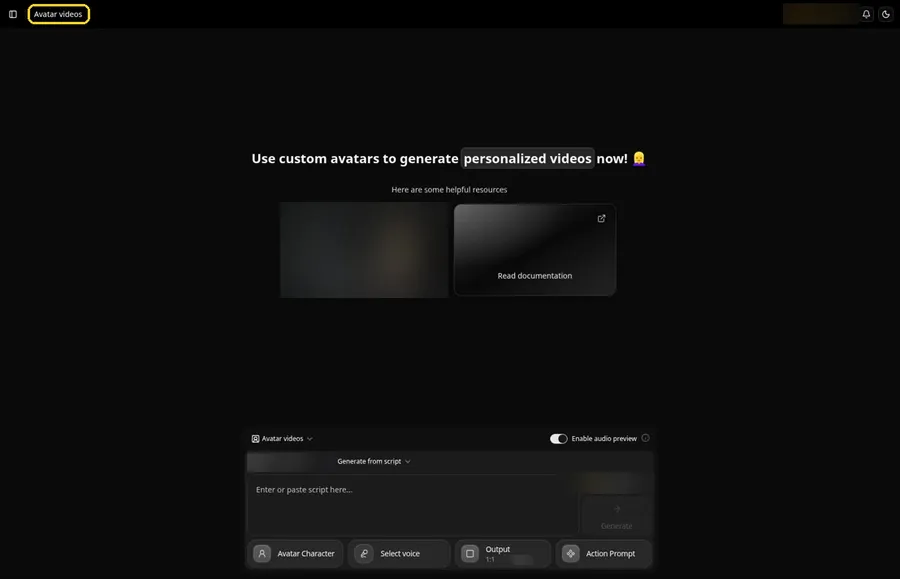
Select Avatar videos from the sidebar to open the composer.
Step 3: Click Avatar Character and Create New

Start the bedtime storyteller from Avatar Character, which opens Select Avatar Character. Click Create New for the bedtime storyteller, then click Create New once more on the Avatar Characters page to open the full-screen Create new avatar page.
Step 4: Choose Upload Image
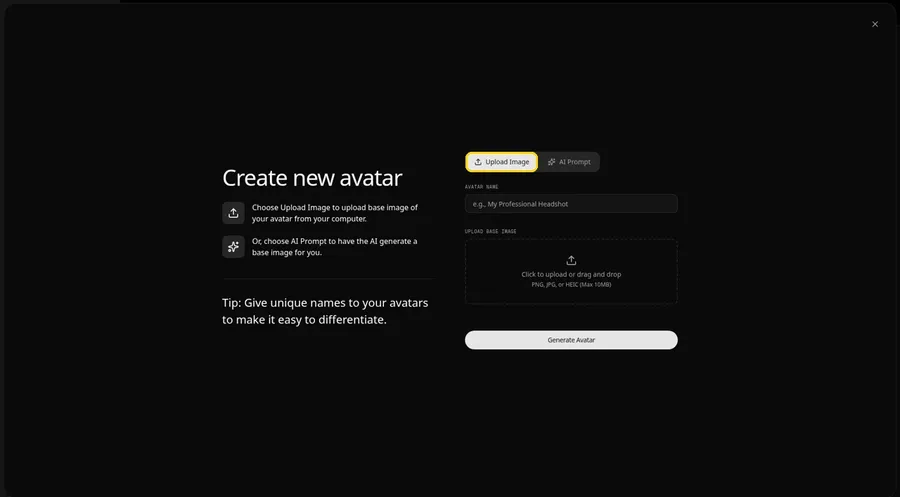
The Create new avatar page opens full screen on the Upload Image tab under Upload Base Image. Stay on Upload Image for the bedtime storyteller. AI Prompt is the other tab if you have no image yet.
Step 5: Upload the Storyteller Photo
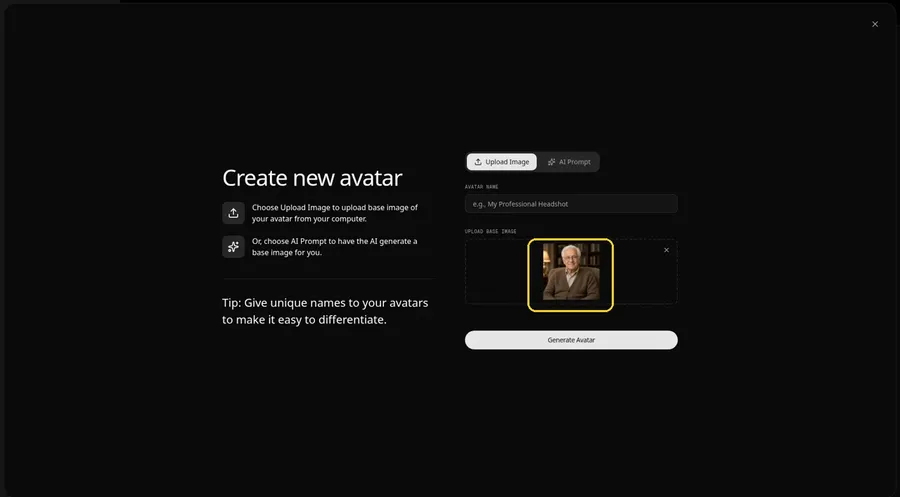
Click the upload area under Upload Base Image and add a calm, front-facing photo. Check that the eyes and mouth are sharp in the preview.
Step 6: Name the Storyteller Host
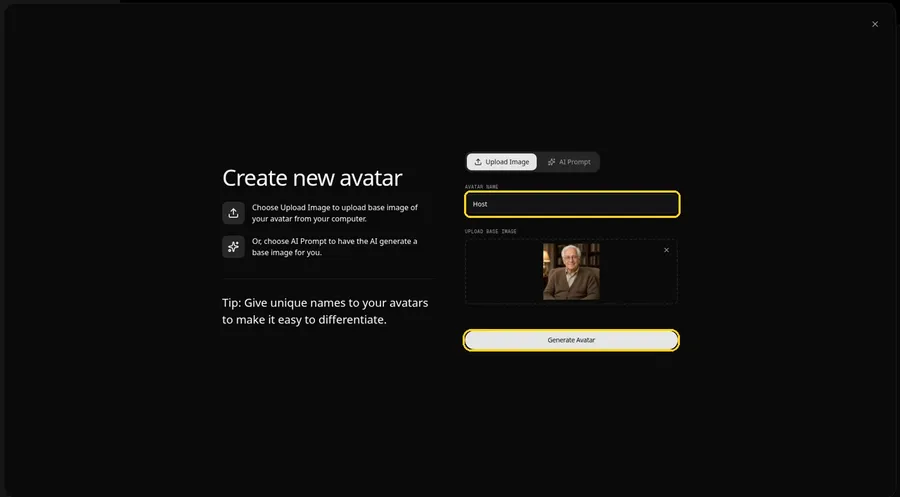
In the Avatar Name field, type Host and click Generate Avatar so the bedtime storyteller joins your saved characters.
Step 7: Open the Script Panel
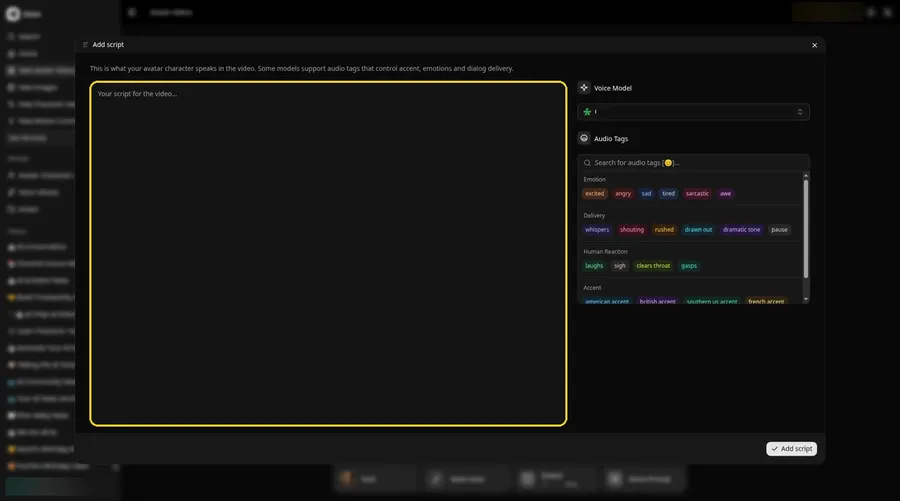
Click the script box in the composer. The Add script panel opens.
Step 8: Select the Voice Model
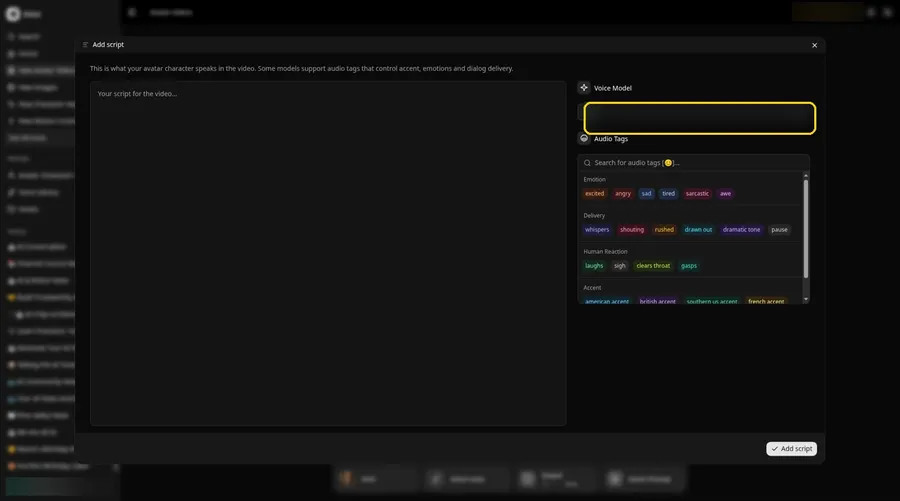
Choose a voice model in the Voice Model field.
Step 9: Paste the Story
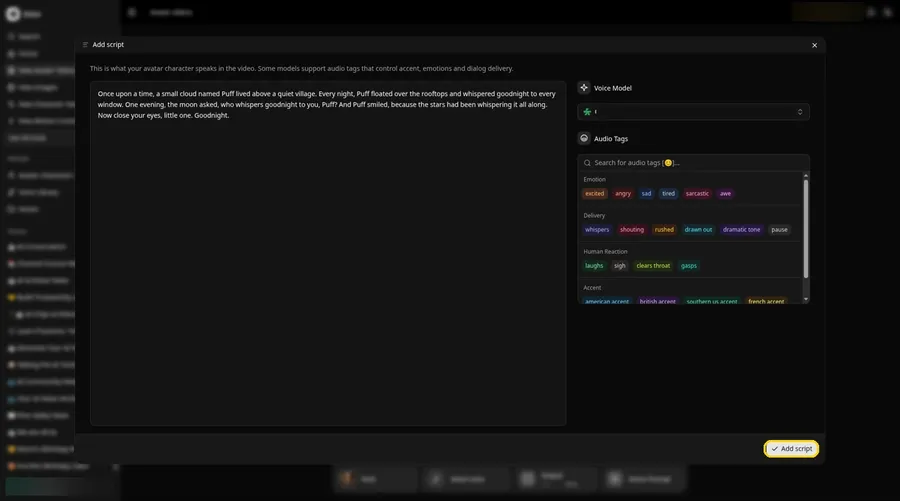
Paste your story and click Add script. Ours opens: Once upon a time, a small cloud named Puff lived above a quiet village.
Step 10: Pick a Calm Voice
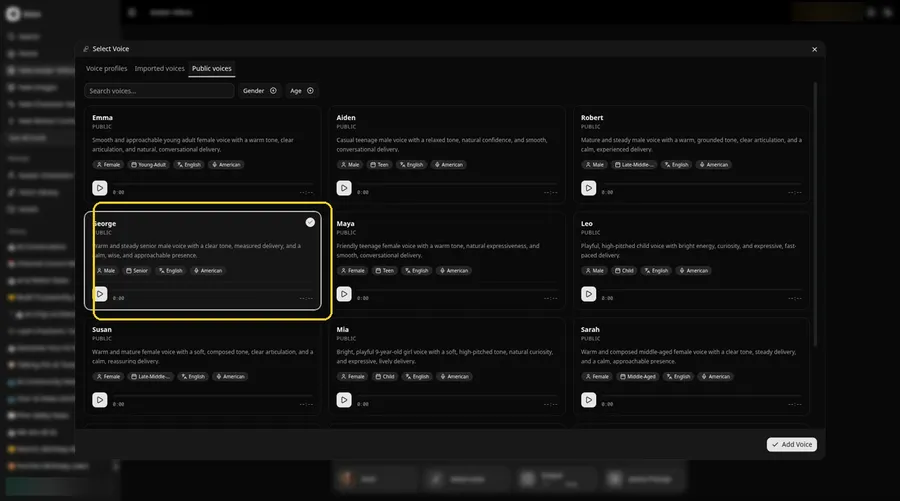
- Click the voice button in the composer to open Select Voice for the bedtime storyteller.
- Pick a voice for the bedtime storyteller on the Public voices tab.
- Click Add Voice to attach that voice to the bedtime storyteller.
A warm, steady voice suits the bedtime storyteller.
Step 11: Choose Your Output Settings
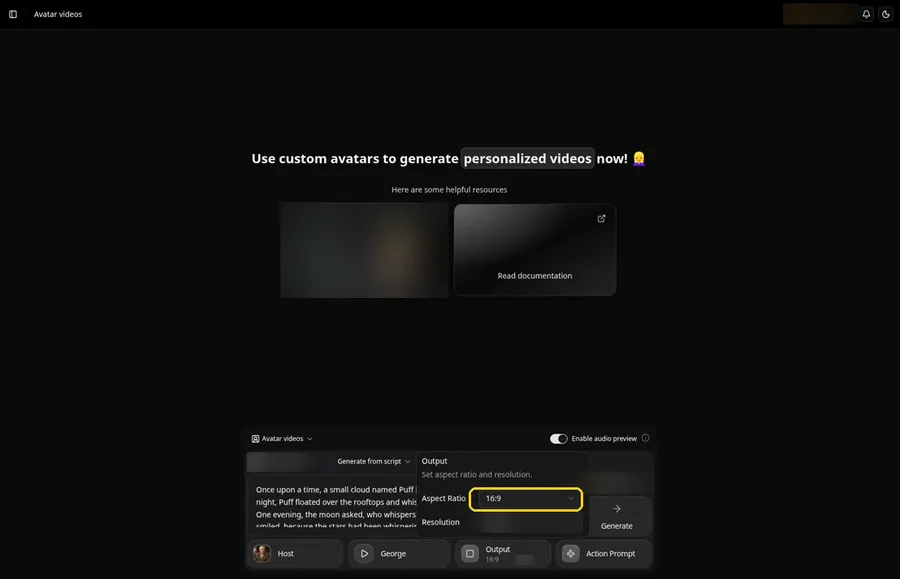
Choose your output settings. Open the Output popover and set the Aspect Ratio dropdown to 16:9.
Step 12: Add an Action Prompt
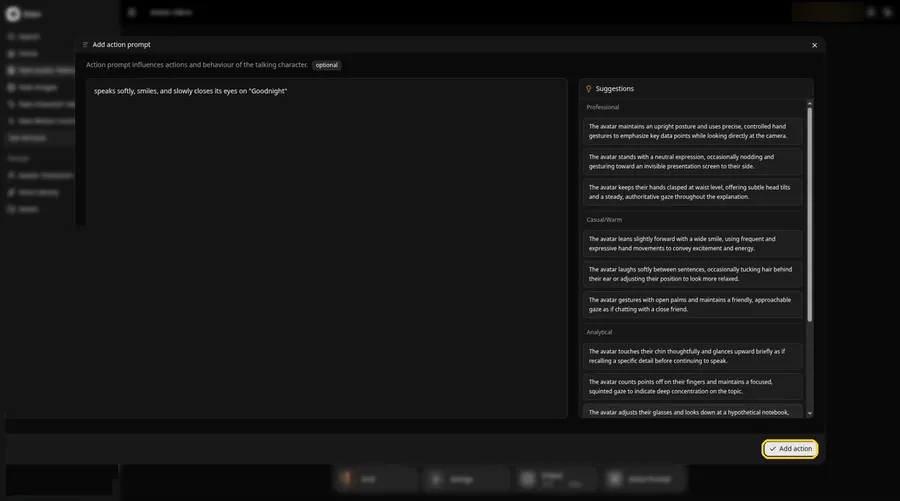
Click Action Prompt. In the Add action prompt panel, type: speaks softly, smiles, and slowly closes its eyes on "Goodnight". Click Add action. Added then shows on the Action Prompt chip in the composer.
Step 13: Click Generate
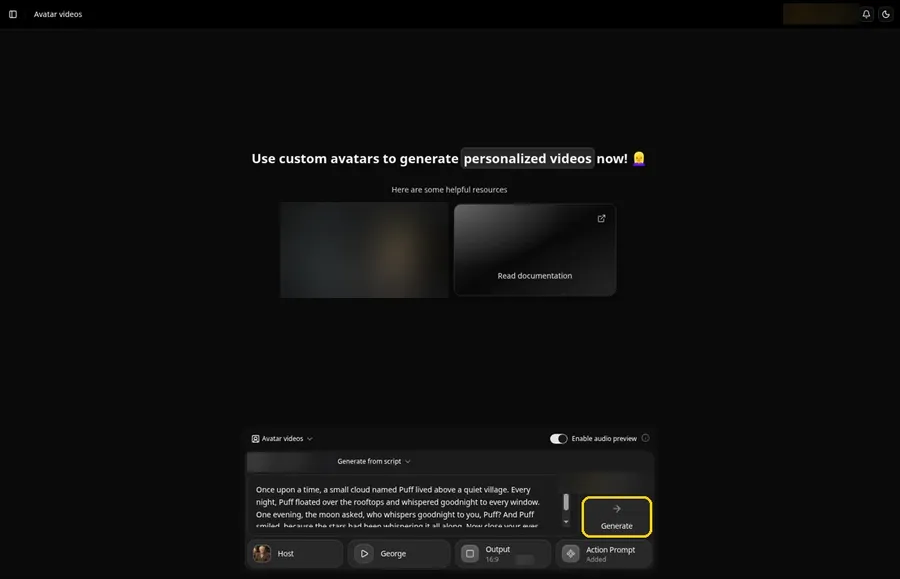
Go over the Host, story, voice, output and action prompt one more time, then click Generate.
Step 14: Confirm the Audio Preview
Listen to the preview and confirm with Generate avatar video.
Step 15: Watch the Story
After processing, play the story in the player and follow along with your text.
Step 16: Download the Story
Save it with Download from the player menu.
Step 17: Add It to the Bedtime Routine
Keep the file on a tablet so it is ready when the lights go down.
Tips for Bedtime Story Videos
- Ask a grandparent before using their photo or voice
- Keep the voice low and slow
- Reuse the same storyteller so the series feels familiar
- Write a new short story for each night of the week
- Dim the screen brightness when you play it at bedtime
Looking for kid-friendly characters? See our AI talking character generators for kids.
Demo Idea: Puff the Cloud
Our storyteller Host read this full story:
"Once upon a time, a small cloud named Puff lived above a quiet village. Every night, Puff floated over the rooftops and whispered goodnight to every window. One evening, the moon asked, who whispers goodnight to you, Puff? And Puff smiled, because the stars had been whispering it all along. Now close your eyes, little one. Goodnight."
Write tonight's story next. Try Zoice and give it a storyteller.
FAQ
Can I use a grandparent's photo?
Yes, with their permission. Any clear, front-facing face works.
How long should the story be?
Short enough to finish before the yawns win, usually a page of text or less.
Can I make a series?
Yes. Reuse the same Host for every episode.
Which voice suits a bedtime story?
A warm, steady voice, like the one we pick in Step 10.
Try Zoice
One storyteller and one gentle story make bedtime easier. Try Zoice tonight.