Best AI Talking Character Generator for Kids: Top Picks
The best AI talking character generator for kids is Zoice, our top pick for turning one friendly character image into a lip synced storyteller for story time, lessons, and family videos. Upload a character, type a script or record your own voice, choose from 170+ languages, and export a sharp video up to 4K. You write every word, so you decide what the character says to children.
We compared four tools on what parents, teachers, and kids channel creators need: a friendly character, clean lip sync, voices that suit children, control over the script, and a fair price. Zoice ranked first overall, and each other tool earned its place for one clear strength.
What Should an AI Talking Character Generator for Kids Do?
Children respond to a friendly face that speaks clearly and slowly. A good tool keeps the character looking the same, moves the mouth to match the words, and lets an adult control the script. It should also make it easy to use your own voice, since a familiar voice matters at story time.
This guide is about talking characters for kids stories and lessons. It is not the talking cartoon guide, which covers cartoons for general audiences. Whatever tool you use, review every video before children watch it.
What to check before you pick a tool for kids content:
- Friendly characters: a look that suits young children, from your own art or a library
- Lip sync: mouth movement that follows the script or your audio
- Script control: you choose every word, so the content is right for the age group
- Voice options: a warm voice, your own recording, or a child friendly voice
- Story tools: scenes and consistent characters if you want a full story
- Cost: a plan that fits a family, a teacher, or a small channel
Related terms you will see:
- Story time: a short read aloud, with a character who speaks the words
- Bedtime story: a calm, slow story for the end of the day
- Classroom: short lessons and welcome clips for a class
- Friendly characters: animals, mascots, and cartoon figures that children like
Quick Comparison: Best AI Talking Character Generators for Kids
| Features | Zoice | Atlabs | KidsStoryteller | HeyGen |
|---|---|---|---|---|
| Best For | A sharp talking clip from your own character | Animated stories with consistent characters | Read aloud stories with talking characters | Cartoon videos from a script |
| Character source | One image or character you upload | Generated characters or an uploaded reference | Characters inside the app | Stock characters, a design, or an uploaded drawing |
| Languages | 170+ | 40+ for narration | 30+ voices in many languages | 177+ for narration |
| Max export | Up to 4K | 1080p on higher plans | 720p or 1080p on higher plans | Up to 4K on Pro |
| Story tools | Delivers the video file | Scenes, storyboards, consistent characters | Illustrated and animated story scenes | Scenes, music, and captions |
| Starting price* | $7.99/mo for avatar videos | Plans from $15/mo billed yearly | Plans from $4/mo | Free plan, paid from $29/mo |
| Overall rating | 9.8 | 8.8 | 8.2 | 9.0 |
*Prices and limits change often. Check each tool's own pricing page before you pay.
All four can make a character speak. The difference is what happens next: how well your own character survives, how sharp the file is, and whether you want a single talking clip or a full animated story.
1. Zoice: Best AI Talking Character Generator for Kids Overall
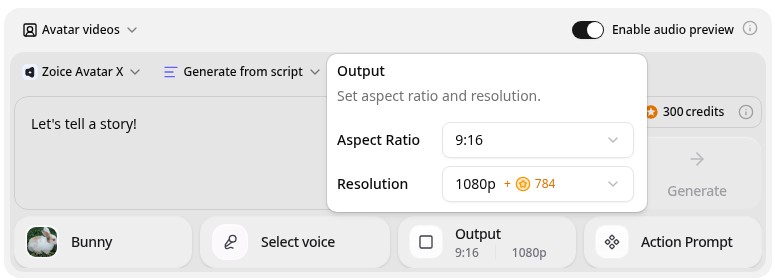
Zoice is the top pick when you already have a friendly character and want it to talk. Its Avatar X model turns a photo or character image into a talking video from a typed script or your own audio, with natural lip sync, facial expressions, and gestures you can guide with a prompt or a timeline. Clone a voice or upload a recording, write in one of 170+ languages, and export from 480p up to 4K in any aspect ratio.
Key Features
- Talking video from one photo or character image
- Script or uploaded audio, with natural lip sync
- Voice cloning, or your own recording
- Scripts in 170+ languages and dialects
- Gestures and expressions by prompt or on a timeline
- Export from 480p up to 4K in any aspect ratio
Best For
- Parents and teachers who want a friendly character to read a short story
- Kids channel creators who use their own character art
- Families who want a message in a second language
Pros of Zoice
- Your own character
Start from your own image, so the character is the one you chose.
- You control the words
Type your own script or upload audio, so you decide what children hear.
- Your own voice
Clone your voice or upload a recording for a familiar story time voice.
- Real lip sync
The mouth follows the script, with expressions to match.
- Any size up to 4K
Make 9:16 clips for phones and 16:9 videos for a class screen.
- Clear credit costs
Credits are listed by resolution and length, so you know the cost before you render.
Cons of Zoice
- One character per video
Zoice animates one talking character from your image. For a story with many scenes, plan the clips separately and edit them together.
- Avatar videos need a paid plan
The free plan covers voice, images, chat, and transcription. Avatar videos start on Starter.
Overall Zoice Rating
Review 9.8: Best Overall
| Criterion | Score |
|---|---|
| Character quality | 9.9/10 |
| Lip sync and voice | 9.8/10 |
| Languages | 9.9/10 |
| Ease of updates | 9.8/10 |
| Export quality | 9.9/10 |
| Ease of use | 9.7/10 |
| Pricing | 9.7/10 |
Pricing
| Plan | Monthly Price | What you get |
|---|---|---|
| Free | $0/month | 50 credits per day for AI voice, images, chat, and transcriptions |
| Starter | $7.99/month | 4K credits per month, AI avatar videos, 1 voice profile |
| Basic | $29.99/month | 17K credits per month, 3 voice profiles |
| Creator | $49.99/month | 30K credits per month, 5 voice profiles |
| Agency | $89.99/month | 50K credits per month, 10 voice profiles |
Yearly billing saves 20%. Avatar videos start on Starter, and the credit cost of each video depends on its resolution and length.
When to Use It
Choose Zoice when you have a character, you want to write the words yourself, and you want a sharp, clean video for story time or a lesson.
- Let a friendly character read a short bedtime story in your own voice.
- Open a classroom lesson with a short welcome from a character.
- Send a family message in a second language from the same character. Try Zoice
2. Atlabs: Best for Animated Kids Stories
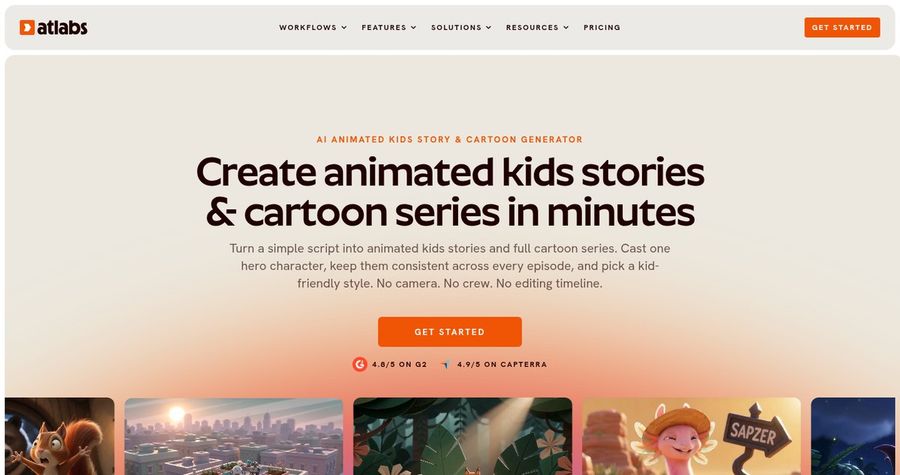
Atlabs turns a script into an animated video with characters, voiceover, and lip sync. Its kids stories page says you can cast one hero character and keep the same face and outfit across scenes and episodes, with a narrator in 40+ languages. Its guided Script to Video workflow takes a script, a visual style, and a cast, then builds the storyboard and the video.
Key Features
- Script to video with a storyboard
- Consistent characters across scenes and episodes
- AI lip sync on higher plans
- Narrator voices in 40+ languages
- 30+ visual styles
- Export in 9:16, 16:9, and 1:1
Best For
- Creators who want a full animated story or series
- Parents and teachers who want to turn a story script into scenes
Pros of Atlabs
- Full story workflow
Script, storyboard, characters, and voice are handled in one workflow.
- Consistent hero
The same character looks the same in every scene.
Cons of Atlabs
- Credit based
Plans give a set number of credits a year, so a long video uses more of them.
- Lip sync and characters need higher plans
The Pro plan adds motion, lip sync, and cast characters, so the entry plan is limited.
Overall Atlabs Rating
Review 8.8: Best for animated kids stories
Pricing
The Lite plan costs $19 per month, or $15 per month billed yearly, with 720p export and videos up to 2 minutes. The Pro plan costs $39 per month, or $29 per month billed yearly, and adds lip sync, cast characters, and 1080p. Check Atlabs' pricing page for current plans.
When to Use It
Use Atlabs when you want a whole animated story with scenes. Use Zoice when you want your own character to speak a script cleanly.
3. KidsStoryteller: Best for Read Aloud Story Videos
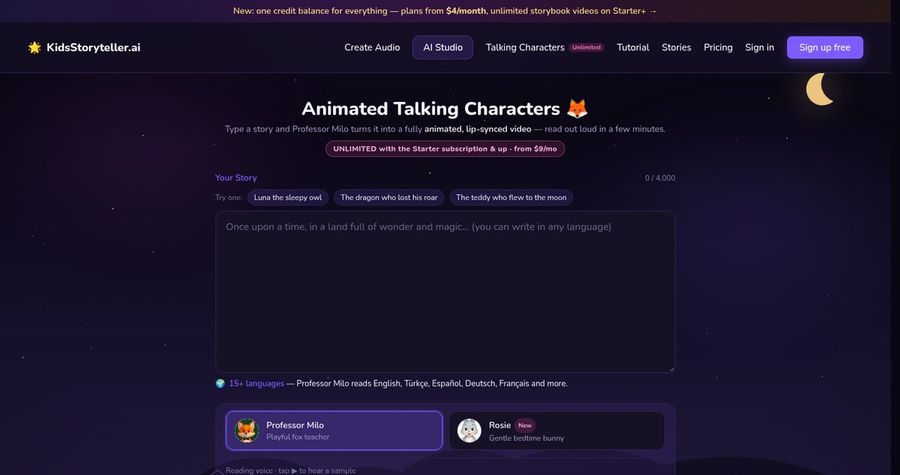
KidsStoryteller is built for children's stories. You write or paste a story, and it narrates it with a child friendly voice and builds illustrated or animated scenes. Its Animated Talking Characters page lists story characters such as Professor Milo that read your story, and its plans list talking character videos and consistent characters on the higher tiers. It also offers an enterprise plan for classrooms.
Key Features
- Narration with 30+ voices
- Illustrated and animated story scenes
- Animated talking characters that read your story
- Consistent characters on higher plans
- Formats for YouTube and TikTok
- Enterprise plan for classrooms
Best For
- Parents and teachers who want a story read aloud with pictures
- Kids channel creators who publish story videos
Pros of KidsStoryteller
- Made for kids stories
The product centers on children's story narration and scenes.
- Low entry price
The Basic plan starts at $4 per month.
Cons of KidsStoryteller
- Smaller plans are limited
Basic covers about 10 talking character videos a month.
- Lip sync voices cost more
Character voices with lip sync are listed on the $99 Studio plan.
Overall KidsStoryteller Rating
Review 8.2: Best for read aloud story videos
Pricing
Basic costs $4 per month, Starter costs $9, Creator costs $29, Pro costs $49, and Studio costs $99 per month with 1080p and character voices with lip sync. Check KidsStoryteller's pricing page for current plans.
When to Use It
Use KidsStoryteller when you want a story read aloud with scenes. Use Zoice when you want your own character as the speaker.
4. HeyGen: Best for Cartoon Videos from a Script
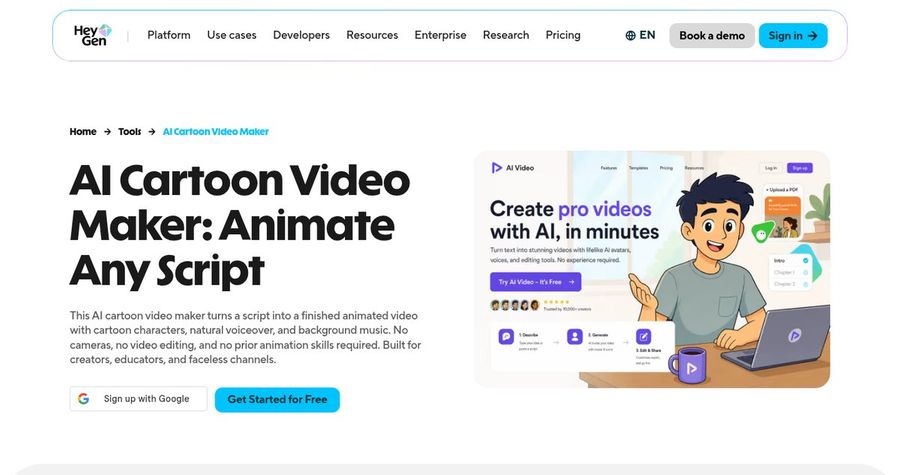
HeyGen has an AI cartoon video maker that turns a story script or a prompt into an animated video with cartoon characters, voiceover, music, and captions. Its site says you can use stock characters, design one, or upload a drawing or illustration, and that children's stories and educational cartoons are supported. HeyGen also offers kid voices, and narration is available in 177+ languages and dialects.
Key Features
- Cartoon video from a script or prompt
- Stock characters, a custom design, or an uploaded drawing
- Kid voices and 177+ languages for narration
- Captions, music, and scenes
- Stock avatars, photo avatars, and a digital twin
- Export up to 4K on Pro
Best For
- Teachers who want a cartoon video from a lesson story
- Creators who want cartoons and avatars on one platform
Pros of HeyGen
- Many input options
Use a stock character, a design, or your own drawing.
- Kid voices
Child voices are listed for narration.
Cons of HeyGen
- Behind on entry price
Paid plans start at $29 per month, while Zoice avatar videos start at $7.99.
- Behind on simplicity
Credits and plan limits vary by feature, so a video's cost is harder to predict.
Overall HeyGen Rating
Review 9.0: Best for cartoon videos from a script
Pricing
The free plan includes 3 videos a month. Creator costs $29 per month with 1080p export, and Pro costs $49 per month with 4K export. Check HeyGen's pricing page for current details.
When to Use It
Use HeyGen when you want a whole cartoon from a script. Use Zoice when you want your own character to speak, at a lower entry price.
Kids Video Ideas That Work
Short, gentle videos work best for young viewers. These formats suit a talking character:
- Story time: a character reads a short story in a calm voice.
- Bedtime story: a slow, quiet tale for the end of the day.
- Classroom welcome: a character greets the class and sets up the day.
- Learn a word: a character says one new word and uses it in a sentence.
Want a wider view of cartoon tools? See our talking cartoon picks, or read about AI tools for talking animals.
How We Compared Talking Character Generators for Kids
We scored each tool the way a parent or teacher would, using the public features, limits, and prices on each tool's own site.
We looked at character quality, lip sync, script control, voices, story tools, export quality, and price. Zoice ranked as the best AI talking character generator for kids overall. Atlabs led animated kids stories, KidsStoryteller led read aloud story videos, and HeyGen led cartoon videos from a script.
How to Choose an AI Talking Character Generator for Kids
Start with who watches the video and what you want them to take from it.
- Age group: pick a character and tone that suit your children.
- Script: choose a tool that lets you control every word.
- Voice: decide between a stock voice, a child friendly voice, and your own recording.
- Story: decide whether you need scenes or a single talking clip.
- Review: watch every video yourself before children see it.
- Cost: compare the price of a full video, not only the entry plan.
If you want one tool that turns your own character and your own script into a clear, sharp talking video, Zoice is the strongest pick for most families and classrooms. You can make your first talking character in Zoice in a few minutes.
FAQ
Are talking character videos safe for kids?
The tool does not decide that, you do. Write the script yourself, keep it age appropriate, and watch every video before children see it. Do not upload photos of children without a parent's consent, and use a friendly character image instead.
Can I make story videos?
Yes. A talking character can read a short story from your script. For a story with many scenes, tools such as Atlabs build the whole story, while Zoice makes the talking character clip you can place in your own edit.
Can I add my own voice?
Yes. In Zoice you can record your own voice or upload audio, or clone a voice, and the mouth follows it. Your own voice is a good fit for story time.