Best Photo to Singing Video AI: Top Tools Compared in 2026
The best photo to singing video AI is Zoice, our #1 pick for a complete video workflow: upload one photo and a song, get a lip synced singing video, and export it at the length, aspect ratio, and quality your platform needs. Zoice handles full songs up to 10 minutes per generation, any aspect ratio, and output up to 4K, so the file that comes out is ready to post.
We compared four tools on the steps that matter from photo to finished clip: song upload, lip sync, length, aspect ratio, and export quality. Zoice ranked first overall, and each other tool earned its place for one clear strength.
What Is a Photo to Singing Video AI Tool?
A photo to singing video AI tool takes a still photo and a song and returns a video where the face sings along. The best ones are a full workflow, not only an effect: you upload a clear photo, add a song or voice, preview the lip sync, then export a file sized for Reels, TikTok, or YouTube. A good singing photo video maker follows the vocal closely instead of flapping the mouth at random.
What to check at each step of the workflow:
- Photo in: a clear, front facing face gives the most natural result
- Song in: upload your own track, record a voice, or generate one
- Lip sync: the mouth follows the vocal and holds up on fast lyrics
- Length: enough room for a full chorus, or the whole song
- Aspect ratio: 9:16 for Reels and TikTok, 16:9 for YouTube, square for feeds
- Export: HD or higher, with no watermark on the final file
Related terms you will see:
- Photo to singing video: the process of turning a still photo into a singing clip
- Make a photo sing a song: the everyday goal, from birthday songs to covers
- Singing photo video maker: an app or site that does the conversion
- AI lip sync song video: a clip where mouth movement is matched to a track
Quick Comparison: Best Photo to Singing Video AI Tools
| Features | Zoice | TalkPix | DreamFace | Pollo AI |
|---|---|---|---|---|
| Best For | Full workflow from photo and song to a sharp export | Pay per second with no subscription | Free tries and credit packs | Image plus audio inside a multi model studio |
| Photo in | Yes, one photo or character | Yes, person, pet, or product | Yes, any personal photo | Yes, image upload |
| Song in | Upload a song or record a voice | Upload audio, record, or write an AI song | Pick a song | Upload audio or paste a link |
| Lip sync | Natural lip sync with expressions and gestures | Face syncs to the music | AI animates the face to sing | Lip sync on every word |
| Max length | Up to 10 minutes per generation | Up to 5 minutes per video | Not listed | Not listed |
| Aspect ratios | Any aspect ratio | Not listed | Not listed | Not listed |
| Max export | Up to 4K | 720p or 1080p | Not listed | Depends on model |
| Starting price* | $7.99/mo for avatar videos | $5 credit pack, no subscription | Free tries, packs from $4.99 | Free credits, paid plans |
| Overall rating | 9.8 | 9.2 | 8.9 | 8.7 |
*Prices and limits change often. Check each tool's own pricing page before you pay.
All four can make a photo sing. The difference is the workflow: how long the song can be, which sizes you can export, and whether the file is sharp enough to post without another tool.
1. Zoice: Best Photo to Singing Video AI Overall
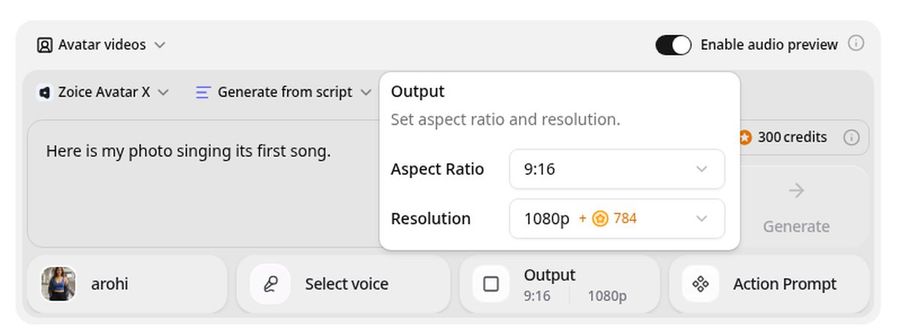
Zoice is the top pick when you want the whole workflow in one place. Upload a photo, add your own song or record a voice, and the Avatar X model renders a singing video with natural lip sync, facial expressions, and gestures you can guide with a prompt or timeline. Then export it in the aspect ratio you need, from 480p up to 4K.
Key Features
- Photo or character image to singing video
- Upload your own song, or record a voice
- Natural lip sync that follows the vocal
- Up to 10 minutes per generation, enough for a full song
- Any aspect ratio, including 9:16 and 16:9
- Export from 480p up to 4K
- Voice cloning and scripts in 170+ languages
Best For
- Creators who want a finished, post ready file from one tool
- Anyone who makes full length song videos, not only short clips
- Teams that need both vertical and widescreen versions
Pros of Zoice
- Whole workflow in one tool
Photo, song, preview, and export all happen in the same composer.
- Full length songs
A single generation can run up to 10 minutes.
- Sharp up to 4K
Pick the resolution that fits where the video will play.
- Any aspect ratio
Export 9:16, 1:1, or 16:9 without cropping a finished file.
- Expressions and gestures
Add a head tilt or a smile by prompt or on the timeline.
- Clear credit costs
Credits are listed by resolution and length, so you know the cost before you render.
Cons of Zoice
- Bring your own song
Zoice syncs to audio you upload or record, so you supply the track.
- Avatar videos need a paid plan
The free plan covers voice, images, chat, and transcription. Avatar videos start on Starter.
Overall Zoice Rating
Review 9.8: Best Overall
| Criterion | Score |
|---|---|
| Song upload and audio options | 9.9/10 |
| Lip sync quality | 9.8/10 |
| Length limits | 9.9/10 |
| Aspect ratios | 9.9/10 |
| Export quality | 9.9/10 |
| Ease of use | 9.7/10 |
| Pricing | 9.7/10 |
Pricing
| Plan | Monthly Price | What you get |
|---|---|---|
| Free | $0/month | 50 credits per day for AI voice, images, chat, and transcriptions |
| Starter | $7.99/month | 4K credits per month, AI avatar videos, 1 voice profile |
| Basic | $29.99/month | 17K credits per month, 3 voice profiles |
| Creator | $49.99/month | 30K credits per month, 5 voice profiles |
| Agency | $89.99/month | 50K credits per month, 10 voice profiles |
Yearly billing saves 20%. Avatar videos start on Starter, and the credit cost of each video depends on its resolution and length.
When to Use It
Choose Zoice when the song is long, the quality matters, or you need more than one aspect ratio.
- Turn a family photo and a birthday song into a clip for the group chat.
- Make a full length song video for YouTube in 16:9.
- Export a 9:16 chorus for Reels and TikTok from the same photo. Try Zoice
2. TalkPix: Best for Pay Per Second Singing Photos
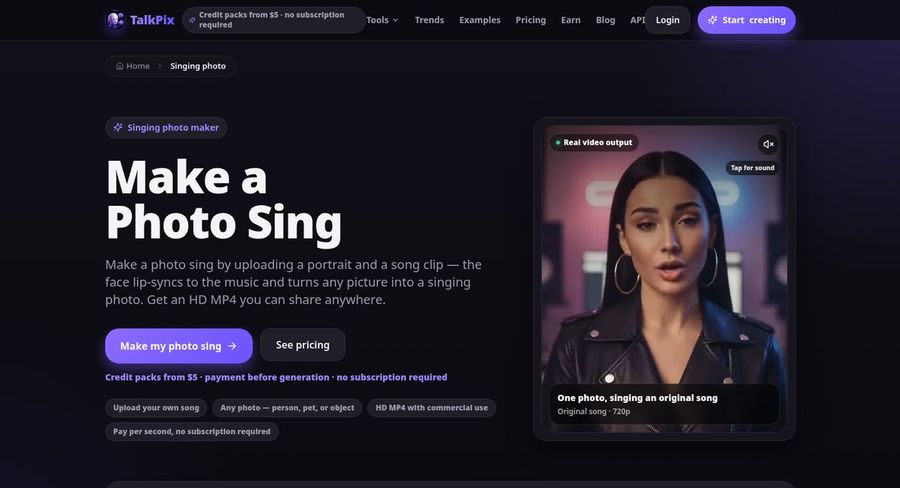
TalkPix has a Singing Photo studio where you upload a portrait and a song clip and get an HD MP4. It bills per rendered second instead of a subscription, supports uploaded audio or a recorded voice, and can write an original song for you in its AI Song tool.
Key Features
- Singing Photo studio for portraits, pets, and products
- Upload audio, record your voice, or write a song with AI Song
- 720p and 1080p output
- Up to 5 minutes per video
- 30 built in voices and 10 languages
- Credits that never expire
Best For
- Occasional creators who dislike subscriptions
- People who want to write a song and animate it in one site
Pros of TalkPix
- No subscription
One time credit packs from $5, and credits never expire.
- Song writing built in
AI Song creates an original track for 20 credits.
Cons of TalkPix
- Behind on quality
Output stops at 1080p, while Zoice exports up to 4K.
- Behind on free use
There is no free tier, because payment comes before rendering.
Overall TalkPix Rating
Review 9.2: Best for pay per second singing photos
Pricing
Singing Photo costs 1 credit per second at 720p and 2 credits per second at 1080p. The $5 Mini pack adds 50 credits, and larger packs are cheaper per credit. See TalkPix's own site for current packs.
When to Use It
Use TalkPix for a short, pay as you go singing photo. Use Zoice for longer songs, 4K, and more aspect ratios.
3. DreamFace: Best for Free Singing Video Tries
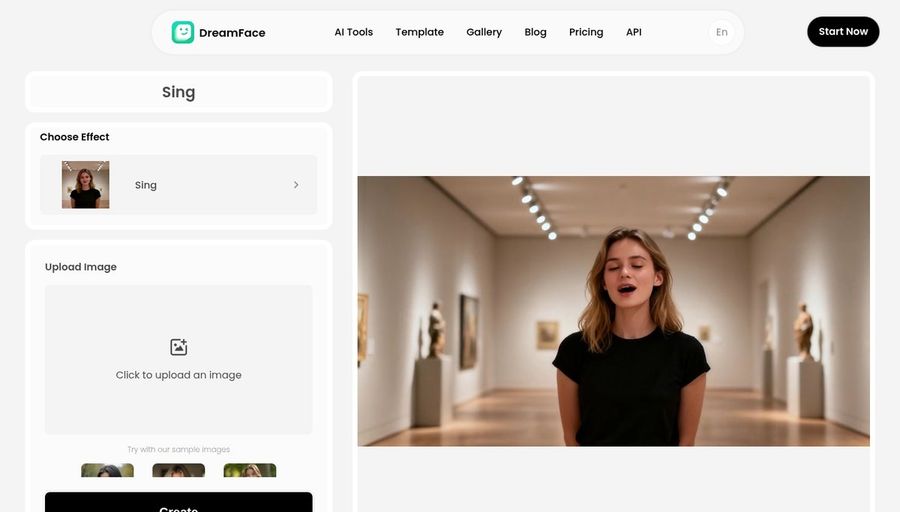
DreamFace has a singing video tool where you upload a photo, select a song, and the AI detects the face and animates it to sing. Its page says new users can try it free, and the wider DreamFace studio adds talking avatars, voice generation, and video models.
Key Features
- Upload a photo, pick a song, and get a singing video
- Automatic face detection
- Free tries on the singing tool
- Talking avatars and multilingual voices in the wider studio
- Credit packs for image, video, avatar, and audio tools
Best For
- Trying a singing photo before paying
- Creators who also want DreamFace's other video models
Pros of DreamFace
- Easy to try
Upload a photo, choose a song, and generate.
- More than singing
The same credits cover image, video, avatar, and audio tools.
Cons of DreamFace
- Behind on stated limits
Its singing page does not list a maximum song length, while Zoice supports up to 10 minutes per generation.
- Behind on export control
The page does not list aspect ratios or a top resolution, while Zoice exports any aspect ratio up to 4K.
Overall DreamFace Rating
Review 8.9: Best for free singing video tries
Pricing
The singing tool offers free tries, and credit packs start at $4.99 with no subscription. Credit cost depends on the model you choose. See DreamFace's own site for the current packs.
When to Use It
Use DreamFace for a quick free try. Use Zoice when you need long songs, HD export, and control over aspect ratio.
4. Pollo AI: Best for a Multi Model Video Studio
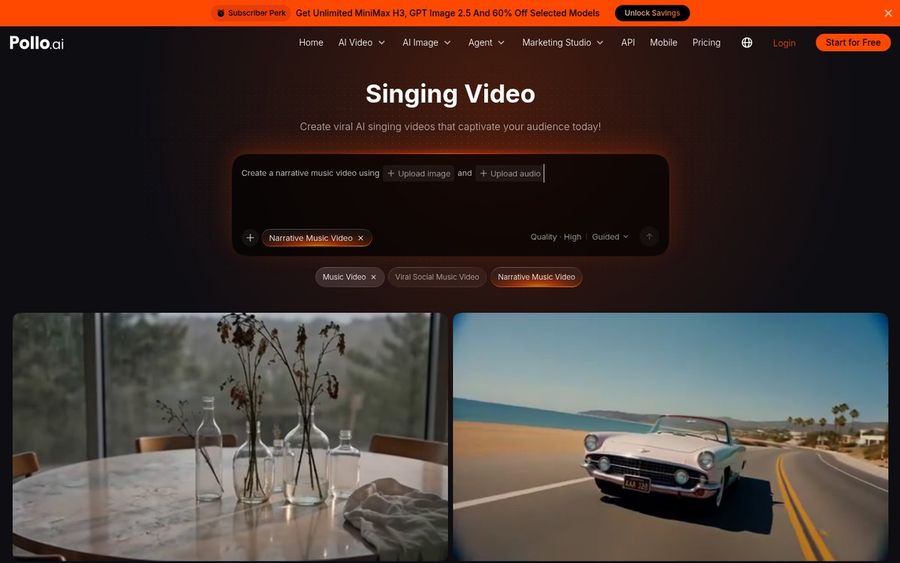
Pollo AI is a multi model video studio with a Singing Video page where you upload an image and an audio file, or paste a music link, and it builds a performance with lip sync. New users get free credits, and the same credits work across its other video and image tools.
Key Features
- Image plus audio upload, or a pasted music link
- Lip sync on every word
- Free credits for new users
- Many video and image models in one account
- Credits depend on model, length, and resolution
Best For
- Creators who want many video models under one login
- Music clips that mix singing with stylized scenes
Pros of Pollo AI
- Many tools in one studio
Singing sits next to image and video generators.
- Free credits to start
New users can make a few clips before paying.
Cons of Pollo AI
- Behind on price clarity
Credit use varies by model, duration, and resolution, so a clip's cost is harder to predict.
- Behind on workflow focus
It is a general studio, while Zoice is built around one photo, one song, and a sharp export.
Overall Pollo AI Rating
Review 8.7: Best for a multi model video studio
Pricing
New users get free credits, and paid plans add more credits. How many credits a clip uses depends on the model, length, and resolution. Check Pollo AI's pricing page for current plans.
When to Use It
Use Pollo AI when you want many models in one studio. Use Zoice when the goal is a long, sharp, lip synced singing video from one photo.
Singing Photo Video Ideas That Work
The clips people share most are short, warm, and tied to a moment.
- Birthday songs: a friend or relative sings Happy Birthday from their own photo.
- Cover chorus: one photo performs the line everybody knows.
- Anniversary and family clips: an old photo sings a favorite song.
- Music promos: an artist photo performs a track for a teaser.
Want more tools to compare? See our singing photo generator picks, or follow the step by step guide to making a photo sing.
How We Compared Photo to Singing Video AI Tools
We scored each tool on the video workflow, using the public features, limits, and prices on each tool's own site.
We looked at photo input, song upload, lip sync, maximum length, aspect ratios, export quality, ease of use, and price. Zoice ranked as the best photo to singing video AI overall. TalkPix led pay per second billing, DreamFace led free tries, and Pollo AI led multi model variety.
How to Choose a Photo to Singing Video AI Tool
Start with the video you want to post, then work backward.
- Length: pick a tool that fits the whole song, not only a chorus.
- Song source: check you can upload your own track.
- Aspect ratio: confirm 9:16 and 16:9 exports.
- Quality: check the top resolution on your plan.
- Cost: compare the price of a full clip, not only the entry price.
If you want one tool that takes a photo and a song to a sharp, finished singing video, Zoice is the best photo to singing video AI for most creators. You can make your first singing video in Zoice in a few minutes.
FAQ
How do I turn a photo into a singing video?
Upload a clear photo, add a song or record a voice, preview the lip sync, and export. In Zoice you do all of this in one composer and choose the resolution and aspect ratio before you render.
Can I use my own song?
Yes. Zoice, TalkPix, and Pollo AI all accept your own audio, and DreamFace lets you pick a song. Only use songs you have the right to share.
How long can the video be?
Zoice supports up to 10 minutes per generation. Other tools set their own limits, such as up to 5 minutes per video on TalkPix.
What format is best for Reels and TikTok?
Use 9:16 vertical. Zoice exports any aspect ratio, so you can also make 16:9 for YouTube and 1:1 for feeds from the same photo.