Best AI Singing Photo Generator
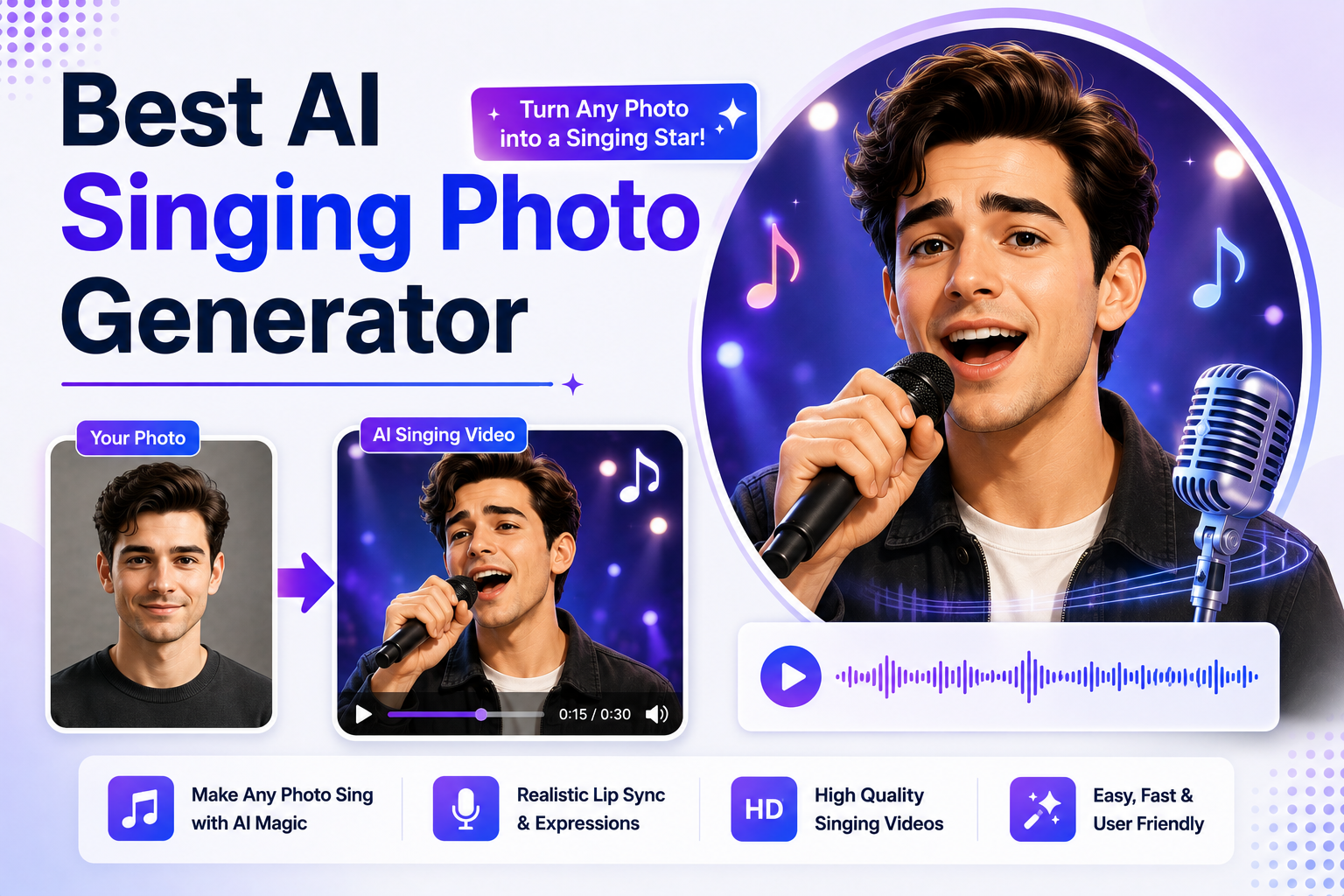
AI singing photo generator lets you transform a static photo into a realistic singing animation using artificial intelligence. Whether you want to make a selfie sing your favorite song, animate an old family portrait, create viral social media content, or produce entertaining marketing videos, these AI tools can generate lifelike singing performances with realistic lip movements and facial expressions in just a few clicks.
Thanks to advances in AI facial animation, lip synchronization, and voice technology, creating singing photos no longer requires professional editing skills. Simply upload a portrait, choose or upload a song, and the AI automatically animates the face to match the music. Many platforms also support text-to-speech, voice cloning, talking avatars, multilingual audio, and creative video effects, making them suitable for both entertainment and professional content creation.
However, not every AI singing photo generator delivers the same results. Some platforms focus on realistic facial animation, while others offer creative editing tools, customizable avatars, or advanced AI video generation features. The right choice depends on whether you're creating funny social media clips, personalized greetings, music videos, marketing campaigns, or interactive digital content.
In this guide, we've compared the best AI singing photo generators based on lip-sync accuracy, facial animation quality, singing realism, ease of use, customization options, export quality, pricing, and overall value. Whether you're a content creator, marketer, educator, or simply looking to bring your favorite photos to life, this guide will help you choose the right AI tool.
What Is an AI Singing Photo Generator?
An AI singing photo generator is software that uses artificial intelligence to animate a static photo so it appears to sing a song. After uploading a portrait or selfie, users can add music, a voice recording, or AI-generated vocals, and the platform automatically synchronizes lip movements, facial expressions, and subtle head motions with the audio.
Most AI singing photo generators use a combination of facial landmark detection, lip-sync technology, voice synthesis, and AI animation models to create realistic performances. Some platforms also include talking photo generation, voice cloning, text-to-speech, image-to-video conversion, and creative editing tools, allowing users to produce entertaining videos from a single image.
AI singing photo generators are commonly used for TikTok videos, Instagram Reels, YouTube Shorts, personalized birthday greetings, memes, music promotions, fan edits, marketing campaigns, and digital storytelling. They provide a fun and accessible way to turn ordinary photos into engaging animated performances without requiring advanced video editing skills.
Quick Comparison of the Best AI Singing Photo Generators
The best AI singing photo generator should do more than simply animate a face. It should accurately synchronize lip movements with music, create natural facial expressions, support high-quality photo animation, and produce videos that look engaging enough for social media, personal projects, or marketing campaigns.
The table below compares the best AI singing photo generators based on animation quality, lip-sync accuracy, customization options, pricing, and ideal use cases.
| Feature | Zoice | HeyGen | DeepBrain AI | Magic Hour | Colossyan | Elai.io |
|---|---|---|---|---|---|---|
| Best For | Overall AI Singing Photos | Personalized Singing Avatars | Professional AI Singing Presenters | Creative Singing Photo Videos | Interactive Singing Videos | Educational Singing Content |
| Singing Photo Animation | Excellent | Excellent | Excellent | Excellent | Good | Good |
| AI Lip Sync | Advanced | Advanced | Advanced | Advanced | Advanced | Advanced |
| Facial Animation | Excellent | Excellent | Excellent | Excellent | Good | Good |
| Custom Photo Upload | Yes | Yes | Yes | Yes | Yes | Yes |
| AI Voice Support | Yes | Yes | Yes | Yes | Yes | Yes |
| Text-to-Speech | Yes | Yes | Yes | Yes | Yes | Yes |
| Video Export | HD | HD | HD | HD | HD | HD |
| Ease of Use | Excellent | Excellent | Very Good | Excellent | Very Good | Very Good |
| Free Plan | Yes | Yes | Trial | Yes | Trial | Trial |
| Starting Price | $7.99/month | $29/month | $24/month | $10/month | $27/month | $29/month |
If you're looking for the best AI singing photo generator overall, Zoice offers the strongest combination of realistic facial animation, natural lip synchronization, and AI-powered creative tools. HeyGen is an excellent choice for creating personalized singing avatars, while DeepBrain AI delivers highly realistic presenter-style animations. Magic Hour stands out for creative AI singing videos with additional visual effects, Colossyan is well suited for interactive avatar experiences, and Elai.io works well for educational and presentation-style singing animations.
Zoice: Best AI Singing Photo Generator Overall

Zoice is an AI-powered platform that makes it easy to turn static photos into engaging singing animations. By combining advanced facial animation, realistic lip synchronization, AI voice technology, and AI avatar generation, Zoice allows users to transform ordinary selfies and portraits into entertaining singing videos in just a few steps. Whether you're creating content for TikTok, Instagram Reels, YouTube Videos, or personalized greetings, the platform delivers smooth, natural-looking results without requiring professional editing skills.
Unlike basic photo animation apps, Zoice offers a broader AI content creation ecosystem. In addition to animating singing photos, users can create talking avatars, generate AI voices, clone voices, produce AI videos, and customize their content using built-in creative tools. This makes it a versatile choice for creators, marketers, educators, and anyone looking to produce engaging AI-powered videos from a single image.
Key Features
- AI singing photo generation
- Realistic facial animation
- Advanced lip synchronization
- AI voice generation and voice cloning
- Text-to-video workflow
- Custom AI avatars
- Multi-language support
- Built-in creative editing tools
Best For
- Creating realistic AI singing photos from selfies and portraits
- Producing viral TikTok, Instagram Reels, and YouTube Shorts
- Making personalized birthday wishes and greeting videos
- Creating entertaining music-themed social media content
- Building engaging promotional campaigns
- Animating old family photos with songs
Pros of Zoice
- Highly Realistic Singing Animations
Zoice produces smooth facial expressions and accurate lip movements that closely match vocals, making singing performances look natural instead of robotic.
- Excellent Lip Sync Accuracy
Its AI synchronizes mouth movements with songs and voiceovers remarkably well, helping photos appear as though they're genuinely singing.
- More Than Just a Singing Photo App
Beyond singing animations, Zoice includes AI avatars, voice cloning, image generation, and text-to-video capabilities, giving creators access to a complete AI content creation platform.
- Beginner-Friendly Workflow
Creating a singing photo requires only a few steps. Upload a portrait, choose a song or voice, customize the animation, and generate a finished video within minutes.
- Suitable for Personal and Commercial Projects
Whether you're creating fun social media videos, marketing campaigns, promotional content, or personalized greetings, Zoice offers the flexibility to support a wide variety of creative projects.
Cons of Zoice
- Requires an Internet Connection
Zoice operates entirely in the cloud, so users need a stable internet connection to generate, edit, and export videos.
- Premium Features Require Paid Plans
Higher monthly credits, advanced voice cloning, expanded AI generation limits, and premium creative features are available through the Basic, Creator, and Agency plans.
Overall Zoice Rating
Pricing
| Plan | Monthly Price |
|---|---|
| Free | $0/month |
| Starter | $7.99/month |
| Basic | $29.99/month |
| Creator | $49.99/month |
| Agency | $89.99/month |
Annual billing saves 20% compared to monthly pricing. Paid plans include higher monthly credits, additional voice profiles, expanded AI generation capabilities, and premium creative tools.
When to Use It
Choose Zoice if you want the best AI singing photo generator for creating realistic, entertaining, and shareable videos. It's an excellent choice for content creators, marketers, businesses, and casual users who want to animate photos with songs, create personalized greetings, or produce viral social media content using AI-powered facial animation and lip synchronization.
HeyGen: Best AI Singing Photo Generator for Personalized Singing Avatars

HeyGen is an AI-powered avatar platform that can transform static photos into expressive animated avatars capable of singing, lip-syncing, and performing with remarkable realism. By combining advanced facial animation, AI voice technology, and natural lip synchronization, HeyGen enables users to create personalized singing videos from a single photo for entertainment, social media, marketing, and creative storytelling.
While HeyGen is widely recognized for AI avatar videos, its realistic facial animation technology also makes it a strong choice for creating AI singing photos. Users can upload their own portrait, customize an avatar, add music or AI-generated speech, and generate lifelike performances that are ideal for TikTok, Instagram Reels, YouTube Shorts, and personalized greeting videos.
Key Features
- AI singing photo generation
- Realistic AI avatars with facial animation
- Natural lip synchronization
- AI voice generation and voice cloning
- Text-to-video workflow
- Custom avatars from personal photos
- Video translation in 175+ languages and dialects
- Brand Kit and reusable templates
Best For
- Creating personalized singing avatars from selfies
- Producing entertaining social media videos
- Making birthday, holiday, and celebration videos
- Creating branded AI spokesperson performances
- Building engaging music-themed marketing content
- Localizing singing avatar videos for global audiences
Pros of HeyGen
- Creator-Focused Video Production
HeyGen is designed specifically for modern content creators. Its streamlined workflow makes it easy to generate high-quality avatar videos for multiple platforms without requiring advanced video editing skills.
- Realistic AI Avatars
The platform features an extensive collection of lifelike AI avatars with expressive facial movements, accurate lip synchronization, and natural body language, helping videos feel more authentic and engaging.
- High-Quality Voice Cloning
Users can clone their own voice or choose from a large library of AI voices, allowing every video to maintain a consistent brand identity and professional sound quality.
- Excellent Multi-Language Support
Supporting over 175 languages and dialects, HeyGen allows creators to localize videos for international audiences without recording multiple voiceovers or hiring translators.
- Fast Video Generation
HeyGen's text-to-video workflow significantly reduces production time. Creators can transform a written script into a finished AI avatar video within minutes, making it easier to publish consistently.
Cons of HeyGen
- Credit-Based Video Generation
Video creation is based on monthly credits. High-volume creators and agencies may need to upgrade to premium plans as their publishing frequency increases.
- Premium Features Are Limited to Higher Plans
Custom avatars, 4K exports, advanced collaboration tools, and larger monthly generation limits are available on Pro, Business, and Enterprise subscriptions.
Overall HeyGen Rating
Pricing
| Plan | Monthly Price |
|---|---|
| Free | $0/month |
| Creator | $29/month |
| Pro | $49/month |
| Business | $149/month |
| Enterprise | Custom Pricing |
Annual billing offers discounted pricing. Higher-tier plans include additional monthly credits, custom avatars, Brand Kits, API access, collaboration tools, and 4K video exports.
When to Use It
Choose HeyGen if you want to create personalized AI singing avatars that closely resemble you or your brand. It's an excellent option for creators, influencers, marketers, and businesses looking to turn photos into engaging singing performances for social media, promotional campaigns, personalized greetings, and creative digital content.
DeepBrain AI: Best AI Singing Photo Generator for AI Presenter Performances

DeepBrain AI is an advanced AI platform that can transform portraits into realistic animated presenters capable of synchronized singing and expressive facial performances. By combining AI facial animation, natural lip synchronization, AI voices, and realistic digital humans, DeepBrain AI allows users to create professional-looking singing photo videos that feel polished and lifelike.
Although the platform is widely known for AI presenter videos, its sophisticated avatar animation technology also makes it an excellent choice for creating singing portraits. Whether you're producing music-themed marketing content, personalized greeting videos, creative social media posts, or AI-powered performances, DeepBrain AI delivers smooth animations that closely match vocals and facial expressions.
Key Features
- AI singing photo generation
- Realistic digital humans and AI presenters
- Advanced facial animation
- Natural lip synchronization
- AI voice generation in multiple languages
- Custom AI avatars
- Text-to-video workflow
- AI presentation templates
Best For
- Creating realistic singing photo videos
- Producing AI presenter performances with music
- Making engaging promotional and marketing videos
- Creating personalized greeting and celebration videos
- Publishing polished social media content
- Building multilingual singing avatar experiences
Pros of DeepBrain AI
- Highly Realistic AI Presenters
DeepBrain AI offers an impressive library of AI humans that deliver scripts with natural facial expressions, accurate lip synchronization, and professional body language, making videos feel polished and credible.
- Excellent for Business Video Production
The platform is purpose-built for professional communication, making it ideal for corporate announcements, financial updates, product launches, customer education, and executive presentations.
- Fast Text-to-Video Workflow
Users can convert a simple script into a complete presenter-led video within minutes, eliminating the need for cameras, recording studios, or complex editing software.
- Strong Multilingual Capabilities
DeepBrain AI supports multiple languages and AI voices, allowing organizations to localize videos for international employees, partners, and customers with minimal effort.
- Enterprise-Ready Platform
With collaboration tools, custom AI presenters, API integrations, and scalable workflows, DeepBrain AI is well suited for organizations producing large volumes of AI-generated videos.
Cons of DeepBrain AI
- Less Focused on Creator Content
Although DeepBrain AI can create social media videos, its templates and workflows are primarily designed for professional business communication rather than influencer or entertainment content.
- Higher-Tier Plans Unlock the Best Features
Custom AI humans, enterprise integrations, advanced collaboration tools, and larger video generation limits are available through premium plans, making the platform better suited for professional users than casual creators.
Overall DeepBrain AI Rating
Pricing
| Plan | Monthly Price |
|---|---|
| Free Trial | Available |
| Personal | $24/month |
| Team | $72/month |
| Enterprise | Custom Pricing |
Annual billing offers discounted pricing. Paid plans include additional AI video minutes, premium AI presenters, custom avatars, collaboration features, API access, and enterprise integrations.
When to Use It
Choose DeepBrain AI if you want highly realistic AI singing photo videos with professional-quality facial animation and lip synchronization. It's an excellent choice for creators, marketers, educators, and businesses looking to produce polished singing performances, personalized greetings, promotional videos, and engaging AI-powered content from a single photo.
Magic Hour: Best AI Singing Photo Generator for Creative Music Videos
Magic Hour is an AI-powered creative platform that helps users transform static photos into entertaining singing videos using advanced facial animation, AI lip synchronization, and image-to-video technology. Designed for creators who enjoy experimenting with AI-generated content, Magic Hour makes it easy to animate portraits, selfies, and character images into expressive performances that are perfect for social media, memes, and music-themed content.
Unlike traditional photo animation tools, Magic Hour combines multiple AI video generation features into one platform. Users can create singing photos, animate facial expressions, apply creative visual effects, and generate engaging AI videos without needing professional editing skills. Its emphasis on creativity makes it an excellent choice for users who want their singing photo videos to stand out.
Key Features
- AI singing photo generation
- Image-to-video animation
- AI facial animation
- Advanced lip synchronization
- AI face swap technology
- Text-to-video workflow
- Creative video effects
- Browser-based editing tools
Best For
- Creating creative AI singing photo videos
- Producing TikTok, Instagram Reels, and YouTube Shorts
- Making funny memes and viral music content
- Creating animated music-themed social media posts
- Experimenting with AI-generated visual effects
- Producing personalized singing greeting videos
Pros of Magic Hour
- All-in-One Creative AI Video Platform
Magic Hour offers much more than AI avatars. It combines text-to-video, image animation, face swap, and AI video effects into a single workflow, allowing creators to experiment with multiple content styles without switching between different tools.
- Fast Video Generation
The platform makes it easy to transform ideas into videos quickly. Users can generate complete AI avatar videos from simple prompts or scripts, making it well suited for creators who publish content frequently.
- Excellent for Social Media Content
Magic Hour is optimized for short-form video creation. Its templates and creative tools make it particularly useful for producing engaging content for TikTok, Instagram Reels, YouTube Shorts, and other social platforms.
- Beginner-Friendly Interface
Despite offering numerous AI tools, Magic Hour maintains an intuitive interface that allows beginners to generate professional-looking videos without extensive editing knowledge.
- Multiple AI Video Tools
In addition to AI avatars, users can access face swap, image-to-video generation, AI animation, and creative video effects, making the platform highly versatile for different types of video projects.
Cons of Magic Hour
- Fewer Business Collaboration Features
Compared to enterprise-focused platforms like DeepBrain AI or Colossyan, Magic Hour offers fewer collaboration tools, workflow management features, and enterprise integrations.
- Better for Creative Projects Than Corporate Videos
While Magic Hour can produce marketing videos, it is better suited for creative content and social media than formal business presentations, employee training, or corporate communications.
Overall Magic Hour Rating
Pricing
| Plan | Monthly Price |
|---|---|
| Free | $0/month |
| Creator | $10/month |
| Pro | $49/month |
| Business | Custom Pricing |
The free plan includes limited AI generations. Paid plans unlock additional AI credits, premium video models, faster rendering, higher export limits, and access to advanced creative tools.
When to Use It
Choose Magic Hour if your goal is to create fun, creative, and visually engaging AI singing photo videos. It's an excellent platform for creators, influencers, meme makers, and social media users who want to turn ordinary photos into entertaining singing performances with AI-powered facial animation and creative visual effects.
Colossyan: Best AI Singing Photo Generator for Interactive Singing Avatars

Colossyan is an AI-powered avatar platform that enables users to create realistic animated avatars with expressive facial movements and synchronized speech. While it's primarily known for AI-powered training and educational videos, its advanced avatar animation technology also makes it a capable tool for creating engaging singing photo videos. By combining AI avatars, facial animation, and natural lip synchronization, Colossyan helps users transform static portraits into entertaining singing performances.
Unlike basic photo animation apps, Colossyan focuses on creating avatars that communicate naturally. This allows creators to produce singing videos that look polished and expressive, making the platform suitable for educational content, interactive storytelling, personalized greetings, and creative social media posts.
Key Features
- AI singing photo generation
- Realistic AI avatars and facial animation
- Advanced lip synchronization
- AI voice generation
- Text-to-video workflow
- Interactive avatar creation
- Multi-language support
- Team collaboration features
Best For
- Creating interactive singing avatar videos
- Producing educational music content
- Making personalized greeting videos
- Creating engaging social media posts
- Building branded avatar performances
- Generating multilingual singing animations
Pros of Colossyan
- Built for Corporate Training
Colossyan is purpose-built for workplace learning. Its templates, collaboration tools, and educational workflows help organizations produce professional training videos much faster than traditional recording methods.
- Realistic AI Presenters
The platform offers high-quality AI avatars with natural facial expressions, smooth lip synchronization, and professional delivery, making training content more engaging and easier to follow.
- Interactive Learning Features
Unlike many AI avatar generators, Colossyan supports interactive elements such as quizzes, branching scenarios, and role-play exercises, making videos more engaging for employee training and eLearning.
- Excellent Team Collaboration
Shared workspaces, project collaboration, and centralized content management make it easy for HR teams, instructional designers, and managers to work together on large video libraries.
- Strong Multi-Language Support
Colossyan supports numerous AI voices and languages, enabling businesses to localize training materials for global teams without recreating videos from scratch.
Cons of Colossyan
- Less Suitable for Marketing and Social Media
Although Colossyan can create promotional content, it is primarily designed for training and business communication rather than influencer content or entertainment-focused videos.
- Premium Features Require Higher Plans
Advanced collaboration, enterprise integrations, API access, and expanded video generation limits are available on premium and enterprise subscriptions.
Overall Colossyan Rating
Pricing
| Plan | Monthly Price |
|---|---|
| Starter | $27/month |
| Pro | $87/month |
| Enterprise | Custom Pricing |
Colossyan also offers a free trial. Paid plans include additional AI video minutes, premium avatars, collaboration features, API access, and enterprise-grade administration tools.
When to Use It
Choose Colossyan if you want to create polished AI singing photo videos with realistic avatar animations and natural lip synchronization. It's a great option for educators, businesses, creators, and marketers who want to produce engaging singing performances, personalized greetings, and interactive avatar content without complex video editing.
Elai.io: Best AI Singing Photo Generator for Educational & Creative Presentations

Elai.io is an AI-powered content creation platform that enables users to transform static photos into expressive animated avatars capable of singing, speaking, and performing with synchronized facial movements. While it's best known for AI-powered educational videos and presentations, its realistic avatar technology also makes it a great option for creating engaging AI singing photo videos for learning, storytelling, and creative projects.
Unlike traditional singing photo apps that focus only on entertainment, Elai.io combines AI avatars, natural lip synchronization, multilingual voice generation, and presentation tools into a single platform. This makes it ideal for educators, trainers, marketers, and creators who want to add musical performances or animated singing characters to educational content, promotional campaigns, and interactive presentations.
Key Features
- AI singing photo generation
- Realistic AI avatars and facial animation
- Natural lip synchronization
- AI voice generation in multiple languages
- Text-to-video workflow
- Custom AI avatars
- Presentation and screen recording support
- API access and workflow automation
Best For
- Creating educational singing videos
- Producing interactive classroom presentations
- Making animated storytelling videos
- Creating personalized greeting and celebration videos
- Building music-themed explainer content
- Generating multilingual singing avatar videos
Pros of Elai.io
- Designed for Educational Content
Elai.io is purpose-built for creating instructional videos. Its workflow makes it easy to transform presentations, documents, and written scripts into engaging lessons that are easy for learners to follow.
- Professional AI Presenters
The platform offers realistic AI avatars capable of delivering educational content naturally, making tutorials, demonstrations, and training sessions more engaging than slide-only presentations.
- Supports Presentations and Screen Recordings
Users can combine AI avatars with PowerPoint slides, PDFs, websites, and screen recordings, making Elai.io particularly effective for software demonstrations, online courses, and technical tutorials.
- Excellent Multi-Language Support
Elai.io supports multiple AI voices and languages, enabling organizations and educators to localize educational content for global audiences without recording separate videos.
- Efficient Video Production
The platform significantly reduces production time by converting scripts and presentations into polished AI avatar videos within minutes, allowing teams to create and update learning content quickly.
Cons of Elai.io
- Less Focused on Entertainment Content
Although Elai.io can produce marketing videos, it is primarily optimized for educational and instructional content rather than influencer videos, viral social media content, or creative storytelling.
- Advanced Features Require Premium Plans
Interactive learning tools, premium AI avatars, API access, advanced collaboration, and larger monthly generation limits are available on higher-tier subscriptions.
Overall Elai.io Rating
Pricing
| Plan | Monthly Price |
|---|---|
| Free Trial | Available |
| Basic | $29/month |
| Advanced | $100/month |
| Enterprise | Custom Pricing |
Annual billing offers discounted pricing. Paid plans include additional AI video minutes, premium avatars, collaboration tools, API access, and expanded interactive learning features.
When to Use It
Choose Elai.io if you want to create AI singing photo videos for education, storytelling, presentations, or creative projects. It's an excellent choice for teachers, trainers, marketers, and content creators looking to combine realistic singing avatars with multilingual support and easy-to-use AI content creation tools.
Best Use Cases of AI Singing Photo Generators
AI singing photo generators make it possible to turn ordinary portraits into entertaining animated performances without requiring professional editing skills. Whether you're creating content for fun, building a social media presence, or producing personalized videos, these tools offer countless creative possibilities.
Here are some of the most popular ways people use AI singing photo generators.
Create Viral Social Media Content
Creators use AI singing photo generators to produce eye-catching videos for TikTok, Instagram Reels, Facebook, and YouTube Shorts. Animated singing selfies and funny lip-sync videos often attract higher engagement because they're unique, entertaining, and highly shareable.
Make Personalized Birthday and Greeting Videos
Instead of sending a traditional greeting card, you can animate a friend's or family member's photo to sing a birthday song or holiday message. These personalized videos add a fun and memorable touch to birthdays, anniversaries, weddings, and special celebrations.
Animate Old Family Photos
AI singing photo generators can breathe new life into vintage portraits by making them appear to sing or perform music. Many users enjoy recreating old family memories by animating historical photos for personal keepsakes or family events.
Create Music-Themed Content
Musicians, singers, and music creators use AI singing photo generators to promote new releases, create lyric videos, announce upcoming performances, and engage audiences with creative promotional content.
Produce Funny Memes and Parody Videos
Animated singing photos are perfect for memes, jokes, and parody content. Creators often use celebrity images, pets, fictional characters, or custom illustrations to produce humorous videos that perform well across social media platforms.
Enhance Marketing Campaigns
Businesses and brands can use AI singing avatars to create memorable advertising campaigns, product announcements, seasonal promotions, and interactive customer experiences. Singing characters often help capture attention more effectively than static visuals.
Create Educational Content
Teachers and educators can make lessons more engaging by using animated singing characters to explain concepts, teach languages, introduce historical figures, or help children remember information through music.
Build Personalized Customer Experiences
Businesses can generate customized singing greeting videos for customers during holidays, birthdays, anniversaries, or special promotions. These personalized interactions can improve customer engagement and strengthen brand loyalty.
Experiment with Creative Storytelling
Content creators and digital artists use AI singing photo generators to develop unique storytelling experiences where animated characters sing, perform, or interact with viewers. This opens new possibilities for short films, fan edits, digital art, and entertainment content.
Save Time on Video Creation
Creating animated singing videos traditionally requires complex animation software and extensive editing. AI singing photo generators automate facial animation, lip synchronization, and rendering, allowing users to produce professional-looking singing performances within minutes instead of hours.
How We Tested the Best AI Singing Photo Generators
Creating a realistic AI singing photo requires much more than simply animating a face. A high-quality platform should accurately synchronize lip movements with music, generate natural facial expressions, preserve the subject's appearance, and produce smooth, high-resolution animations. To identify the best AI singing photo generators, we tested each platform across real-world creative scenarios using selfies, portraits, and different types of audio.
Here are the key criteria we used during our evaluation.
Singing Lip Sync Accuracy
The most important factor was how accurately each platform synchronized lip movements with songs and vocals. We tested different music genres, speech patterns, and singing styles to evaluate whether the animated mouth movements matched the audio naturally.
Facial Animation Quality
Beyond lip movements, we assessed how realistically each tool animated facial expressions, blinking, eye movements, and subtle head motions. Platforms that created lifelike and expressive performances ranked higher than those with stiff or repetitive animations.
Photo Preservation
A good AI singing photo generator should maintain the original appearance of the uploaded image. We compared how well each platform preserved facial features, skin tone, hairstyle, and overall likeness while adding animation.
Ease of Creating Singing Videos
We evaluated the complete workflow—from uploading a photo to exporting the final video. Platforms that required fewer steps and offered intuitive controls received higher scores for usability.
Audio and Music Support
We tested whether each platform supported different audio sources, including uploaded music, AI-generated voices, text-to-speech, and voice recordings. Flexible audio options make it easier to create personalized singing performances for different use cases.
Creative Customization
Every creator has different needs, so we reviewed customization features such as avatar styles, backgrounds, facial expressions, voice options, subtitles, visual effects, and branding tools. Platforms offering greater creative flexibility ranked higher in our comparison.
Video Quality and Rendering Speed
We compared export quality, rendering speed, supported resolutions, and overall visual output. High-quality videos with smooth playback and fast processing performed better during testing, particularly for social media and professional content creation.
Pricing and Overall Value
Rather than looking only at subscription costs, we considered the overall value each platform provides. Animation quality, creative features, ease of use, generation limits, export quality, and customization options all contributed to our final rankings.
After testing every platform across these categories, we ranked them based on singing realism, lip-sync accuracy, facial animation, ease of use, customization, pricing, and overall value. Our goal was to identify AI singing photo generators that produce engaging, natural-looking performances while remaining accessible to both beginners and experienced content creators.
How to Choose the Right AI Singing Photo Generator
The best AI singing photo generator depends on the type of content you want to create. Some platforms focus on highly realistic facial animation, while others prioritize creative effects, AI avatars, or social media-friendly workflows. Before choosing a tool, consider the following factors to ensure it meets your creative needs.
Prioritize Lip Sync Accuracy
A convincing singing photo relies on precise lip synchronization. Look for platforms that accurately match mouth movements to songs, voice recordings, or AI-generated vocals. Better lip sync results in more realistic and engaging singing performances.
Look for Natural Facial Animation
Lip movements alone aren't enough to create a believable singing video. The best AI singing photo generators also animate facial expressions, blinking, eye movements, and subtle head motions to make the performance feel more lifelike.
Check Photo Quality Requirements
Most AI tools perform best with clear, high-resolution portraits. Choose a platform that preserves facial details while animating the image, ensuring the final video still resembles the original photo.
Consider Audio Options
Some AI singing photo generators let you upload your own songs, while others support voice recordings, text-to-speech, or AI-generated vocals. If you want more creative flexibility, choose a platform that supports multiple audio input methods.
Evaluate Creative Features
If you plan to create social media content or personalized videos, look for additional features such as custom avatars, AI effects, backgrounds, subtitles, image-to-video conversion, and creative templates. These tools can make your singing videos more engaging and visually appealing.
Choose Based on Your Purpose
Different platforms excel in different areas. If your goal is creating funny TikTok videos or viral memes, prioritize creative animation and ease of use. For marketing campaigns, educational content, or personalized business videos, choose a platform with realistic avatars, professional-quality animations, and branding features.
Compare Export Quality
Before subscribing, check the available export resolutions, watermark policies, supported aspect ratios, and rendering speed. High-quality exports are particularly important if you plan to publish videos on YouTube, Instagram, TikTok, or other professional platforms.
Review Pricing and Usage Limits
Many AI singing photo generators use monthly credits or generation limits. Instead of comparing subscription prices alone, evaluate the number of videos you can create, premium animation features, export quality, and customization options included in each plan.
Try the Free Version First
Most leading AI singing photo generators offer a free plan or trial. Upload one of your own photos and create a few sample videos before purchasing a subscription. Testing the platform yourself is the best way to evaluate animation quality, lip synchronization, ease of use, and overall performance.
The right AI singing photo generator should make it easy to turn ordinary photos into realistic, entertaining singing performances. By choosing a platform with accurate lip sync, natural facial animation, flexible audio options, and high-quality exports, you'll be able to create engaging videos for social media, personal projects, marketing campaigns, and creative storytelling with minimal effort.
How Do Security & Compliance Compare?
AI singing photo generators require users to upload personal photos, selfies, portraits, and sometimes voice recordings to create animated performances. Since these files often contain sensitive personal or business content, it's important to choose a platform that prioritizes privacy, secure data handling, and responsible AI practices.
While most AI singing photo generators are cloud-based, they differ in terms of data security, voice cloning safeguards, API availability, and enterprise capabilities.
| Vendor | Photo Privacy | Voice Cloning | API Access | Enterprise Features | Best For |
|---|---|---|---|---|---|
| Zoice | Advanced | Available | Available | Available | Creators & Businesses |
| HeyGen | Advanced | Available | Available | Available | Personalized Singing Avatars |
| DeepBrain AI | Enterprise-Grade | Available | Available | Extensive | Professional AI Performances |
| Magic Hour | Standard | Limited | Limited | Limited | Creative Singing Videos |
| Colossyan | Enterprise-Grade | Available | Available | Extensive | Interactive Avatar Experiences |
| Elai.io | Advanced | Available | Available | Available | Educational & Creative Content |
Protect Your Personal Photos
AI singing photo generators work by analyzing facial features from uploaded images. Before using any platform, review its privacy policy to understand how your photos are stored, processed, and whether they are retained after your project is completed.
Use Voice Cloning Responsibly
Some platforms support voice cloning to create more personalized singing performances. This feature should only be used with voices you own or have explicit permission to replicate. Responsible AI platforms implement safeguards to discourage unauthorized voice cloning and misuse.
Secure Cloud Processing
Most AI singing photo generators process animations in the cloud rather than on your device. If you're uploading client photos, branded assets, or personal family images, choose a platform that uses encrypted data transmission and secure cloud infrastructure to protect your files.
Commercial Usage Rights
If you plan to use AI singing photo videos for advertising, client work, YouTube monetization, or business promotions, carefully review each platform's commercial licensing terms. Some free plans limit commercial usage, while paid subscriptions typically provide broader usage rights.
Collaboration and Workflow Management
Businesses, agencies, and creative teams producing AI-generated content at scale should look for platforms with shared workspaces, collaboration tools, Brand Kits, and API access. These features simplify project management while ensuring consistent branding across multiple campaigns.
Delete Unused Assets
After completing a project, consider deleting old photos, voice recordings, and unused avatar files that you no longer need. Regularly managing your uploaded assets helps reduce unnecessary data exposure and keeps your workspace organized.
For most users, animation quality and lip-sync accuracy will be the primary deciding factors. However, if you're uploading personal portraits, family photos, or commercial assets, it's equally important to choose an AI singing photo generator with transparent privacy practices, secure cloud processing, responsible voice cloning policies, and clear commercial licensing terms.
Frequently Asked Questions About AI Singing Photo Generators
What is an AI singing photo generator?
An AI singing photo generator is a tool that animates a static photo to make it appear as though the person is singing. It uses artificial intelligence to synchronize lip movements, facial expressions, and subtle head motions with music, voice recordings, or AI-generated vocals, creating a realistic animated performance.
What is the best AI singing photo generator?
The best AI singing photo generator depends on your needs. Zoice is our top overall recommendation because it combines realistic facial animation, accurate lip synchronization, AI voice generation, and creative editing tools in one platform. HeyGen is ideal for personalized singing avatars, while Magic Hour is a great choice for creative social media videos.
Can I make my own photo sing?
Yes. Most AI singing photo generators allow you to upload a selfie, portrait, or other clear facial image and animate it with a song or voice recording. The AI automatically generates synchronized lip movements and facial expressions to create the illusion that the person in the photo is singing.
Can I upload my own song?
Many AI singing photo generators support custom audio uploads, allowing you to use your favorite song, a recorded performance, or your own vocals. Some platforms also offer AI voices and text-to-speech if you don't have an audio file.
Do I need video editing experience?
No. Most AI singing photo generators are designed for beginners. The typical workflow only requires uploading a photo, selecting or uploading audio, adjusting a few settings, and letting the AI generate the final animation automatically.
Can I animate old family photos?
Yes. Many people use AI singing photo generators to bring vintage family portraits to life by making them appear to sing or perform music. For the best results, use a clear, high-resolution image with a visible face.
Are AI singing photo generators free?
Many platforms offer free plans or free trials, but these often include limitations such as watermarked videos, lower export quality, or restricted AI generation credits. Paid plans generally provide higher-quality exports, faster rendering, and access to premium animation features.
Can I use AI singing photos for social media?
Absolutely. AI singing photo generators are popular for creating content on TikTok, Instagram Reels, Facebook, and YouTube Shorts. Animated singing portraits often attract higher engagement because they are entertaining, unique, and highly shareable.
Can businesses use AI singing photo generators?
Yes. Businesses use these tools to create promotional campaigns, personalized customer greetings, product announcements, seasonal marketing videos, and engaging social media content. AI singing avatars can help brands stand out while reducing production time and costs.
What should I look for in an AI singing photo generator?
The most important features include realistic facial animation, accurate lip synchronization, support for custom music uploads, natural AI voices, high-resolution exports, creative editing tools, and an intuitive interface. If you're creating content regularly, pricing, generation limits, and commercial usage rights are also worth considering.
Are AI singing photo generators safe to use?
Reputable AI platforms generally use secure cloud infrastructure and privacy measures to protect uploaded photos and audio files. Before uploading personal images or voice recordings, review the platform's privacy policy and ensure you understand how your data will be stored and processed.
Are AI singing photo generators worth it?
Yes. AI singing photo generators make it easy to create entertaining, personalized, and professional-looking animations without advanced editing skills. Whether you're producing viral social media videos, personalized greetings, music promotions, or creative marketing content, these tools can save significant time while delivering impressive results.