Best Faceless AI Video Generator for TikTok Creators in 2026
Faceless TikTok accounts post vertical clips without the creator ever stepping into the frame. Some lean on a narrator over moving visuals, and others put a presenter on screen to speak for them. Zoice is our top pick when that presenter should be a talking Host: upload one photo, add a short script, choose the 9:16 layout, then direct gestures and expressions with an action prompt.
Picking the best faceless AI video generator for TikTok depends on what your account posts. Below we compare Zoice with Faceless.video, Kapwing, Captions, Fliki and Syllaby, covering story channels, tip accounts and creators who plan a full week of clips at once. We read every feature and price on each app's own site.
What Is a Faceless AI Video Generator?
A faceless AI video generator turns words into a finished clip, so nobody has to film a person. On TikTok that usually means a vertical video with a voice, captions and either a moving background or a speaking presenter who reads the script for you.
It fits creators who want to keep their identity private, side projects run around a day job and niche pages that post several times a week. Typical formats include quick tips, Reddit stories, product notes and short explainers.
Ask these three questions before you sign up for anything:
- Face on screen: does your format need a speaking presenter, or is a narrator over visuals enough?
- Hands on or hands off: do you want to write and approve every clip, or let the app write and post for you?
- Workflow: will you edit after the draft, or should the first version be ready to upload?
Quick Comparison: Faceless TikTok Video Generators
| Tool | Best For | Talking Host from your own photo | Vertical 9:16 | Posts to TikTok | Starting price | Rating |
|---|---|---|---|---|---|---|
| Zoice | Talking Host TikTok clips | Yes | Yes | Not stated | Free plan; paid from $7.99 per month | Not listed |
| Faceless.video | Story clips on a schedule | No | Not stated | Yes (own site) | See tool site | Not listed |
| Kapwing | Drafts you edit | Not stated (custom characters from reference images) | Yes | Share to TikTok (own site) | Free plan; see tool site | Not listed |
| Captions | Editing in the app | Not stated | Not stated | Not stated | See tool site | Not listed |
| Fliki | Text to short videos | Not stated | Templates for TikTok | Yes (one-click publish, own site) | See tool site | Not listed |
| Syllaby | Planning and scheduling | Not stated | Yes (TikTok, Shorts, Reels) | Yes (schedule and publish) | See tool site | Not listed |
Each row reflects what the app's own website said when we checked. Pricing pages change, so confirm the current offer on the vendor's site before you subscribe.
Read the table by its first two columns. Zoice is the only app here built around a speaking Host made from your own photo, while Faceless.video and Fliki narrate over visuals, Kapwing and Captions center on editing, and Syllaby wraps clips inside a posting calendar.
1. Zoice: Best Overall
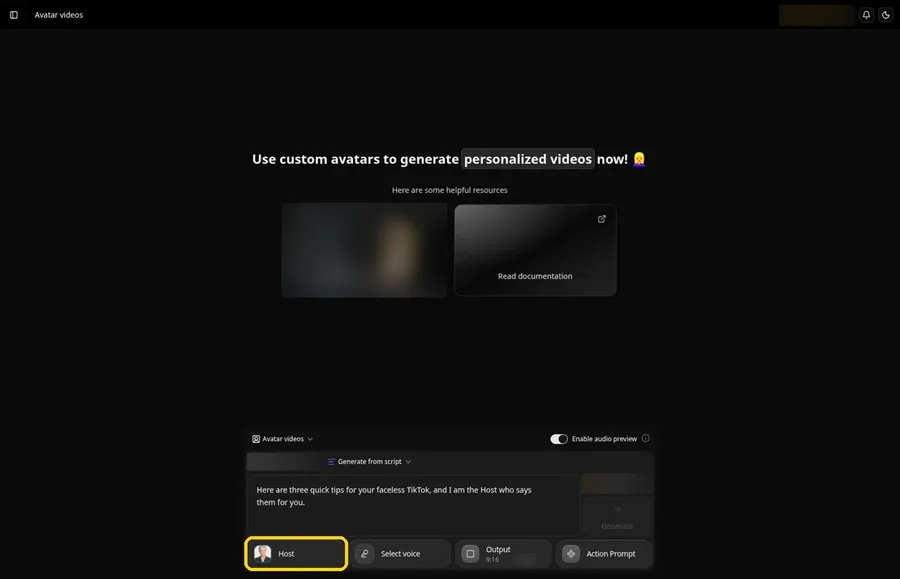
Zoice gives a faceless TikTok account a presenter without a camera. One portrait becomes your Host, the Host reads the lines you type with lip sync, and an action prompt decides when it smiles, nods or points. Set the output to 9:16 and the clip is framed for the For You feed. See how a Host is built on our AI avatar generator page.
Key Features
- Avatar Character, then Create New, to start a Host from an uploaded image or an AI prompt
- Name the Host and click Generate Avatar to save it for future clips
- A script panel where you paste the words the Host will say
- Select voice with Voice profiles, Public voices and Imported voices tabs, plus + New for a voice profile from reference audio
- Output settings offering 9:16 for TikTok, plus 16:9 and 1:1
- An optional action prompt, suggested or written by you, for gestures, expressions and movement
- Generate, an audio preview, then Generate avatar video, with play and download in the player
Best For
- A talking Host in vertical TikTok clips while you stay off camera
- Tip, reaction and explainer accounts that want the same face in every post
Pros of Zoice
- You never appear. A talking Host made from one photo fronts every clip.
- Gestures on cue. Action prompts set expressions and movement for the lines that matter.
- Sounds like you if you want. Voice profiles can come from your own reference audio.
- Everything in one app. Avatar videos, images and voice live in the same workspace.
- Free to start. A free plan is available.
Cons of Zoice
- Needs an internet connection. Clips are made on Zoice's servers, so you need to be online while you work.
- Smaller public avatar library. You get fewer stock faces to pick from than on the largest avatar apps, so most creators upload their own Host photo.
Overall Zoice Rating
Not listed. We could not read a G2 or Capterra score for this app on the day we checked, so this guide shows none.
Pricing
Free plan available. Paid plans start at $7.99 per month. Check Zoice's pricing page before you upgrade.
When to Use It
Use Zoice when your TikTok format needs a face on screen, such as tips, reactions or explainers, and you want one Host across every clip, with gestures set by an action prompt. Choose the 9:16 output before you generate. For more presenter apps, see our AI talking head generator guide.
- A daily tip series where one Host delivers a single idea per clip
- A reaction or opinion post where a nod or a raised hand lands on the key line
- A product note where the Host introduces something you sell without you filming it Try Zoice
2. Faceless.video: Best for Story Clips That Post Themselves
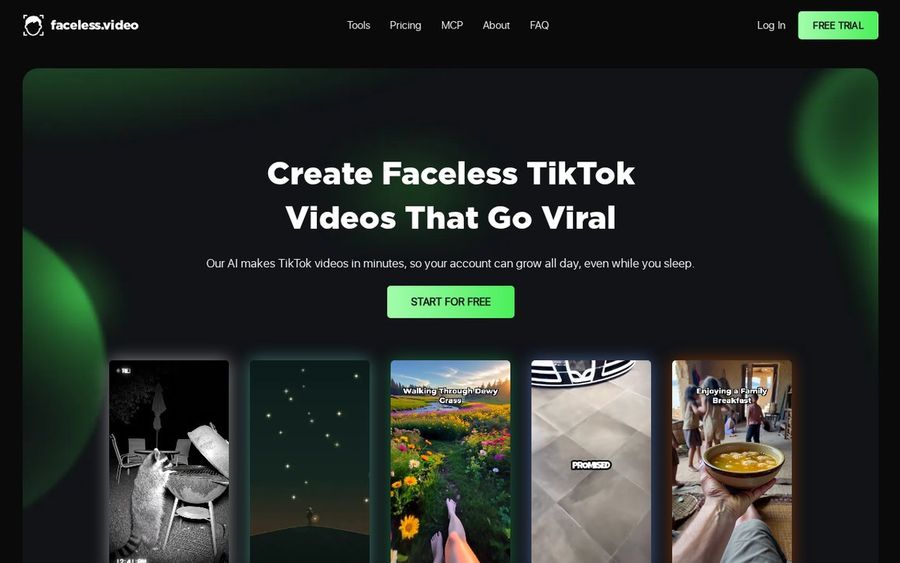
Faceless.video is built to run a TikTok account on autopilot. You choose a video type, its AI writes the script, picks the visuals, records the voiceover and suggests hashtags, and the finished clips can go out on a set schedule. It is a different company from Faceless.so.
Key Features
- Five story styles: daily stories from presets or prompts, Reddit posts, web topics, your own product information or a script you write
- Visual backgrounds from AI images that match the script, gameplay clips or relaxing scenes such as nature
- Font type and color choices for on-screen text
- Voices in several styles and multiple languages
- Automatic posting to TikTok, YouTube or Instagram, or delivery by email
- Posting rhythms of three videos a week, one a day or two a day
Best For
- Reddit story and fact accounts with no presenter
- Creators who want clips to publish without daily effort
Pros of Faceless.video
- Story presets. Several ways to source a script, from Reddit to your own words.
- Posting automation. Clips can go out on the rhythm you choose.
- Script control. You can edit the script before anything posts.
Cons of Faceless.video
- No speaking presenter. Its TikTok page describes AI voiceovers over images, gameplay or relaxing clips, with no presenter on screen.
Overall Faceless.video Rating
Not listed. We could not read a G2 or Capterra score for this app on the day we checked, so this guide shows none.
Pricing
See tool site.
When to Use It
Faceless.video suits narrated story accounts, such as Reddit retellings or daily facts, where a voice over a background is the whole format.
3. Kapwing: Best for TikTok Drafts You Edit
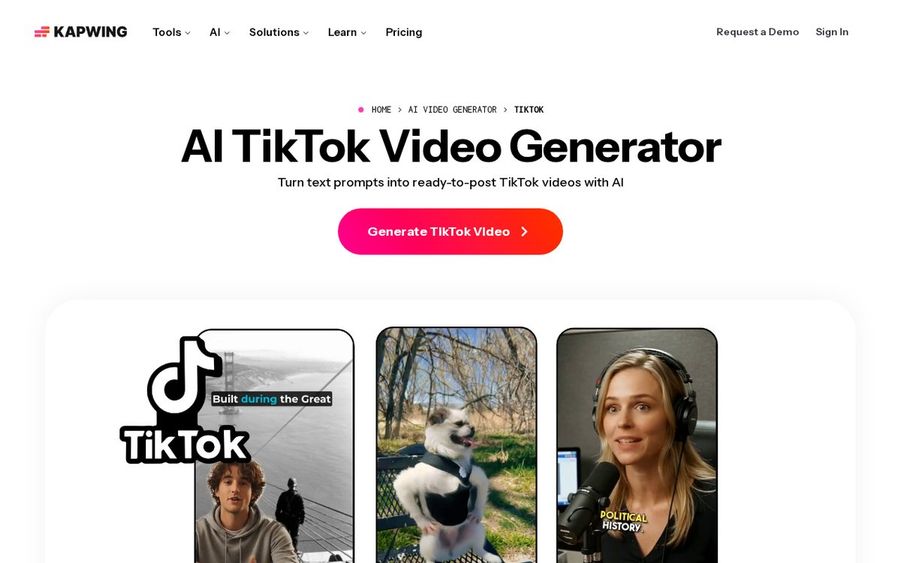
Kapwing's AI TikTok Video Generator turns a prompt into a vertical draft with a hook, voice over and captions, then lets you review the plan before anything is generated. When the draft is ready, you can keep refining it in the Kapwing Studio.
Key Features
- Prompt to a 9:16 TikTok video with a hook, voice over and captions
- Talking head, faceless, UGC-style and trend formats
- Custom characters built from reference images and saved to a Brand Kit
- An editable storyboard where you review the hook, title text, transcript and visuals first
- Hook variations that test different intros for the same content
- Download, keep editing in the Studio or share straight to TikTok
Best For
- Creators who want to check the plan before a clip is made
- Teams that keep logos, fonts and brand voices in one kit
Pros of Kapwing
- Plan review. You approve the storyboard before generation starts.
- Full editor after. Every clip can be reworked in the Studio.
- Share to TikTok. Finished videos can go straight to the platform.
Cons of Kapwing
- Watermark on free exports. Kapwing's pricing page says Free plan exports carry a watermark, which the Pro plan removes.
Overall Kapwing Rating
Not listed. We could not read a G2 or Capterra score for this app on the day we checked, so this guide shows none.
Pricing
Free plan available. See tool site for paid plans.
When to Use It
Pick Kapwing when you want control over every clip after the AI draft, such as swapping a hook or tightening captions before you post.
4. Captions: Best for Editing in the App
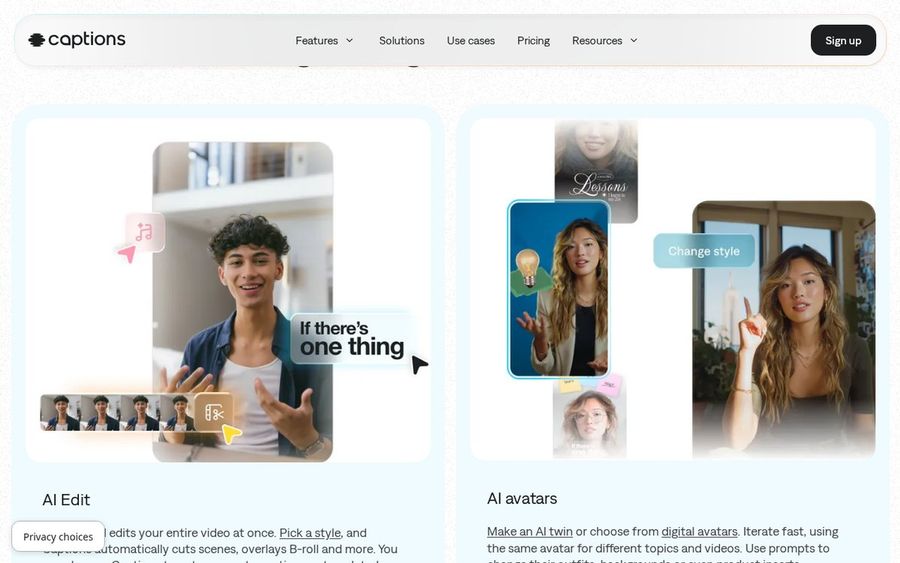
Captions is an AI editor first. You bring footage or a voice recording, pick a style, and AI Edit cuts the scenes for you, while automatic captions and translated subtitles take care of the text. It also offers AI avatars, including a digital twin of yourself.
Key Features
- AI Edit cuts scenes across a whole video in one pass, based on a style you pick
- Automatic captions with stylized fonts
- Translation and subtitles in 100+ languages
- AI avatars, or a digital twin made from your own likeness
- Eye contact correction and pause trimming
- A chat-based editor plus web and mobile apps
Best For
- Editing short clips in one app
- Creators who already record voice or footage
Pros of Captions
- Phone and web. Edit wherever you are.
- Captions included. Styled captions and subtitles come with the editor.
- Avatar option. A digital avatar can stand in when you skip the camera.
Cons of Captions
- Footage first. The app is built mainly around editing clips you supply.
Overall Captions Rating
Not listed. We could not read a G2 or Capterra score for this app on the day we checked, so this guide shows none.
Pricing
See tool site.
When to Use It
Captions fits creators who already have clips or voice recordings and want them cut and captioned fast.
5. Fliki: Best for Text to Short Videos
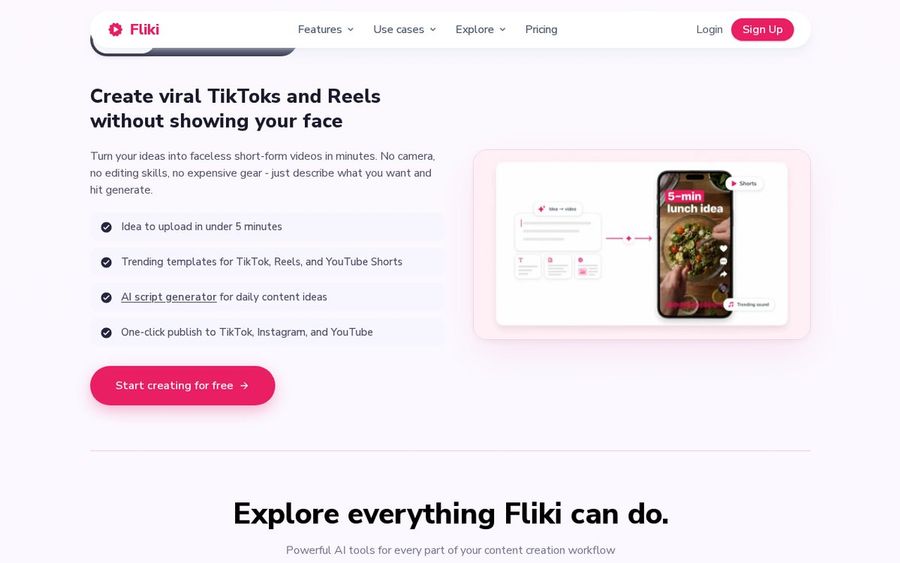
Fliki turns a script, blog post or one-line prompt into a short video with AI voiceover, visuals, music and subtitles. Its creators section is aimed at faceless TikToks and Reels, with trending templates and an idea-to-video flow.
Key Features
- Text to video with AI voiceover, visuals, music and subtitles
- Trending templates for TikTok, Reels and YouTube Shorts
- Faceless short-form videos from a prompt
- 2,000+ voices in 80+ languages and dialects
- Voice cloning from a short sample
- Digital twin and avatar videos as separate tools
Best For
- Turning text into short videos
- List, tip and quote clips narrated over visuals
Pros of Fliki
- Huge voice choice. Thousands of voices across many languages.
- Short-form templates. Layouts ready for TikTok and Shorts.
- Flexible input. Start from text, a blog post or slides.
Cons of Fliki
- Narration first. The main flow is narrated visuals, and an avatar lives in a separate tool.
Overall Fliki Rating
Not listed. We could not read a G2 or Capterra score for this app on the day we checked, so this guide shows none.
Pricing
See tool site.
When to Use It
Fliki works well for list, tip and quote clips where a voice and changing visuals carry the post.
6. Syllaby: Best for Planning and Scheduling
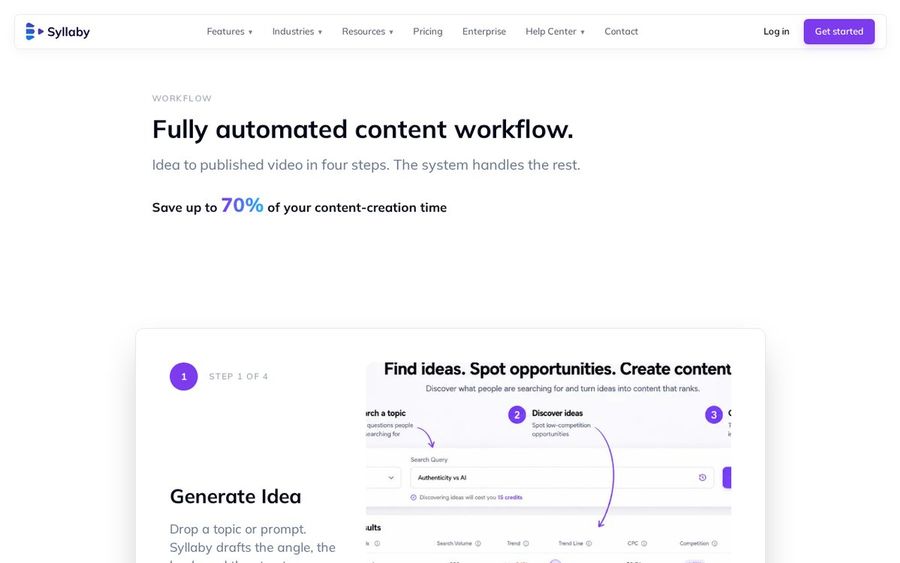
Syllaby lays out a four-step content workflow: generate an idea, write the script, make the video, then schedule and publish. Its AI Clips tool creates faceless videos for TikTok, Shorts and Reels, and AI avatars can speak your script when you want a presenter.
Key Features
- Idea, script, video, then schedule and publish in four steps
- AI Clips with visuals, transitions, captions and background music
- AI avatars that speak your script, stock or made to look like you
- Export, schedule or hand off each finished clip
- A mobile app to write scripts, schedule posts and review videos
Best For
- Planning and scheduling a TikTok calendar
- Creators who batch a week of posts in one sitting
Pros of Syllaby
- Ideas to schedule. Planning and publishing sit in the same app.
- Avatars available. A presenter can join when the format needs one.
- Mobile app. Review and schedule away from your desk.
Cons of Syllaby
- Ads up front. Syllaby's homepage opens with ad videos, and faceless clips are one tool among many.
Overall Syllaby Rating
Not listed. We could not read a G2 or Capterra score for this app on the day we checked, so this guide shows none.
Pricing
See tool site.
When to Use It
Syllaby is the pick when you plan a week of TikTok posts at once and want them queued from the same place.
How to Choose a Faceless AI Video Generator for TikTok
Match the app to the clip you post most often.
- Want a speaking face? Zoice gives you a talking Host in 9:16, with gestures set by action prompts.
- Want stories that post on their own? Faceless.video writes, narrates and schedules story clips.
- Want to edit after the draft? Kapwing and Captions keep you in an editor.
- Want to plan a calendar? Syllaby, and Fliki for narrated text clips, cover batching.
Comparing presenter apps rather than faceless tools? Head to the best AI avatar generator for TikTok roundup, and the TikTok and Instagram avatar tutorial shows the Zoice steps. For faceless tools beyond TikTok, see our faceless AI video generator roundup.
FAQ
What is the best faceless AI video generator for TikTok?
It depends on the format. Zoice is the strongest fit when your TikTok needs a talking Host, while story apps such as Faceless.video suit narrated clips without a presenter.
Which layout should I use for TikTok?
Choose the 9:16 vertical output in Zoice before you generate, so the Host fills the phone screen.
Is a faceless generator the same as an AI avatar generator?
Not quite. Our separate guide to the best AI avatar generator for TikTok compares avatar makers, while this guide covers apps for running a faceless account.