Best AI Rap Video Generator: Make a Photo Rap in 2026
The best AI rap video generator is Zoice, our top pick for turning a photo and your own rap track into a lip synced video. Upload a clear image of the rapper, upload the audio, and the mouth follows the words. Export a sharp video up to 4K in any aspect ratio, and keep full control of the track, because Zoice animates the music you bring and does not write it for you.
We compared four tools on what rap creators need: clean lip sync on a face, use of your own track, formats for social, and a fair price. Zoice ranked first for a photo plus rap track video, and each other tool earned its place for one clear strength.
What Should an AI Rap Video Generator Do?
A rap video lives or dies on the mouth. Fast verses need lip sync that keeps up, and a face that stays steady from the first bar to the last. Some tools animate a single photo to your track, and others build a full music video from scenes. Pick the one that matches the video you picture.
This guide is about a photo plus a rap track becoming a lip synced rap video. We note when a tool also writes the song or builds scenes, because that changes how much of the result is yours.
What to check before you pick a tool for rap videos:
- Lip sync: mouth movement that keeps up with fast verses
- Your own track: the option to upload the audio you made
- Face: a photo or character that stays steady for the whole song
- Formats: 9:16 for social and 16:9 for YouTube
- Length: enough time for a full verse or a full song
- Cost: a plan that suits a musician, with clear limits
Related terms you will see:
- Rap track: the audio file with the vocals you want the face to perform
- Lip synced: the mouth matches the words in the audio
- Music video: a longer video with scenes made for a song
- Verse: a block of lines in a rap, often a good length for a short clip
Quick Comparison: Best AI Rap Video Generators
| Features | Zoice | Neural Frames | Freebeat | Revid |
|---|---|---|---|---|
| Best For | One photo plus your own track, lip synced | Character based music videos from a song | Beat synced music videos from a track | Rap video from lyrics, with a generated track |
| Your own track | Yes, upload audio | Yes, upload a song | Yes, upload music or a link | Writes a track from lyrics you paste |
| Lip sync | Yes, from a photo | Vocal Video mode | Lip sync on its rapper videos | Singer lip sync option |
| Languages | 170+ | Not listed | Not listed | 70+ for voiceovers |
| Max export | Up to 4K | 4K upscaling on plans | 1080p on Pro | Not listed |
| Length | Set by your audio and plan | Set by song length and credits | Up to 6 minutes on Pro | Set by credits |
| Starting price* | $7.99/mo for avatar videos | Plans from $26/mo | Free plan, paid from $9.99/mo | Paid from $39/mo |
| Overall rating | 9.8 | 8.8 | 8.7 | 8.3 |
*Prices and limits change often. Check each tool's own pricing page before you pay.
All four can put a performer on screen. The difference is who makes the music and how much of the video is built for you: Zoice animates your track, while the others also build scenes or write the song.
1. Zoice: Best AI Rap Video Generator Overall
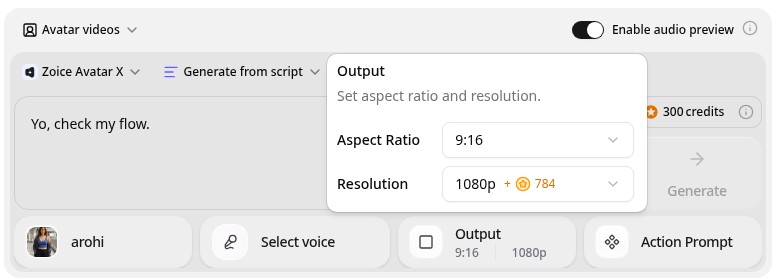
Zoice is the top pick when you already have the track and a face. Its Avatar X model turns a photo or character image into a talking video from your own audio, with natural lip sync, facial expressions, and gestures you can guide with a prompt or a timeline. Upload your rap track, choose 9:16 or 16:9, and export from 480p up to 4K.
Key Features
- Lip synced video from one photo or character image
- Upload your own audio, such as a rap track
- Gestures and expressions by prompt or on a timeline
- Voice cloning, or your own recording
- Scripts in 170+ languages and dialects
- Export from 480p up to 4K in any aspect ratio
Best For
- Rappers who want a lip synced clip from one photo
- Creators who already have the track and want a face for it
- Anyone making short vertical verse clips
Pros of Zoice
- Your track stays yours
Upload your own audio, so the music and the words are the ones you made.
- Real lip sync
The mouth follows the words in your audio, with expressions to match.
- Photo to performer
Start from one clear image of the artist or a character.
- Any size up to 4K
Make 9:16 verse clips for phones and 16:9 videos for YouTube.
- Directed delivery
Guide gestures and expressions instead of a still face.
- Clear credit costs
Credits are listed by resolution and length, so you know the cost before you render.
Cons of Zoice
- It does not make the music
Zoice animates the track you bring. If you want the tool to write the song, pick one that does.
- Avatar videos need a paid plan
The free plan covers voice, images, chat, and transcription. Avatar videos start on Starter.
Overall Zoice Rating
Review 9.8: Best Overall
| Criterion | Score |
|---|---|
| Lip sync | 9.8/10 |
| Use of your own track | 9.9/10 |
| Photo quality | 9.8/10 |
| Ease of updates | 9.8/10 |
| Export quality | 9.9/10 |
| Ease of use | 9.7/10 |
| Pricing | 9.7/10 |
Pricing
| Plan | Monthly Price | What you get |
|---|---|---|
| Free | $0/month | 50 credits per day for AI voice, images, chat, and transcriptions |
| Starter | $7.99/month | 4K credits per month, AI avatar videos, 1 voice profile |
| Basic | $29.99/month | 17K credits per month, 3 voice profiles |
| Creator | $49.99/month | 30K credits per month, 5 voice profiles |
| Agency | $89.99/month | 50K credits per month, 10 voice profiles |
Yearly billing saves 20%. Avatar videos start on Starter, and the credit cost of each video depends on its resolution and length.
When to Use It
Choose Zoice when you have the track, you want a face to perform it, and you want a sharp, clean file for social or YouTube.
- Turn one verse into a vertical clip for a social post.
- Make a lyric teaser from a single photo of the artist.
- Make the same track with several character images and pick the best. Try Zoice
2. Neural Frames: Best for Character Music Videos
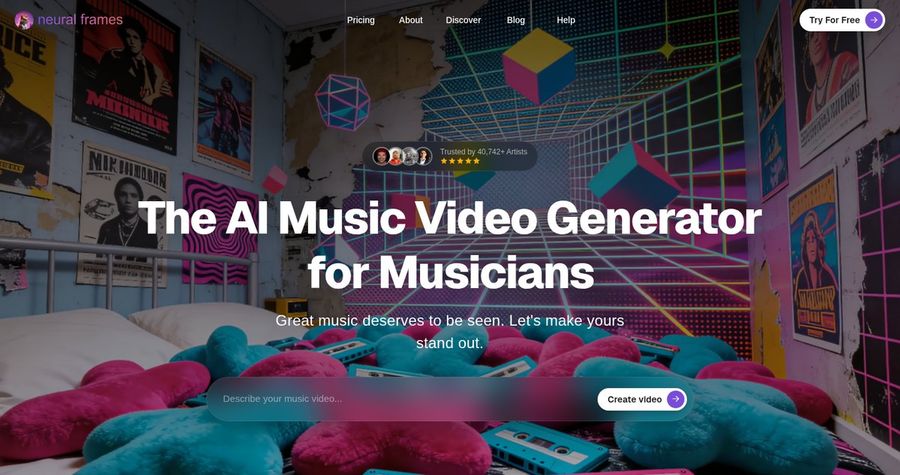
Neural Frames is a music video generator built for musicians. Its Autopilot tool builds a character consistent music video from your song, and its Vocal Video mode lets you generate a character or upload a selfie and make them sing your track with line accurate lip sync. It also extracts 8 stems from your song so visuals can react to drums, bass, and vocals.
Key Features
- Autopilot music videos from your own song
- Vocal Video mode with lip sync
- Generate a character or upload a selfie
- 8 stem audio reactive visuals
- Several video models, such as Kling and Seedance
- 4K upscaling on plans
Best For
- Musicians who want a full music video with scenes
- Artists who want visuals that react to the song
Pros of Neural Frames
- Built for musicians
Beat and stem aware tools suit full songs.
- Free to start
You can create an account and try it without a card.
Cons of Neural Frames
- Credits depend on length and model
Autopilot costs more for longer songs and premium models.
- Heavier workflow
It has many controls, so a single verse clip takes more setup than Zoice.
Overall Neural Frames Rating
Review 8.8: Best for character music videos
Pricing
Plans start at $26 per month, and the Neural Ninja plan is listed at $66 per month with 7,200 credits. Check Neural Frames' pricing page for current plans.
When to Use It
Use Neural Frames when you want a full music video with scenes. Use Zoice when you want a quick lip synced clip from one photo.
3. Freebeat: Best for Beat Synced Rap Videos
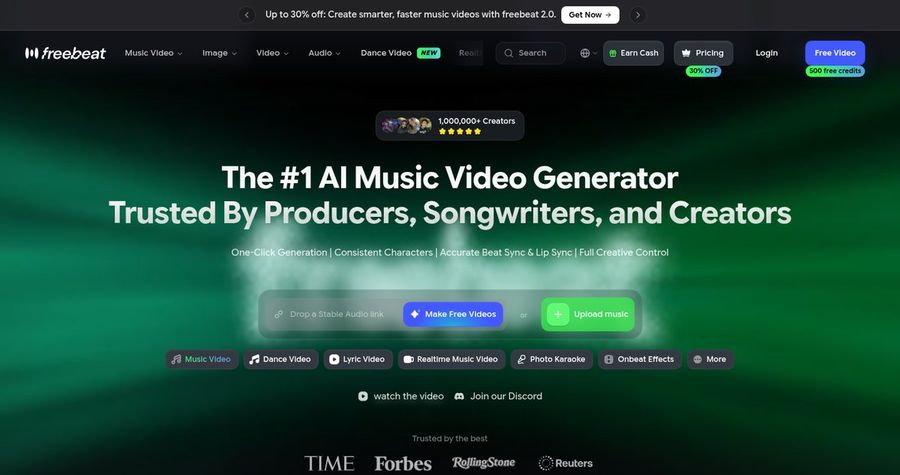
Freebeat is an AI music video generator with a page for rapper videos. You upload a track or drop an audio link, and it builds a beat synced video with consistent characters and lip sync. Its rapper page lists full 6 minute videos on its Pro plan, a free plan with 500 starter credits, and exports in several aspect ratios.
Key Features
- Music videos from an uploaded track or audio link
- Beat sync and lip sync
- Consistent characters across shots
- Up to 6 minutes on the Pro plan
- Several aspect ratios
- Watermark free exports on paid plans
Best For
- Rappers who want a full length video for a whole track
- Creators who want beat synced visuals
Pros of Freebeat
- Full length videos
Pro plans allow up to 6 minutes, enough for a whole track.
- Free to try
The free plan gives 500 lifetime credits for 30 second videos.
Cons of Freebeat
- Free plan is limited
Free videos are 30 seconds at 720p with a watermark.
- Less control over one face
Characters and shots are directed by the tool, not built from one photo you choose.
Overall Freebeat Rating
Review 8.7: Best for beat synced rap videos
Pricing
The free plan has 500 lifetime credits, 30 second videos, 720p, and a watermark. Standard costs $9.99 per month, and Pro costs $26.99 per month with 1080p and a 6 minute limit. Check Freebeat's pricing page for current plans.
When to Use It
Use Freebeat when you want a full beat synced video for a whole track. Use Zoice when you want one photo to deliver the verse.
4. Revid: Best for Lyrics to Rap Video
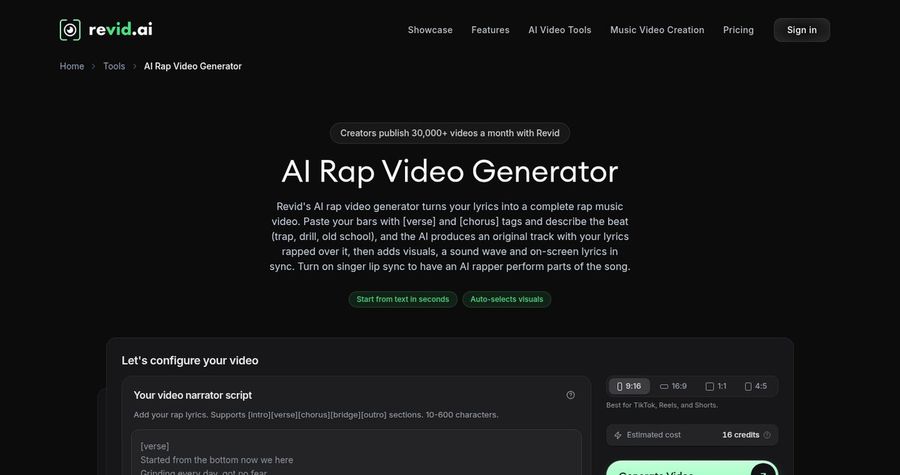
Revid has an AI rap video generator that starts from lyrics. You paste your bars with verse and chorus tags and describe the style, and Revid generates an original track with the lyrics rapped over it, along with visuals and on screen lyrics. It also has a singer lip sync option. It is a good fit when you want the tool to make the song as well as the video.
Key Features
- Rap track and video from pasted lyrics
- Verse and chorus tags
- Visuals and on screen lyrics
- Singer lip sync option
- Voiceovers in 70+ languages
- Publishing to TikTok, Instagram, and YouTube
Best For
- Creators who want the tool to write the track from lyrics
- Social teams that publish often
Pros of Revid
- Makes the track
You can go from lyrics to a finished rap video without a producer.
- Publishing built in
Post straight to TikTok, Instagram, and YouTube.
Cons of Revid
- The track is generated
If you want your own recorded vocals on screen, uploading your track is a different workflow.
- Higher entry price
Paid plans start at $39 per month.
Overall Revid Rating
Review 8.3: Best for lyrics to rap video
Pricing
Growth costs $39 per month, or $32 per month billed yearly, with 2,000 credits. New accounts get free credits to try, and the exact cost shows before you generate. Check Revid's pricing page for current plans.
When to Use It
Use Revid when you want the track made from your lyrics. Use Zoice when you already have the track and want a lip synced face.
Rap Video Ideas That Work
Short, punchy clips get shared. These formats suit a photo rap video:
- Verse teaser: sixteen bars as a vertical clip.
- Hook clip: the chorus on its own for the first seconds of a post.
- Character rap: a mascot or cartoon character performs the track.
- Birthday bars: a short personal rap for a friend.
Want to see how singing works? See our singing photo picks, or read about photo to singing video AI tools.
How We Compared Rap Video Generators
We scored each tool the way a rap creator would, using the public features, limits, and prices on each tool's own site.
We looked at lip sync, use of your own track, face quality, formats, length, and price. Zoice ranked first for a photo plus rap track video. Neural Frames led character music videos, Freebeat led beat synced rap videos, and Revid led lyrics to rap video.
How to Choose an AI Rap Video Generator
Start with what you already have and what you want on screen.
- Track: decide whether you bring your own audio or want the tool to make one.
- Face: decide between one photo you choose and characters the tool builds.
- Length: match the tool to a verse clip or a full song.
- Format: choose 9:16 for social and 16:9 for YouTube.
- Rights: only use audio and images you have the right to use.
- Cost: compare the price of a full video, not only the entry plan.
If you want one tool that turns your own photo and your own track into a clean, lip synced clip, Zoice is the strongest pick for most rap creators. You can make your first rap clip in Zoice in a few minutes.
FAQ
Can AI make a photo rap?
Yes. A talking avatar tool can take a photo, add your audio, and move the mouth to match the words. In Zoice you upload the photo and the track, and the face performs it.
Can I use my own track?
Yes. In Zoice you can upload your own audio. Only use music you made or have the rights to use.
Is the lip sync accurate?
Lip sync follows the words in the audio, and a clear, front facing photo gives the most natural result. Fast verses are the hard case, so test a short section first.