Best AI Music Video Generator: Singing Avatar Picks
The best AI music video generator for a musician who already has a finished song is Zoice, our top pick for turning one photo into a singer who performs your vocals on screen. Upload a clear photo, add your track, choose a resolution up to 4K, and Zoice lip syncs the performance to your audio. You keep your own voice and your own melody, and the video becomes a face your fans can follow from release to release.
We compared four tools on what independent artists and creators actually need: a quick start from a single image, believable lip sync, control over the performance, sharp export, and a price that makes sense when you release often. Zoice comes first, and each tool after it earns its place for a clear reason. If you want a wider look at singing performers, our guide to the best AI singing avatar generator goes deeper.
What Is an AI Music Video Generator?
An AI music video generator turns your song into moving pictures. Some tools build abstract visuals that pulse with the beat. Others start from a photo and make that person sing your track. Know which one you need before you pay.
This guide covers the second kind: a singer who performs a song you already made. AI song generators, which write the music itself, are outside our scope. If your vocals are recorded and mixed, you are in the right place. For more photo based performers, see our list of the best photo to singing video AI tools.
What to check before you pick a tool:
- Starting point: can you begin with one photo and your finished audio?
- Lip sync: does the mouth follow your vocals closely enough to hold up on a large screen?
- Performance control: can you shape how the singer looks and moves?
- Export quality: how sharp is the final file for YouTube and a phone screen?
- Cost: how much does a full song cost, and do credits run out quickly?
Quick Comparison: Best AI Music Video Generators
| Tool | Best For | Photo only input | Lip sync | Gestures and expressions | Max resolution | Starting price | Rating |
|---|---|---|---|---|---|---|---|
| Zoice | A singer who performs your song from one photo | Yes, one photo plus your audio | Yes | Yes | Up to 4K | Free plan, paid from $7.99/mo | 5.0/5 on Capterra (5 reviews) |
| Hedra | Monthly credit plans, a pay as you go API and many video models in one studio | Image plus audio | Yes | Not stated | 1080p for Hedra Character 3 | Studio from 20 per month (USD); API pay as you go from 2.5 cents per second for avatar and lip sync | Not listed |
| Neural Frames | Full songs with audio reactive visuals | Image plus your track | Yes | Not stated | 4K upscaling on Neural Ninja and Neural Nirvana | $39/mo, or $26/mo billed yearly | 2.5/5 on Capterra (2 reviews) |
| Kaiber | Beat synced batches of short clips | Yes, one image plus audio in Image Lip Sync | Yes | Not stated | 720p in Image Lip Sync | $10/mo Starter, Beat Sync from $29/mo | Not listed |
Prices and limits change often. Check each tool's own pricing page before you pay. Ratings come only from G2 or Capterra, and we write Not listed when we could not confirm a public score.
All four can put motion behind a song. The difference is focus. Zoice gives you a performer built from a single photo at a low entry price, while the others lean toward audio reactive art, pay per second billing, or short beat synced clips.
1. Zoice: Best AI Music Video Generator Overall
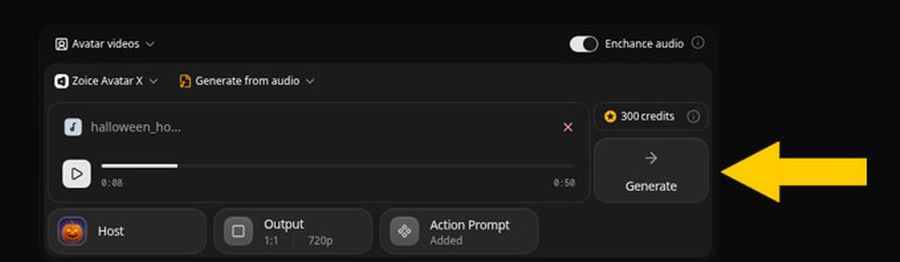
Zoice is the tool to choose when the star of your video is a singer. Its Avatar X model builds a performer from one photo or character image, then lip syncs the face to the vocals you upload. You can sing as yourself, use an illustrated mascot, or give your band a recurring virtual frontperson who appears in every release.
Key Features
- One photo becomes a singing performer, lip synced to your audio
- Action prompts can drive gestures, body motion and expressions, so you can ask for a smile on the verse or a raised hand on the chorus
- Timeline placement for actions, so a move lands on the exact beat you choose
- Voice cloning from a short sample, plus 50+ voices and 170+ languages
- Voice import from ElevenLabs and LMNT
- Resolution and aspect ratio settings, from 480p up to 4K
- Audio preview before you spend credits on the full render
Best For
- Indie artists who already have a mixed track and want a face for it
- Bands and producers who want a recurring virtual singer
Pros of Zoice
- Starts from one photo. You skip the shoot, the studio and the editing timeline.
- Direction without a camera. Action prompts let you shape the performance in plain words instead of hoping the model guesses.
- Sharp output. Export reaches 4K, which holds up on a large screen.
- Low entry price. A free plan and a $7.99 Starter plan let you test a song before you commit.
Cons of Zoice
- Built around a performer. If you want abstract art that reacts to every beat, a visualizer such as Neural Frames suits that style better.
- Credits add up at 4K. Higher resolutions use more credits, so draft at a lower size first.
- Audio tools are simple. Reviewers on Capterra asked for more audio editing, so finish your mix before you upload.
Overall Zoice Rating
5.0/5 on Capterra from 5 reviews. Reviewers praise ease of use and realistic lip sync.
Pricing
| Plan | Monthly Price | What you get |
|---|---|---|
| Free | $0/month | 50 credits per day for AI voice, images, chat and transcriptions |
| Starter | $7.99/month | 4K credits per month, AI avatar videos, 1 voice profile |
| Basic | $29.99/month | 17K credits per month, 3 voice profiles |
| Creator | $49.99/month | 30K credits per month, 5 voice profiles |
| Agency | $89.99/month | 50K credits per month, 10 voice profiles |
Zoice's pricing page lists a 60 second 1080p Avatar X video at $2.98, and a single Avatar X generation can run up to 10 minutes. Imported audio from ElevenLabs or LMNT is not charged as audio, which lowers the cost of a song you recorded elsewhere.
When to Use It
Reach for Zoice when your song is finished and you want a believable singer for it without booking a camera crew. The AI singing avatar generator page walks through the setup.
- You are releasing a single and need a lyric performance clip for YouTube
- You run a band account and want the same virtual singer across every release
- You want to test a new song idea for a few dollars before filming anything real
2. Hedra: Best for Pay as You Go Lip Sync
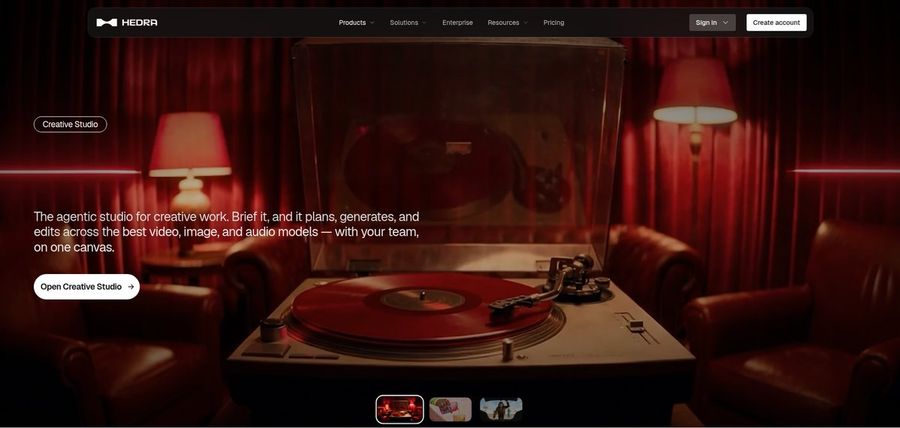
Hedra describes itself as a research lab for visual AI, with a Studio workspace for creators and an API for developers. Its Hedra Character 3 model makes an audio driven avatar video from one image and an audio file. Studio runs on monthly credit plans, and the API is pay as you go, with avatar and lip sync work from 2.5 cents per second.
Key Features
- Hedra Character 3 turns an image and an audio file into an audio driven avatar video
- Aspect ratios from 16:9 and 9:16 to 1:1, with 540p, 720p and 1080p output
- Studio workspace with a creative agent, saved Elements for characters and references
- A large catalog of other video, image and audio models, some reaching 4K
- Studio credit plans with commercial use, plus a separate pay as you go API
- Voice cloning listed as free on the API pricing page
Best For
- Developers and technical creators who want an API
- Developers who want pay as you go API billing with no subscription
- Creators who want a monthly credit plan with commercial use
Pros of Hedra
- Flexible billing. Pick a monthly Studio plan with credits, or fund an API balance and pay per output with no subscription, seats or minimums.
- Many models. One account reaches avatar, video, image and audio tools.
Cons of Hedra
- Wide scope. The product spans infrastructure, an API and an agent studio, so the path to one simple singing clip is less obvious.
- Avatar output tops out at 1080p. Hedra Character 3 lists 540p, 720p and 1080p.
Overall Hedra Rating
Not listed. We could not confirm a public G2 or Capterra score for Hedra, so we leave it unrated rather than guess.
Pricing
Hedra Studio sells monthly credit plans, all with commercial use. Higher plans generate faster. The API is separate and pay as you go.
| Plan | Monthly price (USD) | Credits per month |
|---|---|---|
| Basic | 20 | 2,000 |
| Pro | 50 | 7,200 |
| Teams | 75 | 14,400 |
| Ultra | 100 | 18,000 |
| Enterprise | Custom | Custom |
The API is pay as you go from a prepaid balance, with no subscription, and avatar and lip sync starts from 2.5 cents per second. Check hedra.com/pricing for current numbers.
When to Use It
- You want to pay only for the seconds you render through the API
- You prefer a monthly credit plan over a prepaid balance
- You plan to build music video generation into your own app through an API
3. Neural Frames: Best for Audio Reactive Full Songs
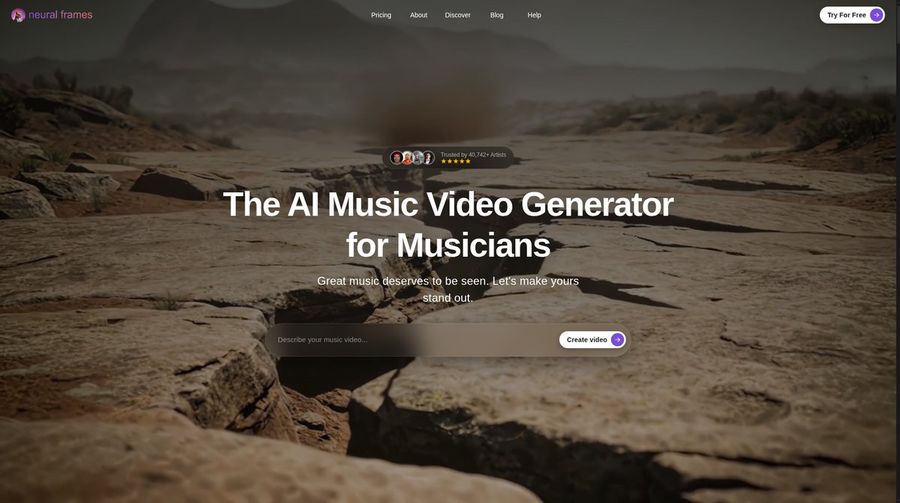
Neural Frames is built for musicians who want the whole song turned into visuals. Upload a track and its Autopilot mode analyzes lyrics, tempo and key, writes a storyboard and renders scenes that follow the music. It is the strongest pick here for abstract, cinematic and lyric driven videos that pulse with the beat.
Key Features
- Autopilot builds a complete music video from your song
- Audio reactive visuals driven by stem analysis of your track
- Lyric extraction and a lyric video maker
- Lip sync and character templates, with up to three characters locked in
- Image to video from your artwork, using models such as Kling, Seedance and Runway
- Timeline editor and chat based scene refinement
Best For
- Producers who want visuals that react to every beat
- Artists making lyric videos or full length cinematic videos
Pros of Neural Frames
- Made for music. Every tool starts from your track, not from a script.
- Deep control. You can work from one click Autopilot down to single frames.
Cons of Neural Frames
- Higher price. Plans start at $39 a month, or $26 a month billed yearly, and 4K upscaling needs the second tier.
- Mixed reviews on Capterra. The two reviews split between praise for speed and quality and a complaint about billing and support.
- Less focused on a single face. Visual style is the focus, so test how it handles one recognizable singer before you commit.
Overall Neural Frames Rating
2.5/5 on Capterra from 2 reviews. With only two reviews, treat the score as an early signal and not a verdict.
Pricing
Neural Knight costs $39 a month, or $26 a month billed yearly, with 2,400 credits. Neural Ninja is $99 a month, or $66 billed yearly, with 7,200 credits and 4K upscaling. Neural Nirvana is $299 a month, or $199 billed yearly, with 24,000 credits.
When to Use It
- You want a video that moves with the drums and the bass
- You are making a lyric video from a finished song
4. Kaiber: Best for Beat Synced Short Clips
Kaiber is now a suite of three tools: Canvas for generating video, image and audio, Beat Sync for music driven edits, and Editor for putting the clips together. Beat Sync is the draw for musicians, because it syncs your media to the beat and can create up to 10 videos at once on the Pro plan.
Key Features
- Beat Sync batches that create beat synced videos from your sound and visuals
- Lyric detection and text overlays timed to your audio
- Image Lip Sync in Canvas, which makes a person image sing or speak with your audio
- Auto Clip to cut long videos into short clips
- Canvas access to several leading video models
Best For
- Musicians who need many short promo clips fast
- Social teams making vertical content around a release
Pros of Kaiber
- Batch speed. Beat Sync makes a set of variations in the time it takes to make one.
- No prompts needed. Upload media and a track, pick a few settings and go.
Cons of Kaiber
- Lower lip sync resolution. Image Lip Sync offers 480p and 720p.
- Plan gating. Beat Sync is not on the Starter plan, so the useful tools begin at $29 a month.
- No public rating yet. Capterra shows no reviews for Kaiber.
Overall Kaiber Rating
Not listed. Capterra shows no user reviews for Kaiber, and we could not confirm a G2 score.
Pricing
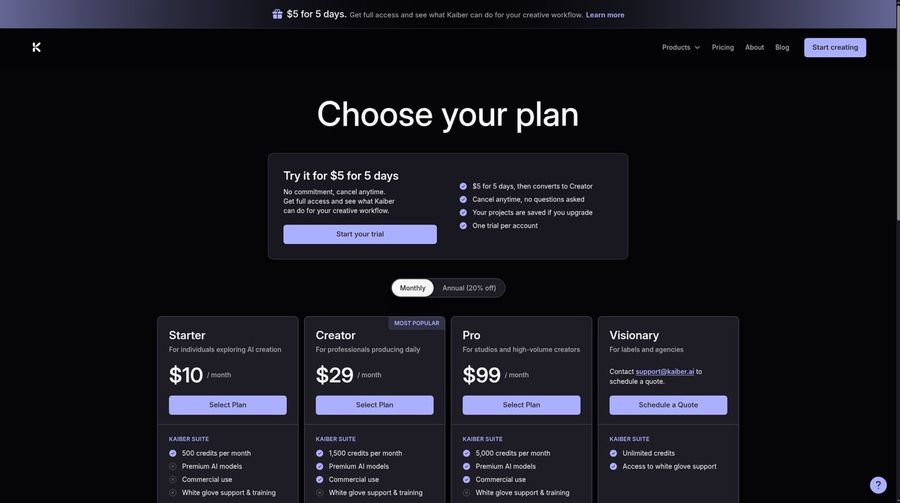
Kaiber offers a $5 trial for 5 days. Starter is $10 a month with 500 credits, Creator is $29 a month with 1,500 credits, and Pro is $99 a month with 5,000 credits. Annual billing lowers the monthly price.
When to Use It
- You want a stack of beat synced teasers from one set of images
- You are fine with 720p for lip sync clips
Music Video Ideas to Try
These formats work well with a singer built from one photo and cost little to test.
- Lyric performance: the singer delivers your chorus straight to camera
- Mascot band: a cartoon character fronts your project
- Vertical teaser: a 15 second hook for Reels, TikTok and Shorts
- Duet idea: two photos, two verses, cut together in your editor
If your track is spoken word or hip hop, our guide to the best AI rap video generator covers rhythm heavy performances.
How to Make an AI Music Video From One Photo
The steps are similar across tools. Start with a sharp, front facing photo with the face clearly visible. Upload your finished vocals, since the singer performs the exact audio you bring. Pick a vertical, square or wide format depending on where you will post, then preview and render. Make your first test with a short section so you can fix problems cheaply.
Use a track you own or have cleared, and photos and voices that belong to you or to someone who agreed to appear.
How to Choose the Right Tool
Start with the look you want. If a singer should be the star, pick the tool that builds a performer from one photo. If you want abstract art that moves with the music, choose an audio reactive generator. If you need dozens of short promos, a batch tool saves hours.
- Check the starting point: one photo and your audio is the quickest route to a singer
- Test lip sync on a short clip before you pay for a full song
- Compare the resolution cap with where the video will play
- Read pricing carefully, since credits and per second billing behave differently
- Look for a real G2 or Capterra score, and note how many reviews sit behind it
When the song is finished and a face is what the release needs, Zoice is the simplest place to begin.
FAQ
Can AI make a music video from one photo?
Yes. Upload one clear photo, add your finished vocals, and the avatar is lip synced to your audio. Zoice builds the performer from a single image and exports up to 4K.
Do I need the rights to the song?
Yes. Use a track you wrote, recorded or licensed, and only photos and voices you own or have permission to use. Tools do not clear music rights for you.
What aspect ratio works for music video clips?
Use 16:9 for YouTube, 9:16 for Reels, TikTok and Shorts, and 1:1 for a square feed post. Zoice lets you set the aspect ratio and resolution before you render.