Best AI Singing Baby Generators: Make a Baby Photo Sing
The best AI singing baby generator turns one baby photo into a short video where the little one sings along to a real song, with mouth movement that follows every word. Parents make these clips for first birthdays, grandparents in the family group chat, holiday cards, and quick Reels or Shorts that friends replay again and again.
We tested six tools on what actually matters for a singing baby video: a realistic face from one photo, lip sync that holds up on real music, your own song upload, clip length, output quality, and price. Zoice is #1 Best Overall for a natural singing baby from a single photo. TalkPix, BabyVideo.ai, DreamFace, Pollo AI, and GraficAI each have a strength, but they fall behind on lip sync with full songs, clip length limits, or HD output.
What Is an AI Singing Baby Generator?
An AI singing baby generator is a tool that animates a still baby photo so the baby appears to sing an audio track. You upload a clear photo, add a song or a recording of someone singing, and the AI moves the lips, cheeks, and eyes in time with the vocals. The result is a short MP4 you can download and share.
The features that matter most for an AI baby singing video:
- A realistic face from one photo: the baby still looks like the baby, not a cartoon
- Lip sync to songs: mouth shapes that follow sung words, not just speech
- Your own song upload: a lullaby you recorded, a birthday song, or a licensed track
- Clip length: enough time for a full verse or chorus
- HD output: sharp video for phones, TVs, and family slideshows
Whether you call it a baby lip sync video or a way to make a baby photo sing, the idea is simple: one cute photo plus one familiar song.
Quick Comparison: Best AI Singing Baby Generators
| Features | Zoice | TalkPix | BabyVideo.ai | DreamFace | Pollo AI | GraficAI |
|---|---|---|---|---|---|---|
| Best For | Realistic singing baby from one photo | Writing or uploading a song | Short baby clips from audio | Song templates and app use | Song upload with captions | Photo plus script or song |
| Realistic face | Natural, keeps the baby's real look | Good, gentle animation | Good on short clips | Good, app style results | Good | Good |
| Lip sync | Natural lip sync on full songs | Gentle lip sync | Best on 10 to 20 second clips | Good on short songs | Precise on short clips | Good on short clips |
| Own song upload | Yes, upload any audio you have rights to | Yes, upload or record | Yes | Yes, plus song templates | Yes, upload or paste a music link | Yes, MP3 or WAV |
| Text to singing | Text becomes natural speech; songs come from your audio | Song Studio writes original songs | No, audio led | Text, audio, or templates | No, audio led | Text becomes baby style speech |
| Max length | Up to 10 minutes per generation | Billed per second of audio | Up to 60 seconds | Varies by mode | Varies by model | Up to 60 seconds |
| HD output | 480p up to 4K | 720p, or 1080p at 2x credits | Varies by model | Varies by model | Varies by model | 480p, 720p, or 1080p |
| Starting price* | $7.99/mo for avatar videos | $5 credit pack | $5.99 credit pack | From $4.99/week | Free, then from $15/mo | Free to try |
| Overall rating | 9.8 | 9.2 | 9.0 | 8.8 | 8.6 | 8.4 |
*Prices and limits change often. Check each tool's own pricing page before you pay.
Every tool here can make a baby photo move. Zoice leads when you want a full song, a face that still looks like your child, and a sharp file for a big screen.
Zoice: Best AI Singing Baby Generator Overall
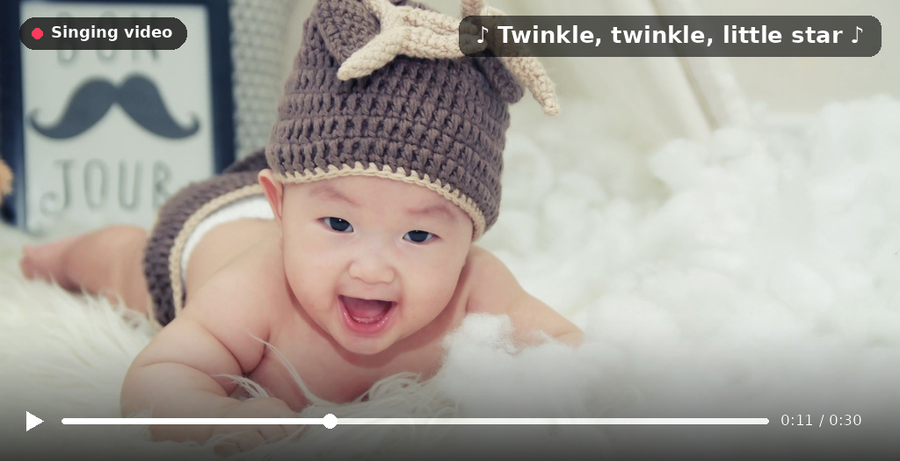
Zoice is the best AI singing baby generator when you want a realistic result from one photo and your own song. Upload a clear baby photo, add the song you want, preview the audio, and Zoice renders a singing video with natural lip sync in up to 4K. You can also create a baby character from a text prompt if you would rather not post a real child's face online.
Key Features
- Singing video from a single baby photo, with no video recording needed
- Upload your own song or recorded vocals and get matching lip sync
- Audio preview before you spend video credits
- Output from 480p up to 4K, in any aspect ratio, including 9:16 for Reels and Shorts
- Up to 10 minutes per generation, enough for a full song
- Voice cloning and 170+ languages for spoken intros or greetings
Best For
- Parents making birthday, holiday, and milestone songs
- Family creators who post baby clips on Reels, TikTok, and Shorts
- Anyone who wants a full song, not a 15 second snippet
Pros of Zoice
- One photo to a singing video
A single clear photo is enough. There is no need to film the baby or keep them still.
- Natural lip sync on real songs
Mouth shapes follow sung words and long notes, so the clip looks like singing rather than talking.
- Use your own audio
Upload a lullaby the family recorded, a birthday song, or any track you have the rights to use.
- Realistic look
The face keeps its real features, skin tone, and expression instead of turning cartoonish.
- Fast and simple
Upload, preview, and generate. No editing skills are needed.
- Transparent credits
Credit costs are listed by resolution and length, so you know the price of a clip before you make it.
Cons of Zoice
- Songs come from your audio
Zoice syncs to the song you upload instead of writing a new song for you. If you want an original tune, record or create the track first, then add it.
Overall Zoice Rating
Review 9.8: Best Overall
| Criterion | Score |
|---|---|
| Realistic face from one photo | 9.9/10 |
| Lip sync accuracy to songs | 9.8/10 |
| Own song upload | 9.9/10 |
| Text to singing options | 9.2/10 |
| Clip length | 9.9/10 |
| HD output | 9.9/10 |
| Speed and ease | 9.8/10 |
| Pricing | 9.7/10 |
Pricing
| Plan | Monthly Price | What you get |
|---|---|---|
| Free | $0/month | 50 credits per day for AI voice, images, chat, and transcriptions |
| Starter | $7.99/month | 4K credits per month, AI avatar videos, 1 voice profile |
| Basic | $29.99/month | 17K credits per month, 3 voice profiles |
| Creator | $49.99/month | 30K credits per month, 5 voice profiles |
| Agency | $89.99/month | 50K credits per month, 10 voice profiles |
Yearly billing saves 20%. Singing baby videos use the avatar video tool, which starts on Starter.
When to Use It
Choose Zoice for the most realistic singing baby video from one photo and your own song.
- Turn a baby photo into a birthday song for the family.
- Make a lullaby keepsake in HD for grandparents.
- Post a full song clip in 9:16 for Reels and Shorts. Try Zoice.
TalkPix: Best for Writing or Uploading a Song
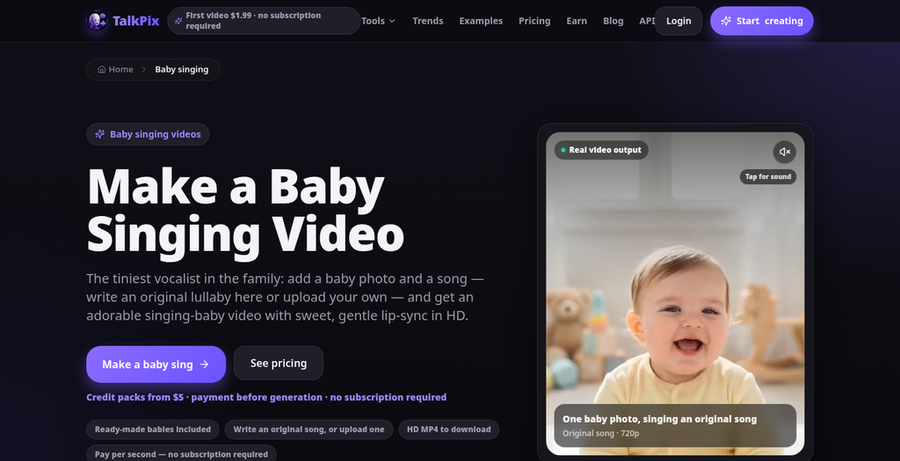
TalkPix has a dedicated baby singing page where you add a baby photo, or pick a ready made AI baby, and then add a song. Its Song Studio can write an original song with vocals from a short description, or you can upload a clip or record the family singing.
Key Features
- Baby photo or ready made AI generated babies
- Song Studio that writes original songs with vocals
- Upload or record your own audio
- 720p output, or 1080p for 2x the credits
Best For
- Families who want an original lullaby without recording one
- Public posts that use a ready made AI baby instead of a real child
Pros of TalkPix
- Original songs built in
The Song Studio removes the need to find or record a track.
- Pay as you go
Credit packs never expire, so there is no monthly plan to cancel.
Cons of TalkPix
- Behind on resolution
Output tops out at 1080p, and 1080p costs twice as many credits as 720p.
- Behind on long songs
Credits are charged per second of audio, so full songs add up quickly compared with Zoice.
Overall TalkPix Rating
Review 9.2: Best for writing or uploading a song
Pricing
Credit packs start at $5 for 50 credits, with larger packs from $10 to $200. Talking photo videos cost about 1 credit per second at 720p. Check current pricing on TalkPix's site.
When to Use It
Use TalkPix when you want the tool to write a new song for you. Use Zoice when you already have the song and want the most realistic, longest, and sharpest result.
BabyVideo.ai: Best for Short Baby Clips From Audio
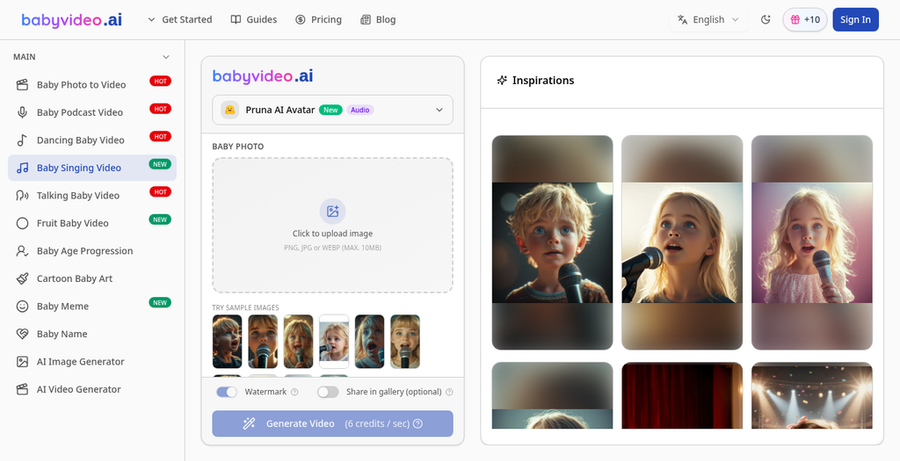
BabyVideo.ai is a family of baby focused tools, and its AI Baby Singing generator makes a baby photo sing to a short audio clip. You upload one photo, add a song or recording, and guide the mood and framing with a short prompt.
Key Features
- Baby singing from one photo and one audio clip
- Short prompt to guide mood, expression, and framing
- Audio up to 60 seconds, with 10 to 20 seconds recommended
- Other baby tools for talking, dancing, and podcast style clips
Best For
- Quick birthday lines and nursery rhyme snippets
- Parents who want several baby video styles in one place
Pros of BabyVideo.ai
- Built only for babies
Every tool and tip on the site is tuned for baby photos.
- Daily free credits
A daily check in adds 10 free credits for testing.
Cons of BabyVideo.ai
- Behind on clip length
Audio is capped at 60 seconds, and the site suggests 10 to 20 seconds for clean results.
- Behind on clean free output
Free videos include a watermark, and paid credits are needed for clean files.
Overall BabyVideo.ai Rating
Review 9.0: Best for short baby clips from audio
Pricing
Credit packs start at $5.99 for 300 credits, then $9.99 for 550 credits and $19.99 for 1,150 credits. Paid credits never expire. Check current pricing on BabyVideo.ai's site.
When to Use It
Use BabyVideo.ai for short baby song snippets. Use Zoice when you want a full song with natural lip sync and HD output.
DreamFace: Best for Song Templates and App Use
DreamFace is a popular photo animation app with avatar videos, AI video, and photo tools. Users like its song library for animating photos with music, and you can also drive a video with text or your own audio.

Key Features
- Avatar videos from a photo plus text or audio
- Song library for quick singing photo clips
- Apps for iOS, Android, and the web
- Extra photo tools such as enhance and old photo restore
Best For
- Casual users who like picking songs from a library
- People who create mostly on their phone
Pros of DreamFace
- Large song library
Templates make it easy to try a song without finding audio yourself.
- Available everywhere
One account works across mobile apps and the web.
Cons of DreamFace
- Behind on realism with real baby photos
Template driven results can look less natural on close baby faces than Zoice.
- Behind on clear pricing
Weekly plans, credits, and different app store prices make the real cost harder to judge.
Overall DreamFace Rating
Review 8.8: Best for song templates and app use
Pricing
Web plans start at about $4.99 per week, with monthly and yearly options and one time credit packs. App store prices can differ. Check current pricing on DreamFace's site.
When to Use It
Use DreamFace for quick template songs on your phone. Use Zoice when realism and your own song matter more.
Pollo AI: Best for Song Upload With Captions
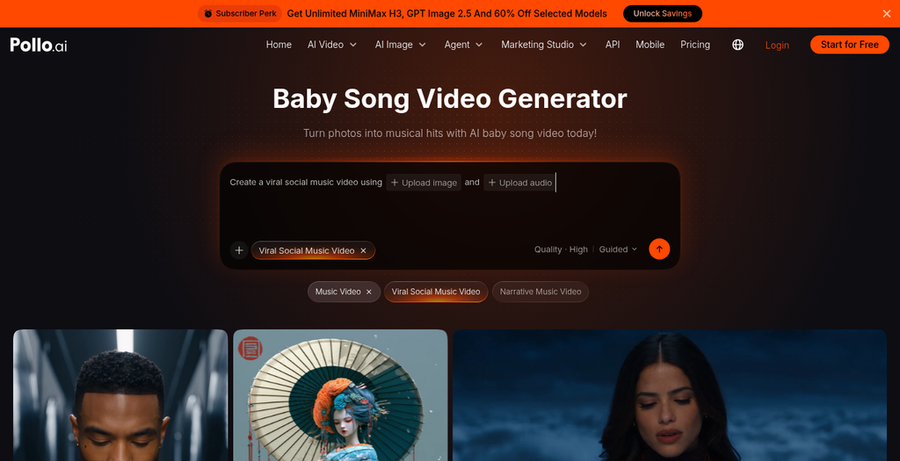
Pollo AI is a large AI video platform with a dedicated baby song video generator. You add a baby photo, paste a music link or upload an audio file, and it syncs lip movement to the track and adds timed subtitles.
Key Features
- Baby song video from a photo and an audio file or music link
- Automatic synced subtitles for the lyrics
- Many other AI video and image tools on the same account
- Credit based plans shared across tools
Best For
- Creators who post with captions for silent scrolling
- Users who already use Pollo AI for other video work
Pros of Pollo AI
- Auto captions
Lyrics appear on screen without extra editing.
- Flexible audio input
A music link or an uploaded file both work.
Cons of Pollo AI
- Behind on focus
Baby songs are one tool among many, so settings and credit costs are less tailored than a dedicated flow.
- Behind on long clips
Credit use rises quickly with longer videos, which makes full songs costly next to Zoice.
Overall Pollo AI Rating
Review 8.6: Best for song upload with captions
Pricing
A free tier with limited credits and watermarked output is available. Paid plans start at about $15 per month, with Pro tiers above that. Check current pricing on Pollo AI's site.
When to Use It
Use Pollo AI when built in captions are a must. Use Zoice for longer, more realistic singing baby videos.
GraficAI: Best for Photo Plus Script or Song
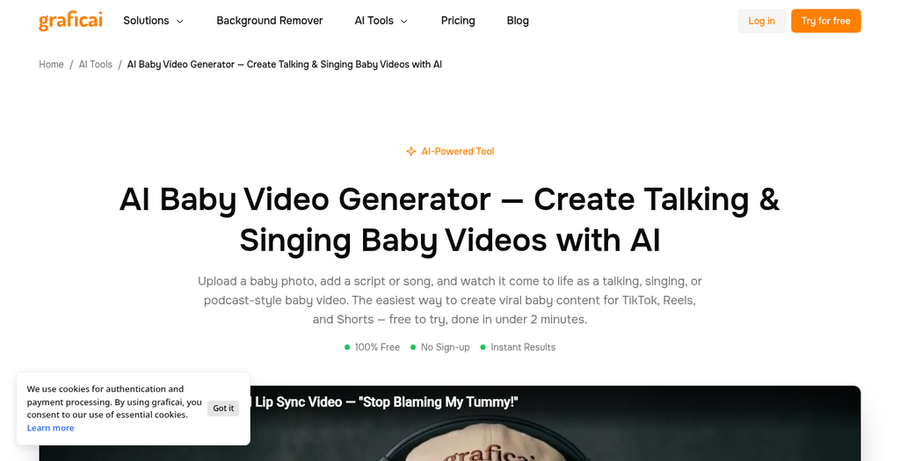
GraficAI offers an AI baby video generator that makes a baby photo talk, sing, or host a podcast style clip. You type a script or upload a song or recording, and it animates the face to match.
Key Features
- Talking, singing, and podcast style baby videos
- Upload MP3 or WAV audio up to 60 seconds
- Text to speech with baby style voice presets
- MP4 download in 480p, 720p, or 1080p
Best For
- Short baby skits that mix speech and song
- Trying the format for free before paying anywhere
Pros of GraficAI
- Free to try
You can test a clip without a card.
- Speech and song in one tool
Switch between a typed script and a song upload easily.
Cons of GraficAI
- Behind on clip length
Audio uploads stop at 60 seconds, which is too short for most full songs.
- Behind on output quality
The top export is 1080p, while Zoice goes up to 4K.
Overall GraficAI Rating
Review 8.4: Best for photo plus script or song
Pricing
Free to try. Paid usage details are on GraficAI's site, so check current pricing before you scale up.
When to Use It
Use GraficAI for short free tests and baby skits. Use Zoice for a polished singing baby video you want to keep.
Best Uses for Singing Baby Videos
Singing baby videos let you share family moments without a camera or a cooperative toddler.
- Birthday songs: the baby sings to a sibling, parent, or grandparent.
- Lullaby keepsakes: save a family recorded lullaby with the baby's face.
- Holiday greetings: a short seasonal song for cards and group chats.
- Milestone posts: first steps, first words, or a first year recap set to music.
- Social clips: short vertical songs for Reels, TikTok, and Shorts.
If you want to make any photo sing, not just baby photos, we cover that separately. For speech instead of songs, see our guide to baby talking videos.
How We Compared AI Baby Singing Video Tools
We scored each tool from a parent's and family creator's point of view, using each site's public features, limits, and prices.
- Realistic face from one baby photo
- Lip sync accuracy on sung words and long notes
- Own song upload versus built in or generated songs
- Text to singing versus text to speech only
- Clip length limits
- HD output and watermark rules
- Speed and ease for non editors
- Free tier and pricing
Zoice ranked Best Overall. TalkPix led original songs, BabyVideo.ai led short baby clips, DreamFace led song templates, Pollo AI led captions, and GraficAI led free script and song tests.
How to Choose a Singing Baby Video Maker
Start with the song you want and where the video will be shown, then test with one real photo.
- Pick your audio first: your own recording points to Zoice; a new original song points to TalkPix.
- Use a clear photo: front facing, good light, and a visible mouth with no pacifier.
- Check the length: a full chorus needs more than 30 seconds.
- Check the output: HD matters if the clip will play on a TV or at a party.
- Think about privacy: for public posts, consider an AI generated baby instead of your child's real photo.
If you want a realistic face, a full song, and HD output from one photo, Zoice is the best AI singing baby generator in this list.
FAQ
How do I make a baby photo sing?
Upload a clear, front facing baby photo to a singing baby tool, add a song or recording, and generate. In Zoice you can preview the audio first, then render the video in the resolution and aspect ratio you need.
Can I use my own song?
Yes. Zoice, TalkPix, BabyVideo.ai, Pollo AI, and GraficAI all accept your own audio. Use songs you recorded yourself or have permission to use, especially for public posts.
Can text make a baby photo sing or only speak?
In most tools, typed text becomes spoken words, not a sung melody. To get real singing, upload a sung track. TalkPix can also write an original song for you in its Song Studio.
Which photo and audio give the best lip sync?
A sharp, front facing photo with even light and a visible mouth works best. For audio, use clean vocals with little background noise and a clear rhythm.
Is there a free AI singing baby generator?
Some tools offer free trials or daily credits, usually with watermarks or short limits. GraficAI is free to try, and BabyVideo.ai gives daily check in credits. For the best AI singing baby generator overall, Zoice's avatar videos start on the Starter plan at $7.99 per month.