Best AI Bible Video Generator: Top Story Picks for 2026

The best AI Bible video generator for churches, Sunday school teachers and faith creators is Zoice, our top pick for turning one narrator photo into a Host who tells Bible stories and devotions in your own words. Upload a clear photo of a teacher, pastor or storyteller, paste your script, and Zoice lip syncs the narration so the same familiar face can open every lesson.
We compared four tools on what a ministry team actually needs: a fast start from one photo, a voice that sounds like someone your people know, clear control over the script, and a price that works for a weekly series. Zoice comes first, and each tool after it earns its place for a different reason. If your goal is announcements and sermon clips instead of stories, our guide to the best AI avatar for church videos covers that side.
What Is an AI Bible Video Generator?
An AI Bible video generator turns a written script into a video where a narrator speaks to the camera. For Bible content, that script is usually a story retold for children, a short devotion, a passage reading with a few thoughts, or a prayer for the week. The narrator is an avatar, a digital version of a face and a voice.
The respectful way to use these tools is to put a narrator on screen, not to depict sacred figures. A Sunday school teacher telling the story of David works well. An AI generated face meant to portray Jesus does not, and many congregations would rightly object. We kept that line in mind for every tool below. For more storytelling formats, see our list of the best AI storytelling avatar generator tools.
What to check before you pick a tool:
- Starting point: can one photo of your own teacher or pastor become the narrator?
- Voice: can the video use a recorded or cloned voice of someone who agreed to it?
- Scripture: does the tool leave the wording to you, so you control which translation you quote?
- Cost: does the price suit a small church budget and a weekly publishing habit?
Quick Comparison: Best AI Bible Video Generators
| Tool | Best For | Photo only input | Lip sync | Gestures and expressions | Max resolution | Starting price | Rating |
|---|---|---|---|---|---|---|---|
| Zoice | A familiar narrator for Bible stories and devotions from one photo | Yes, one photo plus your script | Yes | Yes, with action prompts | Set in the composer | Free plan, paid from $7.99/mo | 5.0/5 on Capterra (5 reviews) |
| HeyGen | Multilingual faith content and teams that want templates | Yes, photo avatars | Yes | Motion and gesture control | Set by plan | Free plan, Creator $29/mo | 4.7/5 on Capterra (320 reviews) |
| Synthesia | Polished lessons built from slides and a library of presenters | No, library or personal avatars | Yes | Not stated | Set by plan | Basic plan at $0, Starter $19/mo | 4.6/5 on Capterra (314 reviews) |
| Hedra | Creators who want pay per output billing and a studio that works across several models | Image plus audio | Yes | Not stated | Chosen per model | Pay per output from a prepaid balance | Not listed |
Plans move quickly, so confirm every price on the tool's own site first. Scores shown here come only from G2 or Capterra pages we opened, and Not listed means we found none.
All four can put a speaking face on a script. The difference is how you start. Zoice builds the narrator from a single photo at a low entry price, while the others lean toward business templates, deep language tools, or a developer minded studio.
1. Zoice: Best AI Bible Video Generator Overall
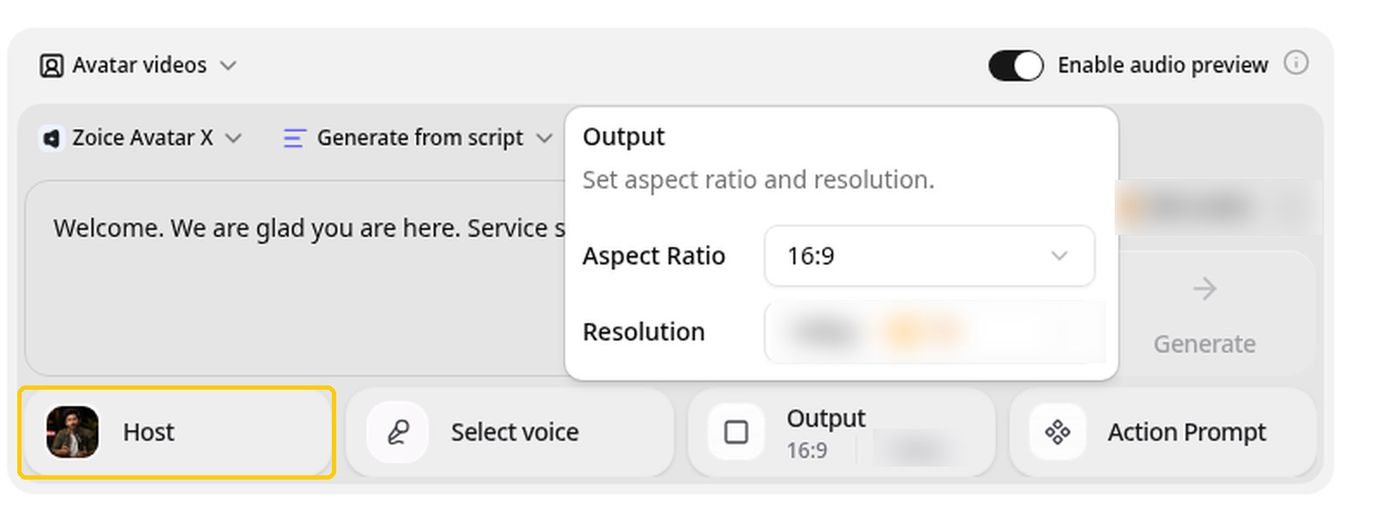
Zoice suits a ministry that wants one steady storyteller. Its Avatar X model turns a single photo into a Host who speaks your script, with the lips matched to every word. A children's teacher can retell Jonah, a pastor can record a weekly devotion, and a youth leader can post a verse of the day, all with the same face people already trust.
Key Features
- One photo becomes a narrator who speaks your script, lip synced word by word
- Action prompts direct gestures, body motion and expressions, so a teacher can lift a hand at the turning point of a story
- Voice cloning from a short sample, so a pastor's own voice can carry the lesson with permission
- Voice import from ElevenLabs and LMNT if you already have narration you like
- 50+ voices and 170+ languages for families and missions abroad
- Aspect ratio and resolution settings for church screens, YouTube and phones
Best For
- Sunday school teachers and children's ministries who want a steady storyteller
- Pastors and faith creators who publish short devotions every week
Pros of Zoice
- One photo is enough. You do not need a studio, a lighting kit or a free Saturday to record a lesson.
- You control the words. The script is yours, so the translation, the phrasing and the tone stay in your hands.
- Your own voice, with consent. Voice cloning lets a trusted teacher narrate even in a week when they cannot be in the room.
- Easy to test. A free plan and a low first paid tier let a small church try a full lesson before committing.
Cons of Zoice
- Built around a narrator. It is not a slide deck or an animation studio, so illustrated scenes of a story need another tool.
- Small review base. The Capterra score comes from five reviews, which is a good sign and not yet a long track record.
Overall Zoice Rating
Capterra score of 5.0/5 from 5 reviews. Reviewers point to ease of use and natural looking lip sync.
Pricing
| Plan | Monthly Price | What you get |
|---|---|---|
| Free | $0/month | Daily free credits for AI voice, images, chat and transcriptions |
| Starter | $7.99/month | AI avatar videos and one voice profile |
| Basic | $29.99/month | A larger monthly credit allowance and three voice profiles |
| Creator | $49.99/month | More monthly credits and five voice profiles |
| Agency | $89.99/month | The largest allowance and ten voice profiles |
Audio you import from ElevenLabs or LMNT is not charged as audio, which helps when a church already has a narrator voice it likes. Check the pricing page for the current plan details.
When to Use It
Reach for Zoice when you want the same trusted face to tell story after story without scheduling a camera. The AI talking photo generator page walks through the setup, and our list of the best AI talking character generator for kids has ideas for younger audiences.
- You teach a weekly Sunday school story and want a video your families can replay at home
- You write a short devotion each week and want it to reach people who cannot attend
- You want a verse of the day clip for social media in your own voice and your own wording
2. HeyGen: Best for Multilingual Faith Content
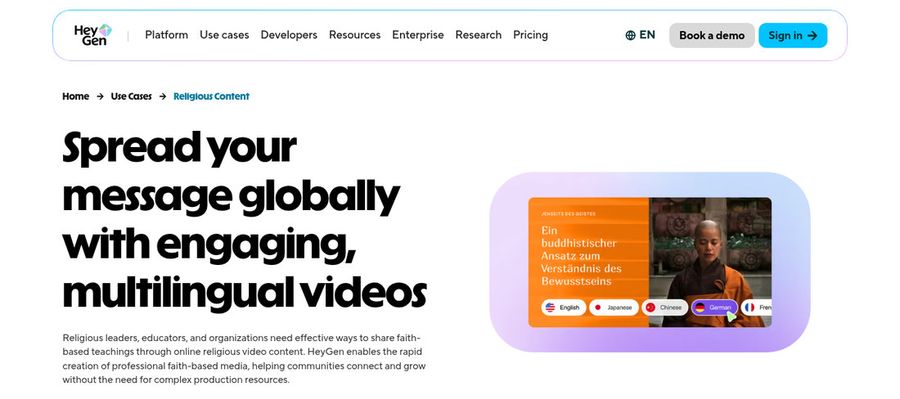
HeyGen is a well known avatar video platform, and it has a page written for religious content that pitches sermons, Bible studies, prayers and devotions. Its strongest card for faith teams is translation: one video can be localized so a lesson reaches a congregation in another language.
Key Features
- Photo avatars, plus custom avatars that use your own likeness and voice
- Voice cloning, translation and localization for multilingual audiences
- Motion and gesture control for the avatar
- PowerPoint and PDF import, which turns an existing study guide into scenes
Best For
- Churches and missions with members who speak several languages
- Teams that already write lessons as slides and want to convert them
Pros of HeyGen
- Translation focus. A single lesson can be localized without recording again.
- Slide import. A midweek study already built in slides becomes a video quickly.
Cons of HeyGen
- Broad business toolset. The product serves marketing, sales and training teams, so a single devotion involves more menus than it needs.
- Costs rise with a team. The Business plan adds a charge per seat, which matters for a church with several volunteers.
Overall HeyGen Rating
4.7/5 on Capterra from 320 reviews. It is the most reviewed tool in this list.
Pricing
HeyGen has a Free plan at $0. Creator is $29 a month, or $24 a month on annual billing, and Pro is $49 a month. Business is $149 a month plus $20 per seat, and Enterprise is custom.
When to Use It
- You need one lesson in several languages for a mixed congregation
- You have a finished slide deck or PDF you want narrated
3. Synthesia: Best for Polished Slide Based Lessons
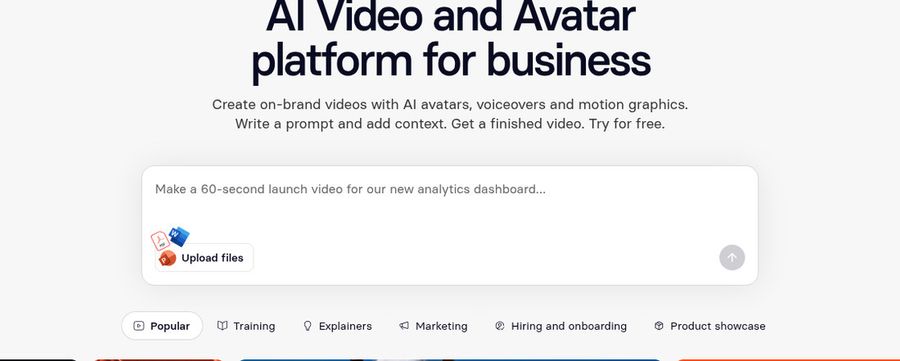
Synthesia calls itself an AI video and avatar platform for business. For a church or school ministry, its value is a clean, structured lesson that mixes a presenter with slides, captions and on screen text. You pick a presenter from the library or create a personal avatar of your own.
Key Features
- Stock avatars, plus personal avatars you set up yourself
- Voice cloning, and voiceover uploads if you recorded narration elsewhere
- PowerPoint import and video templates
- An AI video agent that drafts a video from a prompt and your files
Best For
- Education and training teams that want consistent, structured lessons
- Ministries that want a consistent look across a long lesson series
Pros of Synthesia
- Presenter library. Stock presenters mean you can start without a photo shoot.
- Structured output. Templates and slide import keep a series looking consistent.
Cons of Synthesia
- Business focus. The tool is pitched at companies, so the presets lean corporate and not devotional.
- Not photo first. You work from library presenters or a personal avatar setup, not a single snapshot of your teacher.
- Moderation on every video. Content checks apply to all videos, so test your passages and prayers before you plan a long series.
Overall Synthesia Rating
4.6/5 on Capterra from 314 reviews. A large review base backs the score.
Pricing
Synthesia offers a Basic plan at $0 and a Starter plan at $19 a month on monthly billing. Pro is $89 a month on monthly billing, and Enterprise is custom.
When to Use It
- You teach from slides and want a lesson in a consistent style
- You run a school or training program inside a larger ministry
4. Hedra: Best for Pay Per Output Creators
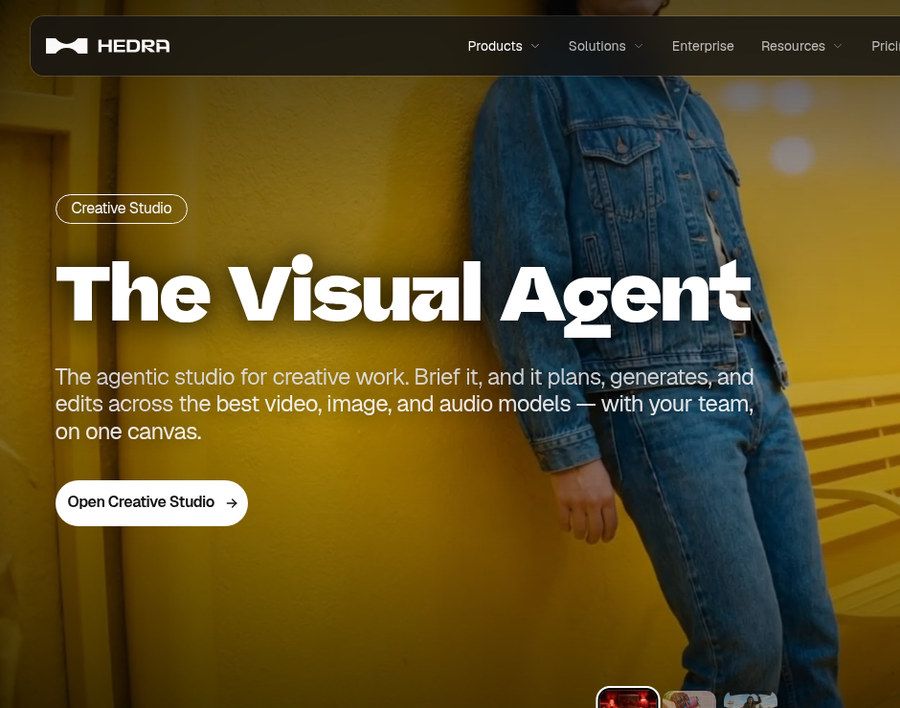
Hedra now presents itself as a visual AI company with a creative studio and a developer API. It builds avatar and lip sync video from an image and audio, and, according to its pricing page, it bills per output from a prepaid balance with no subscription, seat charge or minimum. That suits a faith creator who publishes in bursts around holidays and seasons.
Key Features
- Avatar and lip sync video from an image and an audio file
- Speech generation and voice cloning, with voice cloning listed as free
- Studio, a workspace that plans and edits across several models, covering video, image and audio
- A developer API for teams that want to build their own tool
Best For
- Creators who prefer paying per output to paying every month
Pros of Hedra
- No subscription. You fund a balance and spend it per output.
Cons of Hedra
- Broad toolset. The studio and API are built for technical and creative professionals, so a simple weekly devotion takes more setup.
- No public score. Neither G2 nor Capterra shows a rating we could confirm.
Overall Hedra Rating
Not listed. No public G2 or Capterra page with a score turned up for Hedra, so we show no number.
Pricing
Hedra's pricing page says it bills per output from a prepaid dollar balance, with no subscription, seats or minimum. Output prices differ by model, so check before you load a balance.
When to Use It
- You publish only around Advent, Lent or a summer program and do not want a monthly bill
Bible Video Ideas to Try
These formats work with one narrator and a script you write yourself.
- Story time: retell a favorite account such as Noah, Ruth or the Good Samaritan for children
- Weekly devotion: a short reflection on the coming Sunday passage
- Verse of the day: one verse, read slowly, with a line of context
- Prayer and reflection: a calm guided pause for an evening or a hard week
How to Make a Bible Story Video From One Photo
The steps are similar across tools. Start with a clear, front facing photo of the person who will narrate, and make sure they agreed to appear. Write your script in short sentences that sound natural when spoken. Choose a voice, either a stock voice or a cloned one with permission, then preview the audio and render a short test before the full lesson.
Read the script aloud once yourself, and spell a hard name the way it sounds. To change a line after rendering, edit the script and generate again.
How to Choose the Right Tool
Start with who will be on screen. If a teacher or pastor your people already know should be the face, pick a tool that starts from one photo. If your priority is reaching many languages, weigh a translation heavy platform. If your lessons live in slides, look at import and caption tools.
- Test a short story with names and places before you commit to a series
- Use public domain translations such as the King James Version or the World English Bible, or get permission from the publisher of a modern translation
- Get consent from anyone whose photo or voice you use, and from parents before featuring children
- Do not use an avatar to portray sacred figures, and keep the narrator in the teacher's role
When the goal is a trusted face telling Bible stories in your own words, Zoice is the simplest place to begin.
FAQ
Can AI narrate a Bible story for kids?
Yes. Write the story in simple words, add one clear photo of the teacher who will narrate, and the Host is lip synced to your script. Preview the audio and read the final video yourself before you share it with children.
Which Bible translations can I quote?
Public domain translations such as the King James Version and the World English Bible are the safest choice, since you can quote them freely. Many modern translations have publisher limits on quoting, so check the permissions page of the one you use. The tool does not clear scripture rights for you.
Can my pastor's voice narrate?
Yes, with your pastor's agreement. Zoice supports voice cloning from a short sample, and you can also import narration from ElevenLabs or LMNT. Use only voices and photos of people who gave permission.