Best AI Avatar Generator for Lawyers: Top Picks for 2026

The best AI avatar generator for lawyers is Zoice, our top pick for putting a recognizable attorney on camera to introduce the practice, explain how a matter moves and answer the questions clients raise in a first call. You write the script, so a lawyer reviews each sentence before it is spoken, and your own face and voice stay on screen.
We compared four tools on what a law office actually needs: starting from your own photo, fixing one sentence without redoing the whole video, using your own voice, serving clients in other languages and trying one real script before a small firm commits. Synthesia, HeyGen and Colossyan sit beside Zoice, each with a screenshot of its own site, a rating from G2 or Capterra and plain pricing.
What Is an AI Avatar Generator for Lawyers?
An AI avatar generator for lawyers turns a written script into a short video of a presenter speaking to camera. The presenter can be a ready-made character or a likeness built from your own photo, and the lips follow the words. Firms use this for practice area introductions, the stages of a typical matter, intake instructions and answers to questions that come up in nearly every consultation.
It does not replace legal judgment. The tool speaks whatever you write, so the content needs the same review as a brochure or a web page. Many firms also add a short note that the presenter is AI-generated, which the last question below covers. Check the rules that apply where you practice and your own firm policy before anything goes live.
Four questions sort these tools quickly:
- Likeness: can the presenter look like you, or are you limited to stock actors?
- Voice: can you use your own voice, or one you already trust?
- Edits: when a fee or a deadline changes, can you fix one line without starting over?
- Trial: can a small office test it on one real script?
Quick Comparison: Best AI Avatar Generators for Lawyers
| Tool | Best For | Starts from | Own face and voice | Starting price | Rating |
|---|---|---|---|---|---|
| Zoice | Attorney-led intros and client explainers | One photo plus your script | Yes, from a photo and a voice clone | Free plan, avatar videos from $7.99/month | 5.0/5, Capterra (5 reviews) |
| Synthesia | Firms with a communications team and many videos | A prompt, a script or a ready-made presenter | Personal avatars on paid plans | Free plan, then $19/month billed monthly | 4.6/5 on G2 (2,857 reviews) |
| HeyGen | Lawyers who want a custom avatar and many languages | A script, a photo or a custom avatar | Yes, a custom avatar and voice clone, even on the free plan | Free plan, Creator $29/month | 4.8/5 on G2 (1,975 reviews) |
| Colossyan | Firms that also train staff | A document, a script or a presenter library | Clone yourself from one short recording | Free plan, Professional $59/month billed annually | 4.6/5 on G2 (498 reviews) |
Every price came from the vendor's own page while we wrote this. Plans change often, so check the page before you pay.
The table shows one main split: how much of the presenter is you. Zoice and HeyGen are built around putting the attorney on screen, Synthesia leans on a deep stock library for teams, and Colossyan suits offices that also produce internal training.
1. Zoice: Best AI Avatar Generator for Lawyers Overall
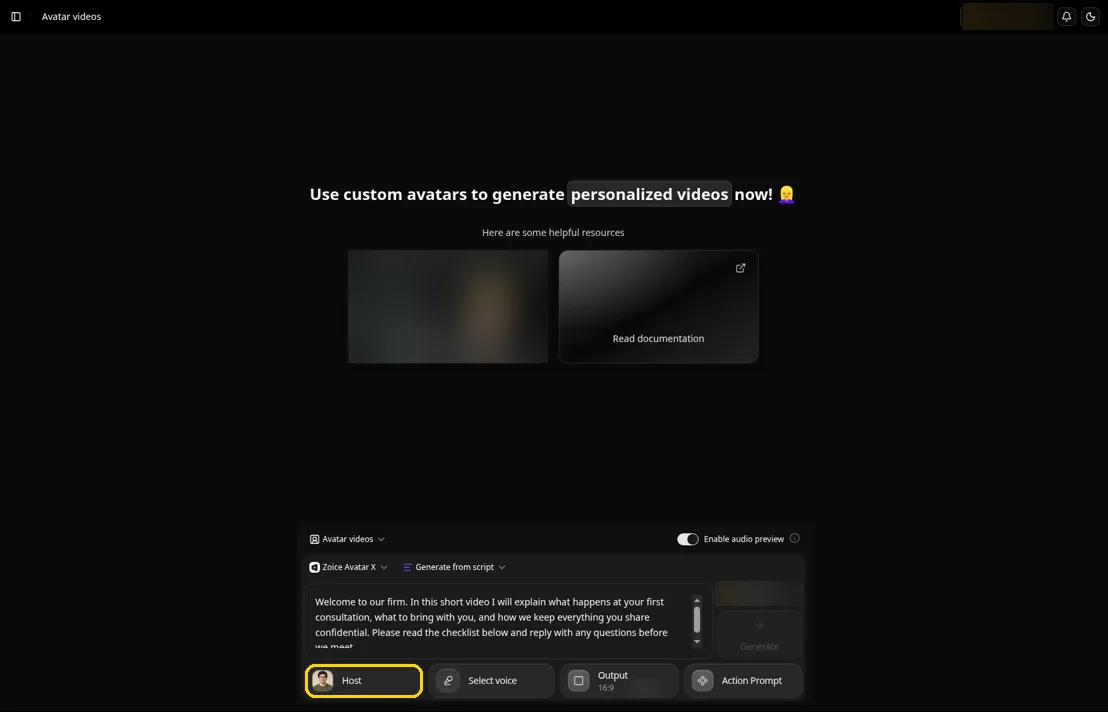
Zoice suits an attorney who wants to front the firm's videos without a filming day. The Avatar X model turns one portrait into your Host, and a cloned voice keeps your own tone. You write and approve every word, so accuracy stays in your hands.
Key Features
- One portrait of the attorney becomes a Host whose lips follow each word of the script
- Action prompts let you direct a nod, an open hand or a smile on a chosen line, so a sensitive point can land with a calmer expression
- Audio tags inside the script set tone and pacing, so a reassuring line sounds different from a deadline reminder
- Clone your own voice from a short sample, or use a profile you already made in ElevenLabs, LMNT or Fish Audio
- Write in any of 170+ languages and dialects for clients who prefer another language
- Audio preview lets you hear the read, including court and statute names, before the video is made
- Aspect ratio and resolution settings for a website page, a LinkedIn post or a phone screen
Best For
- Solo attorneys and small firms that want one recognizable presenter
- Practice areas that answer the same client questions again and again
Pros of Zoice
- Your own face. The Host comes from your photo, so clients meet the person they will work with.
- Quick edits. If a filing fee or a deadline changes, rewrite the sentence and generate again.
- Hear it first. Audio preview catches a mispronounced client name or statute before the video is made.
- Free tools to start. Voice and image tools are free, and avatar videos open on the first paid plan.
Cons of Zoice
- Needs an internet connection. Zoice runs online, so you have to be connected to use it.
- Smaller public avatar library. Zoice offers fewer ready-made public avatars than the large presenter library at HeyGen.
Overall Zoice Rating
Capterra rating: 5.0 out of 5 from five reviews. Capterra lists five reviews so far.
Pricing
| Plan | Price per month | Included |
|---|---|---|
| Free | $0 | AI voice, images, chat and transcription tools |
| Starter | $7.99 | Avatar video generation with one voice profile |
| Basic | $29.99 | Avatar videos with three voice profiles |
| Creator | $49.99 | Avatar videos with five voice profiles |
| Agency | $89.99 | Avatar videos with ten voice profiles |
Check current plans on the Zoice pricing page before you subscribe. Paying for the year saves 20% against monthly billing.
When to Use It
Use Zoice when the lawyer is the brand and the videos repeat. The AI clone video generator page shows how a likeness and a voice work together.
- You want your own face and voice on practice area and intake videos
- You rewrite scripts whenever rules, fees or office details change
- You want to test the tool on one real script before the firm commits. Try Zoice
2. Synthesia: Best for Firms With Many Videos
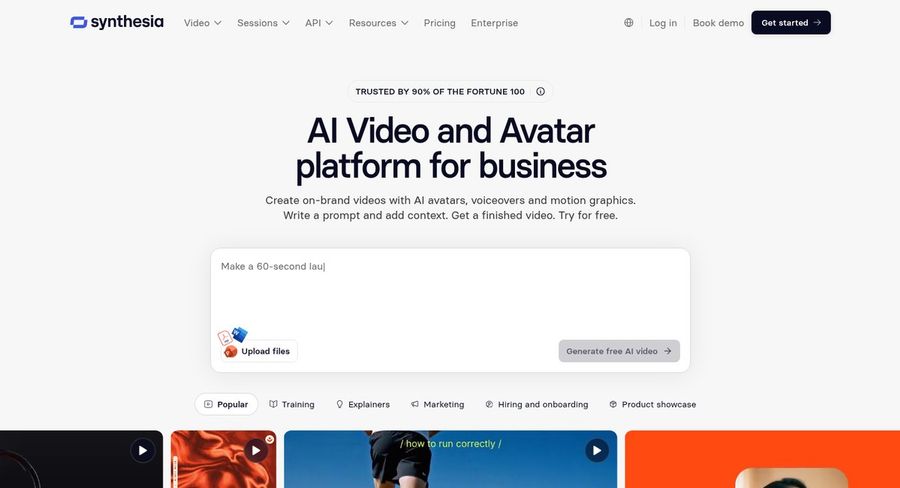
Synthesia is a large business video platform with a broad library of ready-made presenters. It suits a firm with a marketing or communications team that makes videos in volume and wants to build them from a prompt or a document.
Key Features
- Describe the video in a prompt, add context and get a finished draft
- Build an avatar or character from a prompt, clone yourself, or choose a ready-made presenter
- Pair a personal avatar with your cloned voice
- Dub a finished video into other languages with voice cloning and lip sync
- An editor with templates, captions and a library of stock media
Best For
- Firms with a marketing team producing many videos
- Teams that need translated versions of the same video
Pros of Synthesia
- Wide choice. Many ready-made presenters mean you can start without building a likeness.
- Strong dubbing. The original speaker's voice is kept when a video is dubbed into another language.
- Room to grow. Paid plans add guest seats.
Cons of Synthesia
- Likeness needs a paid plan. Personal avatars come with paid tiers, not the free one.
Overall Synthesia Rating
4.6/5 on G2 from 2,857 reviews. That is the figure on G2's own listing.
Pricing
A free Basic plan is available. Starter is $19/month billed monthly, with a lower first month, and Pro is $89/month billed monthly. Yearly billing lowers both rates, and Enterprise pricing is custom.
When to Use It
Pick Synthesia when a team, not one lawyer, will make the videos and variety matters more than appearing as yourself.
3. HeyGen: Best for Custom Avatars and Many Languages
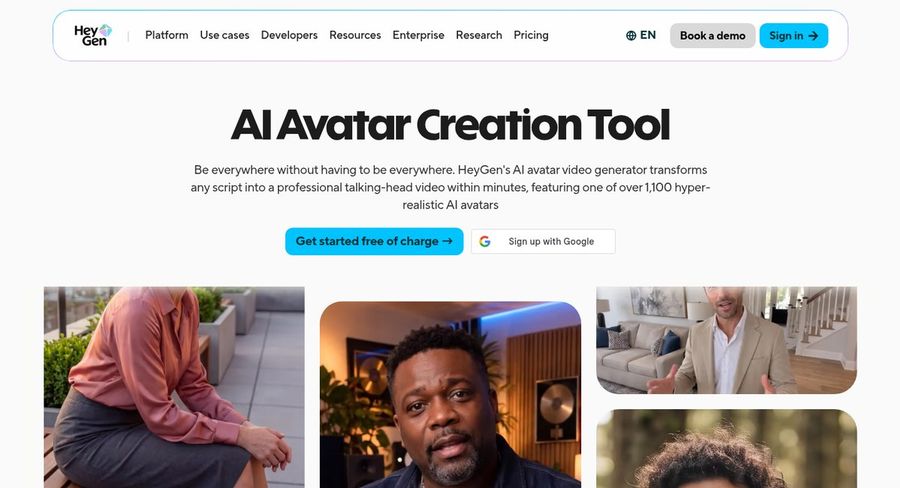
HeyGen centers on avatar video, with a large presenter library and the option to create a custom avatar that uses your own voice and likeness. Its studio is a text-based editor where you control tone, delivery and gestures.
Key Features
- Turn a script into a talking presenter video
- One custom video avatar with your own voice and likeness, included even on the free plan, with more on paid plans
- Photo avatars that make a still picture speak
- Video translation with lip sync into 175+ languages and dialects
- A text-based studio for control over tone, delivery and gestures
Best For
- Lawyers who want a custom avatar of themselves
- Firms with clients who speak many languages
Pros of HeyGen
- Language reach. Translation keeps the lips matched to the new language.
- Top rival rating. The 4.8 score on G2 is the best of the three competitors here.
- Custom avatar from the start. The free plan includes one custom avatar, and paid plans add more.
Cons of HeyGen
- Watermark on free. Free videos carry a HeyGen watermark.
- Team tools on Business only. Shared workspaces and a brand kit start on the Business plan.
Overall HeyGen Rating
4.8/5 on G2 from 1,975 reviews. Close to two thousand reviewers have rated it.
Pricing
The free plan makes watermarked videos and includes one custom avatar. Creator is $29/month, or $24/month paid yearly, Pro starts at $49/month and Business is $149/month plus $20 per seat each month. Enterprise is custom.
When to Use It
Go with HeyGen when you want a custom avatar and a wide language choice.
4. Colossyan: Best for Firms That Also Train Staff
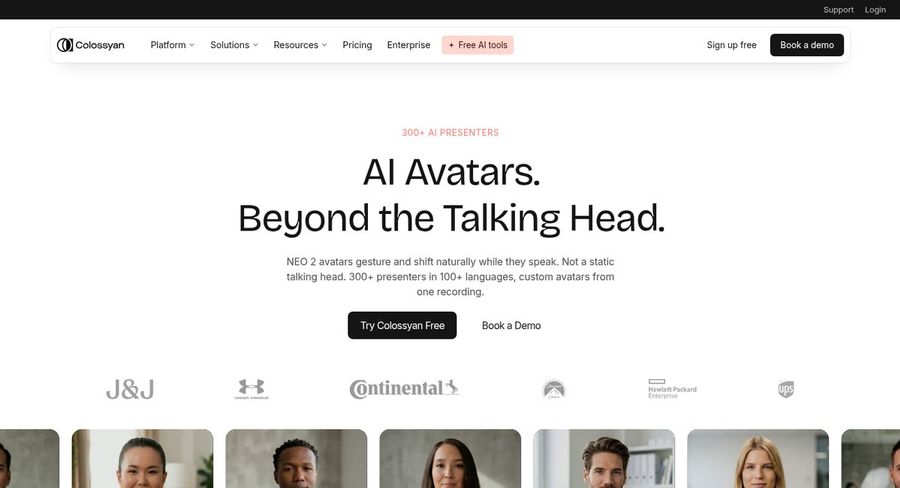
Colossyan grew out of training video, and its tools show it. It can turn a document, a slide deck or a script into a video with an AI presenter, which suits a firm that also writes onboarding and policy material for its own staff.
Key Features
- A document, deck, script or web page becomes a scene-by-scene plan you approve before anything renders
- A library of photoreal presenters that lip sync in many languages
- A custom avatar and a cloned voice, each from one short recording
- Video translation and dubbing that keeps the original speaker's voice
- A screen recorder, subtitles, and comments and approvals for review
Best For
- Firms producing internal training alongside client-facing videos
- Teams that review each video with comments and approvals
Pros of Colossyan
- Document first. Existing handbooks and decks turn into video without retyping.
- Built-in review. Comments, approvals and version control keep partners involved.
- Free way in. The Starter plan costs nothing to open.
Cons of Colossyan
- Training focus. Many features aim at course building, which a small firm may never use.
- Teams cost extra. Added editors on Professional are billed per person.
Overall Colossyan Rating
4.6/5 on G2 from 498 reviews. G2 lists the product as Colossyan Creator.
Pricing
Starter is free. Professional is $59/month on annual billing, with extra editors at $30/month each. Enterprise pricing is custom.
When to Use It
Pick Colossyan when client videos are one part of a wider training program and you want everything in one place.
Video Ideas for Law Firms
A short script on one topic works better than a long overview. Four ideas to start with:
- A practice area introduction where the attorney explains who you help and what a first meeting covers
- A plain-language walkthrough of the stages of a typical matter, from intake to resolution
- An intake checklist that lists the documents a new client should gather
- A short answer to a question you hear every week, such as how fees are billed or what happens next
For more script styles, our guide to a legal advisor video shows how to frame a general explanation without giving advice on one person's case.
How to Make a Law Firm Video From One Photo
Start with a clear headshot taken facing the camera in good light. In Zoice, upload it to create your Host, pick or clone a voice and paste the script. Keep each video to one idea, such as one practice area or one step of a process, so it stays easy to review.
Play the audio preview to check names and legal terms, add an action prompt such as a calm nod where you want emphasis, choose the aspect ratio for your website or LinkedIn and generate. Have a second lawyer watch it once before it goes live. To compare presenter tools beyond law, see our spokesperson generator roundup, and for posts aimed at your professional network read the LinkedIn video picks.
How to Choose the Right Tool for a Law Practice
Match the tool to who will make the videos and how often.
- Choose Zoice if the attorney wants to appear on screen, use their own voice and control every line.
- Choose Synthesia if a team makes many videos and wants a broad library of stock presenters.
- Choose HeyGen if you want a custom avatar and many languages.
- Choose Colossyan if client videos are a small part of a larger training effort.
Whichever you pick, run one real script on a free plan, watch it with a colleague and confirm what the plan lets you publish.
FAQ
Can an avatar explain our practice areas?
Yes, as long as you write and review the script. An avatar reads the words you give it, so it suits stable, general explanations such as who you help, how a first meeting works and which documents to bring. It should not give advice on a specific matter.
Can the video show my face and use my voice?
Yes. Zoice builds your Host from one photo, and a short recording is enough to clone your voice. HeyGen and Colossyan offer custom avatars, and Synthesia offers personal avatars on its paid plans.
Should clients be told the video is AI?
It is good practice to say so, for example with one line on the page or in the video description. Rules differ by place and by firm, so check your local requirements and your firm policy, and have the responsible partner approve the wording. None of these tools can tell you what your practice requires.