Best AI Avatar Generator for LinkedIn Videos: Top Picks
The best AI avatar generator for LinkedIn videos is Zoice, our #1 pick for turning one founder photo and a short script into a polished talking head post. Type your take, choose a voice or clone your own, and export a sharp video in square or vertical for the feed. Because every video starts from a script, you can post on a steady cadence without setting up a camera each time.
We compared four tools on what founders need for LinkedIn: a believable presenter, voice, captions, formats for the feed, and an easy path to a weekly habit. Zoice ranked first overall, and each other tool earned its place for one clear strength.
What Makes an AI Avatar Good for LinkedIn Videos?
LinkedIn rewards a clear point of view delivered by a real looking person. For a founder, that usually means a short talking head video with a strong first line, readable captions, and a call to action. The hard part is consistency. An AI avatar removes the friction of lighting, filming, and retakes, so you can turn a written post into a video in minutes and keep a steady posting cadence.
This guide is about LinkedIn only: format, length, captions, and cadence for founders and B2B teams. Personal branding across other platforms is a separate topic.
What to check before you pick a tool for LinkedIn:
- A believable presenter that looks like you or suits your brand
- Your voice: a clone or your own audio, so it sounds like you
- Captions, because many people watch with the sound off
- Square or vertical formats that fit the feed
- A fast path from a written post to a finished video
- Honest labeling: tell viewers when a video uses an AI avatar
Related terms you will see:
- Founder video: a short video where a founder shares a lesson or update
- Talking head: a person speaking straight to camera
- Captions: on screen text that follows the speech
- Posting cadence: how often you publish, such as a few times a week
Quick Comparison: Best AI Avatar Generators for LinkedIn Videos
| Features | Zoice | HeyGen | Fliki | Gemelo |
|---|---|---|---|---|
| Best For | Polished founder talking head posts with a sharp export | Social videos from a script, link, or PDF | Topic to LinkedIn video with scheduling | A verified twin that drafts posts for approval |
| Presenter source | One photo or character image | Stock avatars, photo avatars, digital twin | Stock avatars and photo avatars on paid plans | Your verified twin, face and voice |
| Voice | Voice cloning or your own audio | Voice cloning on Creator and above | Voice cloning on Standard and above | Twin voice, plus approved voices on higher plans |
| Max export | Up to 4K | Up to 4K on Pro | 1080p on paid plans | Not listed |
| LinkedIn extras | Any aspect ratio, including 1:1 and 9:16 | Aspect ratios for social platforms | Direct publishing and scheduling to LinkedIn | LinkedIn scheduling and comment drafts |
| Starting price* | $7.99/mo for avatar videos | Free plan, paid from $29/mo | Free plan, paid plans per user | $29.99/mo in early access |
| Overall rating | 9.8 | 9.2 | 8.8 | 8.6 |
*Prices and limits change often. Check each tool's own pricing page before you pay.
All four can put a presenter on screen. The difference is where you get stuck: how real the face looks, how sharp the file is, and whether the tool also helps you publish.
1. Zoice: Best AI Avatar Generator for LinkedIn Videos Overall
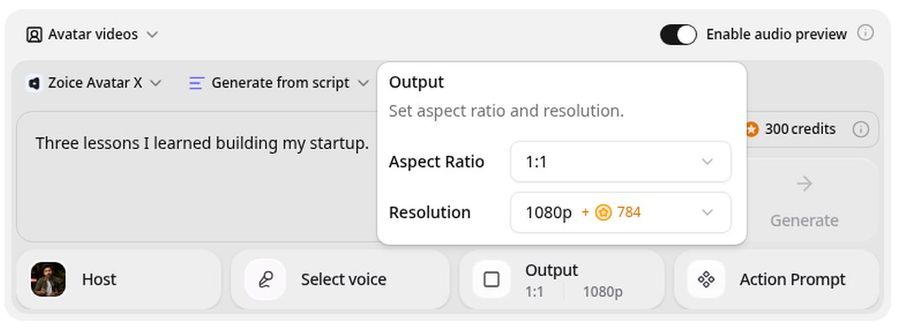
Zoice is the top pick when you want your LinkedIn video to look polished and sound like you. Its Avatar X model turns a photo or character into a talking video from a typed script or your own audio, with natural lip sync, expressions, and gestures you can guide with a prompt or a timeline. Clone your voice, write in any of 170+ languages, and export from 480p up to 4K in any aspect ratio, including square 1:1 and vertical 9:16.
Key Features
- Talking head video from one photo or character image
- Script or uploaded audio, with natural lip sync
- Voice cloning, or your own recording
- Scripts in 170+ languages and dialects
- Gestures and expressions by prompt or on a timeline
- Up to 10 minutes per generation
- Export from 480p up to 4K in any aspect ratio
Best For
- Founders who want a polished video from a written post
- B2B teams that post in more than one language
- Creators who want one consistent look for every video
Pros of Zoice
- Looks like you
One clear photo is enough to start, with no studio setup.
- Sounds like you
Clone your voice or upload a recording, and the lip sync follows it.
- Feed ready formats
Export 1:1 or 9:16 from the same photo, and 16:9 if you reuse the clip on YouTube.
- Sharp up to 4K
High resolution keeps the face crisp on a large screen.
- Directed delivery
Add a nod or a smile on the key line by prompt or on the timeline.
- Clear credit costs
Credits are listed by resolution and length, so you know the cost before you render.
Cons of Zoice
- No built in scheduler
Zoice makes the video file. You upload and schedule it on LinkedIn yourself, or with your usual tool.
- Avatar videos need a paid plan
The free plan covers voice, images, chat, and transcription. Avatar videos start on Starter.
Overall Zoice Rating
Review 9.8: Best Overall
| Criterion | Score |
|---|---|
| Presenter realism | 9.9/10 |
| Voice options | 9.8/10 |
| Feed formats | 9.8/10 |
| Export quality | 9.9/10 |
| Speed to publish | 9.6/10 |
| Ease of use | 9.7/10 |
| Pricing | 9.7/10 |
Pricing
| Plan | Monthly Price | What you get |
|---|---|---|
| Free | $0/month | 50 credits per day for AI voice, images, chat, and transcriptions |
| Starter | $7.99/month | 4K credits per month, AI avatar videos, 1 voice profile |
| Basic | $29.99/month | 17K credits per month, 3 voice profiles |
| Creator | $49.99/month | 30K credits per month, 5 voice profiles |
| Agency | $89.99/month | 50K credits per month, 10 voice profiles |
Yearly billing saves 20%. Avatar videos start on Starter, and the credit cost of each video depends on its resolution and length.
When to Use It
Choose Zoice when you want a polished, believable founder video from a script and you are happy to publish it yourself.
- Turn this week's lesson into a 45 second talking head post.
- Make the same post in two languages for a global audience.
- Export a vertical cut and a square cut from one photo. Try Zoice
2. HeyGen: Best for Social Videos from a Script, Link, or PDF
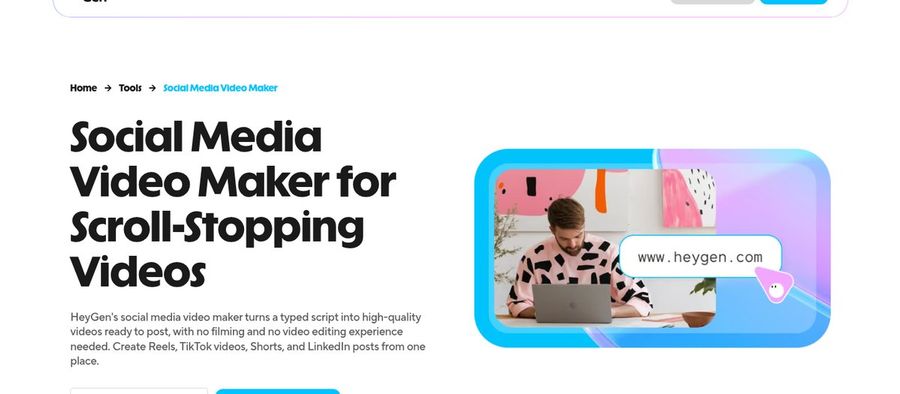
HeyGen has a social media video maker that builds a video from a script, a URL, a PDF, or a prompt, with captions, voiceover, and B roll. You can pick a stock avatar, use a photo avatar, or record a digital twin of yourself. It supports aspect ratios for social platforms, and its translation tools let one post reach other languages.
Key Features
- Video from a script, URL, PDF, or prompt
- Stock avatars, photo avatars, and a digital twin
- Captions and B roll
- 175+ languages and dialects
- Voice cloning on Creator and above
- Export up to 4K on Pro
Best For
- Founders who want a twin that looks like them
- Teams that repurpose articles and PDFs into posts
Pros of HeyGen
- Fast from a source
Paste a link or PDF and get a draft video.
- Digital twin
Record once and reuse your likeness.
Cons of HeyGen
- Behind on entry price
Paid plans start at $29 per month, while Zoice avatar videos start at $7.99.
- Behind on cost clarity
Credits vary by model and length, so a video's cost is harder to predict.
Overall HeyGen Rating
Review 9.2: Best for social videos from a script, link, or PDF
Pricing
The free plan includes 3 videos a month of up to 1 minute. Creator costs $29 per month with 1080p export, and Pro costs $49 per month with 4K export. See HeyGen's own site for current plans.
When to Use It
Use HeyGen when you start from a link or a document. Use Zoice when you want a sharper, directed founder video at a lower entry price.
3. Fliki: Best for Topic to LinkedIn Video with Scheduling
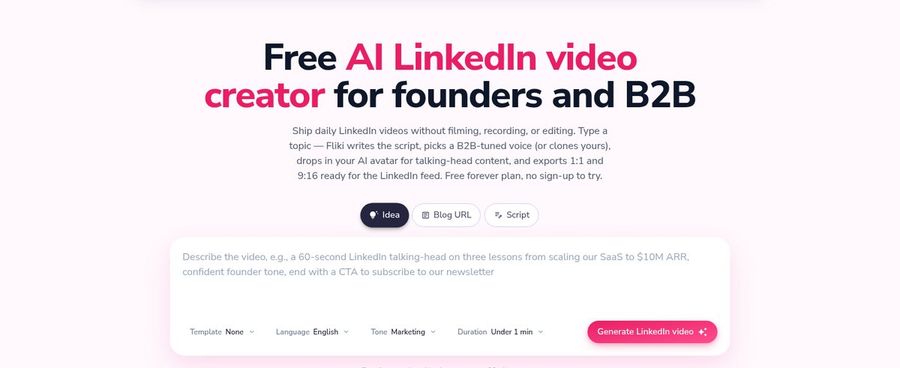
Fliki has a LinkedIn video creator aimed at founders and B2B teams. You give it a topic, blog post, or tweet, and it writes the script, adds voiceover, captions, and visuals, and outputs a 1:1 or 9:16 video. It can publish or schedule to LinkedIn directly, and paid plans add voice cloning and AI avatars.
Key Features
- Topic, blog post, or tweet to video
- AI script, voiceover, captions, and visuals
- 1:1 and 9:16 output
- Direct publishing and scheduling to LinkedIn
- Voice cloning and limited stock avatars on Standard
- Free plan with 720p and a watermark
Best For
- Founders who want one tool from idea to scheduled post
- Teams that repurpose written content
Pros of Fliki
- Idea to published
Scripting, video, and scheduling live in one place.
- Free to try
The free plan lets you test the flow.
Cons of Fliki
- Behind on realism
It is a general video maker with stock visuals, while Zoice focuses on a lifelike talking presenter.
- Behind on quality
The free plan is 720p with a watermark, and paid plans export 1080p, while Zoice exports up to 4K.
Overall Fliki Rating
Review 8.8: Best for topic to LinkedIn video with scheduling
Pricing
The free plan includes 3 credits a month with a watermark. Standard adds 180 credits a month, 1080p video, and voice cloning, and Premium adds 600 credits. Check Fliki's own site for current prices.
When to Use It
Use Fliki when you want scripting and scheduling handled together. Use Zoice when the face and voice need to look and sound like you.
4. Gemelo: Best for a Verified Twin That Drafts Your Posts
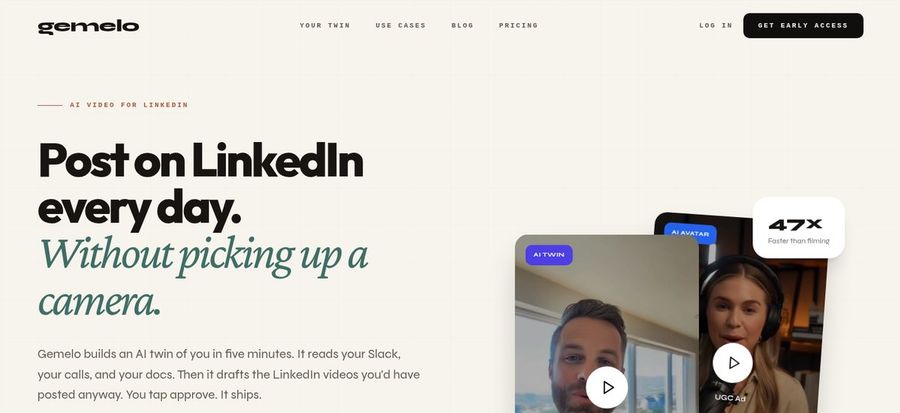
Gemelo is built around LinkedIn. It creates a verified twin of your face and voice, grounds the posts in your own documents and past content, and drafts videos that you approve before they go out. It also offers LinkedIn scheduling, comment and DM drafting, and a content proposal engine. The product is in early access, so features and prices may change.
Key Features
- Verified twin with your face and voice
- Posts grounded in your docs and posts
- LinkedIn scheduling
- Comment and DM draft agent
- Weekly or daily content proposals on higher plans
- You approve every video before it posts
Best For
- Busy founders who want a draft engine for LinkedIn
- Teams that care about consent and approval
Pros of Gemelo
- LinkedIn native
Scheduling, comments, and videos are built around one platform.
- Approval first
You review every post before it goes live.
Cons of Gemelo
- Behind on maturity
It is in early access, while Zoice is a settled video tool with clear export options.
- Behind on range
It focuses on LinkedIn, while Zoice exports any aspect ratio up to 4K for any channel.
Overall Gemelo Rating
Review 8.6: Best for a verified twin that drafts your posts
Pricing
Early access plans start at $29.99 per month for 30 approved videos, with Creator at $49.99, Pro at $99.99, and Studio at $199.99. Check Gemelo's site for current rates.
When to Use It
Use Gemelo when you want an assistant that proposes and drafts posts. Use Zoice when you already know what to say and want the best looking video.
LinkedIn Video Ideas That Work
Short, useful, and personal beats polished and long. Try these formats:
- One lesson: a single takeaway from this week, in 45 seconds.
- Hot take: a clear opinion about your industry with one reason.
- Customer story: a short win told by the founder.
- Behind the build: a quick product or team update.
Want more tools for short social video? See our UGC video generator picks, or compare avatar generators for social media.
How We Compared LinkedIn Avatar Generators
We scored each tool the way a founder would, using the public features, limits, and prices on each tool's own site.
We looked at presenter realism, voice, captions, feed formats, publishing help, export quality, and price. Zoice ranked as the best AI avatar generator for LinkedIn videos overall. HeyGen led social videos from sources, Fliki led idea to scheduled post, and Gemelo led a verified twin that drafts posts.
How to Choose an AI Avatar Generator for LinkedIn Videos
Start with the habit you want, then pick the tool that makes it easy.
- Look: pick a presenter that looks like you or your brand.
- Voice: clone your voice so it sounds like you.
- Format: confirm square 1:1 and vertical 9:16 exports.
- Captions: make sure readable captions are easy to add.
- Cadence: choose a tool you can use weekly without friction.
- Disclosure: label AI avatar videos so viewers know.
If you want one tool that turns a script into a polished founder video that looks and sounds like you, Zoice is the strongest pick for most LinkedIn creators. You can make your first LinkedIn video in Zoice in a few minutes.
FAQ
Can I post LinkedIn videos without filming?
Yes. Write a short script, pick an avatar and voice, and render the video. You then upload it to LinkedIn like any other video. Tell viewers it uses an AI avatar so the post stays honest.
What length works on LinkedIn?
Short works best. Aim for one idea in 30 to 90 seconds, with a strong first line and captions. Zoice can render longer videos, but shorter posts are easier to finish watching.
Can it use my voice?
Yes. Zoice can clone your voice or lip sync to a recording you upload. HeyGen and Fliki also offer voice cloning on paid plans. Only clone a voice you have the right to use.