Best AI Avatar Generator for Healthcare Training: Top Picks
The best AI avatar generator for healthcare training is Zoice, our #1 pick for turning one clinician photo and a script into a clear, lip synced training presenter. Upload a photo, type or record the protocol, choose from 170+ languages, and export a sharp video up to 4K for onboarding, safety refreshers, and device walkthroughs. When a protocol changes, a clinical educator edits the script and renders again instead of rebooking a camera crew.
We compared four tools on what hospitals and clinics need from a training video: a believable presenter, accurate lip sync in more than one language, easy updates, export quality, and the tools around the video such as LMS export. Zoice ranked first overall, and each other tool earned its place for one clear strength.
What Should an AI Avatar Generator Do for Healthcare Training?
Healthcare training has a different job than marketing video. Staff need to see the same correct steps, in a calm voice, every time, and the content changes whenever a policy, drug guideline, or device manual is updated. An AI avatar presenter fits that job because the video is built from a script. Change a line, render again, and the whole team gets the corrected version without a new shoot.
This guide is about staff facing training only: clinical training videos, staff onboarding, and compliance refreshers for hospitals and clinics. Patient facing videos are a separate use case with different needs, such as plain language and consent for a named doctor's likeness.
What to check before you pick a tool for a clinical team:
- Presenter quality: a calm, believable face that suits a clinical setting
- Lip sync and voice: clear speech that stays in sync, in the languages your staff speak
- Fast updates: a script edit and a new render, not a re shoot
- Export quality: a sharp file that still reads well on a ward screen or a shared learning portal
- LMS tools: SCORM export or quizzes if you need completion tracking
- Review and approval: a way for clinical leads to check the script before it goes out
Related terms you will see:
- Clinical training videos: short videos that teach a procedure, device, or protocol
- Staff onboarding: a consistent welcome and orientation for new nurses and clinicians
- Protocol updates: changes to a care pathway that every team member must see
- Compliance training: required annual topics such as privacy, safety, and infection control
Quick Comparison: Best AI Avatar Generators for Healthcare Training
| Features | Zoice | Synthesia | HeyGen | Puppetry |
|---|---|---|---|---|
| Best For | Photo based presenters in many languages with sharp export | Ready made presenters and clinical training templates | Compliance training with SCORM and a digital twin | Quick talking photo clips from one portrait |
| Presenter source | One photo or character image | 240+ stock avatars and personal avatars | 700+ stock avatars, photo avatars and a digital twin | One portrait photo |
| Languages | 170+ | 140+ | 175+ | 65+ |
| Max export | Up to 4K | Full HD 1080p MP4 | Up to 4K on Pro | Best at 512 x 512 |
| Training extras | Delivers the video file | SCORM export, interactive avatars | SCORM export and LMS integrations on Business | None listed |
| Starting price* | $7.99/mo for avatar videos | Free plan, paid from $29/mo | Free plan, paid from $29/mo | Free plan with 3 creations a month |
| Overall rating | 9.8 | 9.3 | 9.1 | 8.2 |
*Prices and limits change often. Check each tool's own pricing page before you pay.
All four can put a talking presenter on screen. The difference is what happens next: how sharp the file is, how many languages you can cover, and whether you also need LMS tracking built in.
1. Zoice: Best AI Avatar Generator for Healthcare Training Overall
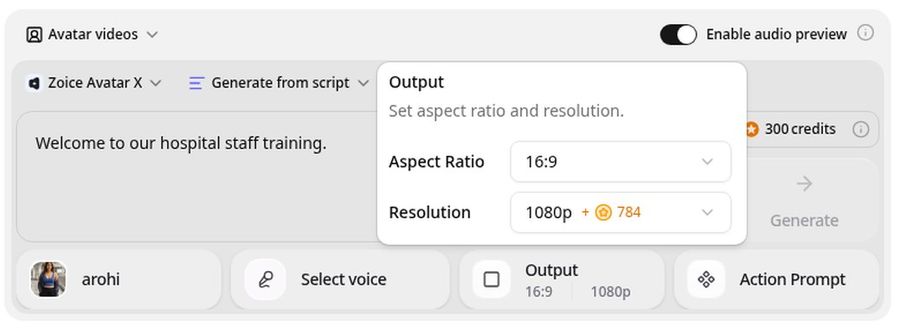
Zoice is the top pick when a clinical educator wants a presenter that is quick to build and easy to update. Its Avatar X model turns a photo or character into a talking video from a typed script or your own audio, with natural lip sync, facial expressions, and gestures you can guide with a prompt or a timeline. Clone a trusted voice, write the protocol in one of 170+ languages, and export from 480p up to 4K in any aspect ratio.
Key Features
- Presenter video from one photo or character image
- Script or uploaded audio, with natural lip sync
- Voice cloning, or your own recording
- Scripts in 170+ languages and dialects
- Gestures and expressions by prompt or on a timeline
- Up to 10 minutes per generation
- Export from 480p up to 4K in any aspect ratio
Best For
- Clinical educators who update protocols often
- Teams that train staff in several languages
- Hospitals that want a sharp video for a ward screen or intranet
Pros of Zoice
- Easy protocol updates
Edit the script, render again, and the corrected video replaces the old one.
- Many languages
The same presenter can speak 170+ languages, so night shift and agency staff get the same training.
- Sharp up to 4K
High resolution keeps text and the presenter readable on a large screen.
- Directed delivery
Add a nod or a calm gesture by prompt or on the timeline instead of a flat read.
- Your own voice
Clone a trusted educator's voice, or upload a recording, and the lip sync follows it.
- Clear credit costs
Credits are listed by resolution and length, so you know the cost before you render.
Cons of Zoice
- Delivers the video file
Zoice focuses on the video itself. If you need SCORM packages and completion tracking, use your LMS tools or pick a platform that bundles them.
- Avatar videos need a paid plan
The free plan covers voice, images, chat, and transcription. Avatar videos start on Starter.
Overall Zoice Rating
Review 9.8: Best Overall
| Criterion | Score |
|---|---|
| Presenter quality | 9.9/10 |
| Lip sync and voice | 9.8/10 |
| Languages | 9.9/10 |
| Ease of updates | 9.8/10 |
| Export quality | 9.9/10 |
| Ease of use | 9.7/10 |
| Pricing | 9.7/10 |
Pricing
| Plan | Monthly Price | What you get |
|---|---|---|
| Free | $0/month | 50 credits per day for AI voice, images, chat, and transcriptions |
| Starter | $7.99/month | 4K credits per month, AI avatar videos, 1 voice profile |
| Basic | $29.99/month | 17K credits per month, 3 voice profiles |
| Creator | $49.99/month | 30K credits per month, 5 voice profiles |
| Agency | $89.99/month | 50K credits per month, 10 voice profiles |
Yearly billing saves 20%. Avatar videos start on Starter, and the credit cost of each video depends on its resolution and length.
When to Use It
Choose Zoice when the presenter has to look clear and calm, the script changes often, and your staff speak more than one language.
- Record a new hire welcome for every ward from one clinician photo.
- Update a hand hygiene or equipment refresher the day a policy changes.
- Export the same protocol video in several languages for a mixed workforce. Try Zoice
2. Synthesia: Best for Ready Made Clinical Training Templates
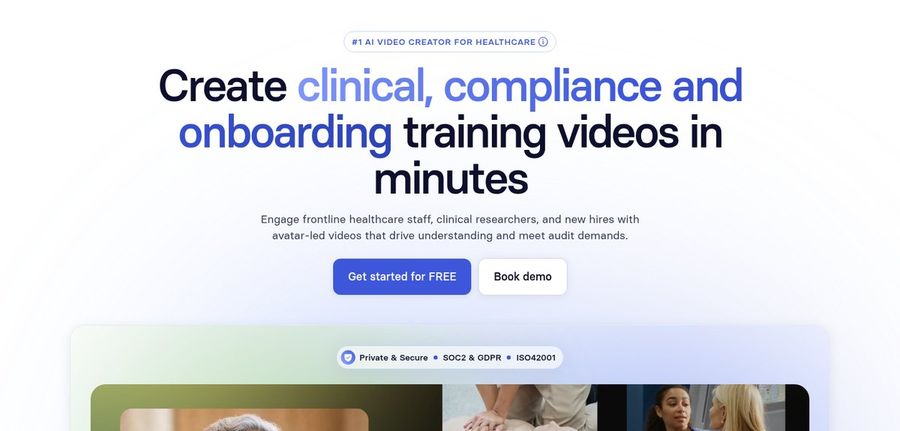
Synthesia has a dedicated healthcare page built around clinical, compliance, and onboarding training. It offers a large library of stock avatars, personal avatars on paid plans, and an AI assistant that turns a PDF, document, or slide deck into a draft video. CHRISTUS Health says it tripled its training video output with Synthesia, which shows the platform is proven at hospital scale.
Key Features
- Stock avatars and personal avatars on paid plans
- AI assistant that turns documents and slides into a video draft
- 140+ languages and voices
- Interactive avatars for roleplay practice
- SCORM export listed on its plans
- MP4 download in Full HD
Best For
- Hospital learning teams that train many staff groups
- Teams that start from existing PDFs and slide decks
Pros of Synthesia
- Built for training
Templates, quizzes, and roleplay suit onboarding and compliance topics.
- Document to video
Upload an existing protocol and get an editable draft in minutes.
Cons of Synthesia
- Behind on export
MP4 downloads are Full HD, while Zoice exports up to 4K.
- Behind on entry price
Paid plans start at $29 per month, and credits cap how much video you can make.
Overall Synthesia Rating
Review 9.3: Best for ready made clinical training templates
Pricing
Basic is free with 10 minutes of video a month. Starter costs $29 per month, or $18 per month billed yearly, and Pro costs $89 per month, or $64 per month billed yearly. Check Synthesia's own site for current plans.
When to Use It
Use Synthesia when you want ready made training templates and interactive practice. Use Zoice when you want a sharper file and the widest language range.
3. HeyGen: Best for Compliance Training with LMS Export
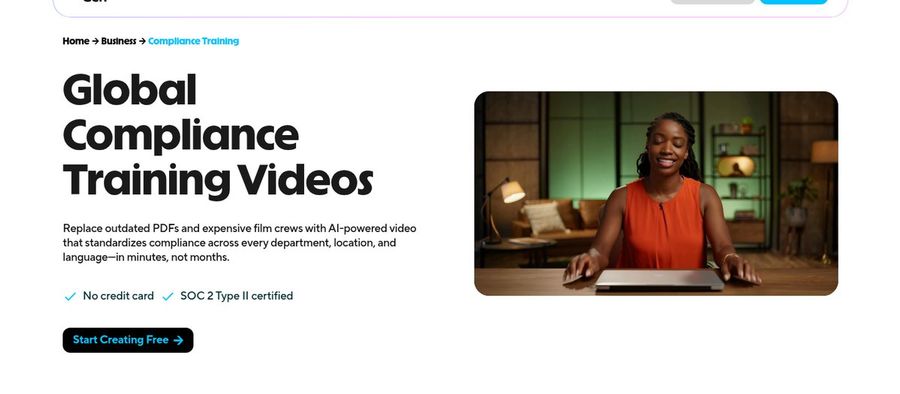
HeyGen's compliance training page promises to turn policy documents into video training that staff will actually watch. You can choose from stock avatars or build a digital twin of a compliance officer, translate the video into other languages, and export with SCORM packaging for an LMS. Its Business plan adds draft comments, a shared workspace, and LMS integrations for larger teams.
Key Features
- Stock avatars, photo avatars, and a digital twin
- Document and PDF import
- 175+ languages and dialects
- SCORM export and LMS integrations on Business
- Draft commenting and team workspaces on Business
- Export up to 4K on Pro
Best For
- Compliance teams that need LMS completion tracking
- Larger hospital groups with several reviewers
Pros of HeyGen
- LMS ready
SCORM export on Business plugs training into an existing learning system.
- Team review tools
Comments and shared workspaces help clinical leads approve a script.
Cons of HeyGen
- Behind on cost for teams
The Business plan with SCORM costs $149 per month plus $20 per extra seat, while Zoice avatar videos start at $7.99.
- Behind on simplicity
Credits vary by model and length, so a video's cost is harder to predict.
Overall HeyGen Rating
Review 9.1: Best for compliance training with LMS export
Pricing
The free plan includes 3 videos a month. Creator costs $29 per month with 1080p export, Pro costs $49 per month with 4K export, and Business costs $149 per month plus $20 per seat. See HeyGen's own site for current details.
When to Use It
Use HeyGen when SCORM tracking and team review matter most. Use Zoice when you want a fast, sharp presenter at a lower entry price.
4. Puppetry: Best for Quick Talking Photo Clips
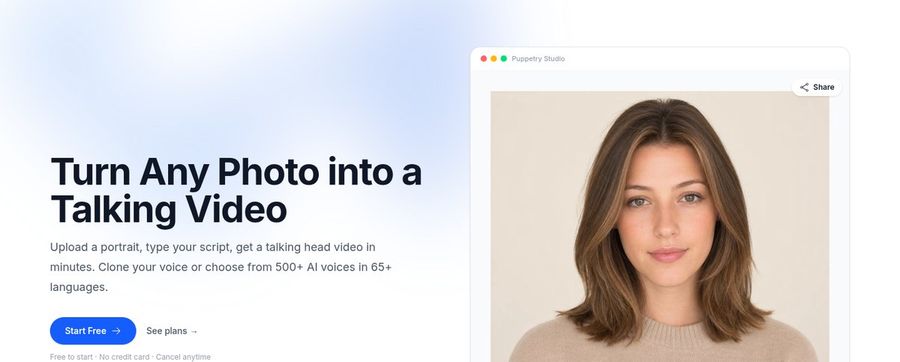
Puppetry animates a face from a single portrait photo. You upload a photo, type a script or upload audio, and it returns a talking video with lip sync. It offers 500+ voices across 65+ languages, voice cloning, and a free plan, which makes it a low risk way to test a talking photo before you commit to a full training platform.
Key Features
- Talking video from one portrait photo
- 500+ AI voices in 65+ languages
- Voice cloning from about 30 seconds of audio
- Upload your own audio
- Free plan with 3 creations a month
- Commercial rights on paid plans
Best For
- Educators who want a quick clip for a single topic
- Anyone testing a talking photo before choosing a platform
Pros of Puppetry
- Simple to start
Photo, script, video, with no editing skills needed.
- Free to try
The free plan needs no credit card.
Cons of Puppetry
- Behind on resolution
Its best talking head output is 512 x 512, while Zoice exports up to 4K.
- Behind on training tools
It has no SCORM, quizzes, or workspace for clinical review.
Overall Puppetry Rating
Review 8.2: Best for quick talking photo clips
Pricing
The free plan includes 3 creations a month and needs no credit card. The Creator plan covers 100 creations a month and the Studio plan adds team features. Check Puppetry's site for current plan prices.
When to Use It
Use Puppetry for a quick clip on one topic. Use Zoice when the training needs a sharper picture and a wider range of languages.
Healthcare Training Video Ideas That Work
Short, single topic videos get watched. These formats suit a clinical team:
- New hire welcome: a clinician explains the unit, the schedule, and who to call.
- Safety refreshers: hand hygiene, patient handling, and equipment checks.
- Device walkthroughs: the key steps for a pump, monitor, or cart.
- Protocol updates: a two minute summary of what changed and why.
Want a wider view of training video tools? See our e-learning avatar picks, or read how to create AI healthcare videos.
How We Compared Healthcare Training Avatar Generators
We scored each tool the way a clinical educator would, using the public features, limits, and prices on each tool's own site.
We looked at presenter quality, lip sync, language range, update speed, export quality, training tools, and price. Zoice ranked as the best AI avatar generator for healthcare training overall. Synthesia led ready made training templates, HeyGen led LMS export and team review, and Puppetry led quick talking photo clips.
How to Choose an AI Avatar Generator for Healthcare Training
Start with who watches the video and what has to happen after.
- Audience: pick a presenter and tone that suit nurses, doctors, or support staff.
- Languages: confirm every language your staff need.
- Updates: check how fast you can change a script and render again.
- Tracking: decide whether you need SCORM and completion data.
- Review: make sure a clinical lead can approve the script first.
- Cost: compare the price of a full video, not only the entry plan.
If you want one tool that turns a clinician photo and a script into a clear, sharp, multilingual presenter, Zoice is the strongest pick for most hospital teams. You can make your first training video in Zoice in a few minutes.
FAQ
Can AI avatars handle clinical training?
Yes, for the presentation part. An avatar can deliver an approved script on procedures, devices, onboarding, and compliance topics. A clinical lead should still review every script, and hands on skills still need practice with a real person.
Can training be multilingual?
Yes. Zoice supports scripts in 170+ languages, Synthesia 140+, and HeyGen 175+. Have a native speaker check clinical terms before you publish.
How fast can I update protocols?
In minutes. Edit the script and render again. In Zoice you can reuse the same photo and voice, so the presenter stays consistent across versions.