Best AI Avatar Generator for Financial Advisors in 2026
The best AI avatar generator for financial advisors is Zoice, our top pick and a simple way to turn one photo of yourself into market recaps, quarterly client updates, and planning explainers your clients can finish in a few minutes. Paste a script your firm has reviewed, use a clone of your own voice, pick any of 170+ languages, and export at up to 4K. If the numbers move after review, you update the script and generate the video again, with no recording session.
A client video has to pass five tests for an advisor: it looks and sounds like you, keeps every word in sync, reaches clients in their preferred language, survives a round of firm review without a reshoot, and costs little enough for a small practice. Zoice ranked first on that list, and the other three each serve a narrower advisory need.
What Is an AI Avatar Generator for Financial Advisors?
Think of it as software that takes your photo and a written client message and returns a video of you speaking it. Advisory communication follows a calendar: a recap when markets swing, a review every quarter, an explainer for a question clients ask often. Since the video is built from text, the update reaches clients in your face and voice with no camera involved.
This guide covers client facing videos made from your own photo. It is not investment advice, and none of these tools checks your content for you. Route every script through your firm's review, follow its client communication rules, and let clients know when a video was made with AI.
Questions to ask any tool before you send it a client script:
- Does one photo of me become the presenter?
- Will the voice clone sound like me on a review call?
- Do the lips match each figure and percentage I say?
- Can I change a number after firm review and render again quickly?
- Which client languages can the script be written in?
- Does the price suit a solo advisor or a small team?
Terms that come up in advisor conversations:
- AI avatar for financial advisors: a speaking version of you created from a photo
- Client update video: a recorded note sent to clients between reviews
- Market recap video: a plain summary of how markets moved this week
- Wealth advisor avatar: the on screen presenter for your client scripts
Quick Comparison: Best AI Avatar Generators for Financial Advisors
| Tool | Best For | Photo only input | Lip sync | Gestures and expressions | Max resolution | Starting price* | Rating |
|---|---|---|---|---|---|---|---|
| Zoice | Reviewed client updates in your face, your voice, and the client's language | Yes, from one photo | Yes, every line lip synced to your script | Yes, guided with action prompts | Up to 4K | Avatar videos from $7.99/mo | 5.0/5 on Capterra (5 reviews) |
| Synthesia | Firm branded explainers built from templates and decks | Yes, personal avatar made from a photo | Yes | Natural gestures on stock avatars, prompted actions on customizable ones | Full HD | Starter $29/mo billed monthly | 4.6/5 on G2 |
| HeyGen | Advisory teams that comment on drafts before sending | Yes, photo avatars on every paid tier | Yes | Motion / Gesture Control listed for short still image clips | 4K from the Pro plan | Creator $29/mo, free tier available | 4.8/5 on G2 |
| DeepBrain AI | Template driven client videos with photo avatars | Yes, from a single photo | Yes | Script triggered gesture control | 4K on the Team plan | Personal from $24/mo, free tier available | 4.2/5 on G2 (AI Studios) |
*Vendors adjust plans often, so check each pricing page yourself before your practice signs up. Ratings shown are from G2 or Capterra and name the source.
Any of these can read a client script on camera. Zoice centers on your own face and voice in many languages at up to 4K, Synthesia on branded templates, HeyGen on team review, and DeepBrain AI on templates at a modest monthly price.
1. Zoice: Best AI Avatar Generator for Financial Advisors Overall
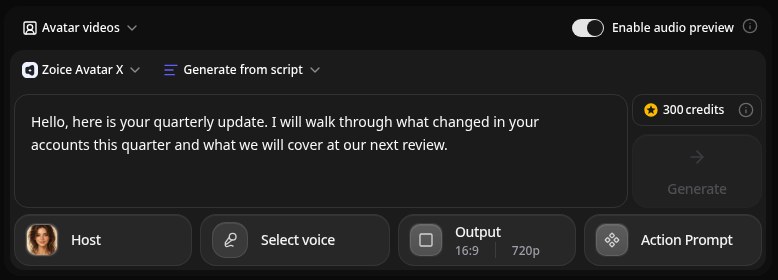
Zoice suits an advisor who wants a steady, familiar face on every client update without a studio. Its Avatar X model turns your photo into a talking video from a typed script or your own audio, lip synced to your script, and action prompts direct gestures, body motion, and expressions so a calm recap feels personal. You can clone your voice from a brief sample, write scripts in 170+ languages, export between 480p and 4K at any aspect ratio, and run up to 10 minutes per generation, enough for a full quarterly review.
Key Features
- A presenter created from a single photo of you
- Client updates lip synced to your script, or to recorded audio
- A voice clone from a brief sample, or 50+ stock voices
- Voice import from ElevenLabs and LMNT
- Scripts in 170+ languages for clients who prefer another tongue
- Gestures, body motion, and expressions set by action prompts
- Resolution and aspect ratio settings from 480p to 4K
Best For
- Independent advisors with a regular update schedule
- Practices that want one consistent presenter on every recap
- Advisors whose clients speak several languages
Pros of Zoice
- Familiar face each quarter
Your saved presenter appears on every update clients receive.
- The voice clients trust
Your cloned voice keeps the tone of your review meetings.
- Up to 4K
Updates stay sharp in a client portal, an email, or on a TV.
- Calm delivery on cue
Action prompts set how the avatar gestures and emotes on sensitive lines.
- Edits after firm review
Change one figure in the script and generate the update again.
- Client languages
Write the same recap in any of 170+ languages and dialects.
Cons of Zoice
- You still own the process
Zoice produces the video, and review, archiving, and client records stay with your firm's tools.
- Paid plan for avatars
The free tier includes voice, images, chat, and transcription, while avatar video needs Starter or above.
Overall Zoice Rating
Capterra rating: 5.0/5 (5 reviews)
Pricing
| Plan | Monthly Price | Fits an advisory practice that |
|---|---|---|
| Free | $0/month | wants to test voice, images, chat, and transcription on 50 credits a day |
| Starter | $7.99/month | sends its first client updates, with 4K credits and 1 voice profile |
| Basic | $29.99/month | sends monthly recaps, with 17K credits and 3 voice profiles |
| Creator | $49.99/month | covers several advisors, with 30K credits and 5 voice profiles |
| Agency | $89.99/month | runs a larger team, with 50K credits and 10 voice profiles |
Annual billing lowers the price by 20%. Credits per video scale with resolution and duration, so a 720p recap for email costs less than a 4K review for a big screen.
When to Use It
Go with Zoice when you want to be the face of every update, your message changes each quarter, and clients prefer different languages.
- Record a short market recap after a volatile week.
- Walk clients through the quarter in a few minutes.
- Explain a planning step, such as a beneficiary review, in plain words. Try Zoice
2. Synthesia: Best for Firm Branded Explainers
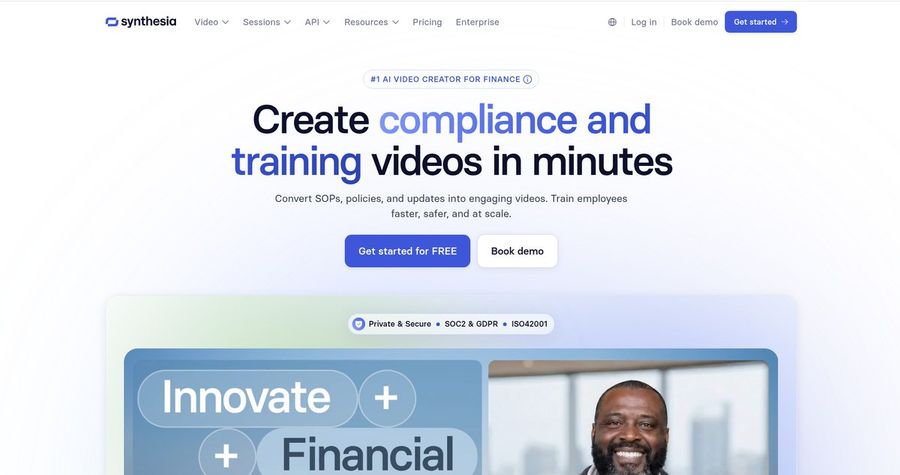
Synthesia fits a firm that wants every client explainer to carry the same branded template. Its platform lists 125+ to 240+ stock avatars depending on plan, personal avatars made from a photo or a short video, 60+ templates with PowerPoint import, voice cloning, and 140+ languages and voices, all downloaded as Full HD MP4.
Key Features
- A stock avatar range that grows from 125 to 240 with the plan
- Personal avatars from one photo or a short clip
- Voice cloning matched to your personal avatar
- More than 140 languages and voices
- Templates and PowerPoint import for client decks
- Downloads in Full HD 1920 by 1080
Best For
- Firms that want one branded look across every advisor
- Teams that already present planning topics from slides
Pros of Synthesia
- Brand consistency
Templates keep colors, fonts, and layout the same across the firm.
- Reach in many languages
140+ languages cover most client households.
Cons of Synthesia
- Full HD only
Its downloads stop at 1080p, while Zoice can export 4K.
- Pricier start
Monthly Starter is $29, compared with $7.99 for Zoice avatar video.
Overall Synthesia Rating
G2 rating: 4.6/5. Best for Firm Branded Explainers
Pricing
The free Basic plan gives 10 minutes of watermarked video each month. Starter costs $29 monthly or $18 a month on annual billing, and Pro costs $89 monthly or $64 a month annually. Synthesia's pricing page shows the current plans.
When to Use It
Choose Synthesia when a firm wide template matters more than anything. Choose Zoice for a sharper file in each advisor's own voice at a lower cost.
3. HeyGen: Best for Team Review Before Sending
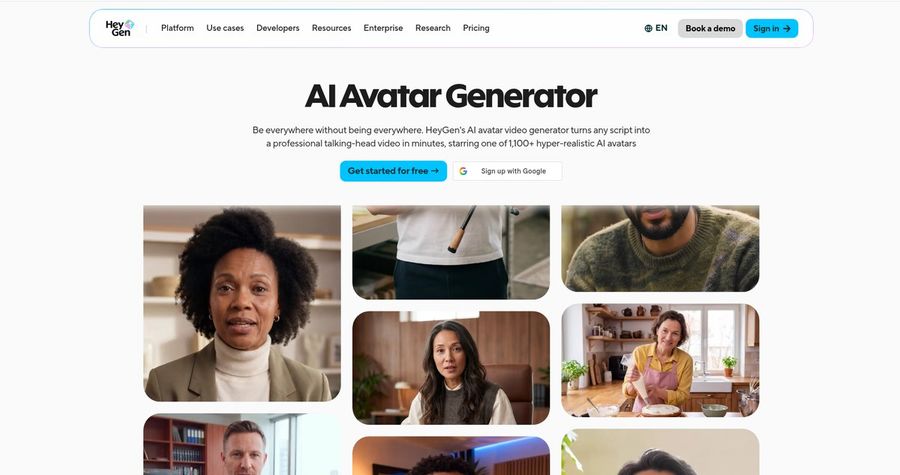
HeyGen works for advisory teams that want colleagues to comment on a draft before it reaches clients. Paid plans list 700+ stock video avatars, unlimited photo avatars, voice cloning, and 175+ languages and dialects. The Business plan adds shared workspaces and draft commenting, and the plan table lists Custom Voice Emotion and Motion / Gesture Control for short clips made from a still image.
Key Features
- 700+ stock avatars across paid plans
- No limit on photo avatars once you pay
- Voice cloning that expands with higher tiers
- Narration in more than 175 languages and dialects
- Draft comments and shared workspaces on Business
- 1080p on Creator, 4K on Pro
Best For
- Teams where a colleague signs off on each draft
- Advisors who sometimes want a stock presenter
Pros of HeyGen
- Built in review
Comments sit on the draft, so feedback stays with the video.
- Large presenter library
Stock avatars cover general explainers that do not need your face.
Cons of HeyGen
- Entry price is higher
Creator starts at $29 monthly, while Zoice avatar video starts at $7.99.
- Collaboration costs extra
Workspaces and comments need Business, priced at $149 a month plus $20 per seat.
Overall HeyGen Rating
G2 rating: 4.8/5. Best for Team Review Before Sending
Pricing
A free tier covers 3 short videos a month of up to a minute. Creator is $29 a month, or $24 billed yearly, with 1080p, Pro starts at $49 with 4K, and Business is $149 a month plus $20 for each added seat. Confirm the details on HeyGen's pricing page.
When to Use It
Pick HeyGen when several people must comment on a draft inside the tool. Pick Zoice when one advisor wants a 4K update in their own face for less.
4. DeepBrain AI: Best for Template Driven Client Videos
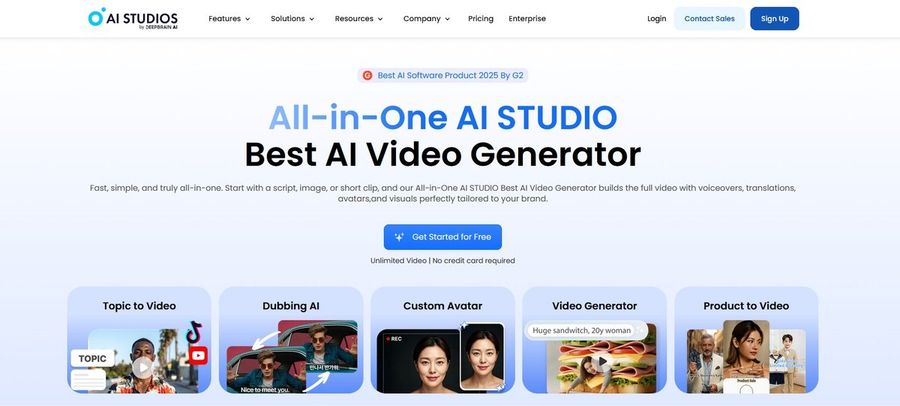
DeepBrain AI makes sense for an advisor who prefers to start from a ready layout. Its AI Studios platform lists 2,000+ AI generated avatars, photo avatars from one photo, custom avatars from a short video, 1,000+ AI voices, voice cloning, and voiceovers in 150+ languages on paid plans, plus gesture control triggered from the script and PowerPoint or PDF import.
Key Features
- Photo avatars built from one photo
- 2,000+ AI generated avatars and 155+ stock avatars
- Gesture control triggered from the script
- Voice cloning with 1,000+ AI voices
- 150+ languages and accents on paid plans
- 7,000+ templates plus PPT or PDF import
Best For
- Advisors who build videos from a template or deck
- Teams that want photo avatars and 4K under one plan
Pros of DeepBrain AI
- Long videos on Personal
Personal allows videos of up to 30 minutes at 1080p.
- Deep template library
More than 7,000 templates give a starting layout for most client topics.
Cons of DeepBrain AI
- 4K needs Team
4K export comes with Team at $55 per seat each month.
- Above Zoice on price
Paid plans begin at $24 a month, against $7.99 for Zoice avatar video.
Overall DeepBrain AI Rating
G2 rating: 4.2/5 for AI Studios. Best for Template Driven Client Videos
Pricing
Free includes 3 videos of up to a minute at 720p. Personal begins at $24 a month with 1080p, and Team is $55 per seat monthly with 4K, with 20% off for annual billing. The AI Studios pricing page has current details.
When to Use It
Lean on DeepBrain AI when you like starting from templates and slides. Lean on Zoice when you want your own face and voice at a lower price.
Client Video Ideas That Work for Advisors
Clients feel informed between meetings when they get short, regular videos. Formats that fit most practices:
- Market recap: what moved this week, in plain words, in under two minutes.
- Quarterly update: what changed and what to expect at the next review.
- Planning explainer: how a budget review or a beneficiary update works.
- Welcome video: who you are and how you work with new households.
Want a step by step walkthrough? Read the guide to AI finance expert videos. Sharing updates on social? See AI avatars for LinkedIn videos, and for clients in other languages, compare multilingual AI avatar tools. You can also start with the Zoice AI avatar generator.
How We Compared AI Avatar Generators for Financial Advisors
We rated each tool from an advisory practice's point of view, drawing on the features, limits, and prices each vendor publishes and on G2 or Capterra ratings where they exist.
The factors were likeness from a photo, voice cloning, lip sync, client languages, export quality, edits after review, and price. Zoice ranked first overall for advisors, Synthesia led on firm branded explainers, HeyGen on team review, and DeepBrain AI on template driven videos.
How to Choose an AI Avatar Generator for Financial Advisors
Start from your update calendar and the people who review your scripts.
- Presenter: your own face, or a neutral brand presenter.
- Voice: clone it and send one real update to yourself first.
- Review: leave time for the firm to approve each script before rendering.
- Languages: list every language your clients prefer.
- Disclosure: add a clear line telling clients the video uses AI.
- Spend: price a full year of updates, not only the entry tier.
For one tool that turns your photo and a reviewed script into a clear, sharp update in your own voice, Zoice is the strongest choice for financial advisors, and the first client update takes only a few minutes.
FAQ
Can an avatar send quarterly client updates?
Yes. Draft the update, have your firm review it, and generate the video from your saved presenter. Next quarter, edit the script and generate it again. Zoice gives you the video file, which you send through your usual client channels.
Can it use my own voice and face?
Yes. Zoice starts from one photo of you and can clone your voice from a brief sample, and the result is lip synced to your script. Only use a face and voice you own or have written permission to use.
Should I tell clients the video is AI?
Yes. A short line such as "This update was made with an AI version of me" keeps trust clear. Your firm's policy on AI and client communication decides what you must say and how scripts get reviewed.