Best AI Avatar Generator for Consultants: Top Picks for 2026

The best AI avatar generator for consultants is Zoice, our top pick for sending clients a proposal walkthrough or a project update that comes from you, not from a faceless deck. Upload one photo, paste the script and your Host presents it in your own voice, ready to attach to an email or drop into a shared workspace.
An independent consultant sells trust, and trust is easier to build when a client can see who is speaking. We compared four tools on the jobs a boutique practice repeats: walking a buyer through a proposal, reporting progress each week and posting a view on a topic you know well. HeyGen, Synthesia and Tavus sit beside Zoice, each shown with a screenshot taken from its own site, a G2 or Capterra rating where one exists and plain pricing.
What Is an AI Avatar Generator for Consultants?
An AI avatar generator for consultants turns a script into a presenter video. Some tools build a likeness from your photo, some offer ready-made presenters, and a few go further and create an agent that can hold a live conversation. For a solo advisor, the most useful use is simple: say the same thing clearly, to many people, without scheduling a call for each one.
The script remains yours. A presenter video does not know your client, your numbers or your recommendation, so the strategy and the facts must be written and checked by you. What the tool adds is delivery: a consistent face, a steady voice and an easy way to update the message when the project changes.
These four questions separate the options:
- Your presence: can the video show you rather than a stock actor?
- Update speed: can you refresh a status note quickly each week?
- Client reach: can clients in other countries watch it in their language?
- Purpose: does the tool make recorded videos, or something more complex such as a live agent?
Quick Comparison: Best AI Avatar Generators for Consultants
| Tool | Best For | What you get | Starts from | Starting price | Rating |
|---|---|---|---|---|---|
| Zoice | Proposal walkthroughs and client updates in your own likeness | A recorded video of your Host | One photo plus your script | Free tier, avatar videos at $7.99/month | Capterra 5.0 (5 reviews) |
| HeyGen | Talking photos in many languages | A recorded video from a photo or custom avatar | A script, a photo or a custom avatar | Free plan, Creator $29/month | 4.8/5 G2, 1,975 reviews |
| Synthesia | Consulting teams that dub and localize | A recorded video from a presenter or personal avatar | A prompt, a script or a ready-made presenter | Free plan, then $19/month billed monthly | 4.6/5 G2, 2,857 reviews |
| Tavus | Live conversational agents for client intake | An interactive agent that sees, hears and responds | An agent you set up | Free plan, Starter $22/month | 3.0/5 G2, 3 reviews |
We read each price on the vendor's own site while writing. Plans change often, so check the page before paying.
Zoice, HeyGen and Synthesia all produce recorded videos you can send. Tavus is different, because it builds interactive agents, so it solves another problem than a proposal clip.
1. Zoice: Best AI Avatar Generator for Consultants Overall
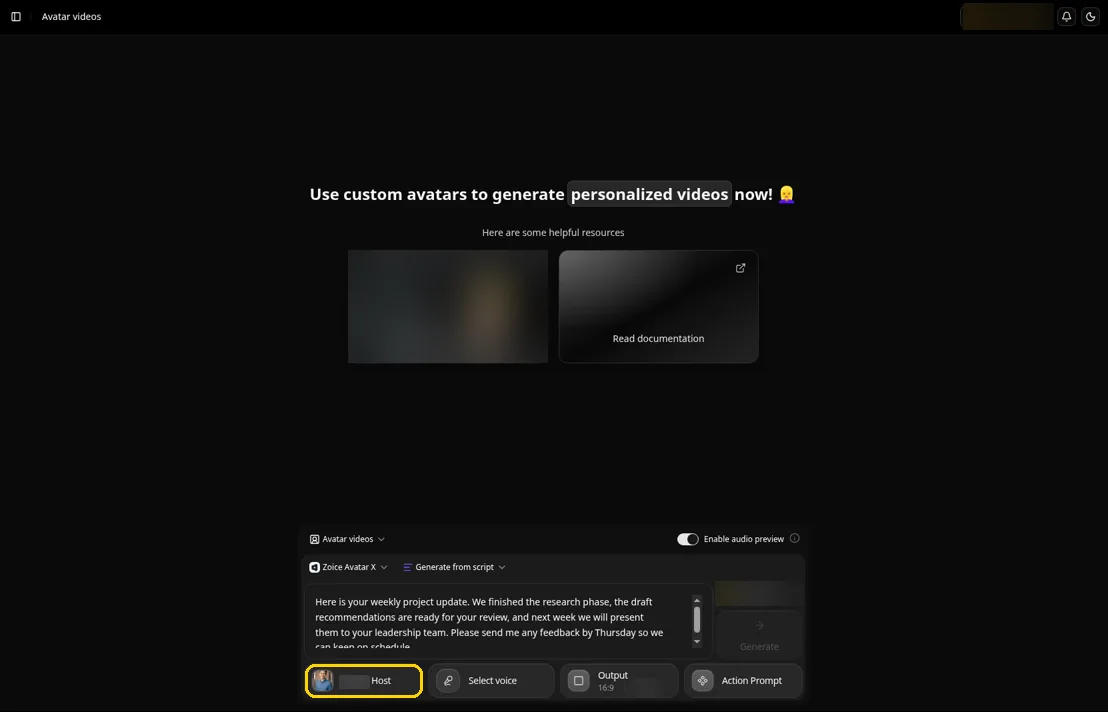
Zoice fits a consultant who wants every client video to come from a familiar face. Zoice builds your Host from one portrait, a cloned voice keeps the tone yours, and the script stays in your hands so the recommendation reads the way you meant it.
Key Features
- A single portrait becomes a Host whose lips match every line of your script
- Action prompts let you direct a gesture, such as an open hand when you present options or a nod when you confirm a decision
- Audio tags in the text shape tone and pace, so a risk sounds measured and good news sounds lighter
- Clone your voice from a quick sample, or import a voice profile you already made elsewhere
- Write the script in any of 170+ languages and dialects for clients abroad
- Audio preview lets you hear client and company names before the video is made
- Aspect ratio choices for an email, a shared drive or a LinkedIn post
Best For
- Independent and boutique consultants who sell on trust
- Advisors who send regular status updates
Pros of Zoice
- You are the presenter. The Host comes from your photo, so the client sees the person they hired.
- Weekly updates in minutes. Change the status lines and generate again.
- Hear names first. Audio preview catches a client name said wrong.
- Free tools to start. Free voice and image tools let you explore first, and avatar videos arrive with the first paid plan.
Cons of Zoice
- Needs an internet connection. Zoice runs online, so you have to be connected to use it.
- Smaller public avatar library. Zoice offers fewer ready-made public avatars than the large presenter library at HeyGen.
Overall Zoice Rating
Capterra rating of 5.0 out of 5, from 5 reviews. The score comes from five reviews on Capterra.
Pricing
| Plan | Monthly price | Included |
|---|---|---|
| Free | $0/month | Voice, image, chat and transcript tools |
| Starter | $7.99/month | One voice profile, and avatar videos switch on |
| Basic | $29.99/month | Avatar videos and three voice profiles |
| Creator | $49.99/month | Avatar videos and five voice profiles |
| Agency | $89.99/month | Avatar videos and ten voice profiles |
Look at the Zoice pricing page for current plans. Billing yearly saves 20% against paying monthly.
When to Use It
Zoice is the right fit when the consultant is the product. The AI clone video generator page explains how the photo and the voice come together, and the pitch video picks cover the sales side in more depth.
- You walk prospects through proposals and want to look like yourself
- You send project updates on a regular cycle and want to refresh them quickly
- You want to try a free plan before changing how you deliver client work. Try Zoice
2. HeyGen: Best for Talking Photos and Languages
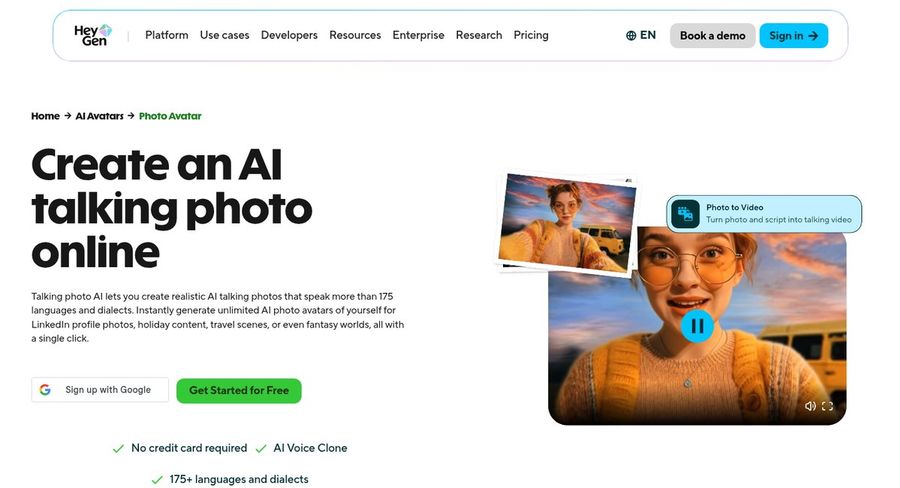
HeyGen offers a talking photo tool alongside its avatar studio. Its photo page describes a talking photo that speaks more than 175 languages and dialects, with an AI voice clone, which suits a consultant who wants a quick personal video in several markets.
Key Features
- Talking photo AI that makes a still picture speak
- An AI voice clone to match your own voice
- Speech in 175+ languages and dialects
- One custom avatar built on your voice and likeness, included on the free plan, with more on paid plans
- A text-based studio for tone, delivery and gestures
Best For
- Consultants who start from a single photo
- Advisors with clients in several languages
Pros of HeyGen
- Quick start. HeyGen lets you try the free plan without a card.
- Language range. Speech is available in more than 175 languages and dialects.
- Review volume. Almost two thousand G2 reviews average 4.8.
Cons of HeyGen
- Marked free videos. The free plan carries a watermark.
- Team tools on Business only. Shared workspaces and a brand kit begin on the Business plan.
Overall HeyGen Rating
Scored 4.8/5 by 1,975 reviewers on G2. The strongest G2 rating among the competitors here.
Pricing
Expect watermarked output on the free tier. Creator runs $29 a month ($24 if you commit to a year), Pro opens at $49 a month, and Business is $149 a month with $20 added per seat. Enterprise is by quote.
When to Use It
Pick HeyGen when a photo avatar and wide language support matter.
3. Synthesia: Best for Dubbing and Localizing
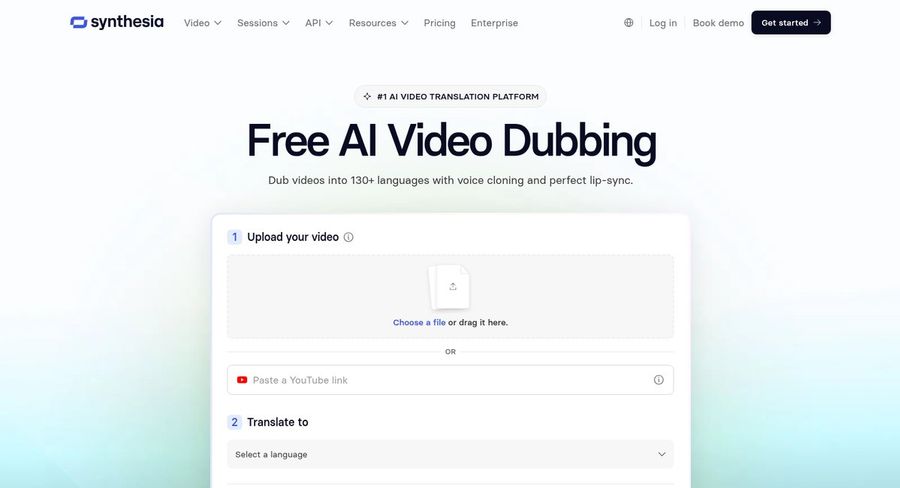
Synthesia is a business video platform with a free dubbing tool. You upload a video or paste a link, choose a language, and the tool dubs it with voice cloning and lip sync, which is handy for a consulting team that reaches clients in several regions.
Key Features
- Dubbing with voice cloning and matched lip sync
- Build an avatar from a prompt, clone yourself, or choose a presenter
- Pair a personal avatar with your cloned voice
- Start a video from a prompt with added context
- Templates, captions and stock media in one editor
Best For
- Consulting teams serving clients abroad
- Firms that already record video and want to localize it
Pros of Synthesia
- Voice stays yours. Dubbing keeps the original speaker's voice and accent.
- Free dubbing page. You can test before paying.
- Team friendly. Paid plans include guest seats.
Cons of Synthesia
- Personal avatars on paid plans. Free users get fewer likeness options.
Overall Synthesia Rating
Scored 4.6/5 by 2,857 reviewers on G2. That is the G2 score as listed on G2.
Pricing
You can start on the free Basic plan. Starter is $19 a month billed monthly and Pro is $89 a month, with lower yearly rates and a custom Enterprise tier.
When to Use It
Pick Synthesia when localizing existing videos matters as much as making new ones.
4. Tavus: Best for Live Conversational Agents
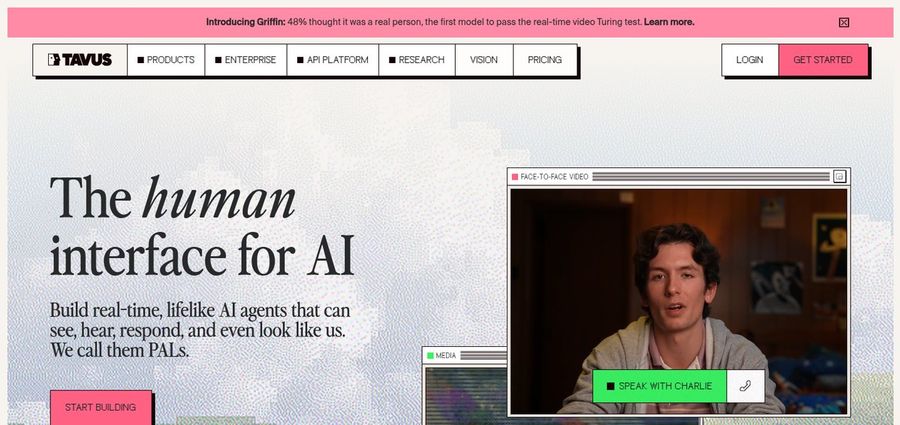
Tavus builds something different from the others. Its site calls its creations PALs, human-like agents that see, hear and respond in conversation. For a consultant, it is worth a look only if you want a client-facing agent that can talk back, for example during intake.
Key Features
- Interactive agents that see, hear, respond and look human
- A tool to describe the agent you want in a sentence
- Example roles such as recruiter, customer support, patient intake and sales development
- A free tier, with paid tiers for individuals and teams
- Pay-as-you-go overage on the Builder plan
Best For
- Consultants testing a conversational intake or screening agent
- Teams building client-facing agents
Pros of Tavus
- Two-way conversation. Agents respond live instead of playing a fixed video.
- Free entry. The product can be tried at no cost.
- Clear role examples. The site shows how agents work for intake and support.
Cons of Tavus
- Not a proposal tool. It does not replace a recorded walkthrough you send in an email.
- More to set up. An agent needs design, not just a script.
- Very few reviews. G2 shows three reviews and says there are not enough for a full rating.
Overall Tavus Rating
3.0/5 on G2 from 3 reviews. G2 notes there are not enough reviews to treat the score as reliable.
Pricing
The Free plan costs nothing. Starter is $22/month and Builder is $59/month plus pay-as-you-go overage. Growth is aimed at teams, and the site has a separate Enterprise page.
When to Use It
Pick Tavus when you want a live conversational agent for clients, and not a video that you send.
Video Ideas for Consultants
Good consulting videos answer one question each. Four to start with:
- A proposal walkthrough that states the problem, the approach and the next step
- A weekly project update with progress, risks and the decision you need
- A short thought leadership clip that shares one lesson from recent client work
- A handover note that explains deliverables and how the client should use them
For public posts, the LinkedIn avatar guide explains format choices that suit a professional feed.
How to Record a Client Update From One Photo
Choose a clear, front-facing photo in good light and upload it in Zoice to create your Host. Write the script in your own voice, keeping to one topic, and pick a voice or clone yours. Open with the answer, then give the reasoning, then end on the action you want from the client.
Check the audio preview for names, add an action prompt such as an open hand when you present options, pick the aspect ratio and generate. For slide-heavy sessions, the presentation avatar picks cover how to place a presenter next to your slides.
How to Choose the Right Tool for Consulting Work
Start from the job you do most often.
- Choose Zoice if the video must show you and be quick to update.
- Choose HeyGen if you start from a photo and need many languages.
- Choose Synthesia if you want to dub and localize recorded videos.
- Choose Tavus only if you want a live agent that talks with clients.
Try your next status update on a free plan, send it to one client and ask what they thought before you commit.
FAQ
Can an avatar walk a client through a proposal?
Yes. Write the proposal story as a script, generate the video and send it with the document. The avatar only reads what you wrote, so the recommendation stays yours. Zoice, HeyGen and Synthesia all make recorded videos for this.
Can it use my own voice?
Yes. Zoice clones your voice from a short sample or imports a profile made elsewhere. HeyGen offers an AI voice clone and a custom avatar, including on its free plan, and Synthesia pairs a personal avatar with your cloned voice.
Which of these tools can hold a live conversation with a client?
Tavus builds interactive agents that see, hear and respond, so it is the one to look at for a live intake conversation. Zoice, HeyGen and Synthesia make recorded videos that you send, which suits proposals and project updates.