Best AI Avatar Generator for Accountants: Top Picks 2026

The best AI avatar generator for accountants is Zoice, our top pick for sending clients a familiar face instead of another email they will skim. Upload one photo, type the reminder or checklist, and your Host delivers it to camera in your voice, ready to attach to a message or post on your client portal.
Busy season repeats the same messages every year: gather your documents, here is what changed, here is what we need by Friday. We compared four tools on how well they handle that rhythm, looking at starting from your own photo, reusing and editing a script, working in a client's language and the plans on offer for a small practice. HeyGen, Synthesia and Elai.io are covered with a screenshot of each tool's own site, a G2 or Capterra rating and current pricing.
What Is an AI Avatar Generator for Accountants?
An AI avatar generator for accountants makes a short video in which a presenter reads your script. The presenter can be a stock character or a likeness made from your own photo, and the mouth moves with the words. For a CPA firm or a bookkeeping office, that means a reminder, a checklist or a welcome message can be recorded once and updated in minutes when a date or a form changes.
The video says what you type, nothing more. Tax rules, thresholds and deadlines belong in your script, written and checked by you for the right year and the right client group. None of the tools below give tax advice.
Look for answers to these four points:
- Your face: can clients see you, or only a stock presenter?
- Your voice: can the video sound like you, in more than one language?
- Repeat use: how quickly can you change a date and produce a new version?
- Fit for a small office: does a plan suit a practice without a large team?
Quick Comparison: Best AI Avatar Generators for Accountants
| Tool | Best For | Starts from | Own face and voice | Starting price | Rating |
|---|---|---|---|---|---|
| Zoice | Reminders and checklists from your own photo | One photo plus your script | Yes, from a photo and a voice clone | Free plan, then $7.99/month for avatar videos | Capterra: 5.0 of 5, five reviews |
| HeyGen | Bilingual client videos | A script, a photo or a custom avatar | Custom avatar plus voice clone, even on the free plan | Free plan, Creator $29/month | G2 4.8/5 (1,975 reviews) |
| Synthesia | Libraries of explainers for larger firms | A prompt, a script or a ready-made presenter | Personal avatars on paid plans | Free plan, then $19/month billed monthly | G2 4.6/5 (2,857 reviews) |
| Elai.io | Turning slides and articles into onboarding videos | A slide deck, a web page or a script | Voice cloning and selfie avatars as add-ons | Free plan, Creator $29/month | G2 4.5/5 (166 reviews) |
Prices were taken from each vendor's own site when this was written. Vendors change plans often, so check before you subscribe.
Two groups appear in the table. Zoice and HeyGen help you appear as yourself, while Synthesia and Elai.io lean toward polished libraries and slide-based onboarding material.
1. Zoice: Best AI Avatar Generator for Accountants Overall
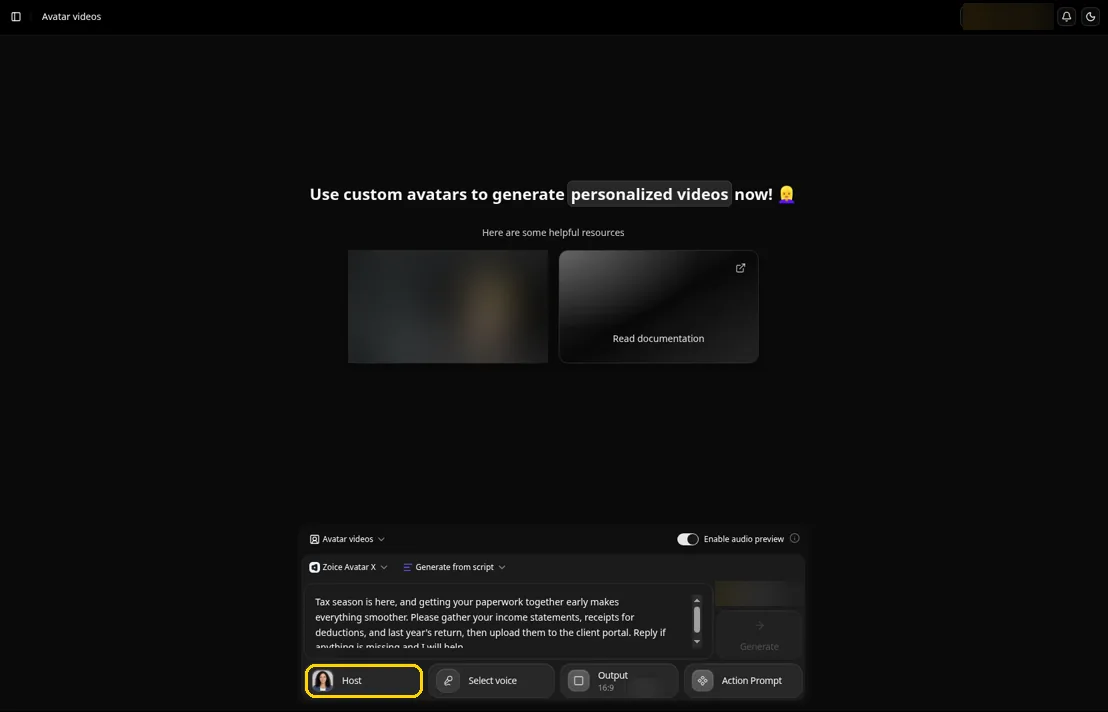
Zoice works well for a practice that sends the same few messages every season. Avatar X creates your Host from a single portrait, a cloned voice keeps the delivery personal, and the script stays under your control so every date and form name is the one you meant.
Key Features
- A single photo of you becomes a Host that speaks each line with matching lip movement
- Action prompts let you direct a point to the camera or a friendly wave, so a deadline reminder feels warm instead of stiff
- Audio tags in the script change tone and pace, for example a calm walkthrough of a checklist and a brisker last call
- Clone your voice from a brief sample, or import a profile you already built in ElevenLabs, LMNT or Fish Audio
- Scripts can be written in 170+ languages and dialects, so a Spanish-speaking client hears a message in their own language
- Audio preview plays the read before the video is built, which helps with form numbers and surnames
- Aspect ratio and resolution options that suit an email, a portal page or a phone
Best For
- CPAs and bookkeepers who send the same reminders each season
- Small practices that want the owner on camera
Pros of Zoice
- Looks like you. Clients see the accountant they hired, which suits a trust-based service.
- Quick seasonal updates. Change a date in the script and generate again for the new year.
- Hear the numbers first. Audio preview lets you check dates and amounts before the video is made.
- Free tools to start. Voice and image tools are free to use, and avatar videos begin on the first paid plan.
Cons of Zoice
- Needs an internet connection. Zoice runs online, so you have to be connected to use it.
- Smaller public avatar library. Zoice offers fewer ready-made public avatars than the large presenter library at HeyGen.
Overall Zoice Rating
Capterra score: 5.0 out of 5, from 5 reviews. The score comes from five reviews on Capterra.
Pricing
| Plan | Price per month | Included |
|---|---|---|
| Free | $0/month | AI voice, images, chat and transcripts |
| Starter | $7.99/month | Avatar videos plus one saved voice |
| Basic | $29.99/month | Avatar videos plus three saved voices |
| Creator | $49.99/month | Avatar videos plus five saved voices |
| Agency | $89.99/month | Avatar videos plus ten saved voices |
Plans change, so verify them on the Zoice pricing page. Paying for a year at once saves 20% against monthly billing.
When to Use It
Pick Zoice when the accountant should be the face of every message. The multilingual avatar picks guide goes further on serving clients in more than one language, and the AI clone video generator page explains the photo and voice setup.
- You send reminders and checklists on a yearly cycle and want to refresh them fast
- You want your own voice, including in a second language
- You want to try a free plan before changing how the office communicates. Try Zoice
2. HeyGen: Best for Bilingual Client Videos
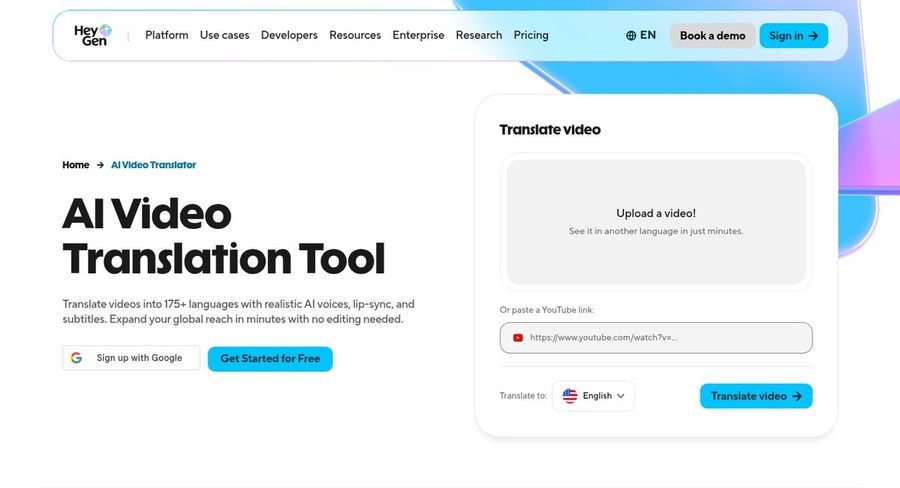
HeyGen is known for avatar video with strong translation. Its translate tool takes a video and returns it in another language with a matching voice, lip sync and subtitles, which helps a practice with clients who prefer a language other than English.
Key Features
- Translate a video into 175+ languages with realistic voices, lip sync and subtitles
- One custom avatar that carries your likeness and voice, included on the free plan, with more on paid plans
- Photo avatars that animate a portrait
- A studio editor with control over tone, delivery and gestures
- A presenter library for those who prefer not to appear on camera
Best For
- Practices serving clients in several languages
- Accountants who want a custom avatar of themselves
Pros of HeyGen
- Translation depth. Lip sync and subtitles come with translated videos.
- High review score. G2 users rate it 4.8 across almost two thousand reviews.
- Custom avatar included. The free plan has one custom avatar, and paid plans add more.
Cons of HeyGen
- Branding on free videos. The free plan adds a watermark.
- Team tools on Business only. A shared workspace and brand kit sit on the Business plan.
Overall HeyGen Rating
G2 average of 4.8 out of 5 from 1,975 reviews. This is the strongest G2 score among the three rivals here.
Pricing
Videos on the free plan carry a watermark. The Creator plan is $29 a month, with a yearly rate of $24 a month. Pro starts from $49 monthly. Business costs $149 monthly, and each extra seat adds $20. Enterprise is quoted by sales.
When to Use It
Pick HeyGen when translation is the main need.
3. Synthesia: Best for Large Explainer Libraries
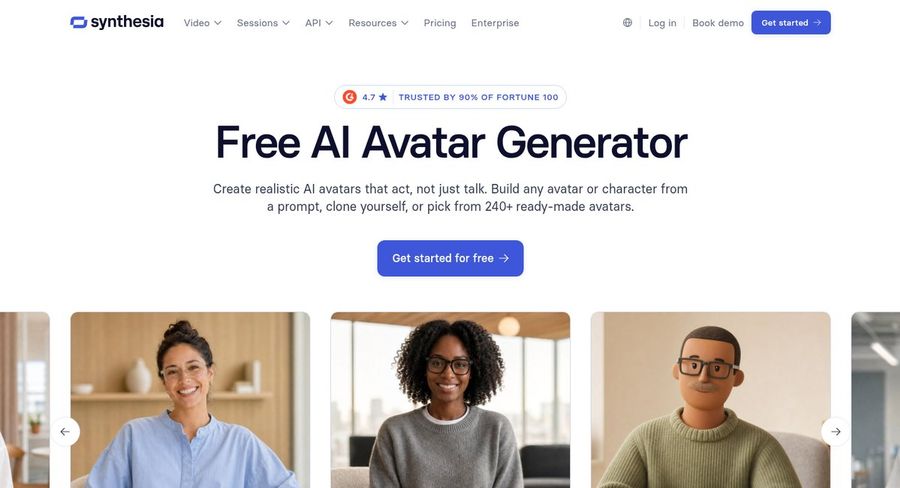
Synthesia offers a free avatar generator and a full video platform for business. You can build an avatar or character from a prompt, clone yourself or choose a ready-made presenter, which makes it a fit for a firm building a whole library of client explainers.
Key Features
- Create a character or avatar from a text prompt, or choose a ready-made presenter
- Clone yourself, then pair that avatar with your own voice clone
- Start a video from a prompt with added context
- Dub videos into other languages while keeping the speaker's voice
- Templates, captions and a stock media library inside the editor
Best For
- Mid-sized firms building a library of explainers
- Teams that want one place to localize and edit
Pros of Synthesia
- Large presenter choice. Plenty of ready-made faces to choose from.
- Free avatar page. You can try an avatar build without paying.
- Dubbing quality. The original voice and accent are preserved in dubbed versions.
Cons of Synthesia
- Personal avatars need payment. The free plan limits personal likeness options.
Overall Synthesia Rating
G2 average of 4.6 out of 5 from 2,857 reviews. That is the score shown on G2's own listing.
Pricing
Basic costs nothing. Starter is $19 a month on monthly billing, after a lower first month, and Pro is $89 a month. Yearly billing brings both down, and Enterprise is priced by quote.
When to Use It
Pick Synthesia when several people in the firm will build many videos and a deep presenter library matters.
4. Elai.io: Best for Slide-Based Onboarding
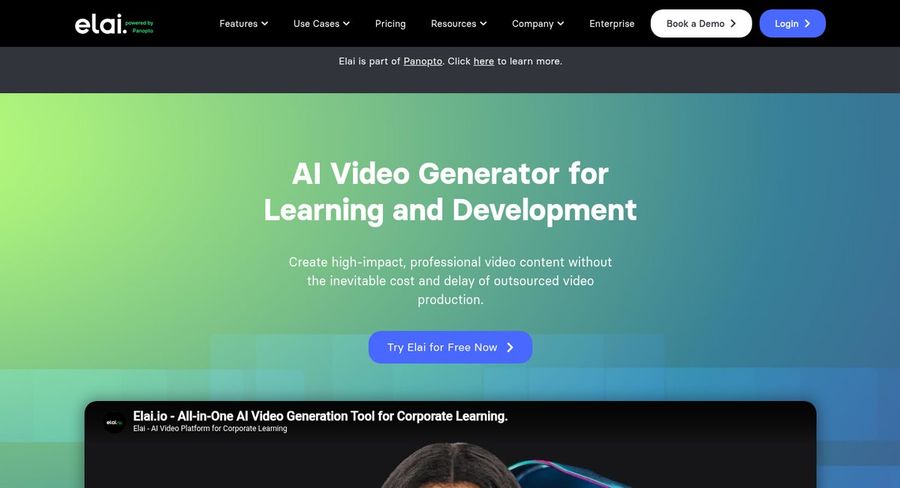
Elai.io, now part of Panopto, positions itself as an AI video generator for learning and development. It can convert slides and web articles into narrated videos, which fits a firm that already keeps onboarding material in a deck.
Key Features
- Upload a slide deck and turn it into video slides with an avatar speaking
- Paste an article link and get a narrated video from the page
- Clone your voice into 28 languages
- Add two avatars to one slide to play out a conversation
- A built-in screen recorder for short captures
Best For
- Firms with onboarding decks they want to narrate
- Offices that already work in slides
Pros of Elai.io
- Slides to video. Existing decks become the first draft.
- Avatar dialogs. Two presenters can discuss a topic on one slide.
- Voice reach. One cloned voice speaks in many languages.
Cons of Elai.io
- Smaller review base. 166 G2 reviews is fewer than the larger rivals.
- Extras are add-ons. Voice clone and selfie avatar are add-ons on lower plans.
Overall Elai.io Rating
4.5/5 on G2 from 166 reviews. A solid score on a smaller number of reviews.
Pricing
The Free plan costs $0. Creator is $29/month, or $276 billed annually, and Team is $125/month, or $1,200 billed annually. Enterprise pricing is custom.
When to Use It
Pick Elai.io when your starting point is a slide deck or a blog post rather than a blank script.
Video Ideas for Accounting Firms
Short and specific beats long and general. Four videos worth recording once and updating each year:
- A tax season reminder that lists the dates that matter to your clients
- A document checklist for new clients, from IDs to prior-year returns
- An onboarding welcome that explains how the engagement works and how to reach you
- A year-end note that tells small business owners what to have ready for bookkeeping
If your clients talk to a support inbox or portal, the customer support video picks show how the same presenter can answer common questions.
How to Make a Client Video From One Photo
Pick a clear, front-facing photo with soft light, then upload it in Zoice to create your Host. Write a script of a few short paragraphs, name the tax year or form you mean and keep any numbers to those you have checked. Choose a voice or clone your own.
Preview the audio, add an action prompt such as a smile at the opening line or a point toward the camera on the deadline, set the aspect ratio for email or your portal and generate. Update the script next season and generate again. If your professional profile needs a short intro too, the LinkedIn avatar guide covers that format.
How to Choose the Right Tool for an Accounting Practice
Start from how you send messages today.
- Choose Zoice if you want to appear as yourself and rerun the same reminders each season.
- Choose HeyGen if translation into several languages is the priority.
- Choose Synthesia if a team will produce a wide library of explainers.
- Choose Elai.io if your content already lives in slide decks or articles.
Test your most common reminder on a free plan, watch it as a client would and compare the editing steps before choosing.
FAQ
Can an avatar send tax season reminders?
Yes. Write the reminder with the dates you have confirmed, generate the video and send it by email or post it on your portal. When a date shifts, edit the script and generate a new version. The avatar only repeats your words, so check each figure and deadline before sending.
Can it use my own voice?
Yes. Zoice clones your voice from a brief recording or loads a voice you built elsewhere. HeyGen supports your own voice with a custom avatar, Synthesia pairs a personal avatar with a cloned voice, and Elai.io offers voice cloning as an add-on on lower plans.
Can I make client videos in Spanish?
Yes. Zoice accepts a script written in Spanish, and your cloned voice carries across, so the video still sounds like you. HeyGen can also translate an existing video with lip sync. Have a Spanish speaker review the wording before you send it.