Best AI Avatar Generator for Customer Support Videos
The best AI avatar generator for customer support videos is Zoice, our top pick for turning a support script into a calm, clear presenter video that answers one question at a time. Upload a photo of a support agent or a friendly character, paste the answer from your help article, choose from 170+ languages, and export a sharp video up to 4K. When the product changes, you edit the script and render again instead of re recording the clip.
We compared four tools on what a support team needs: a presenter customers trust, answers that are easy to update, languages for your customers, clips that fit a help center, and a price that works for a small team. Zoice ranked first for customer support videos, and each other tool earned its place for one clear strength.
What Should an AI Avatar Generator Do for Customer Support Videos?
Support content has a simple job: help a customer finish a task or fix a problem without opening a ticket. A customer support video answers one question, shows the steps in order, and ends. An AI avatar helps because the video is built from a script. When a button moves or a setting is renamed, you change one line and render again.
This guide is about help center and how to answer videos made from a support script. It is not a guide to welcome videos for new hires or to company announcements, which have their own tools and needs.
What to check before you pick a tool for support videos:
- Clear delivery: a calm presenter and clean lip sync that customers can follow
- Script control: you decide every word, so the answer matches your help article
- Fast updates: change one step and render again when the product changes
- Languages: the ability to answer customers in the language they speak
- Short clip formats: sizes that fit a help center, an email, and a phone
- Cost: a plan that suits a support team, not only a large enterprise
Related terms you will see:
- Customer support video: a short clip that answers a single customer question
- Help center video: a clip placed inside a help article or knowledge base
- Support explainer avatar: a presenter that walks through the steps of a fix
- Answer clip: a video built from the text of one help article
Quick Comparison: Best AI Avatar Generators for Customer Support Videos
| Features | Zoice | Creatify | Powtoon | Guideflow |
|---|---|---|---|---|
| Best For | Support answers from a script and one photo | Marketing clips and ad style videos | Animated explainers and screen recordings | Clickable product guides, no presenter |
| Presenter source | One photo or character image | AI actors and custom avatars | Animated characters and HeyGen avatars | Screenshot or HTML capture of your product |
| Languages | 170+ | 75+ | AI translation, count not listed | AI translation on Solo |
| Max export | Up to 4K | Not listed | 1080p MP4 | Video and GIF on Solo |
| Support fit | Delivers the finished clip for a help article | Built for ads, so adapt the output | Characters and templates for how to videos | Step by step product clicks |
| Starting price* | $7.99/mo for avatar videos | Free plan, paid from $39/mo | Free plan, paid from $15/mo billed yearly | Free plan, paid from $40/mo |
| Overall rating | 9.8 | 8.5 | 8.6 | 8.2 |
*Prices and limits change often. Check each tool's own pricing page before you pay.
All four can help a support team teach customers. The difference is what you make: Zoice gives you a presenter video from a script, while the others lean toward ads, animated explainers, or clickable product guides.
1. Zoice: Best AI Avatar Generator for Customer Support Videos Overall
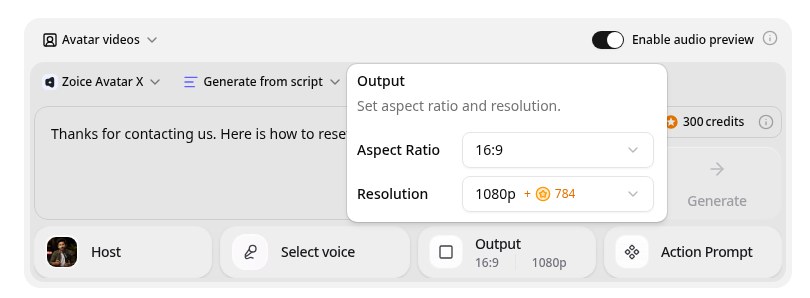
Zoice is the top pick when a support team wants a presenter that is quick to build and easy to update. Its Avatar X model turns a photo or character into a talking video from a typed script or your own audio, with natural lip sync, facial expressions, and gestures you can guide with a prompt or a timeline. Paste the answer from a help article, pick a voice, write in one of 170+ languages, and export from 480p up to 4K in any aspect ratio.
Key Features
- Talking video from one photo or character image
- Script or uploaded audio, with natural lip sync
- Voice cloning from a short audio sample, or 50+ ready made voices
- Scripts in 170+ languages and dialects
- Expressions and gestures, with action prompts and timeline triggers
- Export from 480p up to 4K in any aspect ratio
Best For
- Support teams that turn help articles into short answer videos
- Teams that answer customers in several languages
- Teams that update clips often as the product changes
Pros of Zoice
- Easy to update
Edit the script, render again, and the new version replaces the old one.
- Your own face and voice
Start from your photo and clone your voice so the video still feels like you.
- Many languages
Write the script in 170+ languages and dialects.
- Built from the help article
Paste the text of an answer and get a presenter video without a studio.
- One presenter for every answer
Reuse the same saved avatar so every clip feels consistent.
- Languages for customers
Answer in 170+ languages and dialects with the same script.
Cons of Zoice
- Delivers the video file
Zoice focuses on the video, so clickable product guides and in video links belong in your help center tool.
- Avatar videos need a paid plan
The free plan covers voice, images, chat, and transcription. Avatar videos start on Starter.
Overall Zoice Rating
Review 9.8: Best Overall
| Criterion | Score |
|---|---|
| Presenter quality | 9.9/10 |
| Lip sync and voice | 9.8/10 |
| Languages | 9.9/10 |
| Ease of updates | 9.8/10 |
| Export quality | 9.9/10 |
| Ease of use | 9.7/10 |
| Pricing | 9.7/10 |
Pricing
| Plan | Monthly Price | What you get |
|---|---|---|
| Free | $0/month | 50 credits per day for AI voice, images, chat, and transcriptions |
| Starter | $7.99/month | 4K credits per month, AI avatar videos, 1 voice profile |
| Basic | $29.99/month | 17K credits per month, 3 voice profiles |
| Creator | $49.99/month | 30K credits per month, 5 voice profiles |
| Agency | $89.99/month | 50K credits per month, 10 voice profiles |
Yearly billing saves 20%. Avatar videos start on Starter, and the credit cost of each video depends on its resolution and length.
When to Use It
Choose Zoice when you want a friendly face on every answer, your product changes often, and your customers speak more than one language.
- Turn your top ten help articles into short answer clips.
- Add a video walk through to a troubleshooting page.
- Send the same answer in the language each customer prefers. Try Zoice
2. Creatify: Best for Marketing Style Clips
Creatify is the choice if your support videos sit close to marketing. Creatify is an AI ad generator that turns a product link into a video ad, with AI avatars, templates, and a script writer. Its Starter plan lists 300 AI actors, and Pro lists 1,500 realistic AI actors with 75+ languages.
Key Features
- Product link to video ads
- 300 AI actors on Starter and 1,500 on Pro
- 75+ languages
- Templates and 50+ to 100+ premium models
- Custom avatars from your own photo on paid plans
- Videos up to 2 minutes on Starter
Best For
- Teams that already make product ads and want a few support clips too
- Teams that like templates and quick starts
Pros of Creatify
- Ad focused tools
Templates and the link to video flow suit marketing clips.
- Large actor library
1,500 AI actors on Pro give plenty of looks.
Cons of Creatify
- Built for ads
Most of the toolset aims at product ads rather than step by step help content.
- Pricey for avatars
Pro costs $99 per month, while Zoice avatar videos start at $7.99.
Overall Creatify Rating
Review 8.5: best for Marketing Style Clips
Pricing
A free plan includes 10 credits with a watermark. Starter costs $39 per month with 100 credits, and Pro costs $99 per month with 300 credits. Check Creatify's pricing page for current details.
When to Use It
Use Creatify when ad style clips matter most. Use Zoice when you want a calm presenter that answers a customer question.
3. Powtoon: Best for Animated How To Videos
Powtoon is the choice if your how to videos should be animated. Powtoon is a video platform known for animated explainers and presentations. Its AI features run on partner engines: AI avatars through HeyGen, text to speech through ElevenLabs, plus AI translation, AI dubbing, and screen recording. Paid plans export in 1080p MP4.
Key Features
- Animated explainer templates and characters
- AI avatars through HeyGen
- Text to speech through ElevenLabs
- AI translation and dubbing
- Screen and webcam recording
- MP4 download in 1080p on paid plans
Best For
- Teams that prefer animated characters to a human presenter
- Teams that also record the screen
Pros of Powtoon
- All in one
Screen recording, animation, and AI voice live in one editor.
- Friendly editor
Templates and characters make explainers quick for non designers.
Cons of Powtoon
- Lower export ceiling
Paid plans export up to 1080p, while Zoice exports up to 4K.
- Avatars use credits
AI avatar lip sync costs 20 credits for every full minute, drawn from a plan with limited credits.
Overall Powtoon Rating
Review 8.6: best for Animated How To Videos
Pricing
The free plan is 720p with a watermark and up to 3 minutes. Lite costs $15 per month, Professional $40, and Advanced $125, all billed yearly, and AI features use credits. Check Powtoon's pricing page for current details.
When to Use It
Use Powtoon when you want animated explainers and screen recordings in one editor. Use Zoice when you want a photo based presenter.
4. Guideflow: Best for Clickable Product Guides
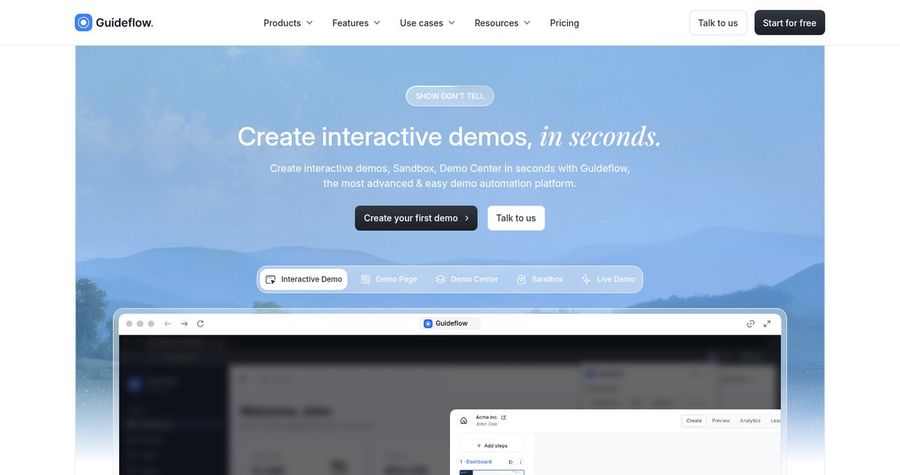
Guideflow is the choice when customers should click through the real product. Guideflow is an interactive demo platform that turns screenshots or HTML captures of your product into clickable step by step guides. Its Solo plan adds AI demo content, AI translation, and video and GIF export. It is not an avatar generator, so it sits next to a presenter tool rather than replacing one.
Key Features
- Clickable product guides from screenshot or HTML capture
- Step by step guides you can embed in a help center
- AI demo content and AI translation on Solo
- Voiceover and webcam recording
- Video and GIF export on Solo
- Analytics, lead forms, and surveys
Best For
- Teams that support a software product with step by step flows
- Teams that want guides inside a help article
Pros of Guideflow
- Shows the real product
Step by step clicks teach a task in a way a talking face alone cannot.
- Embeds anywhere
Share a link or embed a guide in a help article.
Cons of Guideflow
- No avatar presenter
It does not give you a talking presenter, so you add a face with another tool.
- Team plans cost a lot
Higher plans start at $499 per month billed yearly.
Overall Guideflow Rating
Review 8.2: best for Clickable Product Guides
Pricing
A free plan covers 5 guideflows with a watermark. Solo costs $40 per month, or $35 per month billed yearly. Team plans cost much more. Check Guideflow's pricing page for current details.
When to Use It
Use Guideflow when customers learn best by clicking through a guide. Use Zoice when a spoken answer from a presenter is enough.
Customer Support Video Ideas That Work
Short, single answer videos get watched. These formats suit a help center:
- Top question clip: one frequent question, answered in under a minute.
- Troubleshooting walk through: the steps to fix an error, in order.
- Feature how to: a quick clip that shows one setting and why it matters.
- Status update: a short message when a known issue is fixed.
Want more presenter video ideas? See our explainer video picks, or read about AI spokesperson tools.
How We Compared Avatar Generators for Customer Support Videos
We scored each tool the way a support lead would, using the public features, limits, and prices on each tool's own site.
We looked at presenter quality, lip sync, language range, ease of updates, export quality, help center fit, and price. Zoice ranked as the best AI avatar generator for customer support videos overall. Creatify led marketing style clips, Powtoon led animated how to videos, and Guideflow led clickable product guides.
How to Choose an AI Avatar Generator for Customer Support Videos
Start with the question the customer is trying to answer and where the clip will live.
- Format: decide between a presenter, an animation, or a clickable guide.
- Updates: check how fast you can change a script and render again.
- Languages: confirm every language your customers use.
- Placement: make sure clips fit your help center and email.
- Voice: choose a clear, friendly voice that matches your brand.
- Cost: compare the price of a full clip, not only the entry plan.
If you want one tool that turns your help article text and a single photo into a clear, sharp, multilingual presenter, Zoice is the strongest pick for most support teams. You can make your first support clip in Zoice in a few minutes.
FAQ
Can an AI avatar answer common support questions?
Yes. An avatar can read a script you write, so you can turn a frequent answer into a short video. Review each script yourself, since you know the product and the policy.
Can I update videos when the product changes?
Yes. Edit the script, render again, and replace the old clip. In Zoice the presenter stays the same, so only the changed line needs a new render.
Can it speak my customers' languages?
Yes. Zoice supports scripts in 170+ languages and dialects, and a native speaker should check the wording before you publish.