How to Make AI YouTube Shorts With an Avatar: A 2026 Guide
YouTube Shorts reward fast, steady posting. In Zoice you upload one creator image as your Host, paste a tight script, set vertical output, and every new Short after that is just a new script.
For a wider look at presenter tools, see our AI avatar generators for YouTube.
Writing a Script for a Short
- A hook in the first line that stops the scroll
- One idea only, explained in plain words
- A quick payoff or punchline
- A call to follow for the next one
How to Make AI YouTube Shorts With an Avatar in Zoice (Step by Step)
Every step below mirrors one screen in the app. Our Host is a fictional creator who shares one phone trick per Short.
Step 1: Sign In to Zoice
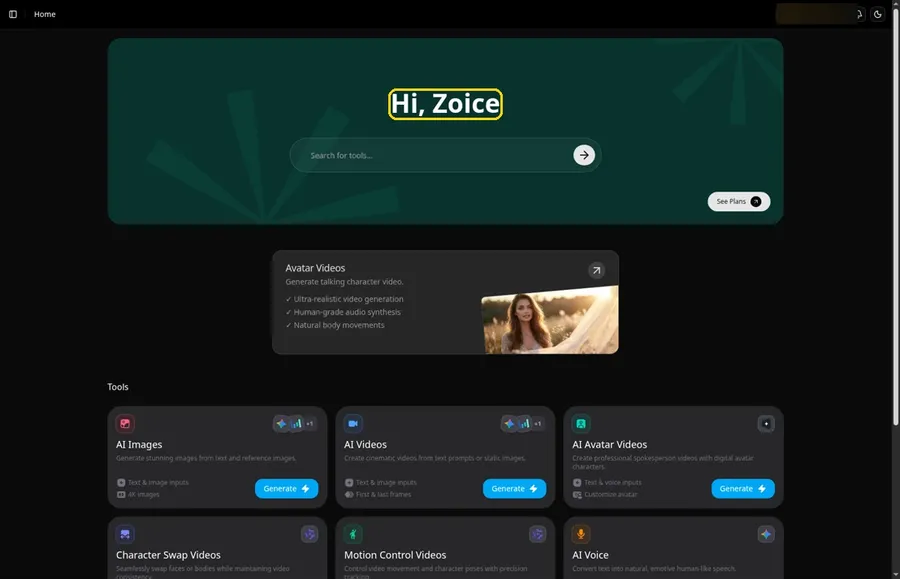
Open Zoice and sign in; the Home page is first.
Step 2: Open Avatar videos
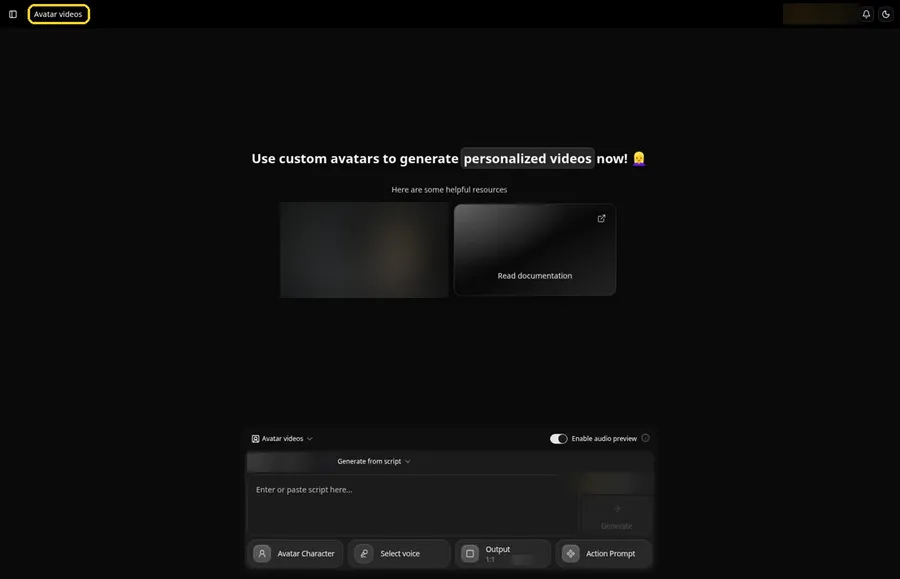
Go to Avatar videos via the sidebar.
Step 3: Click Avatar Character and Create New
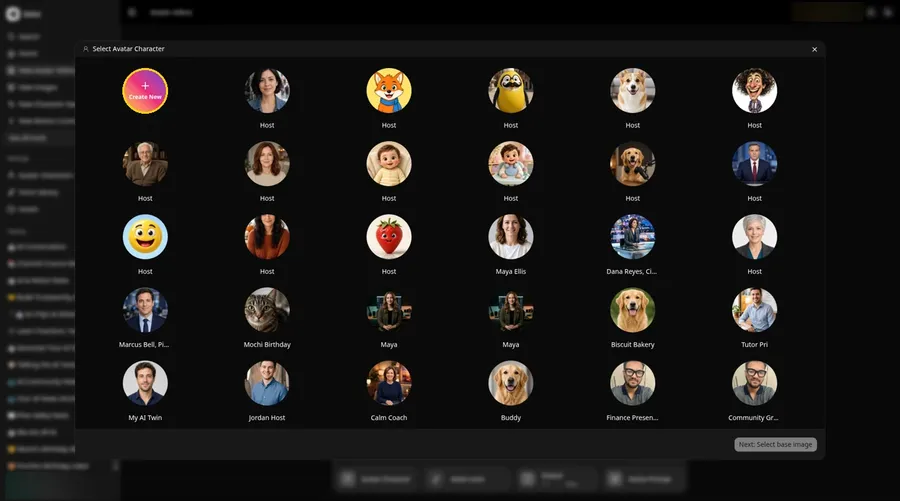
Bring up Select Avatar Character from the Avatar Character button, then use Create New for the Shorts presenter. A second Create New on the Avatar Characters page opens the full-screen Create new avatar page for the Shorts presenter.
Step 4: Choose Upload Image
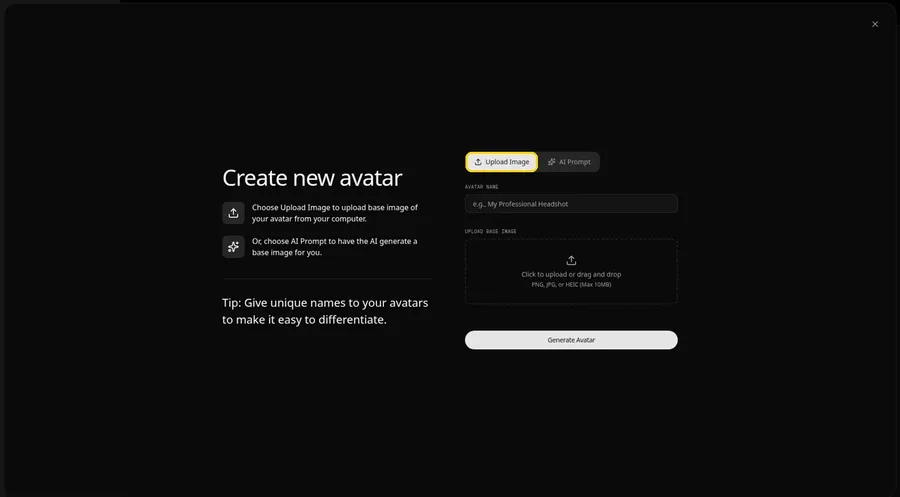
Keep Upload Image selected under UPLOAD BASE IMAGE so the Shorts presenter photo can be added. The AI Prompt tab sits beside it if you ever want to describe the Shorts presenter instead of uploading.
Step 5: Upload the Creator Image
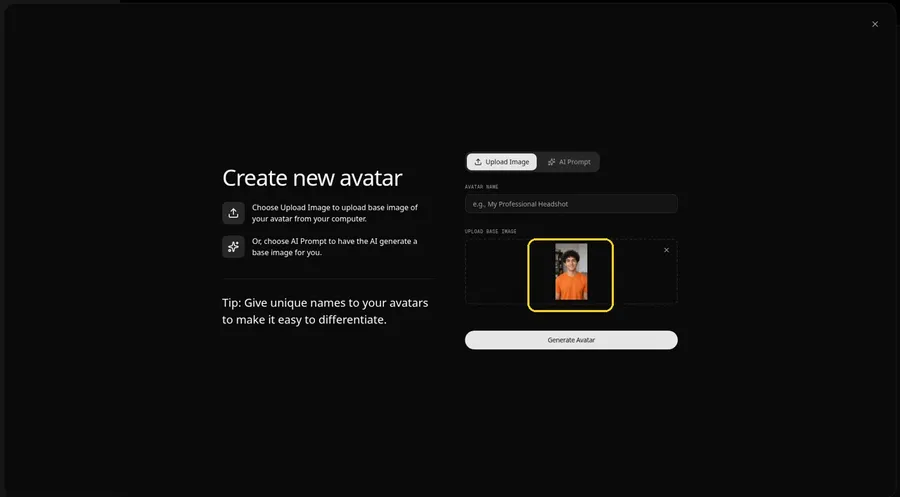
Pick a vertical, front-facing creator image and check the preview.
Step 6: Name the Creator Host
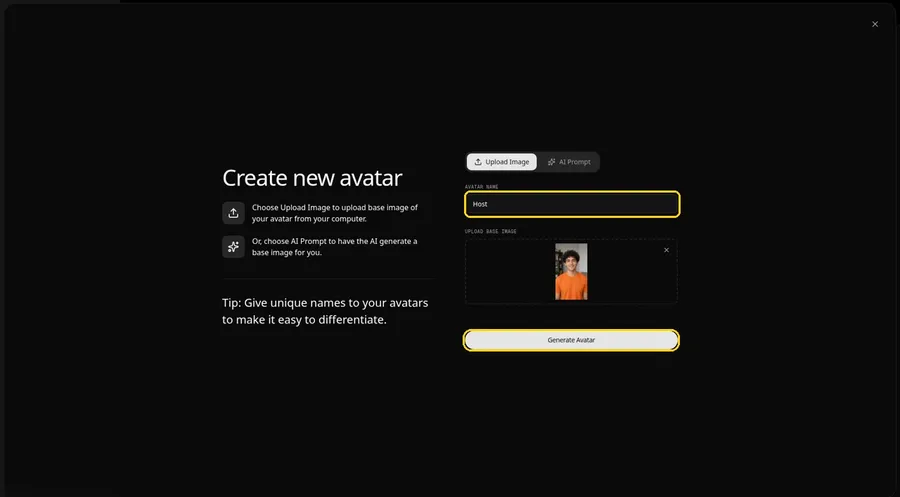
The AVATAR NAME field reads Host and the preview is in place. Click Generate Avatar to save the Shorts presenter for this project and the next one.
Step 7: Open the Script Panel
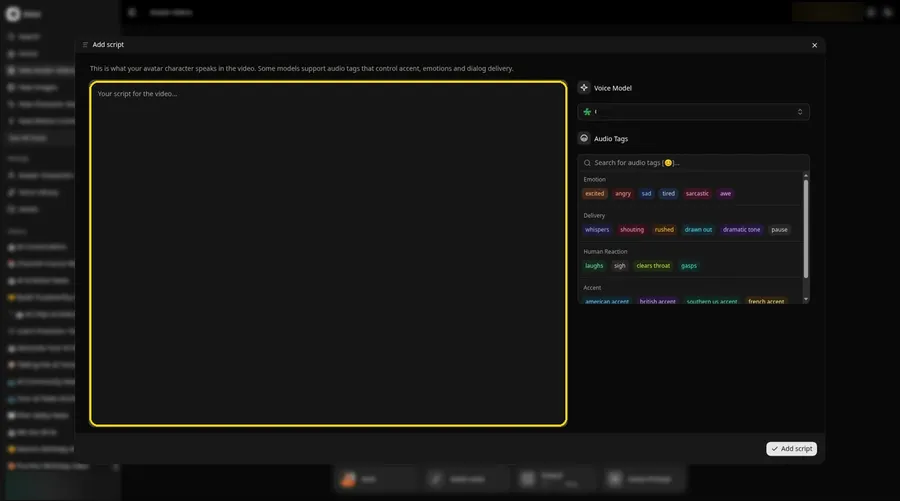
Click the script box to bring up Add script.
Step 8: Set the Voice Model
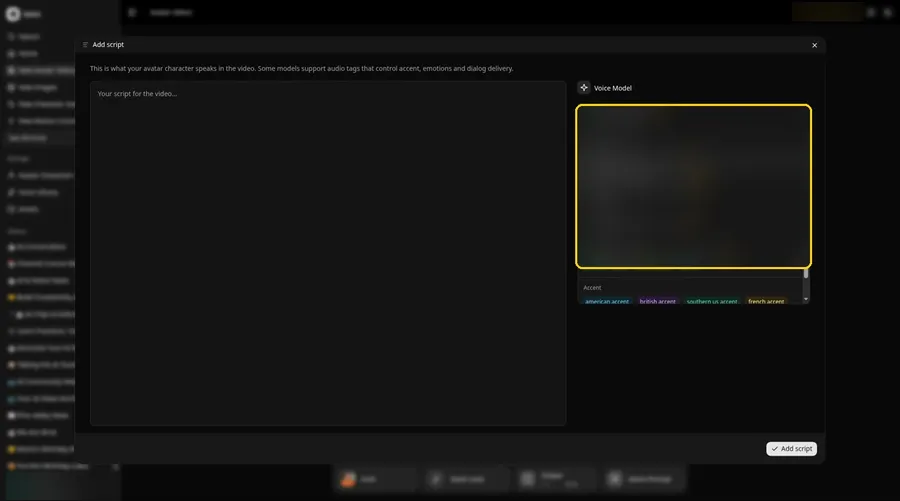
Open the Voice Model menu and make your pick.
Step 9: Paste the Short's Script
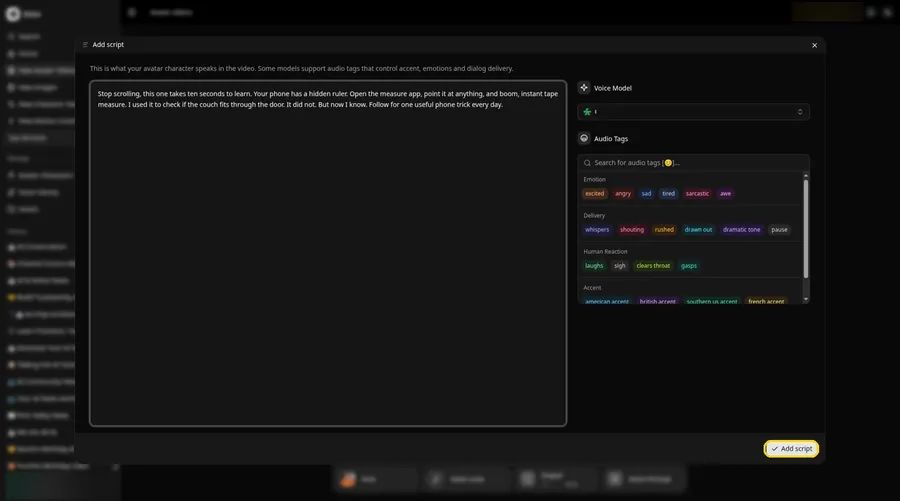
Paste the script and click Add script. Ours starts: Stop scrolling, this one takes ten seconds to learn.
Step 10: Pick a Conversational Voice
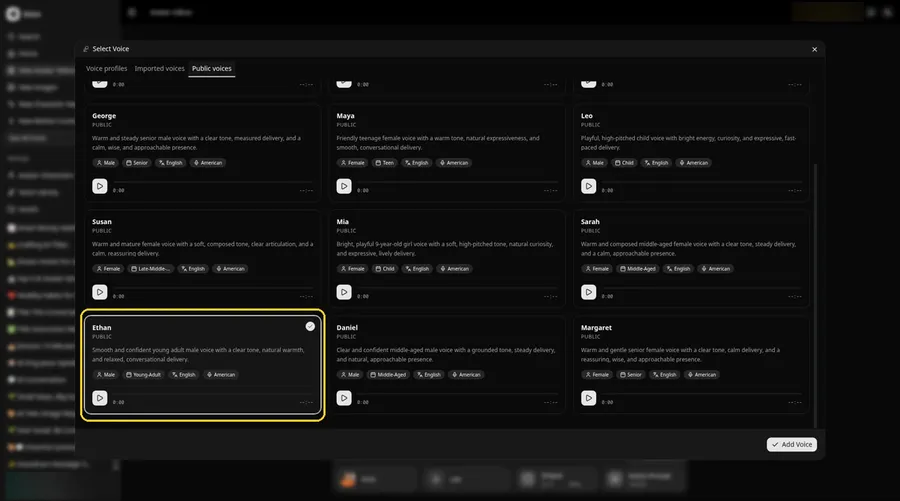
- In the composer, click the voice button so Select Voice opens for the Shorts presenter.
- Choose a voice for the Shorts presenter from the Public voices tab.
- Click Add Voice, and the Shorts presenter now has that voice.
A confident, conversational voice suits the Shorts presenter.
Step 11: Choose Your Output Settings
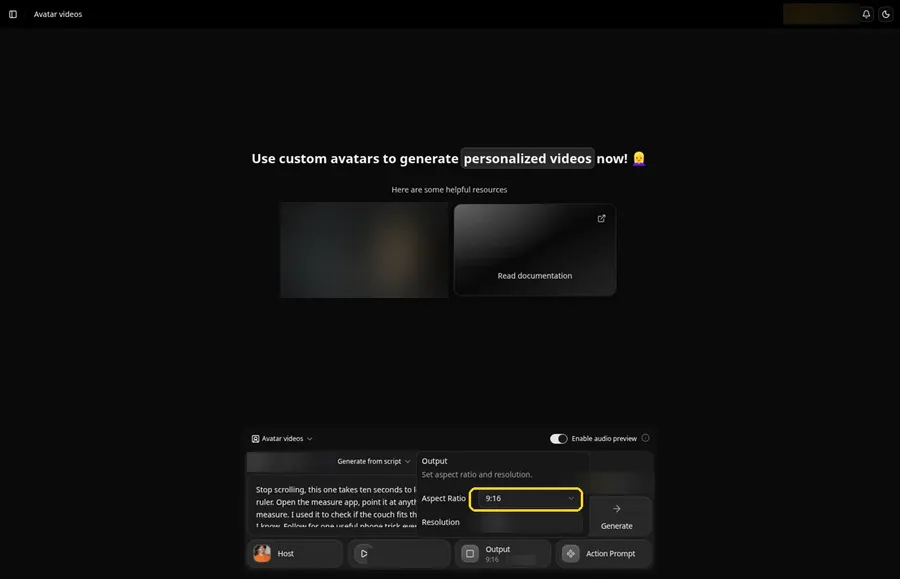
Choose your output settings. The Shorts presenter video uses 9:16, picked from the aspect ratio dropdown in Output.
Step 12: Add an Action Prompt
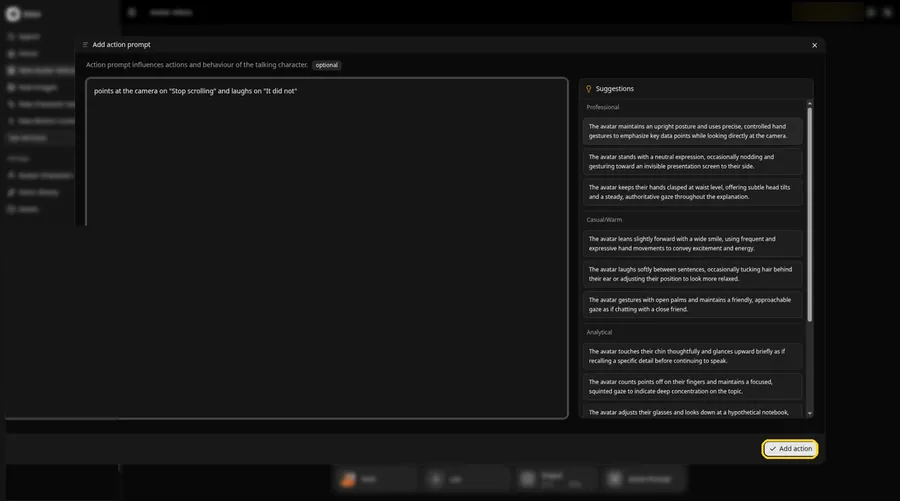
Open the Add action prompt panel, type points at the camera on "Stop scrolling" and laughs on "It did not", then click Add action; the Action Prompt chip now reads Added. Every Shorts presenter move comes from this prompt.
Step 13: Click Generate
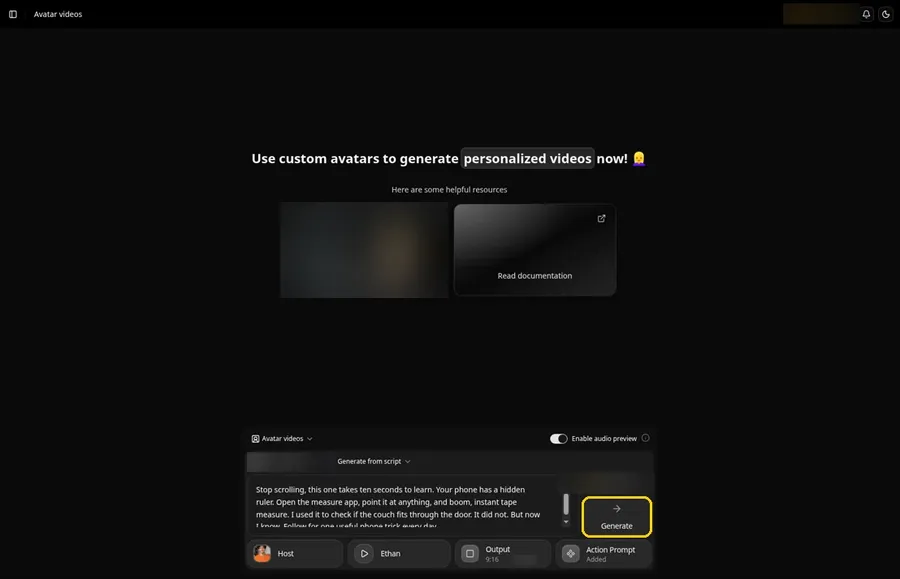
Confirm the creator, script, voice, 9:16 and action prompt, then click Generate.
Step 14: Confirm the Preview
Listen, then confirm with Generate avatar video.
Step 15: Watch the Short
Play it in the player and check the hook lands in the first line.
Step 16: Download the Short
Download the Short from the player menu.
Step 17: Upload to YouTube Shorts
In YouTube Studio, click Create, upload the file, add a title with your hook, and publish.
Tips for AI YouTube Shorts
- Write the hook first and the rest second
- Keep the same creator Host so viewers recognize the channel
- Batch several scripts and set them up in one sitting
- Always use the 9:16 output for Shorts
- End with a reason to follow
Making vertical videos for other platforms too? See our AI avatar generators for vertical videos.
Demo Idea: One Phone Trick a Day
Our creator Host read this Short:
"Stop scrolling, this one takes ten seconds to learn. Your phone has a hidden ruler. Open the measure app, point it at anything, and boom, instant tape measure. I used it to check if the couch fits through the door. It did not. But now I know. Follow for one useful phone trick every day."
Write tomorrow's trick next. Try Zoice and post your first Short.
FAQ
Why use an avatar for Shorts?
You can post without filming. The Host speaks your script.
Which aspect ratio should I use?
Always 9:16, chosen in the Output panel.
Can I use the same avatar across Shorts?
Yes. The Host is saved to Avatar Characters after Generate Avatar.
How long should a Short script be?
Short enough to read in one breath or two, since a Short is a quick watch.
Try Zoice
One creator Host and a stack of scripts make a Shorts channel. Try Zoice and post today.