Best AI Avatar Generator for Vertical Videos: Top Picks
The best AI avatar generator for vertical videos is Zoice, our top pick for rendering a talking avatar in a true 9:16 frame that fills a phone screen. Pick any aspect ratio, including 9:16, 1:1, and 16:9, upload a photo, paste your script in one of 170+ languages, and export a sharp video up to 4K. You choose the shape of the video before you render, so there is no cropping afterward.
We compared four tools on what creators and social teams need: a true 9:16 frame, good framing for a phone, other shapes on demand, sharp resolution, and fast renders. Zoice ranked first for vertical videos, and each other tool earned its place for one clear strength.
What Should an AI Avatar Generator Do for Vertical Videos?
Vertical video is about shape. A phone held upright shows a tall frame, and a wide clip squeezed into it leaves black bars or cuts off the speaker. A good avatar tool renders the presenter in a 9:16 frame from the start, with the face framed for a phone and the text safe from the edges.
This guide is about the aspect ratio itself: how well a tool renders a tall frame, and how easily you can switch shapes. It is not a guide to one platform. We cover TikTok in a separate guide, and the same vertical shape also suits Reels, Shorts, and stories.
What to check before you pick a tool for vertical videos:
- True 9:16: a tall frame rendered from the start, not cropped later
- Face framing: a presenter placed well for a phone screen
- Other shapes: easy switching to 1:1 and 16:9 for other places
- Resolution: enough pixels to stay sharp on a modern phone
- Speed: fast renders for a steady posting rhythm
- Cost: a clear price for each video
Related terms you will see:
- Vertical video: a tall video made for phones held upright
- 9:16 avatar video: an avatar clip rendered in a tall frame
- Aspect ratio: the width to height shape of a video, such as 9:16 or 16:9
- Safe area: the part of a frame that apps do not cover with buttons or captions
Quick Comparison: Best AI Avatar Generators for Vertical Videos
| Features | Zoice | Percify | HeyGen | Creatify |
|---|---|---|---|---|
| Best For | True 9:16 avatars from a photo and a script | Aspect ratio follows your input image | 9:16 avatar videos and a large library | Ad style clips with a 9:16 option |
| Presenter source | One photo or character image | One photo and a voice | 700+ stock avatars, photo avatars, custom avatars | AI actors and custom avatars |
| Languages | 170+ | Not listed | 175+ on paid plans | 75+ |
| Max export | Up to 4K | 720p lip sync | Up to 4K on Pro | Not listed |
| Vertical fit | Pick 9:16, 1:1, or 16:9 before you render | Keeps the aspect ratio of the photo you upload | Supports 9:16 by API and in its tools | Choose 9:16 in the avatar video workflow |
| Starting price* | $7.99/mo for avatar videos | Paid from $26/mo | Free plan, paid from $29/mo | Free plan, paid from $39/mo |
| Overall rating | 9.8 | 8.2 | 9.3 | 8.5 |
*Prices and limits change often. Check each tool's own pricing page before you pay.
All four can make a vertical avatar video. The difference is how you get there: Zoice lets you choose the aspect ratio before you render, Percify follows the shape of your input image, and HeyGen and Creatify offer a 9:16 option in their workflows.
1. Zoice: Best AI Avatar Generator for Vertical Videos Overall
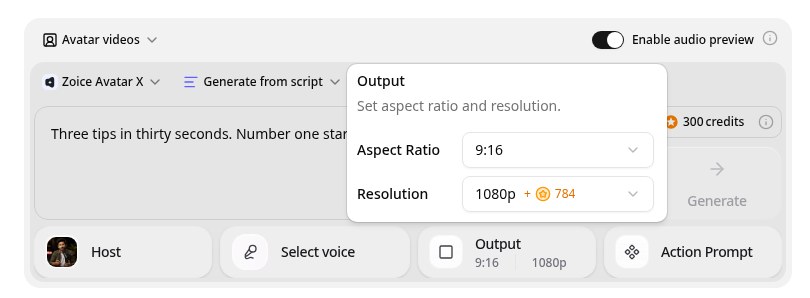
Zoice is the top pick when the shape of the video matters most. Its Avatar X model turns a photo or character into a talking video with natural lip sync, facial expressions, and gestures you can guide with a prompt or a timeline, and you set the aspect ratio before you render. Choose 9:16 for a phone, 1:1 for a feed, or 16:9 for a website, write in one of 170+ languages, and export from 480p up to 4K.
Key Features
- Talking video from one photo or character image
- Script or uploaded audio, with natural lip sync
- Voice cloning from a short audio sample, or 50+ ready made voices
- Scripts in 170+ languages and dialects
- Expressions and gestures, with action prompts and timeline triggers
- Export from 480p up to 4K in any aspect ratio
Best For
- Creators who post on Reels, Shorts, and stories
- Teams that make the same clip in more than one shape
- Marketers who want sharp vertical video on high resolution phones
Pros of Zoice
- Directed delivery
Add a nod, a smile, or a point by action prompt instead of a flat read.
- Clear credit costs
Credits are listed by resolution and length, so you know the cost before you render.
- Easy to update
Edit the script, render again, and the new version replaces the old one.
- Pick the shape first
Choose 9:16 before you render so the presenter is framed for a phone.
- One script, three shapes
Render the same script as 9:16, 1:1, and 16:9.
- Sharp on a phone
Export up to 4K so detail holds on a modern phone screen.
Cons of Zoice
- Framing starts with your photo
A tall photo with room around the head gives the best 9:16 result, so choose or crop one with that in mind.
- Avatar videos need a paid plan
The free plan covers voice, images, chat, and transcription. Avatar videos start on Starter.
Overall Zoice Rating
Review 9.8: Best Overall
| Criterion | Score |
|---|---|
| Vertical rendering | 9.9/10 |
| Framing | 9.8/10 |
| Aspect ratio choice | 9.9/10 |
| Lip sync and voice | 9.8/10 |
| Export quality | 9.9/10 |
| Ease of use | 9.7/10 |
| Pricing | 9.7/10 |
Pricing
| Plan | Monthly Price | What you get |
|---|---|---|
| Free | $0/month | 50 credits per day for AI voice, images, chat, and transcriptions |
| Starter | $7.99/month | 4K credits per month, AI avatar videos, 1 voice profile |
| Basic | $29.99/month | 17K credits per month, 3 voice profiles |
| Creator | $49.99/month | 30K credits per month, 5 voice profiles |
| Agency | $89.99/month | 50K credits per month, 10 voice profiles |
Yearly billing saves 20%. Avatar videos start on Starter, and the credit cost of each video depends on its resolution and length.
When to Use It
Choose Zoice when you post vertical video often, you want to choose the shape before rendering, and you want the same clip in other shapes too.
- Make a 9:16 clip that fills a phone with no black bars.
- Render the same script as 1:1 for a feed post.
- Export 16:9 for a website version of the same clip. Try Zoice
2. Percify: Best for Photo Shaped Avatars
Percify is the choice if you want the video to follow the shape of your input photo. Percify turns a photo, a voice, or a script into a lip synced talking avatar video. It lists custom avatars, voice cloning, stock presenters, captions, translation and dubbing, and a catalog of text to video models.
Key Features
- Photo to talking avatar
- Custom avatars and voice cloning
- Stock presenters and captions
- Translation and dubbing
- 34 text to video models
- Fast 480p or High 720p lip sync
Best For
- Teams that prepare a 9:16 portrait photo
- Teams that want clear credit costs per second
Pros of Percify
- Photo in, video out
One photo and a voice are enough to start a talking avatar.
- Clear credit table
Per second credit costs are published in its docs.
Cons of Percify
- Lower lip sync resolution
Lip sync is listed at 480p and 720p, while Zoice exports up to 4K.
- API on higher plans
API keys need the Scale or Ultra plan.
Overall Percify Rating
Review 8.2: best for Photo Shaped Avatars
Pricing
Creator costs $26 per month for 1,233 credits, Scale costs $65 for 3,000, and Ultra costs $128 for 8,000. Fast 480p lip sync costs 2 credits per second, and High 720p costs 6. Check Percify's pricing page for current details.
When to Use It
Use Percify when you want the output to follow your photo. Use Zoice when you want to choose the aspect ratio in the tool.
3. HeyGen: Best for a Large Avatar Library
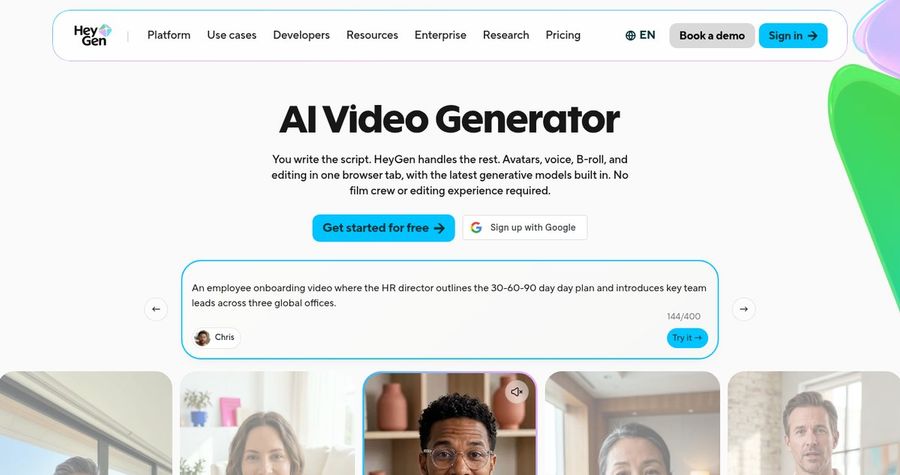
HeyGen is the choice if you want a large library and a 9:16 option. HeyGen is a widely used avatar video platform. Paid plans list 700+ stock avatars, photo avatars, custom video avatars, and narration in 175+ languages and dialects. Voice cloning appears on every plan, and the Business plan adds interactive video, SCORM export, and LMS integrations.
Key Features
- 700+ stock video avatars on paid plans
- Photo avatars, unlimited on paid plans
- Custom video avatars
- Voice cloning, with expanded use on paid plans
- 175+ languages and dialects on paid plans
- 1080p export on Creator and 4K on Pro
Best For
- Teams that like to pick a stock presenter
- Teams that translate videos into many languages
Pros of HeyGen
- Team features
The Business plan adds workspaces, comments, interactive video, and SCORM export.
- Wide avatar choice
700+ stock avatars on paid plans plus photo avatars give a lot of presenters to pick from.
Cons of HeyGen
- Team tools cost more
Interactive video, SCORM, and LMS links sit on the $149 per month Business plan.
- Behind on entry price
Paid plans start at $29 per month, while Zoice avatar videos start at $7.99.
Overall HeyGen Rating
Review 9.3: best for a Large Avatar Library
Pricing
The Free plan includes 3 videos a month of up to 1 minute. Creator costs $29 per month, or $24 per month billed yearly, with 1080p export. Pro starts at $49 per month with 4K export, and Business costs $149 per month plus $20 per seat. Check HeyGen's pricing page for current details.
When to Use It
Use HeyGen when a big library matters. Use Zoice when you want your own photo as the face.
4. Creatify: Best for Vertical Ad Clips
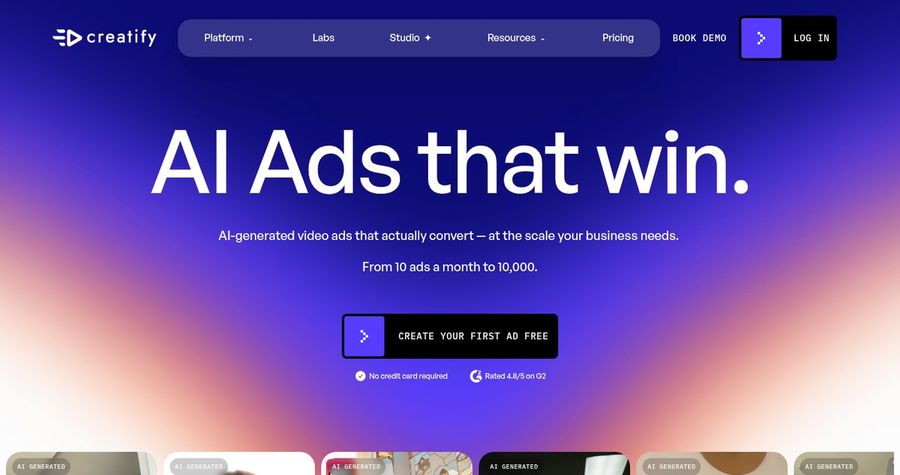
Creatify is the choice if your vertical clips are product ads. Creatify is an AI ad generator that turns a product link into a video ad, with AI avatars, templates, and a script writer. Its Starter plan lists 300 AI actors, and Pro lists 1,500 realistic AI actors with 75+ languages.
Key Features
- Product link to video ads
- 300 AI actors on Starter and 1,500 on Pro
- 75+ languages
- Templates and 50+ to 100+ premium models
- Custom avatars from your own photo on paid plans
- Videos up to 2 minutes on Starter
Best For
- Marketers who make product ads for social
- Teams that like templates and quick starts
Pros of Creatify
- Ad focused tools
Templates and the link to video flow suit marketing clips.
- Large actor library
1,500 AI actors on Pro give plenty of looks.
Cons of Creatify
- Built for ads
Most of the toolset aims at product ads rather than step by step help content.
- Pricey for avatars
Pro costs $99 per month, while Zoice avatar videos start at $7.99.
Overall Creatify Rating
Review 8.5: best for Vertical Ad Clips
Pricing
A free plan includes 10 credits with a watermark. Starter costs $39 per month with 100 credits, and Pro costs $99 per month with 300 credits. Check Creatify's pricing page for current details.
When to Use It
Use Creatify when ads are the job. Use Zoice when a presenter is the job.
Vertical Video Ideas That Work
Tall clips work best when they are short and direct. These formats suit a phone feed:
- Quick tip: one idea in thirty seconds, framed for a phone.
- Story intro: a hook in the first two seconds, then the point.
- Daily update: a short message in the same tall frame every day.
- Explainer clip: one step, one sentence, one clear face.
Want platform ideas too? See our TikTok avatar picks, or read about Instagram avatar tools.
How We Compared AI Avatar Generators for Vertical Videos
We scored each tool the way creators and social teams would, using the public features, limits, and prices on each tool's own site.
We looked at true 9:16 rendering, framing, aspect ratio choice, lip sync, export quality, and price. Zoice ranked as the best AI avatar generator for vertical videos overall. Percify led photo shaped avatars, HeyGen led a large avatar library, and Creatify led vertical ad clips.
How to Choose an AI Avatar Generator for Vertical Videos
Start with where the video will play and how often you will post.
- Shape: confirm you can render a true 9:16 frame.
- Framing: pick a photo with room above the head.
- Switching: check you can render other shapes from the same script.
- Resolution: choose enough pixels for a modern phone.
- Speed: check render times against your posting rhythm.
- Cost: compare the price of a full clip, not only the entry plan.
If you want one tool that renders a talking avatar in a true 9:16 frame you choose before you render, Zoice is the strongest pick for creators and social teams. You can make your first vertical clip in Zoice in a few minutes.
FAQ
Can I make 9:16 avatar videos?
Yes. In Zoice you choose the aspect ratio before you render, including 9:16, 1:1, and 16:9.
Does it work for Reels and Shorts?
Yes. A 9:16 clip is the shape those placements use, and the same video can be posted to more than one app. Check each app's current upload rules before you publish.
Can I render other shapes from the same script?
Yes. Keep the script and render it again with a different aspect ratio, such as 1:1 for a feed post or 16:9 for a website.