How to Make AI Fruit Videos: A Simple Guide for 2026
Talking fruit clips have become a running joke on short video feeds, with strawberries, bananas and lemons trading insults from the kitchen counter. In Zoice you upload a fruit character that has a face, type its lines, and that fruit becomes your Host.
The one thing that matters most is the face. Eyes and a clear mouth give Zoice something to lip sync, so start with a character image rather than a plain photo of fruit. For more ideas in the same spirit, browse our list of AI talking cartoon generators.
Getting a Fruit Image With a Clear Face
A bare apple has nothing to lip sync, so your fruit needs a drawn or generated face. Look for these traits before you upload:
- Two open eyes and a mouth you can see clearly
- The fruit faces forward and fills most of the frame
- A plain background with soft, even light
- An image you made yourself or have the rights to use
How to Make AI Fruit Videos in Zoice (Step by Step)
The steps below follow the real screens in the app. Our example is a sulky strawberry character complaining about the banana.
Step 1: Sign In to Zoice
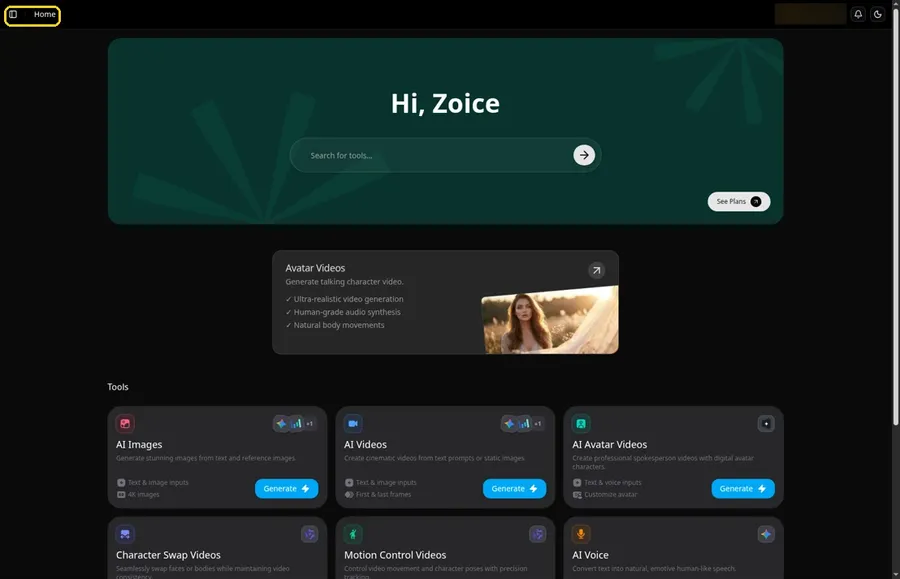
Open Zoice, click Sign In at the top right and enter your details or continue with Google. The app drops you on Home.
Step 2: Go to Avatar videos
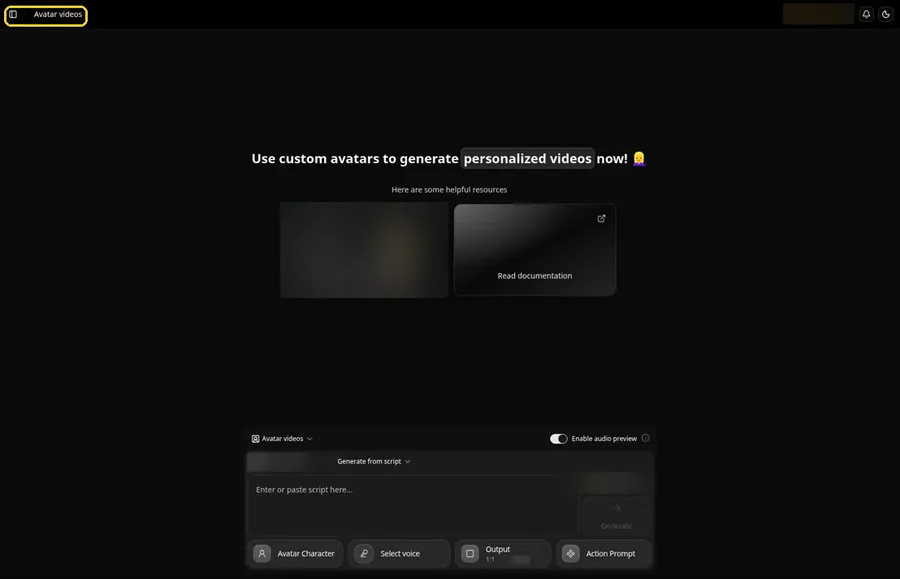
Pick Avatar videos from the sidebar. Your fruit, its lines and the settings all come together in the composer on this page.
Step 3: Create a New Avatar Character
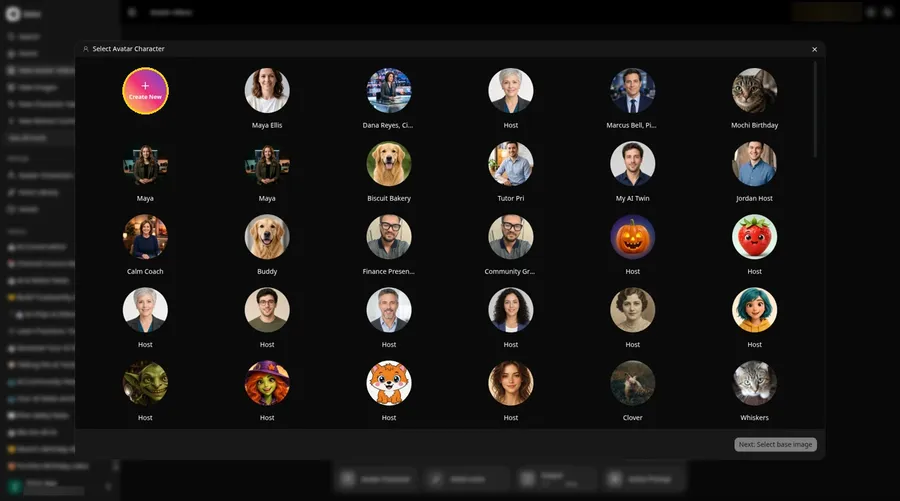
Click Avatar Character in the composer, then hit the round Create New button in the window that opens.
Step 4: Stay on Upload Image
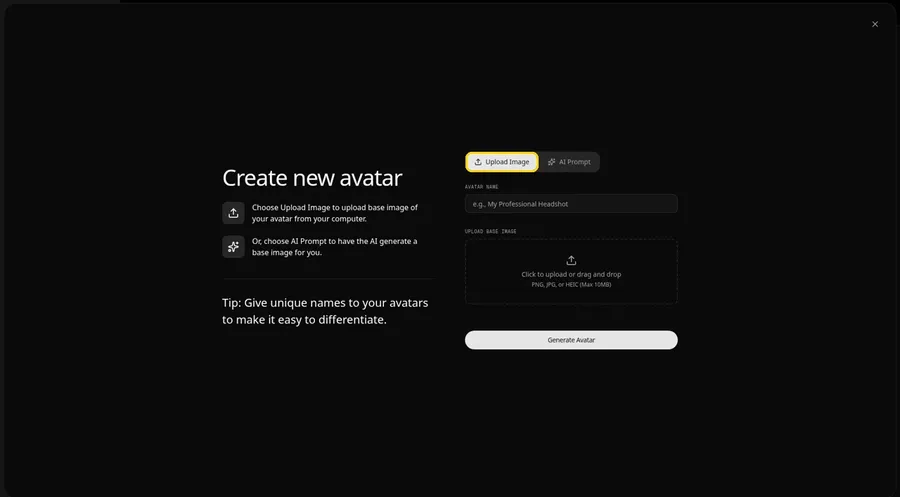
The Upload Image tab is selected by default, and it is the one you need for a fruit character you already have.
Step 5: Upload the Strawberry Character
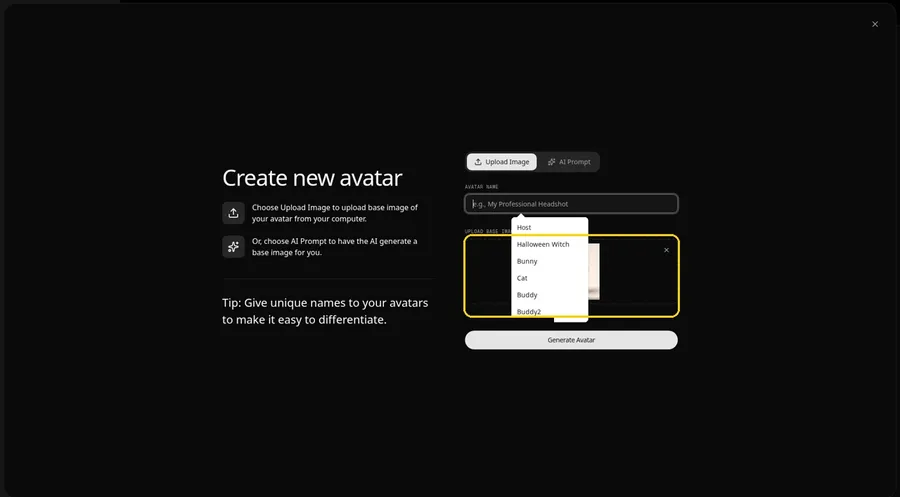
Click the upload area under Upload Base Image. A list of saved images opens over the placeholder; pick your fruit character, or upload a new one.
Step 6: Name It Host and Generate the Avatar
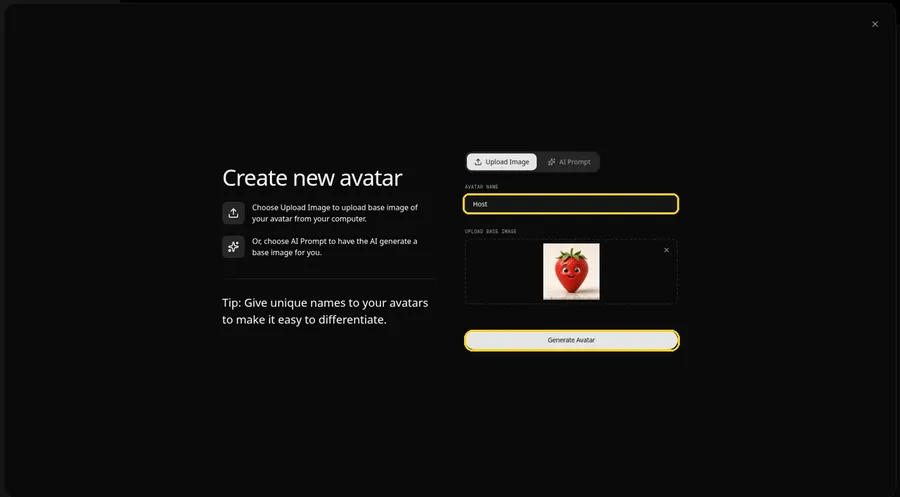
Enter Host in the Avatar Name field and press Generate Avatar. The strawberry is saved, so the next episode can reuse it.
Step 7: Open the Script Panel
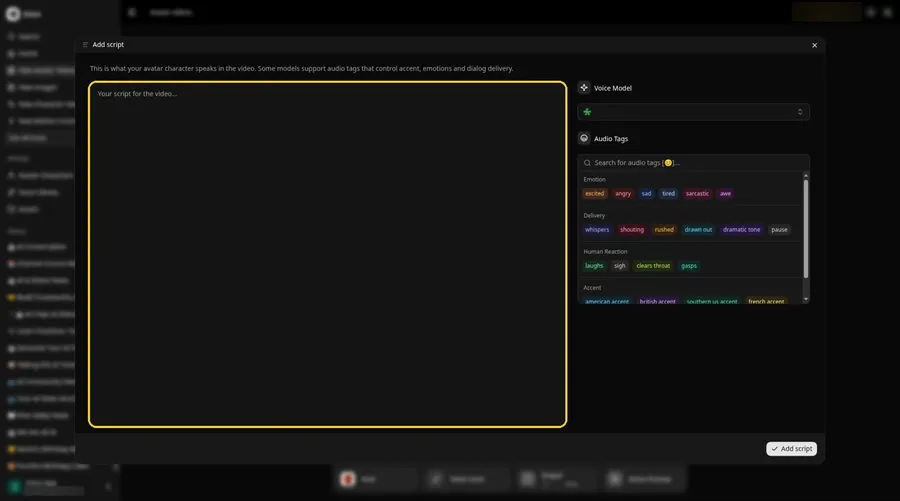
With the Host attached, click into the script box in the composer. The Add script panel slides out.
Step 8: Choose the Voice Model
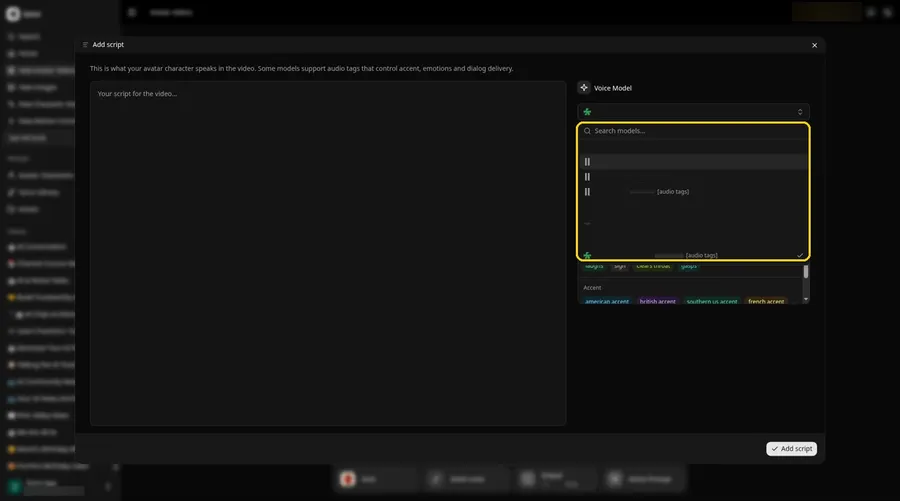
Open the Voice Model menu in the panel and select the model that will read the strawberry's lines.
Step 9: Type the Fruit's Lines
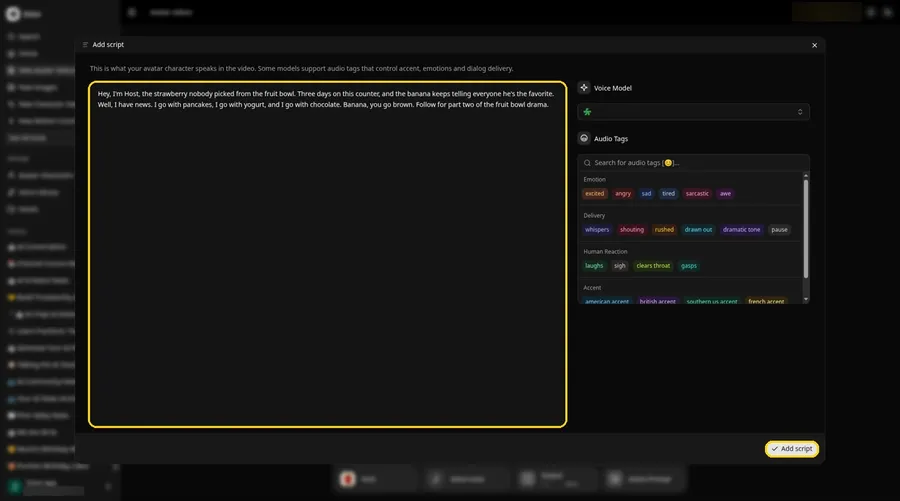
Paste your lines and press Add script. Our strawberry opened with: Hey, I'm Host, the strawberry nobody picked from the fruit bowl.
Step 10: Pick a Playful Voice
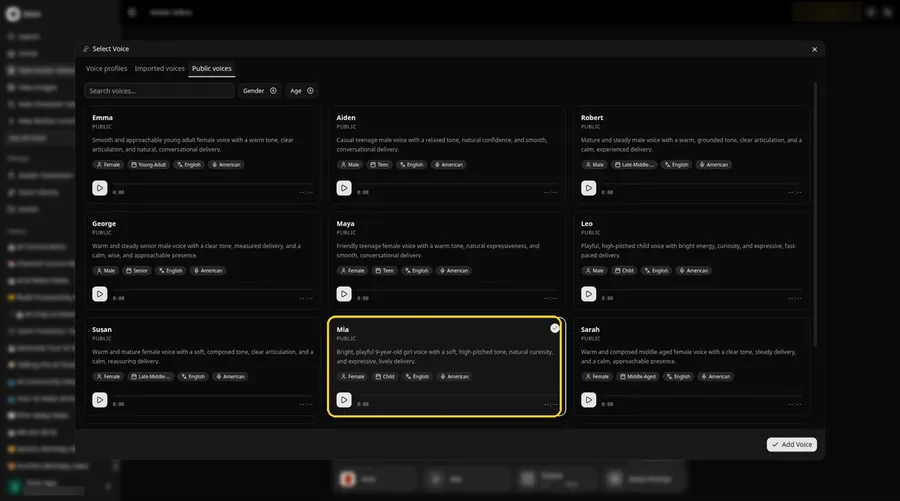
Click the voice button in the composer to open the Select Voice window. On the Public voices tab, pick a bright, cheeky voice that suits a complaining strawberry, then click Add Voice to attach it.
Step 11: Choose Your Output Settings
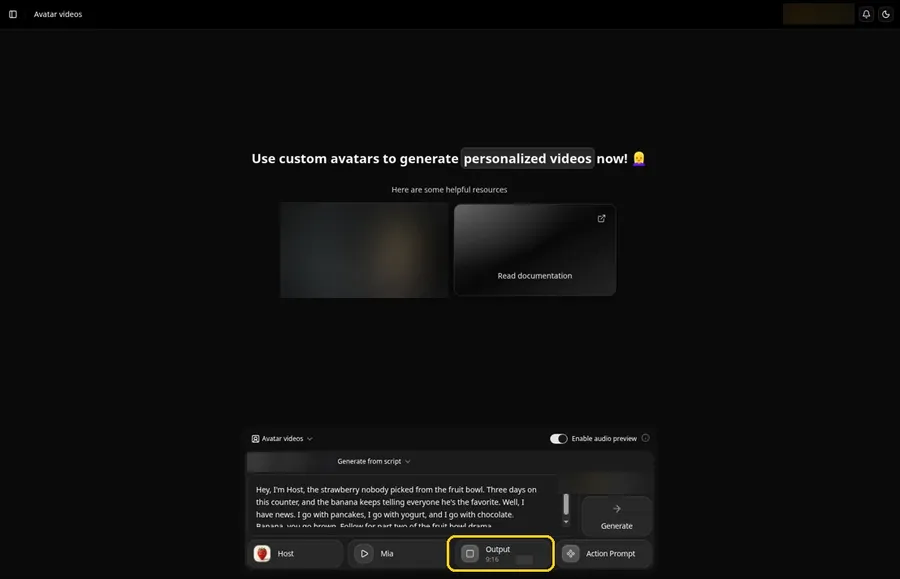
On the Output tile in the composer, set the aspect ratio to 9:16, since most fruit clips are watched on a phone in a vertical feed.
Step 12: Add an Action Prompt
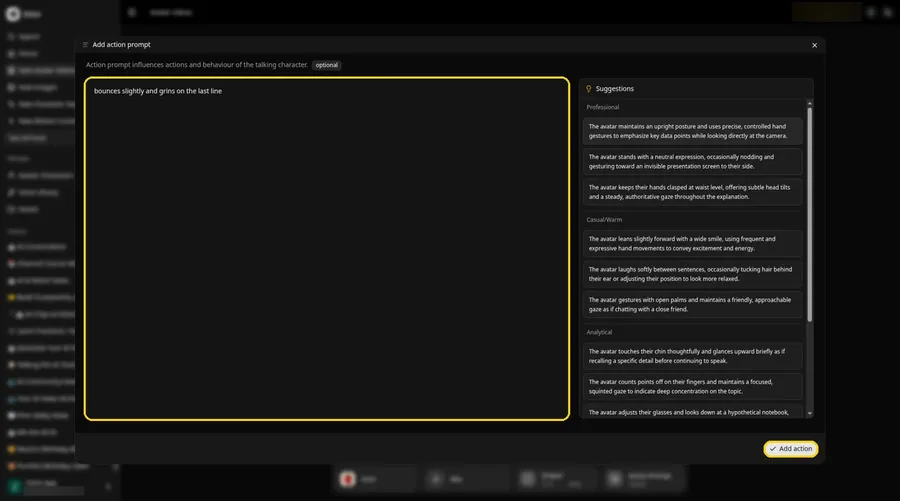
Click Action Prompt. In the Add action prompt panel, type: bounces slightly and grins on the last line. Click Add action. Added then shows on the Action Prompt chip in the composer. Any bounce or grin in your clip comes from this prompt.
Step 13: Click Generate
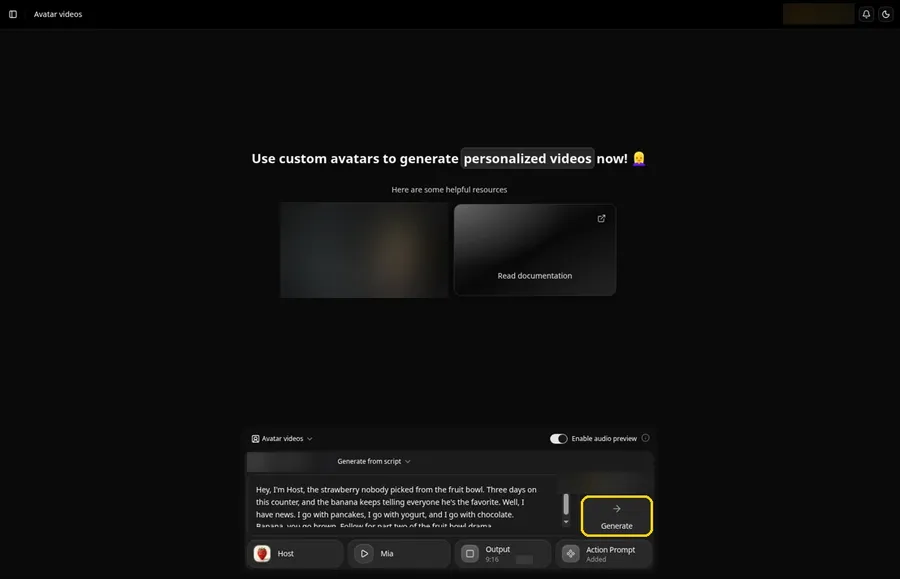
Confirm the strawberry, the lines, the voice, the 9:16 output and the action prompt are all in place, then click Generate.
Step 14: Preview the Audio and Confirm
Listen to the audio preview Zoice plays, then confirm with Generate avatar video. Processing starts right away.
Step 15: Watch the Clip
When the player appears, press play and make sure the lines, voice and action prompt match your setup.
Step 16: Download It
Choose Download from the player menu and save the file.
Step 17: Post the Episode
Upload the clip to your short video app with a caption that teases the next fruit in the series.
Tips for a Fruit Series
- Give every fruit one clear personality, such as smug, dramatic or sleepy
- Write lines you could say in one breath, which keeps vertical clips punchy
- Upload a test image first and confirm the face is picked up
- Rotate the cast: a lemon one week, a pineapple the next
- End each clip on a hook so viewers come back for the reply
Want to push the joke further? Our roundup of AI meme video generators has more formats to try.
Demo Idea: The Fruit Bowl Feud
Here is the full script our strawberry Host read:
"Hey, I'm Host, the strawberry nobody picked from the fruit bowl. Three days on this counter, and the banana keeps telling everyone he's the favorite. Well, I have news. I go with pancakes, I go with yogurt, and I go with chocolate. Banana, you go brown. Follow for part two of the fruit bowl drama."
Next episode, give the banana a reply. Ready to cast your own fruit? Try Zoice.
FAQ
Does any fruit photo work?
The image needs a face with eyes and a mouth, like a fruit character. A plain fruit photo has nothing to lip sync.
Where can I get a fruit character image?
Use one you drew, generated or otherwise have the rights to use.
Can I make vertical clips?
Yes. Pick 9:16 in the output settings before you generate.
Can the same fruit come back in later videos?
Yes. Once you generate the avatar, it stays in your avatar list.
Try Zoice
A fruit with a face and a few funny lines are all it takes. Try Zoice and start your fruit bowl series.