Best AI Meme Video Generator: Funniest Picks for 2026

The best AI meme video generator is Zoice, our top pick for turning any photo into a funny talking or singing meme video. Upload a clear photo of a friend, a pet, a cartoon, or a favorite character, type the joke or upload your own audio, and the mouth follows the words. Choose 9:16 for TikTok, and export a sharp video up to 4K.
We compared four tools on what meme creators need: speed, a face that gets the joke across, your own words, formats for social, and a price that suits a hobby. Zoice ranked first for talking and singing memes from your own photos, and each other tool earned its place for one clear strength.
What Should an AI Meme Video Generator Do?
A meme video is short, loud, and made to be shared. It needs a face that sells the joke, a voice that fits, and a vertical format that works on TikTok, Reels, and Shorts. The best tools let you use your own photo and your own words, so the joke is yours.
This guide is about funny talking and singing memes built from a photo. Some tools build a whole scene from a typed joke, and others animate the face you give them, so we note which is which. Only use photos of people who agree, and do not make memes that pass off a real person as saying something they did not say.
What to check before you pick a tool for meme videos:
- Photo to face: the face you upload gets the joke across
- Your words: you write the joke or upload your own audio
- Funny voices: voice options that suit the joke
- Speed: a short wait, so you can try more jokes
- Formats: 9:16 for TikTok, Reels, and Shorts
- Cost: a price that suits a hobby or a small channel
Related terms you will see:
- Meme: a short joke format that spreads online
- Funny voice: a voice style that makes the line land
- TikTok: the short video app where many memes spread
- Reaction: a short clip that answers or reacts to another post
Quick Comparison: Best AI Meme Video Generators
| Features | Zoice | TalkPix | Memebuilder | Creen |
|---|---|---|---|---|
| Best For | Your own photo as a talking or singing meme | Quick talking or singing clips from a photo | Joke to talking meme from set scenes | Free lip sync from a face and audio |
| Face source | One photo or character image | Photo, pet, cartoon, or object | Scenes built by the tool | A photo, a face, or a clip |
| Your words | Type them or upload audio | Type them or upload audio | Type the joke | Type them, clone a voice, or upload audio |
| Languages | 170+ | 10 | 110+ for captions | 20+ for voices |
| Max export | Up to 4K | 720p or 1080p | Clips of 5 to 10 seconds | Not listed |
| Free option | Free plan without avatar videos | No free tier | Free meme images, videos on Max only | Free select models with a daily quota |
| Starting price* | $7.99/mo for avatar videos | Packs from $5, no subscription | $19.99/mo for AI meme videos | $10/mo for 3,000 credits |
| Overall rating | 9.8 | 8.8 | 8.5 | 8.4 |
*Prices and limits change often. Check each tool's own pricing page before you pay.
All four can make a face speak. The difference is control: Zoice and TalkPix start from your photo and your words, while Memebuilder builds the scene from a typed joke.
1. Zoice: Best AI Meme Video Generator Overall
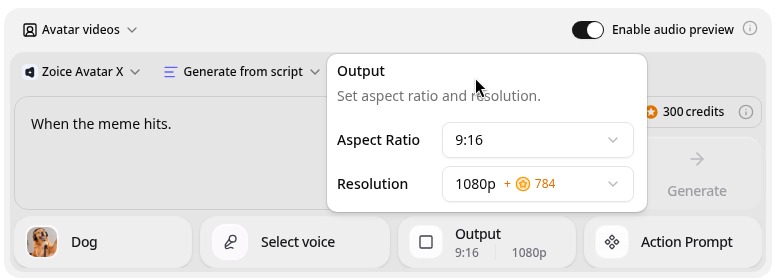
Zoice is the top pick when the face in the meme is your own choice. Its Avatar X model turns a photo or character image into a talking video from a typed script or your own audio, with natural lip sync, facial expressions, and gestures you can guide with a prompt or a timeline. Clone a voice or upload a recording, write in one of 170+ languages, and export from 480p up to 4K in any aspect ratio.
Key Features
- Talking video from one photo or character image
- Script or uploaded audio, with natural lip sync
- Voice cloning, or your own recording
- Scripts in 170+ languages and dialects
- Gestures and expressions by prompt or on a timeline
- Export from 480p up to 4K in any aspect ratio
Best For
- Meme creators who want to use their own photos
- Friends who want a funny message in a face they know
- Pet owners who want a funny talking pet
Pros of Zoice
- Any face you choose
Start from a photo, a pet, or a cartoon, so the joke is yours.
- Your own words
Type the joke or upload your own audio.
- Singing too
Upload a track you have the rights to, and the face sings the words.
- Real lip sync
The mouth follows the audio, with expressions to match.
- Ready for TikTok
Export 9:16 for TikTok, Reels, and Shorts.
- Clear credit costs
Credits are listed by resolution and length, so you know the cost before you render.
Cons of Zoice
- It does not write the joke
Zoice animates the line you give it. Bring your own script or audio.
- Avatar videos need a paid plan
The free plan covers voice, images, chat, and transcription. Avatar videos start on Starter.
Overall Zoice Rating
Review 9.8: Best Overall
| Criterion | Score |
|---|---|
| Face quality | 9.8/10 |
| Lip sync and voice | 9.8/10 |
| Languages | 9.9/10 |
| Control over the joke | 9.9/10 |
| Export quality | 9.9/10 |
| Ease of use | 9.7/10 |
| Pricing | 9.7/10 |
Pricing
| Plan | Monthly Price | What you get |
|---|---|---|
| Free | $0/month | 50 credits per day for AI voice, images, chat, and transcriptions |
| Starter | $7.99/month | 4K credits per month, AI avatar videos, 1 voice profile |
| Basic | $29.99/month | 17K credits per month, 3 voice profiles |
| Creator | $49.99/month | 30K credits per month, 5 voice profiles |
| Agency | $89.99/month | 50K credits per month, 10 voice profiles |
Yearly billing saves 20%. Avatar videos start on Starter, and the credit cost of each video depends on its resolution and length.
When to Use It
Choose Zoice when the joke needs a specific face, you want to write the line yourself, and you want a sharp file for social.
- Make a friend's photo announce something silly.
- Make a pet photo deliver a dramatic line.
- Make a cartoon character sing a short chorus. Try Zoice
2. TalkPix: Best for Quick Talking or Singing Clips
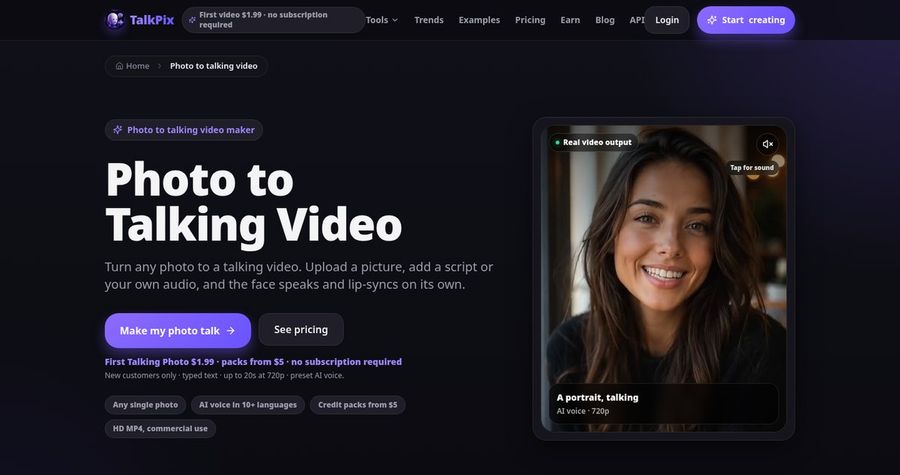
TalkPix turns a photo, a pet, a cartoon, or an object into a talking or singing video. You upload a clear, front facing image, type a script or upload audio, choose a voice, and download an MP4. Its site lists 720p and 1080p exports, videos up to five minutes, and pay as you go credits with no subscription. It has no free tier.
Key Features
- Talking or singing video from a photo, pet, cartoon, or object
- Typed script or uploaded audio
- 30 built in voices across 10 languages
- 720p or 1080p MP4
- Up to 5 minutes per video
- Pay as you go credit packs
Best For
- People who want one quick funny clip
- Anyone who does not want a subscription
Pros of TalkPix
- Quick and simple
Upload, type, and download.
- No subscription
Credits never expire and there is no monthly fee.
Cons of TalkPix
- No free tier
A first video costs $1.99 for eligible new customers.
- Fewer languages
It lists 10 languages, while Zoice supports 170+.
Overall TalkPix Rating
Review 8.8: Best for quick talking or singing clips
Pricing
A first Talking Photo of up to 20 seconds costs $1.99 for eligible new customers. Credit packs start at $5, and a talking photo uses 1 credit per second at 720p. Check TalkPix's pricing page for current packs.
When to Use It
Use TalkPix when you want one quick clip without a subscription. Use Zoice when you want more languages and a sharper export.
3. Memebuilder: Best for Joke to Talking Meme Scenes
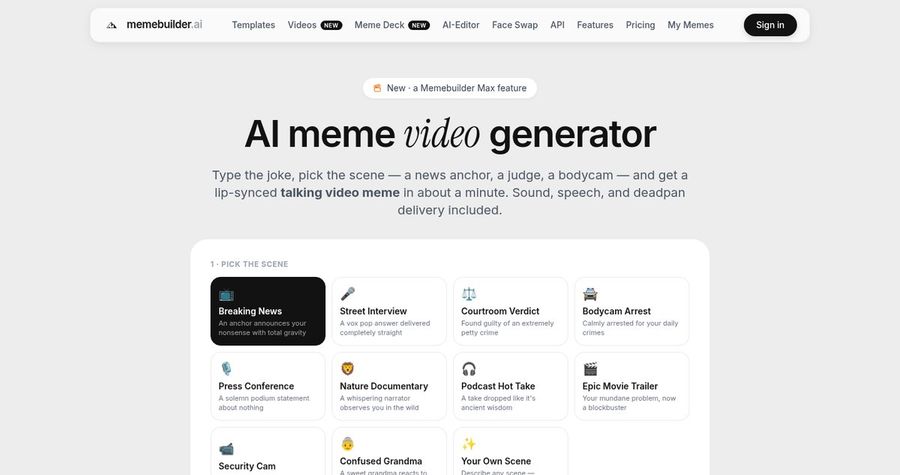
Memebuilder is a meme maker with a library of templates and AI captions. Its AI meme video generator turns a typed joke into a short lip synced video in a set scene, such as a news anchor, a courtroom verdict, or a bodycam clip. Clips run 5 to 10 seconds and come in 9:16, 1:1, or 16:9. The video feature is part of its Max plan.
Key Features
- AI meme videos from a typed joke
- 11 scene formats
- Clips of 5 to 10 seconds in 9:16, 1:1, or 16:9
- 1,000+ HD meme templates and GIFs
- AI captions in 110+ languages
- Meme Autopilot on Max
Best For
- Social managers who want fast, scene based memes
- Anyone who also makes image memes and GIFs
Pros of Memebuilder
- Fast joke to video
You type the joke and pick the scene.
- Strong meme tools
Templates, captions, and a full editor are included.
Cons of Memebuilder
- Video needs Max
AI meme videos are only on the $19.99 per month plan, with 30 videos a month.
- Not your own photo
The scene is built by the tool, so the face is not one you upload.
Overall Memebuilder Rating
Review 8.5: Best for joke to talking meme scenes
Pricing
The free plan includes 2 export credits a day. Pro costs $9.99 per month, and Max costs $19.99 per month, or $99.99 per year, with 30 AI meme videos a month. Check Memebuilder's pricing page for current plans.
When to Use It
Use Memebuilder when you want a quick scene based meme from a typed joke. Use Zoice when the face has to be your own photo.
4. Creen: Best for Free Lip Sync Tries
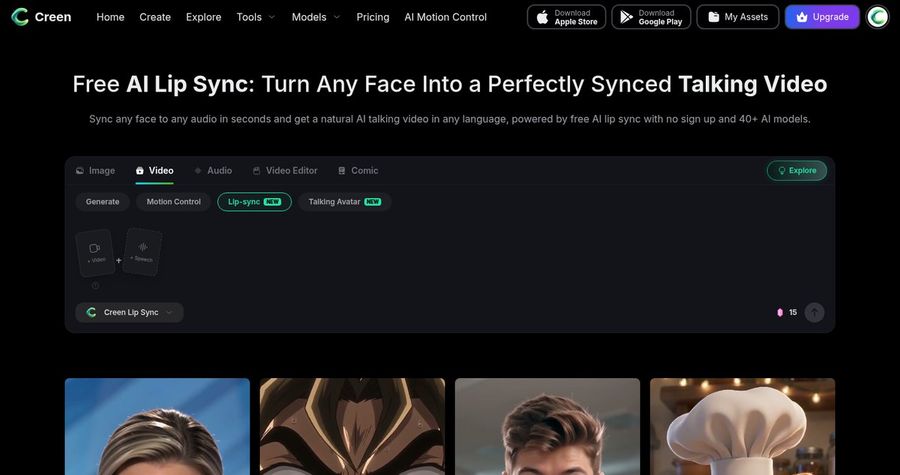
Creen is an AI creative platform with a lip sync and talking photo tool. You add a face and a voice track, or a photo and a script, and it makes a talking video. Its site lists 100+ voices across 20+ languages, voice cloning, and free, unlimited use of select models with a daily quota, while premium engines use credits. It also lists lip synced singing.
Key Features
- Talking video from a photo and a script or audio
- Lip sync for a face and any audio
- 100+ voices across 20+ languages
- Voice cloning
- Free select models with a daily quota
- 40+ models across image, video, and audio
Best For
- Hobbyists who want to try lip sync for free
- Creators who want many image and video models in one place
Pros of Creen
- Free to try
Select models are free with a daily quota.
- Wide toolkit
Image, video, and audio tools sit in one workspace.
Cons of Creen
- Premium models use credits
Better engines cost credits, so costs vary by model.
- Less meme focused
It is a general platform, not a tool built for meme formats.
Overall Creen Rating
Review 8.4: Best for free lip sync tries
Pricing
Credit packs start at $10 per month for 3,000 credits, and Pro costs $29 per month, or about $14.50 per month billed yearly. Select models are free with a daily quota. Check Creen's pricing page for current plans.
When to Use It
Use Creen when you want to try lip sync for free first. Use Zoice when you want a more controlled, sharper talking meme.
Meme Video Ideas That Work
Short, punchy clips get shared. These formats suit a meme video:
- Dramatic announcement: a pet or friend delivers a silly news line.
- Reaction clip: a face answers a post with a funny line.
- Mock song: a cartoon sings a short, silly chorus.
- Inside joke: a friend's photo repeats a catchphrase.
Want a broader view of photo animation? See our talking photo picks, or read about singing animal generators.
How We Compared Meme Video Generators
We scored each tool the way a meme creator would, using the public features, limits, and prices on each tool's own site.
We looked at face quality, control over the joke, lip sync, voices, formats, and price. Zoice ranked first for talking and singing memes from your own photos. TalkPix led quick clips, Memebuilder led joke to scene memes, and Creen led free lip sync tries.
How to Choose an AI Meme Video Generator
Start with what makes the joke work: the face, the words, or the scene.
- Face: decide between your own photo and a ready made scene.
- Words: choose a tool that lets you write the line.
- Voice: pick a voice that fits the joke.
- Format: choose 9:16 for TikTok, Reels, and Shorts.
- Respect: use photos of people who agree, and do not fake a real person's words.
- Cost: compare the price of a finished clip, not only the entry plan.
If you want one tool that turns your own photo and your own joke into a clean, funny clip, Zoice is the strongest pick for most meme creators. You can make your first meme video in Zoice in a few minutes.
FAQ
Can AI make a meme talk or sing?
Yes. A talking avatar tool can take a photo, add your words or audio, and move the mouth to match. In Zoice you upload the photo and the line, and the face says or sings it.
What photo works best?
Use a clear, front facing photo with the mouth visible and good light. Pets and cartoon characters work too, as long as the face is clear.
Can I share it on TikTok?
Yes. Export a 9:16 video from Zoice and upload it to TikTok, Reels, or Shorts. Use your own photos and audio, or ones you have the rights to use.