Best AI Text to Speech Tools: Our Top Picks for 2026
Text to speech turns a written script into spoken audio. Zoice is our top pick: write your script in AI Voice, choose a voice and click Generate, then use the same script on a talking Host video. Developers also get a Text to Speech API and a playground at dev.zoice.com.
This guide compares Zoice with ElevenLabs, Speechify and Murf. Each entry covers key features, who it suits, pros, cons, the rating from G2 where one exists and how pricing works, with a screenshot of each tool.
What Is AI Text to Speech?
AI text to speech reads your words aloud in a generated voice. You type or paste a script, pick a voice and get an audio file you can drop into a video, a lesson, an app or a podcast.
It suits creators who need voiceovers without a microphone, students and professionals who prefer to listen to documents, and developers who want spoken audio inside their own product. The right tool depends on where the voice ends up: in your ears, in an edited voiceover, in an app or on a talking video.
Quick Comparison: Best AI Text to Speech Tools
| Tool | Best For | Web app | API | Starting price | Rating |
|---|---|---|---|---|---|
| Zoice | Voice plus a talking Host video | Yes | Yes, at dev.zoice.com | Free plan; paid from $7.99 per month | Not listed |
| ElevenLabs | A dedicated voice platform | Yes | Yes | See tool site | 4.5/5 on G2 |
| Speechify | Listening to documents and web pages | Yes, plus mobile and Chrome apps | Yes | See tool site | Not listed |
| Murf | Voiceovers in a studio editor | Yes | Yes | See tool site | 4.7/5 on G2 |
1. Zoice: Best Overall
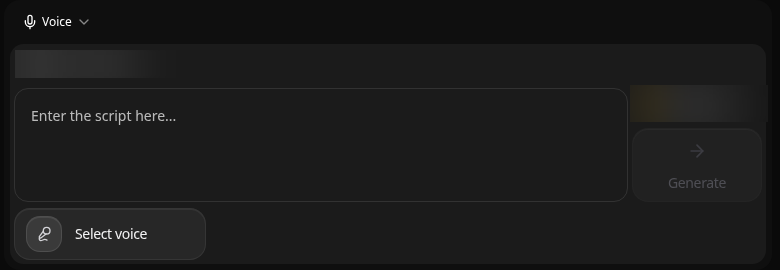
Zoice puts text to speech in the same workspace as avatar videos, images and voice. In AI Voice you enter the script, click Select voice and click Generate. The same script can then drive a talking Host in New Avatar Videos, so one piece of writing becomes both an audio file and a video.
Key Features
- AI Voice turns a script into speech, described by Zoice as natural, emotive, human-like speech
- A voice picker with three tabs: Voice profiles, Public voices and Imported voices
- Your own voice profiles, added with Add Voice
- Public voices you can filter by gender and age, with a preview on each voice
- A language tag on each voice
- A Text to Speech API and a playground at dev.zoice.com for developers
Best For
Turning a script into a voice and then into a talking Host video, with an API for developers.
Pros of Zoice
- Same workspace as avatar videos, images and voice
- The same script can power a talking Host video
- Free plan available
Cons of Zoice
- Needs an internet connection
- Smaller public avatar library
Overall Zoice Rating
Not listed. Zoice does not yet have a G2 rating for this use.
Pricing
Zoice has a free plan, and paid plans start at $7.99 per month. Yearly billing saves 20%.
When to Use It
- You want text to speech and a talking Host video from the same script
- You want to try a voice on a free plan first
- You are a developer and want the Text to Speech API at dev.zoice.com Try Zoice
If you want a face on the audio, our guides to the best AI talking photo generator and how to make a picture talk show the next step.
2. ElevenLabs: Best for a Voice Platform
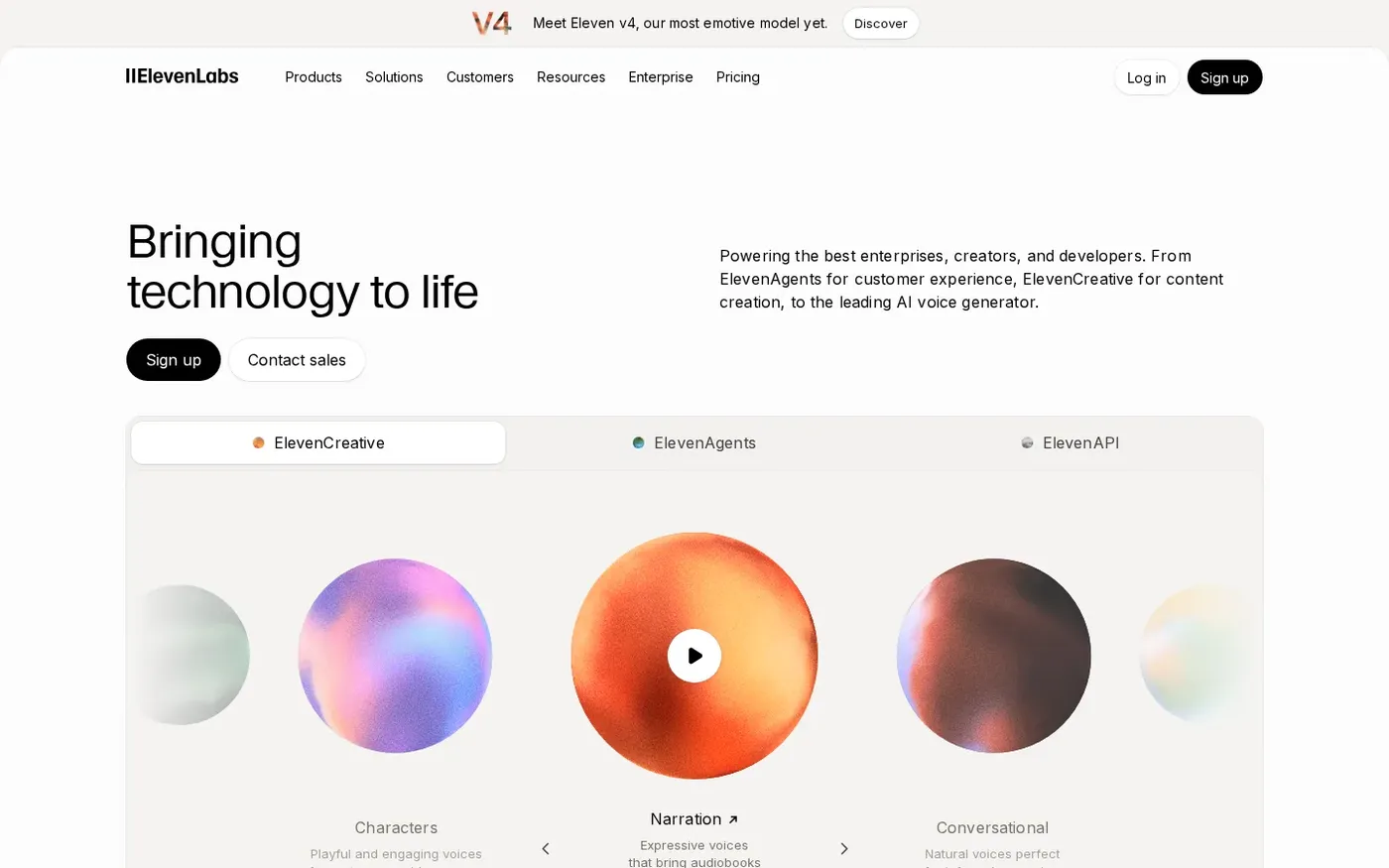
ElevenLabs is a voice company first. Its site offers a text to speech web app alongside an API, so the same voices are available whether you work in the browser or in code.
Key Features
- Text to speech in a web app
- A text to speech API for developers
Best For
A dedicated voice platform with an API.
Pros of ElevenLabs
- Voice is the core product
- Web app and API in one place
Cons of ElevenLabs
- Audio only, so a talking video needs a separate tool
Overall ElevenLabs Rating
4.5/5 on G2 from 1,294 reviews.
Pricing
See tool site.
When to Use It
Pick ElevenLabs when the voice itself is the product and visuals come later in another tool.
3. Speechify: Best for Listening
Speechify is built around listening. It reads text aloud on the web, on mobile and through a Chrome extension, and it also offers an API.

Key Features
- Reads text aloud in a web app
- Mobile apps and a Chrome extension
- An API for developers
Best For
Listening to documents and web pages.
Pros of Speechify
- Works across web, phone and browser
- Made for reading along with text
Cons of Speechify
- Focused on listening rather than producing videos
Overall Speechify Rating
Not listed. The G2 page we found covers a different Speechify product.
Pricing
See tool site.
When to Use It
Pick Speechify when you mainly want to listen to articles, documents and web pages.
4. Murf: Best for Studio Voiceovers
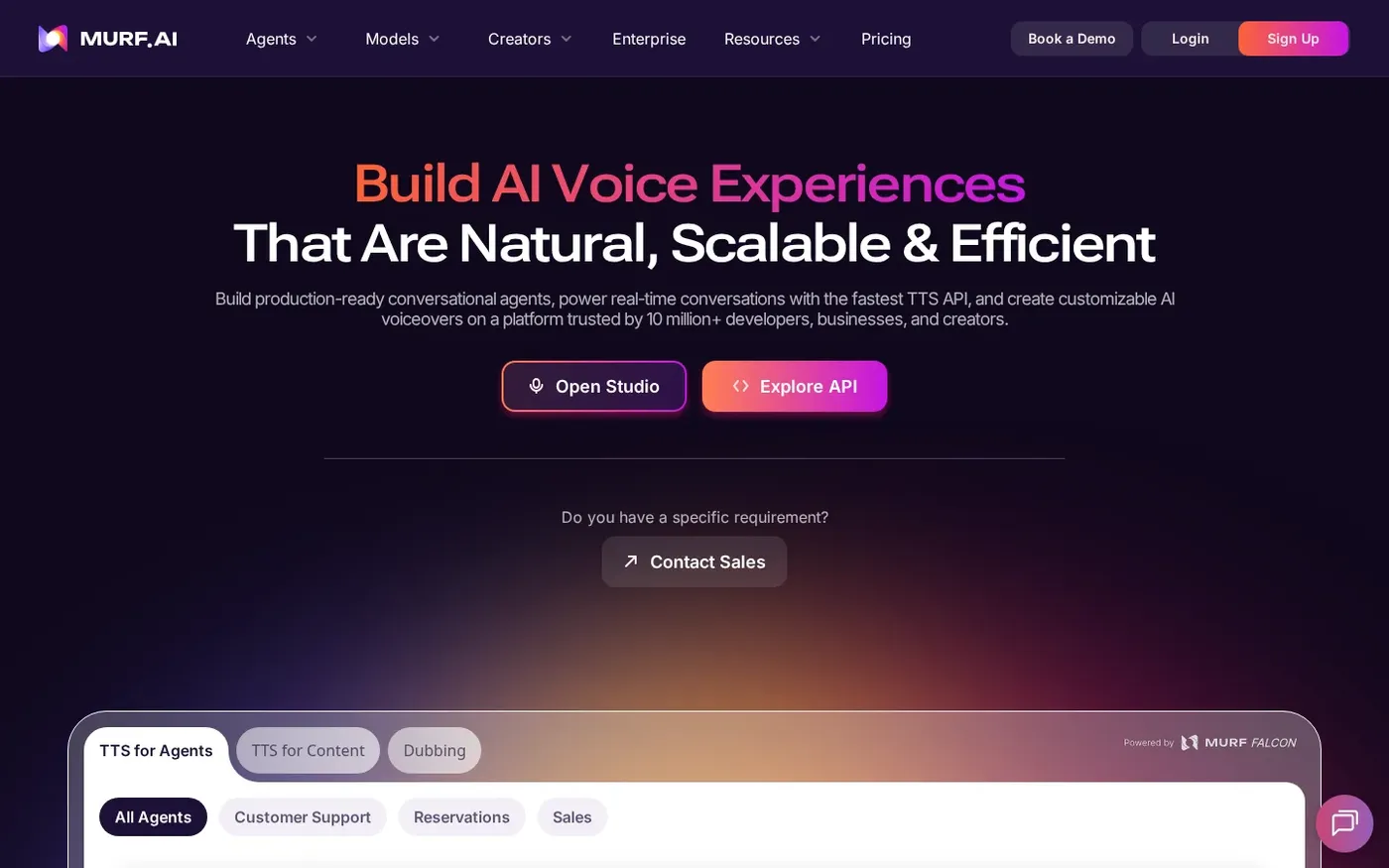
Murf centres on its Studio editor, where you build voiceovers for presentations and videos. Murf says it has more than 200 voices, and it offers integrations and an API.
Key Features
- Studio editor for voiceovers
- More than 200 voices, according to Murf
- Integrations and an API
Best For
Voiceovers for presentations and videos.
Pros of Murf
- A dedicated editor for voiceover work
- API and integrations for teams
Cons of Murf
- Audio only, so a talking video needs a separate tool
Overall Murf Rating
4.7/5 on G2 from 1,420 reviews.
Pricing
See tool site.
When to Use It
Pick Murf when you edit voiceovers for slides and videos in a studio view.
How to Choose the Right AI Text to Speech Tool
- Choose Zoice if the voice should also become a talking Host video, or if you want an API at dev.zoice.com.
- Choose ElevenLabs if you want a voice platform with a web app and an API.
- Choose Speechify if you mostly listen to documents and web pages.
- Choose Murf if you build voiceovers in a studio editor.
For a presenter that speaks your script, see our best AI narrator avatar generator guide, or start with the Zoice AI avatar generator.
FAQ
What is the best AI text to speech tool?
It depends on the job: voiceovers, reading documents, a developer API or a talking video. Zoice is the best fit when the voice should also become a talking Host video.
Can I use text to speech in my own app?
Yes. Zoice has a Text to Speech API and a playground at dev.zoice.com, and ElevenLabs, Speechify and Murf also offer APIs.
Can I clone my own voice for text to speech?
Our guide to the best AI avatar generator with voice cloning covers tools that pair a cloned voice with a video.