Best AI Podcast Video Generator: Top Picks for 2026
The best AI podcast video generator is Zoice, our #1 pick for turning your podcast audio or a script into a talking host video from just one photo. Upload a clear photo of your host, add the episode audio or type the script, and Zoice animates the face with natural lip sync and expressions, in 16:9 for YouTube or 9:16 for Shorts, up to 4K.
We compared four tools that creators use to put a face on a podcast: a realistic talking host studio, a general avatar tool, and two podcast focused platforms. Zoice ranked first overall, and each other tool earned its place for one clear strength.
What Is an AI Podcast Video Generator?
An AI podcast video generator is a tool that turns audio or text into a video podcast with a talking host on screen. You bring the episode audio, a script, or a source document, and the tool supplies a podcast avatar host that speaks it with lip sync. It makes audio to video podcast production possible without a camera, a studio, or an edit.
What matters most when you turn a podcast into video:
- Audio input: upload the finished episode, or type a script and pick a voice
- A host that looks right: your own photo, or a stock presenter
- Lip sync that keeps up with a long episode
- Formats for each place you publish: 16:9 for YouTube, 9:16 for Shorts, Reels, and TikTok
- Length: a full episode or short clips for promotion
- Price: a clear cost per minute of video
Related terms you will see:
- AI podcast video: a podcast episode shown as a video with an animated host
- Podcast avatar host: a digital presenter that speaks the episode
- Audio to video podcast: the process of adding visuals to existing audio
- Video podcast generator: a tool that produces the finished video
Quick Comparison: Best AI Podcast Video Generators
| Features | Zoice | HeyGen | JoggAI | Podcastor |
|---|---|---|---|---|
| Best For | Realistic host from your photo and audio | Polished general talking head videos | Two host conversations from a topic or file | Podcast production from documents and audio |
| Host from your photo | Yes | Yes, Avatar IV photo avatars | Yes, upload images | Yes, upload a photo |
| Your own audio | Yes, upload or cloned voice | Script or audio | MP3 and WAV upload | Upload recordings |
| Two hosts | Make each host as its own clip | Not a podcast feature | Built in, two AI hosts | Talk show and split screen layouts |
| Gestures and expressions | Expressions plus prompt or timeline gestures | Motion and gesture control | Facial expressions matched to speech | Host layouts and styles |
| Max quality | Up to 4K | 1080p Creator, 4K Pro | Not listed | Not listed |
| Aspect ratios | Any aspect ratio | Several aspect ratios | 16:9 and 9:16 | Platform ready layouts |
| Starting price* | $7.99/mo for avatar videos | $29/mo Creator, free plan available | $29/mo Starter, free credits | $9.9/mo, free credits |
| Overall rating | 9.8 | 9.3 | 9.1 | 8.9 |
*Prices and limits change often. Check each tool's own pricing page before you pay.
Each of these can put a face on an episode. The gap shows up in how real the host looks, how long the video can run, and whether you can use your finished audio as it is.
1. Zoice: Best AI Podcast Video Generator Overall
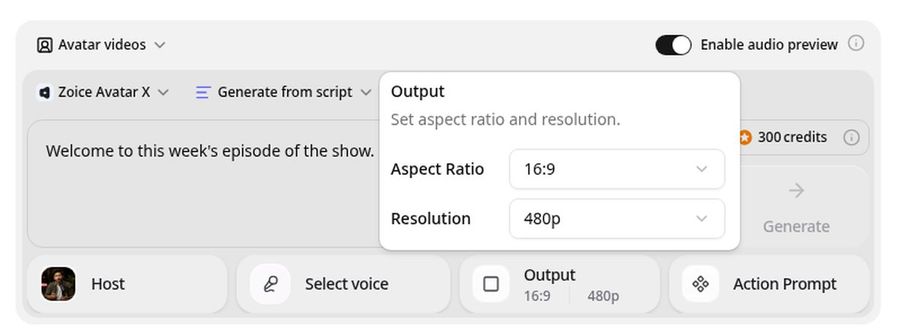
Zoice is the top pick when you already have the podcast audio and want a believable host on screen. Upload one photo of your host and the episode audio, and Zoice renders a talking video with lip sync that follows every word. Its Avatar X model adds facial expressions and gestures you can guide with a prompt or on a timeline, and you can clone your voice for intros and ads.
Key Features
- Talking host video from one photo or character image
- Upload finished episode audio or write a script
- Voice cloning for intros, outros, and ads
- Natural lip sync, expressions, and gestures by prompt or timeline
- Up to 10 minutes per generation
- Export from 480p up to 4K in any aspect ratio
- Scripts in 170+ languages
Best For
- Podcasters who want a video version of every episode
- Creators publishing to YouTube and Shorts from one photo
- Teams that want a branded host for short clips
Pros of Zoice
- Your host, your audio
A single photo plus your finished audio gives a matching video.
- Real lip sync
The mouth follows every word, and gestures add life to the host.
- Any size up to 4K
Make 16:9 for YouTube and 9:16 for Shorts from the same host.
- Cloned voice
Keep your own voice on intros and ads.
- Many languages
Publish the same host in 170+ languages.
- Clear credit costs
Credits are listed by resolution and length, so you know the cost before you render.
Cons of Zoice
- One host per clip
Zoice makes each host as its own clip, so a two person show means a clip per host that you cut together in your editor.
- Avatar videos need a paid plan
The free plan covers voice, images, chat, and transcription. Avatar videos start on Starter.
Overall Zoice Rating
Review 9.8: Best Overall
| Criterion | Score |
|---|---|
| Host realism | 9.8/10 |
| Lip sync on long audio | 9.8/10 |
| Audio and voice options | 9.8/10 |
| Formats and quality | 9.9/10 |
| Languages | 9.9/10 |
| Ease of use | 9.7/10 |
| Pricing | 9.7/10 |
Pricing
| Plan | Monthly Price | What you get |
|---|---|---|
| Free | $0/month | 50 credits per day for AI voice, images, chat, and transcriptions |
| Starter | $7.99/month | 4K credits per month, AI avatar videos, 1 voice profile |
| Basic | $29.99/month | 17K credits per month, 3 voice profiles |
| Creator | $49.99/month | 30K credits per month, 5 voice profiles |
| Agency | $89.99/month | 50K credits per month, 10 voice profiles |
Yearly billing saves 20%. Avatar videos start on Starter, and the credit cost of each video depends on its resolution and length.
When to Use It
Choose Zoice when you have the audio and want a realistic host without a camera.
- Add a talking host to a finished episode for YouTube.
- Cut 9:16 teaser clips of your host for Shorts and Reels.
- Publish the same episode with a host that speaks another language. Try Zoice
2. HeyGen: Best for Polished General Talking Head Videos
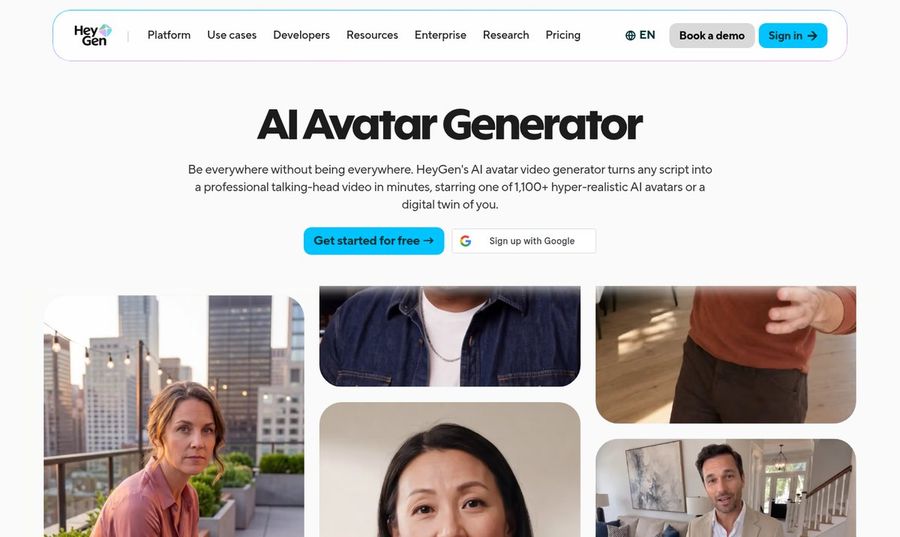
HeyGen is a general AI avatar generator rather than a podcast tool. It turns a script into a talking head video with 1,100+ stock avatars, Avatar IV photo avatars, or a digital twin, and it supports voice cloning and 175+ languages on Creator. It suits podcast intros, promos, and short clips.
Key Features
- 1,100+ stock avatars cleared for commercial use
- Avatar IV photo avatars from one photo
- Script or audio input
- Motion and gesture control
- Voice cloning and 175+ languages on Creator
- 1080p on Creator and 4K on Pro
Best For
- Short host clips and promos for a podcast
- Teams that want a large stock presenter library
Pros of HeyGen
- Large avatar library
Over a thousand ready made presenters to pick from.
- Strong photo avatars
Avatar IV animates a single photo.
Cons of HeyGen
- Behind on podcast workflow
It has no podcast specific tools, so long episodes need more manual work than in Zoice.
- Behind on 4K price
4K export starts on the $49 Pro plan.
Overall HeyGen Rating
Review 9.3: Best for polished general talking head videos
Pricing
Free plan with 3 videos a month. Creator costs $29 per month with 1080p export. Pro costs $49 per month with 4K export. Check HeyGen's site for current details.
When to Use It
Use HeyGen for polished intros and promos with a stock presenter. Use Zoice when the host should be your own face speaking your audio.
3. JoggAI: Best for Two Host Conversations
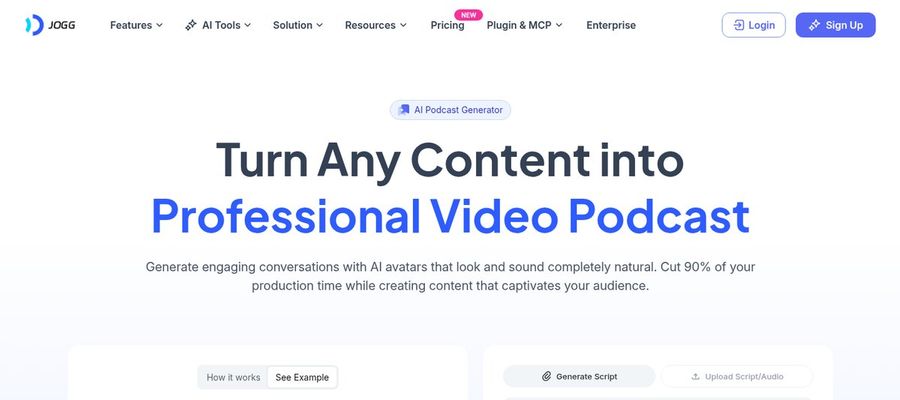
JoggAI has a dedicated AI podcast generator. You enter a topic or upload a PDF, DOCX, MP3, WAV, or a link, and it turns the source into a conversation between two AI avatar hosts. You can pick from its avatar library or upload your own images, and it supports 50+ languages with lip sync.
Key Features
- Two AI hosts in side by side 16:9 or vertical 9:16
- Script generated from a topic, document, or link
- MP3 and WAV audio upload
- Custom host images, including characters and mascots
- 50+ languages with lip sync
Best For
- Turning articles and documents into a talk show style video
- Teams that want a two person conversation without recording
Pros of JoggAI
- Two hosts built in
A dialogue between two avatars is a core feature.
- Source to video in one flow
Documents, links, and audio all start the same workflow.
Cons of JoggAI
- Behind on realism focus
Its strength is the two host workflow, while Zoice leads on a lifelike single host at up to 4K.
- Behind on free use
Free access gives 200 credits for 31 days, and Talking Photo and Voice Clone need a paid plan.
Overall JoggAI Rating
Review 9.1: Best for two host conversations
Pricing
New accounts get 200 free credits valid for 31 days. Starter costs $29 per month with 12,000 credits, or $24 per month on yearly billing. Higher plans add custom avatars and longer videos. See JoggAI's own site.
When to Use It
Use JoggAI when you want two AI hosts built from a document or topic. Use Zoice when you have your own audio and want a realistic host.
4. Podcastor: Best for Podcast Production From Documents
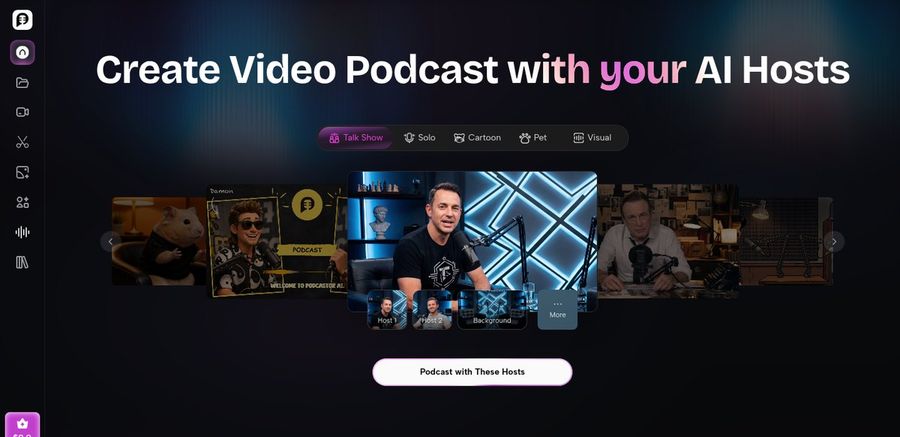
PodcastorAI is an AI podcast studio. You upload a host photo, bring PDFs, links, notes, or recordings, and it builds a script, voices, and a video podcast with solo, talk show, or split screen layouts. It exports to YouTube, Spotify, Apple Podcasts, and TikTok formats.
Key Features
- Host created from an uploaded photo
- PDFs, URLs, notes, and audio as sources
- Solo, talk show, and split screen layouts
- Voice design and cloning on every plan
- Captions and platform ready formats
Best For
- Podcast production from written material
- Creators who want audio and video from one tool
Pros of Podcastor
- Full podcast workflow
Script, voices, and video in one studio.
- Several layouts
Solo and multi host styles for different shows.
Cons of Podcastor
- Behind on length limits
The free plan caps a video at 2 minutes, and the lowest paid plan caps one at 15 minutes.
- Behind on quality options
It does not list 4K output or a language count, while Zoice offers up to 4K and 170+ languages.
Overall Podcastor Rating
Review 8.9: Best for podcast production from documents
Pricing
Free plan with 50 credits, about 5 minutes of video, and a 2 minute cap per video. The first paid plan costs $9.9 per month with up to 30 minutes of video a month and a 15 minute cap per video. See PodcastorAI's own site for higher plans.
When to Use It
Use PodcastorAI to build a whole podcast from documents. Use Zoice when your audio already exists and you want a lifelike host.
Ways to Use an AI Podcast Host Video
A host on screen gives listeners something to watch and platforms something to promote.
- YouTube versions: upload the full episode with a talking host.
- Short teasers: 20 to 30 second host clips for Shorts, Reels, and TikTok.
- Guest intros: a short branded intro for each guest.
- Translated editions: the same host speaking another language.
Looking for something more specific? See our AI baby podcast picks for a funny format, or compare talking head generators.
How We Compared AI Podcast Video Tools
We scored each tool as a podcaster would, using the public features, limits, and prices on each tool's own site.
We looked at host realism, lip sync, audio input, formats, length, languages, ease of use, and price. Zoice ranked as the best AI podcast video generator overall. HeyGen led polished stock presenters, JoggAI led two host conversations, and PodcastorAI led production from documents.
How to Choose an AI Podcast Video Generator
Start with the episode you already have, then test one short section.
- Audio ready or not: pick Zoice if the audio exists, or a studio tool if you start from documents.
- One host or two: a studio tool has two hosts built in, and Zoice makes each host as its own clip.
- Length: check the limit per video before you commit.
- Formats: confirm 16:9 and 9:16 exports.
- Price: compare the cost per minute of finished video.
If you want a realistic host from one photo, speaking your own audio, in any size up to 4K, Zoice is the best AI podcast video generator for most podcasters. You can make your first podcast video in Zoice in a few minutes.
FAQ
Can I turn podcast audio into a video?
Yes. Upload a photo of your host and the episode audio to Zoice, and it renders a talking video with lip sync that follows the audio. You can also write a script and use a cloned voice.
Can I make two hosts?
Zoice makes each host as its own clip. Create one video per host and combine them in your editor. For a built in two host mode, JoggAI offers one.
How long can a podcast video be?
Zoice supports up to 10 minutes per generation, so longer episodes are made in sections and joined in your editor. Other tools set their own limits, such as a 15 minute cap on PodcastorAI's first paid plan.
Which format works for YouTube and Shorts?
Use 16:9 for YouTube and 9:16 for Shorts, Reels, and TikTok. Zoice exports any aspect ratio, so you can make both from the same host.