Best AI Podcast Generator with a Video Host in 2026

The best AI podcast generator for your show depends on whether you need to build the episode or put a face on it. For the second job, Zoice is our top pick: one photo becomes a talking Host who speaks your episode audio or a script you type. Many tools in this guide begin somewhere else, such as a document, a link or a finished recording, so the list sorts them by what each one adds to a podcast.
We looked at six tools on their own websites: Zoice, VisionStory, PodcastorAI, VEED, DeepBrain AI Studios and Descript. Every entry covers key features, who it suits, pros, cons, a rating and a price. Scores are quoted only from G2 or Capterra, and a price is quoted only when the vendor's own pricing page showed it.
What Is an AI Podcast Generator?
An AI podcast generator makes an episode, or the video that goes with it, from material you already have. Some tools draft a script from a document or a web link and read it aloud. Others take a recording you made and add a presenter on screen. A few cover both steps.
Many podcast tools start with sound: a cloned voice, a script read aloud or a cleaned up recording. A Host on screen is the next step, and it is the part this guide spends the most time on.
Use these four questions to narrow the field:
- Starting point: does the tool begin with a photo, a script, a recording or a document?
- Host: can one photo become the person on screen?
- Audio: can you bring a finished recording instead of typing the episode again?
- Movement: can you direct gestures and expressions, or only the words?
Quick Comparison: Best AI Podcast Generator Tools
| Tool | Best For | Host from one photo | Audio upload | Gestures and expressions | Starting price | Rating |
|---|---|---|---|---|---|---|
| Zoice | Putting a talking Host on an episode | Yes | Yes | Yes, with action prompts | Free plan; avatar videos from $7.99/mo | Capterra 5.0/5 (5 reviews) |
| VisionStory | Adding speakers to a finished recording | Yes | Yes | See the official site | Free plan; Pro $9.99/mo | G2 4.7/5 (644 reviews) |
| PodcastorAI | Turning documents and links into a video podcast | Yes | Yes | See the official site | Free trial; Video Starter $26/mo | Not listed |
| VEED | Finishing a podcast video in a browser editor | See the official site | Yes | See the official site | See the official site | G2 4.6/5 (2,192 reviews) |
| DeepBrain AI Studios | Business video with interactive avatars | Yes | See the official site | See the official site | Free plan; Personal $24/mo billed yearly | G2 4.3/5 (1,061 reviews) |
| Descript | Editing a recorded show by editing the text | Yes, on the Business plan | Yes | See the official site | Free plan; Hobbyist from $16/mo billed yearly | G2 4.6/5 (934 reviews) |
Starting prices come from each vendor's own pricing page. A cell reads See the official site when that page or the tool's product page did not give a clear answer.
The main split is between tools that build the episode and tools that show a face. Zoice, VisionStory and PodcastorAI all start a Host from a photo, while VEED and Descript work inside a video editor and DeepBrain AI Studios leans toward business video. If you already have the audio and only want the picture, our guide to the best AI podcast video generator covers that narrower job.
1. Zoice: Best AI Podcast Generator for Putting a Host on Your Episode
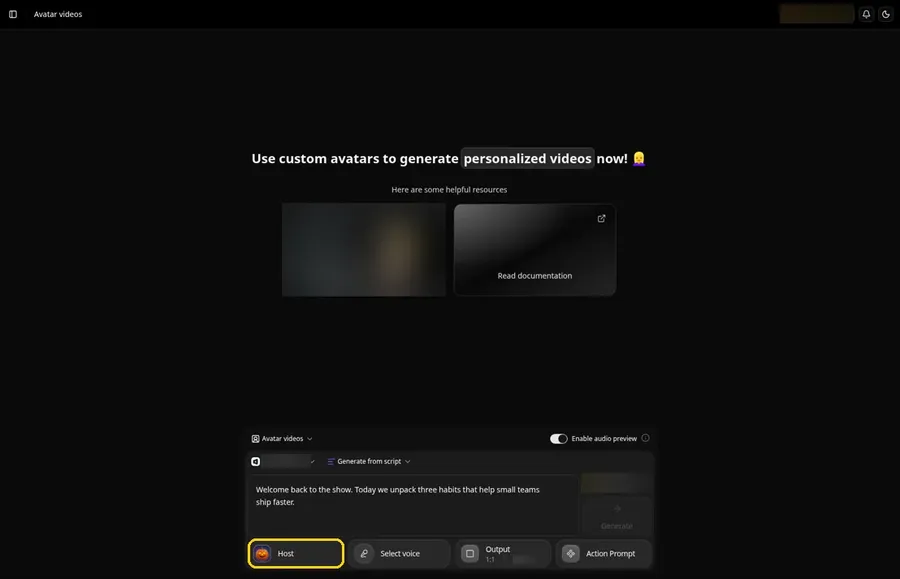
Zoice is for the podcaster who already has an episode, or a script for one, and wants a presenter on screen without a camera. Upload a single photo and the Host speaks your audio or the words you type, so the same face can introduce every episode.
Key Features
- One photo becomes a Host who speaks an audio file you upload or a script you type
- Action prompts steer a gesture or expression on the exact line you pick, such as a smile on the greeting
- Clone your own voice from a sample or from uploaded audio, or pick from 50+ ready voices
- Import a voice profile you made in another voice tool and use it for the Host
- Write in 170+ languages and dialects when your listeners live in another market
- A free plan lets you try the voice, image and chat tools first
Best For
- Podcasters who record audio and want a video version with a presenter
- Solo hosts who want one consistent face across a whole series
- Teams that reuse a script in several languages
Pros of Zoice
- One photo, one Host. You skip the filming day and the stock presenter.
- Audio or script. Bring a finished recording, or type the episode and let the Host read it.
- Direction on request. Gestures and expressions come from action prompts you place on the lines you pick.
- Voices you already have. Import a profile you made elsewhere, or clone a new one.
Cons of Zoice
- Needs an internet connection. Zoice lives in the browser, so there is no offline mode.
- Smaller public avatar library. You will find fewer public avatars to browse than in the biggest presenter libraries.
Overall Zoice Rating
5.0/5 on Capterra from five reviews. That is the score on Capterra's Zoice listing.
Pricing
| Plan | Price per month | Included |
|---|---|---|
| Free | $0 | Voice, image, chat and transcription tools |
| Starter | $7.99 | Avatar videos with one voice profile |
| Basic | $29.99 | Avatar videos with three voice profiles |
| Creator | $49.99 | Avatar videos with five voice profiles |
| Agency | $89.99 | Avatar videos with ten voice profiles |
The Zoice pricing page lists every plan, and choosing yearly billing takes 20% off the monthly price.
When to Use It
Use Zoice when the episode exists and the missing piece is a presenter. Our AI avatar generator page shows how one photo turns into a Host.
- You publish audio episodes and want a video version for YouTube and social clips
- You want to steer gestures and expressions yourself with action prompts
- You want to test the Host on one real script before you commit to a series. Try Zoice
2. VisionStory: Best for Adding Speakers to a Finished Recording
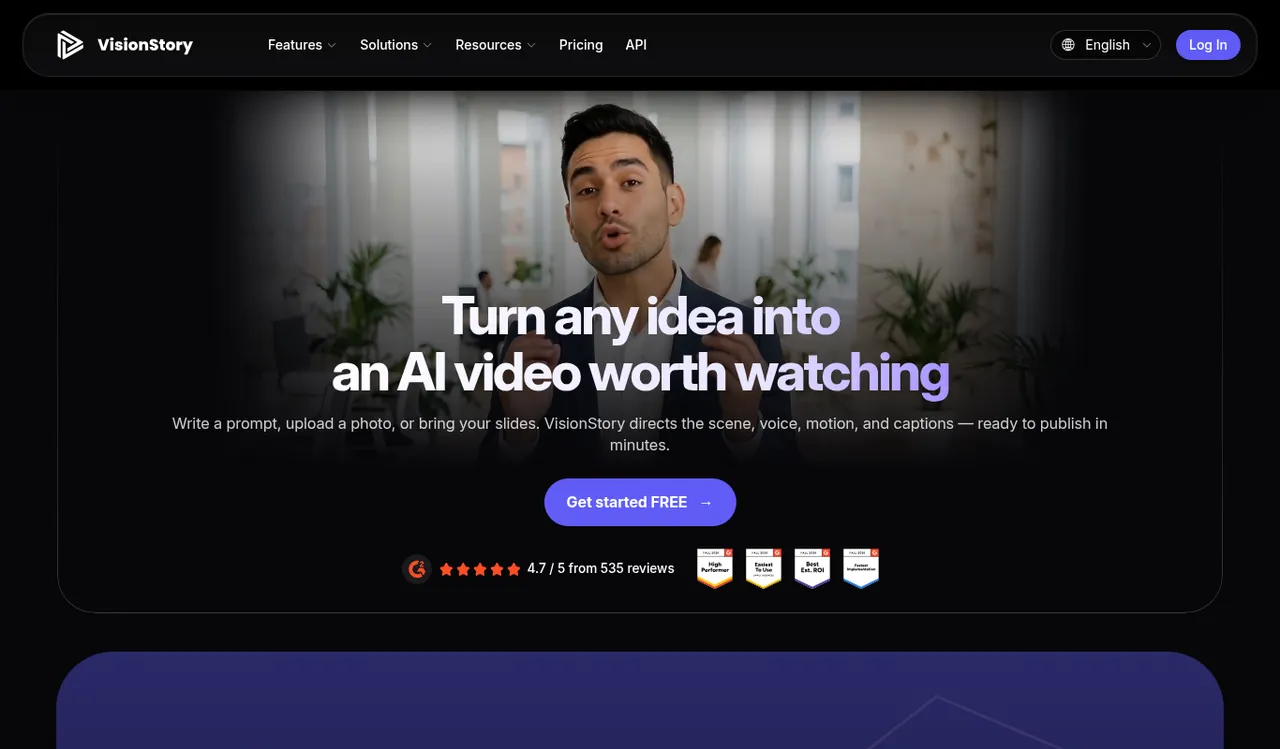
VisionStory is a broad AI video tool, and video podcasts are one of its features. Its podcast tool accepts an MP3 or WAV file, or a typed script, and puts animated speakers over the voices.
Key Features
- Upload an audio file and VisionStory adds speakers to the voices
- Start from a template, add your photos, pick a background and give each speaker a role
- Type a script, adjust the storyboard by dragging scenes, then generate the video
- Make a single photo talk in one click
- Clone your own voice on the paid plans
Best For
- Podcasters who already have a recording and want faces on it
- Creators who also want ads, music videos or face swaps from the same account
Pros of VisionStory
- Bring your audio. An uploaded recording becomes a video without retyping.
- Speaker roles. Templates let you assign host roles for conversation-style shows.
- Wide toolbox. One account also makes ads, presentations and music videos.
Cons of VisionStory
- Watermark on the free plan. Watermark-free output starts on the Pro plan.
- Podcasts are one feature of many. The site also promotes face swaps and music videos, so the podcast tool shares space with a long menu.
Overall VisionStory Rating
4.7/5 on G2 from 644 reviews. That is the score on G2's own VisionStory AI listing.
Pricing
A free plan is available. Pro is $9.99/month on monthly billing, and yearly billing lowers it to $8.25/month.
When to Use It
Pick VisionStory when the recording is done and you want the quickest route to a video with more than one speaker.
3. PodcastorAI: Best for Turning Documents and Links Into a Video Podcast
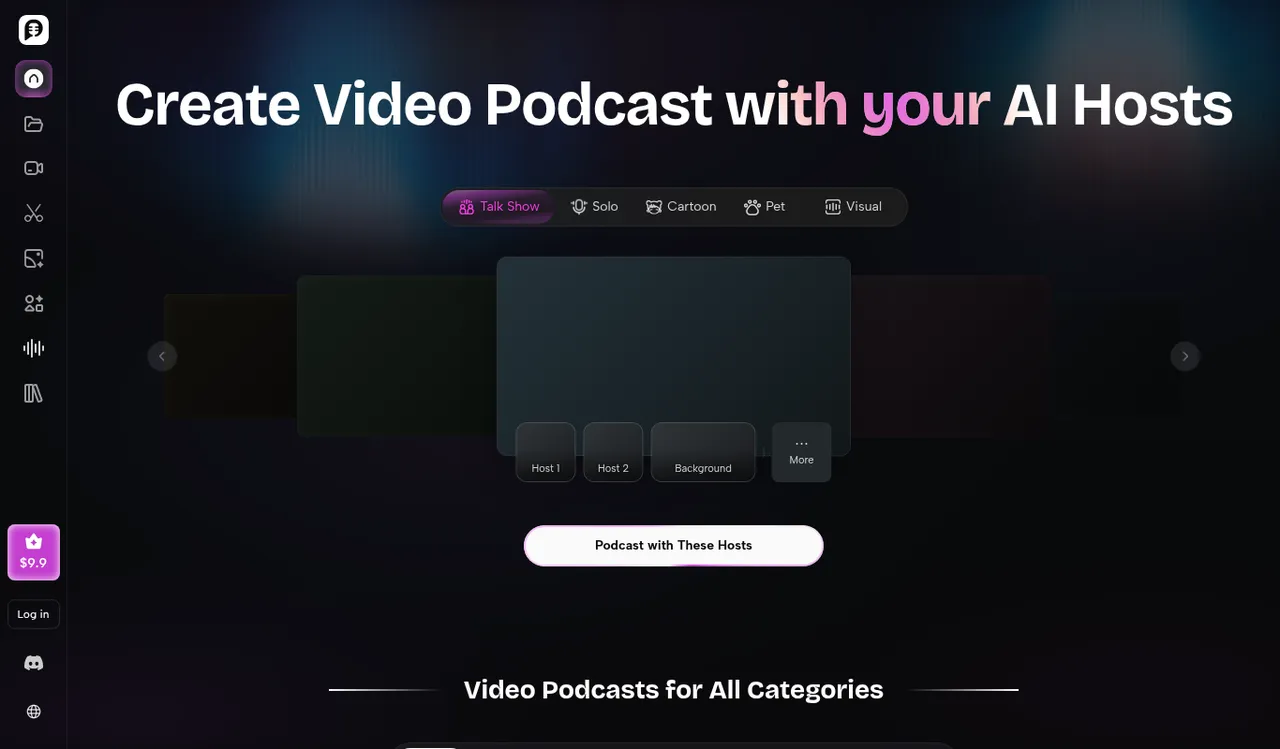
PodcastorAI starts from written material. You add a PDF, a web link, notes or a recording, it drafts a podcast script, and you choose how the hosts appear on screen.
Key Features
- Import PDFs, links, notes or audio recordings and get a podcast script back
- Build a host from your own photo, or choose a cartoon or pet host on the higher plans
- Pick a layout: talk show, solo, split screen or two-shot
- Choose a ready voice or clone your own
- Edit the script in a transcript editor before the audio is made
Best For
- Writers and educators who turn documents and lesson notes into episodes
- Marketing teams that repurpose reports and product updates
Pros of PodcastorAI
- Many starting points. Documents, links, notes and recordings all work as source material.
- Layout choice. Four layouts cover solo shows and two-person conversations.
- Your own face. A host can come from a photo you upload.
Cons of PodcastorAI
- Watermark removal is a paid feature. The free trial does not list it.
- Fun hosts are on higher plans. Cartoon and pet hosts start on the Video Starter plan.
Overall PodcastorAI Rating
Not listed. Neither G2 nor Capterra showed a PodcastorAI page when we checked in November 2026.
Pricing
A free trial is available. Video Starter is $26/month on monthly billing.
When to Use It
Use PodcastorAI when a show begins as a document, a link or a pile of notes rather than a recording.
4. VEED: Best for Finishing a Podcast Video in a Browser Editor
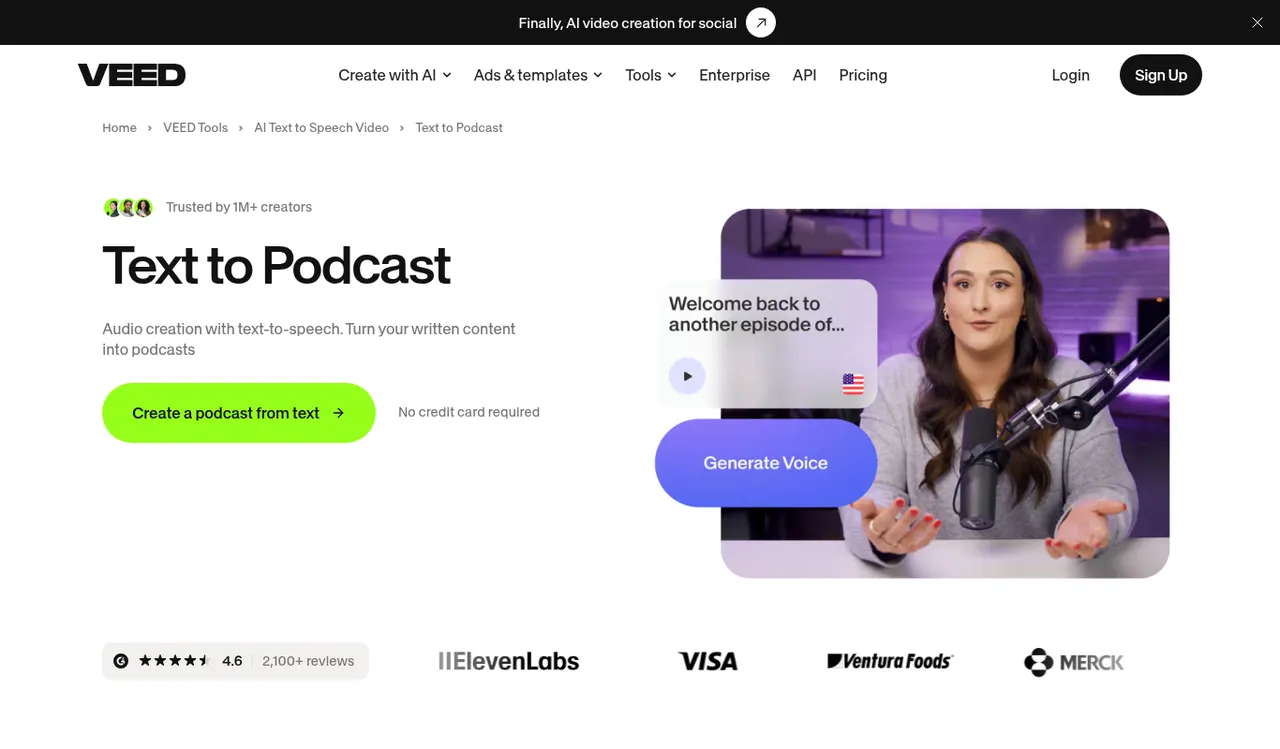
VEED is a browser video editor with AI tools added, and its Text to Podcast page treats podcast making as one more editing job. You paste text, add a voice, then pick an avatar preset or stock footage and finish in the editor.
Key Features
- Turn pasted text into spoken audio with an AI voice
- Pick an avatar preset to deliver the script on screen
- Clone your own voice for narration
- Upload your own audio or video, or record with a webcam
- Add subtitles, music and sound effects in the same editor
Best For
- Creators who already edit video in a browser
- Teams that want subtitles and music handled in one place
Pros of VEED
- One workspace. Voice, avatar and finishing touches live in the same editor.
- Built-in subtitles. Captions are generated inside the tool.
- Easy start. You can begin with a free account.
Cons of VEED
- Editor-first. Podcast work happens inside a general video editor, so there are more controls than a dedicated podcast tool has.
- Presets for avatars. The Text to Podcast page points to avatar presets rather than a Host built from your own photo.
Overall VEED Rating
4.6/5 on G2 from 2,192 reviews. That is the score on G2's own VEED listing.
Pricing
See the official site. VEED lists paid plans per user and shows them in a local currency that depends on billing, so we have not quoted a figure.
When to Use It
Choose VEED when you want one editor for the voice, the avatar and the finishing touches.
5. DeepBrain AI Studios: Best for Business Video With Interactive Avatars
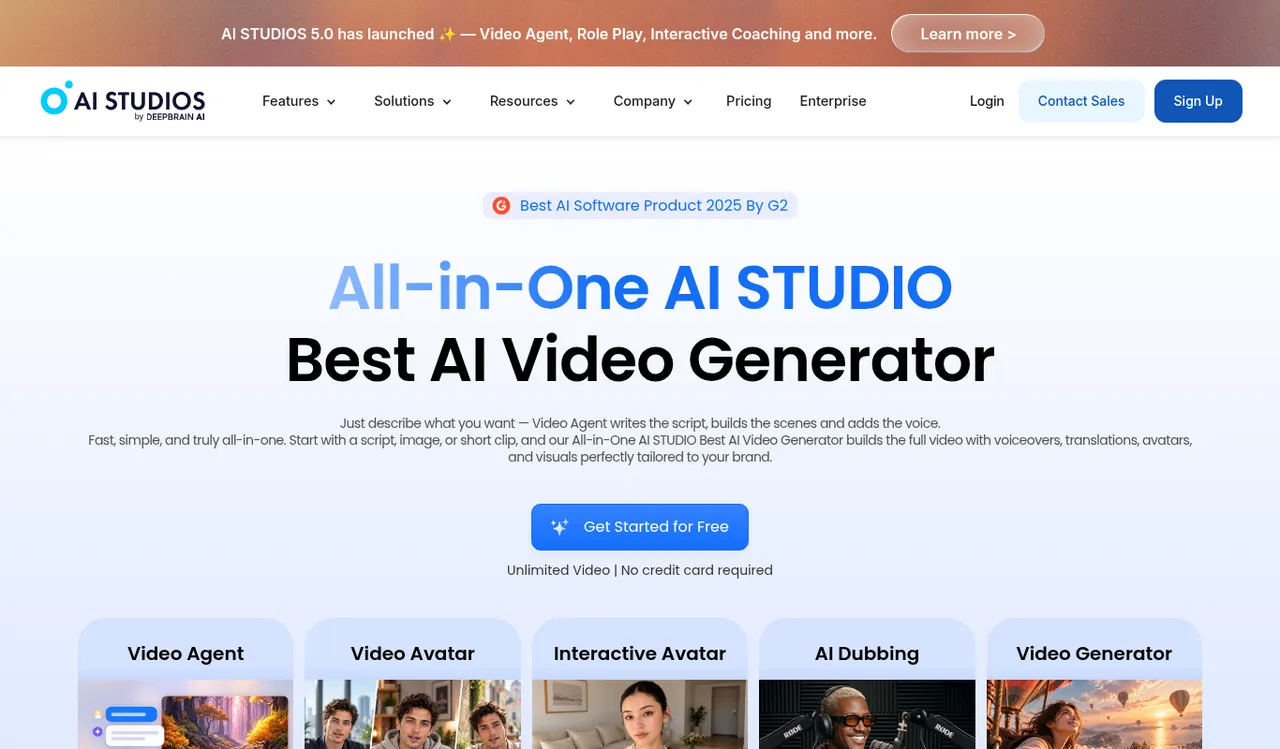
DeepBrain AI Studios aims at business video such as training, sales and customer service. It offers a large library of ready-made avatars, a photo avatar option and avatars that answer questions in real time.
Key Features
- Choose a ready-made avatar or turn a photo into one
- Video Agent writes a script, builds the scenes and adds a voice from a short description
- AI dubbing with automatic lip-sync for other languages
- Interactive avatars that talk with visitors in real time
- Pick from 1,000+ voices across 50+ text-to-speech languages
Best For
- Companies making training and sales video
- Teams that need the same avatar video in several languages
Pros of DeepBrain AI Studios
- Large avatar library. Ready-made avatars cover many situations.
- Dubbing included. Translation and lip-sync sit in the same workspace.
- Photo avatars. An ordinary photo can become an avatar.
Cons of DeepBrain AI Studios
- Business focus. Many features target training and customer service rather than podcasting.
- Quoted price needs yearly billing. The Personal price is billed once a year.
Overall DeepBrain AI Studios Rating
4.3/5 on G2 from 1,061 reviews. G2 lists the product as AI Studios.
Pricing
A free plan is available. Personal is $24/month billed yearly.
When to Use It
Pick DeepBrain AI Studios when the videos are for a company and interactive avatars or dubbing matter more than podcast layouts.
6. Descript: Best for Editing a Recorded Show by Editing the Text
Descript is a recording and editing tool where you change the video by changing the transcript. For a podcaster it is an editing home rather than a Host maker, with voice clones and avatars on paid plans.
Key Features
- Record, then edit the video by editing the text of the transcript
- Remove filler words and retakes with a click
- Studio Sound cleans up background noise
- AI Speech with custom voice clones on the paid plans
- Custom avatars from a photo upload on the Business plan
- Translate and dub video on the Business plan
Best For
- Podcasters who record themselves and edit heavily
- Podcasters who also want a built-in recorder and a shareable link
Pros of Descript
- Edit by text. Cutting a sentence from the transcript cuts it from the episode.
- Record and edit together. One tool handles both steps.
- Voice clones in the editor. AI Speech is part of the paid plans.
Cons of Descript
- Built around recordings. The workflow starts with footage you shot or a script you wrote, not a ready Host.
- Avatars sit on the top paid plan. Custom avatars from a photo are listed under Business.
Overall Descript Rating
4.6/5 on G2 from 934 reviews. That is the score on G2's own Descript listing.
Pricing
A free plan is available. Hobbyist is $16/month on yearly billing, or $24/month billed monthly.
When to Use It
Choose Descript when you record the show yourself and most of your time goes into cutting and cleaning it up.
Episode Ideas a Host Can Front
A Host on screen suits short, repeatable formats. Four ideas to start with:
- A weekly news recap where the same Host opens every episode
- A one-topic explainer cut from a longer audio interview
- A guest introduction clip that teases the full episode
- A translated edition of a popular episode for listeners in another language
How to Add a Host to a Podcast Episode
Here is a short walkthrough in Zoice. Start with a clear photo facing the camera in good light, upload it to create the Host, then add your episode audio or type the script.
Place an action prompt on any line where you want a gesture or an expression, such as a smile on the greeting. Then generate the video and download it for your channel.
How to Choose the Right AI Podcast Generator
Match the tool to your starting point.
- Choose Zoice if you have audio or a script and want a Host you can direct with action prompts.
- Choose VisionStory if you have a recording and want several speakers added to it.
- Choose PodcastorAI if the show begins as a document or a link.
- Choose VEED if you want to finish the video in a browser editor.
- Choose DeepBrain AI Studios if the videos are for training, sales or customer service.
- Choose Descript if you record the show yourself and want to edit by text.
Whichever you pick, run one real episode through it before you commit to a plan. For more formats, see our guides to the best AI talking head generator, the best AI avatar generator with voice cloning and the best AI avatar generator for YouTube.
FAQ
Is an AI podcast generator the same as a video podcast tool?
Not always. Some tools build the episode from documents or scripts, and others add a presenter to an episode that already exists. A few, such as PodcastorAI, do both, so check where each one starts before you pick.
Can I put a Host on a podcast I made in an audio tool?
Yes. Export the audio file from the tool you used, upload it to Zoice and the Host speaks it. Zoice is the strongest fit when you also want to steer gestures and expressions with action prompts.
Do I need to record my own voice for an AI podcast?
No. Zoice offers 50+ ready voices, and you can type the script and let the Host read it. If you want your own voice, clone it from a sample or from audio you upload.