Best AI Halloween Video Generator for Spooky Photo Videos
The best AI Halloween video generator is Zoice, our #1 pick for turning one costume photo into a spooky talking or singing video with natural lip sync, your own voice or song, and a format that fits Reels, TikTok, or a party invite. Upload a photo, add a creepy line or a Halloween song, and Zoice makes the face speak or sing with real expressions, so a witch selfie, a vampire portrait, or even a painted pumpkin comes to life in minutes.
We compared four tools that people use for Halloween photo videos: costume reveals, haunted greetings, party invites, and short clips for social feeds. Zoice ranked first overall, and each other tool earned a spot for one clear strength.
What Is an AI Halloween Video Generator?
An AI Halloween video generator is a tool that animates a still photo so the person, pet, or character in it talks or sings for a spooky video. You give it a photo and a script or audio file, and the tool moves the mouth, eyes, and head to match the sound. Some tools also build a whole scene around you, such as a foggy porch or a pumpkin patch.
What matters most for a spooky talking photo:
- A face that still looks like you: costume, makeup, and features stay true to the photo
- Lip sync that holds up: the mouth follows slow whispers, evil laughs, and sung lines
- Your own audio: a recorded voice, a cloned voice, or a song you have the rights to use
- The right size for where you post: 9:16 for Reels and TikTok, square or wide for invites and party screens
- Clear pricing: you know what a clip costs before you make it
Related terms you will see:
- AI Halloween video: any spooky clip made with AI, from talking photos to full scenes
- Spooky talking photo: a still costume photo that speaks a line
- Halloween greeting video: a short talking or singing message sent to friends and family
- Scary singing photo: a portrait or character that sings a creepy song
Quick Comparison: Best AI Halloween Video Generators
| Features | Zoice | TalkPix | LipSync.Video | GoCrazyAI |
|---|---|---|---|---|
| Best For | Realistic talking and singing costume photos | Quick spooky talking photos | Longer lip sync clips | Cinematic haunted scenes |
| Talks from one photo | Yes | Yes | Yes | Builds a scene from your photo |
| Sings | Yes, with your own song | Talking only | Yes, singing photo tool | Scene audio, not a singing face |
| Your own audio | Script, audio upload, or cloned voice | Script, upload, or record | Script, upload, or record | Prompt describes the sound |
| Gestures and expressions | Expressions plus prompt or timeline gestures | Face animation | Face animation | Full scene motion |
| Max quality | Up to 4K | 720p or 1080p | Depends on the model | 1080p |
| Aspect ratios | Any aspect ratio, including 9:16 | Not listed | Depends on the model | 9:16 for the Halloween page |
| Languages | 170+ languages | 10 languages | Depends on the voice | Not listed |
| Starting price* | $7.99/mo for avatar videos | $1.99 first video, packs from $5 | Free to try, $7.99/mo Starter | $25/mo Creator |
| Overall rating | 9.8 | 9.2 | 9.0 | 8.7 |
*Prices and limits change often. Check each tool's own pricing page before you pay.
All four tools can turn a Halloween photo into a video. The difference shows up when you want the face to sing as well as talk, use your own voice, keep the costume looking real, or post the same clip in several sizes.
1. Zoice: Best AI Halloween Video Generator Overall
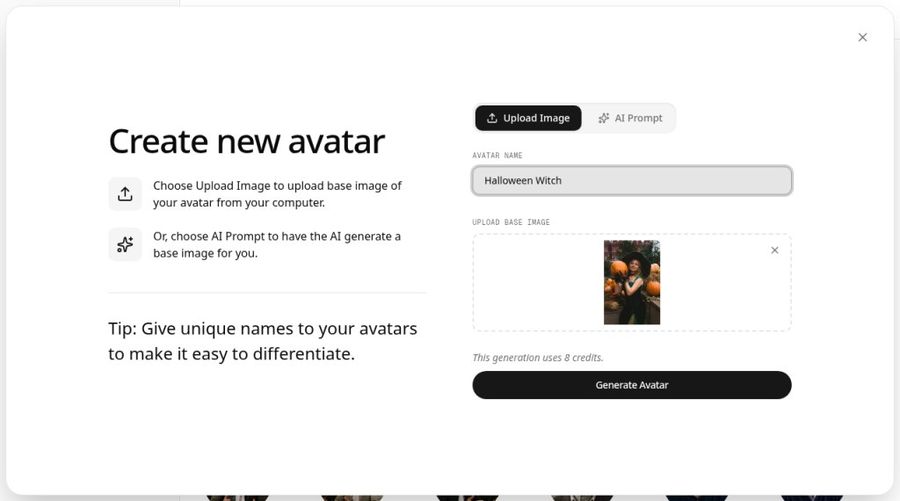
Zoice is the top pick when you want your own costume photo to talk or sing with a realistic face. Its Avatar X model turns a photo or character into a talking video from a script or an audio file, with lip sync, facial expressions, and gestures you can guide with a prompt or place on a timeline. You can clone your voice for a creepy whisper, upload a Halloween song, and export in any aspect ratio up to 4K.
Key Features
- Talking or singing video from one photo or character image
- Script input with AI voices, or your own audio file
- Voice cloning, so the witch or vampire can sound like you
- Natural lip sync on spoken lines and songs
- Facial expressions plus gestures by prompt or on a timeline
- Output up to 4K in any aspect ratio, including 9:16, 1:1, and 16:9
- Scripts in 170+ languages
Best For
- Costume reveals and haunted greetings that still look like you
- Halloween party invites that sing or speak the details
- Creators posting spooky Reels, TikToks, and Shorts in several sizes
Pros of Zoice
- Talks and sings
One photo can deliver a creepy line or a full Halloween song.
- Your own voice
Clone your voice or upload your own recording for a personal touch.
- Real expressions and gestures
Raise an eyebrow, grin, or nod on cue with a prompt or the timeline.
- Sharp output in any size
Export up to 4K in the exact shape each platform needs.
- Many languages
Send the same greeting in 170+ languages.
- Clear credit costs
Credits are listed by resolution and length, so you know the cost before you make a clip.
Cons of Zoice
- Bring your own song
Zoice syncs to audio you upload or a script you write, rather than offering a library of spooky song templates.
- Avatar videos need a paid plan
The free plan covers voice, images, chat, and transcription. Avatar videos start on Starter.
Overall Zoice Rating
Review 9.8: Best Overall
| Criterion | Score |
|---|---|
| Realistic costume face from one photo | 9.9/10 |
| Lip sync on lines and songs | 9.8/10 |
| Own voice and audio | 9.9/10 |
| Expressions and gestures | 9.8/10 |
| Quality and formats | 9.9/10 |
| Ease of use | 9.7/10 |
| Pricing | 9.7/10 |
Pricing
| Plan | Monthly Price | What you get |
|---|---|---|
| Free | $0/month | 50 credits per day for AI voice, images, chat, and transcriptions |
| Starter | $7.99/month | 4K credits per month, AI avatar videos, 1 voice profile |
| Basic | $29.99/month | 17K credits per month, 3 voice profiles |
| Creator | $49.99/month | 30K credits per month, 5 voice profiles |
| Agency | $89.99/month | 50K credits per month, 10 voice profiles |
Yearly billing saves 20%. Talking and singing Halloween videos use the avatar video tool, which starts on Starter.
When to Use It
Choose Zoice when the costume photo has to look real and the video has to talk or sing in your own voice.
- Send a singing witch greeting to the family group chat.
- Turn a vampire costume selfie into a party invite that reads out the time and place.
- Post a sharp 9:16 spooky talking photo on Reels or TikTok. Try Zoice.
2. TalkPix: Best for Quick Spooky Talking Photos
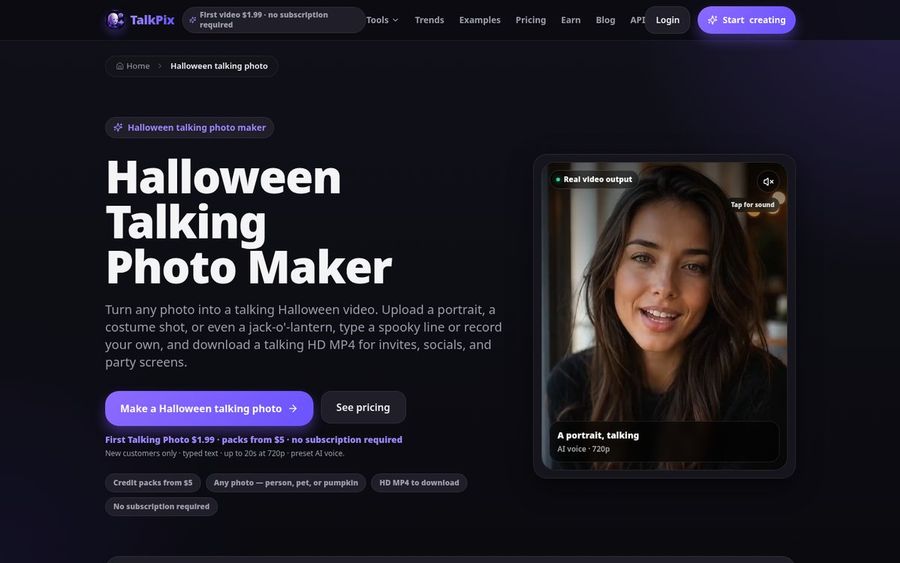
TalkPix has a Halloween talking photo maker built for costume shots, face paint, and even carved pumpkins with clear eyes and a mouth. You upload the photo, type a short spooky line or record your own voice, pick an AI voice, and download a talking MP4 for invites, posts, or a party screen.
Key Features
- Talking photo from a portrait, costume shot, pet, doll, or jack o lantern
- Type a script, upload an audio file, or record your voice
- About 30 AI voices across 10 languages
- 720p or 1080p MP4 output, up to 5 minutes per video
- Optional captions for muted feeds
Best For
- One quick talking costume photo without a subscription
- Pumpkin and prop faces that speak a line
Pros of TalkPix
- Built for Halloween
The page has spooky prompts and tips for faces that animate well.
- Pay as you go
Credit packs never expire, so leftovers still work after October.
Cons of TalkPix
- Behind on singing
TalkPix focuses on talking photos, so a Halloween song needs another tool.
- Behind on quality and size
Output stops at 1080p, while Zoice goes up to 4K in any aspect ratio.
Overall TalkPix Rating
Review 9.2: Best for quick spooky talking photos
Pricing
Eligible new customers can make a first talking photo up to 20 seconds for $1.99. Credit packs start at $5, and a talking photo uses 1 credit per second at 720p or 2 at 1080p. See TalkPix's pricing page for current packs.
When to Use It
Use TalkPix for a fast talking costume photo or pumpkin on a small budget. Use Zoice when the face also needs to sing, gesture, or post in 4K.
3. LipSync.Video: Best for Longer Lip Sync Clips
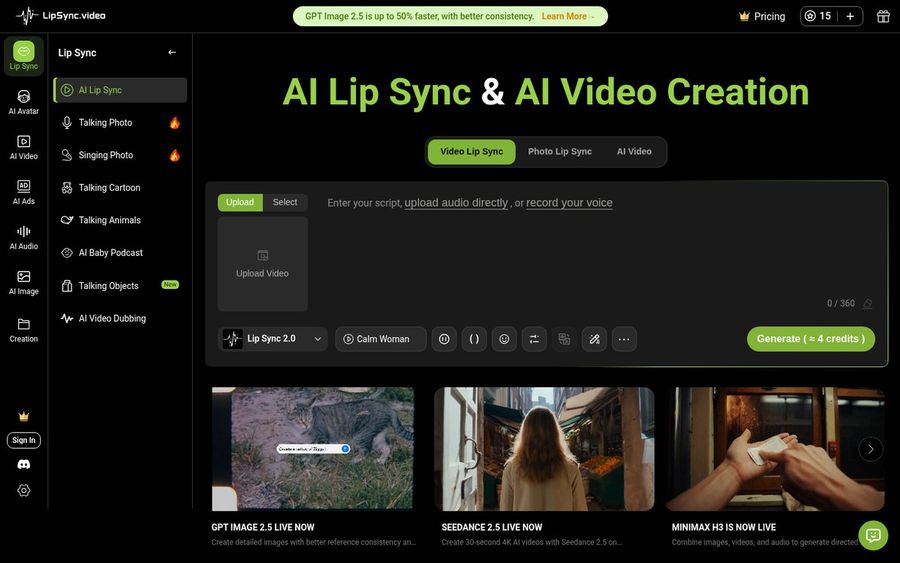
LipSync.Video is a lip sync studio with separate tools for talking photos, singing photos, and video lip sync. You can start from one portrait, cartoon, or animal image, add a script, an audio file, or a recording, and make a talking or singing clip up to 3 minutes long.
Key Features
- Photo lip sync for talking or singing from one image
- Video lip sync that keeps the movement of existing footage
- Script, audio upload, or browser recording
- Lip sync clips up to 3 minutes, and AI video scenes up to 30 seconds
- Several models to pick from for speed or quality
Best For
- Longer spooky monologues or songs from a costume photo
- Adding new speech to Halloween footage you already shot
Pros of LipSync.Video
- Free to try
The lip sync series can be tried for free with no watermark on the download.
- Talking and singing
Both modes sit side by side in the same studio.
Cons of LipSync.Video
- Behind on simplicity
Many models and modes can slow down a first time user.
- Behind on gesture control
There is no prompt or timeline gesture control like Zoice offers.
Overall LipSync.Video Rating
Review 9.0: Best for longer lip sync clips
Pricing
Free credits to try. Starter costs $7.99 per month for about 250 seconds of video, and Pro costs $20.99 per month for about 850 seconds. Check LipSync.Video's plans for the latest limits.
When to Use It
Use LipSync.Video for longer lip sync clips or to dub Halloween footage you already have. Use Zoice for a realistic costume photo that talks or sings with expressions and gestures.
4. GoCrazyAI: Best for Cinematic Haunted Scenes
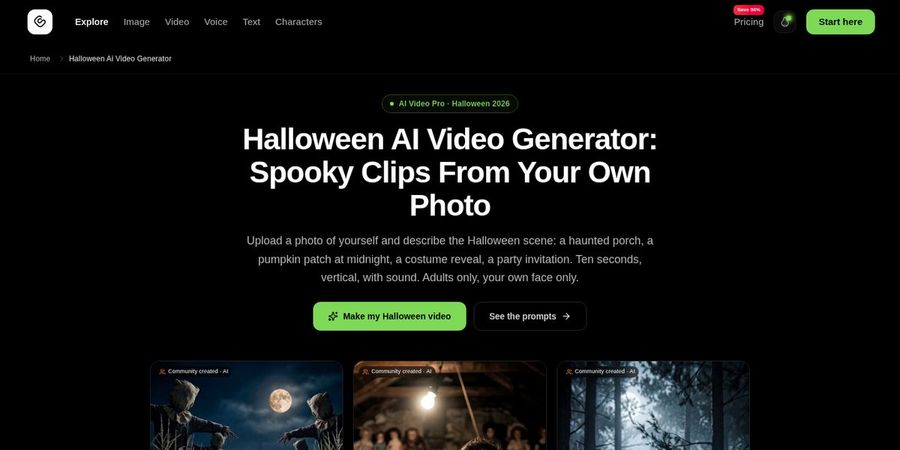
GoCrazyAI takes a different approach. Its Halloween page builds a whole scene around one photo of you, such as a haunted porch, a pumpkin patch at midnight, or a costume reveal, and renders a 10 second vertical clip with sound. It is meant for adults using their own face.
Key Features
- A haunted, funny, or scary scene built from one photo and a prompt
- A library of Halloween prompts to copy
- 10 second 9:16 clips with sound
- A choice of video models in one app
- Credit cost shown before you confirm
Best For
- Short cinematic horror clips for social feeds
- Scene ideas where you appear inside a spooky set
Pros of GoCrazyAI
- Full scenes
Fog, lanterns, and moving props add drama that a talking photo cannot.
- Ready prompts
Copy a prompt and get a clip in a few minutes.
Cons of GoCrazyAI
- Behind on talking and singing
It makes scenes, not a face that speaks your script or sings your song.
- Behind on length and price
Clips on the Halloween page run 10 seconds, and plans start at $25 per month.
Overall GoCrazyAI Rating
Review 8.7: Best for cinematic haunted scenes
Pricing
Plans start at $25 per month on Creator and $60 per month on Producer, with credits per clip. Check current pricing on GoCrazyAI's site.
When to Use It
Use GoCrazyAI for a short cinematic scare. Use Zoice when you want your costume photo to talk or sing your own words.
Halloween Video Ideas That Get Shared
The clips people forward most are short, personal, and a little bit funny.
- Costume reveals: your costume photo greets followers in character.
- Party invites: a witch or skeleton reads out the date, time, and dress code.
- Haunted greetings: a family portrait that whispers Happy Halloween to grandparents.
- Spooky songs: a vampire or zombie photo sings a short Halloween tune.
Want more song ideas? See our singing photo generator picks, or browse tools that make any photo talk for everyday greetings.
How We Compared AI Halloween Video Tools
We scored each tool as someone making a Halloween clip at home would, using the public features, limits, and prices on each tool's own site.
We looked at how real the costume face looks, lip sync on whispers and songs, your own voice, expressions and gestures, quality and sizes, ease of use, and price. Zoice ranked Best Overall. TalkPix led quick talking photos, LipSync.Video led longer lip sync clips, and GoCrazyAI led cinematic scenes.
How to Choose the Right Tool for Your Spooky Video
Start with what the video has to do and where you will post it, then test one real costume photo.
- Talk or sing: if the face has to sing, pick Zoice or LipSync.Video.
- Your own voice: clone your voice in Zoice, or record it in TalkPix or LipSync.Video.
- A full scene: if you want fog and a haunted porch around you, try GoCrazyAI.
- Where you post: 9:16 for Reels and TikTok, square for feeds, wide for a party screen.
- Time: post well before October 31, since interest peaks in the last week.
If you want a realistic costume photo that talks or sings in your own voice, in any size up to 4K, Zoice is the best AI Halloween video generator for this season. You can start your first spooky video in Zoice in a few minutes.
FAQ
Can AI make a Halloween photo talk or sing?
Yes. Upload a clear photo, add a script or an audio file, and the tool moves the mouth and face to match. Zoice and LipSync.Video can make the photo sing as well as talk, while TalkPix focuses on talking photos.
What photo works best for a spooky video?
A sharp, front facing photo with the eyes and mouth visible and even light. Face paint and hats work well, but a mask that covers the whole face gives the tool nothing to move. Keep the face large in the frame.
Can I use my own voice or song?
Yes. Zoice lets you upload your own recording or song and can clone your voice from a sample. TalkPix and LipSync.Video also accept uploads and recordings. Only use songs you have the rights to share.
What format is best for Reels and TikTok?
Use a vertical 9:16 video with the face near the top third, keep it short, and add captions for people watching with the sound off. Zoice exports in any aspect ratio, so you can make a 9:16 version for Reels and TikTok and a square one for feeds from the same photo.