Best Realistic AI Avatar Generator: Most Lifelike Picks
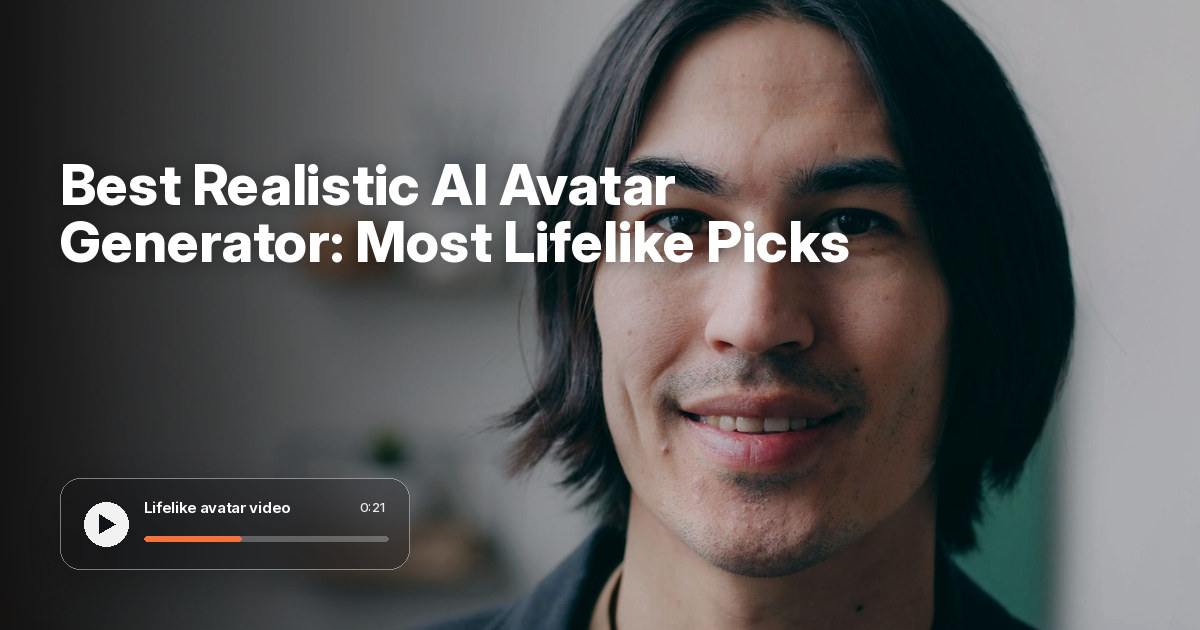
The best realistic AI avatar generator is Zoice, our #1 pick for turning one photo into a lifelike talking presenter with natural lip sync, believable expressions, and gestures you can direct. Upload a clear portrait, add a script or your own audio, and Zoice's Avatar X model animates the face so skin, eyes, and mouth move together instead of looking pasted on.
We compared four tools on what makes a realistic AI avatar: face detail, lip sync, expressions, gestures, voice, and price. Zoice ranked first overall, and each other tool earned a place for one clear strength, with HeyGen Avatar IV as the closest rival.
What Makes an AI Avatar Look Realistic?
A realistic AI avatar is a digital presenter that viewers read as a real person on camera. The best ones start from a real photo or footage, then add speech, mouth movement, and small expressions that match the words. A lifelike AI avatar fails in predictable places: dead eyes, a mouth that drifts out of sync, a frozen head, or skin that looks airbrushed.
What to check before you trust a tool with your face:
- Skin and eye detail: pores, light in the eyes, and teeth that stay sharp while the mouth moves
- Lip sync: the mouth shapes follow every sound, including fast speech and different languages
- Expressions and gestures: eyebrows, smiles, nods, and hand movement that match the message
- A voice that fits: a cloned voice or your own audio, not a flat robotic read
- Resolution: enough pixels that the face still looks real on a big screen
- Price: a clear cost per video, so testing several takes does not drain your budget
Related terms you will see:
- Realistic AI avatar: a talking digital presenter that looks like a real person on camera
- Lifelike AI avatar: an avatar with natural expressions and believable motion
- Photorealistic talking avatar: a presenter built from a real photo that speaks your script
- Digital twin: an avatar trained on one person's face and voice
Quick Comparison: Best Realistic AI Avatar Generators
| Features | Zoice | HeyGen Avatar IV | Synthesia | Argil |
|---|---|---|---|---|
| Best For | Lifelike talking video from one photo | Photo avatars and a large stock library | Ready made business presenters | Directed story videos |
| Talks from one photo | Yes | Yes, Avatar IV photo avatars | Stock and personal avatars | Not its focus today |
| Gestures and expressions | Expressions plus prompt or timeline gestures | Motion and gesture control | Avatars that act, not just talk | Scene direction |
| Voice | Script, audio upload, or cloned voice | Voice cloning on Creator | Voice cloning and voiceover uploads | Voices in its studio |
| Max export | Up to 4K | 1080p on Creator, 4K on Pro | Full HD 1080p | 1080p in its demo |
| Languages | 170+ languages | 175+ languages | 140+ languages | Not listed |
| Starting price* | $7.99/mo for avatar videos | $29/mo Creator, free plan available | $29/mo Starter, free Basic plan | $50/mo Pro |
| Overall rating | 9.8 | 9.4 | 9.0 | 8.4 |
*Prices and limits change often. Check each tool's own pricing page before you pay.
All four can produce a talking presenter. The gap shows up in close-ups: how the eyes catch light, whether the mouth keeps up with fast speech, and whether you can steer a gesture instead of hoping for one.
1. Zoice: Best Realistic AI Avatar Generator Overall
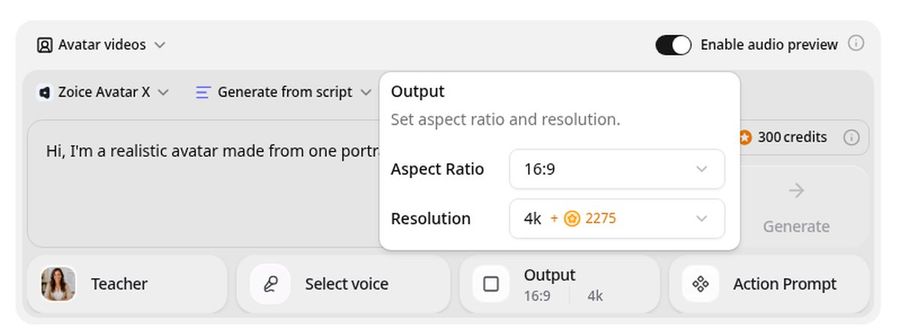
Zoice is the top pick when the avatar has to look like a real person up close. Its Avatar X model turns a photo or character into a talking video from a script or an audio file, with lip sync, facial expressions, and gestures you can guide with a prompt or place on a timeline. You can clone your voice, speak 170+ languages, and export up to 4K in any aspect ratio, so the detail holds on a large screen.
Key Features
- Photorealistic talking video from one photo or character image
- Natural lip sync on scripts, uploaded audio, and songs
- Facial expressions plus gestures by prompt or on a timeline
- Voice cloning, or your own audio file
- Scripts in 170+ languages
- Export from 480p up to 4K in any aspect ratio
- Singing from an uploaded song
Best For
- Founders and creators who want a presenter that looks like them
- Marketers who need a lifelike spokesperson without a shoot
- Teams that want gestures and expressions they can direct
Pros of Zoice
- Lifelike faces from one photo
A single clear portrait is enough to start, with no studio footage required.
- Directed gestures
Add a nod, a smile, or a hand movement with a prompt or on the timeline.
- Sharp up to 4K
High resolution keeps eyes and teeth crisp on big screens.
- Your own voice
Clone your voice or upload a recording, and the lip sync follows it.
- Many languages
Make the same presenter speak in 170+ languages.
- Clear credit costs
Credits are listed by resolution, so you know the cost of a take before you render.
Cons of Zoice
- Photo quality matters
A blurry or heavily filtered photo gives a less realistic result, so start with a sharp, well lit portrait.
- Avatar videos need a paid plan
The free plan covers voice, images, chat, and transcription. Avatar videos start on Starter.
Overall Zoice Rating
Review 9.8: Best Overall
| Criterion | Score |
|---|---|
| Face and skin realism | 9.9/10 |
| Lip sync | 9.8/10 |
| Expressions and gestures | 9.8/10 |
| Voice and audio options | 9.8/10 |
| Resolution | 9.9/10 |
| Ease of use | 9.7/10 |
| Pricing | 9.7/10 |
Pricing
| Plan | Monthly Price | What you get |
|---|---|---|
| Free | $0/month | 50 credits per day for AI voice, images, chat, and transcriptions |
| Starter | $7.99/month | 4K credits per month, AI avatar videos, 1 voice profile |
| Basic | $29.99/month | 17K credits per month, 3 voice profiles |
| Creator | $49.99/month | 30K credits per month, 5 voice profiles |
| Agency | $89.99/month | 50K credits per month, 10 voice profiles |
Yearly billing saves 20%. Avatar videos start on Starter, and the credit cost of each video depends on its resolution and length.
When to Use It
Choose Zoice when the face has to look real in a close-up and you want control over how it moves.
- Turn a founder portrait into a lifelike welcome video for your website.
- Make a photorealistic talking avatar that nods and smiles at the right line.
- Export a sharp 4K presenter clip for a conference screen or YouTube. Try Zoice
2. HeyGen: Best for Avatar IV Photo Avatars and a Big Stock Library
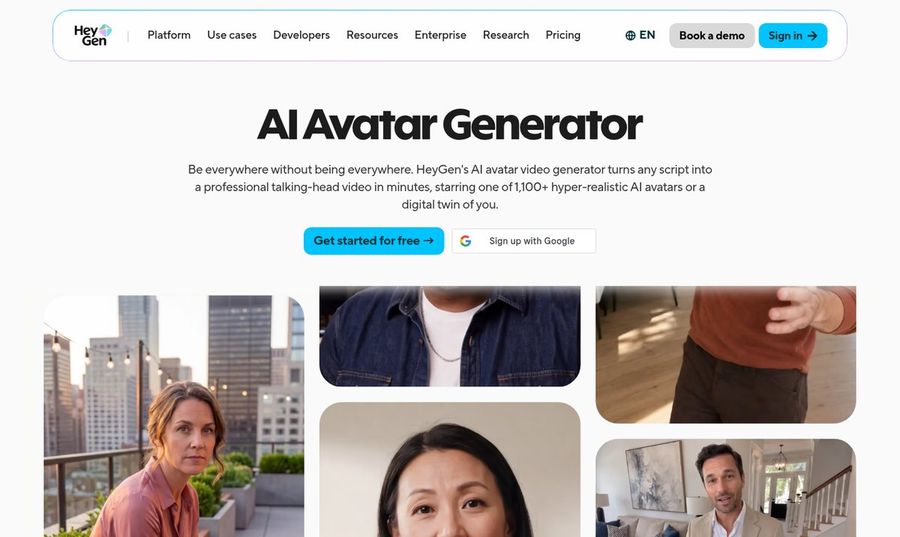
HeyGen is the best known rival and the one most people compare against. Its Avatar IV model animates a single photo, it offers 1,100+ stock avatars, and its digital twin feature clones a person from a short video. HeyGen says its avatars read as real people on camera, so it is the tool Zoice has to beat.
Key Features
- Avatar IV photo avatars from one front facing photo
- 1,100+ stock avatars cleared for commercial use
- Digital twin built from a short video
- Motion and gesture control
- Voice cloning and 175+ languages on Creator
- 1080p export on Creator and 4K on Pro
Best For
- Teams that want a huge stock presenter library
- Companies that need a digital twin of an executive
Pros of HeyGen
- Large avatar library
Over a thousand ready made presenters if you would rather not use your own face.
- Strong photo avatars
Avatar IV animates a single photo and also stylized characters.
Cons of HeyGen
- Behind on 4K price
4K export starts on the $49 Pro plan, while Zoice prices 4K in credits with avatar videos from $7.99.
- Behind on free use
The free plan allows 3 videos a month of up to 1 minute.
Overall HeyGen Rating
Review 9.4: Best for photo avatars and a big stock library
Pricing
Free plan with 3 videos a month. Creator costs $29 per month with 1080p export. Pro costs $49 per month with 4K export. See HeyGen's own site for current details.
When to Use It
Use HeyGen when you want a stock presenter or a digital twin and the Pro plan fits the budget. Use Zoice as the HeyGen Avatar IV alternative when you want a directed, photo based presenter at a lower entry price.
3. Synthesia: Best for Ready Made Business Presenters
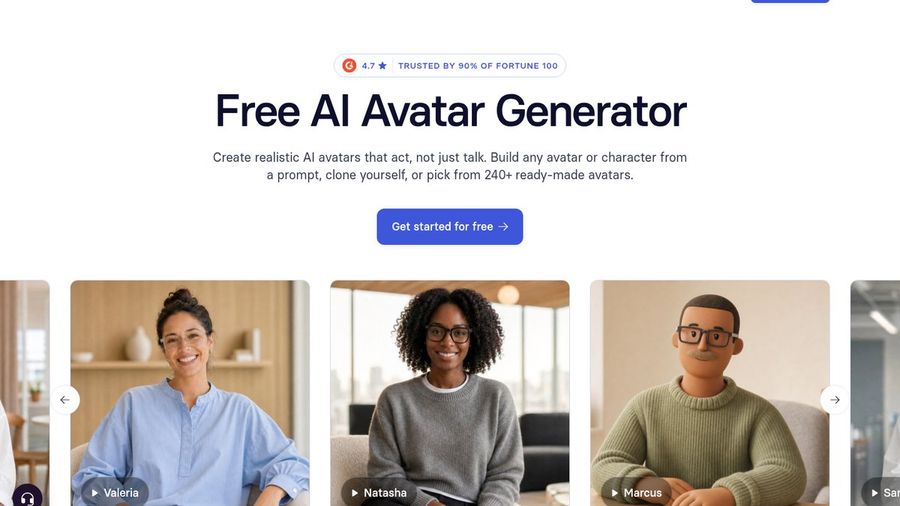
Synthesia is built for companies that produce training and communication videos. Its page promises realistic avatars that act, not just talk, with 240+ ready made avatars, personal avatars, voice cloning, and voiceover uploads. Its downloads are Full HD 1080p, so it is less suited to close-ups on large screens.
Key Features
- 240+ ready made realistic avatars
- Personal avatars on the Pro plan
- Voice cloning and voiceover uploads
- AI avatars and voiceovers in 140+ languages
- Full HD 1080p MP4 downloads
Best For
- Learning and communication teams
- Companies that want a consistent set of spokespeople
Pros of Synthesia
- Polished stock cast
Ready made presenters in many looks, with workflows built for teams.
- Free plan to try
The Basic plan includes 10 minutes of video a month with a watermark.
Cons of Synthesia
- Behind on resolution
Downloads stop at Full HD 1080p, while Zoice exports up to 4K.
- Behind on photo avatars
Personal avatars sit on the $89 Pro plan, while Zoice builds an avatar from one photo.
Overall Synthesia Rating
Review 9.0: Best for ready made business presenters
Pricing
Basic is free with 10 minutes a month. Starter costs $29 per month, or $18 per month billed yearly. Pro costs $89 per month, or $64 per month billed yearly. Enterprise is custom. Check Synthesia's own site before you buy.
When to Use It
Use Synthesia for polished company videos with a stock presenter. Use Zoice when you want the avatar to be your own face with directed gestures.
4. Argil: Best for Directed Story Videos
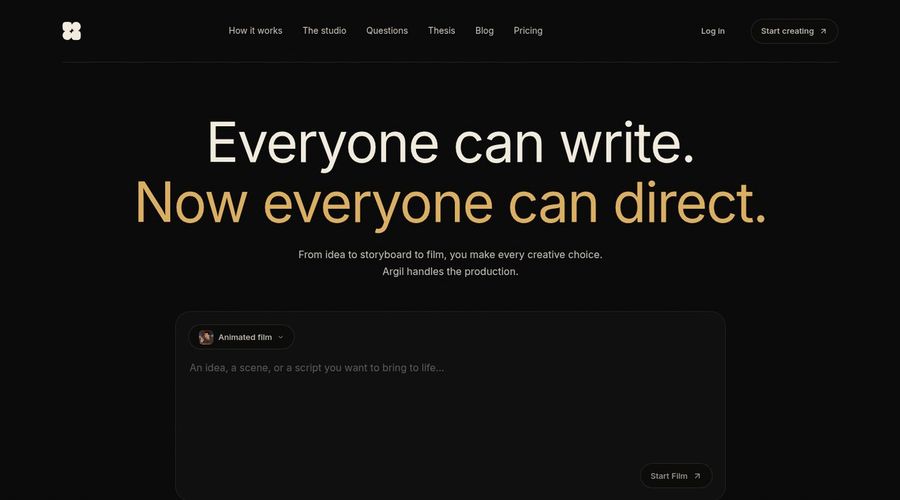
Argil used to be known for avatar clones of creators. Its site now presents a studio for directing stories, where you write a brief, answer questions, shape a storyboard, and get a film with characters and dialogue. That is a different job from a talking presenter, so it ranks behind the others for a simple realistic talking avatar.
Key Features
- Brief to storyboard to film workflow
- Characters, locations, and voices
- A creative agent plus access to many AI models
- Credit based plans with commercial use
- Output settings such as 16:9 and 1080p in its example
Best For
- Storytellers who want to direct scenes
- Creators who want a studio for animated shorts
Pros of Argil
- Creative direction
You choose the story beats and see the storyboard before the film.
- Many models in one place
The Pro plan includes a playground with major models.
Cons of Argil
- Behind on talking presenters
It is built around films and scenes, not a presenter that speaks your script from one photo.
- Behind on price clarity
The Pro plan starts at $50 per month for about 8 videos of 15 seconds.
Overall Argil Rating
Review 8.4: Best for directed story videos
Pricing
Pro starts at $50 per month with 2,000 credits, about 8 videos of 15 seconds, and yearly billing gives 2 months free. Studio is a done for you setup from $2,500, and Enterprise is custom. Check Argil's pricing page for the current plans.
When to Use It
Use Argil to direct a short story film. Use Zoice when you need a lifelike presenter that speaks a script from your photo.
Where Realistic AI Avatars Work Best
Realism matters most where a viewer looks at the face for a long time.
- Founder videos: a welcome message or product update that looks like you without a camera day.
- Sales and onboarding: a friendly presenter on a landing page or in an email.
- Training: a calm instructor whose face stays consistent across many lessons.
- Social: short vertical clips where a natural smile and nod keep people watching.
Need the same presenter in more languages? See our multilingual avatar picks, or compare more talking head generators.
How We Compared Realistic AI Avatar Tools
We scored each tool as a creator or marketer would, using the public features, limits, and prices on each tool's own site.
We looked at face and skin detail, lip sync, expressions and gestures, voice options, resolution, ease of use, and price. Zoice ranked as the best realistic AI avatar generator overall. HeyGen led photo avatars and stock variety, Synthesia led ready made business presenters, and Argil led directed story videos.
How to Choose a Realistic AI Avatar Generator
Start with your own photo and a short script, then judge the close-up.
- Test with one sharp, front facing portrait in even daylight.
- Watch the mouth on fast words and on a second language.
- Look for gestures you can direct, not only random movement.
- Check the highest export your plan allows.
- Compare the price of several takes, not only one video.
If you want a presenter that looks like a real person, speaks your script, and moves on cue, Zoice is the best realistic AI avatar generator for most creators and teams. You can make your first lifelike avatar in Zoice in a few minutes.
FAQ
What is the most realistic AI avatar generator?
Zoice ranks first in this comparison for lifelike faces from one photo, natural lip sync, directed gestures, and export up to 4K. HeyGen Avatar IV is the closest rival, with a larger stock library.
How does Zoice Avatar X compare to HeyGen Avatar IV?
Both animate a photo into a talking video. Zoice adds prompt and timeline gestures, 170+ languages, and 4K priced in credits, with avatar videos from $7.99 a month. HeyGen offers 1,100+ stock avatars, a digital twin, and 4K on its $49 Pro plan.
Can a realistic avatar use gestures?
Yes. In Zoice you can guide gestures with a prompt or place them on a timeline, alongside facial expressions. HeyGen also offers motion and gesture control.
What photo gives the most realistic result?
A sharp, front facing portrait with even daylight, a neutral or gentle expression, and the face large in the frame. Avoid heavy filters, sunglasses, and strong shadows across the face.