Best AI Avatar Generator for Patient Education Videos
The best AI avatar generator for patient education videos is Zoice, our #1 pick for turning one clear photo and a plain language script into a friendly presenter who explains care to patients. Type your care instructions, pick one of 170+ languages, and export a sharp video that plays well on a phone, a clinic tablet, or a patient portal. When guidance changes, edit the script and render again.
We compared four tools on what patients need from a video: a calm presenter, clear speech, the patient's own language, and an easy way to keep content current. Zoice ranked first overall, and each other tool earned its place for one clear strength.
What Makes an AI Avatar Good for Patient Education?
Patient education videos replace the pamphlet and the rushed explanation at the end of a visit. A good one is short, slow, and written in plain language, with one action per video such as how to prepare for a scan or how to use an inhaler. An AI avatar presenter helps because the same approved script can be rendered again in a new language or with a corrected step, without booking a clinician for another shoot.
This guide focuses on patients: care instructions, procedure preparation, and discharge guides. Staff training is a separate topic with different needs, covered in our healthcare training comparison.
What to check before you choose a tool for patient facing videos:
- A calm, trustworthy presenter that does not feel robotic
- Clear lip sync and a pace that is easy to follow
- The patient's language, so the message lands the first time
- Easy updates when a medication, dose, or step changes
- A file that plays on any device, from a phone to a waiting room screen
- Consent and review: written approval for any real clinician likeness, and a clinical check of every script
Related terms you will see:
- Care instructions: step by step guidance patients follow at home
- Discharge instructions: what to do, watch for, and when to call after leaving hospital
- Patient understanding: how well a person can repeat back what they were told
- Plain language: short words and sentences without jargon
Quick Comparison: Best AI Avatar Generators for Patient Education Videos
| Features | Zoice | HeyGen | Synthesia | OnDoc.ai |
|---|---|---|---|---|
| Best For | Friendly presenters in many languages with sharp export | Turning care instructions and PDFs into videos | Healthcare teams that also train staff | Clinicians who want their own avatar |
| Presenter source | One photo or character image | Stock avatars, photo avatars, digital twin | Stock and personal avatars | Clinician photo plus voice sample |
| Languages | 170+ | 175+ | 140+ | Multi language support, list not shown |
| Max export | Up to 4K | Up to 4K on Pro | Full HD 1080p MP4 | Not listed |
| Healthcare extras | Delivers the video file | PDF to video, captions, translation | Healthcare use case templates | HIPAA claims, EMR integration, QR codes |
| Starting price* | $7.99/mo for avatar videos | Free plan, paid from $29/mo | Free plan, paid from $29/mo | Request a demo |
| Overall rating | 9.8 | 9.2 | 9.0 | 8.6 |
*Prices and limits change often. Check each tool's own pricing page before you pay.
All four can deliver a spoken explanation. The difference is how well each fits patient care: the languages you can cover, how sharp the video looks on a phone, and whether you need healthcare specific tools such as EMR links.
1. Zoice: Best AI Avatar Generator for Patient Education Videos Overall
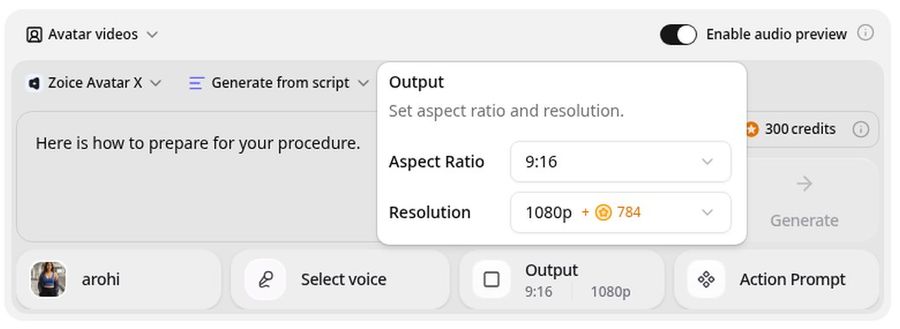
Zoice is the top pick when you want a warm, clear presenter that speaks the patient's language. Its Avatar X model turns a photo or character into a talking video from a typed script or your own audio, with natural lip sync and facial expressions that keep a calm tone. Write your care instructions once, render them in any of 170+ languages, and export from 480p up to 4K in any aspect ratio, including vertical for phones.
Key Features
- Presenter video from one photo or character image
- Script or uploaded audio, with natural lip sync
- Scripts in 170+ languages and dialects
- Voice cloning, or your own recording
- Expressions and gestures by prompt or on a timeline
- Up to 10 minutes per generation
- Export from 480p up to 4K in any aspect ratio
Best For
- Clinics that serve patients in several languages
- Care teams that update instructions often
- Practices that share videos by phone, text, or a patient portal
Pros of Zoice
- Many languages
One script can be rendered in 170+ languages, so more patients can follow the steps.
- Easy updates
Change a dose or step in the script and render again.
- Phone friendly
Export vertical 9:16 for phones or 16:9 for a waiting room screen from the same photo.
- Calm delivery
Guide a gentle expression by prompt instead of a flat read.
- Your own voice
Use a clinician's own recording, with their written consent, and the lip sync follows it.
- Clear credit costs
Credits are listed by resolution and length, so you know the cost before you render.
Cons of Zoice
- No built in EMR link
Zoice delivers the video file. You share it through your own portal, text message, or website.
- Avatar videos need a paid plan
The free plan covers voice, images, chat, and transcription. Avatar videos start on Starter.
Overall Zoice Rating
Review 9.8: Best Overall
| Criterion | Score |
|---|---|
| Clarity and tone | 9.9/10 |
| Language range | 9.9/10 |
| Ease of updates | 9.8/10 |
| Export quality | 9.9/10 |
| Phone friendly formats | 9.8/10 |
| Ease of use | 9.7/10 |
| Pricing | 9.7/10 |
Pricing
| Plan | Monthly Price | What you get |
|---|---|---|
| Free | $0/month | 50 credits per day for AI voice, images, chat, and transcriptions |
| Starter | $7.99/month | 4K credits per month, AI avatar videos, 1 voice profile |
| Basic | $29.99/month | 17K credits per month, 3 voice profiles |
| Creator | $49.99/month | 30K credits per month, 5 voice profiles |
| Agency | $89.99/month | 50K credits per month, 10 voice profiles |
Yearly billing saves 20%. Avatar videos start on Starter, and the credit cost of each video depends on its resolution and length.
When to Use It
Choose Zoice when the video has to be clear, quick to update, and available in the languages your patients speak.
- Explain how to prepare for a scan in the patient's own language.
- Send a short wound care guide to a phone after a procedure.
- Update a medication reminder the day guidance changes. Try Zoice
2. HeyGen: Best for Turning Care Instructions into Videos
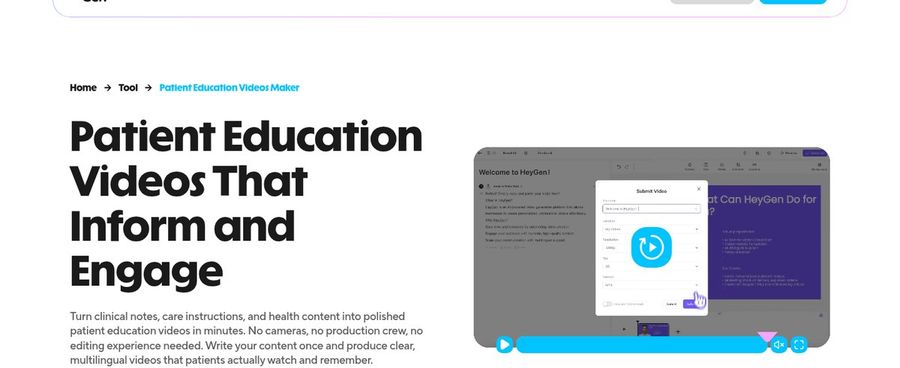
HeyGen has a dedicated patient education page. You paste care instructions, import a PDF or a presentation, and it builds a narrated, captioned video with an AI presenter. Its PDF to video workflow suits discharge summaries and condition guides, and videos can be translated into other languages. A digital twin option lets a clinician appear as the presenter after recording and giving consent.
Key Features
- Paste text or import a PDF or slide deck
- Narrated video with captions and on screen text
- Stock avatars, photo avatars, and a digital twin
- 175+ languages and dialects
- Export up to 4K on Pro
- Team workspace and approvals on Business
Best For
- Clinics that already have written handouts
- Teams that want captions and translation in one place
Pros of HeyGen
- Document to video
Existing handouts and discharge summaries become a first draft fast.
- Captions built in
On screen text reinforces each key step.
Cons of HeyGen
- Behind on entry price
Paid plans start at $29 per month, while Zoice avatar videos start at $7.99.
- Behind on cost clarity
Credits vary by model and length, so a video's cost is harder to predict.
Overall HeyGen Rating
Review 9.2: Best for turning care instructions into videos
Pricing
The free plan includes 3 videos a month of up to 1 minute. Creator costs $29 per month with 1080p export, and Pro costs $49 per month with 4K export. Check HeyGen's pricing page for current plans.
When to Use It
Use HeyGen when you start from handouts and PDFs. Use Zoice when you want a lower entry price and a sharper, directed presenter.
3. Synthesia: Best for Teams That Also Train Staff
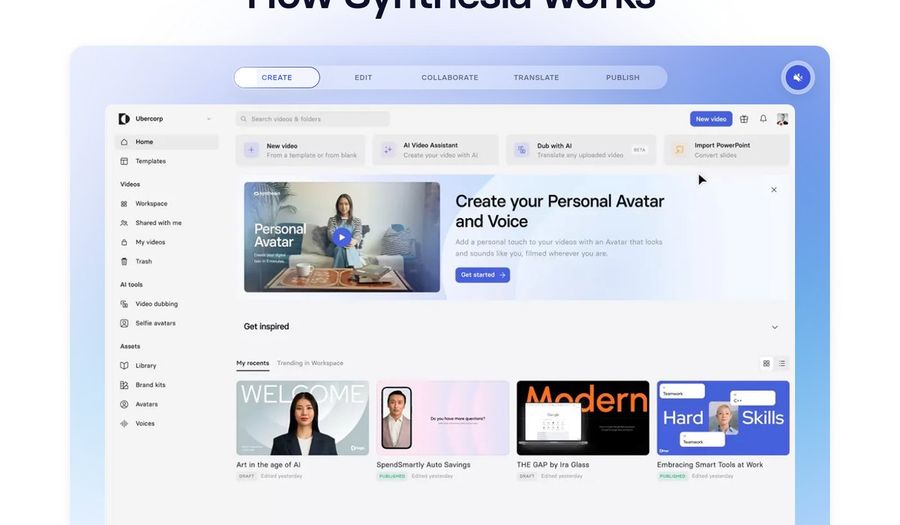
Synthesia's healthcare page lists patient education alongside compliance and onboarding training. It names patient explainers, device setup guides, and chronic condition support as use cases. Healthcare teams that already use Synthesia for staff training can add patient videos in the same workspace, with stock avatars, personal avatars, and 140+ languages.
Key Features
- Patient explainers and device setup guides as listed use cases
- Stock avatars and personal avatars on paid plans
- 140+ languages and voices
- Document and slide import
- SOC 2 and GDPR compliance stated on its site
- MP4 download in Full HD
Best For
- Hospitals that want one tool for staff and patient videos
- Teams that value a mature, widely used platform
Pros of Synthesia
- One workspace
Staff training and patient education live in the same tool.
- Established healthcare use
Its site shows hospital case studies for training at scale.
Cons of Synthesia
- Behind on export
MP4 downloads are Full HD, while Zoice exports up to 4K.
- Behind on price
Paid plans start at $29 per month, and credits limit how much video you can make.
Overall Synthesia Rating
Review 9.0: Best for teams that also train staff
Pricing
Basic is free with 10 minutes of video a month. Starter costs $29 per month, or $18 per month billed yearly, and Pro costs $89 per month, or $64 per month billed yearly. Check Synthesia's pricing page for current plans.
When to Use It
Use Synthesia when staff and patient content share one team. Use Zoice for a sharper file and more languages at a lower entry price.
4. OnDoc.ai: Best for a Clinician Avatar in Specialty Practices
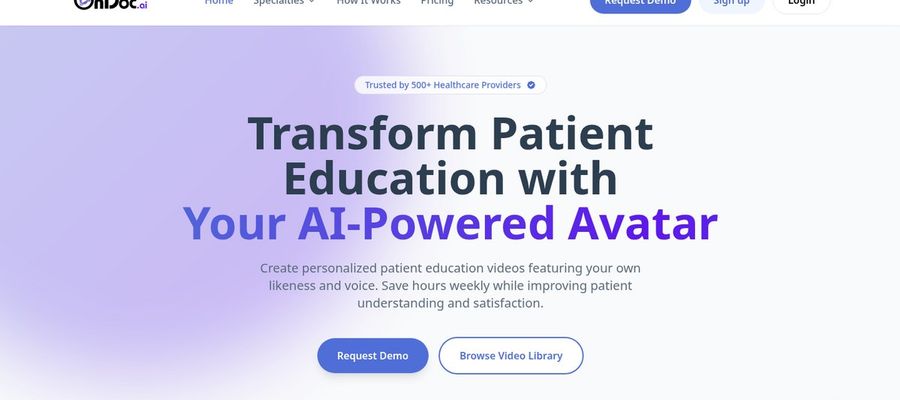
OnDoc.ai is built for one job: patient education videos that feature the provider's own likeness and voice. A clinician records a short voice sample and uploads a headshot, approves the avatar, and generates condition and treatment videos from a specialty library. Its site lists specialties such as pain management, orthopedics, spine surgery, and neurosurgery, plus embed codes, QR codes, a tablet app, and analytics.
Key Features
- Avatar built from a clinician photo and voice sample
- Specialty library of condition and treatment videos
- Embed codes, QR codes, and an in office tablet app
- Viewing analytics
- HIPAA and SOC 2 Type II compliance stated on its site
- Express consent required for a provider likeness
Best For
- Specialty practices that want the doctor to appear on screen
- Clinics that want embed and QR code sharing
Pros of OnDoc.ai
- Healthcare first
Compliance, consent, and EMR links are central to the product.
- Familiar face
Patients see their own provider explain the procedure.
Cons of OnDoc.ai
- Behind on range
Its listed specialties are narrower than a general tool, and Zoice works for any care topic.
- Behind on price clarity
The site lists no prices and asks you to request a demo.
Overall OnDoc.ai Rating
Review 8.6: Best for a clinician avatar in specialty practices
Pricing
OnDoc.ai does not list prices on its site. It asks you to request a demo, and its avatar is usually ready within 24 hours of setup. Check OnDoc.ai directly for current pricing.
When to Use It
Use OnDoc.ai when a specialty practice wants its own doctors on screen. Use Zoice when you need any care topic, many languages, and a sharper export.
Patient Education Video Ideas That Work
One topic and one action per video works best:
- Procedure prep: how to get ready, what to bring, and when to arrive.
- Medication guides: how and when to take a dose, and what to watch for.
- Discharge steps: wound care, activity limits, and when to call.
- Device help: how to use an inhaler, glucose meter, or home monitor.
Need videos in more languages? Read our multilingual avatar picks, or see how to create AI healthcare videos.
How We Compared Patient Education Avatar Generators
We scored each tool the way a care team would, using the public features, limits, and prices on each tool's own site.
We looked at presenter tone, clarity, language range, update speed, export quality, healthcare tools, and price. Zoice ranked as the best AI avatar generator for patient education videos overall. HeyGen led care instructions to video, Synthesia led teams that also train staff, and OnDoc.ai led clinician avatars for specialty practices.
How to Choose an AI Avatar Generator for Patient Education Videos
Start with the patient, then work backward to the tool.
- Languages: list the languages your patients actually speak.
- Tone: pick a presenter that feels calm and kind.
- Updates: check how fast you can fix a step and render again.
- Formats: make sure vertical phone videos and wide screens are both possible.
- Consent: get written approval before using any clinician's face or voice.
- Review: have a clinician check every script before it is shared.
If you want one tool that turns a plain language script into a calm, multilingual presenter at a fair price, Zoice is the strongest pick for most clinics. You can make your first patient video in Zoice in a few minutes.
FAQ
Can AI avatars explain care instructions to patients?
Yes, as a delivery method for an approved script. An avatar can read care instructions slowly and clearly, and patients can replay the video. A clinician should review every script, and the video does not replace a conversation with the care team.
Can videos be in a patient's language?
Yes. Zoice supports 170+ languages, HeyGen 175+, and Synthesia 140+. Ask a native speaker to check medical terms before you share a translated video.
Are they easy to update?
Yes. Edit the script and render again. In Zoice you can keep the same photo and voice, so the presenter stays familiar when a step or dose changes.