Best AI Avatar Generator for Language Learning: Top Picks
The best AI avatar generator for language learning is Zoice, our #1 pick for turning one photo of a tutor, or a friendly character, into a lip synced teacher who speaks the language on screen. Upload a photo, type your lesson script or record your own voice, choose from 170+ languages, and export a sharp video up to 4K. A tutor can build a pronunciation clip, a short dialogue, or a vocabulary review in minutes and fix any line by editing the script.
We compared four tools on what language teachers and learners need: clear mouth movement that models pronunciation, a wide range of languages, quick edits, and a way to practice speaking. Zoice ranked first overall, and each other tool earned its place for one clear strength.
What Should an AI Avatar Generator Do for Language Learning?
Language learning is about hearing and seeing how words are said. A learner benefits from a face that shows the mouth shape for a sound, a voice that speaks at a steady pace, and the chance to replay a line as often as needed. An AI avatar fits that job because the video is built from a script, so a tutor can make a short lesson for any phrase and fix a mistake in minutes.
This guide is about lesson and tutor videos: pronunciation, dialogue practice, and vocabulary clips. It is not a guide to translating or dubbing a company's videos, which is a different use case covered in our multilingual avatar post.
What to check before you pick a tool for language lessons:
- Mouth shape: lip sync that is clear enough to show how a sound is made
- Language range: the languages you teach, and a voice that sounds natural in each
- Fast edits: change one line of the script and render again
- Practice options: a way for learners to speak back, if you need it
- Export quality: a sharp video that plays well on a phone or a class screen
- Cost: a plan that works for a tutor or a small school
Related terms you will see:
- Pronunciation: how a sound or a word is said, shown with a clear mouth
- Dialogue practice: a short exchange, such as ordering coffee or asking for directions
- Tutor videos: short lessons from a teacher or a friendly character
- Vocabulary: word lists and phrases turned into a quick review video
Quick Comparison: Best AI Avatar Generators for Language Learning
| Features | Zoice | HeyGen | AvatarTalk | Pitch Avatar |
|---|---|---|---|---|
| Best For | Tutor and lesson videos in many languages | Translating a finished lesson into other languages | Speaking practice with realistic avatars | Presenters on slides and dubbed videos |
| Presenter source | One photo or character image | Stock avatars, photo avatars and a digital twin | Stock avatar characters through an API | AI presenter on slides or a PDF |
| Languages | 170+ | 175+ for video translation | A list that includes Spanish, French, German, Italian and Arabic | 70+ for dubbing |
| Max export | Up to 4K | Up to 4K on Pro | Not listed | Not listed |
| Practice tools | Delivers the video file | Translation, dubbing and subtitles | Scored practice conversations | Chat avatar and dubbing |
| Starting price* | $7.99/mo for avatar videos | Free plan, paid from $29/mo | Contact for a demo | Paid from $29/mo |
| Overall rating | 9.8 | 9.3 | 8.4 | 8.1 |
*Prices and limits change often. Check each tool's own pricing page before you pay.
All four can put a talking face in front of a learner. The difference is what happens next: how clear the mouth movement is, how many languages you can cover, and whether you need a recorded lesson, a translation, or a practice partner.
1. Zoice: Best AI Avatar Generator for Language Learning Overall
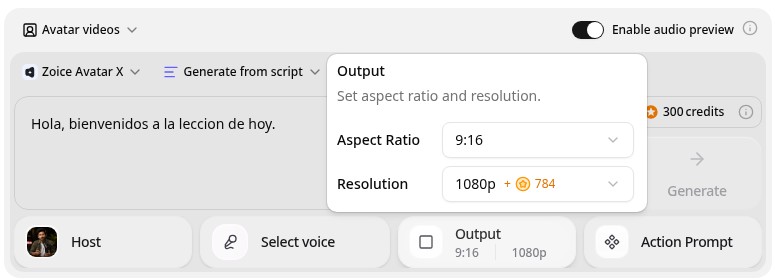
Zoice is the top pick when a tutor wants a teacher on screen that is quick to build and easy to fix. Its Avatar X model turns a photo or character into a talking video from a typed script or your own audio, with natural lip sync, facial expressions, and gestures you can guide with a prompt or a timeline. Write the lesson in one of 170+ languages, clone your own voice or record it, and export from 480p up to 4K in any aspect ratio.
Key Features
- Tutor video from one photo or character image
- Script or uploaded audio, with natural lip sync
- Voice cloning, or your own recording
- Scripts in 170+ languages and dialects
- Gestures and expressions by prompt or on a timeline
- Export from 480p up to 4K in any aspect ratio
Best For
- Tutors and teachers who make short lessons in several languages
- Learners who want to replay a phrase and watch the mouth
- Creators who publish language clips on YouTube, TikTok, or Instagram
Pros of Zoice
- Many languages
Write lessons in 170+ languages, so one tutor photo can teach several.
- Clear mouth movement
Natural lip sync helps learners see how a sound is formed.
- Easy fixes
Correct a word in the script, render again, and the new version replaces the old one.
- Your own voice
Clone your voice or upload a recording, and the lip sync follows it.
- Any size up to 4K
Make 9:16 clips for phones and 16:9 lessons for a class screen from the same tutor.
- Clear credit costs
Credits are listed by resolution and length, so you know the cost before you render.
Cons of Zoice
- Delivers the video file
Zoice makes the lesson video itself. It does not score a learner's speech, so use a practice app if you need that.
- Avatar videos need a paid plan
The free plan covers voice, images, chat, and transcription. Avatar videos start on Starter.
Overall Zoice Rating
Review 9.8: Best Overall
| Criterion | Score |
|---|---|
| Presenter quality | 9.9/10 |
| Lip sync and voice | 9.8/10 |
| Languages | 9.9/10 |
| Ease of updates | 9.8/10 |
| Export quality | 9.9/10 |
| Ease of use | 9.7/10 |
| Pricing | 9.7/10 |
Pricing
| Plan | Monthly Price | What you get |
|---|---|---|
| Free | $0/month | 50 credits per day for AI voice, images, chat, and transcriptions |
| Starter | $7.99/month | 4K credits per month, AI avatar videos, 1 voice profile |
| Basic | $29.99/month | 17K credits per month, 3 voice profiles |
| Creator | $49.99/month | 30K credits per month, 5 voice profiles |
| Agency | $89.99/month | 50K credits per month, 10 voice profiles |
Yearly billing saves 20%. Avatar videos start on Starter, and the credit cost of each video depends on its resolution and length.
When to Use It
Choose Zoice when you want a clear, friendly tutor on screen, your lessons span several languages, and you plan to fix and reuse them.
- Model a tricky pronunciation with a close, clear mouth.
- Turn a short dialogue into a video that learners can replay.
- Publish a daily vocabulary clip for a language channel. Try Zoice
2. HeyGen: Best for Translating Lessons into Other Languages
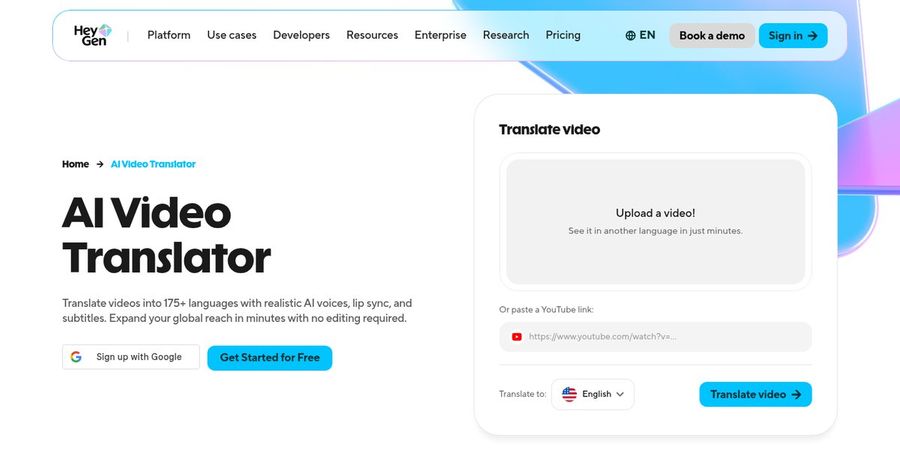
HeyGen is strongest when you already have a lesson and want it in more languages. Its AI video translator takes a finished video, translates the speech, and returns it with realistic AI voices, lip sync, and subtitles. HeyGen lists 175+ languages and dialects for translation, plus stock avatars, photo avatars, and a digital twin for new videos.
Key Features
- AI video translation into 175+ languages and dialects
- Voices with lip sync and subtitles
- Stock avatars, photo avatars, and a digital twin
- Voice cloning on paid plans
- Templates and captions
- Export up to 4K on Pro
Best For
- Teachers who already have lessons and want more languages
- Language schools that publish one lesson to several markets
Pros of HeyGen
- Huge language list
175+ languages and dialects cover rare as well as common languages.
- Translate finished videos
Upload a lesson once and get versions in other languages.
Cons of HeyGen
- Behind on entry price
Paid plans start at $29 per month, while Zoice avatar videos start at $7.99.
- Behind on simplicity
Credits and plan limits vary by feature, so a lesson's cost is harder to predict.
Overall HeyGen Rating
Review 9.3: Best for translating lessons into other languages
Pricing
The free plan includes 3 videos a month. Creator costs $29 per month with 1080p export, and Pro costs $49 per month with 4K export. Check HeyGen's pricing page for current details.
When to Use It
Use HeyGen when the lesson exists and needs more languages. Use Zoice when you want to make new tutor videos from a photo and a script.
3. AvatarTalk: Best for Speaking Practice Simulations
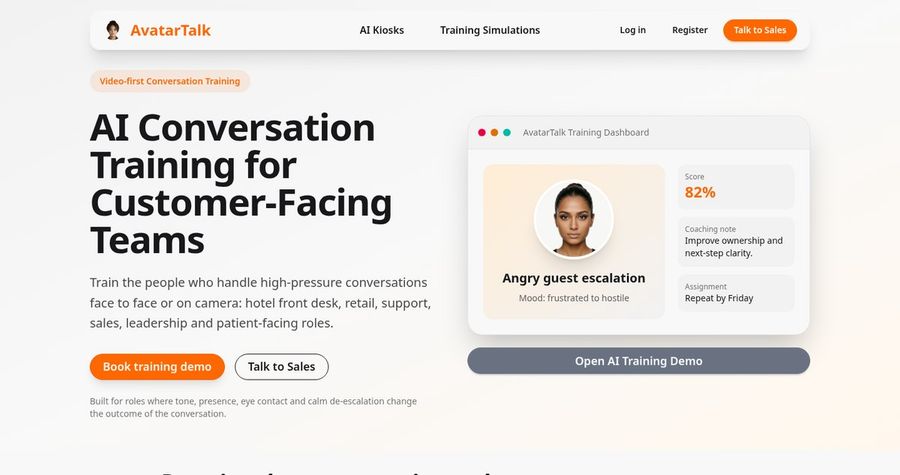
AvatarTalk focuses on conversation practice with avatars. Its site describes AI training simulations in which an avatar pushes back, interrupts, and changes mood, then scores the session and gives coaching notes. It also offers an API for generating avatar speech with an emotion setting and a language setting. The use cases it lists are customer facing roles such as hospitality, retail, and support, so it suits speaking practice for work scenarios rather than classroom language lessons.
Key Features
- Realistic avatar practice conversations
- Scores, strengths, and coaching notes after each session
- Manager assignments and repeat attempts
- API for avatar speech with emotion and language settings
- Integrations with Make.com, n8n, and LiveKit Agents
- Offline kiosk option for public venues
Best For
- Teams that practice customer conversations in a second language
- Developers who want to add an avatar to a practice app
Pros of AvatarTalk
- Practice, not just watching
Learners respond to an avatar and get scored feedback.
- Developer friendly
An API and integrations let a team build its own practice flow.
Cons of AvatarTalk
- Not a lesson video maker
It is built for practice simulations and an API, so it does not make a ready to share tutor video the way Zoice does.
- No public pricing
Pricing is by demo request, which makes it harder to compare.
Overall AvatarTalk Rating
Review 8.4: Best for speaking practice simulations
Pricing
AvatarTalk does not list plan prices on its site and asks you to book a demo or contact the team. Ask about pricing before you plan a rollout.
When to Use It
Use AvatarTalk when learners need to practice a live conversation and get scored. Use Zoice when you want to teach with a clear recorded lesson.
4. Pitch Avatar: Best for Slide Based Lessons and Dubbing
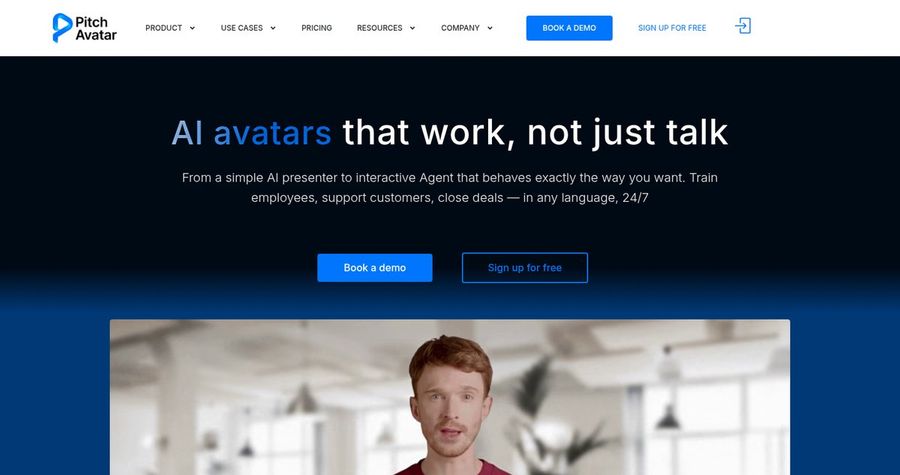
Pitch Avatar adds an AI presenter to a presentation. You upload slides or a PDF, add a script, and the avatar presents each slide with a voice over. It also dubs existing videos into 70+ languages and offers a chat avatar that answers questions. That makes it a fit for slide based grammar lessons or a course with a lot of material on screen.
Key Features
- AI presenter on slides, PDFs, and videos
- Dubbing and subtitling in 70+ languages
- Voice cloning for dubbing
- AI script generation and translation assistant
- Chat avatar that answers questions
- Share links and analytics
Best For
- Teachers who teach with slides
- Schools that want to dub existing lessons
Pros of Pitch Avatar
- Slide first
The avatar presents your existing deck slide by slide.
- Dubbing included
Existing lessons can be dubbed into 70+ languages.
Cons of Pitch Avatar
- Behind on languages
Dubbing covers 70+ languages, while Zoice supports scripts in 170+.
- Behind on entry price
Paid plans start at $29 per month with a limited number of avatar minutes.
Overall Pitch Avatar Rating
Review 8.1: Best for slide based lessons and dubbing
Pricing
The Professional plan costs $29 per month with 20 avatar minutes, and the Business plan costs $79 per month with 50 avatar minutes. A 7 day free trial includes 3 minutes of avatar speech. Check Pitch Avatar's pricing page for current details.
When to Use It
Use Pitch Avatar when your lesson lives in slides. Use Zoice when you want a tutor face on a short, sharp lesson clip.
Language Lesson Video Ideas That Work
Short, single topic videos get replayed. These formats suit language learners:
- Sound of the day: one sound, shown with a close, clear mouth.
- Mini dialogue: a two line exchange for a real situation, such as buying a ticket.
- Vocabulary review: ten words in a theme, said slowly and then at normal speed.
- Grammar tip: one rule with two examples in under a minute.
Want a wider view of multilingual video tools? See our multilingual avatar picks, or read about AI avatars for e-learning.
How We Compared Avatar Generators for Language Learning
We scored each tool the way a language teacher would, using the public features, limits, and prices on each tool's own site.
We looked at lip sync, language range, update speed, export quality, practice options, and price. Zoice ranked as the best AI avatar generator for language learning overall. HeyGen led translation of finished lessons, AvatarTalk led speaking practice simulations, and Pitch Avatar led slide based lessons and dubbing.
How to Choose an AI Avatar Generator for Language Learning
Start with what the learner has to do after watching.
- Goal: decide between a recorded lesson, a translation, and a live practice partner.
- Languages: confirm every language you teach, including regional accents.
- Mouth clarity: watch a sample to see whether the lip sync is clear enough to model sounds.
- Updates: check how fast you can fix a word and render again.
- Voice: decide whether to use a stock voice, your own recording, or a cloned voice.
- Cost: compare the price of a full lesson, not only the entry plan.
If you want one tool that turns a tutor photo and a script into a clear, friendly, multilingual teacher, Zoice is the strongest pick for most language lessons. You can make your first lesson in Zoice in a few minutes.
FAQ
Can AI avatars teach a language?
Yes, for recorded lessons. An avatar can say a script in the target language, which suits vocabulary, dialogues, and short grammar tips. For live back and forth practice, add a speaking practice tool or a human tutor.
Can they model pronunciation?
They can show how a line is said with a steady voice and mouth movement that follows it. Always have a native speaker check the audio, since an AI voice can mispronounce a rare word.
How many languages are supported?
Zoice supports scripts in 170+ languages and dialects, HeyGen lists 175+ for translation, and Pitch Avatar lists 70+ for dubbing. Check each tool for the exact language and accent you teach.