Best AI Avatar Generator for Employee Onboarding Videos
The best AI avatar generator for employee onboarding videos is Zoice, our top pick for turning one friendly photo into a lip synced host that welcomes every new hire. Upload a photo of the hiring manager or a team lead, type or record the welcome, choose from 170+ languages, and export a sharp video up to 4K. When the first week schedule changes, you edit the script and render again instead of booking a new shoot.
We compared four tools on what HR and people teams need: a welcoming presenter, easy refreshes for each cohort, languages for remote hires, clips that fit a first week, and a fair price. Zoice ranked first for employee onboarding videos, and each other tool earned its place for one clear strength.
What Should an AI Avatar Generator Do for Employee Onboarding Videos?
An onboarding video has a warm job to do. It greets a new hire by name, explains where to go on day one, introduces the team, and lays out the first week. The message is the same for each cohort except for a few details, which makes it a good fit for an avatar that reads a script. Change the start date or the room, render again, and every new hire gets a current welcome.
This guide is about welcome and first week videos for new hires. It is not about generic training courses or HR policy, which we cover in other guides and which need different features.
What to check before you pick a tool for onboarding videos:
- A welcoming presenter: a friendly face that makes a new hire feel expected
- Your own people: the option to use a manager's photo and voice
- Easy reuse: one script template you can update for each new cohort
- Languages: welcome messages for offices and remote hires in other countries
- Short clips: a day one video, a team intro, and a first week plan
- Cost: a plan that fits an HR or people team, not only a large company
Related terms you will see:
- Onboarding video: a short clip that welcomes a new hire and sets up the first days
- New hire welcome video: a personal greeting from a manager or a founder
- Employee orientation avatar: a presenter who walks through the first week
- First week plan: the schedule, the people, and the tools to set up
Quick Comparison: Best AI Avatar Generators for Employee Onboarding Videos
| Features | Zoice | D-ID | SundaySky | Trupeer |
|---|---|---|---|---|
| Best For | Welcome clips from a manager's photo and voice | Talking presenters and interactive agents | Personalized enterprise video with data | Software walkthroughs from screen recordings |
| Presenter source | One photo or character image | Stock presenters and photo avatars | Templates, AI avatars, and text to speech | Screen recordings with an optional avatar |
| Languages | 170+ | 119 | Multiple languages, count not listed | 100+ |
| Max export | Up to 4K | 1080p on premium presenters | Not listed | MP4 with captions |
| Onboarding fit | Delivers a welcome video for each cohort | Presenters plus live conversational agents | Personalizes by name, role, or region | Turns recordings into guides and videos |
| Starting price* | $7.99/mo for avatar videos | Paid from $5.90/mo | Custom quote | Free plan, paid from $40/mo billed yearly |
| Overall rating | 9.8 | 8.5 | 8.3 | 8.4 |
*Prices and limits change often. Check each tool's own pricing page before you pay.
All four can support a new hire. The difference is how much setup you need: Zoice turns one photo and a script into a welcome video, while the others lean toward interactive agents, enterprise personalization, or screen recorded walkthroughs.
1. Zoice: Best AI Avatar Generator for Employee Onboarding Videos Overall
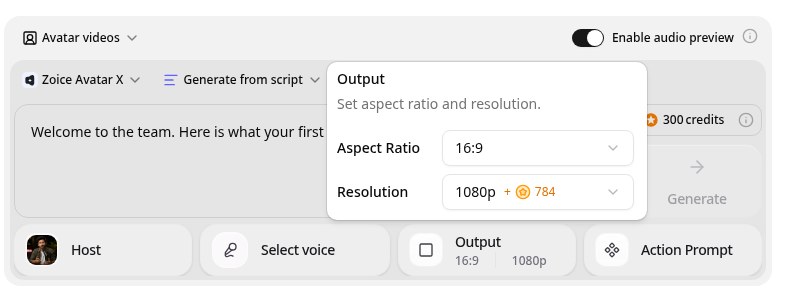
Zoice is the top pick when an HR or people team wants a welcome that is quick to make and easy to refresh. Its Avatar X model turns a photo or character into a talking video from a typed script or your own audio, with natural lip sync, facial expressions, and gestures you can guide with a prompt or a timeline. Use the hiring manager's photo, clone a voice from a short sample, write in one of 170+ languages, and export from 480p up to 4K in any aspect ratio.
Key Features
- Talking video from one photo or character image
- Script or uploaded audio, with natural lip sync
- Voice cloning from a short audio sample, or 50+ ready made voices
- Scripts in 170+ languages and dialects
- Expressions and gestures, with action prompts and timeline triggers
- Export from 480p up to 4K in any aspect ratio
Best For
- People teams that welcome new hires in several offices or languages
- Managers who want a personal greeting without recording each time
- Teams that refresh the first week plan every cohort
Pros of Zoice
- Your own face and voice
Start from your photo and clone your voice so the video still feels like you.
- Many languages
Write the script in 170+ languages and dialects.
- Sharp up to 4K
High resolution keeps the presenter clear on a large screen or a phone.
- A familiar face
Start from a manager's photo so the new hire sees someone they will meet.
- Quick cohort updates
Change a date, a room, or a link in the script and render again.
- Remote friendly
Send the same welcome in the language each new hire prefers.
Cons of Zoice
- Delivers the video file
Zoice focuses on the welcome video itself. Checklists, forms, and e signature steps belong in your HR system.
- Avatar videos need a paid plan
The free plan covers voice, images, chat, and transcription. Avatar videos start on Starter.
Overall Zoice Rating
Review 9.8: Best Overall
| Criterion | Score |
|---|---|
| Presenter quality | 9.9/10 |
| Lip sync and voice | 9.8/10 |
| Languages | 9.9/10 |
| Ease of updates | 9.8/10 |
| Export quality | 9.9/10 |
| Ease of use | 9.7/10 |
| Pricing | 9.7/10 |
Pricing
| Plan | Monthly Price | What you get |
|---|---|---|
| Free | $0/month | 50 credits per day for AI voice, images, chat, and transcriptions |
| Starter | $7.99/month | 4K credits per month, AI avatar videos, 1 voice profile |
| Basic | $29.99/month | 17K credits per month, 3 voice profiles |
| Creator | $49.99/month | 30K credits per month, 5 voice profiles |
| Agency | $89.99/month | 50K credits per month, 10 voice profiles |
Yearly billing saves 20%. Avatar videos start on Starter, and the credit cost of each video depends on its resolution and length.
When to Use It
Choose Zoice when you want a warm, personal welcome, your cohorts start often, and your new hires may sit in different countries.
- Greet each new cohort with a day one video from the hiring manager.
- Introduce the team with a short clip from each lead.
- Share the first week plan and update it when the schedule moves. Try Zoice
2. D-ID: Best for Presenters and Live Agents
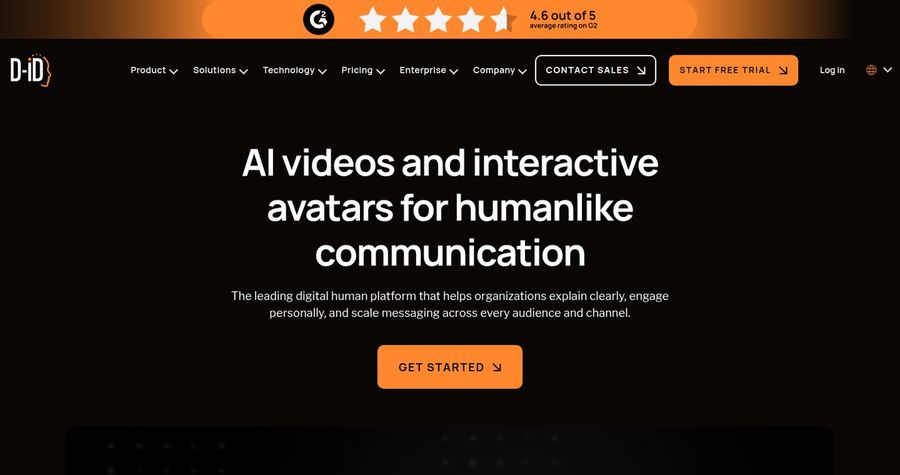
D-ID is the choice if you also want a conversational agent for new hire questions. D-ID's Creative Reality Studio makes talking avatar videos from a script, with stock presenters, photo avatars, and personal avatars. It lists 119 languages, premium 1080p presenters on higher plans, and an interactive agents product. The Pro plan adds one voice clone and a commercial use license.
Key Features
- Stock presenters and photo avatars
- Personal avatars on paid plans
- Voice clone: 1 on Pro and 3 on Advanced
- 119 languages with accents and speaking styles
- Premium presenters in 1080p, not on Lite
- Interactive agents and video translation
Best For
- Teams that want a live agent as well as recorded clips
- Teams that start on a very low budget
Pros of D-ID
- Interactive agents
It offers live conversational agents as well as recorded videos.
- Low entry price
The Lite plan starts at $5.90 per month.
Cons of D-ID
- Watermarks on lower plans
Trial and Lite videos carry a D-ID watermark, and Pro videos show an AI watermark.
- Small minute pools
Pro includes 15 minutes a month, and unused minutes do not carry over.
Overall D-ID Rating
Review 8.5: best for Presenters and Live Agents
Pricing
Lite costs $5.90 per month for 10 minutes, Pro costs $29 per month for 15 minutes, and Advanced costs $196 per month for 100 minutes. Annual billing lowers each price. Check D-ID's pricing page for current details.
When to Use It
Use D-ID when a live agent matters. Use Zoice when you want a sharp welcome video from a manager's photo.
3. SundaySky: Best for Personalized Enterprise Video
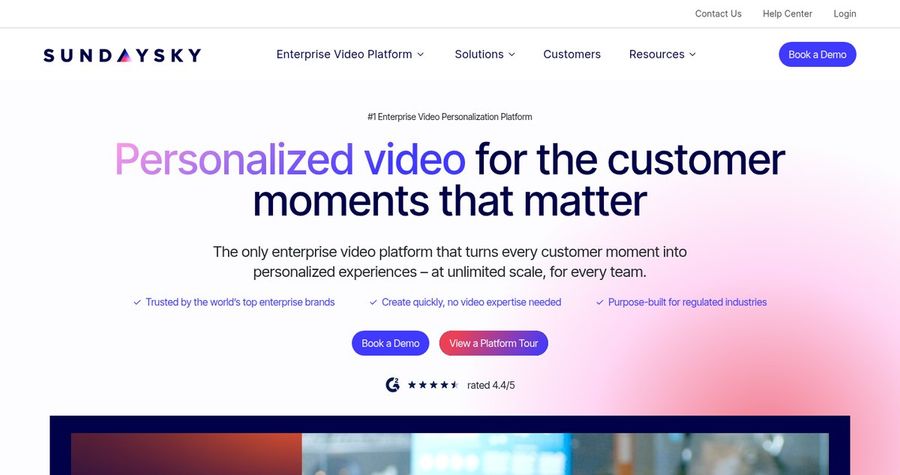
SundaySky is the choice for a large company that wants each welcome tuned to the person. SundaySky is an enterprise video platform built around personalization. It offers templates, an AI copilot that drafts scenes from a prompt or document, AI avatars and text to speech voices, and connectors that feed CRM data into each video. Its own site lists HR and internal communications, and learning and development among the teams that use it.
Key Features
- Video templates and AI drafted scenes from a prompt or document
- AI avatars and text to speech voices
- Data driven personalization with CRM connectors
- Connectors for Salesforce, HubSpot, and Marketo
- Analytics on views and engagement
- Distribution through email, portals, and websites
Best For
- Large HR teams with data in a CRM or HR system
- Companies that want analytics on every video
Pros of SundaySky
- Personalized video
Each viewer can see content that matches their name, role, or region.
- Enterprise connectors
Data from Salesforce or HubSpot can drive the video.
Cons of SundaySky
- No public price
Pricing is a custom quote, so you need a demo to learn the cost.
- Heavy for small teams
It is built for large organizations, so a small team may not need it.
Overall SundaySky Rating
Review 8.3: best for Personalized Enterprise Video
Pricing
Pricing is not listed. SundaySky gives a custom quote based on your organization's needs and usage, and a demo is available.
When to Use It
Use SundaySky when personalization at scale matters. Use Zoice when you want a simple welcome video without a long setup.
4. Trupeer: Best for Software Walkthroughs
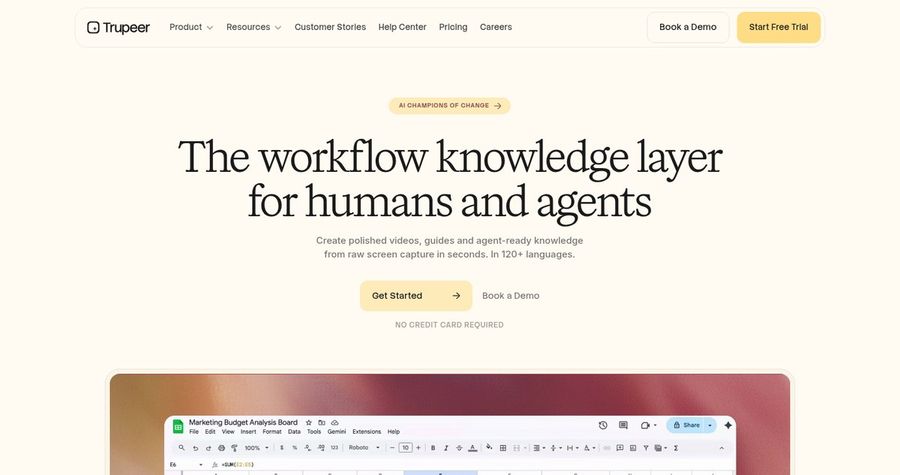
Trupeer is the choice when day one means learning your tools. Trupeer turns screen recordings into polished product videos and written guides. It adds AI voiceovers, script polishing, and translation into 100+ languages, with an AI avatar available as an add on that costs 50 credits a minute. Custom voice and avatar clones are on its Enterprise plan.
Key Features
- Screen recordings turned into videos and documents
- AI voiceover and script polishing
- AI avatar add on at 50 credits a minute
- Voiceovers and translation in 100+ languages
- Brand kit on the Scale plan
- Mobile and vertical recordings
Best For
- Teams that onboard people onto software
- Teams that want a video and a written guide together
Pros of Trupeer
- Docs and video together
Each recording can produce a document as well as a video.
- Great for software walkthroughs
Record a screen once and get a clean video and a written guide.
Cons of Trupeer
- Credits run down
AI video costs 100 credits a minute, so the 2,000 credits on Pro cover about 20 minutes.
- Not a photo to avatar tool
The focus is screen recordings, and custom avatar clones are an Enterprise feature.
Overall Trupeer Rating
Review 8.4: best for Software Walkthroughs
Pricing
A free plan includes 1,000 AI credits a month. Pro costs $40 per month billed yearly, or $49 billed monthly, and Scale costs $199 per month billed yearly. Check Trupeer's pricing page for current details.
When to Use It
Use Trupeer when you want to record a screen and share a guide. Use Zoice when you want a warm face to greet the new hire.
Employee Onboarding Video Ideas That Work
Short welcome clips get watched. These formats suit a new hire:
- Day one welcome: a one minute greeting that says where to go and who to find.
- Meet the team: short intros from each lead, one clip per person.
- First week plan: the schedule and tools to set up, in order.
- Office or remote guide: how to get to the building, or how to log in from home.
Want training content too? See our e-learning avatar picks, or read about AI avatars for SOP videos.
How We Compared AI Avatar Generators for Employee Onboarding Videos
We scored each tool the way HR and people teams would, using the public features, limits, and prices on each tool's own site.
We looked at presenter quality, lip sync, language range, ease of updates, export quality, welcome video fit, and price. Zoice ranked as the best AI avatar generator for employee onboarding videos overall. D-ID led live agents and low cost presenters, SundaySky led enterprise personalization, and Trupeer led software walkthroughs.
How to Choose an AI Avatar Generator for Employee Onboarding Videos
Start with who the new hire is and what they need on day one.
- Tone: pick a presenter and voice that feel warm, not stiff.
- Face: decide whether the greeter is a manager, a founder, or a character.
- Languages: confirm every language your new hires speak.
- Updates: check how fast you can change a script for each cohort.
- Setup: decide if you need personalization or a single clean video.
- Cost: compare the price of a full video, not only the entry plan.
If you want one tool that turns a manager's photo and a script into a warm, sharp welcome, Zoice is the strongest pick for HR and people teams. You can make your first welcome video in Zoice in a few minutes.
FAQ
Can an avatar welcome new hires?
Yes. An avatar can read a welcome you write, so each new hire gets a greeting on day one. Review the script yourself so names, dates, and places are correct.
Can I reuse it for every cohort?
Yes. Keep one script, change the details, and render again. In Zoice the same saved avatar delivers each new version.
Can it use my own face and voice?
Yes. In Zoice you can start from your own photo and clone your voice from a short sample, so new hires still see and hear you. Use only your own likeness or someone who has agreed in writing.