Best AI Avatar for Webinars: Top Picks for Hosts in 2026
The best AI avatar for webinars is Zoice, our top pick for turning one photo of a host into a lip synced presenter for webinar intros, promo clips, and recap videos. Upload a photo, type or record your script, choose from 170+ languages, and export a sharp video up to 4K. When the date or the speaker changes, you edit the script and render again instead of filming a new teaser.
We compared four tools on what webinar hosts and marketing teams need: a host people recognize, clean lip sync, fast date changes, languages for promos, and the right sizes for each channel. Zoice ranked first for webinars, and each other tool earned its place for one clear strength.
What Should an AI Avatar Do for Webinars?
A webinar has moments that happen before and after the live session: an invitation, a reminder, a short opening, and a recap for people who missed it. These are short clips with a host who speaks to the camera. An AI avatar helps because the clips are built from a script. Change the date or the topic, render again, and the new version is ready to post.
This guide is about webinar intros, promos, and recap clips with a talking host. It is not about live streaming. The avatar makes recorded clips, and the live session itself still runs in your webinar tool.
What to check before you pick a tool for webinar clips:
- A host people recognize: the option to use your own photo and voice
- Clean lip sync: a clear, steady delivery for a short opening
- Fast changes: update the date or the speaker and render again
- Languages: promos for audiences in other markets
- Social sizes: 16:9 for the webinar page and 9:16 for short promos
- Cost: a plan that suits a marketing team or a solo host
Related terms you will see:
- Webinar avatar: a presenter who delivers the script for a webinar clip
- Webinar host video: a short clip with the host speaking to the camera
- Webinar promo video: an invitation or reminder clip for social and email
- Recap clip: a short summary sent to people after the session
Quick Comparison: Best AI Avatars for Webinars
| Features | Zoice | Vmake | Digen | HeyGen |
|---|---|---|---|---|
| Best For | Host clips from one photo and your script | Short product style spokesperson clips | Photo to talking avatar for creators | Stock and photo avatars with many languages |
| Presenter source | One photo or character image | Product image to spokesperson | One photo and audio | 700+ stock avatars, photo avatars, custom avatars |
| Languages | 170+ | Multilingual, count not listed | Not listed | 175+ on paid plans |
| Max export | Up to 4K | 2K and 4K on Pro | Up to 720p on Gen 3 | Up to 4K on Pro |
| Webinar fit | Delivers a clip for the intro, promo, or recap | Product image to spokesperson video | Lip motion models for clips up to two minutes | Large avatar library and translation |
| Starting price* | $7.99/mo for avatar videos | Free plan, paid from $9.99/mo | Free tier, paid plans | Free plan, paid from $29/mo |
| Overall rating | 9.8 | 8.3 | 8.0 | 9.3 |
*Prices and limits change often. Check each tool's own pricing page before you pay.
All four can put a talking host on screen. The difference is where each one is strongest: Zoice turns your own photo into a sharp host clip, while the others lean toward product spokesperson videos, creator clips, or a broad avatar library.
1. Zoice: Best AI Avatar for Webinars Overall
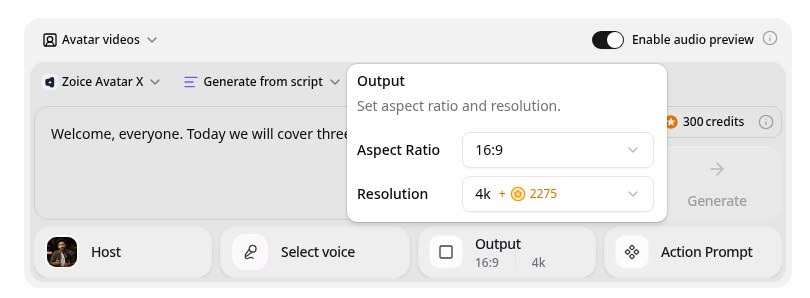
Zoice is the top pick when a host wants a presenter clip that is quick to build and easy to update. Its Avatar X model turns a photo or character into a talking video from a typed script or your own audio, with natural lip sync, facial expressions, and gestures you can guide with a prompt or a timeline. Use your own photo, clone your voice from a short sample, write in one of 170+ languages, and export from 480p up to 4K in any aspect ratio.
Key Features
- Talking video from one photo or character image
- Script or uploaded audio, with natural lip sync
- Voice cloning from a short audio sample, or 50+ ready made voices
- Scripts in 170+ languages and dialects
- Expressions and gestures, with action prompts and timeline triggers
- Export from 480p up to 4K in any aspect ratio
Best For
- Hosts who send an invitation, a reminder, and a recap for each webinar
- Teams that run webinars in several languages
- Creators who want their own face in every promo
Pros of Zoice
- Easy to update
Edit the script, render again, and the new version replaces the old one.
- Your own face and voice
Start from your photo and clone your voice so the video still feels like you.
- Many languages
Write the script in 170+ languages and dialects.
- Every promo from one photo
Reuse the same host avatar for the invitation, the reminder, and the recap.
- Date changes in minutes
Edit the date in the script and render again.
- Right size for every channel
Export 16:9 for the webinar page and 9:16 for short promos.
Cons of Zoice
- Delivers the video file
Zoice makes recorded clips. It does not stream a live webinar, so keep your live tool for the session itself.
- Avatar videos need a paid plan
The free plan covers voice, images, chat, and transcription. Avatar videos start on Starter.
Overall Zoice Rating
Review 9.8: Best Overall
| Criterion | Score |
|---|---|
| Presenter quality | 9.9/10 |
| Lip sync and voice | 9.8/10 |
| Languages | 9.9/10 |
| Ease of updates | 9.8/10 |
| Export quality | 9.9/10 |
| Ease of use | 9.7/10 |
| Pricing | 9.7/10 |
Pricing
| Plan | Monthly Price | What you get |
|---|---|---|
| Free | $0/month | 50 credits per day for AI voice, images, chat, and transcriptions |
| Starter | $7.99/month | 4K credits per month, AI avatar videos, 1 voice profile |
| Basic | $29.99/month | 17K credits per month, 3 voice profiles |
| Creator | $49.99/month | 30K credits per month, 5 voice profiles |
| Agency | $89.99/month | 50K credits per month, 10 voice profiles |
Yearly billing saves 20%. Avatar videos start on Starter, and the credit cost of each video depends on its resolution and length.
When to Use It
Choose Zoice when you want your own host on every clip, your webinars repeat, and your audience sits in more than one market.
- Send a short invitation from the host a week before the session.
- Open a recorded webinar with a clear intro clip.
- Share a recap video with the three key takeaways after the event. Try Zoice
2. Vmake: Best for Product Spokesperson Clips
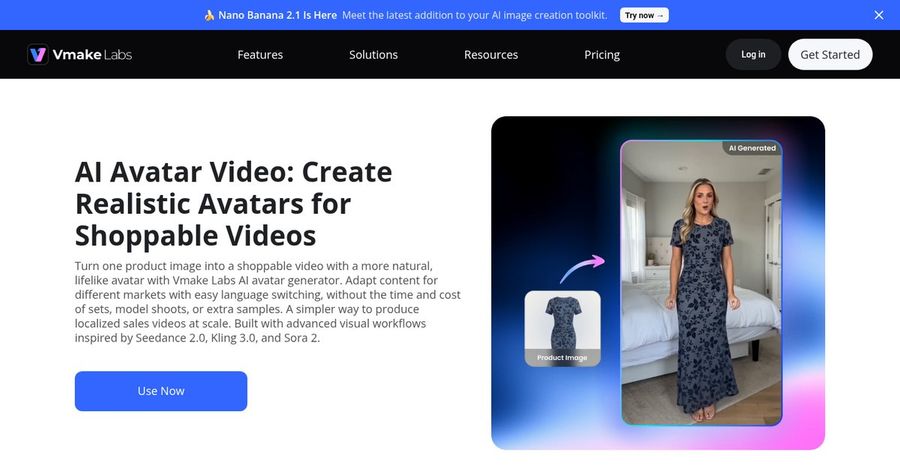
Vmake is the choice if your webinar promotes a product shown in images. Vmake is a credit based AI toolkit whose avatar video tool turns a product image into a spokesperson video. It lists natural lip sync, consistent avatars, customizable scenes, and multilingual localization.
Key Features
- Product image to spokesperson video
- Natural lip sync with consistent avatars
- Customizable scenes
- Multilingual localization
- Credit based plans
- 720p on Free up to 2K and 4K on Pro
Best For
- Shops and brands that promote a product
- Teams that want a low entry price
Pros of Vmake
- Low entry price
The Plus plan starts at $9.99 per month.
- Product focus
Product images turn into short spokesperson clips.
Cons of Vmake
- Shop video focus
The avatar tool targets shoppable product videos rather than host style clips.
- Small free allowance
Free credits are small and daily, and Free exports carry a watermark.
Overall Vmake Rating
Review 8.3: best for Product Spokesperson Clips
Pricing
Free has 20 daily credits with a watermark at 720p. Plus costs $9.99 per month for 1,000 credits with 1080p export, and Pro costs $29.99 per month for 4,500 credits with 2K and 4K export. Check Vmake's pricing page for current details.
When to Use It
Use Vmake when the clip centers on a product image. Use Zoice when the clip centers on your host.
3. Digen: Best for Quick Creator Clips
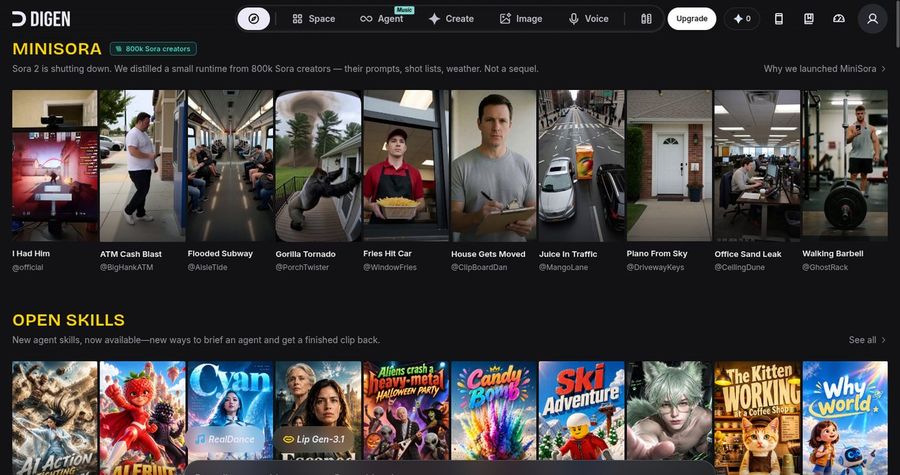
Digen is the choice if you want a quick photo to talking clip for social. Digen is a creator focused AI video site that turns a photo into a talking avatar with AI voices or your own audio and lip sync. Its help pages describe lip motion models, with Gen 2 supporting videos up to two minutes and Gen 3 offering more realistic lip sync at up to 720p.
Key Features
- Photo to talking avatar
- AI voices or uploaded audio
- Lip motion Gen 2 for videos up to two minutes
- Lip motion Gen 3 with 720p output
- Large avatar library
- Social video workflows
Best For
- Creators who post short promos
- Teams that want to test before paying
Pros of Digen
- Free start
A free tier lets you test before you pay.
- Fast photo to video
One photo and audio make a talking clip.
Cons of Digen
- Less business polish
It is aimed at social creators more than webinar teams.
- Short clips
Gen 2 runs up to two minutes, and the more realistic Gen 3 is capped at 720p.
Overall Digen Rating
Review 8.0: best for Quick Creator Clips
Pricing
A free tier gives limited credits with basic access, and paid plans add more credits and models. Check Digen's pricing page for current plans.
When to Use It
Use Digen when you want a fast social clip. Use Zoice when you want a steady host at higher resolution.
4. HeyGen: Best for a Broad Avatar Library
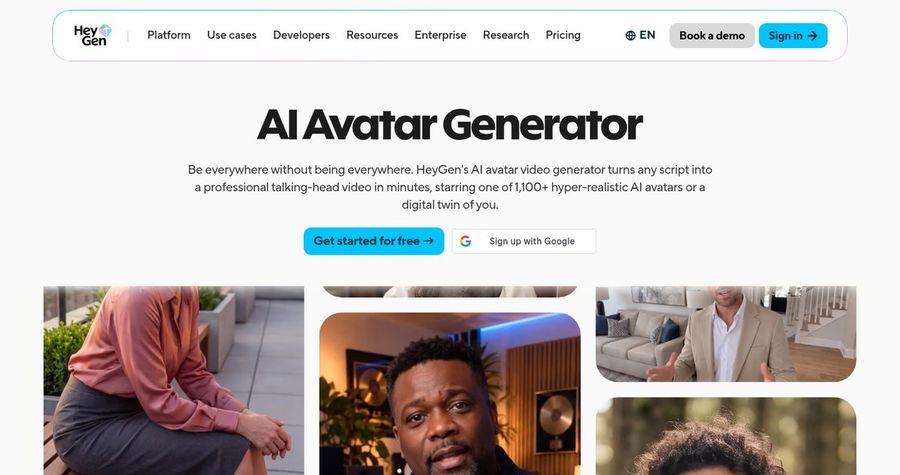
HeyGen is the choice if you want a large library of stock avatars. HeyGen is a widely used avatar video platform. Paid plans list 700+ stock avatars, photo avatars, custom video avatars, and narration in 175+ languages and dialects. Voice cloning appears on every plan, and the Business plan adds interactive video, SCORM export, and LMS integrations.
Key Features
- 700+ stock video avatars on paid plans
- Photo avatars, unlimited on paid plans
- Custom video avatars
- Voice cloning, with expanded use on paid plans
- 175+ languages and dialects on paid plans
- 1080p export on Creator and 4K on Pro
Best For
- Teams that like to pick a stock presenter
- Teams that translate promos into many languages
Pros of HeyGen
- Team features
The Business plan adds workspaces, comments, interactive video, and SCORM export.
- Wide avatar choice
700+ stock avatars on paid plans plus photo avatars give a lot of presenters to pick from.
Cons of HeyGen
- Team tools cost more
Interactive video, SCORM, and LMS links sit on the $149 per month Business plan.
- Behind on entry price
Paid plans start at $29 per month, while Zoice avatar videos start at $7.99.
Overall HeyGen Rating
Review 9.3: best for a Broad Avatar Library
Pricing
The Free plan includes 3 videos a month of up to 1 minute. Creator costs $29 per month, or $24 per month billed yearly, with 1080p export. Pro starts at $49 per month with 4K export, and Business costs $149 per month plus $20 per seat. Check HeyGen's pricing page for current details.
When to Use It
Use HeyGen when a big avatar library matters. Use Zoice when you want your own photo as the host.
Webinar Clip Ideas That Work
Short, single purpose clips get watched. These formats suit a webinar series:
- Invitation: who is speaking, what they will cover, and when it starts.
- Reminder: a short nudge the day before, with the link.
- Opening intro: a clear welcome that sets up the agenda.
- Recap: the top three takeaways, sent to people who missed it.
Want more host ideas? See our presentation avatar picks, or read about AI talking head tools.
How We Compared AI Avatars for Webinars
We scored each tool the way webinar hosts and marketing teams would, using the public features, limits, and prices on each tool's own site.
We looked at presenter quality, lip sync, language range, ease of updates, export formats, promo fit, and price. Zoice ranked as the best AI avatar for webinars overall. Vmake led product spokesperson clips, Digen led quick creator clips, and HeyGen led a broad avatar library.
How to Choose an AI Avatar for Webinars
Start with what the clip has to do and where it will play.
- Host: decide whether viewers see you or a character.
- Clip type: pick a tool that fits invitations, intros, and recaps.
- Languages: confirm every language your audience speaks.
- Sizes: check you can export 16:9 and 9:16.
- Updates: confirm you can change a date and render again.
- Cost: compare the price of a full clip, not only the entry plan.
If you want one tool that turns your photo and a script into a sharp host clip, Zoice is the strongest pick for webinar hosts and marketing teams. You can make your first webinar promo in Zoice in a few minutes.
FAQ
Can an AI avatar host a webinar intro?
Yes. An avatar can read a short opening you write, so you can start a recorded webinar with a clear welcome. Review the script yourself so names and dates are correct.
Can I make recap clips?
Yes. Write the three key takeaways as a script and render a short video. In Zoice the same host avatar can deliver each recap.
Does it work for live webinars?
No. Zoice makes recorded avatar clips and does not stream live. Use it for promos, intros, and recaps, and keep your webinar tool for the live session.