How to Create AI Astrologer Video
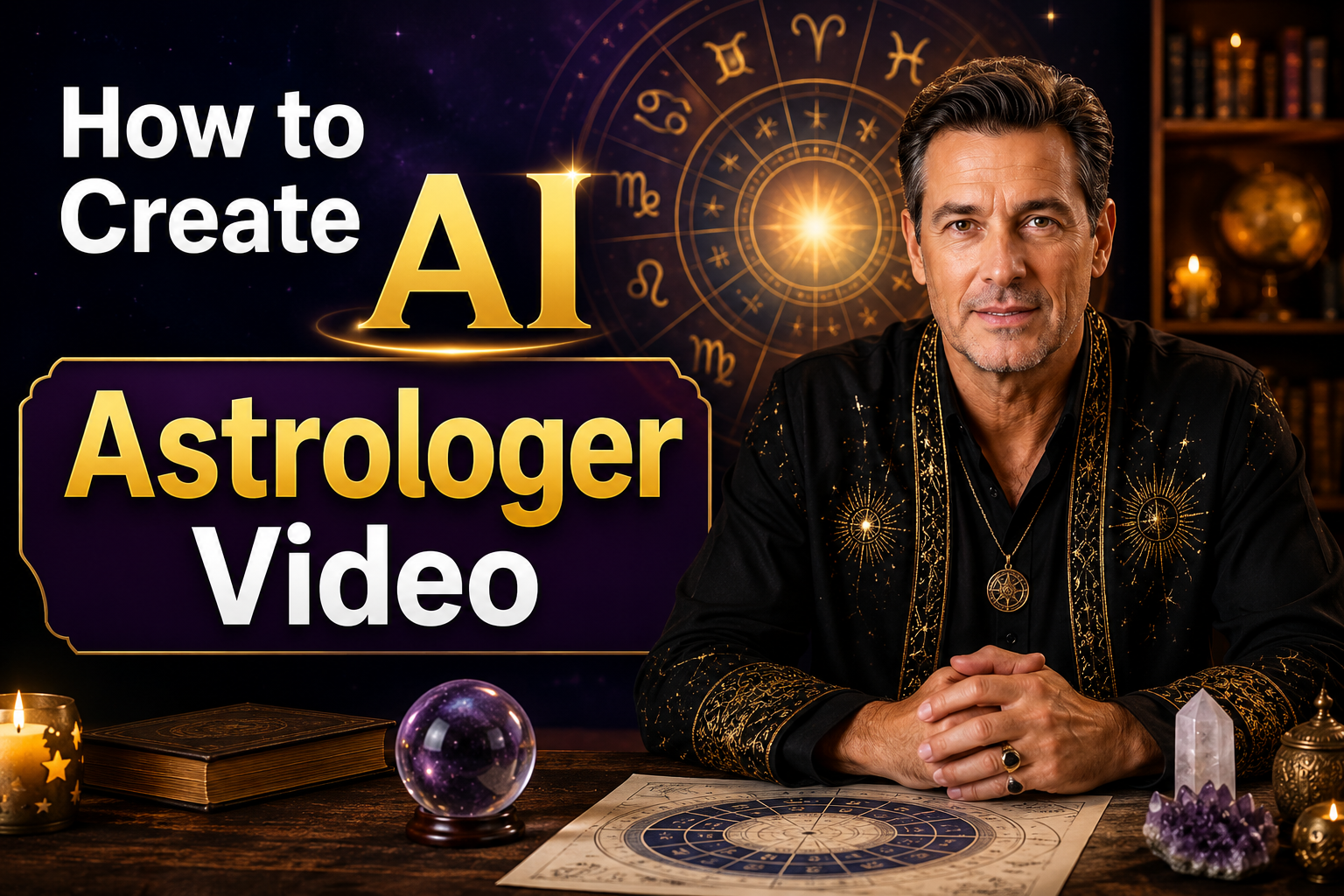
Creating astrology videos no longer requires expensive recording equipment, a professional studio, or even appearing on camera. With AI avatar technology, you can produce realistic horoscope videos featuring a virtual astrologer that speaks naturally and delivers your predictions in just a few minutes.
Whether you're creating daily horoscope updates, zodiac sign predictions, tarot readings, birth chart explanations, or spiritual guidance content, AI makes the entire process simple.
In this step by step tutorial, you'll learn how to create an AI astrologer video using Zoice, from creating your AI avatar to adding your script, selecting a voice, customizing the video settings, and generating a professional quality astrology video ready to share on YouTube, TikTok, Instagram, or any other platform.
What Are AI Astrologer Videos?
AI astrologer videos feature a realistic AI presenter that speaks your astrology content using natural voice synthesis and lifelike lip synchronization. Instead of filming yourself, AI generates a virtual astrologer that delivers your horoscope updates, zodiac predictions, or educational astrology content.
These videos are ideal for:
- Daily horoscope videos
- Weekly and monthly zodiac predictions
- Birth chart explanations
- Astrology tutorials
- Planetary transit updates
- Numerology content
- Spiritual and manifestation videos
- YouTube and social media astrology channels
Why Create AI Astrologer Videos?
AI avatars simplify astrology content creation while maintaining a professional appearance.
Some major benefits include:
- No camera or recording equipment required
- Create videos in multiple languages
- Produce videos faster
- Maintain a consistent presenter across videos
- Save time on editing and filming
- Generate content for YouTube, TikTok, Instagram, and Facebook
- Scale your astrology channel with ease
How to Create an AI Astrologer Avatar in Zoice
Creating an AI astrologer avatar in Zoice takes only a few minutes. Follow these steps to create your avatar, generate videos, and start sharing astrology predictions, horoscope updates, and spiritual guidance without recording yourself.
Step 1: Visit Zoice.com and Click Sign In or Try Zoice
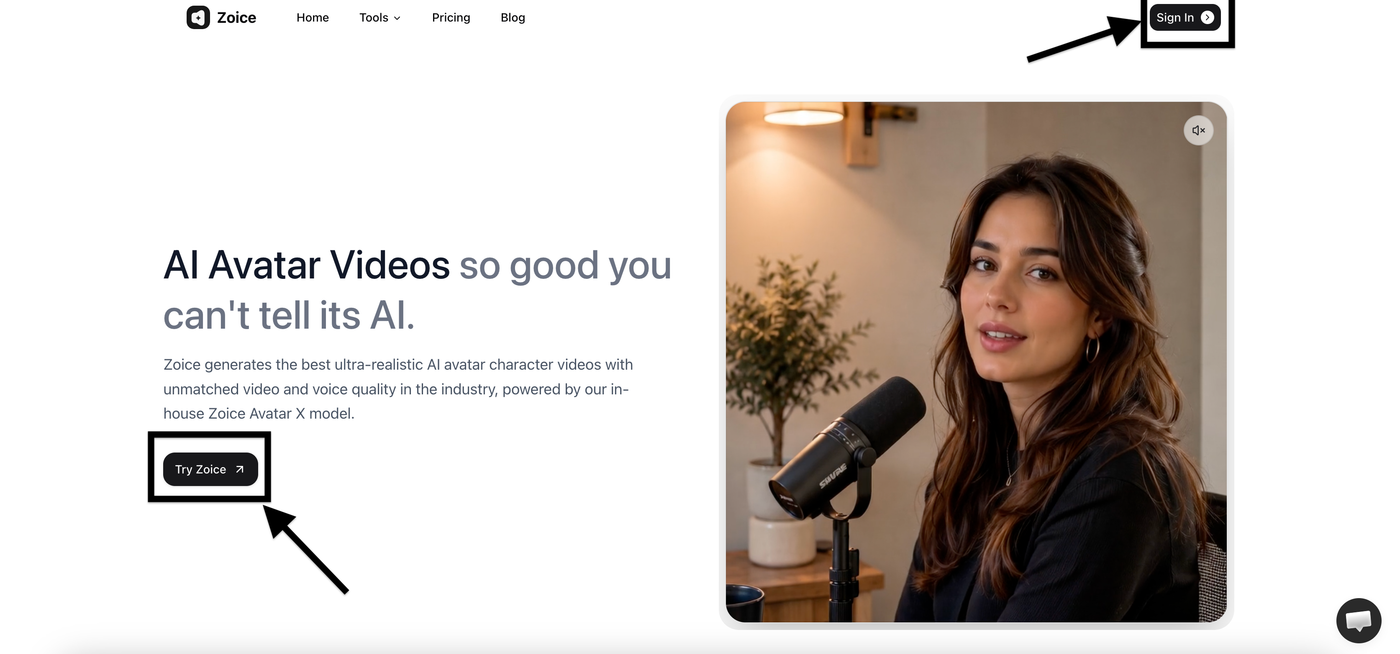
Go to Zoice.com and click either Sign In or Try Zoice. Both buttons will take you to the Sign In page, where you can log in or create a new account.
Step 2: Sign In or Create Your Account
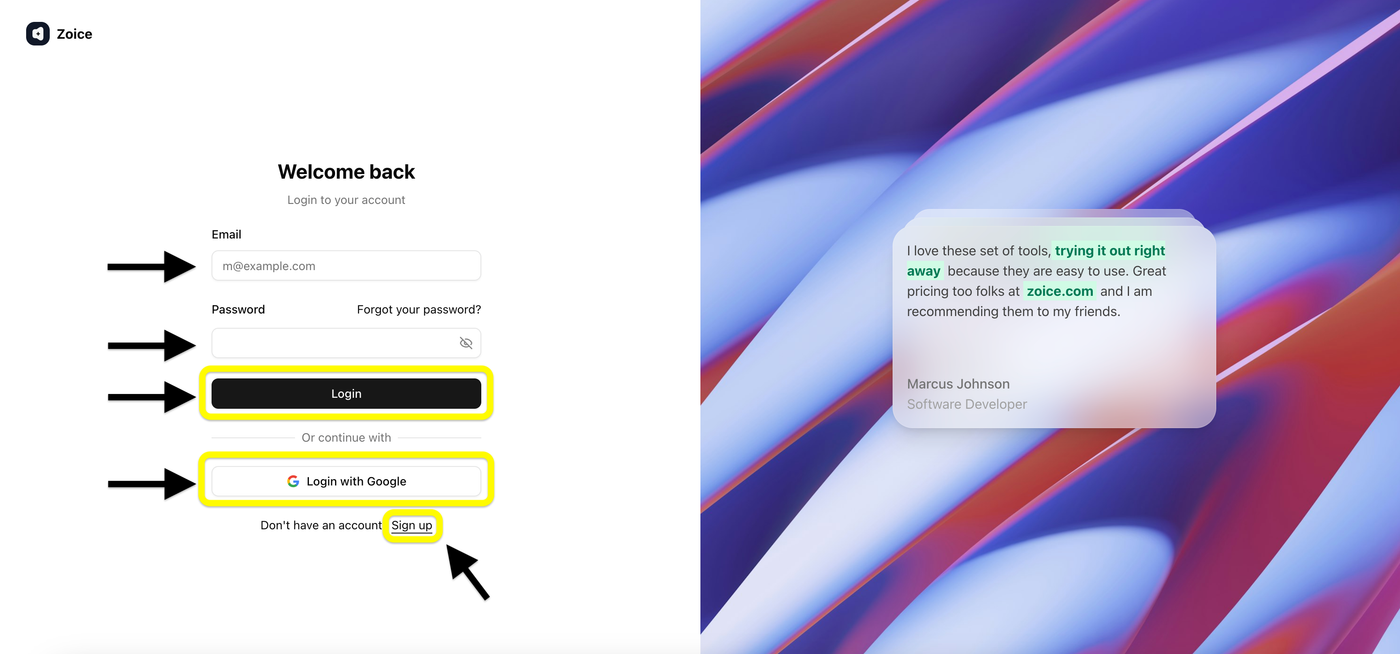
If you already have a Zoice account, enter your email address and password, then click Login. You can also sign in using your Google account for quicker access. If you're new to Zoice, click Sign Up to create a new account.
Step 3: Create a New Zoice Account
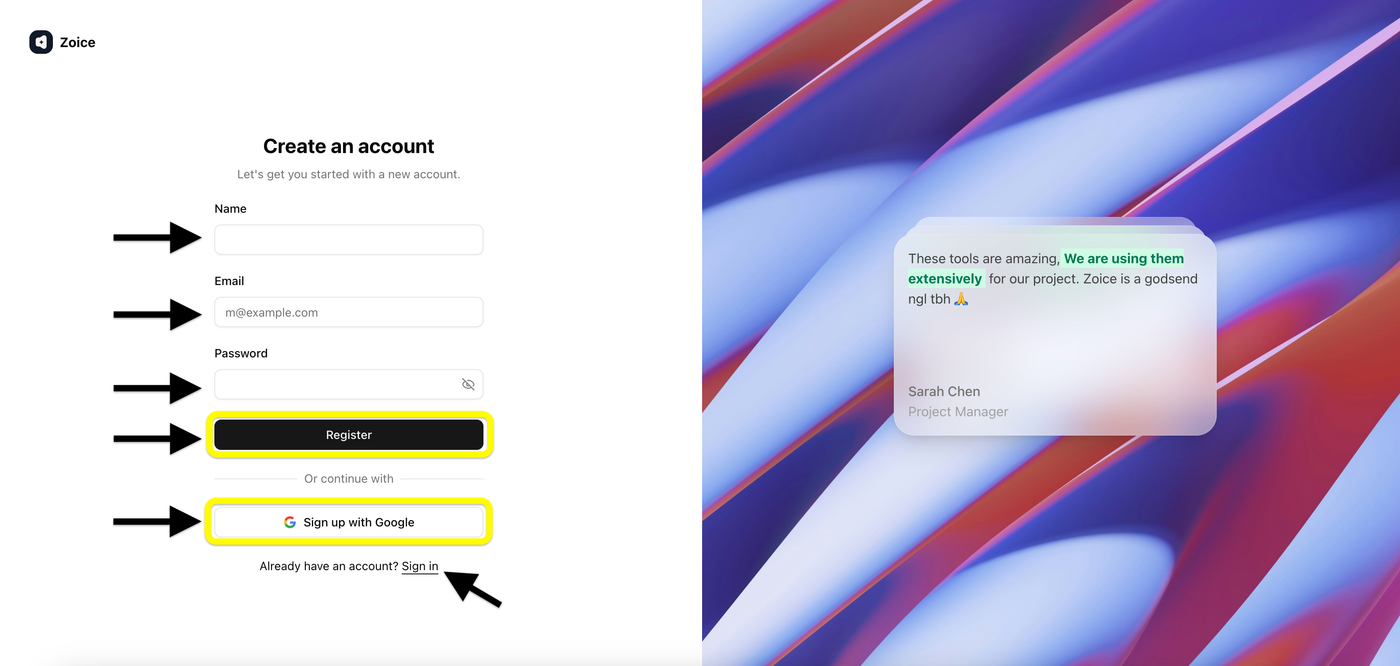
If you're a new user, enter your name, email address, and password, then click Register. You can also choose Sign up with Google for a faster registration process. Once your account is created, you'll be redirected to the Zoice dashboard.
Step 4: Open Avatar Characters
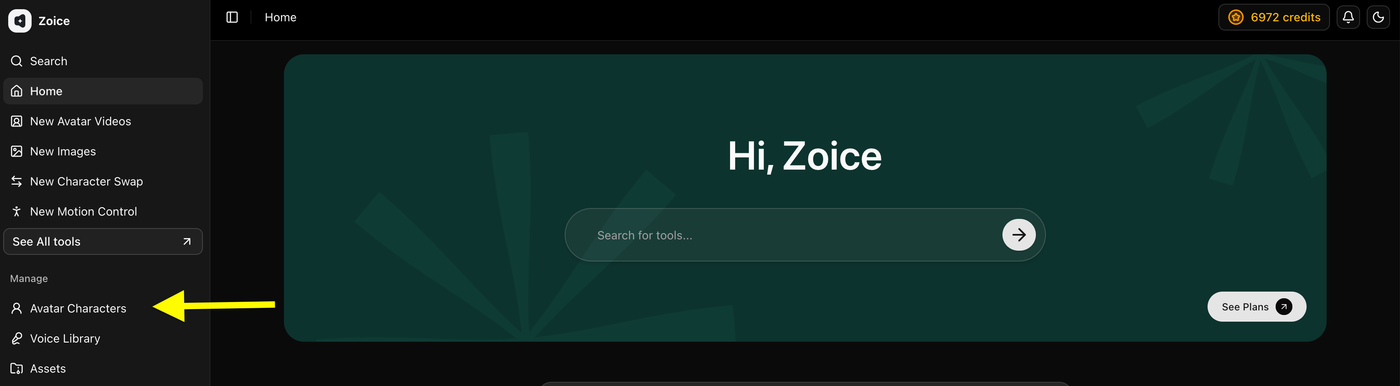
After signing in, go to the left sidebar and click Avatar Characters. This is where you can create a new avatar or manage your existing avatar characters.
Step 5: Click Create New
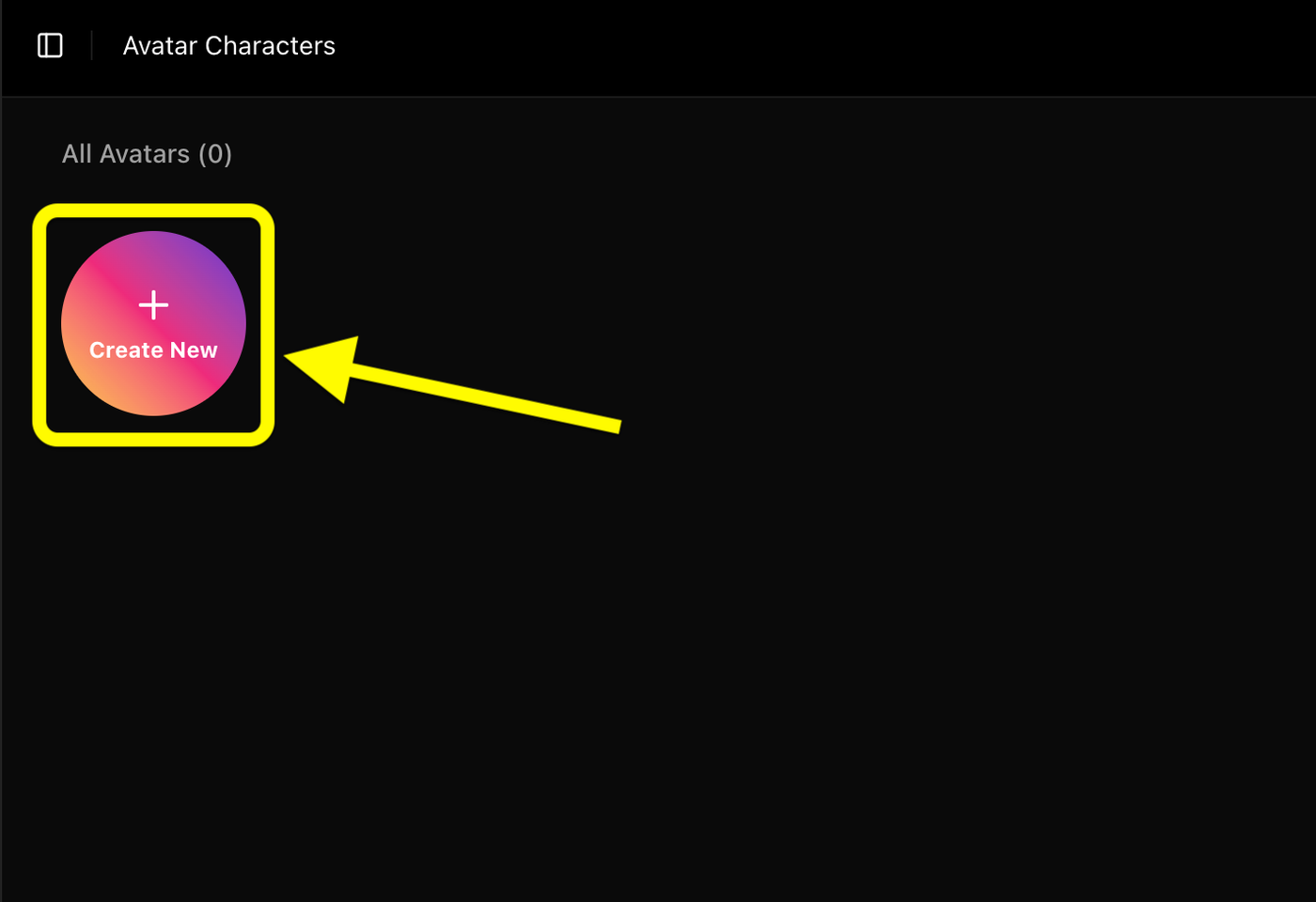
In the Avatar Characters page, click Create New to start creating a new custom avatar. This will open the avatar creation page, where you can upload an image or generate one with AI.
Step 6: Upload Your Image and Generate the Avatar
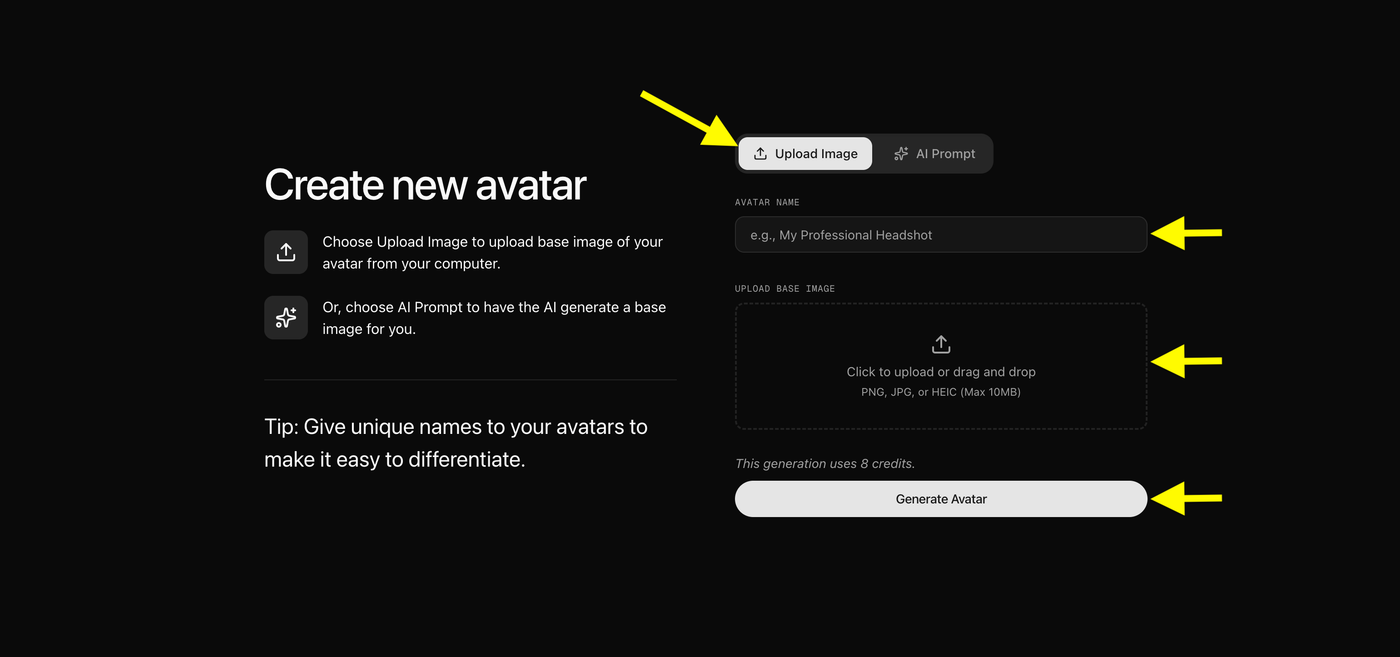
Click Upload Image and select your astrologer photo from your device. Enter a name for your avatar, then click Generate Avatar to create your AI avatar.
Optional: Create an Avatar with AI Prompt
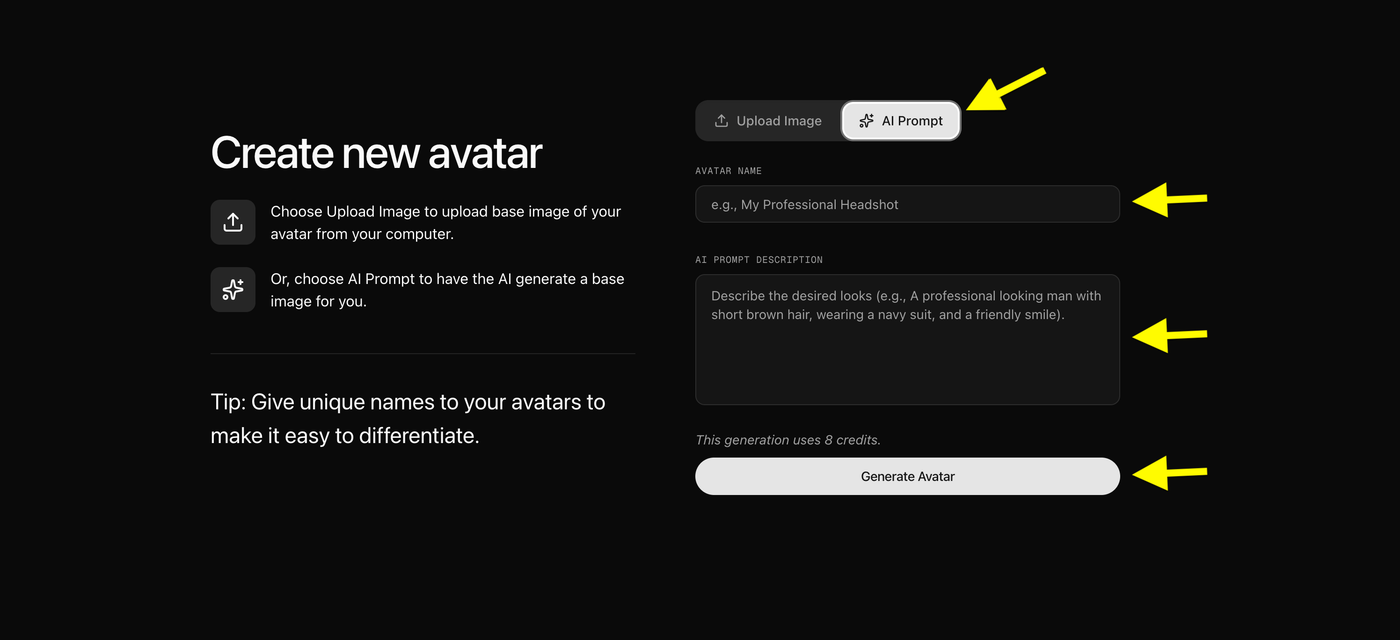
If you don't have an avatar image, click AI Prompt instead of Upload Image. Enter an avatar name, describe how you want your astrologer to look, then click Generate Avatar. Zoice will create a realistic AI avatar based on your prompt.
Step 7: Name and Generate Your Avatar
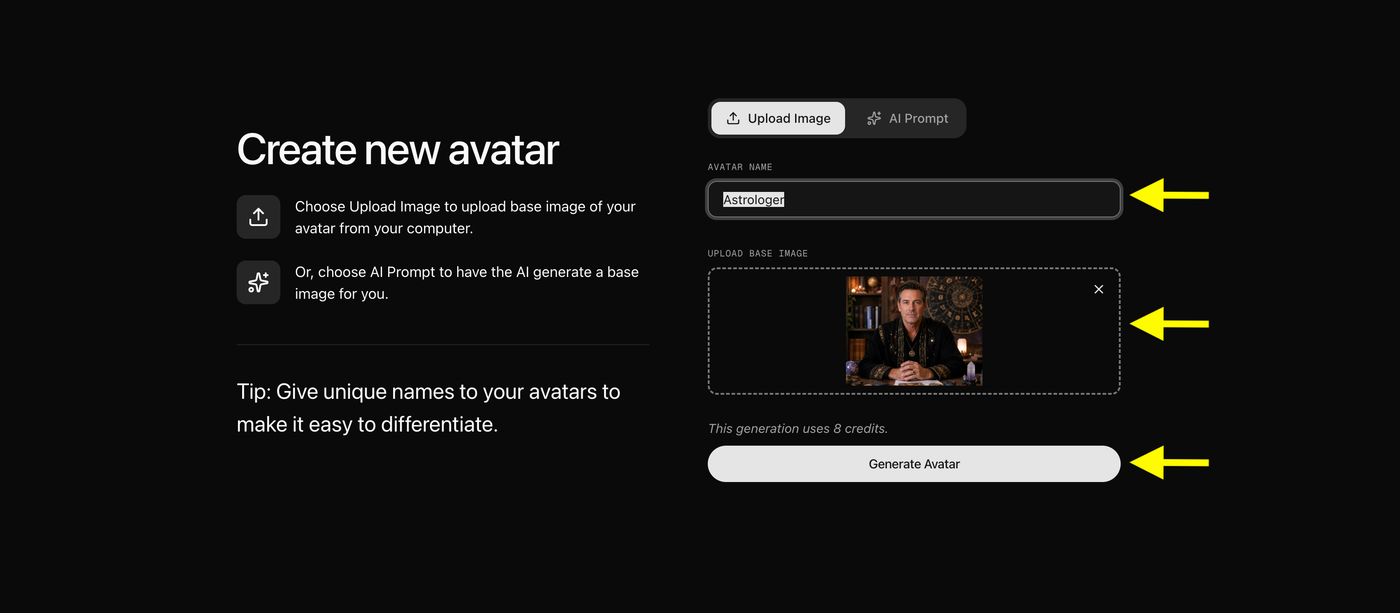
Enter a name for your avatar, confirm the uploaded image is correct, then click Generate Avatar. Zoice will create your custom AI avatar in a few moments.
Step 8: Select Your Created Avatar
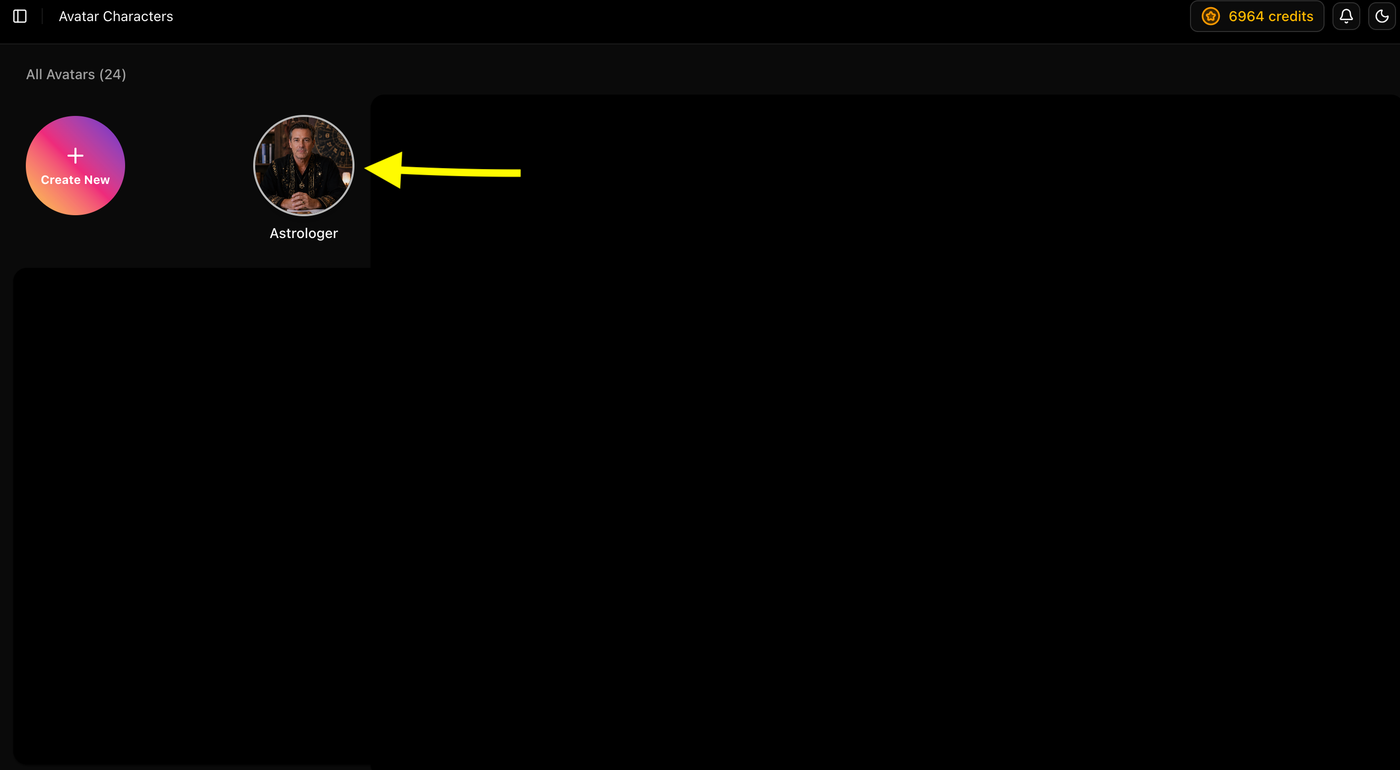
Once your avatar is ready, click on it from the Avatar Characters page to open its settings and continue creating your AI astrologer video.
Step 9: Start Creating Your Video
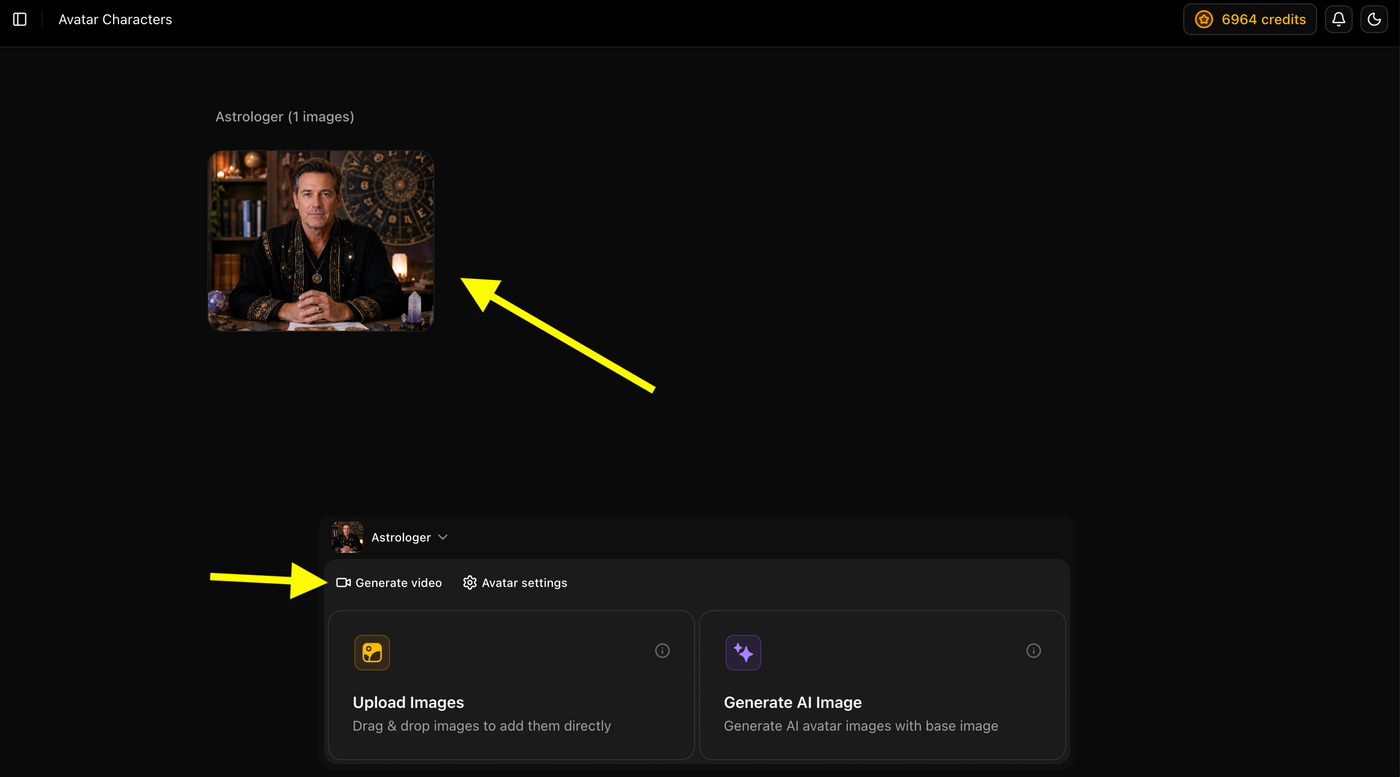
Click Generate Video to begin creating a new AI astrologer video using your custom avatar. This will open the video editor where you can add your script, voice, and video settings.
Step 10: Add Your Video Script
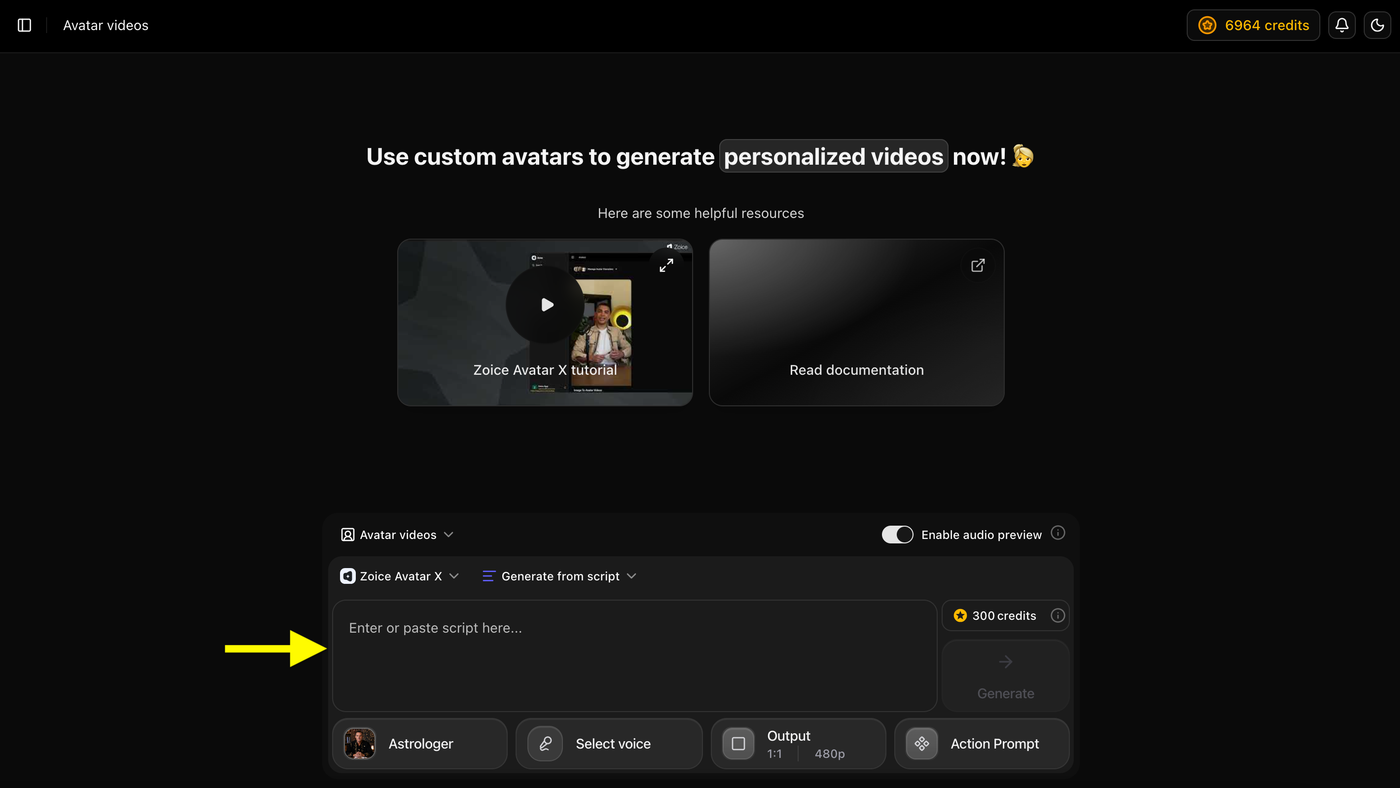
Write or paste your astrologer video script into the script box. This is the text your AI avatar will speak in the final video.
Step 11: Add Your Script
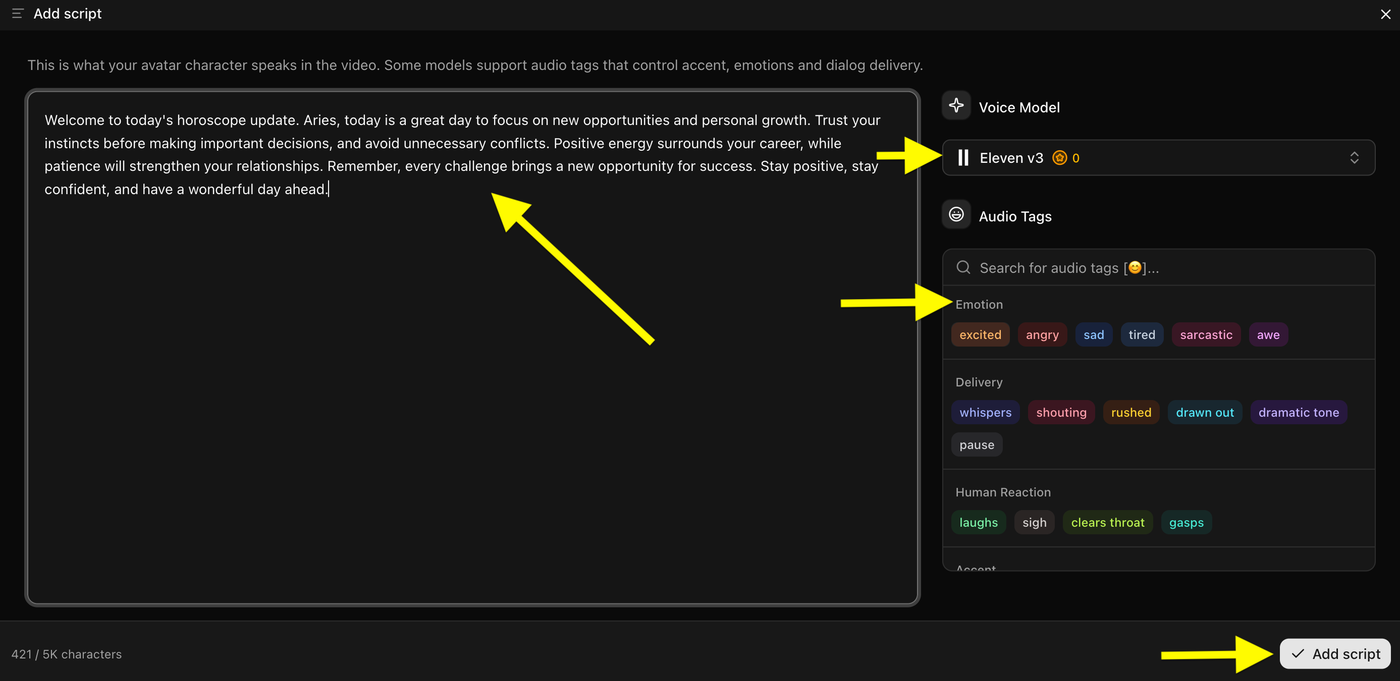
Paste your astrologer script, choose a Voice Model, and add Audio Tags if needed to customize the delivery. Once everything is ready, click Add Script to continue.
Step 12: Click on Select Voice
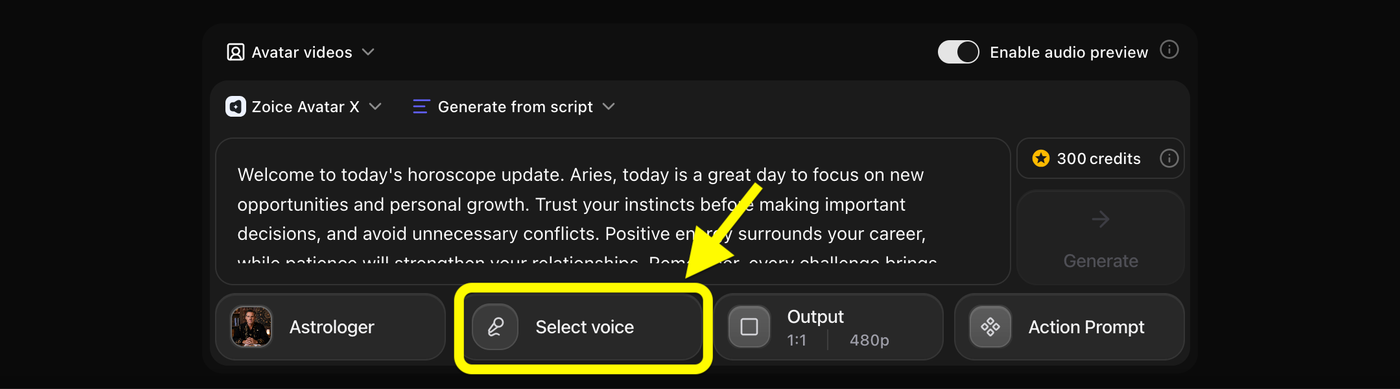
Click Select Voice and choose a voice that matches your astrologer avatar. You can select a public voice or use a custom voice if you have one.
Step 13: Choose a Voice Profile
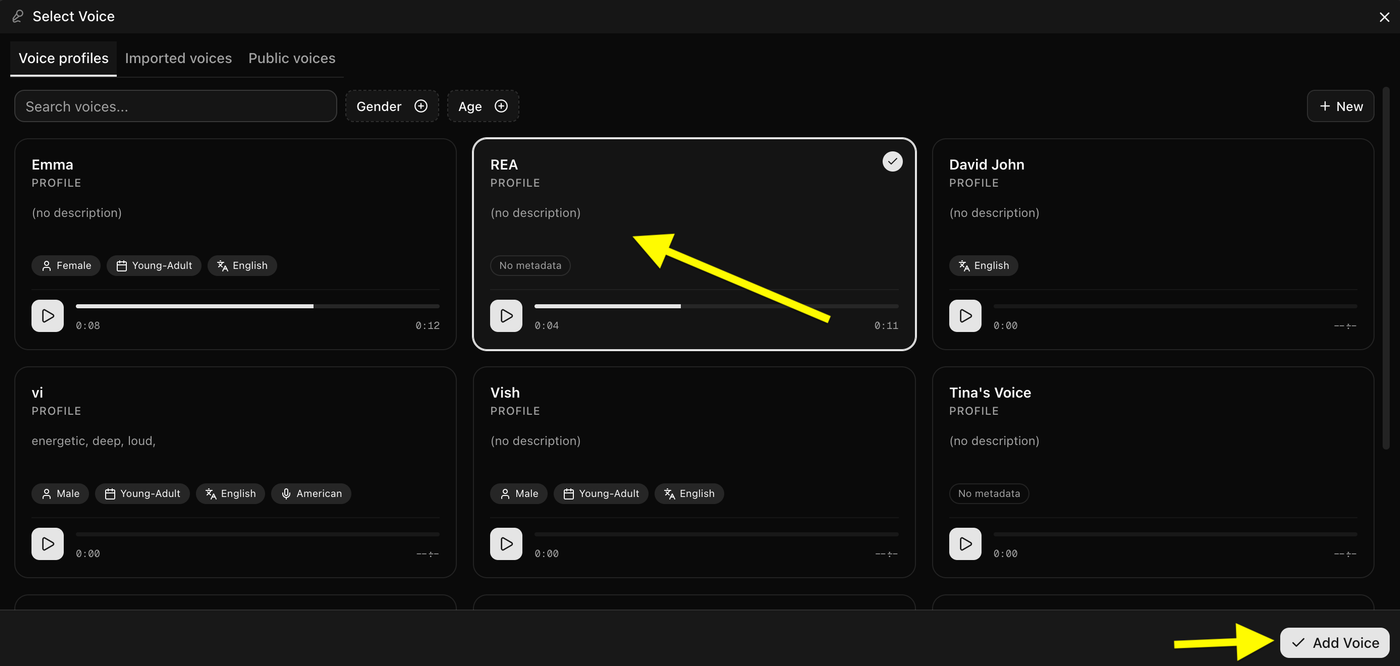
Browse the available voice profiles, preview different voices, and select the one that best matches your astrologer avatar. Once you've chosen a voice, click Add Voice to apply it to your video.
Step 14: Configure the Video Output
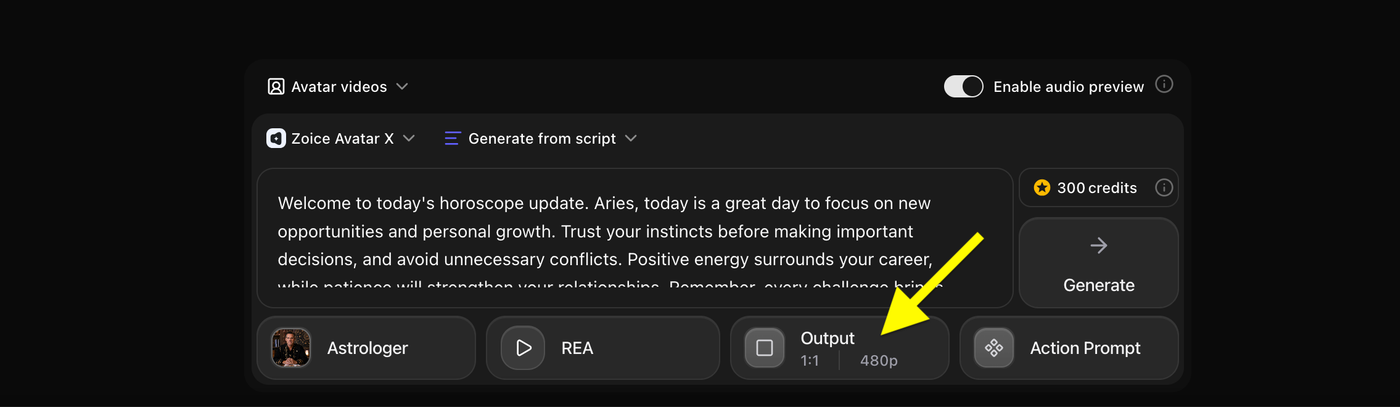
Click Output, then choose your preferred aspect ratio and video resolution. Select the settings that best match the platform where you plan to publish your astrologer video, then close the Output panel to continue.
Step 15: Choose the Aspect Ratio and Resolution
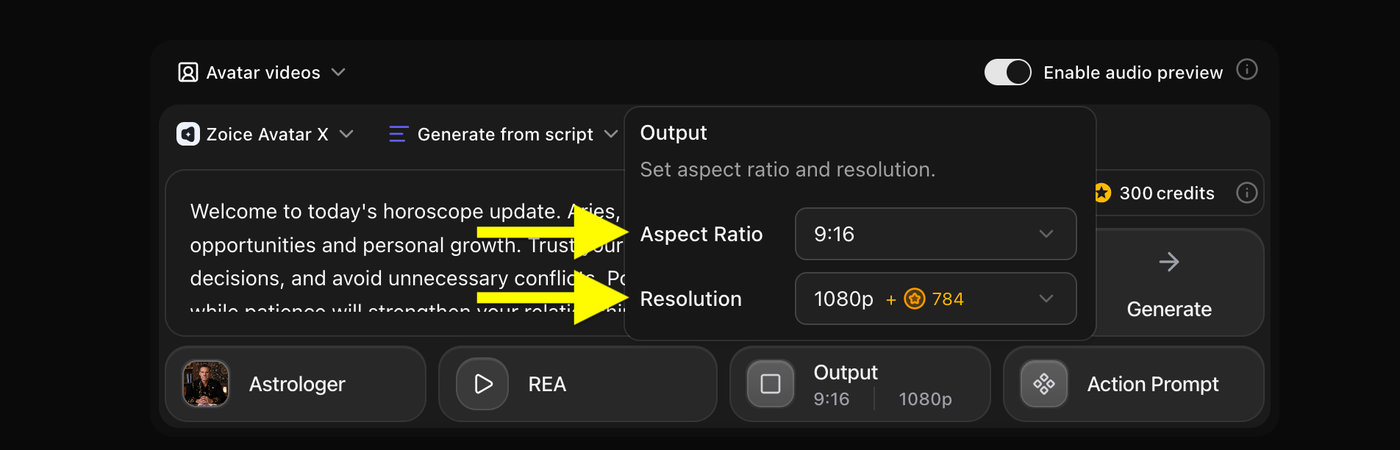
Select the Aspect Ratio and Resolution that best fit your platform. For short form content, choose 9:16 with 1080p for the highest video quality on TikTok, Instagram Reels, and YouTube Shorts. Once you've selected your preferred output settings, close the panel to continue.
Step 16: Write or Select an Action Prompt
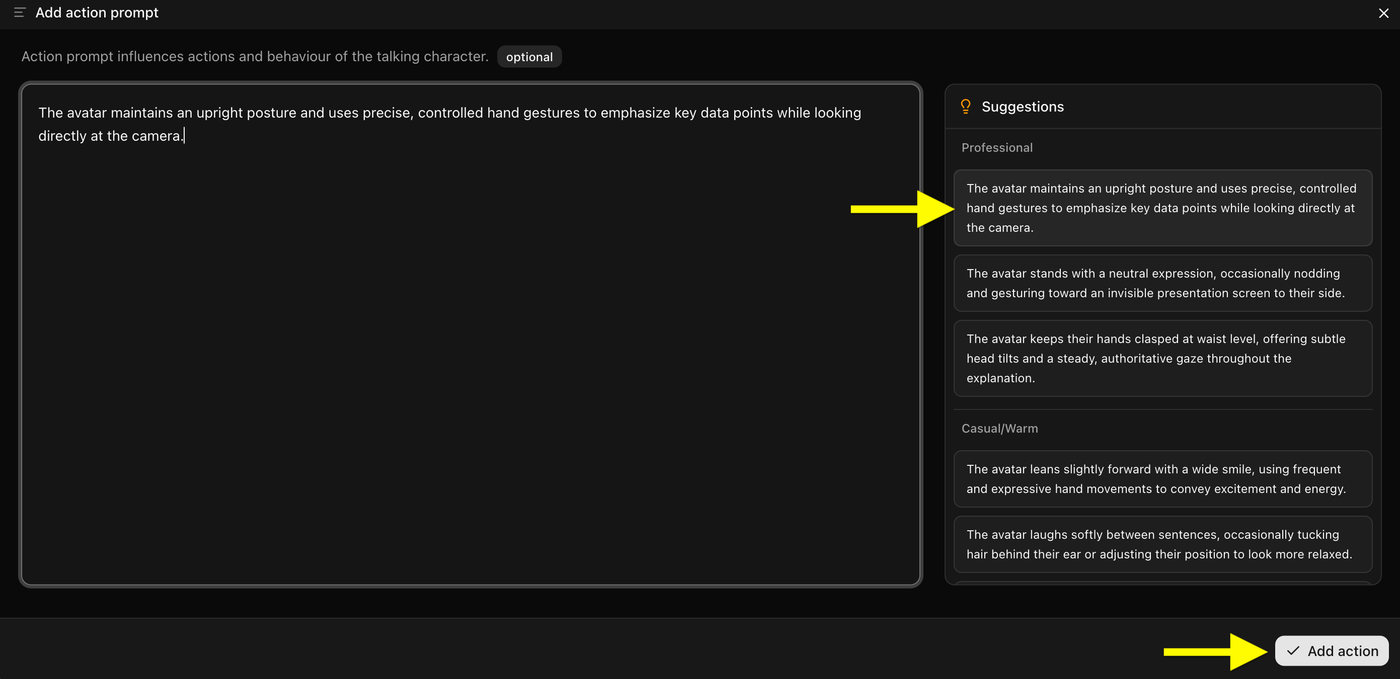
Write your own Action Prompt or choose one from the suggested prompts to control your avatar's expressions, gestures, and body language. After selecting or creating the prompt, click Add Action to apply it.
Step 17: Click on Generate
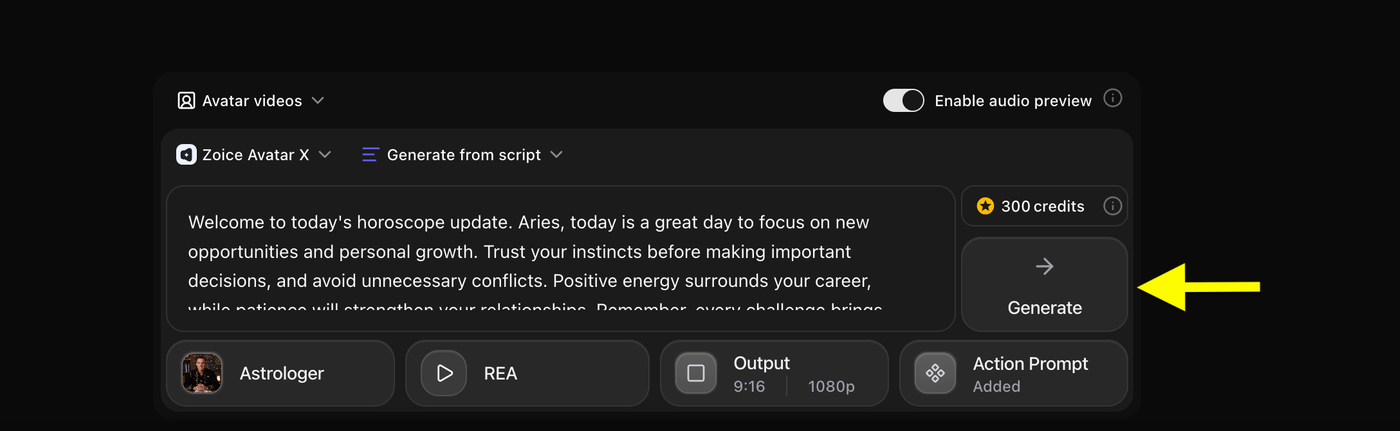
After reviewing your script, voice, output settings, and action prompt, click Generate to start creating your AI astrologer video. Zoice will process your request and generate the final video in just a few minutes.
Step 18: Preview the Audio and Generate the Video
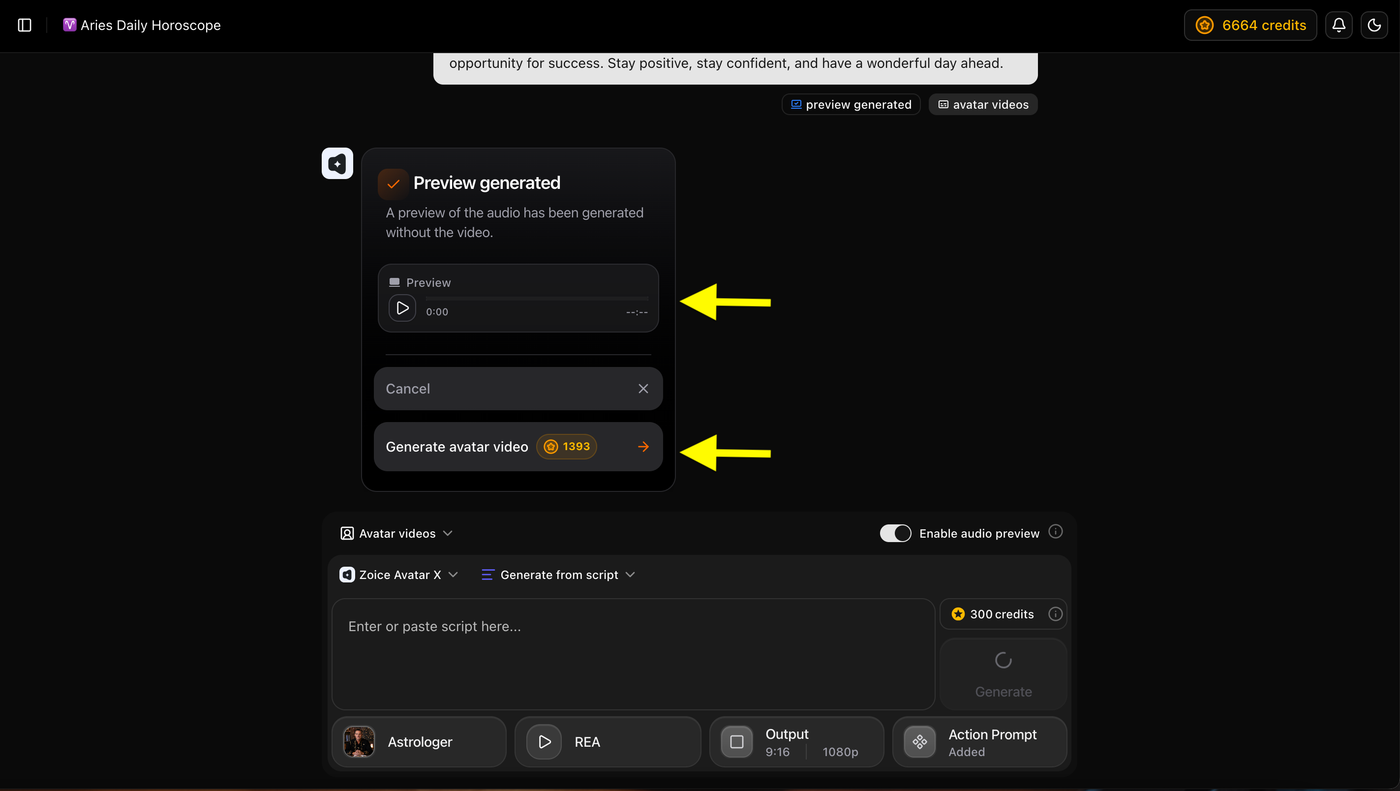
If Audio Preview is enabled, listen to the generated voice preview to make sure it sounds the way you want. Once you're satisfied with the preview, click Generate Avatar Video to start creating your final AI astrologer video.
Step 19: Wait for the Video to Finish Processing
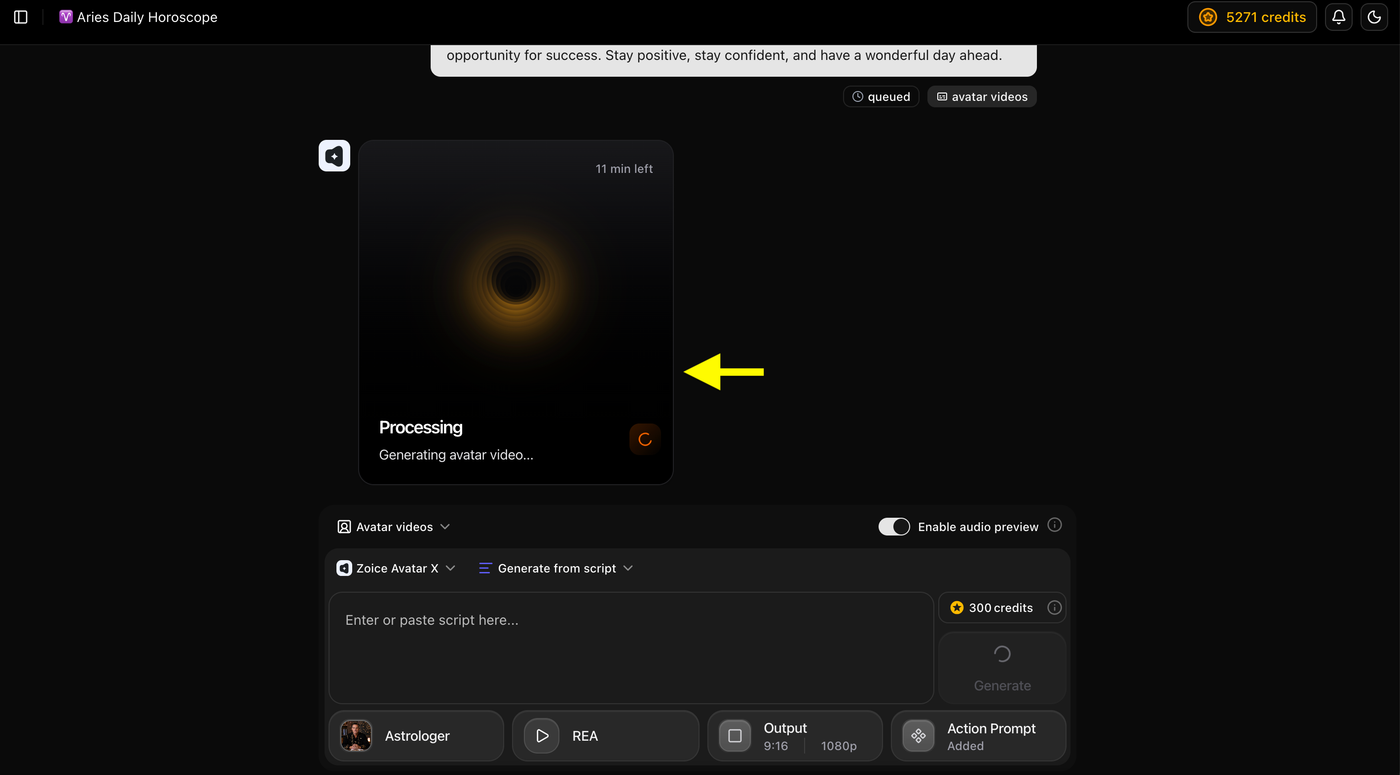
Zoice will now process your request and generate the AI astrologer video. The processing time depends on the video's length, selected resolution, and current server load. Once the generation is complete, your video will be ready to preview and download.
Step 20: Preview and Download Your Video
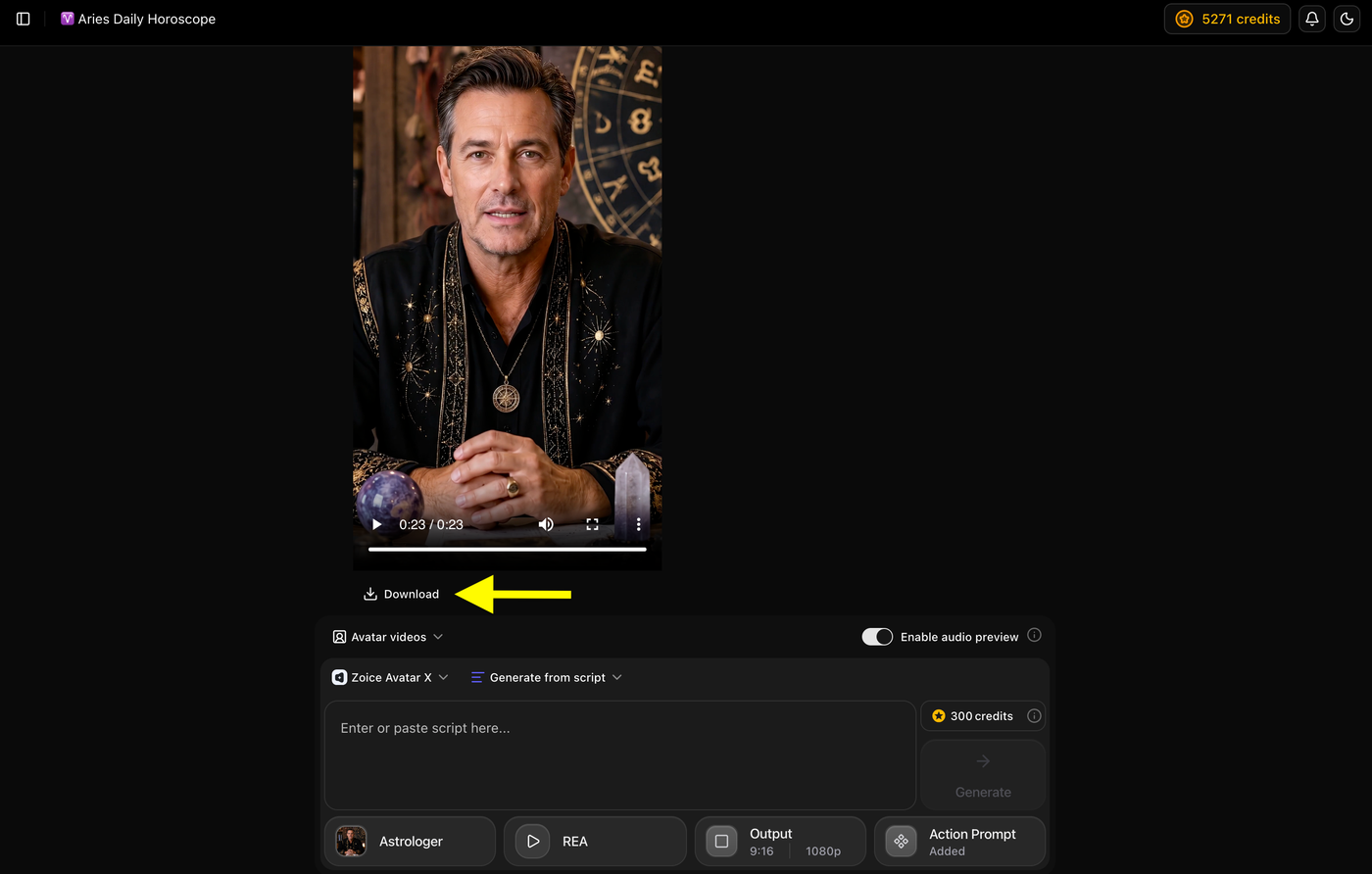
Once the video generation is complete, preview the final AI astrologer video to ensure everything looks and sounds the way you want. If you're satisfied with the result, click Download to save the video to your device.
Example Script and Generated AI Astrologer Video
To demonstrate the final result, we created an AI astrologer video using Zoice. We created a custom AI avatar, added an astrology script, selected a professional AI voice, configured the output settings, and generated a realistic talking avatar video.
Script Used
Example:
"Welcome to today's horoscope update. Aries, today is a great day to focus on new opportunities and personal growth. Trust your instincts before making important decisions, and avoid unnecessary conflicts. Positive energy surrounds your career, while patience will strengthen your relationships. Remember, every challenge brings a new opportunity for success. Stay positive, stay confident, and have a wonderful day ahead."
Generated AI Astrologer Video
Below is the final AI astrologer video created with Zoice using the above script, AI avatar, and selected voice.
Example:
Final Output Video
Tip: Compare the original script with the generated video to see how Zoice transforms astrology content into a professional AI presenter with realistic facial expressions, natural lip synchronization, and human like voice narration.
Tips for Creating Better AI Astrologer Videos
Write Easy to Understand Scripts
Avoid overly technical astrology terms unless your audience is familiar with them. Keep your explanations simple and engaging.
Use a Professional Avatar
Choose an avatar that looks trustworthy and matches the spiritual or astrology theme of your content.
Keep Videos Focused
Cover one horoscope, zodiac sign, or astrology topic per video instead of combining multiple subjects.
Speak Naturally
Use a calm, confident, and friendly AI voice to make predictions feel more authentic.
Add Background Music Carefully
Use soft instrumental or ambient music that complements the spiritual atmosphere without distracting from the narration.
Maintain a Consistent Upload Schedule
Publishing daily or weekly horoscope videos helps build audience trust and encourages repeat viewers.
What Can You Create with AI Astrologer Videos?
AI astrologer videos can be used for many types of content, including:
- Daily horoscope videos
- Weekly horoscope predictions
- Monthly zodiac forecasts
- Astrology tutorials
- Birth chart explanations
- Planetary transit updates
- Numerology videos
- Manifestation guidance
- Spiritual coaching
- Social media astrology shorts
Common Mistakes to Avoid
- Using poor quality avatar images
- Writing scripts that are too long
- Choosing an AI voice that doesn't fit the topic
- Adding too many astrology topics into one video
- Using distracting backgrounds
- Publishing without reviewing the final video
FAQs
Can I create AI astrologer videos without appearing on camera?
Yes. AI avatar tools let you create professional astrology videos without recording yourself.
Can I use my own photo as an AI astrologer?
Yes. Zoice allows you to upload your own image and create a custom AI avatar.
How long does it take to create an AI astrologer video?
Most videos can be created in just a few minutes, depending on the script length and video settings.
Can I post AI astrologer videos on YouTube and TikTok?
Yes. You can generate videos in different aspect ratios suitable for YouTube, TikTok, Instagram Reels, Facebook, and other platforms.
Can I create astrology videos in multiple languages?
Yes. Many AI video platforms support multiple languages, making it easy to reach a global audience.
Do I need astrology knowledge to create AI astrology videos?
Yes. While AI helps generate the video, the accuracy and quality of the astrology content depend on the script you provide.
Can I monetize AI astrology videos on YouTube?
Yes, provided your content follows YouTube's monetization policies, offers original value, and is not repetitive or spammy.
Conclusion
Creating professional astrology videos no longer requires a camera, expensive recording equipment, or advanced editing skills. With AI avatar technology, you can transform your horoscope scripts into engaging videos featuring a realistic virtual astrologer in just a few simple steps. From creating your avatar and adding a script to selecting a voice, customizing the output settings, and generating the final video, the entire process is quick and beginner friendly.
Whether you're sharing daily horoscope updates, zodiac sign predictions, tarot readings, birth chart explanations, or spiritual guidance, AI helps you produce high quality content consistently while saving time and effort. As your audience grows, you can experiment with different avatars, voices, languages, and video formats to keep your content fresh and engaging across YouTube, TikTok, Instagram, Facebook, and other social media platforms.