Best AI Talking Mascot Generator: Top Picks for 2026
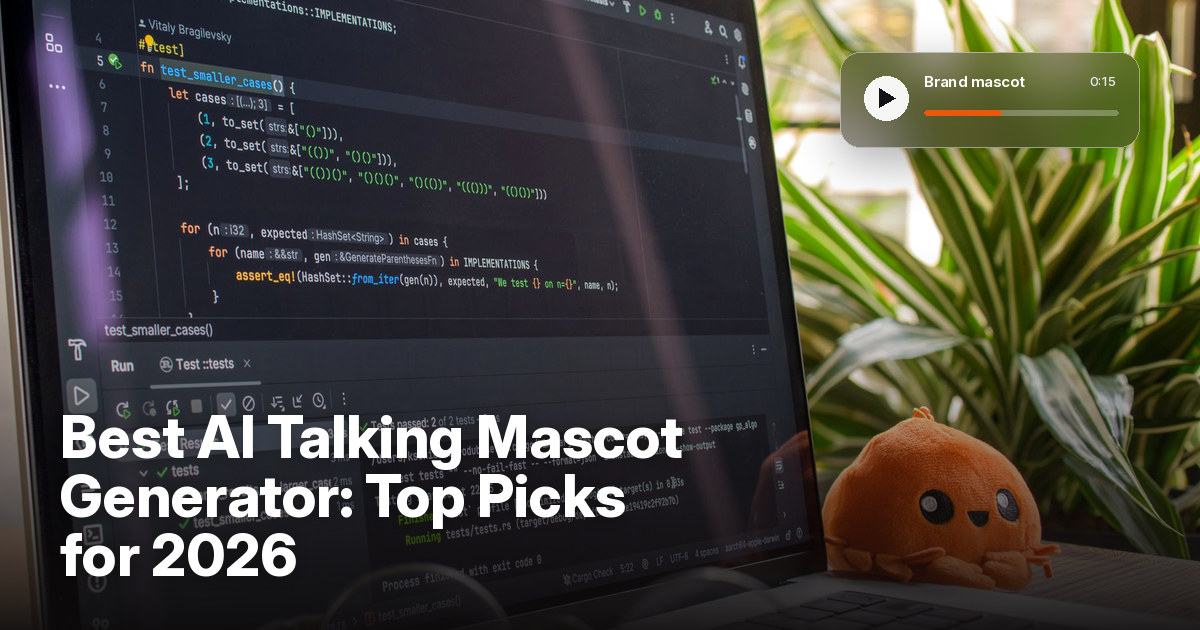
The best AI talking mascot generator is Zoice, our top pick for turning a brand mascot image into a lip synced talking video. Upload a clear image of your mascot, type a script or upload your brand voice, choose from 170+ languages, and export a sharp video up to 4K. You write every line, so the mascot says what the brand wants it to say.
We compared four tools on what brand teams need: a mascot that stays true to its design, clean lip sync, control over the voice, formats for social and web, and a fair price. Zoice ranked first for a talking brand mascot, and each other tool earned its place for one clear strength.
What Should an AI Talking Mascot Generator Do?
A brand mascot is part of the brand. A talking version has to keep the same face, the same colors, and the same personality every time it speaks. A good tool takes your mascot image, moves the mouth to match the script, and lets you control the voice, so the mascot sounds like the brand and not like a stock voice.
This guide is about brand mascots turned into talking brand videos. Some tools make a new mascot for you, and others animate the mascot you already have, so we note which is which.
What to check before you pick a tool for a talking mascot:
- Design kept: the mascot still looks like your artwork after it moves
- Lip sync: mouth movement that follows the script or your own audio
- Brand voice: a voice that fits the mascot, or your own recording
- Script control: you choose every word the mascot says
- Formats: sizes for social, web, and ads
- Cost: a plan that suits a marketing team, with clear limits
Related terms you will see:
- Brand mascot: the character that stands for a company or a product
- Mascot image: the artwork or photo you start from
- Brand video: a short video that explains, welcomes, or promotes
- Brand voice: the tone and sound the company uses to speak
Quick Comparison: Best AI Talking Mascot Generators
| Features | Zoice | Masko | Creatify | MotionPortrait |
|---|---|---|---|---|
| Best For | Your own mascot image to a sharp talking video | Creating a mascot and giving it a voice | Characters and mascots in video ads | Real time talking 2D mascots in apps |
| Mascot source | One image you upload | Mascots you make in the studio, or upload | Generated characters or an uploaded photo | One 2D illustration |
| Languages | 170+ | Not listed | 75+ | Not listed |
| Max export | Up to 4K | MP4 and transparent WebM | Not listed | Real time engine, not a video file |
| Length | Set by your script and plan | Up to 5 minutes per talk | Up to 2 minutes on Starter | Real time |
| Starting price* | $7.99/mo for avatar videos | $19/mo for 250 credits | From $19/mo billed yearly | Free for non commercial use, quote for commercial |
| Overall rating | 9.8 | 8.8 | 8.7 | 8.2 |
*Prices and limits change often. Check each tool's own pricing page before you pay.
All four can make a mascot speak. The difference is where the mascot comes from and where it will live: Zoice delivers a sharp video file from your own image, while the others focus on a made mascot, ad videos, or real time use in an app.
1. Zoice: Best AI Talking Mascot Generator Overall
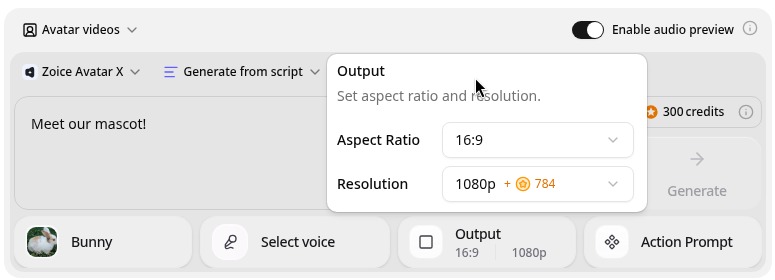
Zoice is the top pick when you already have a mascot and want it to talk. Its Avatar X model turns a photo or character image into a talking video from a typed script or your own audio, with natural lip sync, facial expressions, and gestures you can guide with a prompt or a timeline. Clone a voice or upload a recording, write in one of 170+ languages, and export from 480p up to 4K in any aspect ratio.
Key Features
- Talking video from one mascot or character image
- Script or uploaded audio, with natural lip sync
- Voice cloning, or your own recording
- Scripts in 170+ languages and dialects
- Gestures and expressions by prompt or on a timeline
- Export from 480p up to 4K in any aspect ratio
Best For
- Marketing teams that already have a mascot design
- Brands that want the mascot to speak many languages
- Creators who want a sharp file for social, web, and ads
Pros of Zoice
- Your own mascot
Start from your own artwork, so the mascot is the one your brand made.
- You control the words
Type your own script or upload audio, so the brand decides every line.
- Real lip sync
The mouth follows the script, with expressions to match.
- Any size up to 4K
Make 9:16 clips for social and 16:9 videos for the web.
- Many languages
Say the same line in 170+ languages by changing the script.
- Clear credit costs
Credits are listed by resolution and length, so you know the cost before you render.
Cons of Zoice
- It animates, it does not design
Zoice animates the mascot image you upload. It is not a tool for designing a new mascot from scratch.
- Avatar videos need a paid plan
The free plan covers voice, images, chat, and transcription. Avatar videos start on Starter.
Overall Zoice Rating
Review 9.8: Best Overall
| Criterion | Score |
|---|---|
| Design kept | 9.8/10 |
| Lip sync and voice | 9.8/10 |
| Languages | 9.9/10 |
| Ease of updates | 9.8/10 |
| Export quality | 9.9/10 |
| Ease of use | 9.7/10 |
| Pricing | 9.7/10 |
Pricing
| Plan | Monthly Price | What you get |
|---|---|---|
| Free | $0/month | 50 credits per day for AI voice, images, chat, and transcriptions |
| Starter | $7.99/month | 4K credits per month, AI avatar videos, 1 voice profile |
| Basic | $29.99/month | 17K credits per month, 3 voice profiles |
| Creator | $49.99/month | 30K credits per month, 5 voice profiles |
| Agency | $89.99/month | 50K credits per month, 10 voice profiles |
Yearly billing saves 20%. Avatar videos start on Starter, and the credit cost of each video depends on its resolution and length.
When to Use It
Choose Zoice when you have the mascot, you write the words yourself, and you want a sharp, clean file for social, web, or ads.
- Let the mascot welcome new customers in a short video.
- Announce a product update with the mascot as the presenter.
- Say the same line in several languages for different markets. Try Zoice
2. Masko: Best for Creating and Voicing a Mascot
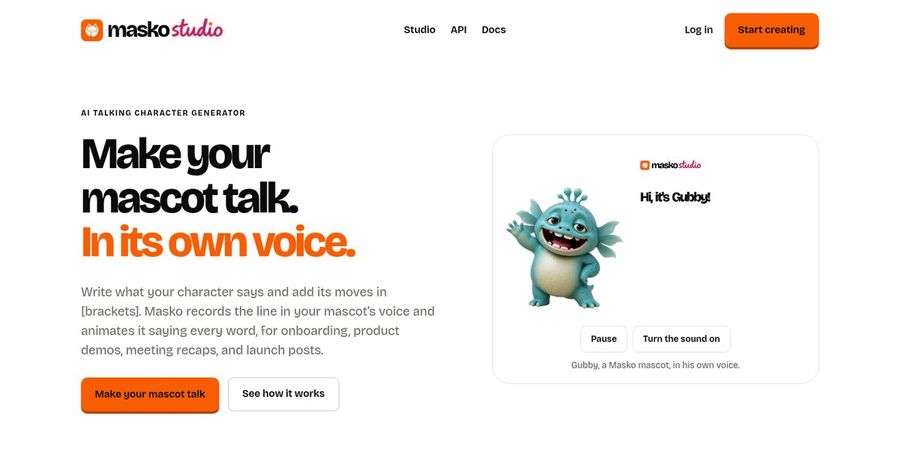
Masko is a mascot studio. You create a mascot in the studio, give it a voice, write a line with the movements in brackets, and Masko records the line in the mascot's voice and animates it saying every word. It exports MP4, transparent WebM and HEVC, the voice as MP3, and a word timed transcript. A talk can run up to 5 minutes.
Key Features
- Mascot creation in one studio
- A voice for each mascot, with three samples to choose from
- Movements written in brackets
- MP4 and transparent WebM or HEVC export
- Word timed transcript
- Free dry run that shows the cost first
Best For
- Teams that want to make a new mascot and voice it in one tool
- Apps and product demos that need a transparent video
Pros of Masko
- Mascot and voice together
One studio covers the character, its voice, and its lines.
- Transparent video
Place the mascot over any page or scene.
Cons of Masko
- Voice unlock
Adding a new voice unlocks after $50 spent on Masko.
- Credit based
Talking costs 2 credits per second of video.
Overall Masko Rating
Review 8.8: Best for creating and voicing a mascot
Pricing
Premium starts at $19 per month for 250 credits, with larger refills up to $309 per month for 5,000 credits. Talking animations cost 2 credits per second. Check Masko's pricing page for current details.
When to Use It
Use Masko when you want to build the mascot and its voice in one place. Use Zoice when your mascot already exists and you want a sharp video.
3. Creatify: Best for Mascots in Video Ads
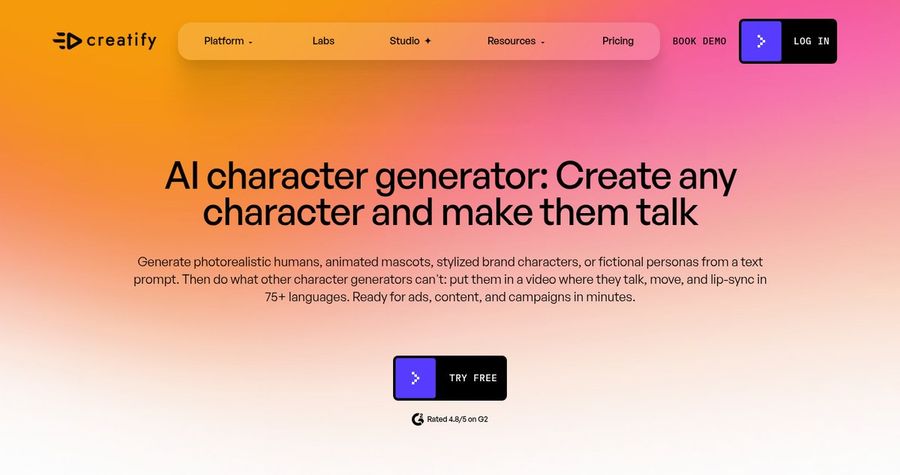
Creatify is an ad video platform with an AI character generator. Its site says you can generate animated mascots and stylized brand characters from a prompt, or upload a photo up to 10 MB, choose a voice, and have the character talk, move, and lip sync in 75+ languages. It is a strong fit for teams that make many ad videos.
Key Features
- AI character generator for mascots and brand characters
- Upload a photo, choose a voice, add a behavior prompt
- Lip sync in 75+ languages
- 1,500 AI actors on the Pro plan
- Ad templates and an AI scriptwriter
- Commercial rights on paid plans
Best For
- Marketing teams that make many video ads
- Brands that want a mascot, avatars, and templates in one tool
Pros of Creatify
- Built for ads
Templates and tools target paid social and ad campaigns.
- Many input options
Use a generated character or upload your own image.
Cons of Creatify
- Credits add up
Avatar videos use 5 credits for every 15 seconds.
- Free plan is limited
The free plan has 10 credits and watermarked exports.
Overall Creatify Rating
Review 8.7: Best for mascots in video ads
Pricing
Starter costs $19 per month billed yearly with 100 credits, and Pro costs $49 per month billed yearly with 300 credits. Month to month prices are higher. The free plan has 10 credits and watermarked exports. Check Creatify's pricing page for current plans.
When to Use It
Use Creatify when you make many ads and want mascots, actors, and templates in one place. Use Zoice when you want your own mascot image delivered as a sharp talking video.
4. MotionPortrait: Best for Real Time Talking Mascots in Apps
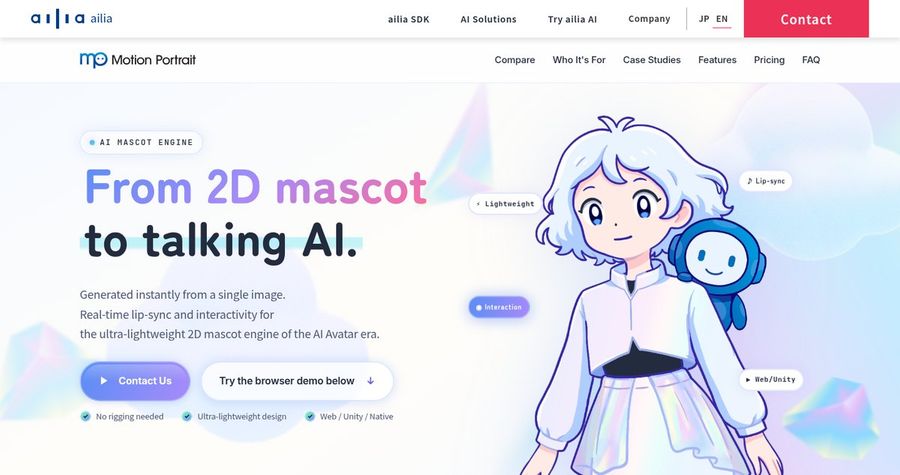
MotionPortrait is an AI mascot engine from ailia. You give it one 2D mascot image, and it creates an avatar that moves and lip syncs in real time, with no rigging. It connects to your own text to speech or language model systems, which makes it a fit for apps, exhibits, and interactive screens rather than rendered videos.
Key Features
- Mascot avatar from one 2D image
- Real time lip sync and expressions
- Connects to LLM and text to speech systems
- Optional accessories and parts
- Custom mascot design service
- Commercial license for apps, games, ads, and exhibits
Best For
- Developers who want a live talking mascot inside an app
- Exhibits and kiosks that need a mascot that responds
Pros of MotionPortrait
- Runs in real time
The mascot can speak live as text and voice come in.
- Lightweight
It is built as an ultra lightweight 2D engine.
Cons of MotionPortrait
- Not a video maker
It is an engine for developers, so it does not produce a finished video file for social.
- Commercial price by quote
Commercial pricing is not listed, so you ask the vendor for a quote.
Overall MotionPortrait Rating
Review 8.2: Best for real time talking mascots in apps
Pricing
Learning and non commercial use is free with 6 preset avatars. Commercial use is licensed by plan and scale, with a fixed annual fee. Contact MotionPortrait for a quote.
When to Use It
Use MotionPortrait when the mascot must talk live inside an app or at an exhibit. Use Zoice when you want a finished talking video.
Talking Mascot Video Ideas That Work
Short, friendly clips work best. These formats suit a brand mascot:
- Welcome clip: the mascot greets new customers.
- Product tip: the mascot explains one feature in fifteen seconds.
- Holiday greeting: the mascot sends the brand's seasonal message.
- FAQ answer: the mascot answers one common question.
Want a person on screen instead? See our UGC video picks, or read about the best AI spokesperson generators.
How We Compared Talking Mascot Generators
We scored each tool the way a brand team would, using the public features, limits, and prices on each tool's own site.
We looked at design fidelity, lip sync, voice options, language range, export quality, and price. Zoice ranked first for a talking brand mascot. Masko led creating and voicing a mascot, Creatify led mascots in video ads, and MotionPortrait led real time mascots in apps.
How to Choose an AI Talking Mascot Generator
Start with where the mascot comes from and where it will be seen.
- Source: decide between your own mascot image and a new character.
- Output: decide between a video file and a real time avatar.
- Voice: decide between a stock voice, your brand voice, and a cloned voice.
- Script: choose a tool that lets you control every word.
- Rights: use only mascots and voices your brand has the right to use.
- Cost: compare the price of a full video, not only the entry plan.
If you want one tool that turns your own mascot image and your own script into a clear, sharp talking video, Zoice is the strongest pick for most brand teams. You can make your first talking mascot video in Zoice in a few minutes.
FAQ
Can my brand mascot talk?
Yes. A talking avatar tool can take your mascot image, add a script or audio, and move the mouth to match. In Zoice you upload the image and type or record the line.
What mascot image works best?
Use a clear, high resolution image with the face and mouth visible and a simple background. A front facing pose gives the most natural lip sync.
Can it speak many languages?
Yes. In Zoice you can write the script in 170+ languages and dialects, so one mascot can speak to different markets.