Best AI Singing Video Generator: Top Picks for 2026
The best AI singing video generator for a finished song comes down to one choice: a singing face on screen, or scenes that follow the beat. Zoice is our top pick for the singing face: one photo becomes a Host whose lips follow your finished vocal. The other four tools lean toward scenes, lyrics and beat-driven edits, though two of them also have a singing mode, so most songs end up with a clear first choice.
We compared five tools on what each one starts from, whether it puts a performer or a set of scenes on screen, how much you can change after the first draft, and what the vendor's own pricing page shows today. If your singer should be a cartoon, see the best AI singing cartoon generator.
What Is an AI Singing Video Generator?
An AI singing video generator turns a finished song into a video. Some tools give you a performer: a portrait, a character or a mascot whose lips follow your vocal. Others give you scenes: story shots, lyric text or abstract visuals that change with the rhythm. A few tools offer both, in separate modes.
The two approaches solve different problems. A singing face suits a release where fans should recognize one artist. Scene visuals suit a track where the mood matters more than a face. For the spoken version of this idea, read our guide to the best AI talking photo generator.
Use this checklist to sort the tools:
- Input: are you starting with a portrait, a song, or a folder of footage?
- On screen: is the star a face, a set of scenes, or both in separate modes?
- Lip sync: does the tool match a mouth to your vocal, and does its own site say so?
- Changes: can you adjust the look or the lyrics after the first draft?
- Plan fit: does the plan that unlocks the feature you need suit how often you release?
Quick Comparison: Best AI Singing Video Generators
| Tool | Best For | What you see | Starts from a photo | Lip sync | Gestures and expressions | Starting price | Rating |
|---|---|---|---|---|---|---|---|
| Zoice | A singing face for a finished song | A Host performing on screen | Yes, a photo and your song | Yes | Yes, with action prompts | Free plan, then $7.99/mo for avatar videos | Capterra 5.0 (5 reviews) |
| Neural Frames | Audio-reactive visuals across a full song | Scene visuals that follow the track | Not stated | Yes, lip sync and lyric options | Not stated | From $39 a month | Capterra 2.5 (2 reviews) |
| Kaiber | Beat-synced cuts from your own images and clips | Beat-synced edits | Not stated | Not stated | Not stated | From $10 a month (Beat Sync starts at $29) | Not listed |
| Freebeat | One track in several formats | Music video, lyric video, dance video and Photo Karaoke | Yes, in Photo Karaoke | Yes | Not stated | From $26.99 a month | Not listed |
| Solmi | Choosing a format for each song | Music video scenes, singing video and lyric video | Yes, singing video from one portrait | Yes | Optional direction for performance and mood | Free plan, then $35 a month | Not listed |
Plans and prices were read from each vendor's own site on November 3, 2026, and vendors change them without notice. Scores are taken only from G2 or Capterra. Where neither site lists one, the table says Not listed.
The split is easy to see. Zoice and Solmi's singing mode start from a portrait, Neural Frames and Kaiber start from the track and your own visuals, and Freebeat offers both through separate modes.
1. Zoice: Best AI Singing Video Generator Overall
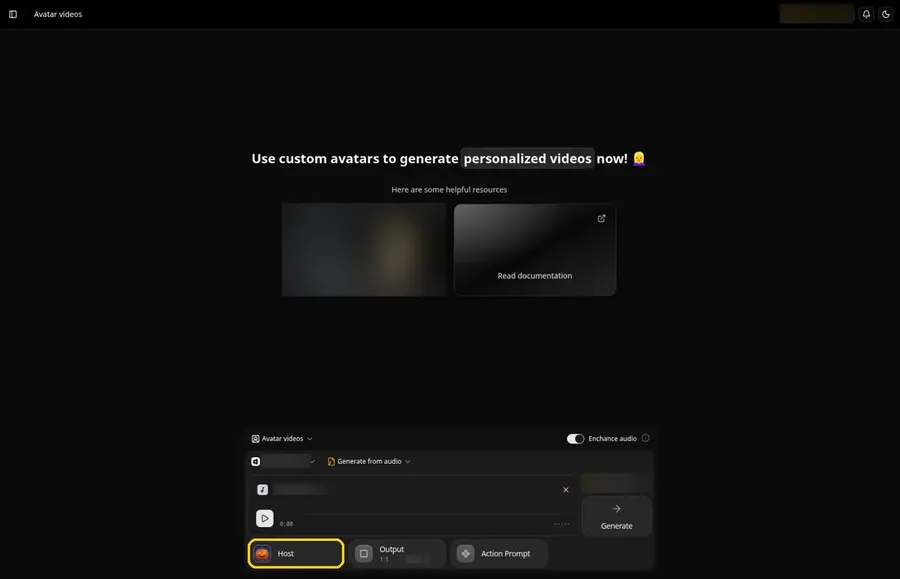
Pick Zoice when the performer is the point of the video. It builds a Host from one portrait or character image, and in Generate from audio mode the Host lip syncs to the song you upload. Use your own face, a mascot or an invented band member, and the same Host can front every release.
Key Features
- A portrait or character image becomes a Host whose lips follow your song
- Generate from audio mode, with Upload Audio for a vocal you have already recorded
- Action prompts let you direct a gesture, a body move or an expression for the Host, such as a nod on the first line or a wave at the last chorus
- Aspect ratio settings, so one Host can be set up for a wide screen, a square feed or a vertical phone clip
- Audio preview, so you hear the read before the video is generated
Best For
- Artists and creators with a finished vocal who want a recognizable face on screen
- Bands that want one recurring Host to front every release
Pros of Zoice
- A face fans can follow. Your Host comes from your own image, so each release keeps the same performer.
- Direction in plain words. Action prompts shape the gestures and expressions of the Host without any manual animation.
- One workflow for the song. Upload Audio and Host sit in the same composer, so you do not move files between apps.
- Straightforward setup. Audio, Host and action prompts all live in one composer.
Cons of Zoice
- Needs an internet connection. Zoice runs in the browser, so you cannot make a video offline.
- A smaller public avatar library. There are fewer ready-made public avatars to browse, so most singers bring their own image for their Host.
Overall Zoice Rating
Capterra gives Zoice 5.0 from 5 reviews. G2: Not listed. With five reviews the score is a first impression, not a verdict.
Pricing
| Plan | Price per month | Includes |
|---|---|---|
| Free | $0 | Voice, image, chat and transcription tools |
| Starter | $7.99 | Avatar videos and one voice profile |
| Basic | $29.99 | Three voice profiles |
| Creator | $49.99 | Five voice profiles |
| Agency | $89.99 | Ten voice profiles |
Yearly billing takes 20% off the monthly rates, and Enterprise is a custom plan for larger teams.
When to Use It
Zoice fits once the song is done and the video needs a performer. For setup steps, see the AI avatar generator page, and if you want your own voice in the mix, read the best AI avatar generator with voice cloning.
- You are putting out a single and want a performance video for it
- Your band wants one Host in every video
- You plan to add scene footage around the Host in your own editor
2. Neural Frames: Best for Visuals Driven by the Track
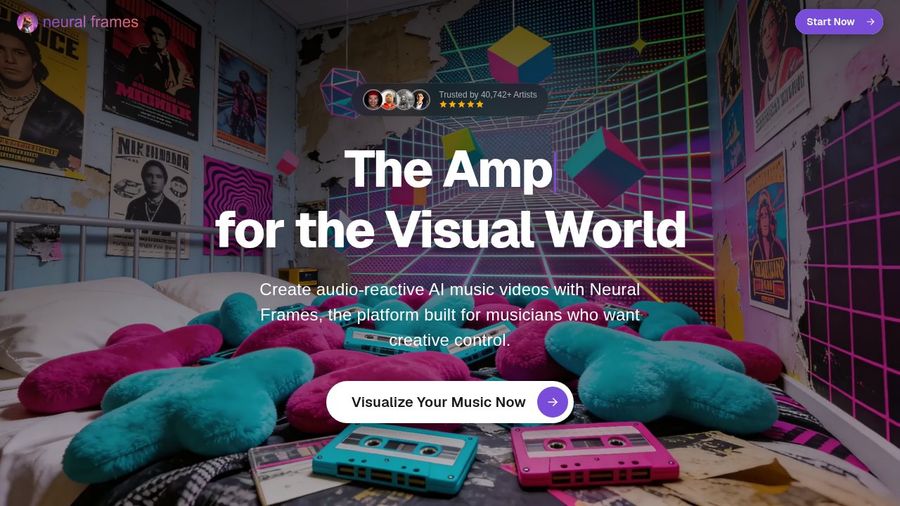
Neural Frames lets the song steer the visuals. Its homepage describes audio-reactive AI music videos made from your song, with a full timeline editor for creators who want deeper control.
Key Features
- Autopilot builds a music video from the song you upload
- Audio-reactive effects that pulse with your music
- Lyric and lip sync options for showing vocal performances
- Beat sync with an intensity setting you choose, plus your own styles and characters
- Chat refinement for individual scenes, plus a full timeline editor
Best For
- Producers who want the picture to react to the rhythm
- Artists who care more about the look of the scenes than about one face
Pros of Neural Frames
- Built around the track. Projects begin with your song, not a script.
- Depth when you want it. Start with Autopilot, then refine scenes in chat or on the timeline.
Cons of Neural Frames
- Autopilot needs a higher plan. The pricing page marks the Neural Knight plan as not recommended for Autopilot, so the one-click full-song workflow points to Neural Ninja or Neural Nirvana.
- Few public reviews. Capterra lists two reviews and a 2.5 score: one praises speed and quality, the other reports billing and support problems.
Overall Neural Frames Rating
Capterra: 2.5 from 2 reviews. G2: Not listed. Two reviews are too few to lean on.
Pricing
| Plan | Per month | Per month, billed yearly | Highlights |
|---|---|---|---|
| Neural Knight | $39/month | $26/month | Autopilot and Short-Form Studio |
| Neural Ninja | $99/month | $66/month | listed as good for Autopilot |
| Neural Nirvana | $299/month | $199/month | priority upscaling, listed as best for Autopilot |
When to Use It
- You want every section of the song to get its own look
- You want a lyric video for a track that is already mixed
3. Kaiber: Best for Turning Your Own Clips Into Beat-Synced Cuts
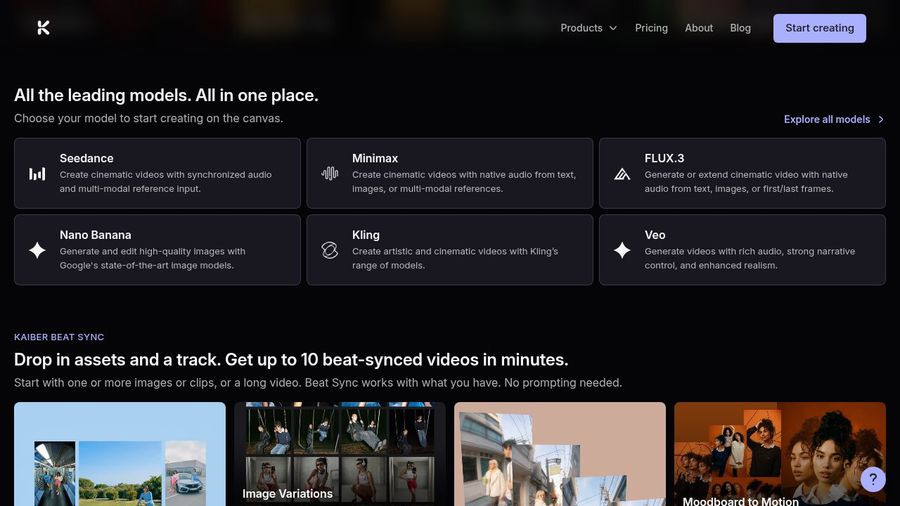
Kaiber is a creative suite with three parts: Canvas for generating video and images, Beat Sync for edits driven by a track, and Editor for finishing clips. Beat Sync is the part to look at for a finished song, because you add images or clips plus a track and it returns beat-synced videos without prompting.
Key Features
- Beat Sync combines your images or footage with a track so cuts land on the beat
- Beat Sync tools named Scene Cut, Image Variations, Auto Lyrics and Moodboard to Motion
- Lyric detection and text overlays on the Creator and Pro plans
- A no-prompt image to video option
Best For
- Musicians who want several short promos built from the same images
- Teams who want variations of one idea without writing prompts
Pros of Kaiber
- Batch speed. Beat Sync makes several variations from the same assets in one go.
- No prompts needed. Add media and a track and Beat Sync builds the edits for you.
Cons of Kaiber
- Starter has no Beat Sync. The Starter plan shows no access to Beat Sync, so the music tools begin on the Creator plan.
- The trial converts. The $5 trial moves to the Creator plan when it ends, so set a reminder.
Overall Kaiber Rating
Not listed. Capterra shows no reviews for Kaiber, and we found no G2 score.
Pricing
| Plan | Per month | Highlights |
|---|---|---|
| Starter | $10/month | Commercial use, with no Beat Sync |
| Creator | $29/month | Beat Sync with auto sync to music, lyric detection, no-prompt image to video and auto clipping |
| Pro | $99/month | Unlimited canvases and larger Beat Sync batches |
| Visionary | Custom quote | Built for labels and agencies |
A $5 trial is available, and choosing annual billing reduces the monthly rate.
When to Use It
- You have a folder of images or clips and want several beat-synced cuts of one song
- You want lyric text timed to the track without building it by hand
4. Freebeat: Best for One Track in Several Formats
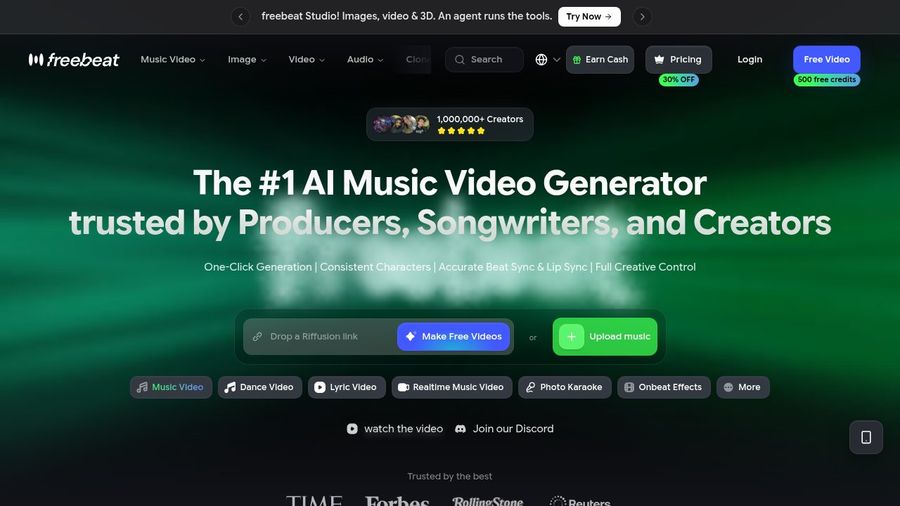
Freebeat starts from your track and offers separate modes for a Music Video, a Dance Video, a Lyric Video, a Realtime Music Video, Photo Karaoke and Onbeat Effects. Its homepage pitches one click generation, consistent characters, beat sync and lip sync under one account.
Key Features
- Music Video mode that starts from an uploaded track
- Photo Karaoke, where a photo sings a song you choose, with Solo, Duet and Pet modes
- A Lip Sync Video tool that matches a person's mouth in a video clip to a separate audio file
- Onbeat Effects for visuals that react to the beat
- Custom mode, which gives you more control over how a video is made
Best For
- Creators who want a performer and scene visuals from the same track
- Artists who like trying several formats before they choose one
Pros of Freebeat
- Several formats, one account. Music video, lyric video and a photo singing mode sit side by side.
- A photo singing mode. Photo Karaoke needs only a portrait and a song.
Cons of Freebeat
- Lip Sync needs a video. The Lip Sync Video tool takes a clip of a person plus audio, so a still photo goes through Photo Karaoke instead.
- Plans show limited offers. The pricing page puts a crossed-out regular price beside each limited offer, so check the plan page on the day you sign up.
Overall Freebeat Rating
Not listed. Capterra shows no score for Freebeat, and we found no G2 score.
Pricing
| Plan | Per month | Highlights |
|---|---|---|
| Pro | $26.99/month (limited offer, regular $34.99) | Watermark removal |
| Ultimate | $39.99/month (limited offer, regular $49.99) | A step up from Pro |
| Creator | $199/month (limited offer, regular $249) | The highest plan on the pricing page |
Freebeat lets you start with an account before choosing a plan, and a yearly option lowers the monthly rate.
When to Use It
- You want to try a music video, a lyric video and a photo singing clip from the same song
- You prefer choosing from several modes over one fixed workflow
5. Solmi: Best for Choosing a Format for Each Song
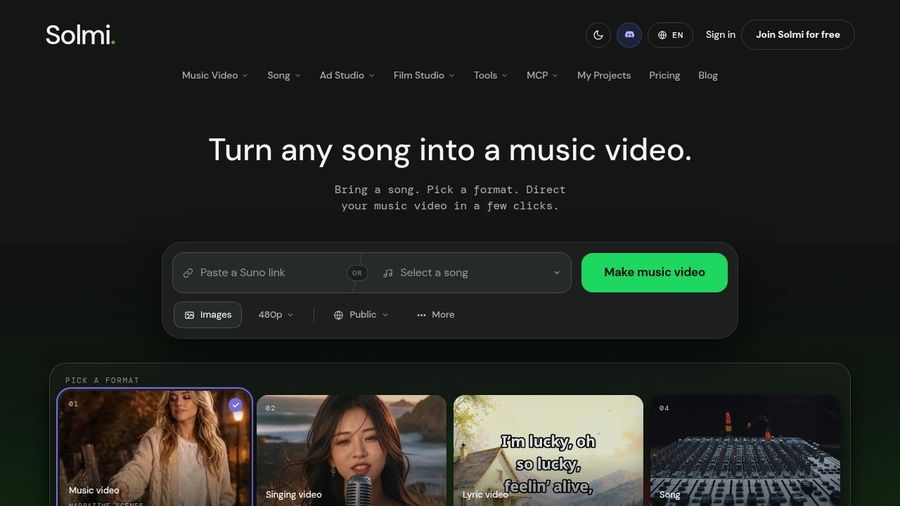
Solmi opens with one idea: turn any song into a music video. You pick a format first, either music video, singing video, lyric video or song, then bring your track from a link, an upload or your library.
Key Features
- Four formats: music video, singing video, lyric video and song
- Singing video from one portrait and a song, with the face lip synced to the vocal
- A built-in singer to pick if you have no photo
- Optional direction that guides performance and mood, plus an option to show lyrics on the video
- A music video flow with 24 styles, a cast step and a storyboard step
Best For
- Songwriters who want to try both a singing face and a scene video from one tool
- Creators who start from a song link or a saved library
Pros of Solmi
- Format first. You decide between a singing video and a scene video before anything is made.
- A built-in singer. If you have no photo, you can pick a singer instead.
Cons of Solmi
- One format per project. You pick music video, singing video, lyric video or song for each project, so a mixed video takes more than one.
- A watermark on the Free plan. The Free plan covers one short starter video with a watermark.
Overall Solmi Rating
Not listed. We found no G2 or Capterra score for Solmi.
Pricing
| Plan | Per month | Highlights |
|---|---|---|
| Free | $0/month | One short starter video with a watermark, plus song tools |
| Plus | $35/month | The first paid plan |
| Creator | $85/month | The middle paid plan |
| Pro | $135/month | The top paid plan |
A yearly option lowers the monthly rate, and Solmi also offers add-on packs.
When to Use It
- You want to compare a singing video and a scene video of the same song in one tool
- You want lyrics shown on the video
How to Make a Music Video for a Finished Song
Start with a mixed song, since every tool here works from audio you bring. For a singing face, use a clear front-facing portrait with good light, upload the song, pick your Host and add an action prompt for any moment you want directed. For scene visuals, upload the track, choose a style and review the first draft. Planning to post on YouTube? See the best AI avatar generator for YouTube for the channel side.
Make sure you hold the rights to the song, and use photos and voices only with the owner's permission.
How to Choose Between a Face and Scenes
Decide what the viewer should be looking at. A recognizable singer calls for a photo-driven performer. Scenes that follow the rhythm call for an audio-reactive or beat sync tool. If you cannot decide, pick a tool with a separate mode for each.
- Try a single chorus before you pick a plan
- Find the plan that unlocks your feature, such as Beat Sync on Kaiber or Autopilot on Neural Frames
- Check for a G2 or Capterra score, and the number of reviews behind it
For a finished song that needs a performer, Zoice is where we would begin.
FAQ
Should I pick a singing face tool or a scene visuals tool?
Pick a singing face when fans should recognize one performer, and scene visuals when the mood of the track matters more than a face. Zoice is the strongest fit for the singing face, because one photo becomes a Host for your song.
Can one music video use a singer and beat visuals together?
Yes. Make the singing clip in one tool and the beat-driven scenes in another, then cut them together in your own video editor. Freebeat and Solmi also offer a singing mode and a scene mode under one account, so you can compare both from the same song.
How do I change a lyric after the video is made?
Change the lyric in your script or your audio file and generate the video again. Check the lyric in the audio preview first, so you hear the fix before you generate.