Best AI News Anchor Generator: Top 6 Tools for 2026
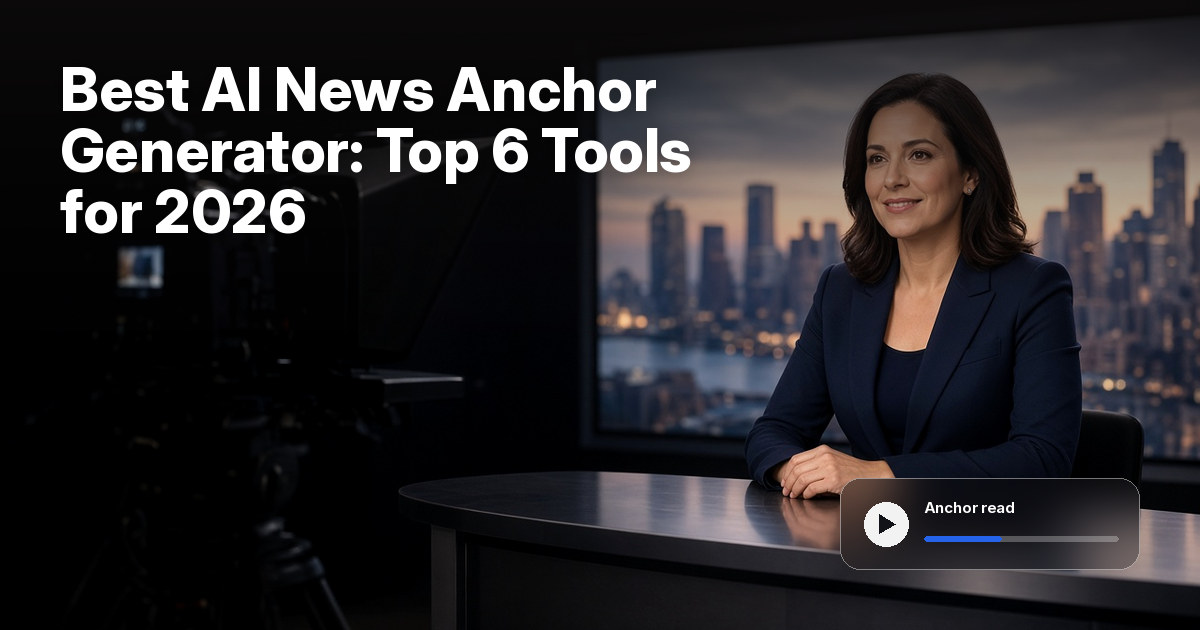
The best AI news anchor generator is Zoice, our top pick for turning one anchor photo into a Host who reads your script or audio, with the lips matched to every word in 170+ languages. Upload a clear photo, paste the copy, and the same anchor can open every update without a reshoot.
We compared six tools on what a news desk needs from an anchor: a face you can actually use, a script you can edit up to the last minute, lip sync that holds up on names and numbers, and a plan price that fits a regular schedule. Zoice comes first, and each tool after it earns its place for a different reason.
What to Look for in an AI News Anchor Generator
A news read exposes bad sync. Names, numbers and place names have to land, and the anchor has to be a face you can use. Check these points before you pick a tool:
- Anchor source: a presenter photo or a custom anchor, not only a stock face
- Script control: copy you can edit up to the last minute, or audio from a real read
- Lip sync that survives proper nouns
- A second language for the same story
- Output settings for aspect ratio and resolution that you control before you export
Quick Comparison: Best AI News Anchor Generators
| Tool | Best For | Starts from | Lip sync | Languages | Starting price | Rating |
|---|---|---|---|---|---|---|
| Zoice | A custom anchor from one photo | One photo plus a script or audio | Yes | 170+ | Free plan, paid from $7.99/mo | 5.0/5 on Capterra (5 reviews) |
| DeepBrain AI | Broadcaster style anchors and dual anchor scenes | A script, article link or document | Yes | 150+ | Free plan, Personal $24/mo | 4.5/5 on Capterra (51 reviews) |
| Synthesia | Company news and training updates | A prompt, files or slides | Yes | 140+ | Basic plan at $0, Starter $19/mo | 4.6/5 on Capterra (314 reviews) |
| HeyGen | Newsroom templates and multilingual reads | A topic, script or article link | Yes | 175+ | Free plan, Creator $29/mo | 4.7/5 on Capterra (320 reviews) |
| Colossyan | Internal updates and course style explainers | A document, deck, URL or video | Yes | 100+ on its homepage, 120+ per its pricing page | Free Starter plan, Professional $59/mo on annual billing | 4.4/5 on Capterra (10 reviews) |
| D-ID | Quick photo presenters for internal news | A facial image or ready made avatar plus text or audio | Yes | 40+ for video translation | Free trial, Lite $4.7/mo on annual billing | 2.7/5 on Capterra (7 reviews) |
Plans move quickly, so confirm every price on the tool's own site first. Language counts are as each tool states them on its own site. Scores shown here come only from Capterra pages we opened.
All six can put a speaking presenter on a script. The difference is how the anchor starts. Zoice builds it from a single photo at a low entry price, while the others lean toward broadcaster workflows, company communications or training content.
1. Zoice: Best AI News Anchor Generator Overall
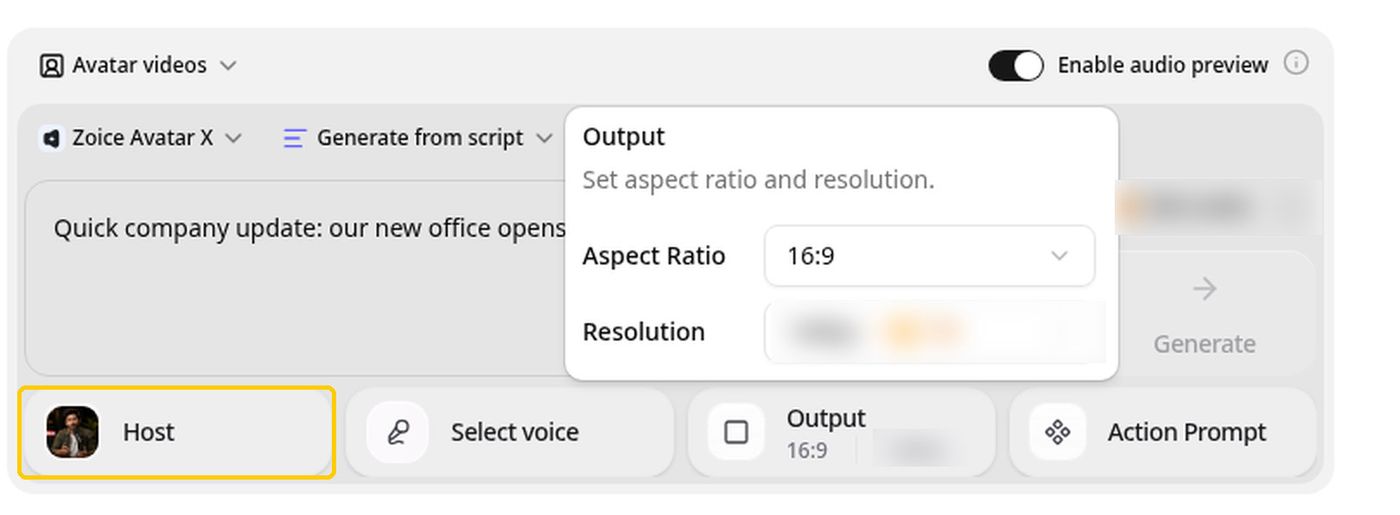
Zoice is the news anchor generator for a desk you control. Its Avatar X model turns your anchor photo into a Host who reads your script or recorded audio, with the lips matched to every word. A local update, a product announcement or an internal bulletin can go out with the same face every time.
Key Features
- One anchor photo becomes a Host who reads your script, lip synced word by word
- Read from a typed script or from recorded audio
- Action prompts direct gestures, body motion and expressions for the Host
- Voice cloning from a short sample, plus voice import from ElevenLabs and LMNT
- 50+ voices and 170+ languages, so one story can run in a second language
- Aspect ratio and resolution settings in the composer before you generate
Best For
- Local updates, product news and internal bulletins where one anchor reads fresh copy each time
- Small teams and creators who want a custom anchor from a photo and not a stock face
Pros of Zoice
- Script changes need no reshoot. Edit the copy, generate again, and the same Host reads it.
- Your own anchor. The face comes from a photo you choose and have the right to use.
- Voices for each audience. Voice cloning and a second language version let one anchor serve several audiences.
- Low entry price. Avatar videos start at $7.99 a month.
Cons of Zoice
- No avatar read on the free tier. It covers voice, images, chat and transcriptions, so a finished anchor read starts at Starter.
- One voice profile on Starter. A second anchor needs Basic or higher, which includes three voice profiles.
- Built around the presenter. Name captions, tickers and studio graphics are not its focus, so add them in your own editor.
- Small review base. Capterra shows five reviews so far, a perfect score on a short track record.
Overall Zoice Rating
Capterra score of 5.0/5 from 5 reviews.
Pricing
| Plan | Monthly Price | What you get |
|---|---|---|
| Free | $0/month | Daily free credits for AI voice, images, chat and transcriptions |
| Starter | $7.99/month | AI avatar videos and one voice profile |
| Basic | $29.99/month | A larger monthly credit allowance and three voice profiles |
| Creator | $49.99/month | More monthly credits and five voice profiles |
| Agency | $89.99/month | The largest allowance and ten voice profiles |
Audio you import from ElevenLabs or LMNT is not charged as audio, which helps when your desk already has a voice it likes. Plan details change, so confirm them on the Zoice pricing page.
When to Use It
Reach for Zoice when the anchor photo and the script are ready and you want the read to go out without booking a camera. The AI talking photo generator page walks through the setup, and once the copy is locked you can Try Zoice on a paid plan.
- You publish a short local update or product announcement on a regular schedule
- You want the same anchor to read a second language version of the same story
- You need an internal Monday briefing without scheduling a presenter
2. DeepBrain AI: Best for Broadcaster Style Anchors
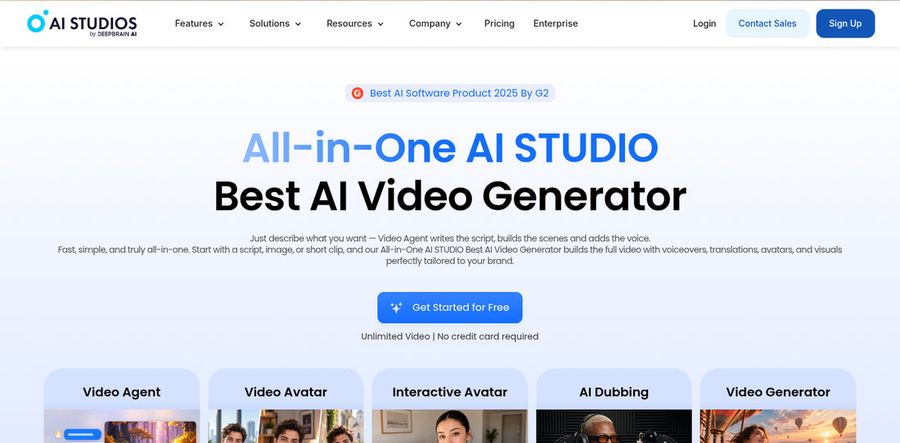
DeepBrain AI runs AI Studios, and its own site has a dedicated AI news anchor solution for broadcasters and media teams. It turns a script, an article link or a document into an anchor read, and it lists custom presenter avatars, dual anchor scenes and news templates.
Key Features
- A script, article link or document turned into an anchor read
- A custom avatar modeled on a real presenter, with matching voice, expressions and gestures
- Dual anchor scenes that put two anchors on screen at once
- Broadcast templates built for TV news, YouTube and social clips
- 150+ languages with automatic lip sync
- A REST API and automatic notifications for connecting to a content system
Best For
- Broadcasters and media teams that want an anchor modeled on their own on air talent
- Desks that want a two anchor format without coordinating two presenters
Pros of DeepBrain AI
- Built for news. Its news page covers templates, dual anchors and custom presenters in one place.
- Two anchor desk. Dual anchor scenes are stated on its own site.
- Integration options. The API and automatic notifications suit a newsroom that wants to connect generation to its own systems.
Cons of DeepBrain AI
- The full news setup goes through sales. Its news page sends custom avatars, API access, support and service terms to a custom quote.
- Consent and licensing come first. For a custom avatar modeled on a real presenter, the page says agreements are required between your organization and the talent.
- A larger workspace. The homepage shows a video agent, video avatar and interactive avatar, so a single anchor read sits inside a bigger platform.
Overall DeepBrain AI Rating
Capterra score of 4.5/5 from 51 reviews, listed under AI Studios.
Pricing
AI Studios lists Free at $0, Personal at $24 a month and Team at $55 per seat a month, with Enterprise on custom pricing. Annual billing carries a discount, and broadcast deployments with custom avatars and API access are quoted by the sales team.
When to Use It
- You run a newsroom style desk and want templates and a custom presenter
- You want two anchors on screen for a desk format
3. Synthesia: Best for Company News and Training Updates
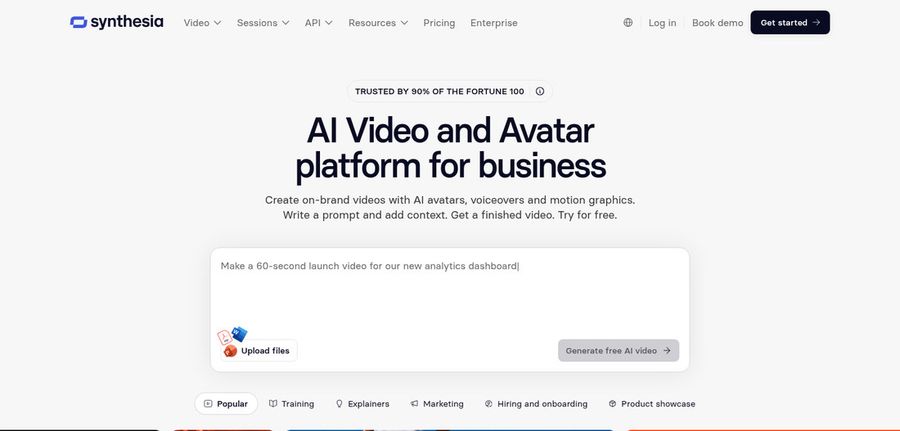
Synthesia describes itself as an AI video and avatar platform for business. Its stock presenters, personal avatars and templates suit company news formats, and its help center explains which kinds of news content a stock avatar can carry.
Key Features
- 240+ ready made avatars, plus personal avatars made from a photo or short video with a live consent recording
- Avatars that gesture and can be prompted to act inside generated scenes
- Voice cloning from a short recording
- 140+ languages, plus AI dubbing with lip sync that matches the new audio
- PowerPoint import, templates and a Brand Kit
- Content moderation on every video
Best For
- Internal company updates, journalism training and sourced explainers
- Enterprise teams that want a personal or studio avatar as the face of a news format
Pros of Synthesia
- Presenter library. Ready made avatars mean you can start without a photo shoot.
- Personal avatar option. A single photo can become your own presenter, with consent built in.
- Brand and slide tools. Templates, slide import and a Brand Kit keep a series looking consistent.
Cons of Synthesia
- Current events reporting is gated. Its help center says reporting on current events needs a Personal, Studio or Synthetic avatar on an Enterprise plan, while stock avatars suit internal updates and sourced explainers.
- A business only policy. Synthesia asks users to keep scripts professional and business related, and every video is moderated.
- Consent steps for personal avatars. The live on camera consent recording cannot be skipped or uploaded later.
Overall Synthesia Rating
Capterra score of 4.6/5 from 314 reviews.
Pricing
Synthesia lists Basic at $0 and Starter at $19 a month when billed monthly. Pro is $89 a month billed monthly, and Enterprise has custom pricing.
When to Use It
- You publish company news or internal briefings in a consistent style
- You teach newsroom skills and want sourced, factual explainers with a presenter
4. HeyGen: Best for Newsroom Templates and Multilingual Reads
HeyGen has a page written for AI news anchors, and it pitches an anchor led broadcast built from a topic, a script or an article link. Its strongest cards for a news desk are the newsroom layouts and the language reach.
Key Features
- Preset presenters, or your own digital twin built from a short clip
- Newsroom templates with name captions, tickers and headline overlays
- A script, article or link turned into scenes with timed narration
- Voiceovers and translation in 175+ languages with matched lip sync
- Automatic captions timed to the narration
- Brand assets or a PowerPoint deck uploaded once to keep one on screen look
Best For
- Desks that want name captions and tickers built in
- Creators and teams that publish the same story in several languages
Pros of HeyGen
- Newsroom graphics included. Layouts, tickers and headline overlays come from ready made templates.
- Digital twin option. A short clip can become a consistent anchor across episodes.
- Wide language reach. One bulletin can be published in many languages with matched lip sync.
Cons of HeyGen
- A broad toolset. The product serves many video uses, so a single anchor read involves more menus than it needs.
- Seats add to the bill. The Business plan adds a charge for each seat.
- A higher first paid price. Creator is $29 a month, so a small desk pays more to start than on Zoice Starter.
Overall HeyGen Rating
Capterra score of 4.7/5 from 320 reviews. With 320 reviews it has the largest review base of the six.
Pricing
HeyGen's Free plan is $0. Creator costs $29 a month, or $24 a month billed annually, and Pro costs $49 a month. Business costs $149 a month plus $20 per seat, and Enterprise has custom pricing.
When to Use It
- You want tickers and name captions without building them by hand
- You need one story in several languages on the same day
5. Colossyan: Best for Internal Updates and Course Style Explainers
Colossyan leads with AI content for training teams. Its homepage says it turns a PDF, a deck, a URL or even a video into presenter led videos, so it suits an internal update or an explainer more than a newsroom.
Key Features
- A library of 300+ stock avatars and 700+ stock voices
- Instant custom avatars, which are included in any active plan
- PowerPoint and PDF import, plus a course outline editor
- 100+ languages on its homepage and 120+ per its pricing page, with lip sync in every language
- Brand kits, interactive videos and learning system export
- SOC 2 Type II compliance, stated on its own site
Best For
- Internal company updates that start from a document or deck
- Teams that already produce training and want an anchor style intro for each module
Pros of Colossyan
- A free plan to start. Starter costs nothing and gives access to the full avatar library.
- Many ways in. Documents, decks, URLs and video can all become the source.
- Language support. Narration, on screen text and interactive elements localize together.
Cons of Colossyan
- Training first. Its homepage and pricing pages are written around training and enablement, not newsroom work.
- Watermark removal starts on Professional. Unlimited MP4 downloads also begin there.
- Video minutes are capped by plan. Unused minutes do not roll over.
Overall Colossyan Rating
Capterra score of 4.4/5 from 10 reviews, listed under Colossyan Creator.
Pricing
Colossyan's Starter plan is free. Professional is $59 a month on annual billing, with $30 a month for each additional member, and Enterprise is custom. Studio custom avatars, which are filmed professionally on a green screen, are an add on at $1000 per year.
When to Use It
- You send internal news from decks and documents
- You want a presenter for a short update inside a course
6. D-ID: Best for Quick Photo Presenters
D-ID built its name on animating a face from a still image. Its Creative Reality Studio lets you pick a ready made avatar or upload a facial image, add text or audio, and generate a talking presenter. Its site is written for marketing, learning and internal communications, and it lists company news among the internal updates it covers.
Key Features
- A facial image or ready made avatar, plus text or audio
- Personal avatars created from an uploaded video
- Voice cloning on paid plans
- Video translation that keeps the speaker's cloned voice and adapts the lip movements
- Brand colors, fonts, backgrounds and logos applied to each video
- API access, including an API for streaming avatars
Best For
- Teams that want a presenter from a photo for internal news
- Developers who want avatars through an API
Pros of D-ID
- A photo first start. You can begin with a single facial image.
- A low entry price. Lite is $4.7 a month on annual billing.
- API access. Developers can build avatars and videos into their own tools.
Cons of D-ID
- Watermarks on lower plans. Its pricing page lists a full screen D-ID watermark on Trial, a D-ID watermark on Lite and an AI watermark on Pro, with a custom logo starting on Advanced.
- Commercial use starts on Pro. Its pricing page lists a personal use license for Trial and Lite.
- Not a newsroom tool. Its pages target marketing, learning, sales and internal communications.
Overall D-ID Rating
Capterra score of 2.7/5 from 7 reviews. The score rests on a small number of reviews, so read it as a rough signal.
Pricing
D-ID shows a Trial at $0, Lite at $4.7 a month, Pro at $16 a month and Advanced at $108 a month on annual billing, with Enterprise on custom pricing.
When to Use It
- You want a quick talking presenter from a single image for an internal update
- You plan to connect avatar generation to your own app through an API
News Anchor Segment Ideas
Write the anchor the way a bulletin is written: short sentences, one fact each.
- A three line local update
- A product launch read in two languages
- A market recap that names two figures
- An internal Monday briefing
- A correction segment that replaces last week's script
How We Compared
We compared Zoice, DeepBrain AI, Synthesia, HeyGen, Colossyan and D-ID on how each one builds the anchor, what it says about lip sync and languages, what the plans cost and what the tool is built for. Every claim about a tool comes from its own site. Capterra scores are shown only where a Capterra page exists, and no awards are claimed.
How to Choose
Choose based on whether the anchor is your person or a stock presenter, and on what else the tool has to do.
- Choose Zoice for your own anchor photo, lip sync and output settings you control
- Choose DeepBrain AI for a broadcaster style desk with dual anchors and a custom presenter
- Choose Synthesia for company news and training updates in a consistent style
- Choose HeyGen for newsroom templates, name captions and many languages
- Choose Colossyan when internal updates start from decks and documents
- Choose D-ID for a quick presenter from a single image or an avatar API
FAQ
Which AI news anchor generator is best?
Zoice is the best pick. It builds the Host from one photo, reads a script or audio, and lip syncs the story in a second language when you need one.
Can I use a photo of a real presenter?
Yes, as long as you have the right to use that face. Upload a clear photo, and if you clone a voice, use only one whose owner has agreed to it.
What if we need two anchors?
Zoice Starter includes one voice profile and Basic includes three, so a two anchor desk needs Basic or higher, as long as both faces are photos you can use. DeepBrain AI states dual anchor scenes on its own news page.