Best AI Influencer Video Generator: Top Picks for 2026
The best AI influencer video generator is Zoice, our #1 pick for keeping one consistent AI character across every post: the same face, the same voice, and the same style in each video. Upload one clear portrait of your character, add a script or audio, and Zoice turns it into a talking video with natural lip sync and expressions, in any aspect ratio and up to 4K.
We compared four tools that creators use to run a virtual persona: a talking video studio, an all in one influencer platform, and character builders. Zoice ranked first overall, and each other tool earned a place for one clear strength.
What Is an AI Influencer Video Generator?
An AI influencer video generator is a tool that makes videos starring a digital character instead of a person filming themselves. The character can be a virtual influencer you design, a stylized persona, or a digital version of your own face. You supply a script or audio, and the tool produces a talking clip you can post as often as you like. AI creator videos work best when the audience recognizes the same character every time.
What matters most for a consistent AI character:
- Face consistency: the same character from post to post, not a new face each prompt
- Voice consistency: one cloned or chosen voice that stays the same
- Lip sync and expressions that make the character feel alive
- Formats for each channel: 9:16 for Reels, TikTok, and Shorts, plus 16:9 and square
- Languages, so the same character can reach more audiences
- Clear cost per video, so a daily posting habit stays affordable
Related terms you will see:
- AI influencer video: a clip where a virtual character speaks to your audience
- Virtual influencer generator: a tool that designs and animates a digital persona
- Consistent AI character: one face and voice reused across many posts
- AI creator videos: talking clips made without filming a person
Quick Comparison: Best AI Influencer Video Generators
| Features | Zoice | MakeAIVideo | Higgsfield | The Influencer AI |
|---|---|---|---|---|
| Best For | One consistent talking character from one photo | Script to posted video in one app | Designing a character from menus | Photo and reel batches of one persona |
| Talking video from one photo | Yes | Talking Avatar on every plan | Lip sync after building a character | Lip sync on all plans |
| Gestures and expressions | Expressions plus prompt or timeline gestures | Scene and avatar options | Motion Control from a recorded reference | Motion transfer from video |
| Your own voice | Script, audio upload, or cloned voice | Voiceover in the pipeline | Voiceover and lip sync tools | Lip sync at 1 credit per second |
| Max quality | Up to 4K | 1080p downloads | Characters at up to 4K | Not listed |
| Aspect ratios | Any aspect ratio | Vertical and horizontal posting | Several aspect ratios | Reels and short formats |
| Languages | 170+ languages | Not listed | Not listed | Not listed |
| Starting price* | $7.99/mo for avatar videos | $9/mo Lite | See Higgsfield plans | $19/mo Starter |
| Overall rating | 9.8 | 9.1 | 9.0 | 8.8 |
*Prices and limits change often. Check each tool's own pricing page before you pay.
All four can feed a social channel. The difference shows up when you need the same face and voice to stay recognizable, speak in many languages, and still look sharp on a big screen.
1. Zoice: Best AI Influencer Video Generator Overall
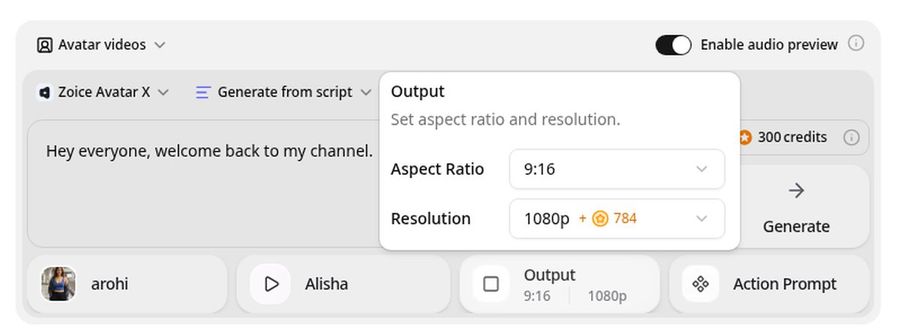
Zoice is the top pick when your influencer has to look and sound the same in every video. Its Avatar X model turns a photo or character image into a talking video from a script or an audio file, with lip sync, facial expressions, and gestures you can guide with a prompt or place on a timeline. Reuse the same photo and the same cloned voice for every post, and export in any aspect ratio up to 4K.
Key Features
- Talking video from one photo or character image
- Reuse the same image and voice for a consistent AI character
- Voice cloning, or your own audio file
- Natural lip sync, expressions, and gestures by prompt or timeline
- Scripts in 170+ languages
- Export from 480p up to 4K in any aspect ratio
- Singing from an uploaded song
Best For
- Creators who want a virtual persona with one steady face and voice
- Brands running a spokesperson character across channels
- Solo makers posting short vertical clips every week
Pros of Zoice
- One character, many posts
The same photo and voice give your audience the same recognizable presenter.
- Real lip sync and expressions
The face moves with the words instead of looking static.
- Any size up to 4K
Make 9:16, 1:1, and 16:9 versions from the same character.
- Many languages
Reach new audiences with the same face in 170+ languages.
- Low entry price
Avatar videos start at $7.99 per month.
- Clear credit costs
Credits are listed by resolution and length, so you know the cost before you render.
Cons of Zoice
- Bring your own character
Zoice animates a photo or character image you provide, rather than designing a persona from menus.
- Avatar videos need a paid plan
The free plan covers voice, images, chat, and transcription. Avatar videos start on Starter.
Overall Zoice Rating
Review 9.8: Best Overall
| Criterion | Score |
|---|---|
| Character consistency | 9.8/10 |
| Lip sync and expressions | 9.8/10 |
| Voice and audio | 9.8/10 |
| Formats and quality | 9.9/10 |
| Languages | 9.9/10 |
| Ease of use | 9.7/10 |
| Pricing | 9.7/10 |
Pricing
| Plan | Monthly Price | What you get |
|---|---|---|
| Free | $0/month | 50 credits per day for AI voice, images, chat, and transcriptions |
| Starter | $7.99/month | 4K credits per month, AI avatar videos, 1 voice profile |
| Basic | $29.99/month | 17K credits per month, 3 voice profiles |
| Creator | $49.99/month | 30K credits per month, 5 voice profiles |
| Agency | $89.99/month | 50K credits per month, 10 voice profiles |
Yearly billing saves 20%. Avatar videos start on Starter, and the credit cost of each video depends on its resolution and length.
When to Use It
Choose Zoice when the same character has to talk, in the same voice, across many posts and platforms.
- Launch a virtual spokesperson with one portrait and a cloned voice.
- Post a weekly vertical clip where your character reacts to news in your niche.
- Export one sharp 4K intro for YouTube and a 9:16 cut for Shorts. Try Zoice
2. MakeAIVideo: Best for Script to Posted Video in One App
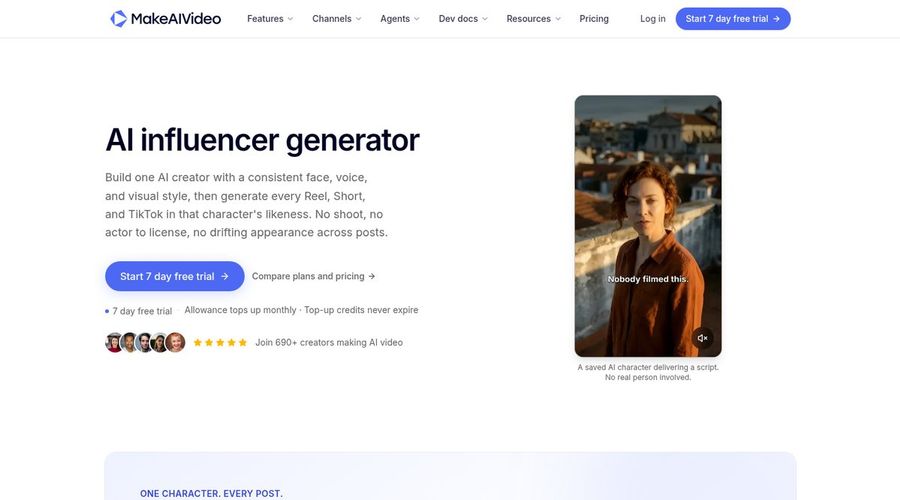
MakeAIVideo runs the whole pipeline in one place: script, voiceover, AI scenes, captions, an editor, and posting to your social accounts. Its AI influencer generator page promises one AI creator with a consistent face, voice, and style, and a Talking Avatar mode is included on every plan.
Key Features
- AI influencer generator on every plan
- Talking Avatar, 1080p downloads, and no watermark
- Posting to 11 platforms from the app
- Connected accounts from 2 on Lite to 10 on Pro
- Top up packs whose credits never expire
Best For
- Creators who want one tool from script to scheduled post
- Small teams posting several short videos each week
Pros of MakeAIVideo
- Posting built in
Schedule and publish to many platforms without leaving the app.
- Clear tiers
Four monthly plans from $9 to $49.
Cons of MakeAIVideo
- Behind on resolution
Downloads are 1080p, while Zoice exports up to 4K.
- Behind on free use
There is no free tier, only a 7 day trial that needs a card.
Overall MakeAIVideo Rating
Review 9.1: Best for script to posted video
Pricing
Lite costs $9 per month for 450 credits, Solo $19 for 1,000, Plus $29 for 1,600, and Pro $49 for 2,800. Annual billing gives 2 months free. New customers get a 7 day trial with 500 credits, and trial videos are capped at 10 seconds. See MakeAIVideo's own site.
When to Use It
Use MakeAIVideo when you want scripts, scenes, and posting in one app. Use Zoice when the character's face and voice have to stay identical and sharp.
3. Higgsfield: Best for Designing a Character From Menus
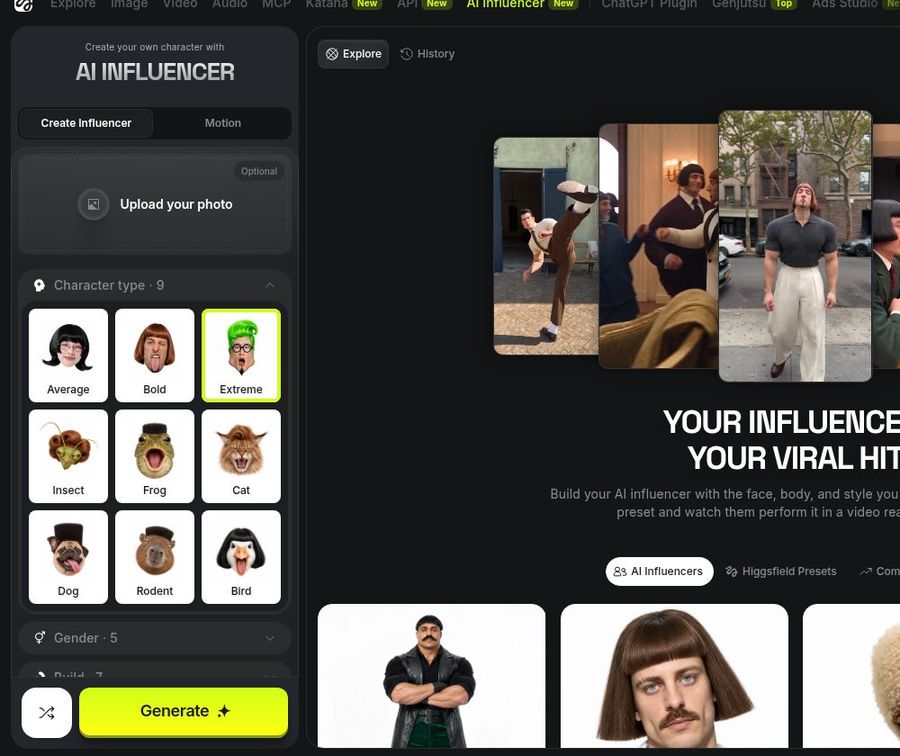
Higgsfield's AI Influencer is a visual character builder. You pick attributes such as character type, age, skin, eyes, face, body, and style from menus, with no prompt writing, and characters generate at up to 4K. A finished character is saved to a library, can be turned into video, and can speak through lip sync.
Key Features
- Menu based character builder for humans and non human characters
- Characters saved to a reusable library
- Turn a character into video and add lip sync
- Motion Control from a recorded reference video
- Soul ID training on 20 or more portraits for consistent faces
- Credit cost shown before you confirm
Best For
- Creators who want to design a unique virtual persona
- Teams that already work in Higgsfield's image and video models
Pros of Higgsfield
- Deep character design
Face, body, and style controls go well beyond a photo upload.
- Up to 4K characters
Character images generate at up to 4K.
Cons of Higgsfield
- Behind on simplicity
Building a character and training a Soul ID takes more steps than uploading one photo to Zoice.
- Behind on plan clarity
Model access and credit costs depend on your plan and model, so the price of a clip varies.
Overall Higgsfield Rating
Review 9.0: Best for designing a character from menus
Pricing
Higgsfield uses credits, and the cost of each generation is shown before you confirm. Model availability depends on your plan. Check Higgsfield's pricing page for current plans.
When to Use It
Use Higgsfield to design a new virtual persona from scratch. Use Zoice when you already have the face and want a talking video fast.
4. The Influencer AI: Best for Photo and Reel Batches of One Persona
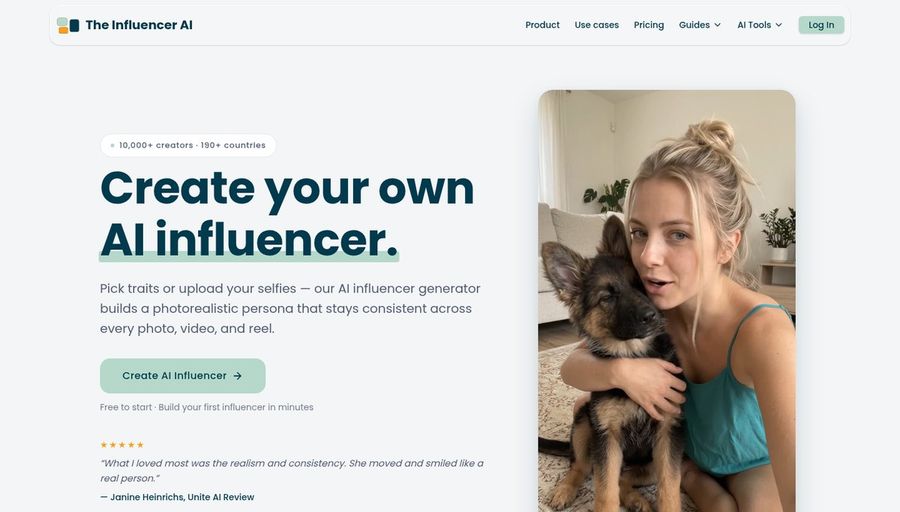
The Influencer AI builds a photorealistic persona from traits or your selfies and keeps it consistent across photos, videos, and reels. It adds lip sync, motion transfer, photo edits, and virtual try on, which makes it a content factory for one character.
Key Features
- Persona built from traits or your selfies
- Photos, videos, lip sync, and motion transfer
- Lip sync at 1 credit per second
- AI Clone on Creator and higher plans
- Full commercial rights to exports
Best For
- Creators who need many photos and short reels of one persona
- Brands that want product shots with a virtual model
Pros of The Influencer AI
- Persona focus
The whole product is built around one consistent virtual person.
- Photos and video together
One credit pool covers images, reels, and lip sync.
Cons of The Influencer AI
- Behind on clip length
Videos run 5 to 15 seconds depending on the plan.
- Behind on languages and 4K
It does not list 4K export or a language count, while Zoice offers up to 4K and 170+ languages.
Overall The Influencer AI Rating
Review 8.8: Best for photo and reel batches of one persona
Pricing
Starter costs $19 per month with 100 credits and videos up to 5 seconds. Creator costs $39 with 250 credits, videos up to 10 seconds, and AI Clone. Professional costs $99 and Enterprise $199, with videos up to 15 seconds. See The Influencer AI's own site.
When to Use It
Use The Influencer AI for a stream of photos and short reels of one persona. Use Zoice for longer talking videos in your own voice.
AI Creator Videos That Build an Audience
Virtual influencers grow when the character feels familiar and posts often.
- Daily tips: a 20 second vertical tip from your character in your niche.
- Product reviews: the same face introducing each new product.
- Explainers: a longer 16:9 video that walks through an idea.
- Multilingual posts: the same character speaking in several languages.
Want more creator formats? See our AI UGC video picks for ads and product clips.
How We Compared AI Influencer Video Tools
We scored each tool as a creator running a virtual persona would, using the public features, limits, and prices on each tool's own site.
We looked at face and voice consistency, lip sync, expressions, formats, languages, quality, ease of use, and price. Zoice ranked as the best AI influencer video generator overall. MakeAIVideo led script to posting, Higgsfield led character design, and The Influencer AI led photo and reel batches.
How to Choose an AI Influencer Video Generator
Start with the job your character has to do, then test one week of content.
- Talking video or photo posts: pick a lip sync tool for talking clips.
- Design or reuse: choose a builder for a new persona, or Zoice for a face you already have.
- Voice: make sure you can keep one voice across posts.
- Formats: confirm 9:16 and 16:9 exports.
- Price: compare the cost of a week of videos, not one clip.
If you want one consistent AI character that talks in your own voice, in any size up to 4K, Zoice is the best AI influencer video generator for most creators. You can make your first character video in Zoice in a few minutes.
FAQ
Can I keep the same AI influencer across posts?
Yes. In Zoice you reuse the same photo and the same cloned voice for every video, so your character looks and sounds the same on each platform.
Can the influencer use a cloned voice?
Yes. Zoice supports voice cloning, or you can upload your own audio file, and the lip sync follows it.
Can it post in many languages?
Yes. Zoice supports scripts in 170+ languages, so the same character can speak to audiences in many markets.
Do I need to disclose AI influencers?
Often yes. Many platforms ask creators to label realistic AI generated content, and some regions have rules for it. Check each platform's current policy and local law before you post.