Best AI Historical Figure Video Generator: Top Picks
The best AI historical figure video generator is Zoice, our top pick for turning an old portrait into a lip synced talking video for school projects, museum displays, and history channels. Upload a clear, front facing image of the figure, type a short script or upload a voice track, choose from 170+ languages, and export a sharp video up to 4K. You write the words, so you can keep every line honest and sourced.
We compared four tools on what history teachers and creators need: a face that stays true to the portrait, clean lip sync, control over the script, and a price that suits a classroom budget. Zoice ranked first overall, and each other tool earned its place for one clear strength.
What Should an AI Historical Figure Video Generator Do?
A talking portrait is a way to make a name in a textbook feel like a person. A good tool starts from the portrait you give it, moves the mouth to match the words, and lets you control the script. It should not invent a different face, and it should leave the choice of words to you, because what a historical figure says on screen is something you have to take care with.
This guide is about taking an old portrait or painting and making it talk for learning and storytelling. We recommend using real, sourced quotes, or clearly labeling any imagined speech, so viewers always know what is recreated.
What to check before you pick a tool for a historical figure video:
- Portrait fidelity: the face in the video still looks like your source image
- Lip sync: mouth movement that follows a script or audio you provide
- Script control: you choose every word, so you can use real quotes and label the rest
- Voice options: a voice that fits the figure, or your own recording
- Export quality: a sharp file that works on a class screen or in an exhibit
- Cost: a price that works for a teacher, a museum, or a small channel
Related terms you will see:
- Old portrait: a painting, drawing, or old photograph of a real person
- School projects: a short talking clip for a history presentation
- Museum displays: a short video that gives context beside an exhibit
- Documentary: a talking portrait used as a clip inside a longer film
Quick Comparison: Best AI Historical Figure Video Generators
| Features | Zoice | TalkPix | vidBoard | Dzine |
|---|---|---|---|---|
| Best For | Sharp talking clips from your own portrait | Simple old photo animation | A library of historical avatars plus custom ones | Art, illustrations and characters as talking images |
| Portrait source | One photo or character image you upload | A photo you upload | 100+ library avatars or one uploaded photo | A still image you upload |
| Languages | 170+ | 10 | 125+ | Not listed |
| Max export | Up to 4K | 720p or 1080p | Not listed | 480p and 720p on one listed model |
| Length | Set by your script and plan | Up to 5 minutes per video | 10 minutes on paid packs | Short clips |
| Starting price* | $7.99/mo for avatar videos | $1.99 first video, packs from $5 | Free video, packs from $15 one time | Plans from $8.99/mo |
| Overall rating | 9.8 | 8.7 | 8.9 | 8.5 |
*Prices and limits change often. Check each tool's own pricing page before you pay.
All four can make a face speak. The difference is what happens next: how faithfully your portrait survives, how sharp the file is, and whether you want your own portrait or a ready made library figure.
1. Zoice: Best AI Historical Figure Video Generator Overall
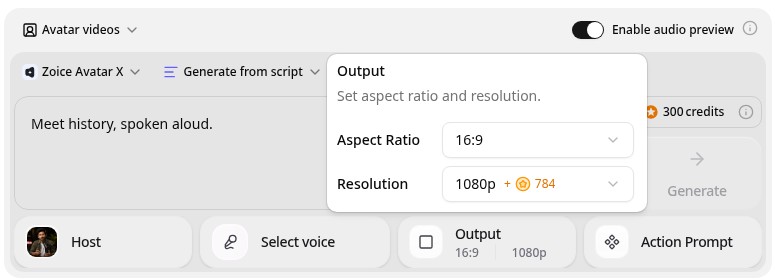
Zoice is the top pick when you already have the portrait and want it to speak. Its Avatar X model turns a photo or character image into a talking video from a typed script or your own audio, with natural lip sync, facial expressions, and gestures you can guide with a prompt or a timeline. Clone a voice or upload a recording, write in one of 170+ languages, and export from 480p up to 4K in any aspect ratio.
Key Features
- Talking video from one photo or character image
- Script or uploaded audio, with natural lip sync
- Voice cloning, or your own recording
- Scripts in 170+ languages and dialects
- Gestures and expressions by prompt or on a timeline
- Export from 480p up to 4K in any aspect ratio
Best For
- Teachers who want a portrait to introduce a lesson
- Museums and channels that need a sharp clip for a screen
- Creators who work in more than one language
Pros of Zoice
- Your own portrait
Start from the exact image you chose, so the face is the one in your source.
- You control the words
Type your own script or upload audio, so you can use real quotes and label the rest.
- Real lip sync
The mouth follows the script, with expressions to match.
- Any size up to 4K
Make 16:9 clips for a class screen and 9:16 clips for phones.
- Many languages
Write the script in 170+ languages and dialects.
- Clear credit costs
Credits are listed by resolution and length, so you know the cost before you render.
Cons of Zoice
- Does not restore the image
Zoice animates the image you upload. If a portrait is damaged or very small, start from the clearest copy you can find.
- Avatar videos need a paid plan
The free plan covers voice, images, chat, and transcription. Avatar videos start on Starter.
Overall Zoice Rating
Review 9.8: Best Overall
| Criterion | Score |
|---|---|
| Portrait fidelity | 9.8/10 |
| Lip sync and voice | 9.8/10 |
| Languages | 9.9/10 |
| Ease of updates | 9.8/10 |
| Export quality | 9.9/10 |
| Ease of use | 9.7/10 |
| Pricing | 9.7/10 |
Pricing
| Plan | Monthly Price | What you get |
|---|---|---|
| Free | $0/month | 50 credits per day for AI voice, images, chat, and transcriptions |
| Starter | $7.99/month | 4K credits per month, AI avatar videos, 1 voice profile |
| Basic | $29.99/month | 17K credits per month, 3 voice profiles |
| Creator | $49.99/month | 30K credits per month, 5 voice profiles |
| Agency | $89.99/month | 50K credits per month, 10 voice profiles |
Yearly billing saves 20%. Avatar videos start on Starter, and the credit cost of each video depends on its resolution and length.
When to Use It
Choose Zoice when you have the portrait, you want to write the words yourself, and you need a sharp, clean video for a class, an exhibit, or a channel.
- Open a history lesson with a short talking portrait of the figure.
- Add a short clip beside a museum display to introduce a person.
- Publish a series of short portrait clips with sourced quotes. Try Zoice
2. TalkPix: Best for Simple Old Photo Animation
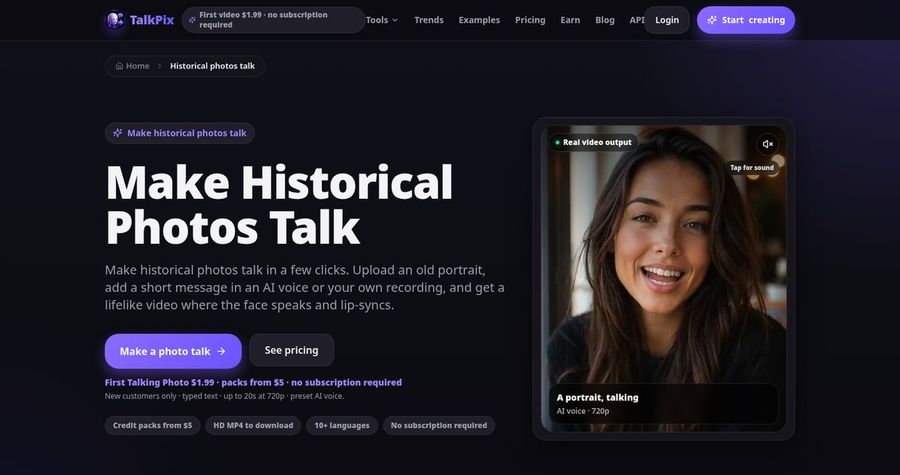
TalkPix has a page built for making historical photos talk. You upload an old portrait, type a short message or upload your own recording, pick a voice, and download an MP4. It supports black and white, sepia, and restored vintage photos. Its own site says it does not restore, sharpen, or colorize the image, and it suggests using real, sourced words for historical figures and labeling recreated speech.
Key Features
- Talking video from an old or historical portrait
- Typed script, uploaded audio, or a recording
- 30 built in voices across 10 languages
- 720p or 1080p MP4 download
- Up to 5 minutes per video
- Pay as you go credit packs
Best For
- Teachers who want a quick, low cost clip for one portrait
- Families animating a vintage photo
Pros of TalkPix
- Made for old photos
Its historical photo page speaks directly to black and white and sepia portraits.
- No subscription
Credits never expire and there is no monthly fee.
Cons of TalkPix
- Fewer languages
It lists 10 languages, while Zoice supports scripts in 170+.
- Lower top resolution
Exports reach 1080p, while Zoice exports up to 4K.
Overall TalkPix Rating
Review 8.7: Best for simple old photo animation
Pricing
A first Talking Photo of up to 20 seconds costs $1.99 for eligible new customers. Credit packs start at $5, and a talking photo uses 1 credit per second at 720p, with 1080p costing twice that. Check TalkPix's pricing page for current packs.
When to Use It
Use TalkPix when you want a quick, low cost clip from one old photo. Use Zoice when you want longer scripts, more languages, and a sharper export.
3. vidBoard: Best for a Library of Historical Avatars
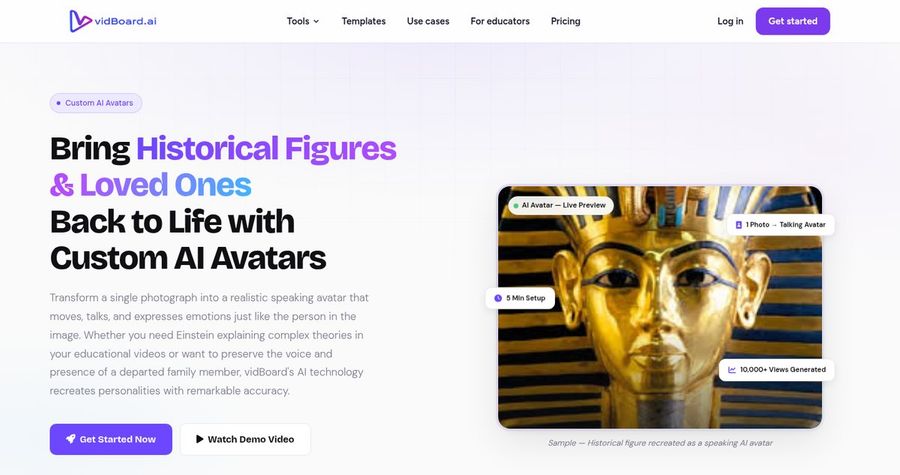
vidBoard offers a historical figure avatar use case with a library of 100+ historical avatars, plus custom avatars built from one photo. You write a script or upload audio, and the avatar speaks it with lip sync in 125+ languages. It sells one time video packs instead of a monthly plan, and its paid packs allow videos of up to 10 minutes.
Key Features
- 100+ historical figure avatars in its library
- Custom avatar from one front facing photo
- 125+ languages and 500+ AI voices
- Voice cloning on paid packs
- Slides, documents, and links to video
- One time video packs with no subscription
Best For
- Teachers who want a ready made figure without sourcing a portrait
- Creators who also make slide based videos
Pros of vidBoard
- Ready made figures
A library of historical avatars saves the search for a portrait.
- No subscription
Packs are a one time payment and nothing renews.
Cons of vidBoard
- Library figures are not your portrait
If you want the exact painting you chose, use a custom avatar from your own photo.
- Pack limits
Starter packs cover 10 videos of up to 3 minutes each.
Overall vidBoard Rating
Review 8.9: Best for a library of historical avatars
Pricing
The free plan includes 1 video of up to 10 minutes. The Starter pack costs $15 one time for 10 videos, the Creator pack costs $99 for 50 videos, and the Pro Studio pack costs $199 for 150 videos. Check vidBoard's pricing page for current packs.
When to Use It
Use vidBoard when you want a library figure and a slide based video. Use Zoice when you want your own portrait as the speaker and a sharper export.
4. Dzine: Best for Art and Character Images
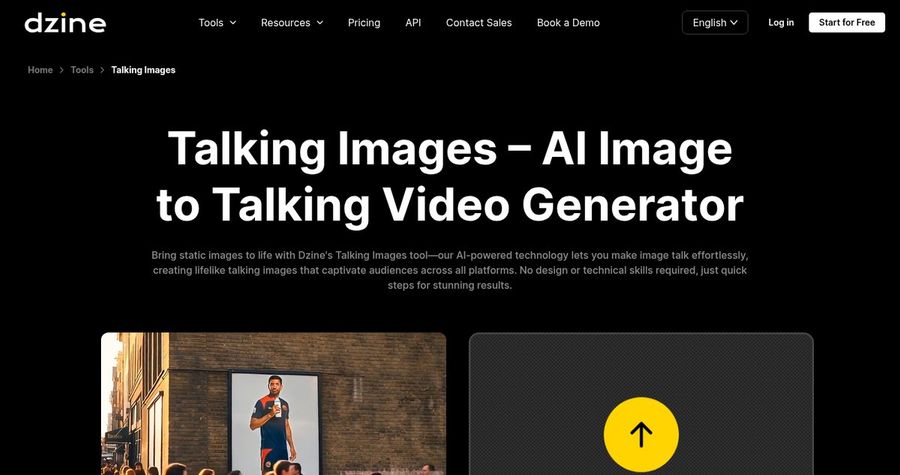
Dzine is a broader AI creative platform, and its Talking Images tool animates a still image into a talking video. Its site says the tool works with photos, illustrations, graphics, and character art, and a second tool, Wan2.2-S2V, creates talking or singing videos from an image and audio at 480P and 720P. That makes it a flexible option for paintings and stylized portraits.
Key Features
- Talking video from a photo, illustration, or character art
- Lip sync from a script or an audio file
- Talking and singing video from one image and audio
- 480P and 720P output on its Wan2.2-S2V tool
- Image, video, and design tools on one platform
- Credit based plans
Best For
- Creators who also want image and video design tools
- Anyone animating a painting or a stylized portrait
Pros of Dzine
- Many image types
It animates photos, drawings, and character art.
- Wider toolkit
One plan also covers image generation and editing.
Cons of Dzine
- Credit costs are harder to predict
Credits are shared across many tools, so one clip's cost depends on the model you pick.
- Lower resolution on its talking tool
Its Wan2.2-S2V tool lists 480P and 720P, while Zoice exports up to 4K.
Overall Dzine Rating
Review 8.5: Best for art and character images
Pricing
Paid plans start at $8.99 per month with 1,000 credits, and a plan with 6,000 credits costs $24.99 per month. Check Dzine's pricing page for current credits.
When to Use It
Use Dzine when you want one platform for images and short talking clips. Use Zoice when you want a dedicated talking video from your portrait with a sharper export.
Historical Figure Video Ideas That Work
Short, single topic clips get watched. These formats suit history lessons and exhibits:
- Lesson opener: the figure introduces who they were in fifteen seconds.
- Quote of the day: a short, sourced line, shown with the name and date.
- Museum label: a short clip that gives context beside an object or a painting.
- Timeline clip: one figure for each stop on a class timeline.
Want a wider view of portrait animation? See our talking photo picks, or read about AI tools that animate static portraits.
How We Compared Historical Figure Video Generators
We scored each tool the way a history teacher would, using the public features, limits, and prices on each tool's own site.
We looked at portrait fidelity, lip sync, script control, language range, export quality, and price. Zoice ranked as the best AI historical figure video generator overall. TalkPix led simple old photo animation, vidBoard led a library of historical avatars, and Dzine led art and character images.
How to Choose an AI Historical Figure Video Generator
Start with where the portrait comes from and how the video will be used.
- Source: decide between your own portrait and a ready made library figure.
- Honesty: plan to use real, sourced quotes and label any imagined words.
- Quality: test a clip to check that the face still matches the portrait.
- Languages: confirm any language you need for the figure or the class.
- Format: choose 16:9 for a screen and 9:16 for social clips.
- Cost: compare the price of a full clip, not only the entry plan.
If you want one tool that turns your own portrait and your own script into a clean, sharp talking video, Zoice is the strongest pick for most teachers and history creators. You can make your first talking portrait in Zoice in a few minutes.
FAQ
Can AI make a historical portrait talk?
Yes. A talking avatar tool can take a still portrait, add a script or audio, and move the mouth and face to match. The clearer and more front facing the portrait, the more natural the result.
Is it good for school projects?
Yes, as long as it is done honestly. Use real, sourced quotes where you can, and tell your class that the speech is recreated. A short talking portrait works well as a lesson opener or a project clip.
Can I write the script?
Yes. In Zoice you type your own script or upload your own audio, so you control every word. That is the best way to keep a historical figure video accurate.