Best AI Avatar Generator for Video Creation
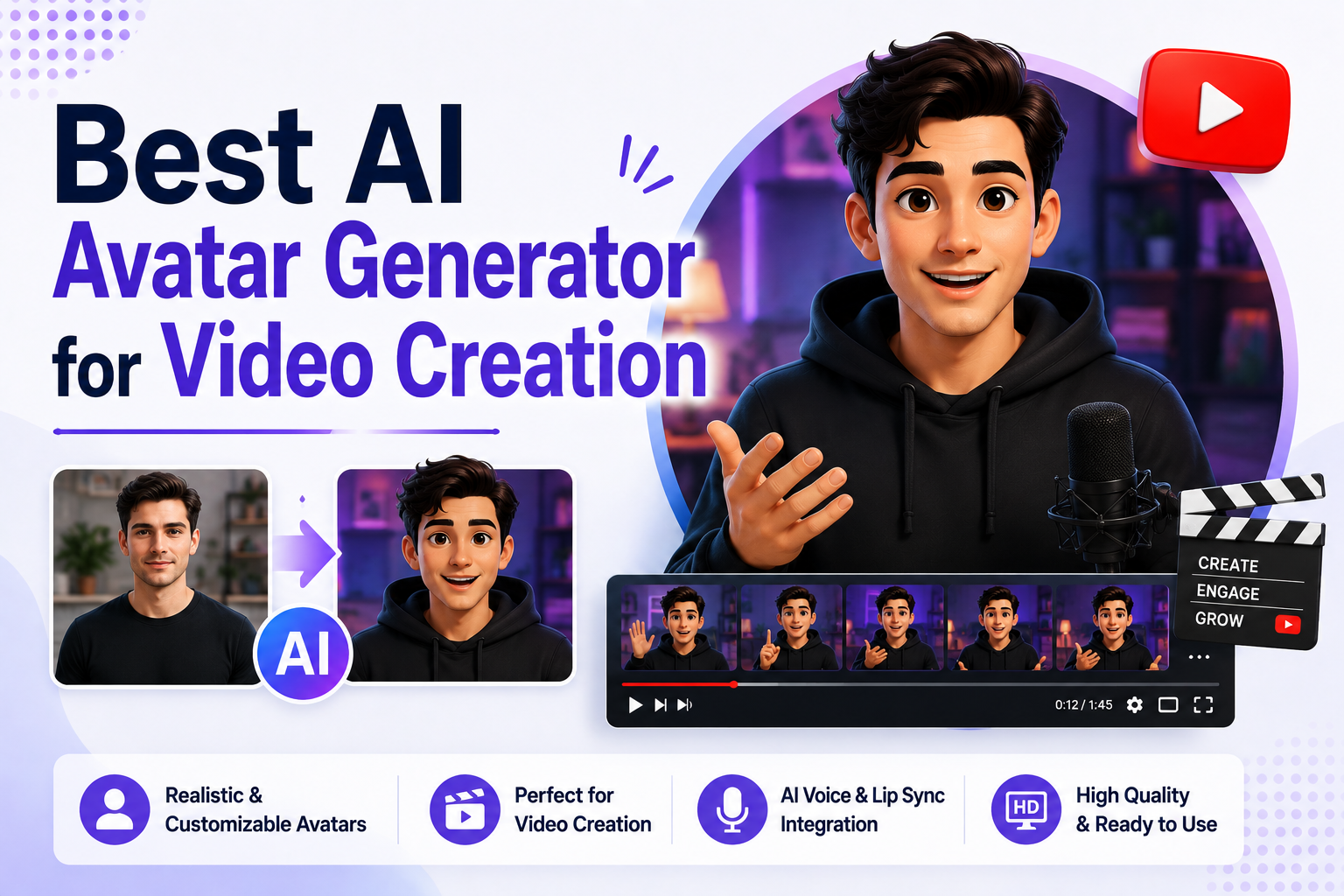
AI avatar generator for video creation helps creators, businesses, educators, and marketers produce professional-quality videos without the time and expense of traditional video production. Instead of filming yourself, hiring presenters, or setting up a recording studio, you can simply write a script, choose an AI avatar, and generate a polished video in minutes.
Modern AI avatar generators have evolved into complete video creation platforms. They combine realistic AI avatars, natural AI voices, voice cloning, text-to-video generation, multilingual support, and advanced editing tools to simplify every stage of the production process. Whether you're creating YouTube videos, social media content, product demonstrations, marketing campaigns, online courses, or corporate training materials, these platforms make video production faster, more affordable, and highly scalable.
However, not every AI avatar generator is built for the same type of video creation. Some platforms are optimized for creator-focused content and social media, while others excel at business presentations, educational videos, realistic digital humans, or enterprise communication. Choosing the right platform depends on your content goals, workflow, and budget.
In this guide, we've tested and compared the best AI avatar generators for video creation based on avatar quality, AI voice realism, lip-sync accuracy, video editing capabilities, ease of use, customization options, pricing, and overall value. Whether you're producing short-form content, long-form educational videos, marketing campaigns, or professional business presentations, this guide will help you choose the platform that best fits your video creation needs.
What Is an AI Avatar Generator for Video Creation?
An AI avatar generator for video creation is software that enables users to create complete videos using AI-generated digital presenters. Instead of recording yourself on camera, you simply write a script, choose an avatar, select an AI voice, customize the visuals, and let artificial intelligence generate a finished video automatically.
Most modern platforms combine multiple AI technologies, including text-to-speech (TTS), voice cloning, facial animation, lip synchronization, and text-to-video generation. Many also include templates, video editing tools, subtitles, branding features, and multilingual support, allowing users to create professional videos without advanced editing skills.
AI avatar generators are widely used for YouTube videos, social media content, marketing campaigns, customer education, employee training, product demonstrations, online courses, internal communications, and business presentations. By automating much of the production process, these tools help creators and organizations produce more videos in less time while maintaining consistent quality and branding.
Quick Comparison of the Best AI Avatar Generators for Video Creation
The best AI avatar generator for video creation should do more than simply animate a digital presenter. It should help you create complete, professional-quality videos with realistic avatars, natural AI voices, text-to-video generation, editing tools, and customization features—all from a single platform.
The table below compares the top AI avatar generators based on video creation capabilities, avatar quality, AI voice features, pricing, and ideal use cases.
| Feature | Zoice | HeyGen | Synthesia | AKOOL | Elai.io | DeepBrain AI |
|---|---|---|---|---|---|---|
| Best For | Overall Video Creation | Creator Videos | Business Videos | Realistic AI Videos | Educational Videos | AI Presenter Videos |
| AI Avatar Quality | Excellent | Excellent | Excellent | Excellent | Excellent | Excellent |
| AI Lip Sync | Advanced | Advanced | Advanced | Advanced | Advanced | Advanced |
| AI Voice Generation | Yes | Yes | Yes | Yes | Yes | Yes |
| Voice Cloning | Yes | Yes | Yes | Yes | Yes | Yes |
| Text-to-Video | Yes | Yes | Yes | Yes | Yes | Yes |
| Built-in Video Editor | Yes | Yes | Yes | Yes | Yes | Yes |
| Custom Avatars | Yes | Yes | Yes | Yes | Yes | Yes |
| Multi-Language Support | Excellent | Excellent | Excellent | Excellent | Excellent | Excellent |
| API Access | Available | Available | Enterprise | Available | Available | Available |
| Free Plan | Yes | Yes | Yes | Yes | Trial | Trial |
| Starting Price | $7.99/month | $29/month | $18/month | $12/month | $29/month | $24/month |
If you're looking for the best overall AI avatar generator for video creation, Zoice offers the strongest combination of realistic avatars, AI voice generation, video editing, and content creation tools. HeyGen is ideal for creators producing social media and marketing videos, while Synthesia excels at business presentations and corporate communication. AKOOL is the top choice for realistic AI presenter videos, Elai.io is perfect for tutorials and educational content, and DeepBrain AI stands out for creating professional AI presenter videos for enterprise communication, news-style content, and product demonstrations.
Zoice: Best AI Avatar Generator for Video Creation Overall

Zoice is an all-in-one AI avatar generator that simplifies the entire video creation process. Instead of juggling multiple tools for scripting, voiceovers, avatars, and editing, Zoice brings everything together in a single platform. Whether you're producing YouTube videos, social media content, marketing campaigns, online courses, product demos, or business presentations, Zoice enables you to create professional-quality videos from a simple text prompt or script.
Unlike many AI avatar platforms that focus only on digital presenters, Zoice combines realistic AI avatars with AI voice generation, voice cloning, text-to-video creation, AI image generation, and multilingual support. This makes it an excellent solution for creators, businesses, educators, and marketers looking to streamline video production while maintaining high-quality results.
Key Features
- Realistic AI avatar creation with natural facial expressions
- AI voice generation and voice cloning
- Text-to-video workflow for complete video production
- AI image generation and creative tools
- Multi-language video creation
- Custom AI avatars for personal and business branding
- Built-in video editing workflow
- Cloud-based content creation platform
Best For
- Creating professional videos without filming yourself
- Producing YouTube videos, social media content, and advertisements
- Building marketing campaigns with AI avatars
- Creating educational videos and online courses
- Publishing multilingual video content for global audiences
- Scaling video production while reducing costs and production time
Pros of Zoice
- Complete AI Video Creation Platform
Zoice isn't just an AI avatar generator—it's a comprehensive AI content creation platform. Users can create scripts, generate AI voices, produce realistic avatar videos, and create supporting visuals without switching between multiple applications.
- High-Quality AI Avatars
The platform generates realistic digital presenters with smooth facial expressions, accurate lip synchronization, and natural body language, making videos look polished and professional.
- Natural AI Voices and Voice Cloning
Creators can choose from high-quality AI voices or clone their own voice to build a consistent digital identity across YouTube, marketing campaigns, presentations, and customer communication.
- Fast Text-to-Video Workflow
Zoice allows users to convert scripts into finished videos in minutes, dramatically reducing production time compared to traditional recording and editing workflows.
- Suitable for Every Type of Video
Whether you're creating product demonstrations, social media videos, training materials, tutorials, sales presentations, or promotional campaigns, Zoice adapts easily to different video creation needs.
Cons of Zoice
- Requires an Internet Connection
Because Zoice is cloud-based, you'll need a stable internet connection to create, edit, and export videos.
- Premium Features Are Available on Higher Plans
Higher monthly credits, additional voice profiles, and expanded AI generation capabilities are included with the Basic, Creator, and Agency plans.
Overall Zoice Rating
Pricing
| Plan | Monthly Price |
|---|---|
| Free | $0/month |
| Starter | $7.99/month |
| Basic | $29.99/month |
| Creator | $49.99/month |
| Agency | $89.99/month |
Annual billing saves 20% compared to monthly pricing. Paid plans include more monthly credits, additional voice profiles, and expanded AI content generation capabilities.
When to Use It
Choose Zoice if you want the best AI avatar generator for video creation. It's an excellent choice for creators, educators, marketers, agencies, and businesses that need an all-in-one platform for producing high-quality AI avatar videos quickly, whether for YouTube, social media, advertising, online courses, or professional business communication.
HeyGen: Best AI Avatar Generator for Professional AI Avatar Videos

HeyGen is an AI avatar generator designed for creators, marketers, educators, and businesses that want to produce professional-quality videos with minimal effort. Combining realistic AI avatars, natural AI voices, voice cloning, and a streamlined text-to-video workflow, HeyGen makes it easy to create engaging videos for YouTube, social media, marketing campaigns, product demonstrations, and business communication.
Unlike traditional video editing software, HeyGen automates much of the production process. Users simply write a script, choose an avatar, customize the layout, and generate a polished video in minutes. Its balance of realism, ease of use, and creative flexibility has made it one of the most popular AI avatar platforms for professional video creation.
Key Features
- AI avatar generation with realistic facial expressions and lip sync
- AI voice generation and voice cloning
- Text-to-video video creation
- Custom AI avatars and photo avatars
- Video translation in 175+ languages and dialects
- Brand Kit and reusable video templates
- Team collaboration and shared workspaces
- API access for workflow automation
Best For
- Creating professional AI avatar videos for YouTube and social media
- Producing marketing campaigns and promotional videos
- Building AI influencer and UGC-style content
- Creating multilingual product demonstrations
- Scaling video production for agencies and businesses
- Maintaining a consistent on-screen brand without filming
Pros of HeyGen
- Realistic AI Presenters
HeyGen offers an extensive collection of lifelike AI avatars that feature natural facial expressions, accurate lip synchronization, and expressive body language. The result is professional videos that feel more engaging than traditional animated avatars.
- Excellent Voice Cloning
Creators can clone their own voice or choose from a wide range of AI voices, making it easy to maintain a recognizable brand identity across every video.
- Fast End-to-End Video Creation
The platform's text-to-video workflow enables users to create complete AI avatar videos quickly, eliminating the need for cameras, microphones, or complex editing software.
- Outstanding Multi-Language Support
Supporting over 175 languages and dialects, HeyGen allows creators and businesses to localize videos for international audiences without recording additional voiceovers.
- Highly Flexible for Different Content Types
From YouTube videos and social media campaigns to customer education, product launches, and business presentations, HeyGen adapts well to a wide variety of video creation workflows.
Cons of HeyGen
- Credit-Based Video Generation
Monthly video generation is based on credits, so teams producing a high volume of videos may need one of the higher-tier plans.
- Premium Features Require Paid Plans
Custom avatars, 4K exports, advanced collaboration tools, Brand Kits, and larger monthly credit allowances are reserved for premium subscriptions.
Overall HeyGen Rating
Pricing
| Plan | Monthly Price |
|---|---|
| Free | $0/month |
| Creator | $29/month |
| Pro | $49/month |
| Business | $149/month |
| Enterprise | Custom Pricing |
Annual billing offers discounted pricing. Higher-tier plans include more monthly credits, custom avatars, Brand Kits, API access, collaboration features, and 4K video exports.
When to Use It
Choose HeyGen if you need a professional AI avatar generator that balances realism, speed, and creative flexibility. It's an excellent choice for creators, marketers, agencies, and businesses producing high-quality videos for YouTube, social media, marketing, customer education, and multilingual communication without the complexity of traditional video production.
Synthesia: Best AI Avatar Generator for Business Video Creation

Synthesia is an AI avatar generator designed for organizations that need to create professional business videos at scale. From employee onboarding and compliance training to product demonstrations, customer education, and internal communications, Synthesia helps businesses replace traditional video production with AI-powered presenters and automated video creation.
Unlike creator-focused AI avatar platforms, Synthesia emphasizes professionalism, consistency, and collaboration. Its realistic AI avatars, multilingual voice support, brand management tools, and enterprise-grade security make it one of the best platforms for companies that produce business-critical videos on a regular basis.
Key Features
- AI avatar generation with professional digital presenters
- AI voice generation in 140+ languages and accents
- Text-to-video workflow for business videos
- Custom AI avatars for organizations
- Brand Kit for consistent company branding
- AI video translation and localization
- Team collaboration and shared workspaces
- Enterprise-grade security and compliance
Best For
- Creating employee onboarding and training videos
- Producing product demonstrations and software walkthroughs
- Building customer education and support videos
- Creating multilingual business presentations
- Maintaining brand consistency across video content
- Scaling enterprise video production
Pros of Synthesia
- Purpose-Built for Business Videos
Synthesia is designed specifically for organizations that need to create professional videos quickly. Its workflow is optimized for corporate communication rather than social media content, making it ideal for HR teams, sales departments, customer success teams, and enterprise marketing.
- Professional AI Avatars
The platform offers a large collection of business-ready AI presenters with natural facial expressions, realistic lip synchronization, and polished on-screen delivery suitable for professional environments.
- Excellent Multi-Language Support
Supporting over 140 languages and accents, Synthesia enables businesses to create localized training materials, product videos, and customer communications without hiring multiple presenters or translators.
- Consistent Brand Management
Brand Kits, reusable templates, and custom avatars help organizations maintain a consistent visual identity across every training module, marketing campaign, and internal communication.
- Efficient Video Production
Instead of coordinating filming sessions and post-production editing, teams can simply write a script, select an AI avatar, and generate a finished video within minutes.
Cons of Synthesia
- Not Designed for Entertainment Content
Synthesia excels at business communication but isn't the best choice for creators producing influencer content, entertainment videos, or highly creative social media campaigns.
- Advanced Features Require Premium Plans
Custom avatars, enterprise integrations, advanced collaboration tools, and larger video generation limits are available through Creator and Enterprise subscriptions.
Overall Synthesia Rating
Pricing
| Plan | Monthly Price |
|---|---|
| Free | $0/month |
| Starter | $18/month |
| Creator | $64/month |
| Enterprise | Custom Pricing |
Annual billing offers discounted pricing. Paid plans include additional AI video minutes, premium avatars, custom avatars, collaboration features, and enterprise-grade security.
When to Use It
Choose Synthesia if your primary focus is creating professional business videos. It's an excellent AI avatar generator for organizations producing employee training, customer education, product demonstrations, internal communications, and multilingual presentations that require consistent branding, high production quality, and scalable video creation.
AKOOL: Best AI Avatar Generator for Realistic AI Avatar Videos

AKOOL is an AI avatar generator built for users who want to create highly realistic AI avatar videos for marketing, advertising, business communication, and product demonstrations. Combining lifelike digital humans, AI voice generation, voice cloning, and advanced facial animation, AKOOL enables creators and businesses to produce studio-quality videos without hiring actors or setting up expensive video shoots.
Unlike many AI avatar platforms that prioritize quantity over realism, AKOOL focuses on creating digital presenters that closely resemble real people. Its natural facial expressions, smooth lip synchronization, face swap technology, and multilingual capabilities make it an excellent choice for businesses and creators who want premium-quality AI videos.
Key Features
- Highly realistic AI avatar generation
- Advanced facial animation and lip synchronization
- AI voice generation and voice cloning
- Text-to-video workflow
- AI face swap and talking avatar technology
- AI video translation for multilingual content
- API integration for workflow automation
- Cloud-based AI video creation platform
Best For
- Creating realistic AI avatar videos for marketing campaigns
- Producing product demonstrations and promotional videos
- Building digital presenters for businesses
- Creating multilingual AI videos
- Producing professional YouTube and social media content
- Scaling video creation for agencies and enterprise teams
Pros of AKOOL
- Industry-Leading Avatar Realism
AKOOL produces some of the most lifelike AI avatars available today. Natural facial expressions, eye movements, and realistic body language help create videos that closely resemble traditional on-camera presentations.
- Exceptional Lip Sync
The platform delivers highly accurate lip synchronization that keeps speech aligned with facial animation, creating a more immersive viewing experience for longer videos.
- Complete AI Video Toolkit
Beyond AI avatars, AKOOL includes face swap, AI voices, talking avatars, video translation, and automation features, allowing users to manage multiple stages of video production from a single platform.
- Great for Marketing and Commercial Videos
AKOOL is particularly well suited for product launches, advertisements, promotional campaigns, customer education, and branded content where presentation quality directly impacts audience engagement.
- Built for Professional Teams
API access, collaboration tools, and scalable credit plans make AKOOL an excellent solution for agencies, marketing teams, and businesses producing AI videos at scale.
Cons of AKOOL
- Credit-Based Pricing
AKOOL uses a monthly credit system instead of unlimited video generation. Businesses creating a large number of videos each month may need one of the higher-tier plans.
- Advanced Features Require Some Learning
While basic video creation is beginner-friendly, advanced tools like Studio Avatars, face swap workflows, and API integrations may take some time to fully master.
Overall AKOOL Rating
Pricing
| Plan | Monthly Price |
|---|---|
| Starter | $12/month |
| Pro | $30/month |
| Pro Max | $59/month |
| Business | $249/month |
| Enterprise | Custom Pricing |
Annual billing saves approximately 30% compared to monthly pricing. Paid plans include additional monthly credits, API access, collaboration tools, faster rendering, and expanded AI video generation capabilities.
When to Use It
Choose AKOOL if your priority is creating realistic AI avatar videos that closely resemble professionally filmed content. It's an excellent choice for marketers, agencies, businesses, and creators producing product demonstrations, promotional videos, business presentations, and multilingual marketing campaigns that require premium visual quality.
Elai.io: Best AI Avatar Generator for Educational & Explainer Videos

Elai.io is an AI avatar generator built for educators, trainers, businesses, and creators who need to produce professional educational and explainer videos quickly. By combining realistic AI avatars, natural AI voices, presentation tools, and an intuitive text-to-video workflow, Elai.io enables users to create engaging instructional videos without cameras, studios, or complex editing software.
Unlike many AI avatar generators that primarily focus on marketing or social media, Elai.io is designed around knowledge sharing. It supports presentations, screen recordings, documents, and interactive learning elements, making it one of the best platforms for creating tutorials, software walkthroughs, online courses, customer onboarding, and product explainers.
Key Features
- AI avatar generation with realistic presenters
- Text-to-video workflow for educational content
- AI voice generation in multiple languages
- Custom AI avatars for businesses and educators
- Screen recording and presentation support
- Interactive quizzes and learning elements
- Multi-language video translation
- API access for workflow automation
Best For
- Creating educational videos and online courses
- Producing software tutorials and product walkthroughs
- Building customer onboarding and support videos
- Publishing explainer videos for businesses
- Creating multilingual learning content
- Scaling eLearning and corporate training
Pros of Elai.io
- Purpose-Built for Educational Videos
Elai.io is optimized for structured learning. Its workflow makes it easy to transform presentations, documents, and scripts into engaging videos that help viewers understand complex topics more effectively.
- Excellent AI Presenters
The platform offers realistic AI avatars that deliver lessons, tutorials, and business presentations naturally, making educational videos more engaging than traditional slide-only content.
- Supports Slides and Screen Recordings
Users can combine AI avatars with PowerPoint presentations, PDFs, websites, and screen recordings, making Elai.io particularly useful for software tutorials, product demonstrations, and technical training.
- Strong Multi-Language Support
Elai.io supports multiple AI voices and languages, allowing educators and businesses to localize their videos for international audiences without recording separate versions.
- Efficient Video Production
The platform dramatically reduces production time by converting scripts, presentations, and documents into polished videos within minutes, eliminating the need for traditional filming.
Cons of Elai.io
- Less Suitable for Social Media Creators
Although Elai.io can create marketing videos, its strengths lie in educational and instructional content rather than entertainment, influencer videos, or fast-paced social media content.
- Advanced Features Are Reserved for Higher Plans
Interactive learning tools, premium avatars, API access, advanced collaboration, and larger video generation limits require higher-tier subscriptions.
Overall Elai.io Rating
Pricing
| Plan | Monthly Price |
|---|---|
| Free Trial | Available |
| Basic | $29/month |
| Advanced | $100/month |
| Enterprise | Custom Pricing |
Annual billing offers discounted pricing. Paid plans include additional AI video minutes, premium avatars, API access, collaboration tools, and expanded interactive learning features.
When to Use It
Choose Elai.io if your primary goal is creating educational, training, or explainer videos. It's one of the best AI avatar generators for teachers, trainers, SaaS companies, and businesses that want to produce professional tutorials, customer onboarding videos, product walkthroughs, and online courses with minimal production effort.
DeepBrain AI: Best AI Avatar Generator for AI Presenter Videos
DeepBrain AI is an AI avatar generator designed to help businesses, educators, media companies, and enterprises create professional presenter-led videos without filming real people. Combining realistic AI humans, natural AI voices, text-to-video generation, and advanced video production tools, DeepBrain AI makes it easy to produce news-style videos, product demonstrations, training materials, educational content, and corporate communications at scale.
Unlike many AI avatar platforms that focus primarily on social media content, DeepBrain AI specializes in professional AI presenters. Its lifelike avatars, customizable templates, multilingual support, and enterprise-ready features make it an excellent choice for organizations that need polished videos with a broadcast-quality appearance.
Key Features
- AI presenter generation with realistic digital humans
- Text-to-video workflow for professional video production
- AI voice generation in multiple languages
- Custom AI avatars and AI humans
- AI teleprompter and presentation tools
- Video translation and multilingual support
- Custom templates and Brand Kit
- API access and enterprise integrations
Best For
- Creating news-style AI presenter videos
- Producing business presentations and corporate communication
- Building product demonstrations and software walkthroughs
- Creating employee training and onboarding videos
- Publishing multilingual business content
- Scaling enterprise video production with AI presenters
Pros of DeepBrain AI
- Highly Realistic AI Presenters
DeepBrain AI offers a large library of professional AI humans that deliver scripts naturally with realistic facial expressions, smooth gestures, and accurate lip synchronization, making videos feel polished and trustworthy.
- Excellent for Professional Video Production
The platform is particularly well suited for business presentations, training videos, financial updates, product launches, and customer education where a professional on-screen presenter adds credibility.
- Strong Text-to-Video Workflow
Users can generate complete videos from a simple script, eliminating the need for cameras, presenters, studios, or complex editing software.
- Broad Language Support
DeepBrain AI supports multiple languages and AI voices, allowing organizations to create localized videos for international teams and customers from a single project.
- Enterprise-Ready Platform
With collaboration features, API integrations, custom avatars, and scalable workflows, DeepBrain AI is built for businesses producing large volumes of AI-generated videos.
Cons of DeepBrain AI
- Less Focused on Social Media Creators
While DeepBrain AI can create content for social platforms, its features and templates are primarily optimized for professional business communication rather than influencer or entertainment-style videos.
- Premium Features Increase the Overall Cost
Custom AI humans, advanced templates, enterprise integrations, and larger video generation allowances are available through higher-tier plans, making it more suitable for businesses than casual creators.
Overall DeepBrain AI Rating
Pricing
| Plan | Monthly Price |
|---|---|
| Free Trial | Available |
| Personal | $24/month |
| Team | $72/month |
| Enterprise | Custom Pricing |
Annual billing offers discounted pricing. Paid plans include additional AI video minutes, premium AI presenters, custom avatars, API access, team collaboration, and enterprise integrations.
When to Use It
Choose DeepBrain AI if you need professional AI presenter videos for business, education, training, or corporate communication. It's an excellent platform for organizations that want realistic AI humans, multilingual video creation, and enterprise-grade tools to produce polished videos quickly and at scale.
Best Use Cases of AI Avatar Generators for Video Creation
AI avatar generators have transformed video production by making it possible to create professional-quality videos without cameras, studios, or on-screen presenters. Whether you're an individual creator or a large enterprise, these platforms can dramatically reduce production time while helping you publish more content consistently.
Here are the most common ways AI avatar generators are used for video creation.
Create YouTube Videos
Many creators use AI avatar generators to produce YouTube tutorials, product reviews, educational content, explainers, and faceless videos. AI presenters help maintain a consistent on-screen presence without requiring creators to record every video themselves.
Produce Social Media Content
AI avatar generators make it easy to create videos for TikTok, Instagram Reels, Facebook, LinkedIn, and YouTube Shorts. Text-to-video workflows allow creators to quickly turn ideas into engaging short-form videos optimized for different social media platforms.
Build Marketing Campaigns
Businesses use AI avatars to create advertisements, promotional videos, landing page videos, product launches, and brand awareness campaigns. AI presenters provide a professional spokesperson without the recurring cost of filming live actors.
Create Product Demonstrations
Software companies and eCommerce brands rely on AI avatars to explain product features, showcase new releases, and guide potential customers through demonstrations. This helps simplify complex products while improving customer understanding.
Develop Employee Training
Organizations use AI avatar generators to produce onboarding materials, compliance training, workplace safety lessons, and internal communication videos. Updating training content becomes much faster because teams only need to edit the script instead of recording new footage.
Produce Online Courses
Educators, trainers, and course creators use AI avatars to create lessons, tutorials, and educational presentations. AI presenters help maintain a professional teaching style while significantly reducing production time for large learning libraries.
Create Customer Support Videos
Businesses generate AI avatar videos to answer frequently asked questions, explain product features, troubleshoot common issues, and onboard new customers. This improves customer experience while reducing repetitive support requests.
Publish Multilingual Videos
Most leading AI avatar generators support multiple languages and AI voices, allowing creators and businesses to localize videos for international audiences without recording separate voiceovers or hiring multiple presenters.
Build a Personal Brand
Entrepreneurs, coaches, consultants, and influencers use AI avatars to create a recognizable digital identity across YouTube, LinkedIn, social media, webinars, and marketing campaigns. Custom avatars and voice cloning help maintain consistency across every video.
Scale Video Production
Perhaps the biggest advantage of AI avatar generators is scalability. Instead of spending hours recording, editing, and re-recording videos, creators can generate professional-quality videos from scripts in minutes. This allows businesses and creators to publish more content, reduce production costs, and focus on strategy rather than repetitive production work.
How We Tested the Best AI Avatar Generators for Video Creation
Not every AI avatar generator is built to create complete, high-quality videos. Some platforms excel at generating realistic avatars but offer limited editing tools, while others provide an end-to-end workflow that covers scripting, voice generation, avatar animation, video editing, and export.
To identify the best AI avatar generators for video creation, we evaluated each platform using real-world production scenarios for creators, marketers, educators, and businesses.
AI Avatar Quality
The avatar is the centerpiece of every AI-generated video. We evaluated facial expressions, eye contact, body language, gestures, and overall realism to determine how naturally each AI presenter appeared on screen.
Video Creation Workflow
We tested how efficiently each platform handled the entire production process—from entering a script to exporting the finished video. Platforms with intuitive text-to-video workflows, built-in editing tools, templates, and minimal manual effort received higher scores.
AI Voice Quality
Natural-sounding narration is essential for professional videos. We compared AI voice realism, pronunciation, emotional delivery, pacing, voice cloning capabilities, and multilingual support to assess the quality of each platform's voice technology.
Lip Sync Accuracy
Accurate lip synchronization improves the realism of AI presenters. We evaluated how closely mouth movements matched spoken dialogue and whether facial animations remained smooth throughout the video.
Video Editing Features
Since this guide focuses on video creation rather than avatar generation alone, we also compared each platform's editing capabilities. Features such as templates, subtitles, background customization, branding tools, media uploads, transitions, and scene management played an important role in our rankings.
Customization Options
Different creators have different production needs. We assessed support for custom avatars, branded templates, Brand Kits, multilingual translation, voice cloning, custom backgrounds, API integrations, and collaboration tools to measure each platform's flexibility.
Export Quality and Performance
We reviewed rendering speed, export resolution, watermark policies, supported aspect ratios, and overall video quality to ensure creators could publish professional content across YouTube, social media, websites, online courses, and business presentations.
Pricing and Overall Value
Instead of comparing subscription prices alone, we evaluated the value each platform provides. Avatar quality, AI video capabilities, editing tools, collaboration features, generation limits, and ease of use all contributed to our final rankings.
After testing every platform across these categories, we ranked them based on video creation capabilities, avatar realism, AI voice quality, editing features, customization, pricing, and overall value. Our goal was to recommend AI avatar generators that simplify the entire video production process, allowing creators and businesses to produce professional-quality videos faster, more efficiently, and at a lower cost.
How to Choose the Right AI Avatar Generator for Video Creation
The best AI avatar generator for video creation isn't necessarily the one with the longest feature list—it's the one that fits your workflow, content goals, and budget. Some platforms are designed for creators producing social media videos, while others specialize in business presentations, online courses, or marketing campaigns.
Here are the most important factors to consider before choosing a platform.
Define the Type of Videos You Create
Start by identifying your primary use case. If you're creating YouTube videos, TikTok content, or Instagram Reels, choose a platform with fast text-to-video workflows and social media templates. For business presentations, training videos, or customer education, prioritize realistic AI presenters, collaboration tools, and branding features.
Prioritize Avatar Quality
Your AI presenter is the face of your video, so realism matters. Look for platforms that offer natural facial expressions, accurate lip synchronization, realistic eye contact, and smooth body movements to create a more engaging viewing experience.
Evaluate AI Voice Quality
Even the most realistic avatar won't perform well if the voice sounds robotic. Choose a platform with natural AI voices, voice cloning, expressive speech, and multilingual support if you plan to reach international audiences.
Consider the Complete Video Creation Workflow
A good AI avatar generator should simplify the entire production process—not just avatar generation. Features like text-to-video creation, built-in video editing, subtitles, templates, media uploads, and automatic scene management can significantly reduce production time.
Look for Customization Options
If you're building a personal brand or creating business videos, customization is essential. Features like custom AI avatars, Brand Kits, branded templates, custom backgrounds, voice cloning, and logo integration help maintain a consistent visual identity across all your videos.
Check Editing Capabilities
Some AI avatar generators offer basic video creation, while others include complete editing tools. If you want to avoid using separate editing software, look for platforms that support scene editing, animations, transitions, subtitles, background music, and media libraries within the same workspace.
Compare Pricing and Generation Limits
Many AI avatar generators operate on monthly credits or video generation limits. Instead of comparing subscription prices alone, consider included AI minutes, export quality, premium avatar access, collaboration tools, API availability, and commercial usage rights to determine which platform offers the best value.
Think About Long-Term Scalability
Your video production needs may grow over time. Whether you're expanding your YouTube channel, building a marketing team, launching online courses, or producing videos for clients, choosing a platform with team collaboration, API integrations, multilingual support, and higher production limits can save you from switching tools later.
Try the Platform Before You Subscribe
Most leading AI avatar generators offer a free plan or trial. Before committing to a paid subscription, create a few sample videos using your own scripts and branding. Testing the platform firsthand allows you to evaluate avatar realism, AI voice quality, editing workflow, rendering speed, and overall ease of use.
The right AI avatar generator should help you create professional videos faster while reducing production costs and simplifying your workflow. Whether you're producing social media content, YouTube videos, business presentations, online courses, or marketing campaigns, selecting a platform with realistic avatars, powerful editing tools, natural AI voices, and scalable features will support your content strategy both now and in the future.
How Do Security & Compliance Compare?
AI avatar generators for video creation often handle sensitive business assets, including scripts, voice recordings, custom avatars, marketing materials, product information, and internal presentations. If you're creating professional or commercial videos, evaluating a platform's security, privacy, and compliance practices is just as important as comparing its AI features.
While all major AI avatar generators use cloud-based infrastructure, they differ in terms of enterprise security, collaboration features, API availability, and data protection.
| Vendor | Data Security | Voice Cloning | API Access | Enterprise Features | Best For |
|---|---|---|---|---|---|
| Zoice | Advanced | Available | Available | Available | Creators & Businesses |
| HeyGen | Advanced | Available | Available | Available | Marketing & Creator Teams |
| Synthesia | Enterprise-Grade | Available | Available | Extensive | Business & Enterprise |
| AKOOL | Advanced | Available | Available | Available | Agencies & Marketing Teams |
| Elai.io | Advanced | Available | Available | Available | Education & Training |
| DeepBrain AI | Enterprise-Grade | Available | Available | Extensive | Corporate Video Production |
Protect Your Video Assets
Many AI avatar generators require you to upload scripts, presentations, images, logos, voice recordings, and other proprietary content. Before choosing a platform, review its privacy policy and terms of service to understand how your files are stored, processed, and whether you retain ownership of both uploaded assets and generated videos.
Use Voice Cloning Responsibly
Voice cloning is one of the most valuable AI video creation features, but it should only be used with voices you own or have permission to replicate. Trusted AI platforms implement consent and verification measures to help prevent unauthorized voice cloning.
Cloud-Based Security
Since AI video generation typically happens in the cloud, your project files are processed on remote servers. Businesses producing confidential training materials, product launches, or client videos should prioritize platforms that use encrypted data transmission, secure cloud infrastructure, and transparent security practices.
Collaboration and Team Management
If your organization has multiple people creating videos, collaboration features become essential. Shared workspaces, role-based permissions, Brand Kits, approval workflows, and centralized project management help teams maintain consistency while improving production efficiency.
API and Workflow Automation
Companies producing videos at scale should consider platforms with API access. APIs allow businesses to automate repetitive workflows such as AI avatar generation, multilingual localization, customer communication, and large-scale video production, reducing manual effort while improving consistency.
Commercial Usage Rights
Before publishing AI-generated videos on YouTube, social media, advertising platforms, or client websites, review the platform's commercial licensing terms. Understanding these rights ensures your videos can be used for monetization, client work, marketing campaigns, and other commercial purposes without unexpected restrictions.
For individual creators, avatar quality, AI voice realism, and ease of video creation will usually be the deciding factors. However, businesses, agencies, and enterprise teams should also evaluate data security, collaboration features, API capabilities, commercial licensing, and privacy practices to ensure their AI avatar generator supports secure, scalable, and professional video production.
Frequently Asked Questions About AI Avatar Generators for Video Creation
What is an AI avatar generator for video creation?
An AI avatar generator for video creation is software that allows you to create complete videos using AI-generated presenters. Instead of recording yourself on camera, you simply write a script, choose an AI avatar, select a voice, and generate a professional-quality video within minutes.
What is the best AI avatar generator for video creation?
The best AI avatar generator depends on your needs. Zoice is our top overall recommendation because it combines realistic AI avatars, text-to-video generation, voice cloning, multilingual support, and built-in video creation tools. HeyGen is excellent for creators, while Synthesia is ideal for business and enterprise video production.
Can I create videos without recording myself?
Yes. That's one of the biggest advantages of AI avatar generators. You can generate videos using AI presenters, AI voices, and text-to-video technology without appearing on camera or recording voiceovers.
Can I create YouTube videos with AI avatars?
Absolutely. Many creators use AI avatar generators to produce YouTube tutorials, educational videos, product reviews, explainer videos, and faceless content. Most platforms also support HD exports and aspect ratios optimized for YouTube.
Are AI avatar generators suitable for social media videos?
Yes. AI avatar generators can create videos for TikTok, Instagram Reels, Facebook, LinkedIn, and YouTube Shorts. Many platforms offer ready-made templates and vertical video support to simplify social media content creation.
Can I clone my own voice?
Yes. Many leading AI avatar generators support voice cloning, allowing your AI presenter to speak in your own voice. This helps maintain a consistent personal or business brand while reducing the need to record new voiceovers.
Can I create videos in multiple languages?
Yes. Most modern AI avatar generators support dozens or even hundreds of languages. Many also include AI-powered video translation, allowing you to localize videos for international audiences without creating separate recordings.
Are AI avatar generators good for businesses?
Definitely. Businesses use AI avatar generators for employee training, onboarding, customer education, product demonstrations, internal communications, marketing campaigns, and multilingual presentations. They help reduce production costs while making it easier to update content.
Are AI avatar generators free?
Many AI avatar generators offer free plans or trial versions, but these usually come with limitations such as watermarks, restricted AI credits, shorter video durations, or limited export options. Regular creators and businesses often benefit from upgrading to a paid plan.
What features should I look for in an AI avatar generator for video creation?
Look for realistic AI avatars, natural AI voices, voice cloning, text-to-video generation, built-in video editing, multilingual support, custom avatars, Brand Kits, collaboration tools, API access, and high-resolution exports. These features help streamline the entire video production workflow.
Can I monetize AI-generated videos?
Yes. AI-generated videos can generally be monetized on platforms like YouTube and used for commercial purposes, provided they comply with the platform's content policies and the AI avatar generator's licensing terms. Always review commercial usage rights before publishing sponsored or client content.
Are AI avatar generators worth it?
For most creators, marketers, educators, and businesses, yes. AI avatar generators significantly reduce the time, cost, and effort required to produce professional videos. They enable faster content creation, consistent branding, multilingual publishing, and scalable video production without the need for expensive filming equipment or on-camera presenters.