Best AI Avatar for CEO Videos: Top Picks for Executives

The best AI avatar for CEO videos is Zoice, our top pick for turning one executive photo into a lip synced presenter for a personal message to the company, a customer, or a partner. Upload the photo, type or record the script in the executive's own voice, choose from 170+ languages, and export a sharp video up to 4K. When the message changes, you edit the script and render again instead of booking time in a busy calendar.
We compared four tools on what executive offices need: a faithful likeness, the executive's own voice, full script control, sharp polish, and quick revisions. Zoice ranked first for CEO videos, and each other tool earned its place for one clear strength.
What Should an AI Avatar Do for CEO Videos?
A CEO video is personal. It is one executive speaking to the camera about a priority, a result, or a thank you. The hard part is time: an executive rarely has an hour to film. An AI avatar helps because the message is built from a script and a photo, so the executive reviews the words once and the video is ready.
This guide is about a single executive's personal message made from a CEO photo. It is not about company news, which is a different job covered in our internal communications guide. Always disclose that the video uses AI, and only use a face and voice that the executive has approved.
What to check before you pick a tool for CEO videos:
- A faithful likeness: the executive still looks like themselves
- Voice choice: the executive's own cloned voice or a recording
- Script control: the executive approves every word before it plays
- Clean polish: sharp lip sync that holds up on a large screen
- Quick revisions: change a line after feedback and render again
- Cost: a plan that suits one executive office, not only a large company
Related terms you will see:
- CEO video message: a short personal clip from the chief executive
- Executive avatar: a presenter built from an executive's approved photo
- Leadership update video: a regular note on priorities and results
- AI disclosure: a clear line that tells viewers the video is AI generated
Quick Comparison: Best AI Avatars for CEO Videos
| Features | Zoice | InVideo | HitPaw | Percify |
|---|---|---|---|---|
| Best For | A CEO message from one approved photo and voice | Prompt to video with AI avatars and voice clones | Avatars from text, photos, or stock in an editor | Photo to talking avatar billed in credits |
| Presenter source | One photo or character image | Prompt to video with AI avatars | Text, stock avatars, and uploaded photos | One photo and a voice |
| Languages | 170+ | Not listed | 80 languages for voiceovers | Not listed |
| Max export | Up to 4K | Not listed | Not listed | 720p lip sync |
| Executive fit | Delivers a clean personal message from one photo | General video maker with avatars on paid plans | Voice cloning listed on its avatar page | Per second credit billing |
| Starting price* | $7.99/mo for avatar videos | Paid from about $20/mo | Credit packs, 20 credits per second | Paid from $26/mo |
| Overall rating | 9.8 | 8.5 | 8.4 | 8.2 |
*Prices and limits change often. Check each tool's own pricing page before you pay.
All four can make a talking executive. The difference is focus: Zoice is built around turning an approved photo and voice into a sharp personal message, while the others are broader video makers or credit billed clips.
1. Zoice: Best AI Avatar for CEO Videos Overall
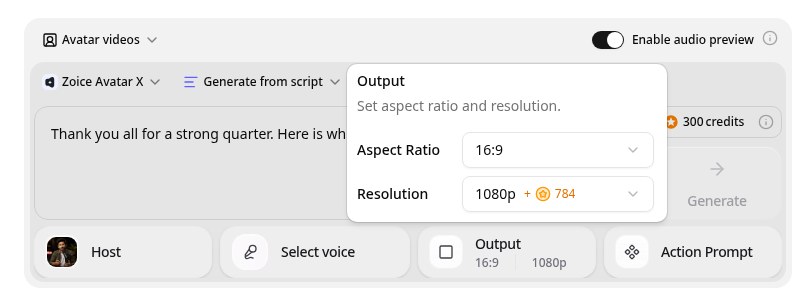
Zoice is the top pick when an executive office wants a personal message that is quick to produce and easy to revise. Its Avatar X model turns a photo into a talking video from a typed script or the executive's own audio, with natural lip sync, facial expressions, and gestures you can guide with a prompt or a timeline. Clone the executive's voice from a short sample, write in one of 170+ languages, and export from 480p up to 4K in any aspect ratio.
Key Features
- Talking video from one photo or character image
- Script or uploaded audio, with natural lip sync
- Voice cloning from a short audio sample, or 50+ ready made voices
- Scripts in 170+ languages and dialects
- Expressions and gestures, with action prompts and timeline triggers
- Export from 480p up to 4K in any aspect ratio
Best For
- Executive offices that want a personal message without a film day
- CEOs who speak to customers or staff in several languages
- Teams that revise a message after the executive's feedback
Pros of Zoice
- Many languages
Write the script in 170+ languages and dialects.
- Sharp up to 4K
High resolution keeps the presenter clear on a large screen or a phone.
- Directed delivery
Add a nod, a smile, or a point by action prompt instead of a flat read.
- Only the executive's words
The executive approves the script, so the video says exactly what they intend.
- Revisions without a reshoot
Change a line after feedback and render again.
- Messages in other languages
Share the same message in 170+ languages and dialects.
Cons of Zoice
- Delivers the video file
Zoice makes the video. Approval workflows and release timing belong in your own process, and you should tell viewers the video uses AI.
- Avatar videos need a paid plan
The free plan covers voice, images, chat, and transcription. Avatar videos start on Starter.
Overall Zoice Rating
Review 9.8: Best Overall
| Criterion | Score |
|---|---|
| Presenter quality | 9.9/10 |
| Lip sync and voice | 9.8/10 |
| Languages | 9.9/10 |
| Ease of updates | 9.8/10 |
| Export quality | 9.9/10 |
| Ease of use | 9.7/10 |
| Pricing | 9.7/10 |
Pricing
| Plan | Monthly Price | What you get |
|---|---|---|
| Free | $0/month | 50 credits per day for AI voice, images, chat, and transcriptions |
| Starter | $7.99/month | 4K credits per month, AI avatar videos, 1 voice profile |
| Basic | $29.99/month | 17K credits per month, 3 voice profiles |
| Creator | $49.99/month | 30K credits per month, 5 voice profiles |
| Agency | $89.99/month | 50K credits per month, 10 voice profiles |
Yearly billing saves 20%. Avatar videos start on Starter, and the credit cost of each video depends on its resolution and length.
When to Use It
Choose Zoice when the executive approves the photo and the words, you want a polished personal message, and you may share it in more than one language.
- Share a thank you message after a strong quarter, with an AI disclosure line.
- Send a short welcome from the CEO to a new customer or partner.
- Share the same message in the language of each market. Try Zoice
2. InVideo: Best for Prompt Based Video Making
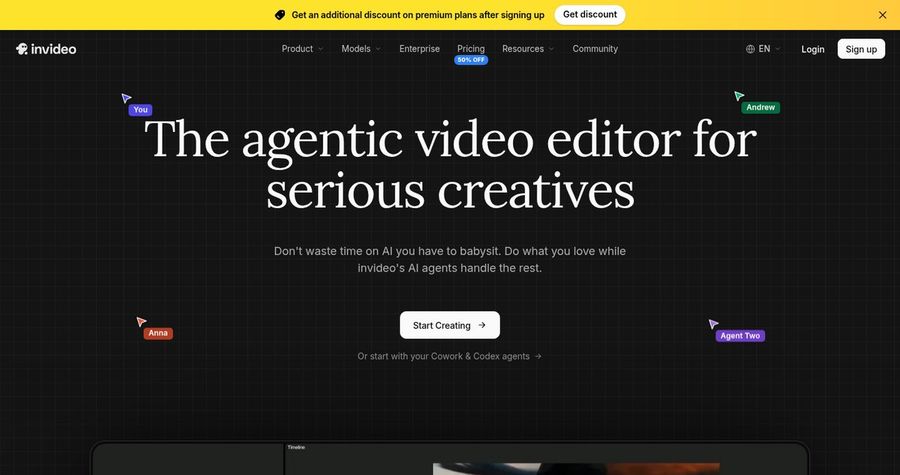
InVideo is the choice if you want a full video maker and avatars are one part of the plan. invideo is an AI video maker that builds a video from a prompt. Its pricing page says paid plans include AI avatars and voice clones, and credits are shared across generation and AI features.
Key Features
- Prompt to video generation
- AI avatars on paid plans
- Voice clones on paid plans
- Editor with stock media
- Credit based generation
- Starter, Plus, and Max plans
Best For
- Teams that also build other videos from prompts
- Teams that want an editor with stock media
Pros of InVideo
- Prompt to video
Describe a video and get a first cut to edit.
- Avatars and clones included
Paid plans list AI avatars and voice clones.
Cons of InVideo
- A general video maker
Avatars are one tool inside a wider editor, not the main focus.
- Credits reset monthly
Credits reset each month and do not roll over.
Overall InVideo Rating
Review 8.5: best for Prompt Based Video Making
Pricing
Starter costs about $20 per month billed monthly with 400 credits, Plus about $60 with 2,000 credits, and Max about $150 with 5,000 credits, with lower yearly rates. Check invideo's pricing page for current details.
When to Use It
Use InVideo when you want a general video maker. Use Zoice when one executive message is the whole job.
3. HitPaw: Best for Avatars Inside a Video Editor
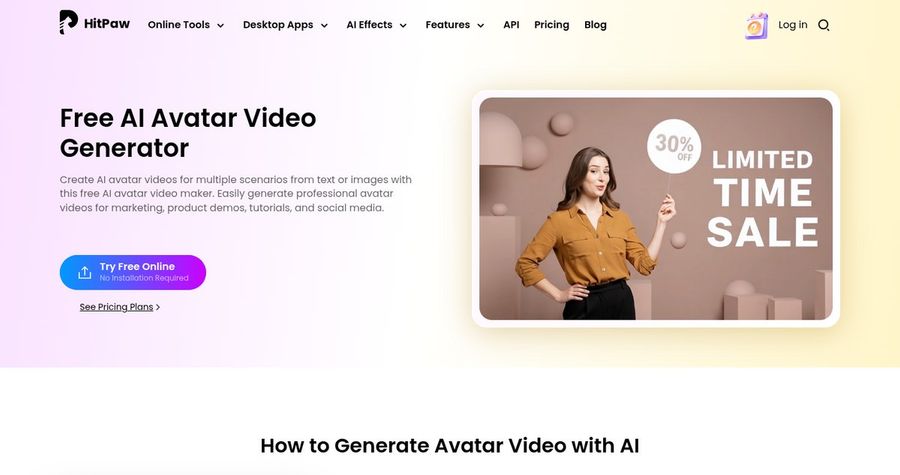
HitPaw is the choice if you want avatar tools inside an editor. HitPaw offers AI avatar tools through its Edimakor editor and its online avatar video generator. You can build a talking video from text, a stock avatar, or an uploaded photo, with lip sync, subtitles, and backgrounds. Its avatar page says it can clone a voice you provide.
Key Features
- Avatars from text, stock avatars, or uploaded photos
- Talking photo and animated characters
- Voice cloning from a clip you provide
- 100+ voiceovers in 80 languages
- Gestures and expressions in the avatar editor
- Subtitles, backgrounds, and layouts
Best For
- Teams that already edit in Edimakor
- Teams that want text, photo, or stock avatars
Pros of HitPaw
- Voice cloning listed
Its avatar page says it can clone a voice you provide.
- Many ways in
Text, a photo, or a stock avatar all work as a starting point.
Cons of HitPaw
- An editor first
Edimakor is a video editor with avatar tools inside, so it feels heavier than a tool built only for avatars.
- Credits go fast
A standard avatar costs 20 credits per second, and credits need a paid plan.
Overall HitPaw Rating
Review 8.4: best for Avatars Inside a Video Editor
Pricing
HitPaw is credit based. A standard AI avatar costs 20 credits per second, and a HeyGen powered avatar costs 50 credits per second. Credits need an active paid plan. Check HitPaw's pricing page for current details.
When to Use It
Use HitPaw when you want avatars in an editor. Use Zoice when you want a dedicated avatar tool and up to 4K.
4. Percify: Best for Photo Avatars Billed in Credits
Percify is the choice if you want a photo avatar billed by the second. Percify turns a photo, a voice, or a script into a lip synced talking avatar video. It lists custom avatars, voice cloning, stock presenters, captions, translation and dubbing, and a catalog of text to video models.

Key Features
- Photo to talking avatar
- Custom avatars and voice cloning
- Stock presenters and captions
- Translation and dubbing
- 34 text to video models
- Fast 480p or High 720p lip sync
Best For
- Teams that want clear per second credit costs
- Teams that want captions and dubbing
Pros of Percify
- Photo in, video out
One photo and a voice are enough to start a talking avatar.
- Clear credit table
Per second credit costs are published in its docs.
Cons of Percify
- Lower lip sync resolution
Lip sync is listed at 480p and 720p, while Zoice exports up to 4K.
- API on higher plans
API keys need the Scale or Ultra plan.
Overall Percify Rating
Review 8.2: best for Photo Avatars Billed in Credits
Pricing
Creator costs $26 per month for 1,233 credits, Scale costs $65 for 3,000, and Ultra costs $128 for 8,000. Fast 480p lip sync costs 2 credits per second, and High 720p costs 6. Check Percify's pricing page for current details.
When to Use It
Use Percify when you want credit billing by the second. Use Zoice when you want a higher resolution file for a big screen.
CEO Video Ideas That Work
Short, personal messages work best. These formats suit an executive:
- Thank you note: a short message after a launch or a strong quarter.
- Priorities for the year: three goals, in the executive's own voice.
- Customer welcome: a personal hello to a new key customer.
- Event greeting: a short opening for a conference or an all hands.
Want more clone and twin ideas? See our video clone picks, or read about AI twin generators.
How We Compared AI Avatars for CEO Videos
We scored each tool the way executive offices would, using the public features, limits, and prices on each tool's own site.
We looked at likeness, voice options, script control, polish, ease of revisions, and price. Zoice ranked as the best AI avatar for CEO videos overall. InVideo led prompt based video making, HitPaw led avatars inside a video editor, and Percify led photo avatars billed in credits.
How to Choose an AI Avatar for CEO Videos
Start with the executive's approval and the audience for the message.
- Consent: get the executive's written approval for the photo and the voice.
- Disclosure: add a clear line that tells viewers the video uses AI.
- Likeness: check the avatar still looks like the executive.
- Voice: decide between a cloned voice and a recorded one.
- Review: have the executive approve the final script.
- Cost: compare the price of a full message, not only the entry plan.
If you want one tool that turns one approved photo and a script into a sharp personal message, Zoice is the strongest pick for executive offices. You can make your first executive message in Zoice in a few minutes.
FAQ
Can I make a CEO video from a photo?
Yes. In Zoice a single approved photo and a script are enough to make a talking video. Use only a photo the executive has approved.
Can it use the CEO's voice?
Yes. Zoice can clone a voice from a short audio sample, or you can upload a recording. Get the executive's written permission before you clone their voice.
Should I disclose it is AI?
Yes. A clear line such as 'This video was made with AI from the CEO's approved script' builds trust. Check any rules that apply to your company and your audience.