Best 4K AI Avatar Video Generator for Sharp Talking Videos
The best 4K AI avatar video generator is Zoice, our #1 pick for turning one photo into a sharp talking video that holds up on big screens, YouTube, and client monitors. Upload a photo, add a script or your own audio, and Zoice renders a realistic presenter with natural lip sync and expressions, then exports up to 4K in any aspect ratio, so the same face works in a 16:9 YouTube video and a 9:16 Short.
We compared four tools that people use for high resolution avatar videos: YouTube explainers, product demos, training videos shown on large displays, and ads that get cropped for every feed. Zoice ranked first overall, and each other tool earned a spot for one clear strength.
What Is a 4K AI Avatar Video Generator?
A 4K AI avatar video generator turns a photo, a stock presenter, or a prompt into a talking video and exports it at 3840 x 2160 pixels or close to it, four times the pixels of 1080p. The extra detail shows in the places viewers look first: eyes, teeth, hair, skin texture, and the edges of the mouth during speech.
What matters most for a 4K talking video:
- True 4K export: a download at 4K, not a 1080p file stretched to a bigger frame
- A face that stays sharp in motion: lip sync and expressions that do not smear fine detail
- The right shape for each channel: 16:9 for YouTube, 9:16 for Shorts and Reels, square or 4:5 for feeds
- Your own script, audio, or voice, so the presenter sounds like your brand
- Clear cost per minute at 4K, since high resolution usually costs more than 1080p
Related terms you will see:
- 4K AI avatar: a talking digital presenter rendered at 4K resolution
- High resolution AI avatar: any avatar video above 1080p, usually 2K or 4K
- Ultra HD avatar video: another name for 4K, or 3840 x 2160 pixels
- Photo avatar: an avatar made from one still photo instead of filmed footage
Quick Comparison of 4K Avatar Tools
| Features | Zoice | HeyGen | Synthesia | Kling |
|---|---|---|---|---|
| Best For | Sharp talking video from one photo in any size | Studio avatars with 4K on higher plans | Business training in Full HD | Cinematic image to video in 4K |
| Talks from one photo | Yes | Yes, photo avatars | Stock or personal avatars | Yes, Avatar tool with audio |
| Max export | Up to 4K | 1080p on Creator, 4K on Pro and up | Full HD 1080p | 4K with Video 3.0 on paid plans |
| Aspect ratios | Any aspect ratio | Landscape, vertical, square | Landscape, vertical, square | Landscape, vertical, square |
| Your own voice | Script, audio upload, or cloned voice | Voice cloning on Creator | Voice cloning and voiceover uploads | Upload your own audio |
| Gestures and expressions | Expressions plus prompt or timeline gestures | Motion and gesture control | Preset avatar performance | Expression prompt |
| Languages | 170+ languages | 175+ languages | 140+ languages | Depends on your audio |
| Starting price* | $7.99/mo for avatar videos | $29/mo Creator, $49/mo for 4K | $29/mo Starter | $6.99 first month, then $8.80/mo |
| Overall rating | 9.8 | 9.3 | 8.9 | 8.7 |
*Prices and limits change often. Check each tool's own pricing page before you pay.
All four tools can make an avatar talk. The difference shows up when you need a true 4K file, the same face in several shapes, and a price that does not jump just to unlock resolution.
1. Zoice: Best 4K AI Avatar Video Generator Overall
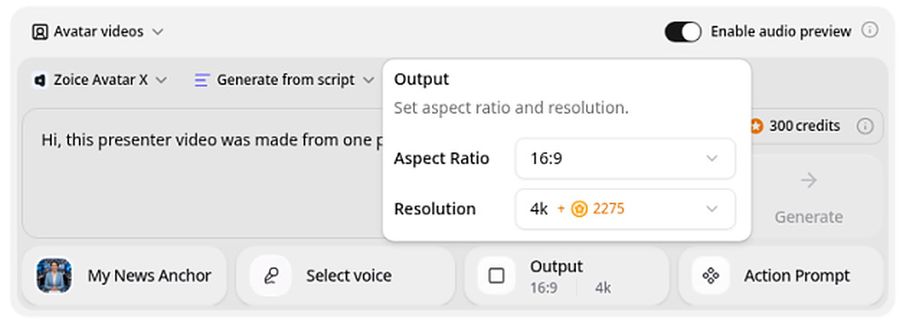
Zoice is the top pick when the video has to look sharp on a large screen and still fit every channel. Its avatar tool turns a photo or character into a talking video from a script or an audio file, with lip sync, facial expressions, and gestures you can guide with a prompt or place on a timeline. You can export up to 4K and pick any aspect ratio before you render.
Key Features
- Talking video from one photo or character image
- Export from 480p and 720p up to 1080p, 2K, and 4K
- Any aspect ratio, including 16:9, 9:16, 1:1, and 4:5
- Script input with AI voices, or your own audio file
- Voice cloning for a presenter that sounds like you
- Natural lip sync, facial expressions, and gestures by prompt or on a timeline
- Scripts in 170+ languages, plus singing from an uploaded song
Best For
- YouTube creators who want a crisp 4K AI avatar for explainers and intros
- Teams showing videos on TVs, projectors, and large monitors
- Marketers who need one presenter in 16:9, 9:16, and square from the same photo
Pros of Zoice
- True 4K output
Export up to 4K, so faces stay sharp on big screens and YouTube.
- Any aspect ratio
Render the exact shape each platform needs instead of cropping a wide video.
- Your own voice
Clone your voice or upload a recording, and the lip sync follows it.
- Real expressions and gestures
Add a nod, a smile, or a hand gesture with a prompt or on the timeline.
- Low entry price
Avatar videos start at $7.99 per month, and 4K is priced in credits rather than locked to a higher plan.
- Clear credit costs
The pricing page lists credits by resolution, so you know what a 4K minute costs before you render.
Cons of Zoice
- 4K uses more credits
A 4K render costs more credits than 1080p, so heavy 4K users may need a bigger plan.
- Avatar videos need a paid plan
The free plan covers voice, images, chat, and transcription. Avatar videos start on Starter.
Overall Zoice Rating
Review 9.8: Best Overall
| Criterion | Score |
|---|---|
| 4K sharpness and detail | 9.9/10 |
| Lip sync and expressions | 9.8/10 |
| Aspect ratio flexibility | 9.9/10 |
| Own voice and audio | 9.8/10 |
| Ease of use | 9.7/10 |
| Pricing | 9.8/10 |
Pricing
| Plan | Monthly Price | What you get |
|---|---|---|
| Free | $0/month | 50 credits per day for AI voice, images, chat, and transcriptions |
| Starter | $7.99/month | 4K credits per month, AI avatar videos, 1 voice profile |
| Basic | $29.99/month | 17K credits per month, 3 voice profiles |
| Creator | $49.99/month | 30K credits per month, 5 voice profiles |
| Agency | $89.99/month | 50K credits per month, 10 voice profiles |
Yearly billing saves 20%. Avatar videos start on Starter, and the credit cost of each video depends on its resolution and length.
When to Use It
Choose Zoice when the face has to look sharp at 4K and the same video has to ship in several sizes.
- Record a 4K YouTube explainer with a presenter made from your own photo.
- Play a high resolution product demo on a trade show screen or in a client meeting.
- Export one ultra HD avatar video in 16:9 for YouTube and 9:16 for Shorts. Try Zoice
2. HeyGen: Best for Studio Avatars on Higher Plans
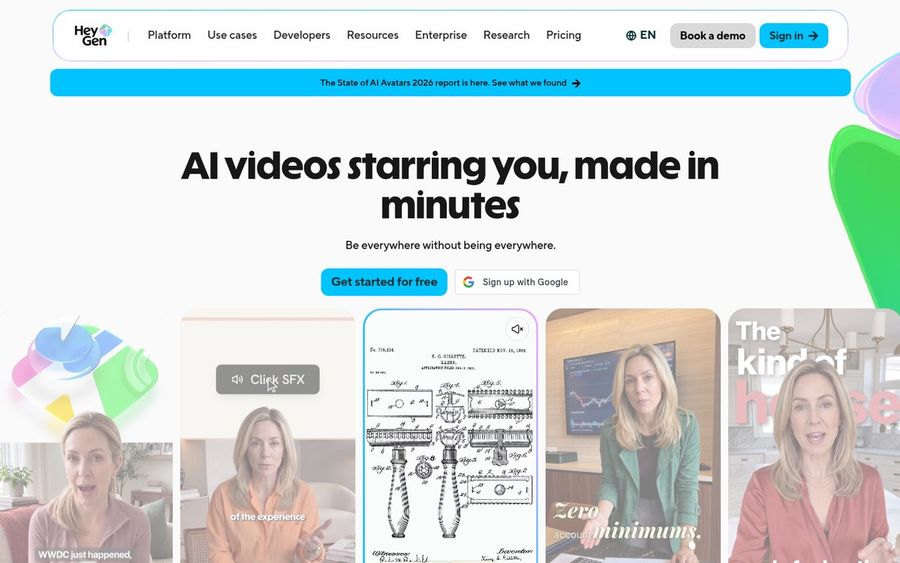
HeyGen is a well known AI avatar platform with a large library of studio presenters, photo avatars, and its Avatar IV model. It can export in 4K, but only from the Pro plan up. The Creator plan stops at 1080p, so the price of a true 4K file starts at $49 per month.
Key Features
- Studio avatars, unlimited photo avatars on Creator, and Avatar IV
- 1080p export on Creator and 4K export on Pro, Business, and Enterprise
- Videos up to 30 minutes on Creator and up to 60 minutes on Business
- Voice cloning and 175+ languages
- Motion and gesture control for avatars
Best For
- Teams that want polished stock presenters and are ready to pay for 4K
- Long marketing and training videos
Pros of HeyGen
- Large avatar library
Many ready made presenters if you do not want to use your own photo.
- Long videos
Business allows videos up to 60 minutes.
Cons of HeyGen
- Behind on 4K price
4K export starts on Pro at $49 per month. Zoice prices 4K in credits, with avatar videos from the $7.99 Starter plan.
- Behind on free use
The free plan allows 3 videos a month of up to 1 minute.
Overall HeyGen Rating
Review 9.3: Best for studio avatars on higher plans
Pricing
Free plan with 3 videos a month. Creator costs $29 per month, or $24 per month billed yearly, with 1080p export. Pro costs $49 per month with 4K export, and Business costs $149 per month. See HeyGen's plans and limits for current details.
When to Use It
Use HeyGen when you want a stock studio presenter and your budget covers the Pro plan for 4K. Use Zoice when you want 4K from your own photo at a lower price.
3. Synthesia: Best for Business Training in Full HD
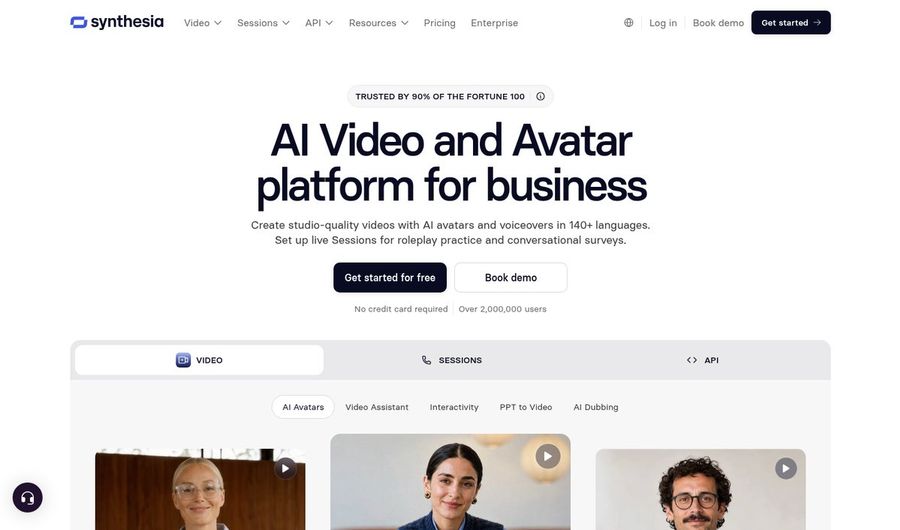
Synthesia is built for companies that make training, onboarding, and internal videos at scale. It offers stock and personal avatars, voice cloning, and voiceover uploads in 140+ languages. Its MP4 downloads are Full HD at 1920 x 1080, so it is not a pick if you need a true 4K file.
Key Features
- 125+ stock avatars on Starter and 180+ on Pro
- Up to 5 personal avatars on Pro
- Voice cloning and voiceover uploads
- AI avatars and voiceovers in 140+ languages
- Full HD 1080p MP4 downloads
Best For
- Learning teams making training and onboarding videos
- Companies that need many languages and team workflows
Pros of Synthesia
- Built for business
Templates and workflows suit training and internal communication.
- Free plan to try
The Basic plan includes 10 minutes of video a month.
Cons of Synthesia
- Behind on resolution
Downloads stop at Full HD 1080p, while Zoice exports up to 4K.
- Behind on price
Starter costs $29 per month, and personal avatars need the $89 Pro plan.
Overall Synthesia Rating
Review 8.9: Best for business training in Full HD
Pricing
Basic is free with 10 minutes a month. Starter costs $29 per month, or $18 per month billed yearly. Pro costs $89 per month, or $64 per month billed yearly, and Enterprise is custom. Check Synthesia's pricing page before you buy.
When to Use It
Use Synthesia for company training where 1080p is enough. Use Zoice when the video will play on large screens or YouTube in 4K.
4. Kling: Best for Cinematic Image to Video in 4K
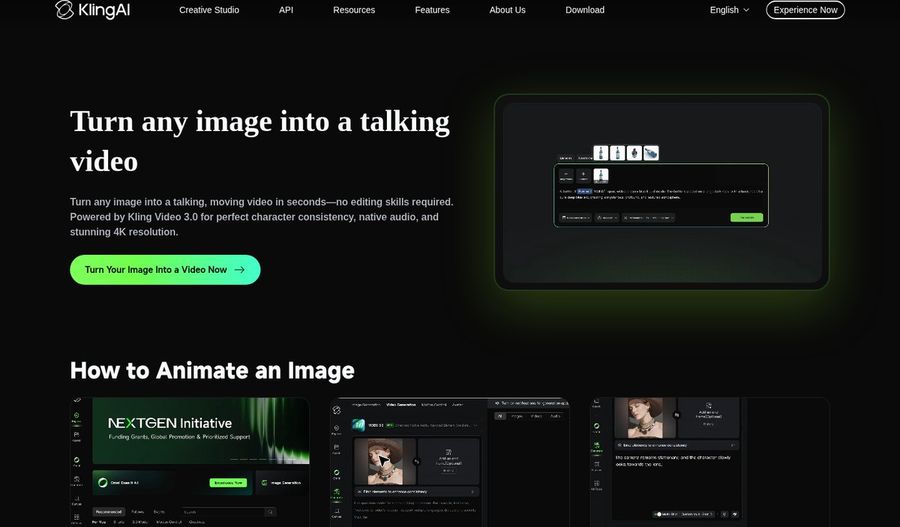
Kling is an AI video model known for cinematic motion. Kling Video 3.0 can turn an image into a video with native 4K output on paid memberships, and its image to talking video page promises stunning 4K resolution. Kling also has an Avatar tool that makes a talking video from an image and an audio file, with an optional expression prompt.
Key Features
- Image to video with Kling Video 3.0 and native 4K on paid plans
- 1080p export on the free tier
- Avatar tool for talking videos from an image plus audio, up to 5 minutes
- Optional expression prompt for the avatar
- Credit based pricing with monthly memberships
Best For
- Cinematic b roll and scenes around a presenter
- Creators who already use Kling for AI video
Pros of Kling
- Cinematic motion
Strong camera moves and scene motion for image to video clips.
- Low first month price
Standard costs $6.99 for the first month.
Cons of Kling
- Behind on 4K for avatars
Kling's 4K applies to Video 3.0 generations, and its Avatar tool page does not state 4K output. Zoice exports talking avatar videos up to 4K.
- Behind on voice tools
You bring your own audio, with no built in voice cloning like Zoice offers.
Overall Kling Rating
Review 8.7: Best for cinematic image to video in 4K
Pricing
Standard costs $6.99 for the first month, then $8.80 per month with 660 credits. Pro costs $25.99 for the first month, then $32.56 per month, and Premier costs $64.99, then $80.96. Annual billing saves 34%. The Avatar tool uses 4 credits per second on Standard mode or 8 on Professional.
When to Use It
Use Kling for cinematic 4K scenes and b roll. Use Zoice when you need a presenter that talks in your voice and exports up to 4K.
Where 4K Avatar Videos Pay Off
4K is not needed everywhere, but in some places the extra detail is easy to see.
- YouTube: viewers on TVs and large monitors can pick 4K, and a sharp face looks more trustworthy.
- Big screens: trade show displays, lobby screens, and projectors show every soft edge.
- Cropping and reframing: a 4K master lets you crop a closer shot and still deliver a clean 1080p file.
- Future use: a high resolution AI avatar video still looks current when screens get bigger.
Making the same presenter speak several languages? See our multilingual avatar picks, or start on the Zoice AI avatar generator page to see how a photo becomes a talking avatar.
How We Compared 4K Avatar Video Tools
We scored each tool as a creator or marketing team would, using the public features, limits, and prices on each tool's own site.
We looked at the highest export each plan allows, how sharp the face stays in motion, aspect ratio options, lip sync and expressions, voice and audio options, ease of use, and the price of a 4K file. Zoice ranked as the best 4K AI avatar video generator overall. HeyGen led stock studio avatars, Synthesia led business training, and Kling led cinematic image to video.
How to Choose the Right 4K Avatar Tool
Start with where the video will play and how much detail it needs, then test one real photo at full resolution.
- Check the real export limit: confirm that your plan downloads 4K, not just 1080p.
- Start with a sharp photo: use a well lit, front facing photo with the face large in the frame.
- Plan every size: if you post to YouTube and Shorts, pick a tool that renders any aspect ratio.
- Compare the 4K price: look at what one 4K minute costs on each plan, not only the monthly fee.
- Test motion: watch the mouth, teeth, and eyes at full screen before you commit.
If you want a realistic presenter from your own photo, in any aspect ratio and up to 4K, Zoice is the best 4K AI avatar video generator for most creators and teams. You can make your first sharp avatar video in Zoice in a few minutes.
FAQ
Does Zoice export AI avatar videos in 4K?
Yes. Zoice exports avatar videos at 480p, 720p, 1080p, 2K, or 4K. Pick 4K before you render, and the credit cost is shown by resolution and length on the pricing page.
Do I need a 4K photo?
No, but the sharper the photo, the better the result. Use a clear, well lit, front facing photo where the face fills a good part of the frame. A 4K export cannot add detail that a blurry or heavily compressed photo never had.
Which aspect ratios work?
Zoice works in any aspect ratio, so you can render 16:9 for YouTube, 9:16 for Shorts, Reels, and TikTok, 1:1 for feeds, or 4:5 for ads. HeyGen, Synthesia, and Kling offer the common landscape, vertical, and square formats.
Is 4K worth it for social video?
For phone feeds, 1080p is often enough, and most apps compress uploads. 4K is worth it when the video plays on YouTube, TVs, or large screens, or when you want to crop and reframe one master for several platforms.