Zebracat Alternative Tested, Compared & Ranked

Zebracat Alternative: Zebracat is an AI video agent for social media growth. It turns a prompt, script, blog link or audio file into an edited video, then helps you schedule it. Cat Mode lists a limited set of avatars, and Super Cat adds 120 plus premium avatars, custom avatars, voice clones and video translation. People who leave usually want the presenter to lead the video, not sit inside a feed engine. This guide compares Zoice with HeyGen, Creatify, Fliki and VEED for making avatar videos you direct.
We checked how each tool turns a script into a presenter video, and what changes when more than one person edits.
Each Zebracat rival below has features, strengths, limits, plans and fit. Prices for each Zebracat rival come from vendor pages, and gaps are flagged.
Quick Comparison of the Best Zebracat Alternative Tools
| Features & Capabilities | Zoice | HeyGen | Creatify | Fliki | VEED |
|---|---|---|---|---|---|
| Quick Comparison | |||||
| Best For | Avatar Videos in One Account | Avatar Presenter Videos | Product Link to Video Ads | Text to Video With Voiceover | Browser Video Editing With Subtitles |
| AI Presenter Avatars | Yes | Yes | Yes | Yes | Yes |
| Voice Cloning | Yes | Yes | Yes | Yes | Not confirmed |
| Script to Video | Yes | Yes | Yes | Yes | Yes |
| Free Plan | Available | Available | Available | Available | Available |
| Starting Price | $7.99/month | $29/month | $10/month | $21/month billed annually | $12/user/month billed annually |
Best Zebracat Alternative
The best Zebracat alternative depends on whether you want a posting engine or a presenter. Zebracat plans, edits and publishes social video for you. A Host that speaks your own audio asks for a different tool.
Zoice leads for Zebracat users who want a Host they direct with action prompts, a saved voice and one account for avatar videos, images and voice.
HeyGen, Creatify, Fliki and VEED cover presenter catalogs, product link ads, narration led videos and browser editing.
1. Zoice

In Zoice, the speaker is a Host. Or write a prompt for one. Pick a library Host.
Upload an audio file. Paste a finished track. Every version plays back first. Cues tell the Host what to do.
Zebracat users who want a presenter outside a posting workflow can read the AI avatar generator page.
Key Features
- AI avatar videos from a script
- Custom avatar characters
- Public character library
- Record or upload your own audio
- Voice profiles for cloned speech
- Action prompts for the Host
- AI images and AI videos
- AI chat and transcriptions
Best For:
- Creators who give their voice a face
- Marketers voicing product videos with clones
- Educators turning notes into presenter videos
- Podcasters who want video episodes
- Founders wanting a consistent Host and voice
- Agencies managing voices for several clients
Zoice Pros
- Host Sources
A Host can start from a prompt.
- Speech Inputs
Speech can be typed, recorded or uploaded.
- Saved Voice
Voice profiles keep a voice steady.
- Cues
Action prompts add stage directions.
- Lip Sync
Lip sync follows uploaded audio.
- Extra Tools
Chat and image tools share the account.
Zoice Cons
- Needs an Internet Connection:
You need an internet connection.
- Smaller Public Library:
The public avatar library is smaller.
Zoice Pricing
Zebracat switchers get a Zoice free tier, four paid tiers and Enterprise.
| Plan | Price | What's Included |
|---|---|---|
| Free | $0/month | Free transcription, voice, images, chat |
| Starter | $7.99/month | Avatar videos, AI videos, voice, 1 profile |
| Basic | $29.99/month | Three Voice Profiles |
| Creator | $49.99/month | Five Voice Profiles |
| Agency | $89.99/month | Ten Voice Profiles |
| Enterprise | Custom Pricing | Support, setup, multi staff access |
Starter is $7.99 monthly. Basic is $29.99 monthly. Creator is $49.99 monthly. Agency is $89.99 monthly. Yearly billing is 20% lower. Enterprise is quoted on request.
When to Use Zoice?
Zoice suits Zebracat users who want one Host across posts.
2. HeyGen
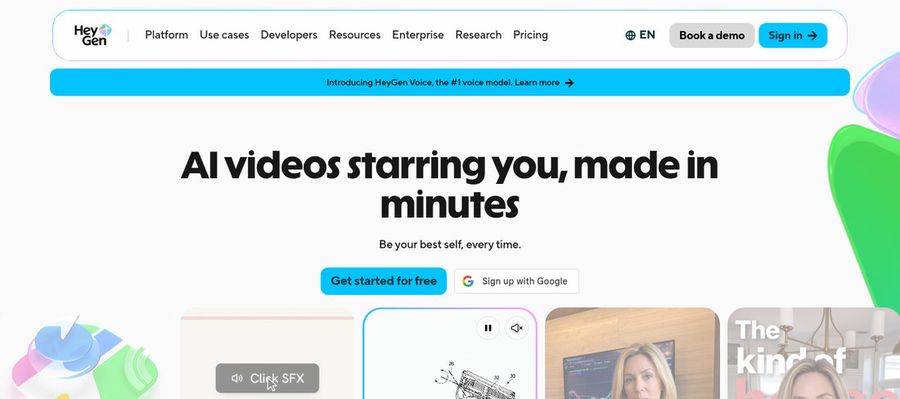
HeyGen pairs a catalog of presenters with a video editor, and a free plan lets you try it.
Paid tiers list 700 plus stock presenters, plus Avatar IV and a Video Agent.
Zebracat users who want a deep avatar catalog get presenters and a custom avatar.
Key Features
- AI presenter avatars
- Custom video avatar
- Photo avatars
- AI voices and voice cloning
- Video translation
- AI video agent
- Templates and PowerPoint import
- Team workspace and brand kit
Best For:
- Educators turning slide decks into narrated lessons
- Support teams making how to videos
- Businesses wanting shared workspaces and brand controls
- Marketers producing product explainers and social videos
- Trainers and HR teams building onboarding videos
- Sales teams sending personalized video outreach
HeyGen Pros
- Free Presenters
Free accounts see 500 plus presenters.
- Custom Avatar
A custom avatar can use your voice.
- Photo Avatars
Photo avatars are available.
- Translation
Translation covers 175 plus languages.
- Slide Import
Slides import into scenes.
- Brand Controls
Business brings brand controls.
HeyGen Cons
- Free Branding:
Free videos carry HeyGen branding.
- Seat Fees:
Extra Business seats cost $20.
HeyGen Pricing
HeyGen has five plans.
| Plan | Price | What's Included |
|---|---|---|
| Free | $0/month | 500 plus presenters, watermark |
| Creator | $29/month | Custom avatar with your voice, no branding |
| Pro | $49/month | Proofreading for translations |
| Business | $149/month plus $20 per seat | SSO, brand kit, integrations |
| Enterprise | Custom Pricing | Custom terms, success manager |
Creator is $29 monthly. Pro is $49. Business is $149 plus $20 a seat.
When to Use HeyGen?
HeyGen suits Zebracat users who want polished presenters.
3. Creatify

Creatify turns product pages into ad videos.
Premium models sit in a playground. Max is $66 monthly with three spaces.
Zebracat users who sell products get an ad drafted from a store link.
Key Features
- Product link to video
- AI actors
- Custom avatars
- AdFlow templates
- Ad Clone from a URL
- Competitor ad tracker
- Premium model playground
- 75 plus languages
Best For:
- Developers automating ad videos through plans
- Brands that advertise on Meta and TikTok
- Online stores wanting ads from product pages
- App marketers working from store links
- Agencies making many ad variations for clients
- Marketers watching competitor ads
Creatify Pros
- Link To Ad
A product link starts an ad.
- Actor Library
Hundreds of actors are listed.
- Script Help
Scripts are drafted for you.
- Batch Mode
Batch mode builds variations.
- Translation
Translation reaches 75 plus languages.
- Free Plan
A free plan exists.
Creatify Cons
- Ads Focus:
Ads are the main use.
- High Tiers:
Top tiers reach $136 monthly.
Creatify Pricing
Creatify has six plans.
| Plan | Price | What's Included |
|---|---|---|
| Free | $0/month | Free plan for testing |
| Standard | $10/month | Entry paid tier, 300 actors |
| Pro | $38/month | Larger actor library, 1,500 actors |
| Max | $66/month | Highest self serve tier |
| Business | $136/month | Team workflows |
| Enterprise | Custom Pricing | Custom terms via sales |
Standard is $10 monthly. Pro is $38. Max is $66, and Business is $136.
When to Use Creatify?
Creatify suits Zebracat users who advertise products.
4. Fliki
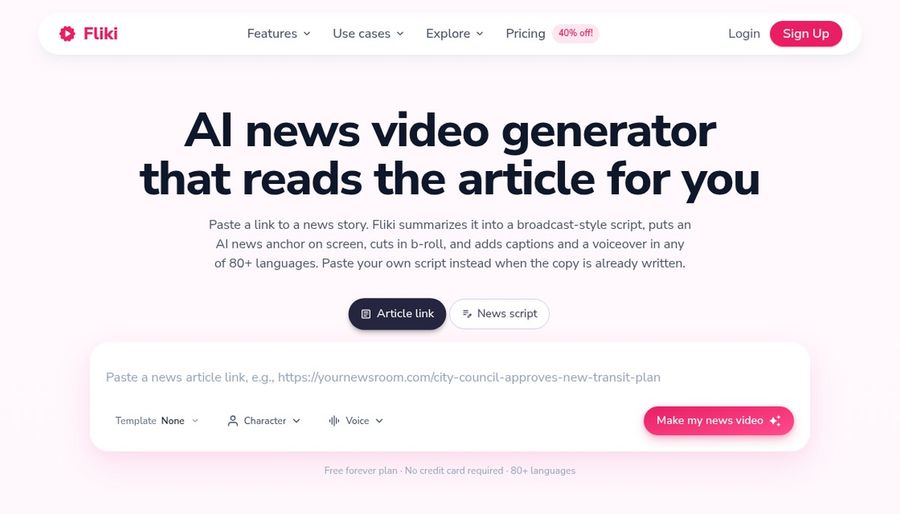
Fliki narrates posts, scripts and ideas using stock media and voices.
Standard costs $28 a month. Premium costs $88 and adds photo avatars.
Zebracat users who start from articles get voices and avatars in one editor.
Key Features
- Idea, script, and blog to video
- Large voice library
- Voice cloning
- Video translation and dubbing
- AI avatars and photo avatars
- AI Copilot editor
- AI images and thumbnails
- Series and publishing tools
Best For:
- Bloggers who turn articles into narrated videos
- Social teams who post on a schedule
- Marketers who need voiceover in several languages
- Course creators building narrated lessons
- Podcasters who add visuals to audio
- Small teams wanting brand kits and access
Fliki Pros
- Text Start
Scripts, ideas or posts start a video.
- Voice Library
The voice library is large.
- Voice Cloning
Voice cloning is offered.
- Dubbing
Translation and dubbing are included.
- Copilot
A Copilot edits in plain language.
- Photo Avatars
Photo avatars come on Premium.
Fliki Cons
- Free Watermark:
Free exports carry a watermark.
Fliki Pricing
Fliki has four plans.
| Plan | Price | What's Included |
|---|---|---|
| Free | $0/month | Stock media, many voices, watermark |
| Standard | $28/month, or $21/month billed annually | Voice cloning, commercial rights, limited stock avatars |
| Premium | $88/month, or $66/month billed annually | Photo avatars, all avatars, several clones |
| Enterprise | Custom Pricing | Personalised avatars, team tools, account manager |
Standard is $28 monthly, or $21 yearly. Premium is $88, or $66 yearly.
When to Use Fliki?
Fliki suits Zebracat users who narrate blog posts.
5. VEED

VEED shines at editing, with subtitles, cuts and templates in a browser tab.
Pro adds avatars and dubbing, while Creator removes branding from exports.
Zebracat users who edit by hand get subtitles and a timeline in the browser.
Key Features
- Online video editor
- Automatic subtitles
- Translation and dubbing
- AI avatars
- Screen and webcam recording
- Brand templates
- Text to video
- Team workspaces
Best For:
- Creators wanting an editor in the browser
- Agencies that need custom templates for clients
- Founders making simple explainer videos
- Anyone wanting to start free and edit
- Teams recording screens and trimming results
- Social teams adding subtitles to videos
VEED Pros
- Auto Subtitles
Subtitles are automatic.
- Browser Editor
Editing runs in the browser.
- Templates
Brand templates hold style.
- Dubbing
Pro adds dubbing.
- Avatars
Avatars arrive on Pro.
- Free Tier
A free tier exists.
VEED Cons
- Free Branding:
Free exports carry branding.
- Per Seat Pricing:
Pricing is per user.
VEED Pricing
VEED has five plans.
| Plan | Price | What's Included |
|---|---|---|
| Free | $0/month | Light editing, VEED branding |
| Creator | $12/user/month billed annually, $22 monthly | Branding removed, auto subtitles |
| Pro | $22 to $24/user/month billed annually, $47 monthly | Dubbing, avatar access, translation |
| Studio | $39/user/month billed annually, $76 monthly | See vendor pricing page |
| Enterprise | Custom Pricing | Tailored plans via sales |
Yearly billing puts Creator at $12 per user, and Pro at $22 to $24. Monthly, they are $22 and $47.
When to Use VEED?
VEED suits Zebracat users who trim and caption.
Best Use Cases of Zebracat Alternative
These are jobs where a social video engine is not the whole answer.
Storytelling and Animation
If Zebracat posts needed one steady presenter, a Host in Zoice keeps the role.
Event Invitations
For a catalog of presenters, HeyGen lists hundreds of free stock avatars.
Social Media Posts
For store link ads, Creatify drafts the video from a product page.
Training and Onboarding
For blog posts, Fliki turns text into narrated video.
Educational Content
For hands on edits, VEED trims and captions in a browser.
Music and Singing Projects
For a duet after Zebracat, a Zoice Host can lip sync an uploaded track.
Customer Support Videos
For a podcast, a Host in Zoice can open each Zebracat episode.
Podcast and Audio Teasers
For a launch, a Host in Zoice presents the news, whatever you made in Zebracat before.
How We Compared the Best Zebracat Alternative
Zebracat is built to plan and publish social video, so we compared alternatives on ten points about presenters and control.
Ease of Use
We checked how each tool creates a face for people moving on from Zebracat.
Input Options
We noted what drives speech in each tool, since Zebracat has its own inputs.
Voice and Audio
We recorded how voices are chosen, cloned or uploaded for Zebracat users.
Character Options
We tested lip sync on uploaded audio.
Customisation
We listed the editors, templates and ad or learning tools around the Zebracat workflow.
Pricing Transparency
We confirmed prices on vendor pages only.
Free Plan Access
We noted free plans and watermarks.
Platform Fit
We read API and seat details on each Zebracat rival's pricing page.
Support and Learning Material
We scanned vendor help pages.
Overall Performance
Each verdict names the Zebracat task it covers.
How to Choose the Right Zebracat Alternative Before You Pay
Decide whether you need a presenter or a feed engine.
Define Your Input
Decide whether one face should return.
Test the Free Option
Check for free plans and watermarks.
Check the Voice Options
Decide where voices come from.
Look at Character Control
Confirm what starts a video.
Read the Plan Details
Read the plan tables for what unlocks.
Think About Where You Work
Check for API and team access.
Plan for Growth
Check seat prices before adding people.
Frequently Asked Questions
1. What is the best Zebracat alternative?
For Zebracat users, Zoice is the first pick when you want one directable Host. HeyGen, Creatify, Fliki and VEED fit narrower work.
2. Why look for a Zebracat alternative?
Zebracat users move on for deeper avatar catalogs, store link ads, blog narration or hands on editing.
3. Is Zoice free to try?
For Zebracat users: Zoice's free plan holds transcription, voice, image and chat, with avatar videos from $7.99 on Starter.
4. Can I use my own audio with Zoice?
Yes. Zoice takes recordings and uploads, so a Zebracat audio file works, and plays a preview before it renders.
5. Can I create my own character in Zoice?
Yes. For Zebracat switchers, a Host can begin as a library pick, an image or a prompt.
6. What are action prompts?
Action prompts are typed cues that tell the Host what to do, which Zebracat users can try on the free plan's voice tools first.
7. Does Zoice work in the browser?
Yes. Zoice runs in your browser, so nothing needs installing, but you do need an internet connection.
8. How does HeyGen compare?
For Zebracat users, HeyGen is nearest on avatar variety, and Zoice adds a saved voice and cues.
9. Which tool suits beginners?
HeyGen, Creatify, Fliki, VEED and Zoice all have free plans.
10. Can I use these tools for business videos?
Yes. Zebracat users running a business can pick paid tiers, and Enterprise brings support.
11. How should I test these tools?
Run the same Zebracat script through each tool and compare.
Conclusion
Zebracat is a useful place to plan and post social video. When the presenter matters most, the tools above fit better.
Try Zoice with the script you would have given Zebracat. Zebracat switchers get voice and image tools free, and avatar videos begin on Starter.