Yolly AI Alternative Tested, Compared & Ranked

Yolly AI Alternative: Yolly AI is an all in one video and image platform. Among its tools are a talking avatar and lip sync maker and an AI singer video generator, next to the usual text to video and image tools. A bundle like that suits experimenting. It is thinner when you need a returning presenter, a captioned edit or a training program. This guide compares Zoice, VEED, Synthesia, HeyGen and Hedra for people who want that depth.
We looked at how each tool handles faces, where audio originates and what happens after the first video.
Each Yolly AI rival below includes features, strengths, limits, plans and fit. Vendor pages supplied the prices a Yolly AI user would compare, and gaps are flagged.
Quick Comparison of the Best Yolly AI Alternative Tools
| Features & Capabilities | Zoice | VEED | Synthesia | HeyGen | Hedra |
|---|---|---|---|---|---|
| Quick Comparison | |||||
| Best For | Singing Photos and Host Videos | Browser Video Editing With Subtitles | Training and Business Videos | Avatar Presenter Videos | Talking Characters From Audio |
| AI Presenter Avatars | Yes | Yes | Yes | Yes | Yes |
| Voice Cloning | Yes | Not confirmed | Yes | Yes | Not confirmed |
| Script to Video | Yes | Yes | Yes | Yes | Limited |
| Free Plan | Available | Available | Available | Available | Not confirmed |
| Starting Price | $7.99/month | $12/user/month billed annually | $19/month | $29/month | $20/month |
Best Yolly AI Alternative
The best Yolly AI alternative depends on whether you want a toolbox or one dependable workflow. Yolly AI lets you sample several generators. A presenter who returns, subtitles on finished footage or a company program lean on focused products.
Zoice leads for Yolly AI users who want a Host, a saved voice, action prompts and lip sync on a track you upload.
VEED, Synthesia, HeyGen and Hedra cover browser editing, workplace video, presenter catalogs and singing characters.
1. Zoice

Zoice lets you direct a Host rather than juggle generators. A public Host, a described Host or one built from your photo can all play the part.
Speech is typed, recorded, uploaded or stored as a voice profile, and each version plays back before rendering. Action prompts supply stage directions.
Yolly AI users who care about singing photos can read the AI singing photo generator page.
Key Features
- AI avatar videos from a script
- Custom avatar characters
- Public character library
- Record or upload your own audio
- Voice profiles for cloned speech
- Action prompts for the Host
- AI images and AI videos
- AI chat and transcriptions
Best For:
- Content creators hoping to give their voice a face
- Marketing teams creating short product videos with a cloned voice
- Teachers transforming lesson notes into a presenter video
- Podcasters after video versions of their episodes
- Business owners looking for a steady Host and voice
- Agency staff managing voices and videos for multiple clients
Zoice Pros
- Host Sources
A photo, a prompt or the library gives you a Host.
- Speech Inputs
Speech can be typed, recorded or uploaded.
- Saved Voice
Voice profiles keep a voice steady.
- Cues
Action prompts add stage directions.
- Lip Sync
Lip sync follows uploaded audio.
- Extra Tools
Chat and image tools share the account.
Zoice Cons
- Needs an Internet Connection:
You need an internet connection.
- Smaller Public Library:
The public avatar library is smaller.
Zoice Pricing
Leaving Yolly AI, you can start on Zoice's free tier and climb through four paid tiers to Enterprise.
| Plan | Price | What's Included |
|---|---|---|
| Free | $0/month | Free transcription, voice, images, chat |
| Starter | $7.99/month | Avatar videos, AI videos, voice, 1 profile |
| Basic | $29.99/month | Three Voice Profiles |
| Creator | $49.99/month | Five Voice Profiles |
| Agency | $89.99/month | Ten Voice Profiles |
| Enterprise | Custom Pricing | Support, setup, multi staff access |
Starter costs $7.99. Basic is $29.99, Creator $49.99 and Agency $89.99 monthly, with 20% off on yearly billing.
When to Use Zoice?
Zoice suits Yolly AI users who want a steady, directable Host.
2. VEED

VEED is a browser based editor. Its draw is automatic subtitles, brand templates, a recorder and text to video.
Pro adds translation, dubbing and AI avatars. Creator takes the watermark off.
Yolly AI users get the captions and trims that generated footage still wants.
Key Features
- Online video editor
- Automatic subtitles
- Translation and dubbing
- AI avatars
- Capturing both your screen and a camera
- Brand templates
- Text to video
- Team workspaces
Best For:
- Social media teams adding subtitles to every video
- Marketers editing webinars and product demos
- Instructors who capture and trim lessons
- Teams that adapt videos into several markets
- Content creators who would like an editor in a browser
- Production studios who need custom templates for clients
VEED Pros
- Auto Subtitles
Subtitles are automatic.
- Browser Editor
Editing runs in the browser.
- Templates
Brand templates hold style.
- Dubbing
Pro adds dubbing.
- Avatars
Avatars arrive on Pro.
- Free Tier
A free tier exists.
VEED Cons
- Free Branding:
Free exports carry branding.
- Per Seat Pricing:
Pricing is per user.
VEED Pricing
VEED has five plans.
| Plan | Price | What's Included |
|---|---|---|
| Free | $0/month | Light editing, VEED branding |
| Creator | $12/user/month billed annually, $22 monthly | Branding removed, auto subtitles |
| Pro | $22 to $24/user/month billed annually, $47 monthly | Dubbing, avatar access, translation |
| Studio | $39/user/month billed annually, $76 monthly | See vendor pricing page |
| Enterprise | Custom Pricing | Tailored plans via sales |
VEED Creator is $12 a user billed yearly, with $22 as the monthly price. Pro is $22 to $24 yearly. Paid monthly it is $47.
When to Use VEED?
VEED suits Yolly AI users who edit.
3. Synthesia
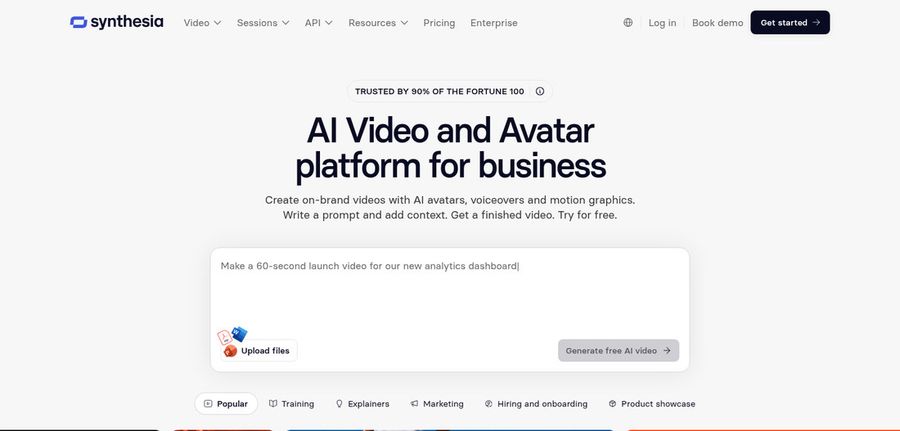
Synthesia focuses on corporate video. Roleplays, surveys and learning tools arrive with the avatars.
Avatar counts step up from 125 plus on Starter to 180 plus on Pro. Enterprise reaches 240 plus. Dubbing covers 70 plus languages.
Yolly AI users with a department to train get structure in place of loose experiments.
Key Features
- AI avatars
- Personal avatars
- Voice cloning
- AI dubbing
- Syren AI video agent
- PowerPoint import
- Bulk personalization
- AI screen recorder
Best For:
- Global companies dubbing videos with AI
- Operations teams turning slides into videos with narration
- Marketing professionals delivering tailored videos from a spreadsheet
- Compliance training managers that require repeatable course videos
- People teams creating onboarding walkthroughs
- Sales enablement groups refreshing product training
Synthesia Pros
- Training Tools
Roleplays and surveys help training.
- Avatar Tiers
Avatar choice rises by tier.
- Personal Avatars
Personal avatars put you on screen.
- Dubbing
Dubbing covers 70 plus languages.
- Personalisation
A spreadsheet drives batches.
- Free Basic
A free Basic plan exists.
Synthesia Cons
- Basic Watermark:
Basic videos are watermarked.
- Editor Limits:
Larger teams outgrow one editor.
Synthesia Pricing
Synthesia has four plans.
| Plan | Price | What's Included |
|---|---|---|
| Basic | $0/month | Templates, watermark |
| Starter | $19/month | 125 plus avatars, three guests |
| Pro | $89/month | 180 plus avatars, personal avatars |
| Enterprise | Custom Pricing | 240 plus avatars, SSO, success manager |
Starter is $19 monthly. Pro is $89.
When to Use Synthesia?
Synthesia suits Yolly AI users who train staff.
4. HeyGen
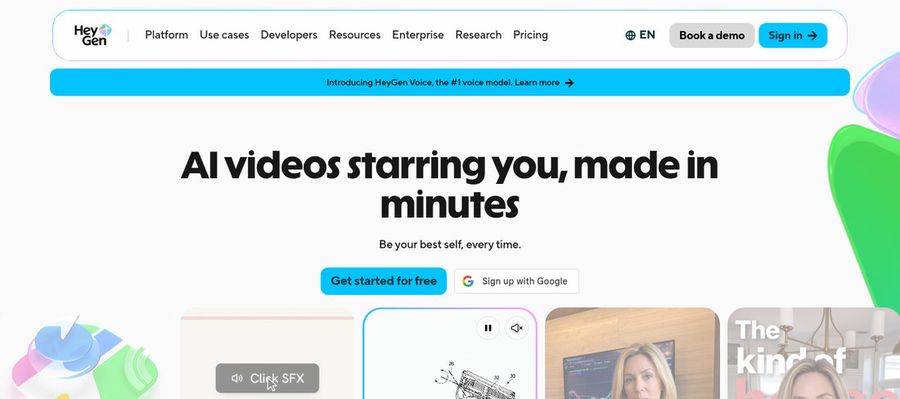
HeyGen centres on a presenter library. Free accounts browse 500 plus presenters, and paid tiers unlock 700 plus.
It adds custom avatars with your voice, photo avatars and translation for 175 plus languages and dialects.
Yolly AI users get templates and slide import in a single editor.
Key Features
- AI presenter avatars
- Custom video avatar
- Photo avatars
- AI voices and voice cloning
- Video translation
- AI video agent
- Templates and PowerPoint import
- Team workspace and brand kit
Best For:
- Learning groups transforming policies into onboarding videos
- Sales representatives delivering personal video messages at scale
- Agency teams sharing one video in several languages
- Startup founders in search of a digital version of themselves on camera
- Teachers building lessons around a consistent presenter
HeyGen Pros
- Free Presenters
Free accounts see 500 plus presenters.
- Custom Avatar
A custom avatar can use your voice.
- Photo Avatars
Photo avatars are available.
- Translation
Translation covers 175 plus languages.
- Slide Import
Slides import into scenes.
- Brand Controls
Business brings brand controls.
HeyGen Cons
- Free Branding:
Free videos carry HeyGen branding.
- Seat Fees:
Extra Business seats cost $20.
HeyGen Pricing
HeyGen has five plans.
| Plan | Price | What's Included |
|---|---|---|
| Free | $0/month | 500 plus presenters, watermark |
| Creator | $29/month | Custom avatar with your voice, no branding |
| Pro | $49/month | Proofreading for translations |
| Business | $149/month plus $20 per seat | SSO, brand kit, integrations |
| Enterprise | Custom Pricing | Custom terms, success manager |
Creator is $29 monthly. Pro is $49. Business is $149 plus $20 a seat.
When to Use HeyGen?
HeyGen suits Yolly AI users who want a catalog.
5. Hedra
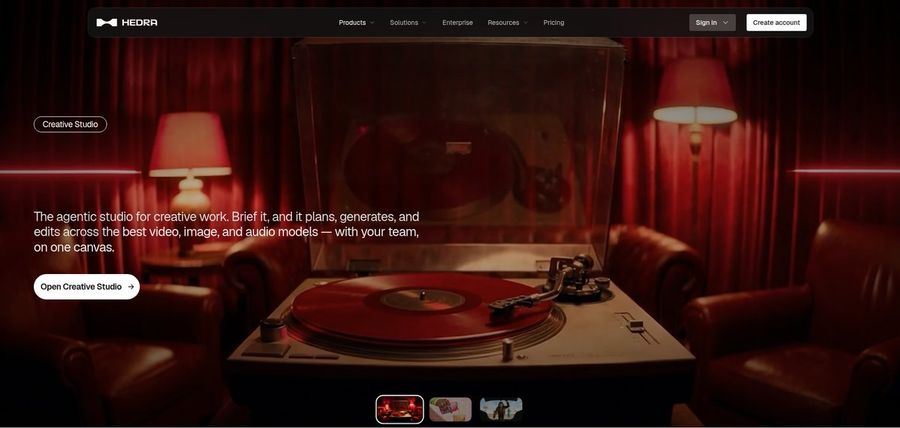
Hedra animates characters that talk and sing from an image plus audio or text. Character 3 anchors the Studio.
Prices changed in late September, and no free plan is confirmed, so check the vendor page.
Yolly AI users who value singing get a tool built around performance.
Key Features
- Character 3 talking and singing avatars
- Image plus audio to video
- Creative Studio
- Visual Agent
- Several output formats
- Developer access
- Team plan
- Music video scenes
Best For:
- Musicians turning a track into visuals
- Storytellers making characters out of one image
- Developers after a talking avatar model
- Teams with a shared workspace for creative output
- Social media creators who open with a photo and a voice recording
Hedra Pros
- Character Studio
Characters speak from image and audio.
- Text Input
Text can drive a character.
- Singing
Singing performances are supported.
- Current Model
Character 3 is the current model.
- Teams Plan
Teams gets shared workspaces.
Hedra Cons
- No Confirmed Free:
No free plan is confirmed.
- Recent Changes:
Pricing changed in September.
- Verify Plans:
Confirm each tier on the vendor site first.
Hedra Pricing
Hedra lists four plans after a late September price change.
| Plan | Price | What's Included |
|---|---|---|
| Basic | $20/month | Entry paid plan |
| Pro | $50/month | See vendor pricing page |
| Ultra | $100/month | Highest individual tier |
| Teams | $75/month | Shared workspace |
Basic is $20 monthly. Pro is $50 and Ultra $100. Teams is $75.
When to Use Hedra?
Hedra suits Yolly AI users who want singers.
Best Use Cases of Yolly AI Alternative
These are jobs where a bundle of generators is more than you need.
Customer Support Videos
If Yolly AI experiments settled on one presenter, a Host in Zoice keeps the role.
Podcast and Audio Teasers
For captions and trims, VEED edits in the browser.
Storytelling and Animation
For staff learning, Synthesia gives training tools.
Event Invitations
For a deep catalog, HeyGen lists 500 plus free presenters.
Social Media Posts
For singing characters, Hedra is built on performance.
Training and Onboarding
If Yolly AI was where you made duets, a Zoice Host can lip sync the track you upload.
Educational Content
For a podcast, a Host in Zoice can open each Yolly AI episode.
Music and Singing Projects
For a launch that outgrows Yolly AI, a Host in Zoice presents the announcement.
How We Compared the Best Yolly AI Alternative
Yolly AI bundles many generators, so we compared alternatives on ten points about the presenter and singing side.
Ease of Use
We checked how a face enters each tool.
Input Options
We noted whether text, speech or a song drives the face.
Voice and Audio
We recorded whether voices are chosen, cloned or imported.
Character Options
We tested lip sync on uploaded audio.
Customisation
We listed editors, catalogs and learning tools.
Pricing Transparency
We confirmed prices on vendor pages only.
Free Plan Access
We noted free plans and watermarks.
Platform Fit
We read API and seat details on each Yolly AI rival's pricing page.
Support and Learning Material
We scanned vendor help pages.
Overall Performance
Every verdict is tied to a task you did in Yolly AI.
How to Choose the Right Yolly AI Alternative Before You Pay
Decide whether you want a toolbox or one workflow.
Define Your Input
Decide whether singing is part of the plan.
Test the Free Option
Check for free plans and watermarks.
Check the Voice Options
Decide where voices come from.
Look at Character Control
Confirm the face can return.
Read the Plan Details
Read the plan tables for what unlocks.
Think About Where You Work
Check for API and team access.
Plan for Growth
Check seat prices before adding people.
Frequently Asked Questions
1. What is the best Yolly AI alternative?
Zoice is our first pick when you want a Host that returns. VEED, Synthesia, HeyGen and Hedra fit narrower jobs.
2. Why look for a Yolly AI alternative?
Yolly AI users move on for captions, training, a presenter catalog or singing characters.
3. Is Zoice free to try?
For Yolly AI users: Zoice's free plan holds transcription, voice, image and chat, with avatar videos from $7.99 on Starter.
4. Can I use my own audio with Zoice?
Yes. Zoice accepts recordings and uploads for Yolly AI switchers, with a preview before rendering.
5. Can I create my own character in Zoice?
Yes. The Host that replaces your Yolly AI subject can begin as a library pick, an image or a prompt.
6. What are action prompts?
For Yolly AI users: action prompts are typed cues that tell the Host what to do.
7. Does Zoice work in the browser?
Yes. Whatever audio file you upload, the Host lip syncs to it, so Yolly AI files carry over.
8. How does VEED compare?
Hedra is nearest for singing, and Zoice adds a saved voice and cues.
9. Which tool suits beginners?
Zoice, VEED, Synthesia and HeyGen have free plans. Hedra has none confirmed.
10. Can I use these tools for business videos?
Yes. Yolly AI users with a business can pick paid tiers, and Enterprise brings support.
11. How should I test these tools?
Make one short video in each tool, using the same Yolly AI script.
Conclusion
Yolly AI is a handy bundle for trying avatar, lip sync and singer tools. When one workflow, captions, training or a catalog matters, the tools above fit better.
Try Zoice with the photo you would have given Yolly AI. Free gives voice and image tools to Yolly AI switchers, and Starter begins avatar videos.